🚀 Ultimate Keyword AI Tool
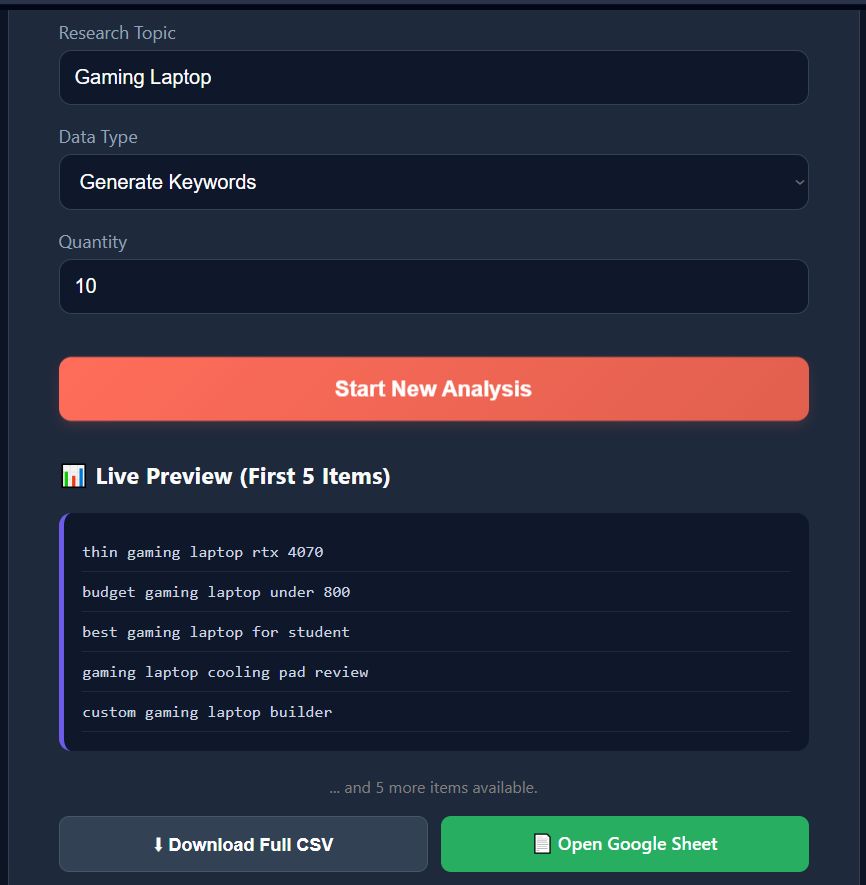
A self-hosted AI research dashboard built with n8n, Google Gemini, and Google Sheets. Users can generate viral keywords and blog titles, view live previews, and export data to CSV or Google Sheets instantly.
🌟 Features
- AI-Powered: Uses Google Gemini Pro to generate high-quality niche keywords.
- Live Preview: Shows the first 5 results instantly on the dashboard.
- Dual Export: Download as a clean CSV or open directly in Google Sheets.
- Dark Mode UI: Fully responsive, Cyberpunk-themed interface.
- Dockerized: Runs on any VPS with a lightweight Nginx container.
📥 Download Workflow
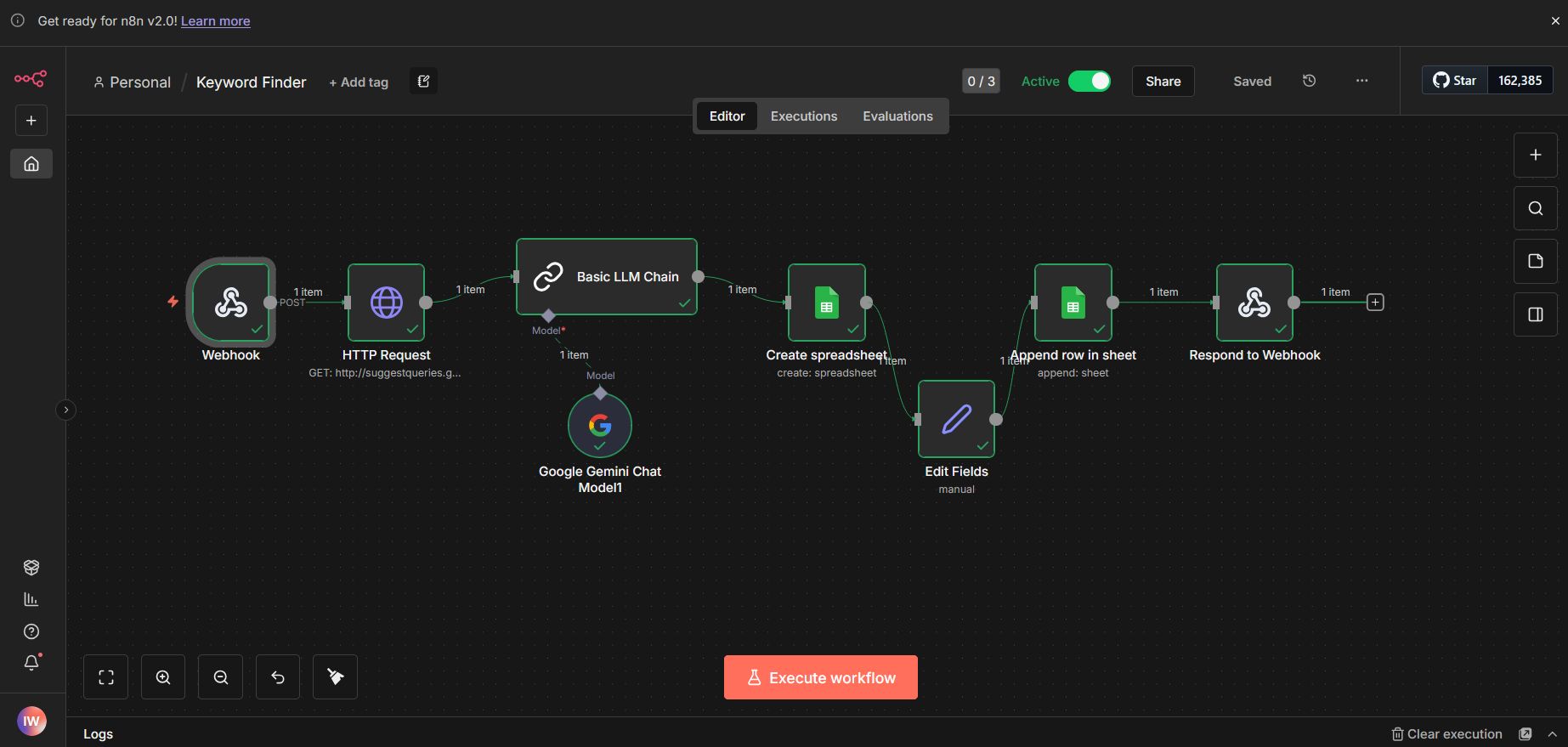
To get started, download the pre-built n8n workflow JSON file: 👉 Download Workflow JSON
🛠️ Tech Stack
- Frontend: HTML5, CSS3, Vanilla JavaScript
- Backend: n8n (Self-Hosted)
- AI Model: Google Gemini Chat Model
- Infrastructure: Docker & Docker Compose
🚀 Setup Instructions
1. Configure n8n (Backend)
- Import Workflow: Open your n8n editor, go to Workflows > Import from File, and select the JSON file linked above.
- Setup Credentials:
- Open the Google Gemini Node and add your Google PaLM/Gemini API Key.
- Open the Google Sheets Node and authenticate with your Google account.
- Environment Variables:
To allow the dashboard to talk to n8n, you must add these environment variables to your n8n Docker container (or
.envfile):bash -e N8N_CORS_ORIGIN="*" -e WEBHOOK_URL="https://YOUR-DOMAIN-OR-IP" - Activate & Get URL:
- Toggle the workflow to Active (Green switch top right).
- Open the Webhook Node.
- Click Production URL and copy it. (It should look like:
https://your-domain.com/webhook/keyword-research).
2. Configure Frontend (index.html)
- Open the
index.htmlfile in a text editor. - Find the configuration section (around line 130):
javascript // --- CONFIGURATION --- // REPLACE THIS URL with your actual n8n Production Webhook URL const WEBHOOK_URL = '[https://your-domain.com/webhook/keyword-research](https://your-domain.com/webhook/keyword-research)'; - Replace the URL with the Production URL you copied in the previous step.
3. Deploy Frontend (Docker)
Run the following command to serve the dashboard on your VPS using Nginx:
docker run -d --restart always \
  --name keyword-site \
  -p 8080:80 \
  -v ~/keyword-tool/index.html:/usr/share/nginx/html/index.html \
  nginx:alpine
🎉 Done! Access your dashboard at: http://:8080
📄 License
This project is open-source. Feel free to modify and use it for your own research needs.

Log in or sign up for Devpost to join the conversation.