-
-
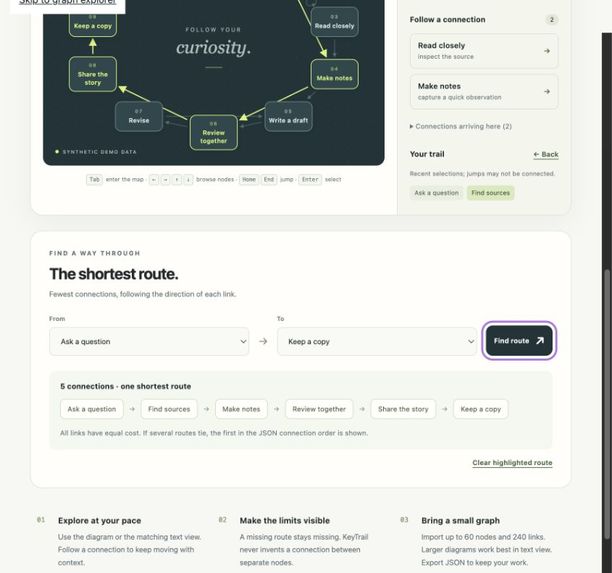
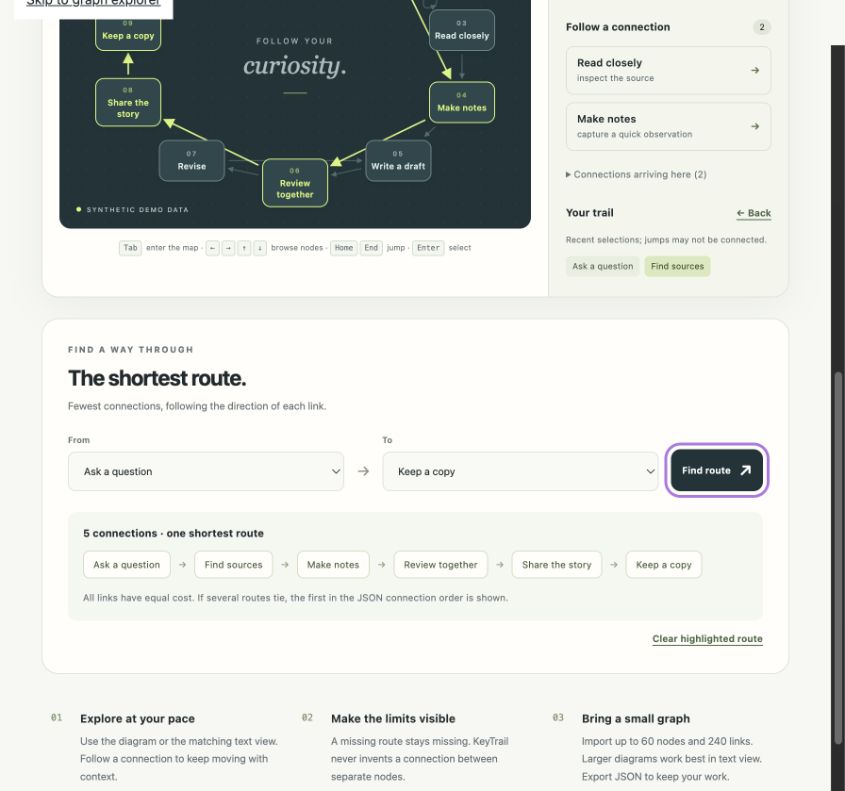
Breadth-first search returns one shortest directed route: five connections with equal link costs.
-
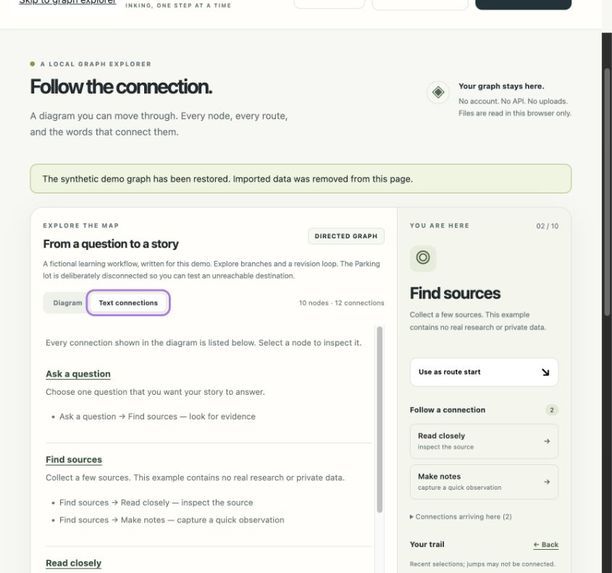
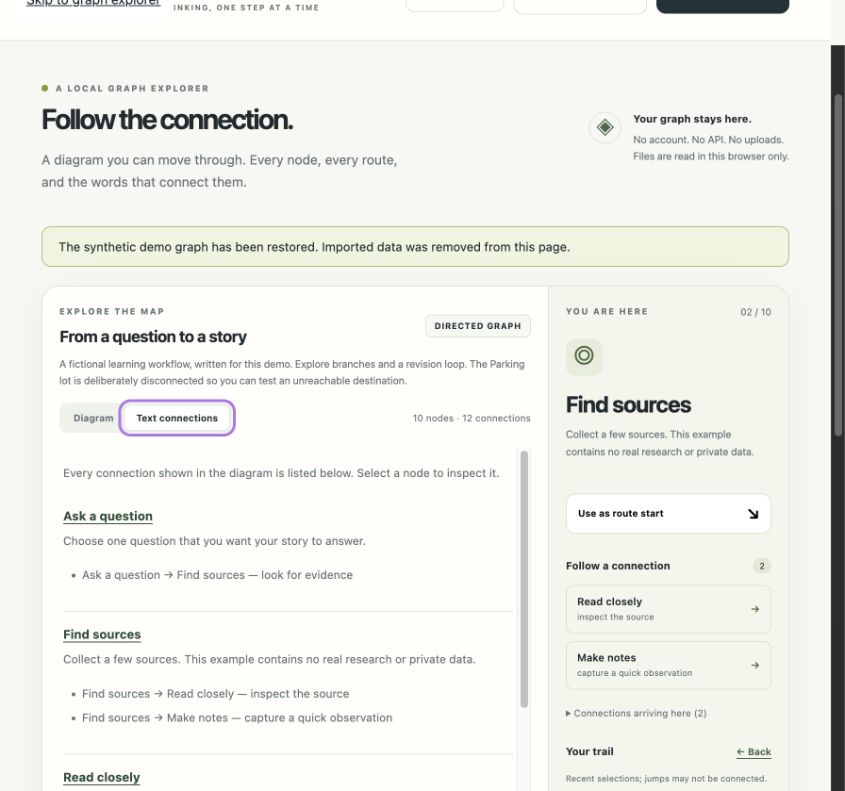
Text view presents the same nodes and connections without relying on the diagram.
-
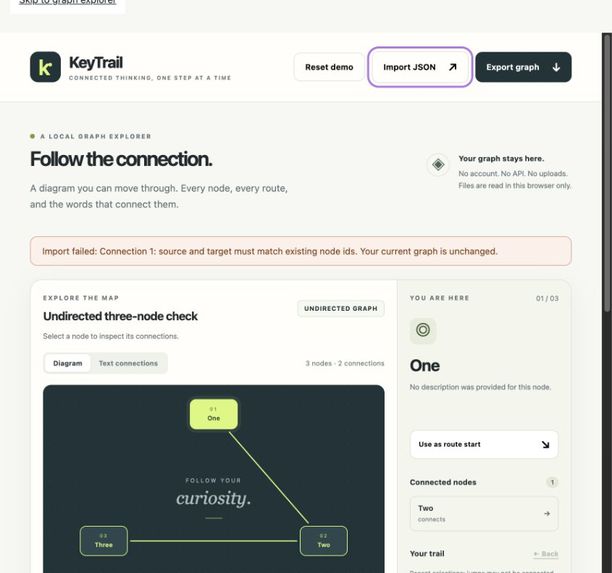
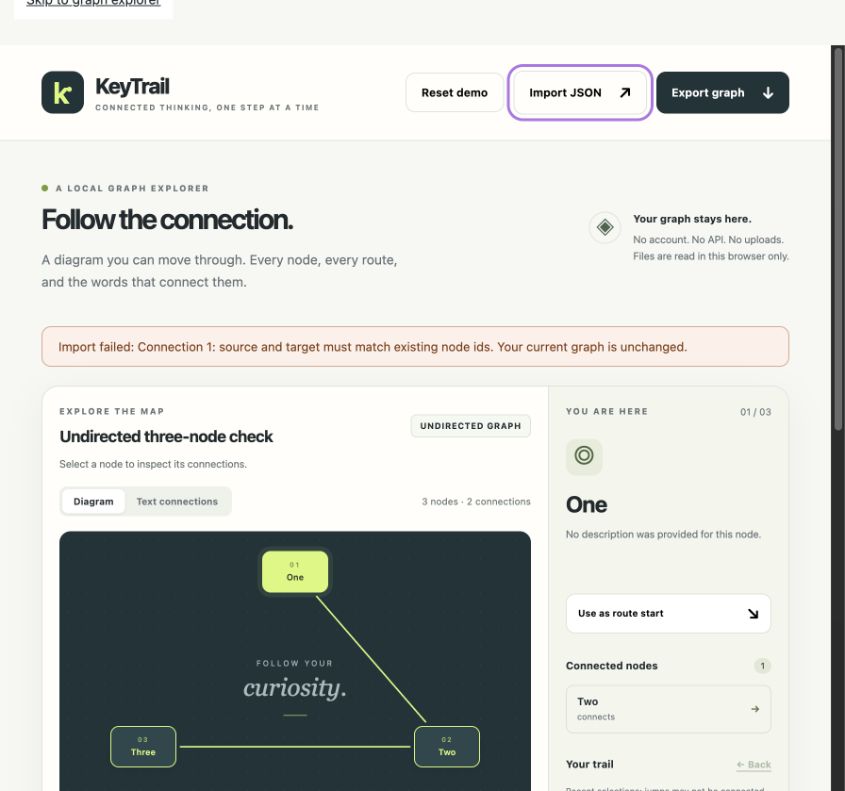
Invalid JSON is rejected while the current three-node graph remains unchanged.
-
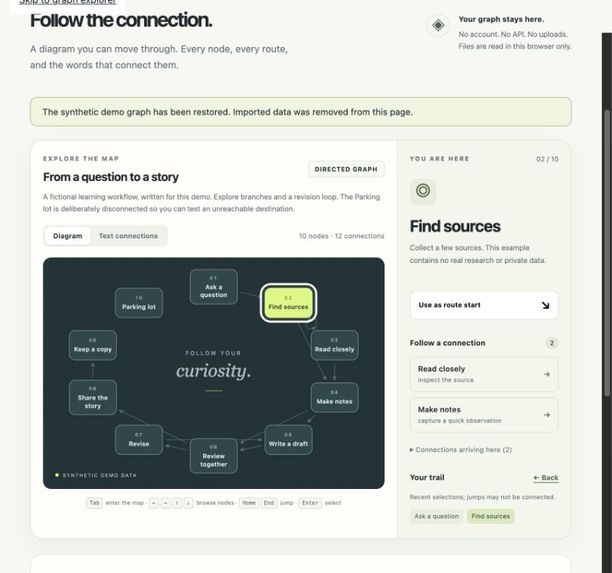
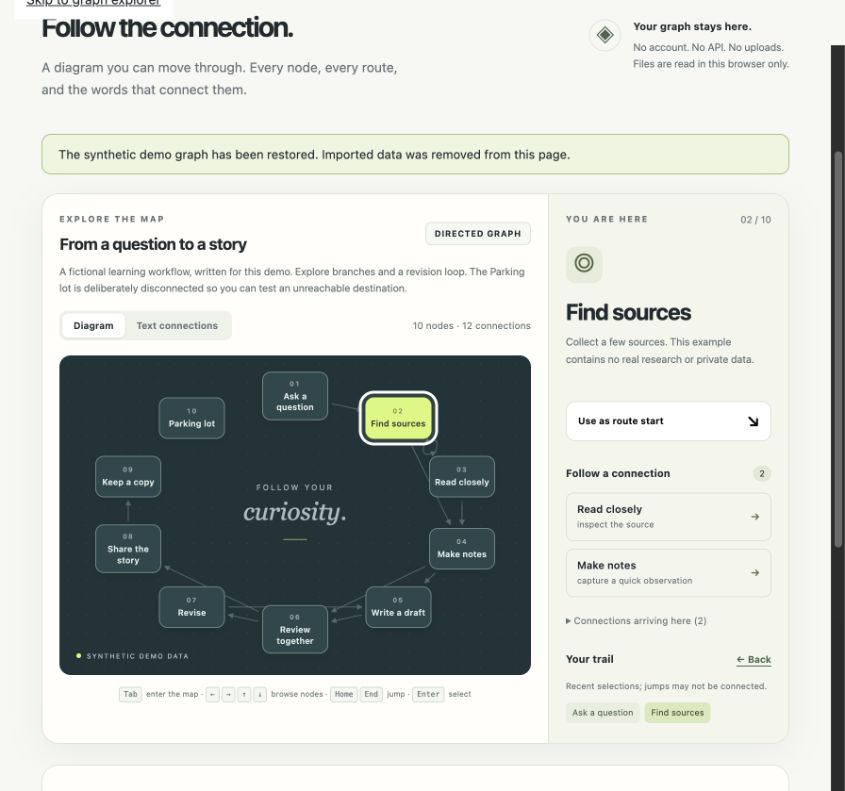
Keyboard focus and selection on the synthetic graph; matching node details and labelled connections.
Entrant
Yumin Kang (강유민), individual entrant.
Motivation
Small relationship graphs can show how ideas or steps connect, but understanding them should not depend only on following lines in a diagram. KeyTrail explores a simple interaction: select a node, inspect its connections, revisit recent selections, and read a route as an ordered list.
This is an early prototype for small, explicitly authored graphs. The motivation is a design hypothesis, not a finding from interviews or a user study.
What KeyTrail does
The application pairs a visual graph with a text representation of the same nodes and connections. In the diagram, arrow keys move focus through the node order; Enter selects a node. The details panel shows its description, outgoing connections, and incoming connections for directed graphs. Following a listed connection selects its destination. Back returns through recent selections; this history is separate from a graph path and may include jumps between unconnected nodes.
The route finder uses breadth-first search to return one path with the fewest connections. It respects direction, handles cycles, reports unreachable destinations, and supports a zero-connection route when the endpoints are the same. All connections have equal cost. When shortest paths tie, the order of connections in the JSON determines which one is returned.
The built-in example contains 10 synthetic nodes and 12 connections, including a revision loop, a shorter branch, and a disconnected Parking lot. Users can import a small JSON graph after schema validation. Invalid input leaves the current graph unchanged. Limits are 60 nodes, 240 connections, and 256 KiB per imported file. Larger graphs open in text view by default.
Export graph displays a read-only JSON snapshot and provides Download JSON and Select JSON controls. The snapshot and text-selection behavior have been checked; successful file saving has not been confirmed in the tested in-app browser.
Implementation
KeyTrail uses plain HTML, CSS, JavaScript, and SVG, with no application framework or external API. Graph parsing, validation, connection lookup, and breadth-first search are separated from the interface code. The search builds adjacency lists, visits each reachable node once, and reconstructs a route from predecessor links. Its search time and storage are O(V + E).
Imported labels are rendered as text. Graph files are read in the browser, and the application contains no upload or analytics integration. State is held in page memory; reloading resets it. A local Python HTTP server serves the static files, while Node.js runs the core tests. The application itself does not call an AI model.
What has been checked
The recorded core test run passed 32 authored checks covering routing and input validation. Cases include direction, cycles, tied paths, disconnected nodes, identical endpoints, malformed input, limits, and serialization/parsing. These are test-case results, not evidence of a measured user benefit.
Codex-assisted browser QA observed keyboard focus and selection, Back, text connections, valid and invalid imports, a five-connection sample route, and the unreachable-node result. It also identified a focus-loss issue when clearing a route; the corrected behavior returned focus to Find route. The export dialog showed parseable JSON, selected the full text, and returned focus to Export graph after Escape.
Actual download completion, a manual copy/save/re-import cycle, comprehensive mobile behavior, and screen-reader use remain unverified. No end-user study, accessibility certification, or comparative benchmark has been completed.
Contribution and limitations
The proposed contribution is the integration of keyboard selection, a matching text view, explicit route results, and selection history in a small local tool. Graph visualization and breadth-first search are established techniques. This prototype does not introduce a new routing algorithm, and its novelty relative to existing tools has not been established by a comparative evaluation.
Its potential use is as a small graph exploration or teaching aid. That impact remains a hypothesis. Dense diagrams can overlap, weighted routes are unsupported, and imported descriptions are displayed without verifying their accuracy. The next step is to evaluate the interaction with intended users, including people who use assistive technology, and revise it from observed problems.
AI use and provenance
OpenAI Codex proposed the initial concept and generated the full initial application implementation, synthetic graph, automated tests, documentation, and this submission draft. Codex also assisted with debugging, code review, and browser QA. A separate Codex agent reviewed the code; this was automated review, not independent human testing. The initial implementation is not presented as hand-written by the participant.
The graph data and fixtures were authored for this prototype and do not represent real people, research findings, or measured outcomes. No external dataset or third-party application library is included. AI-assisted checks do not replace the participant's responsibility to inspect the final work and explain how it functions.
Demo format
The linked 2 minute 30 second English-captioned video is an edited walkthrough of actual browser-state screenshots captured after functional interactions, not a continuous real-time screen recording. It demonstrates keyboard focus and selection, matching text connections, shortest routes, an unreachable destination, a zero-connection route, valid import, invalid-input rejection, and the export JSON view.

Log in or sign up for Devpost to join the conversation.