-
-
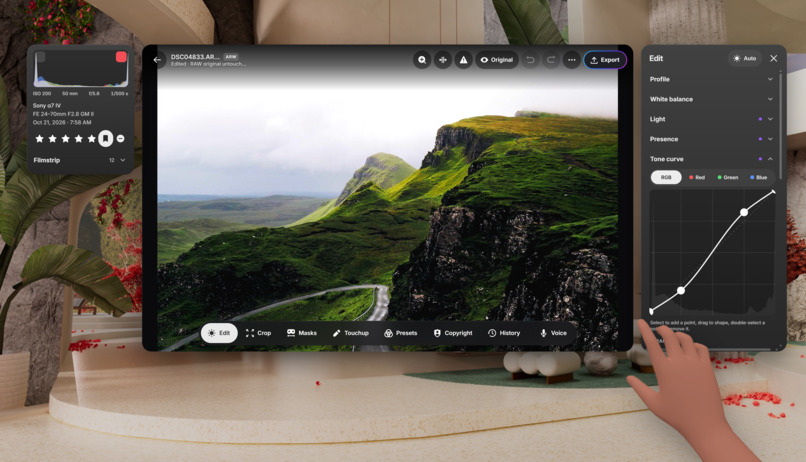
Professional color grading tools all on your headset
-
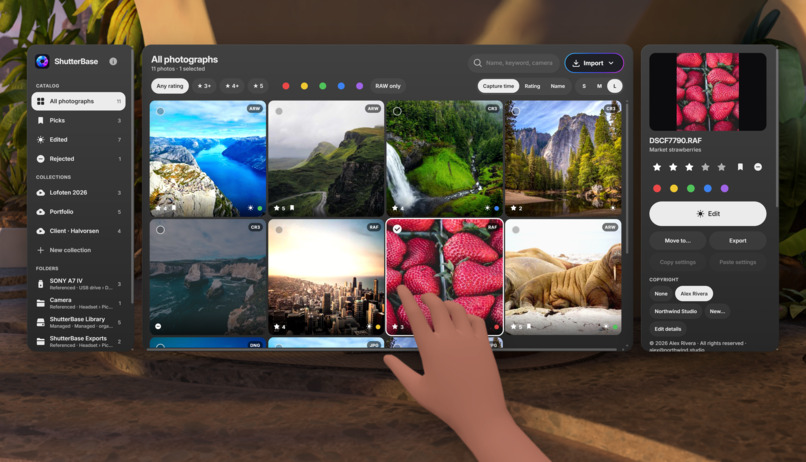
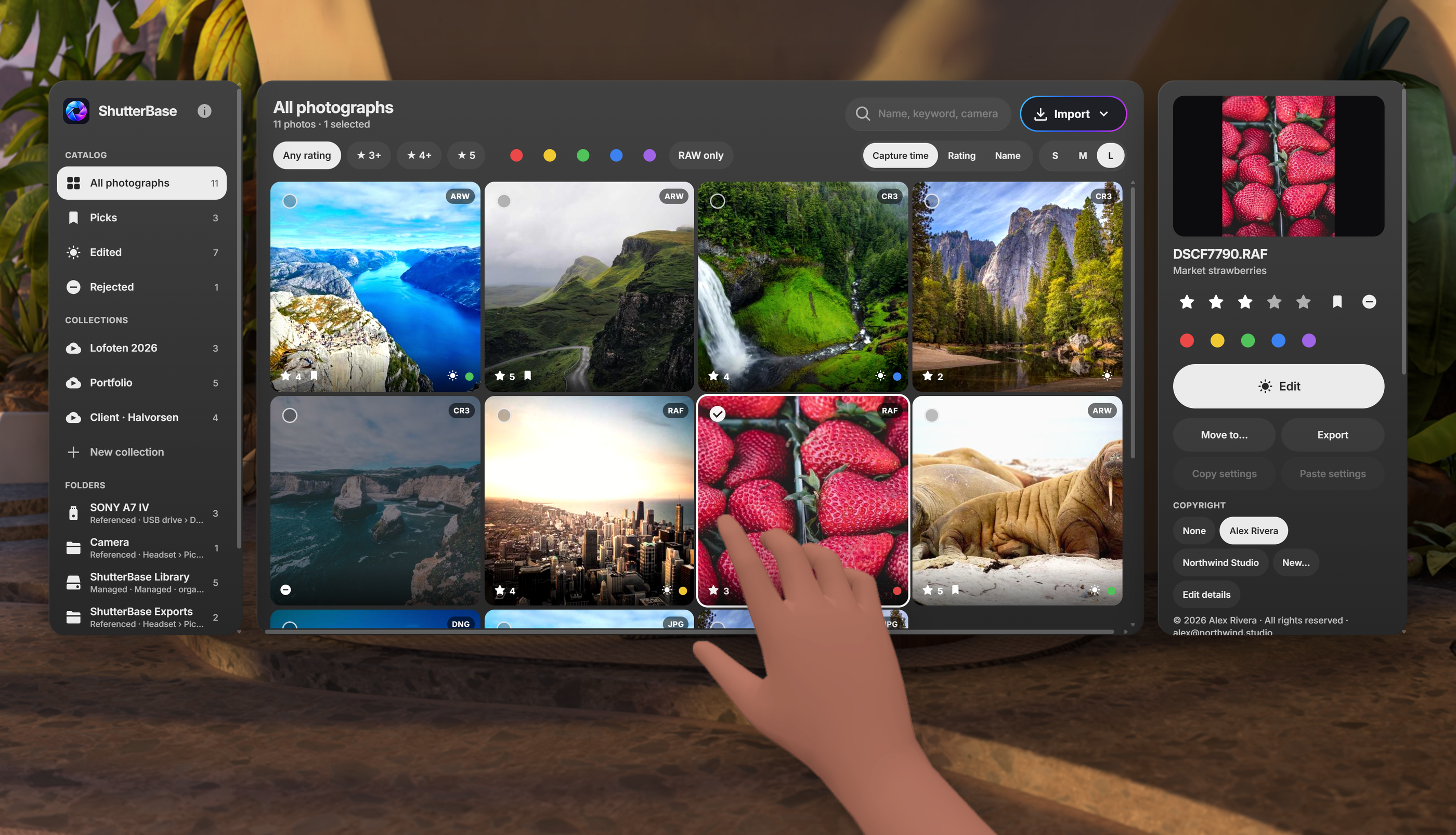
Import your photos and organize your library
-
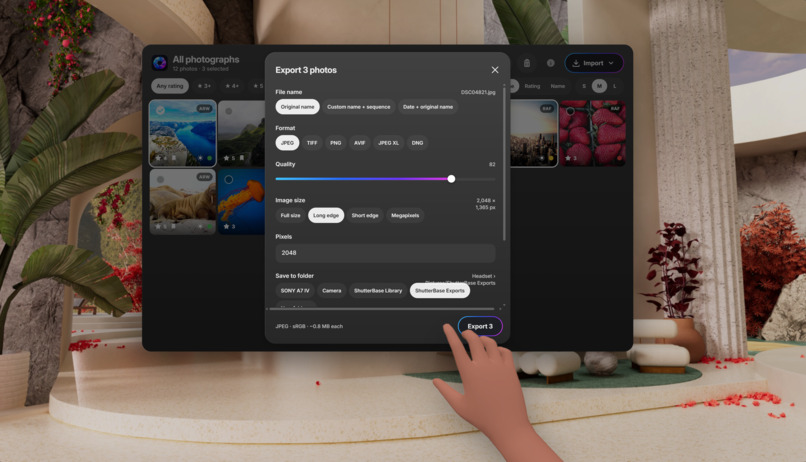
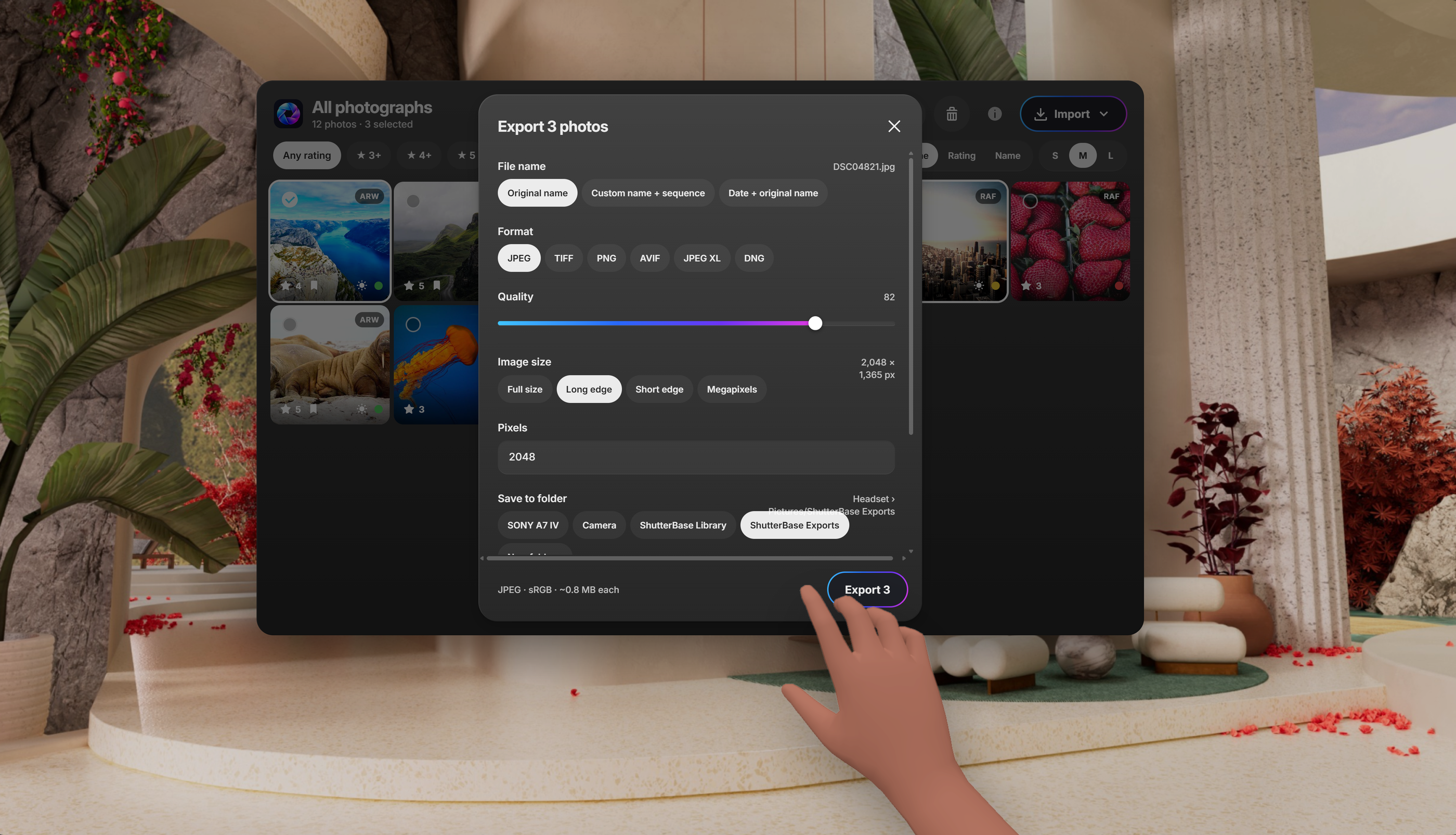
Extensive export controls
-
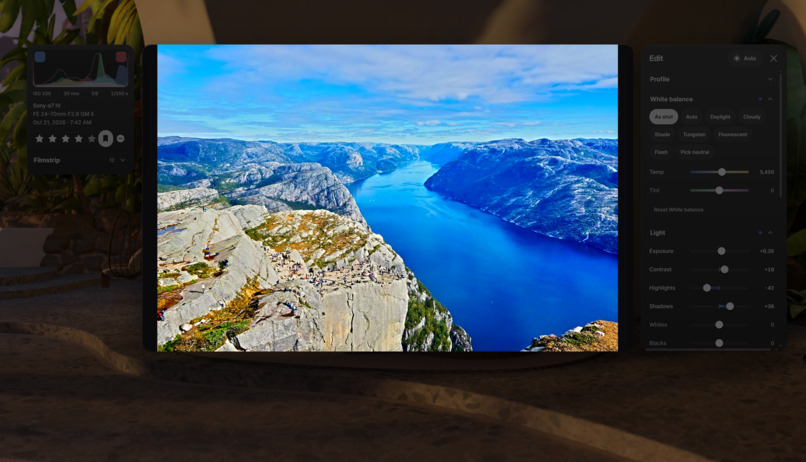
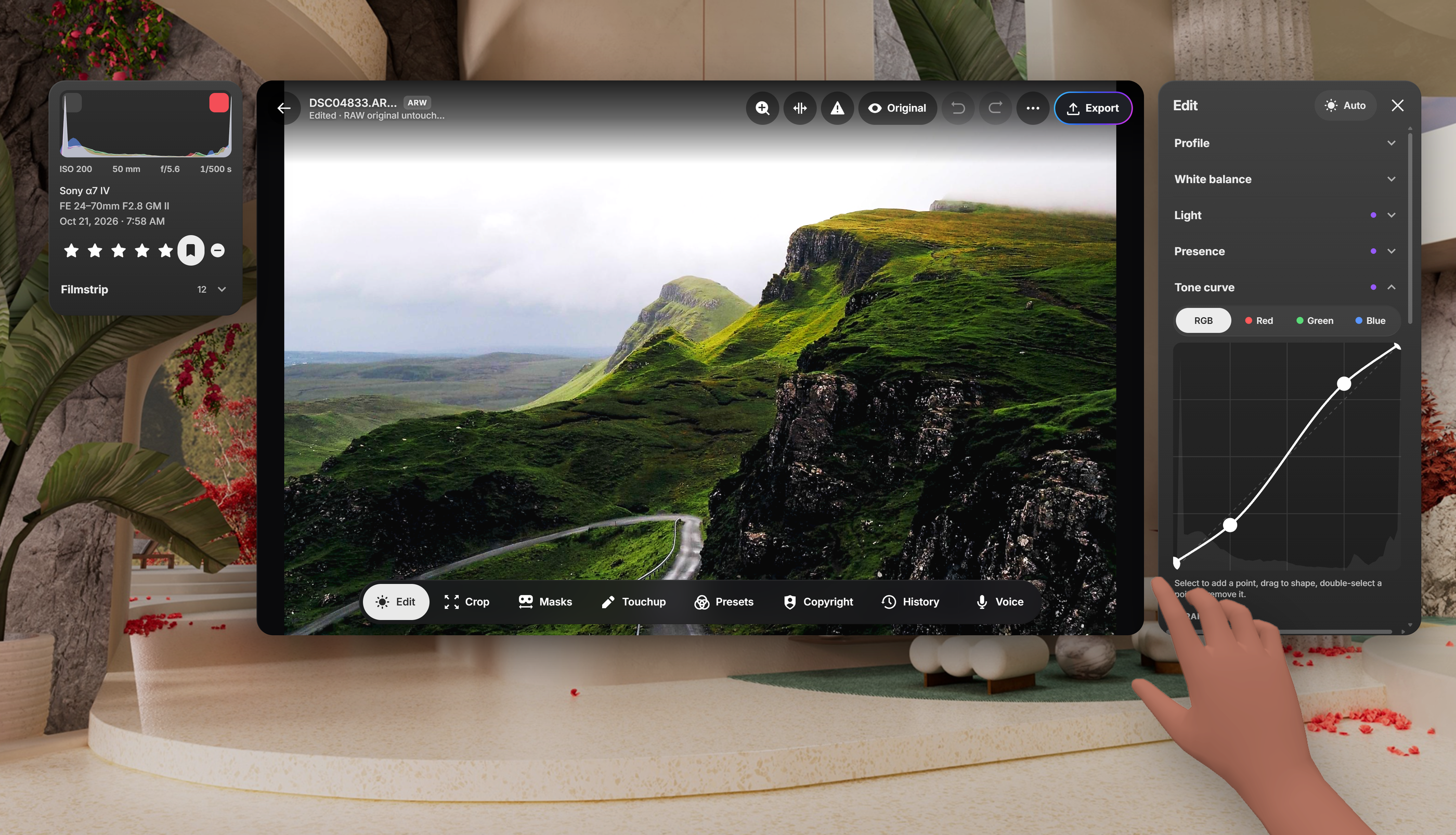
UIs hide and panels dim when not interacting to give you the best picture
-
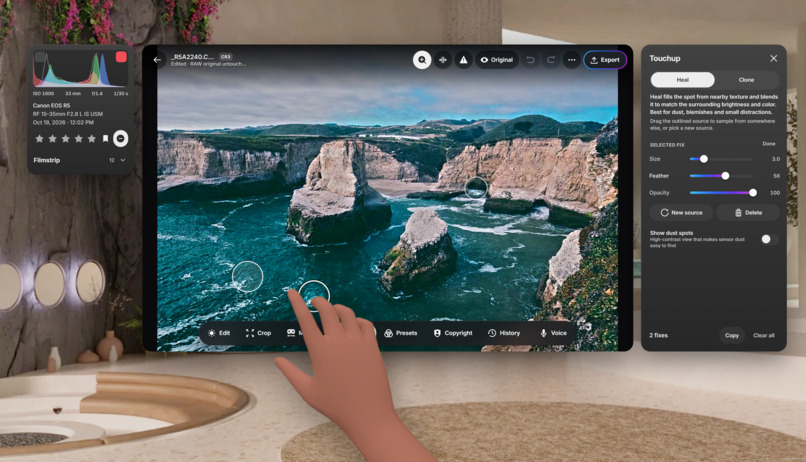
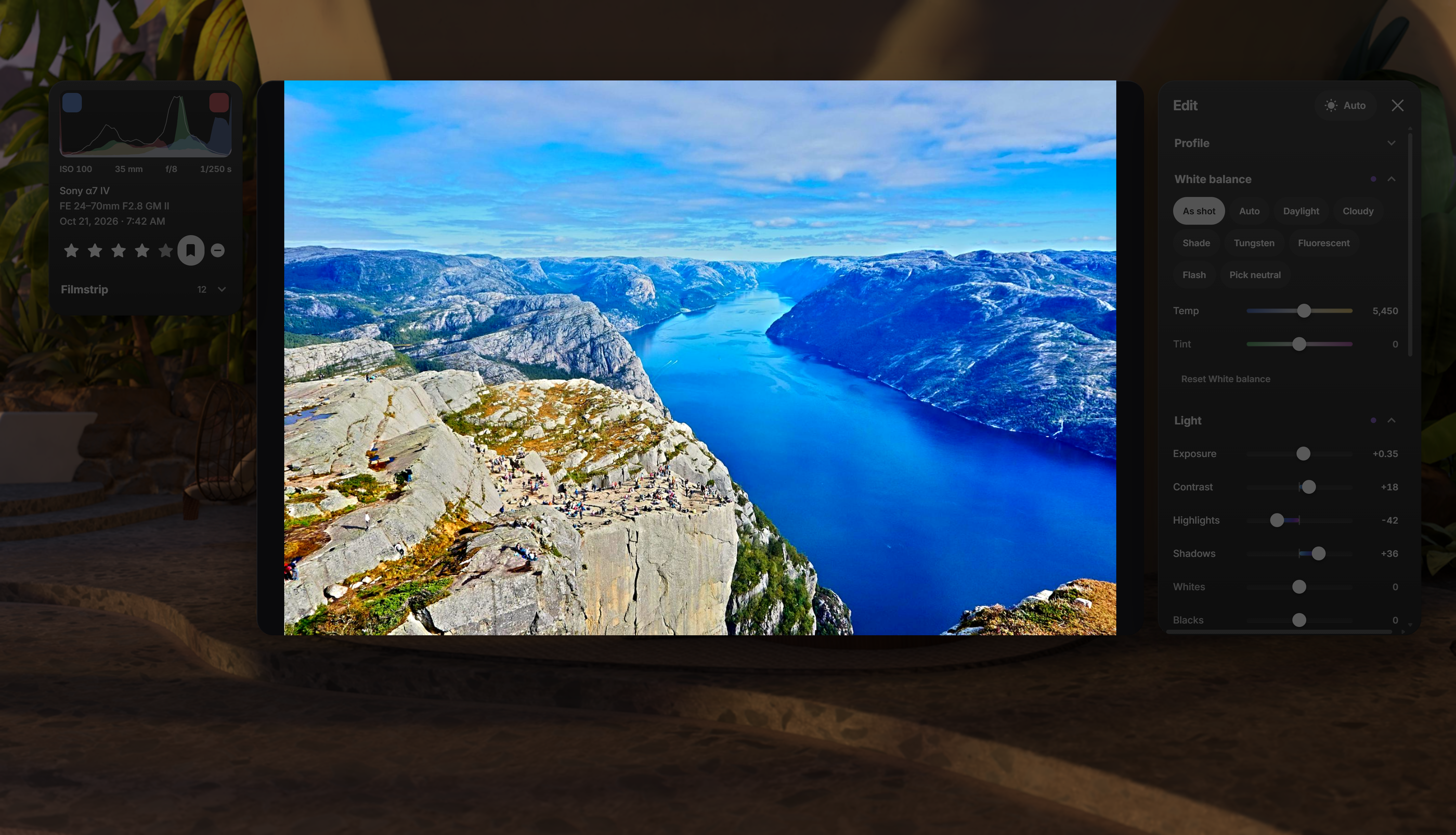
All the tools you would expect from a professional photography editor
Inspiration
A camera can capture incredible images anywhere, but editing them usually means bringing a laptop or waiting until you get home. I wanted to explore a different workflow: bring a camera and a Meta Quest, then use the headset as a portable darkroom.
ShutterBase grew from a simple question: can spatial computing become a practical creative tool? I wanted to build something someone could use to get real work done.
What it does
ShutterBase is a photo editor built for Meta headsets. It gives photographers a large editing workspace that shuts out surrounding glare and keeps their images front and center.
You can:
- Import and organize photos into folders and collections.
- Develop supported RAW files with exposure, white balance, curves, color adjustments, and detail controls.
- Make local adjustments with subject, sky, background, brush, and range masks.
- Auto sky and subject detection for precise masking.
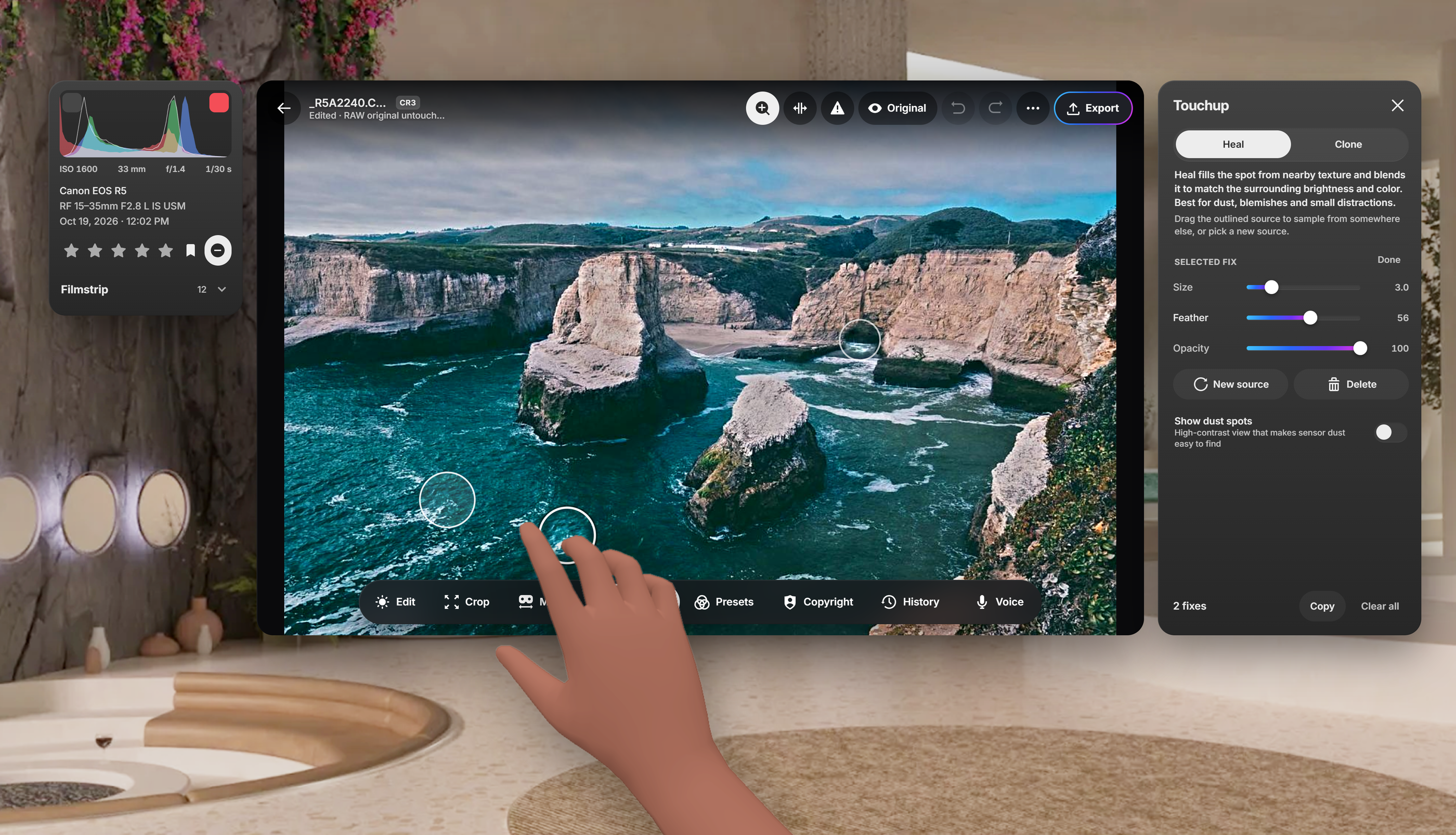
- Remove distractions with Heal and Clone.
- Apply presets, review edit history, and compare edits with the original.
- Calibrate color and exposure with a calibration card and automatic detection with full refinement controls.
- Export JPEG, TIFF, or PNG files with copyright metadata and optional watermarks.
- Transfer photos over local Wi-Fi without a cloud account.
- Create a slideshow of your photos and pin them to the wall in your home environment loft.
Processing happens on the headset, and edits are stored separately so originals remain unchanged.
Note: The app is currently targeting only Quest 3 and up. The reason for this is primarily the processing speed of the device but I'm totally open to opening it up to Quest 2 users with more testing and limitations/optimizations.
How I built it
Before building ShutterBase, I actually went through two other ideas. The first is a typing tutor game called Keystrike that focused on the new surface keyboard feature. The second is a device file manager app called FileBase that reads, edits, and converts many of the most common files people usually need to use. Both of those didn't quite feel like the best I can do for the hackathon and once I landed on the idea for ShutterBase, I went all in. That said, you can check those ideas out here to see the path I took: https://spatialbase.co (I still plan to release the other two).
I built ShutterBase as a native Android application for Meta Horizon, combining a headset-focused interface with native image-processing components. I've been building fully immersive apps in Unity for years now but developed iOS and Android apps prior to that so this was a fun way visit back to that. The editing pipeline separates source images, edit instructions, previews, and exports. This lets me preserve originals while generating responsive previews and rendering finished images from the saved adjustments.
Large photographs required careful memory management. I developed tiled image paths, multiple preview resolutions, background processing, and reusable caches to avoid decoding and rendering everything at full resolution for every interaction. Managing the cache vs responsiveness is still something I'll be tweaking I think. That said, ShutterBase can handle a 50 MP DNG raw image now fairly well!
The interface brings the photo, filmstrip, histogram, and editing controls into a workspace designed for hands and controllers... and soon eyes! On Horizon v207+, the app also uses the new spatial views to declutter the app UI and allow you to focus in on your work.
Challenges
The biggest challenge was balancing image quality, responsiveness, and memory use. A large RAW photograph contains far more data than a typical app image, and editing it involves multiple intermediate results.
I also had to keep preview and export behavior consistent while improving performance. Faster processing only helps if it preserves the expected image.
Designing for a headset introduced another challenge: familiar desktop controls do not automatically feel comfortable in a spatial UI. Panel placement, readable labels, interaction targets, and unobstructed photo viewing all needed attention especially considering the fact that eye tracking is going to be a significant input method soon.
Fine input was anther challenge. Hand tracking isn't the best for very fine control so it could be hard to get an exact value while interacting with a slider input. My solution was to borrow from apple and adjust the rate of change based on the input/cursor position from the slider input. Doing this allows for much finer control and has the added benefit of being a UX that's somewhat familiar to some users.
And finally, I struggled with the window layout. I really would love to have control over entering/exiting focus mode which would be a near equivalent to android XR's full space mode. I think there's a time and place for a regular window mode but giving a developer more control for a "focused" state would be amazing. Adding a toggle into immersive mode was a dead end unfortunately for a few reasons: the transition was terrible, you lose native move/resize controls, and you lose access to the surface keyboard. I really hope meta builds up the capabilities in this regard.
Accomplishments that I'm proud of
I brought a substantial photography workflow onto a standalone headset: organizing images, developing RAW files, making local adjustments, retouching, and exporting finished photographs. We’re especially proud of keeping processing local, preserving originals, and making the photo the focus of the experience. ShutterBase shows that a headset can support creative work beyond viewing content.
What I learned
Spatial computing is most useful when it improves a task people already want to do. The large workspace and controlled viewing environment matter more than adding visual spectacle. I also learned that performance is part of the product’s design. Preview behavior, cache management, background work, and clear progress feedback directly affect whether an editing tool feels dependable.
What's next for ShutterBase
My next priorities are further improving large-file performance, expanding camera and format testing, refining import and export workflows, and continuing to polish headset interactions. I want to make the journey from camera to edited photograph increasingly reliable—so photographers can spend more time creating and less time managing their tools.
I've also been playing with voice integration so you can talk through you edits and a print ordering feature. The print ordering was actually going to make it into the v1 but unfortunately it requires written approval from Meta.
I also look forward to a store release to get this into the hands of photographers and to get their feedback!

Log in or sign up for Devpost to join the conversation.