-
-
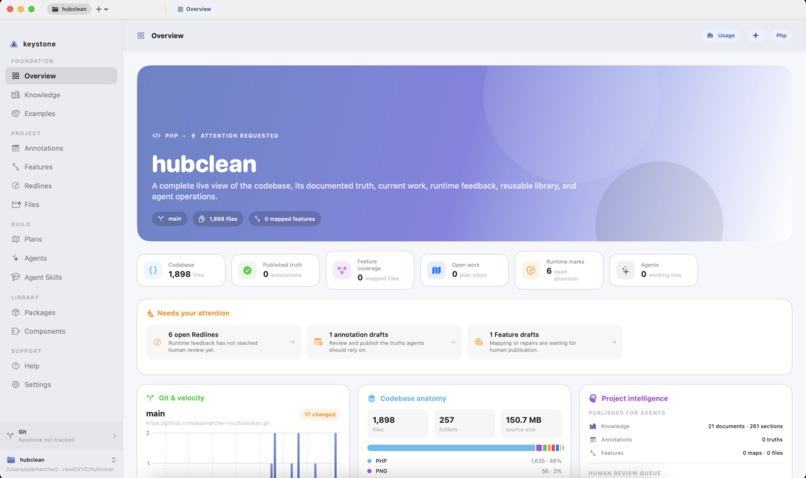
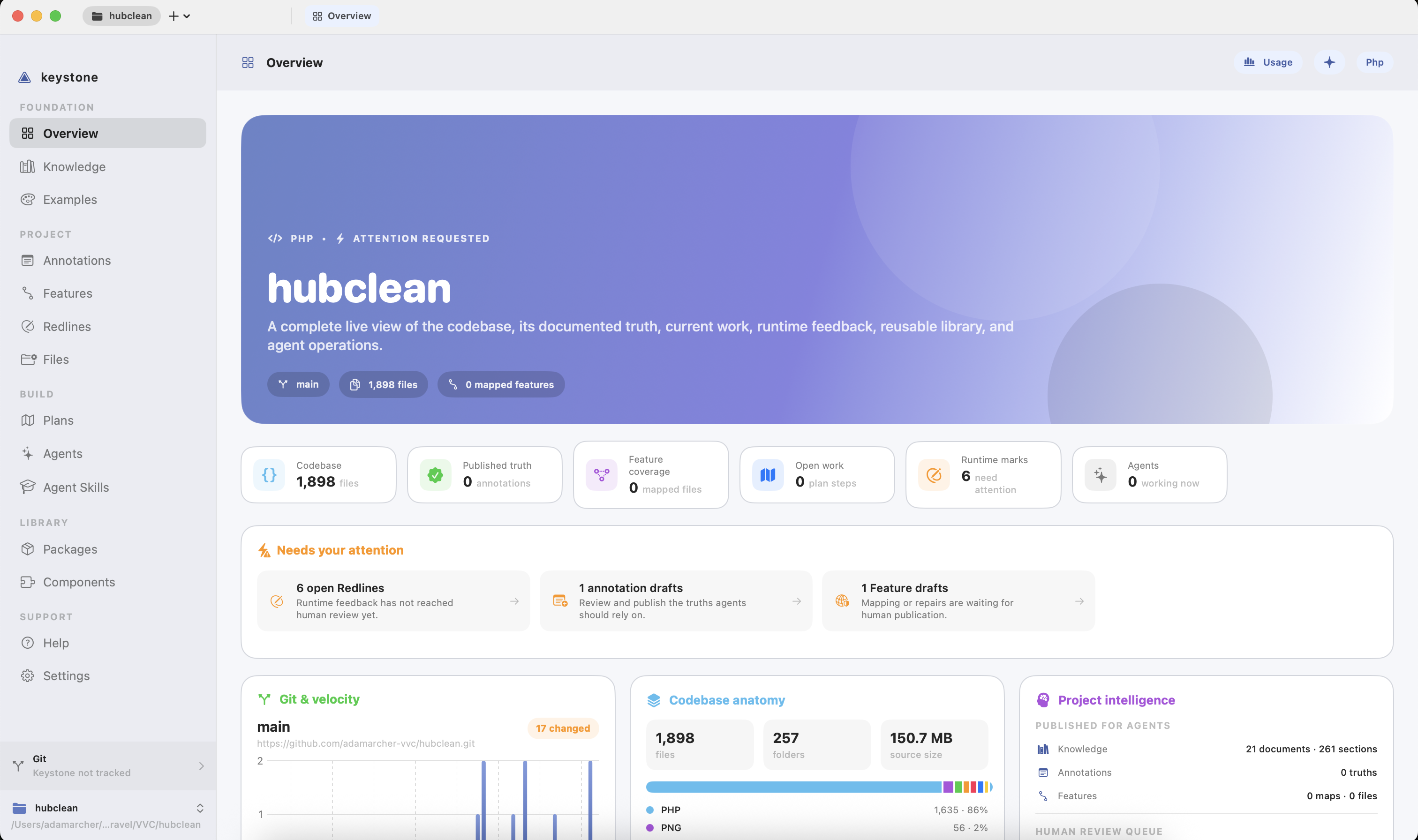
Main Overview Screen
-
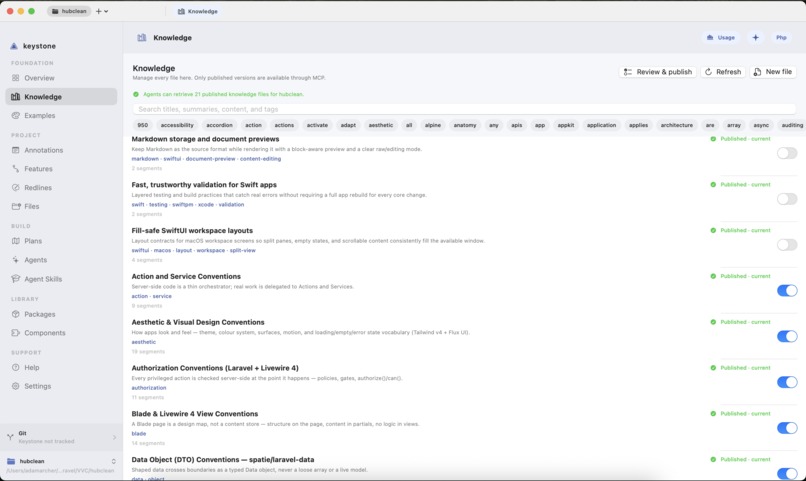
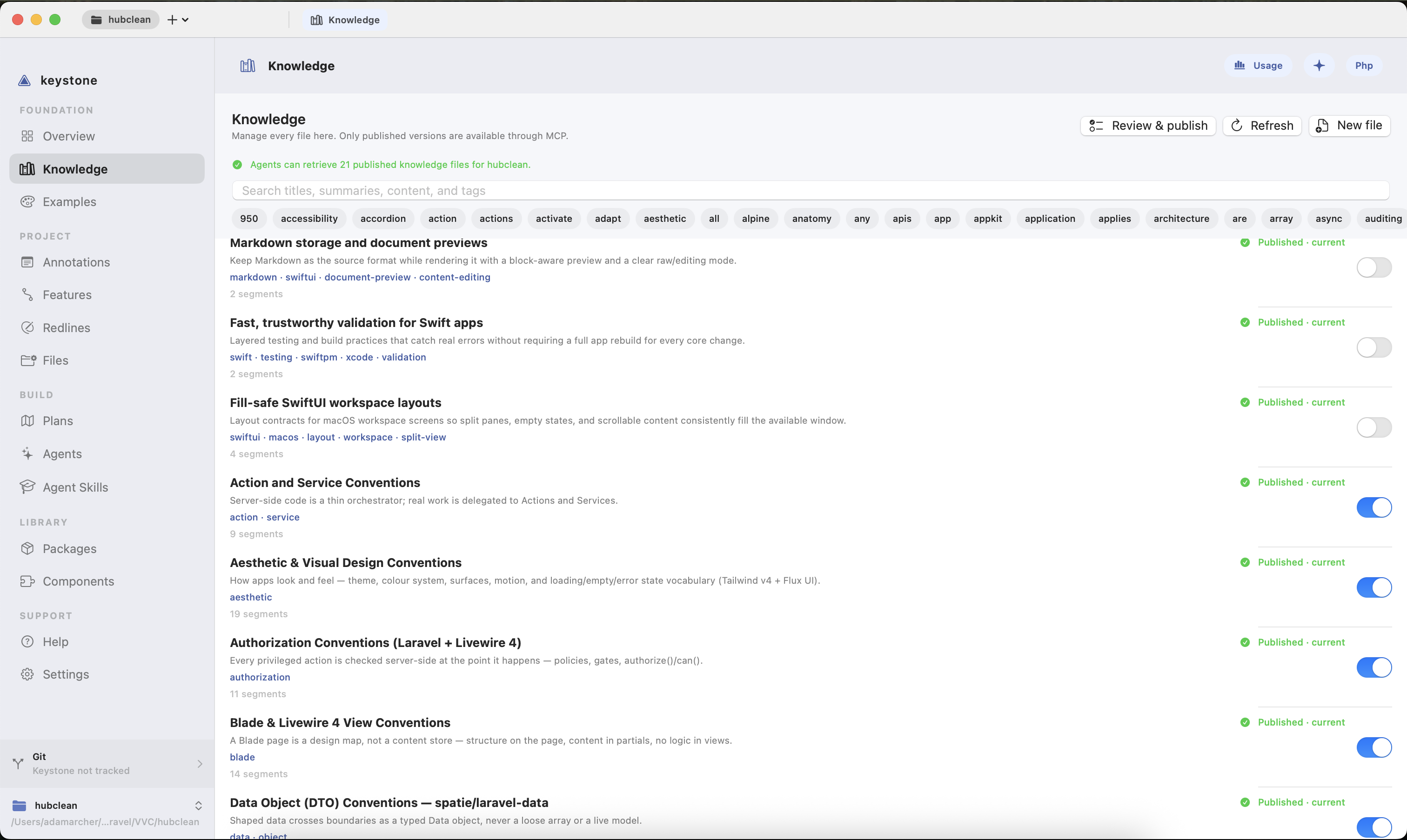
Knowledge Repository
-
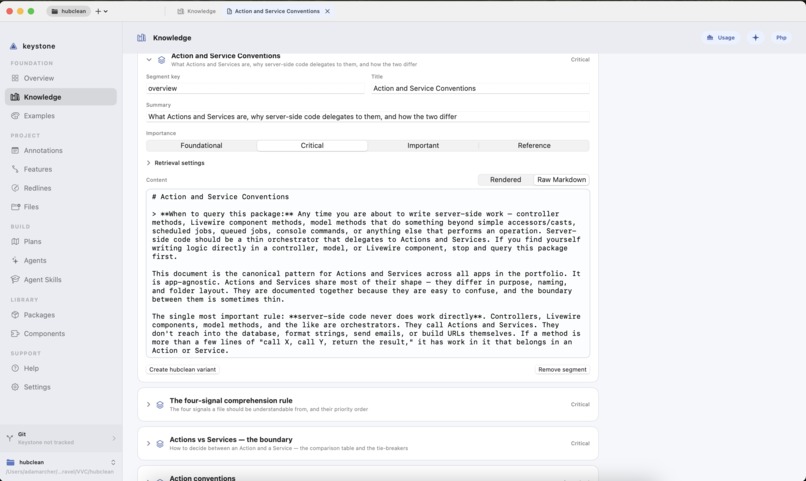
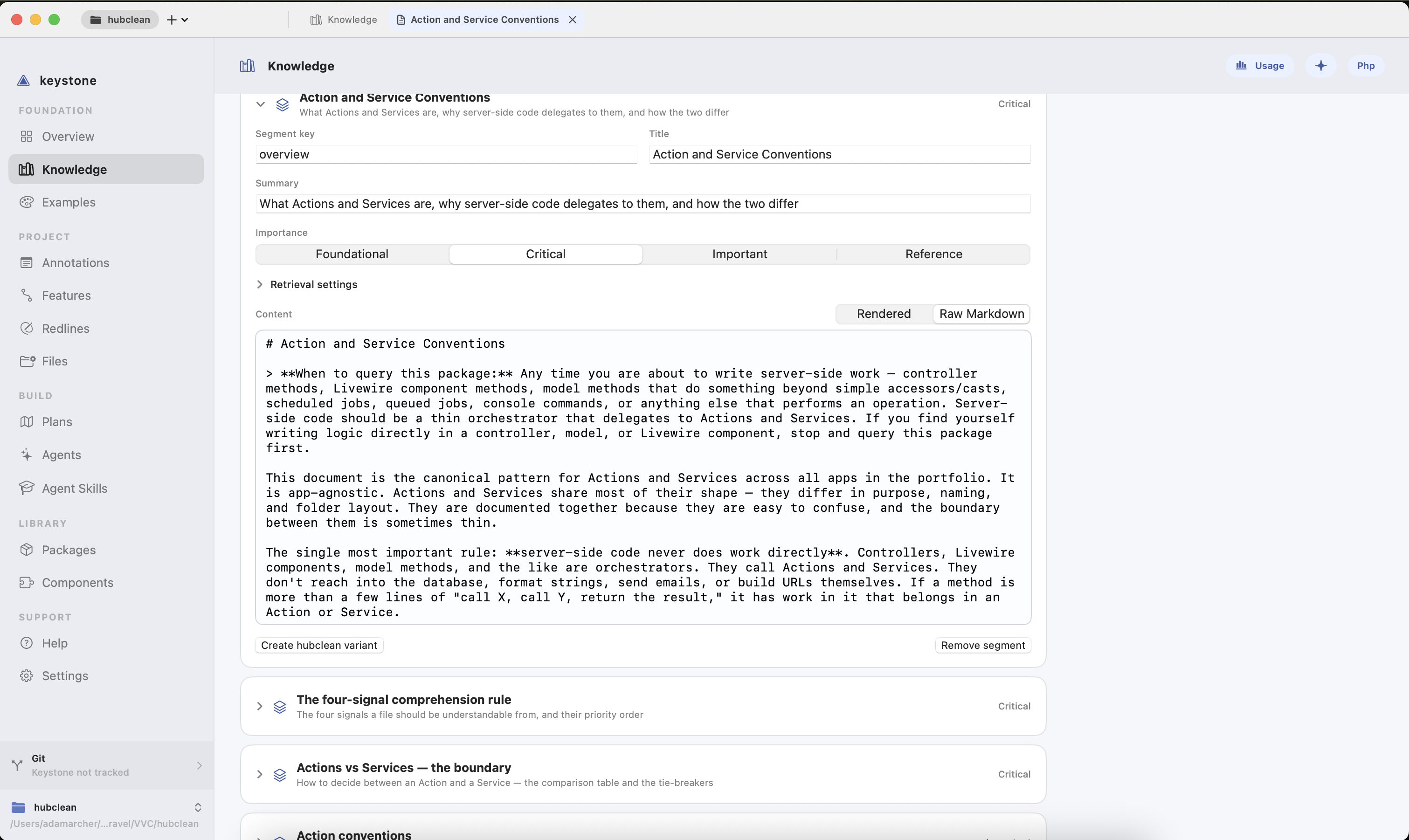
Inside a Knowledge File
-
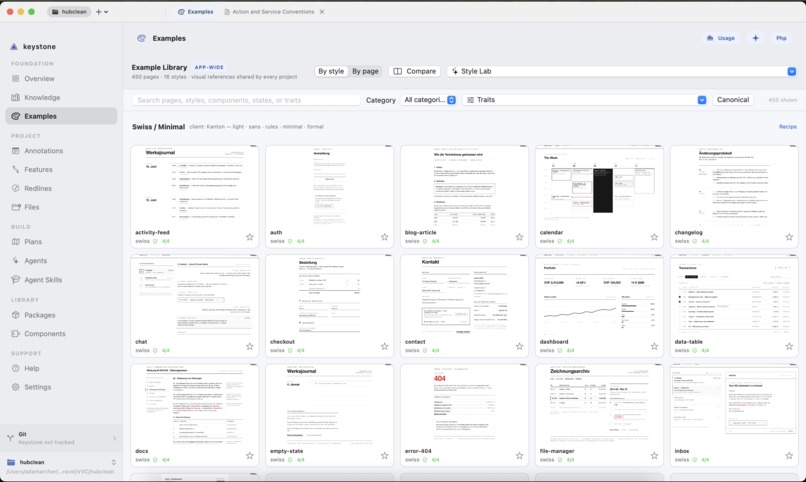
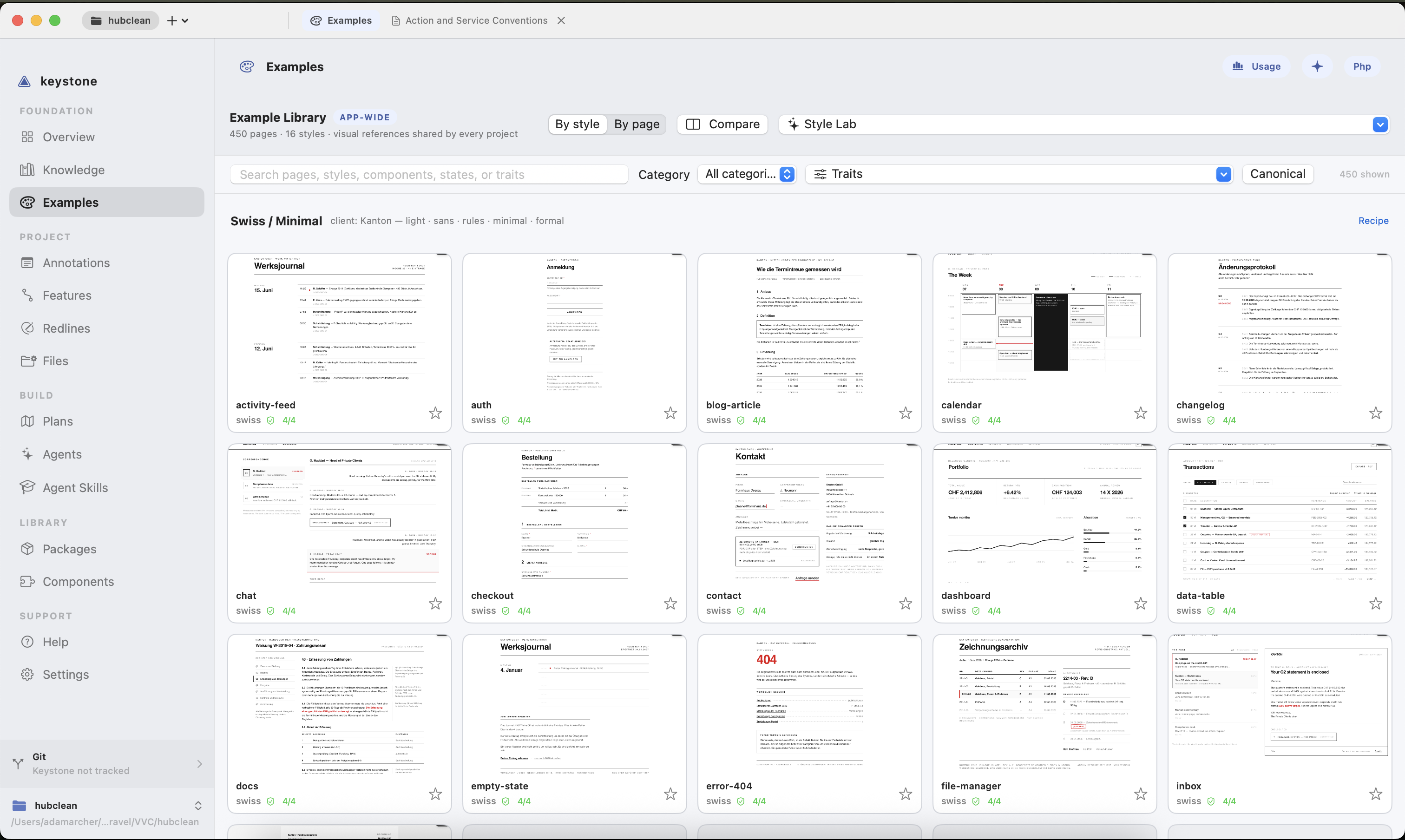
Page Design Example Library
-
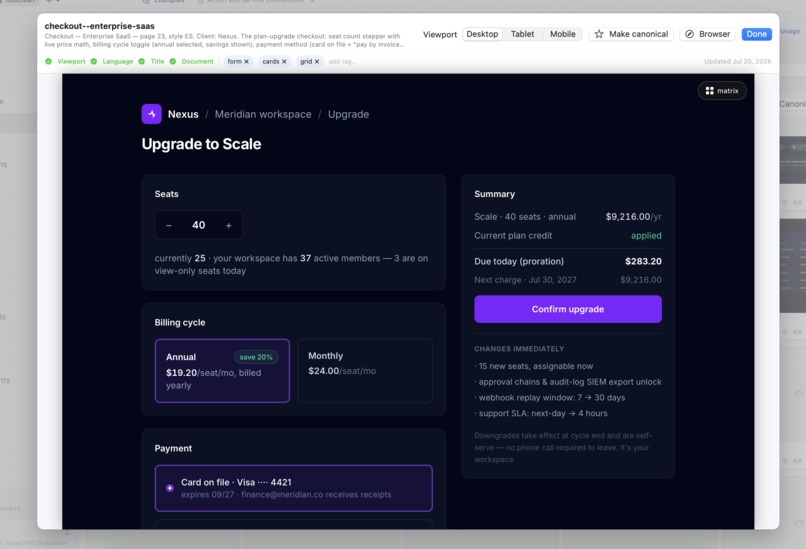
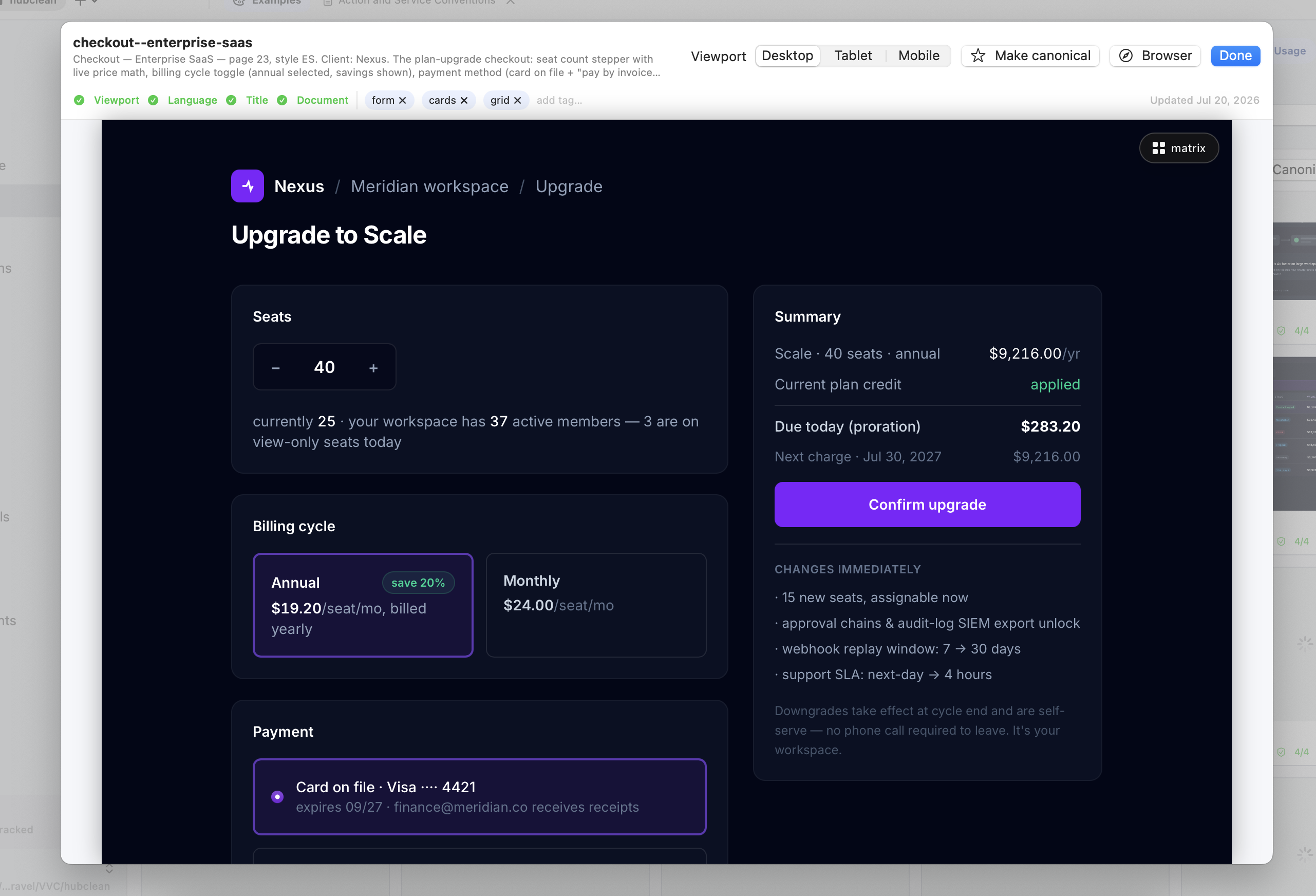
Example Preview
-
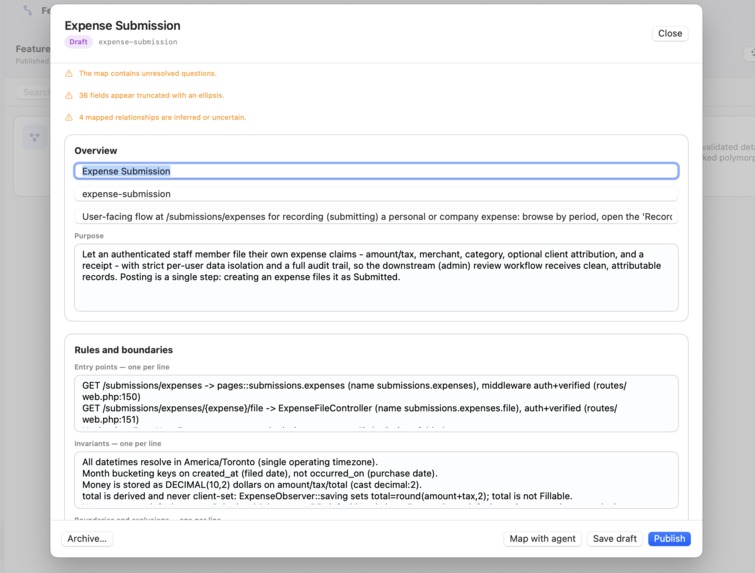
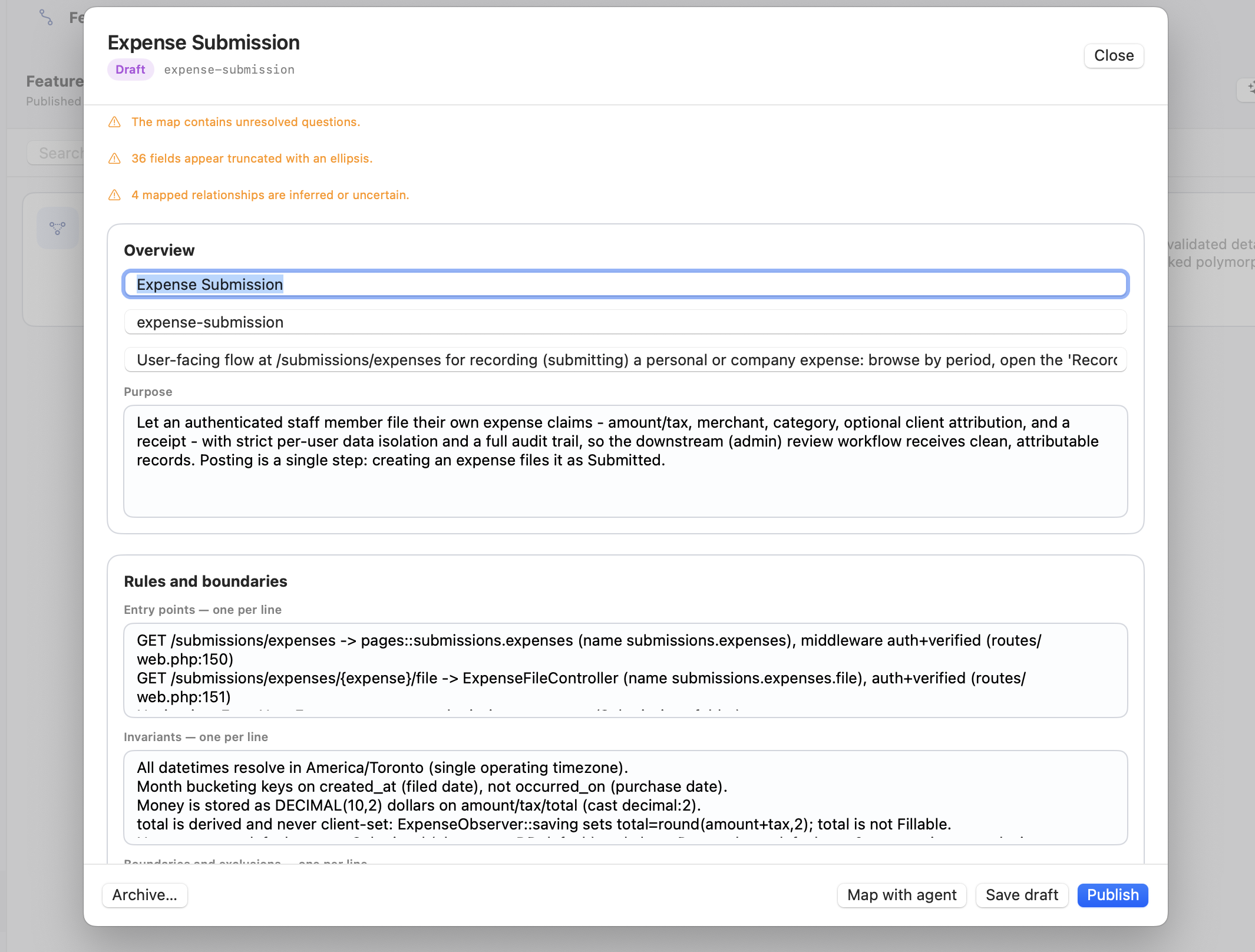
Feature Item - Overview and Rules
-
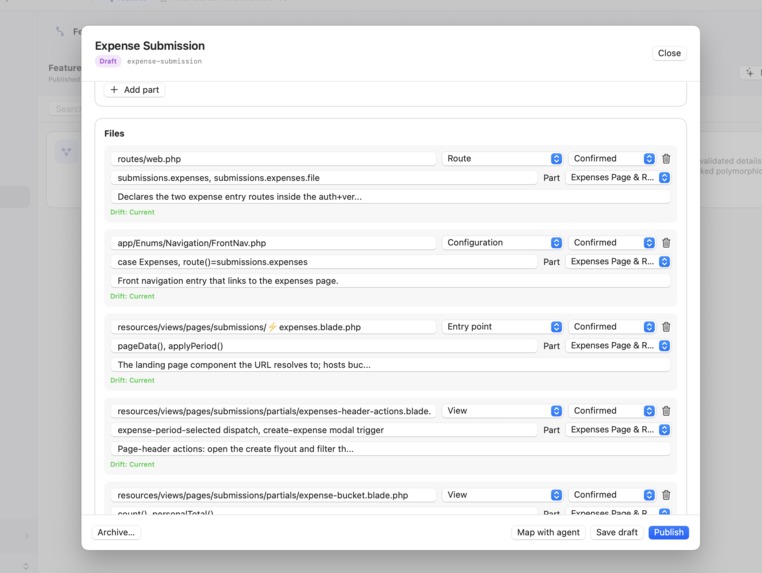
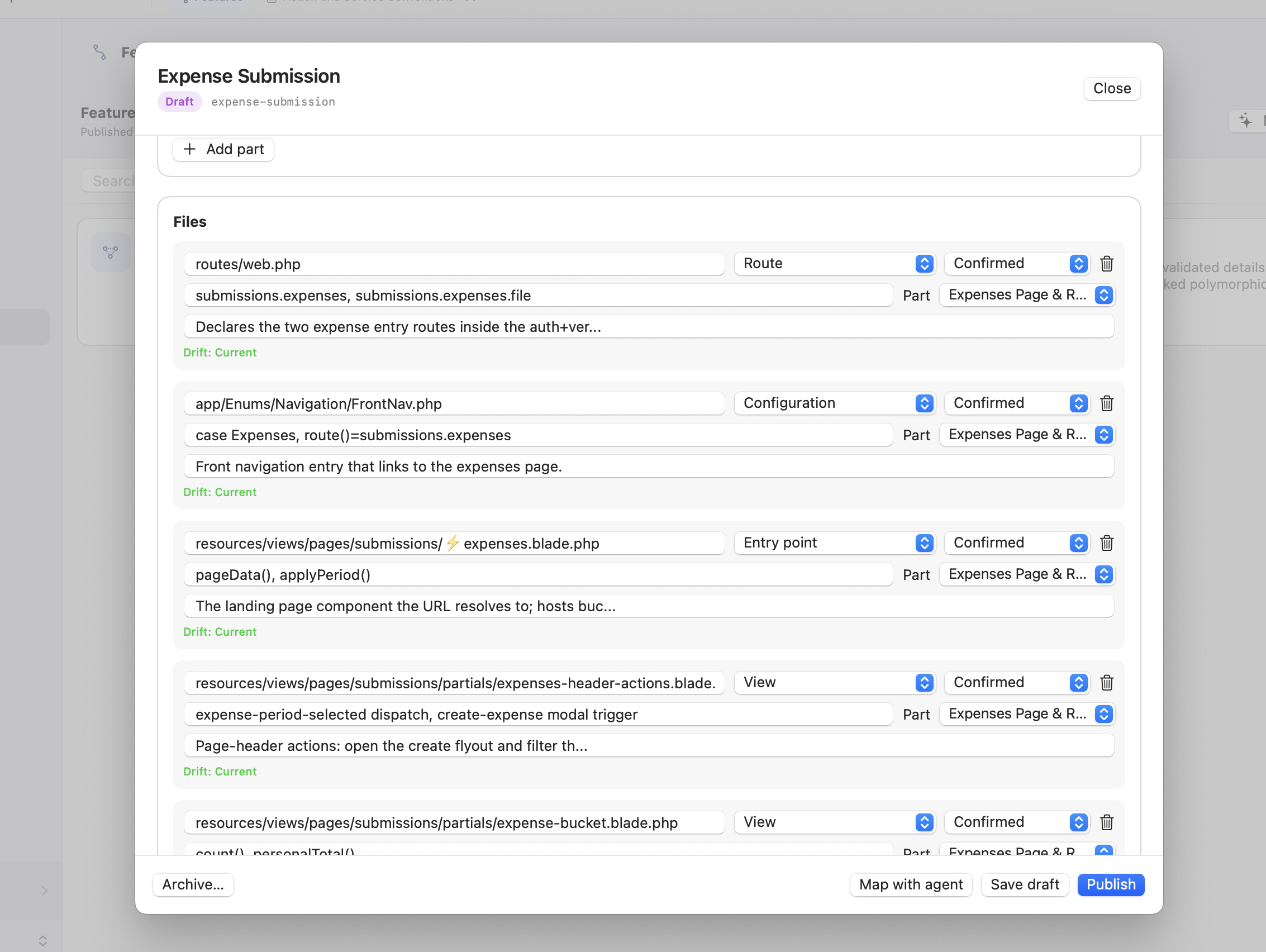
Feature Item - Mapped Files list
-
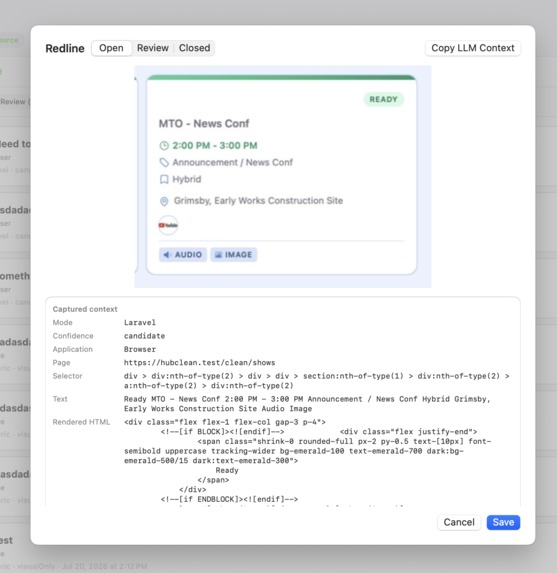
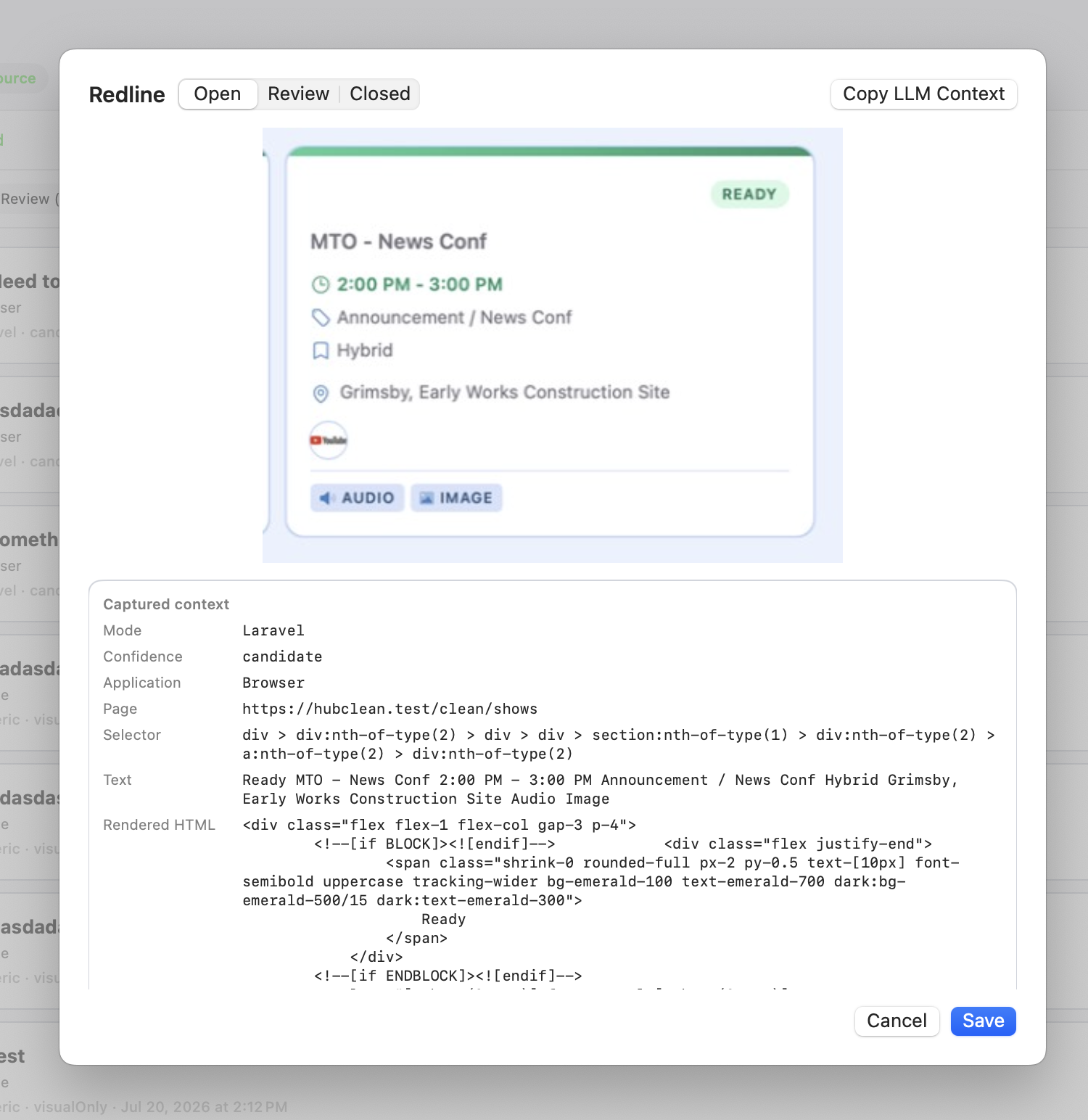
Redline Item with screenshot, attached code and notes for LLM repair
-
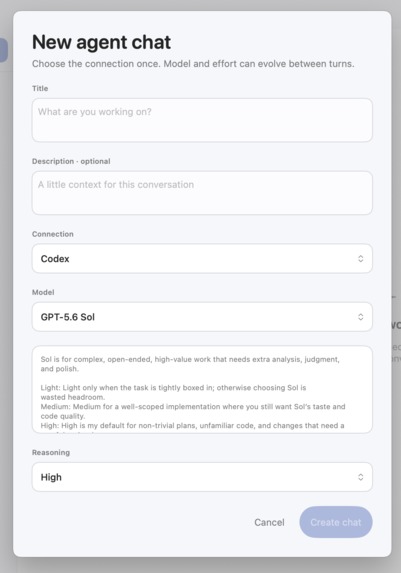
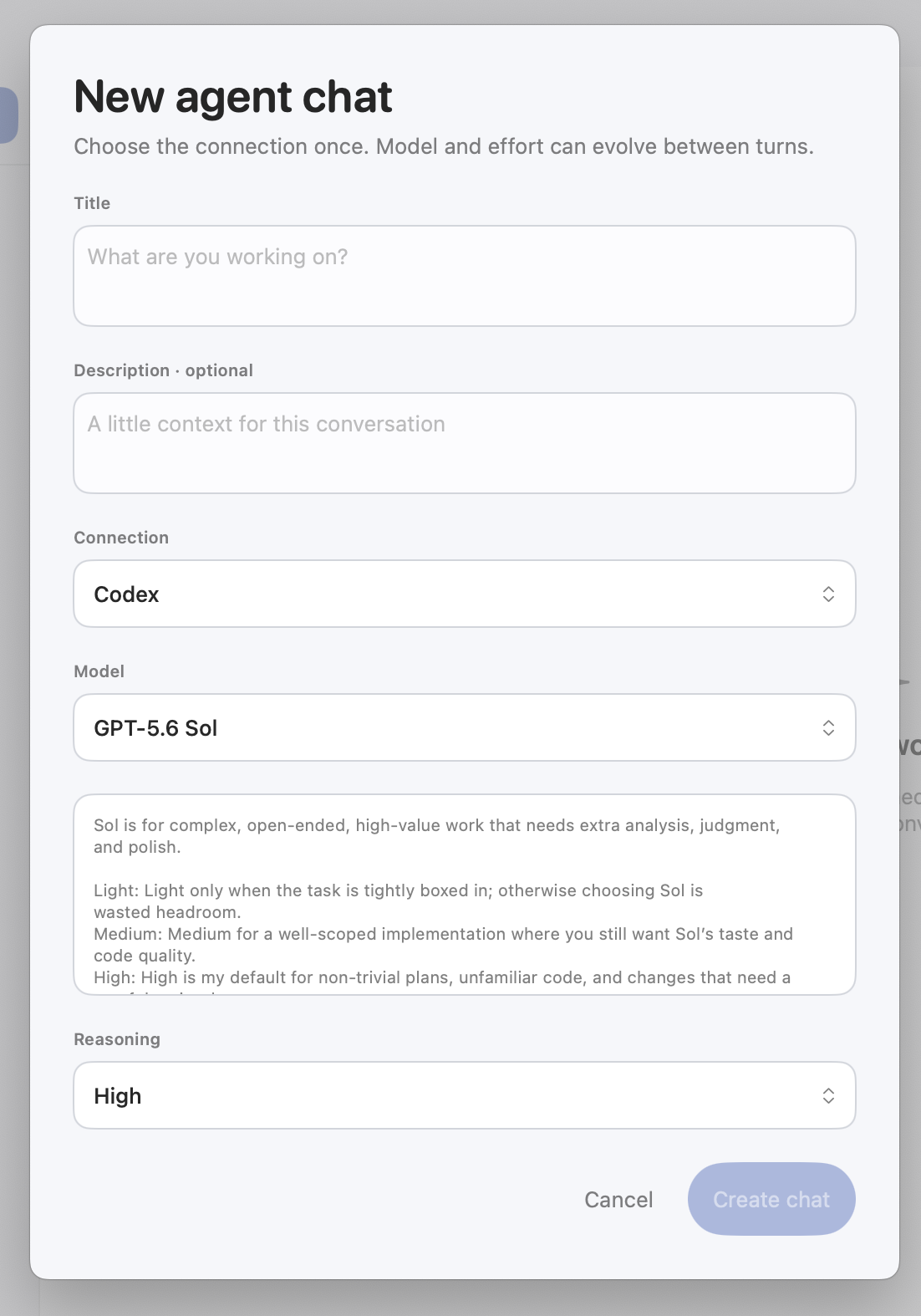
In app agent chat creator
-
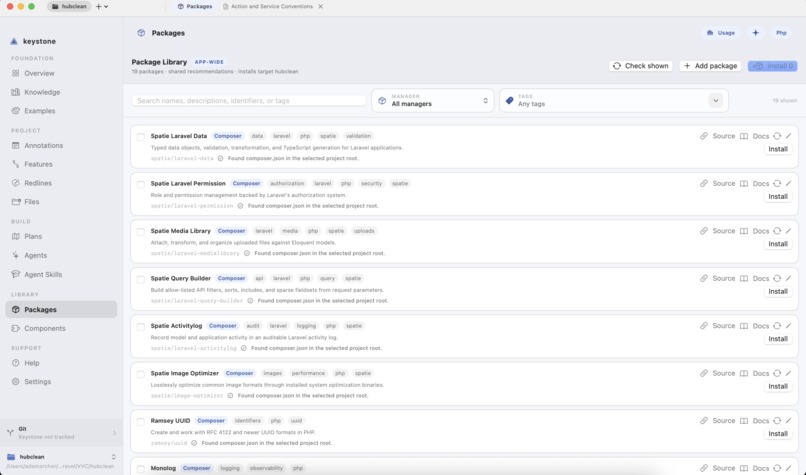
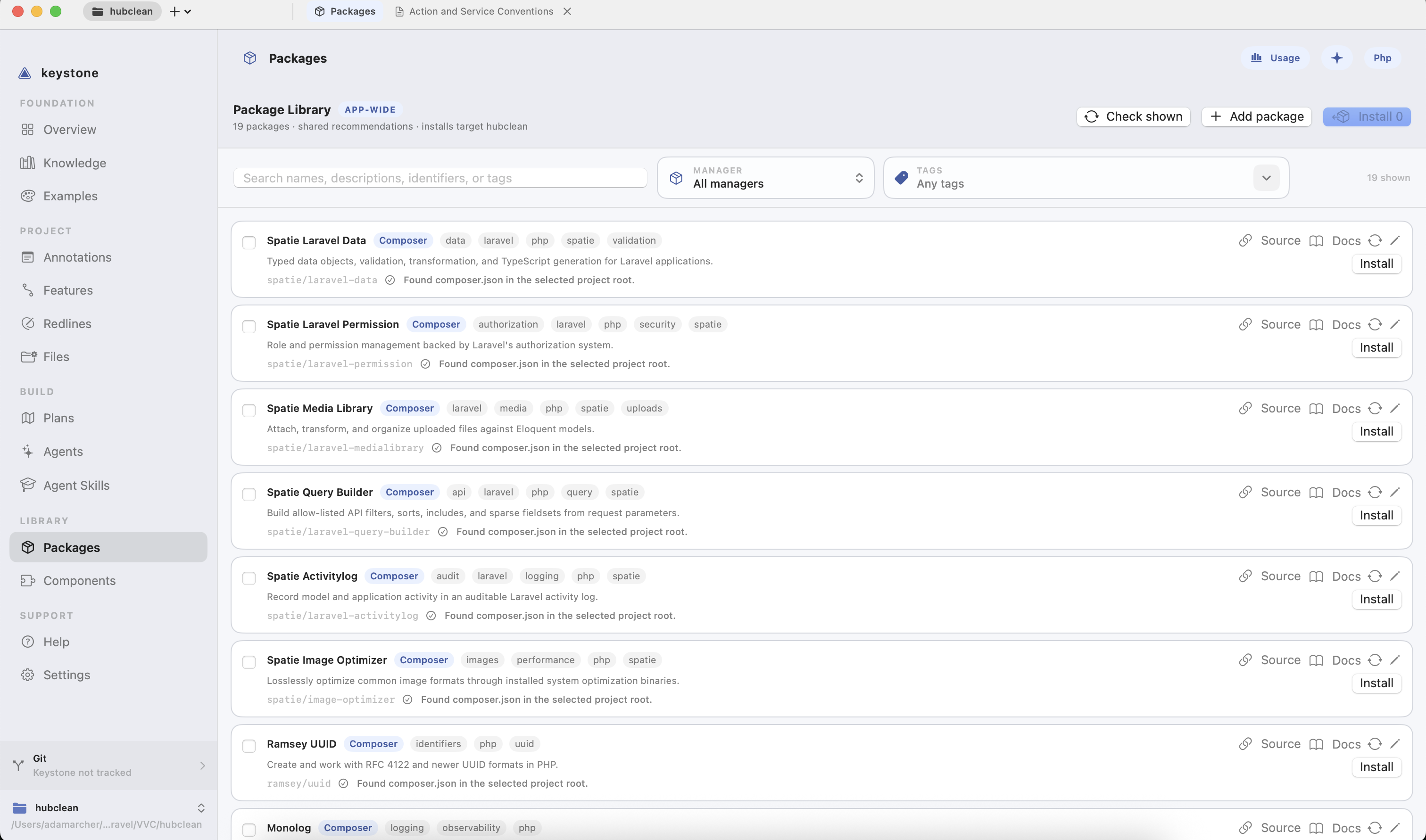
Built in package listing
-
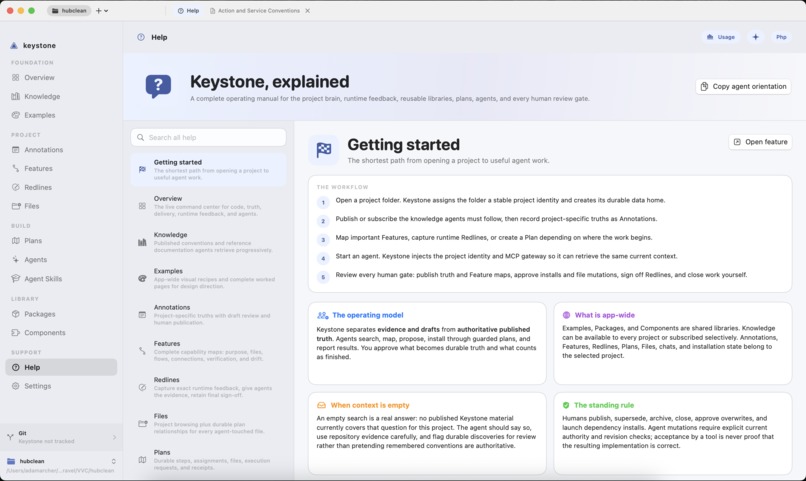
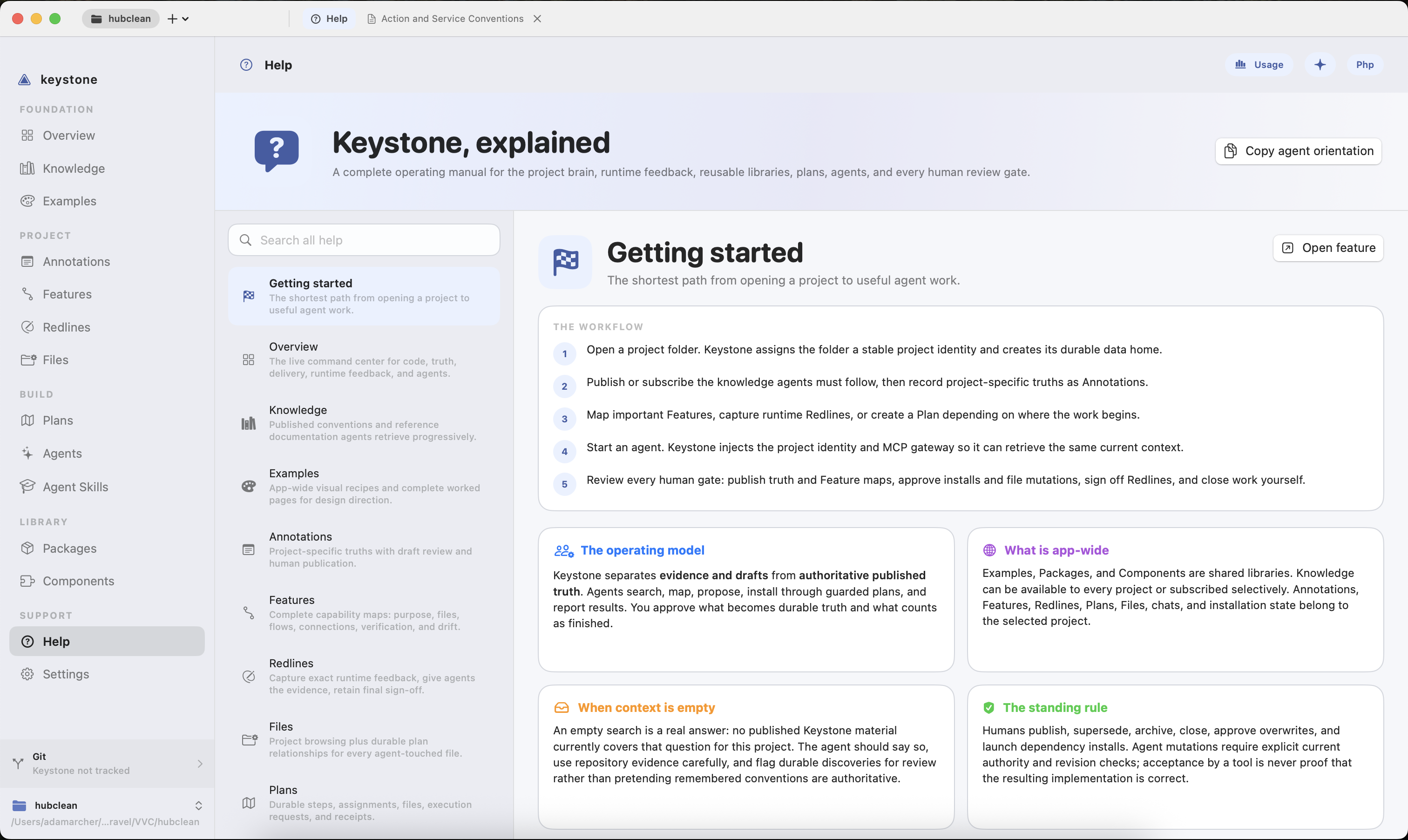
Help Section
Inspiration
Keystone started with a recurring frustration: coding agents are capable, but they repeatedly lose time rediscovering a project—and when context is missing, they fill the gaps with assumptions. Important conventions, architectural decisions, personal preferences, and hard-earned lessons become buried in an ocean of files and documentation.
The original idea was simple: give an LLM immediate access to the project’s “first-level knowledge”—the truths it should understand before touching code. The first version was a CLI command that loaded knowledge from resource files. As I used it, the larger opportunity became clear: agents did not just need more context; they needed structured, current, project-specific context delivered at the exact moment it mattered.
Keystone evolved from that CLI into a project brain built for both humans and coding agents.
What it does
Keystone gives agents a reliable starting point for understanding and working on a software project. Through MCP, an agent can retrieve project conventions, architectural knowledge, annotations, feature maps, runtime feedback, plans, examples, approved packages, and reusable components without repeatedly reverse-engineering the repository.
It brings the most important knowledge to the surface while separating evidence, agent-generated drafts, and human-approved truth. Agents can investigate projects, map complete features, report progress, propose durable knowledge, and prepare work for review—but humans retain control over publishing, approvals, installations, and final closure.
Keystone also supports knowledge that applies across every project, such as personal development conventions and reusable libraries, while preserving project-specific decisions and constraints. The goal is not merely to give an agent more tokens. It is to give the agent the right context, a clear operating model, and fewer opportunities to hallucinate.
How we built it
Keystone is a native macOS application with a local project knowledge store and an MCP server that exposes structured tools to coding agents. Projects are identified consistently, allowing agents to request the correct knowledge without relying on fragile folder assumptions.
The system grew into several connected capabilities:
- Knowledge publishes structured documentation and conventions that agents can retrieve progressively.
- Annotations capture project-specific truths, decisions, gotchas, and non-negotiables.
- Feature Maps let an agent research a feature from a starting point and document its files, tests, dependencies, connections, and potential blast radius.
- Redlines capture visual feedback from web applications or anything visible on screen, including screenshots and contextual details.
- Plans break work into owned, reportable steps.
- Examples preserve app-wide visual and implementation references.
- Packages and Components provide searchable, documented, agent-installable reusable code with strict installation instructions.
- Overview and Help give humans a clear view of the project while helping agents discover and correctly use the available tools.
The interface is designed for human oversight, while the underlying MCP tools are designed for disciplined agent interaction. Each side sees the same project, but receives it in the form most useful to them.
Challenges we ran into
The hardest challenge was deciding what an agent should be allowed to do. Full autonomy is convenient, but it can quietly turn an incorrect assumption into authoritative project knowledge. Keystone therefore uses explicit human gates: agents may research, draft, report, and mark work ready for review, while people control publication and final approval.
Representing project context was another challenge. Raw documentation is often too large, too stale, or too unstructured to be useful. Keystone needed progressive retrieval, durable project identity, revision awareness, and strict tool contracts so agents could request only the context relevant to their current task.
Feature mapping introduced its own problems. Large investigations can exceed message limits, produce truncated reports, or appear inactive during long-running work. That led to dedicated mapping workflows, visible progress, report validation, and repair tools that can correct an existing map without restarting the entire investigation.
Redline required bridging very different environments. Laravel applications can support an installed in-app tool, while generic applications require a native screen overlay and macOS permissions. Building one coherent workflow across those constraints required several iterations around capture behavior, permissions, screenshots, and agent review states.
Accomplishments that we're proud of
I am most proud that Keystone became more than a documentation browser. It is an operating layer between a project, its owner, and the agents working on it.
An agent can now begin with the project’s actual conventions, retrieve the complete context for a feature, understand which files and tests are connected, receive precise visual feedback, find approved reusable code, and report its work through structured tools. At the same time, the human remains responsible for deciding what becomes truth.
Keystone also preserves knowledge that would otherwise disappear between conversations. A decision learned today can become first-level context for every future agent working on the project, instead of being rediscovered—or hallucinated—again.
What we learned
The biggest lesson was that hallucination is not only a model problem; it is often a context-design problem. When an agent cannot find a project’s real conventions or understand the boundaries of a feature, it has little choice but to infer them.
More context alone is not the solution. Useful agent context must be curated, scoped, searchable, revision-aware, and presented at the point of action. It must also distinguish between published truth, runtime evidence, and an agent’s draft interpretation.
I also learned that the best human-in-the-loop systems do not simply add approval dialogs after the fact. Human authority has to be designed into the data model and tool permissions from the beginning.
What's next for Keystone
The next step is to make Keystone’s project understanding deeper and increasingly automatic without weakening its human review model. That includes richer repository indexing, stronger feature-map validation, better change-impact analysis, more reusable component and package workflows, and clearer visibility into what context an agent used when making a decision.
Longer term, I want Keystone to become the dependable first stop for any agent entering a project: a living project brain that preserves intent, keeps conventions visible, reduces repeated discovery, and helps agents produce work that feels native to the codebase from the very first change.

Log in or sign up for Devpost to join the conversation.