-
-
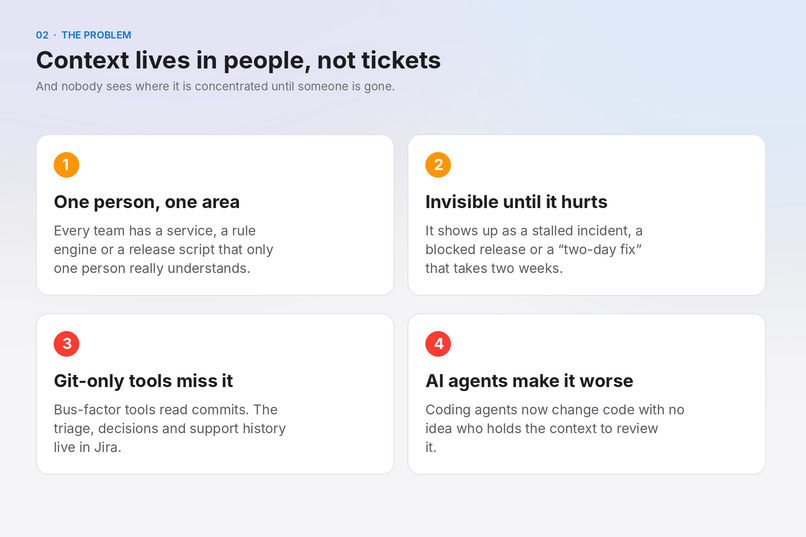
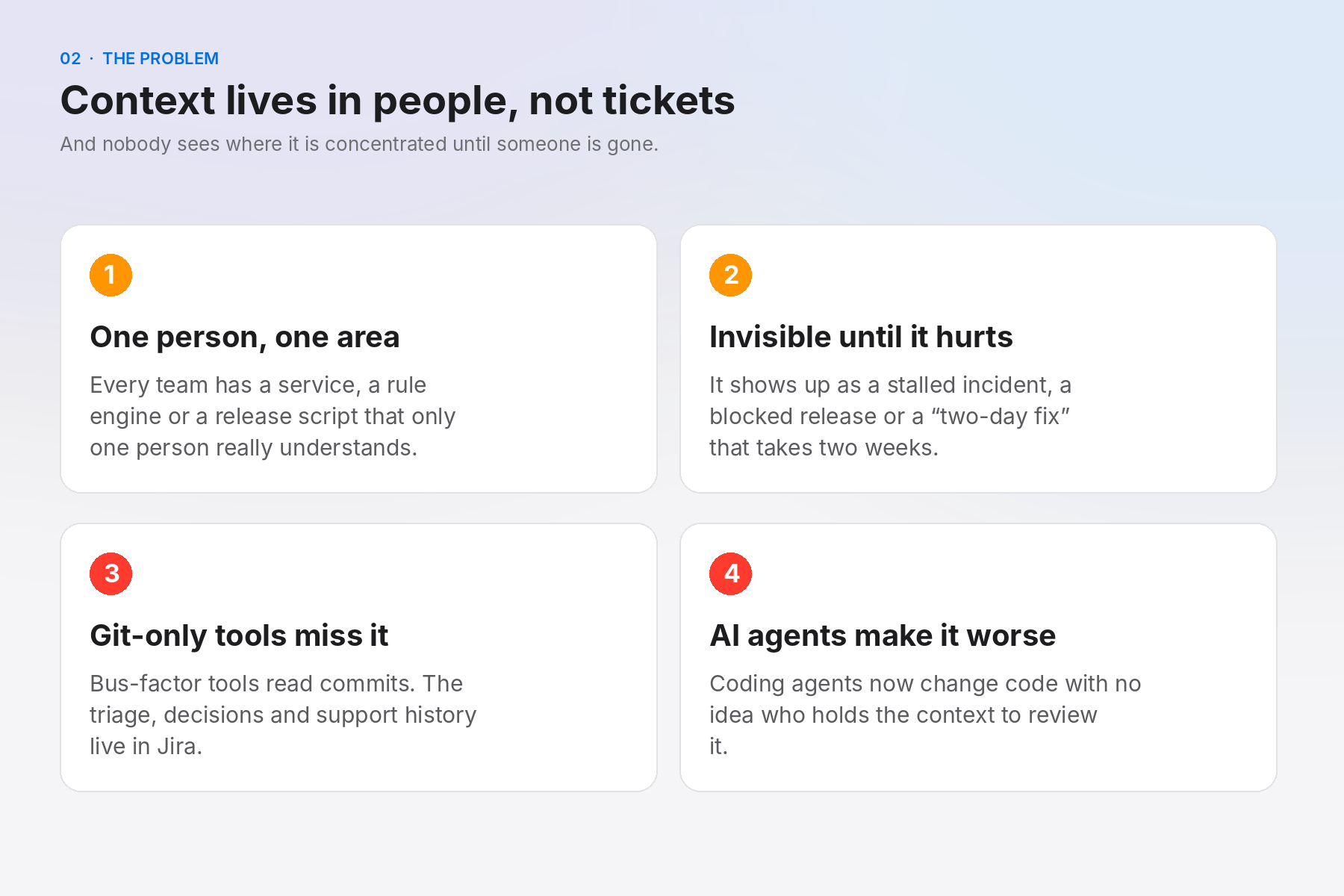
The problem: knowledge silos stay invisible until someone is on leave or leaves.
-
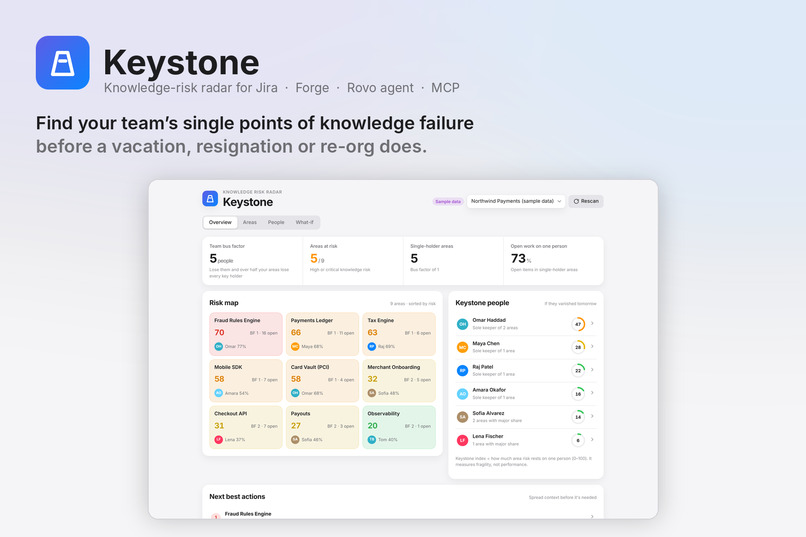
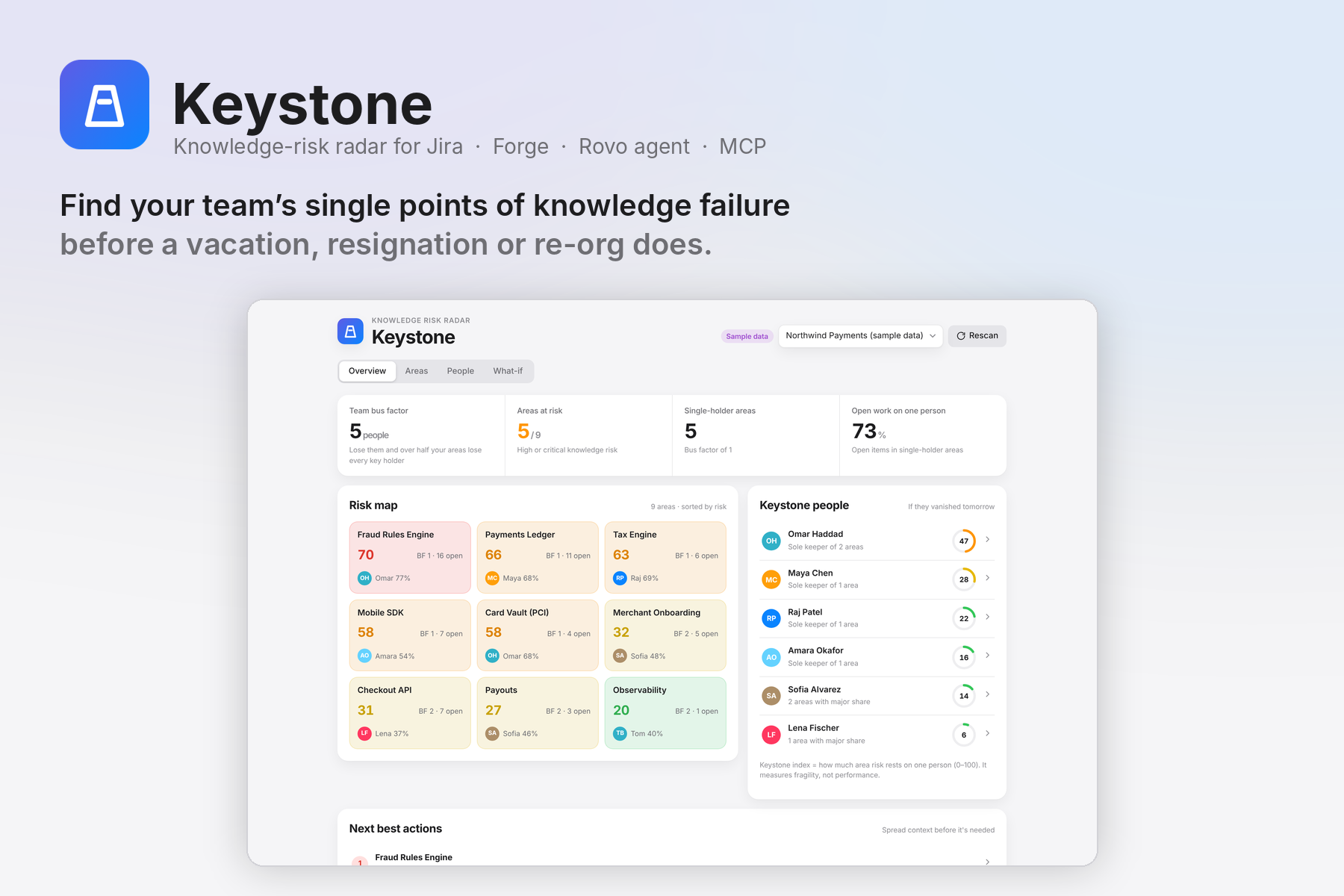
Keystone: a Forge app that turns real Jira activity into a bus factor for every component, epic and label.
-
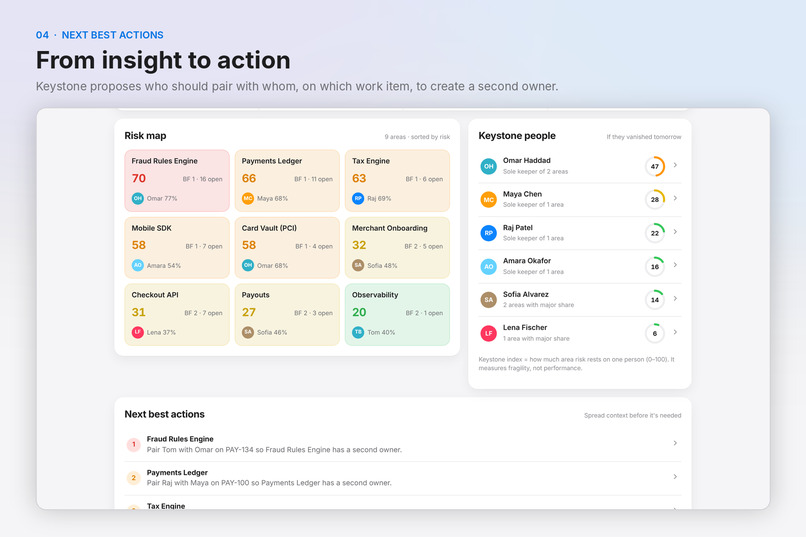
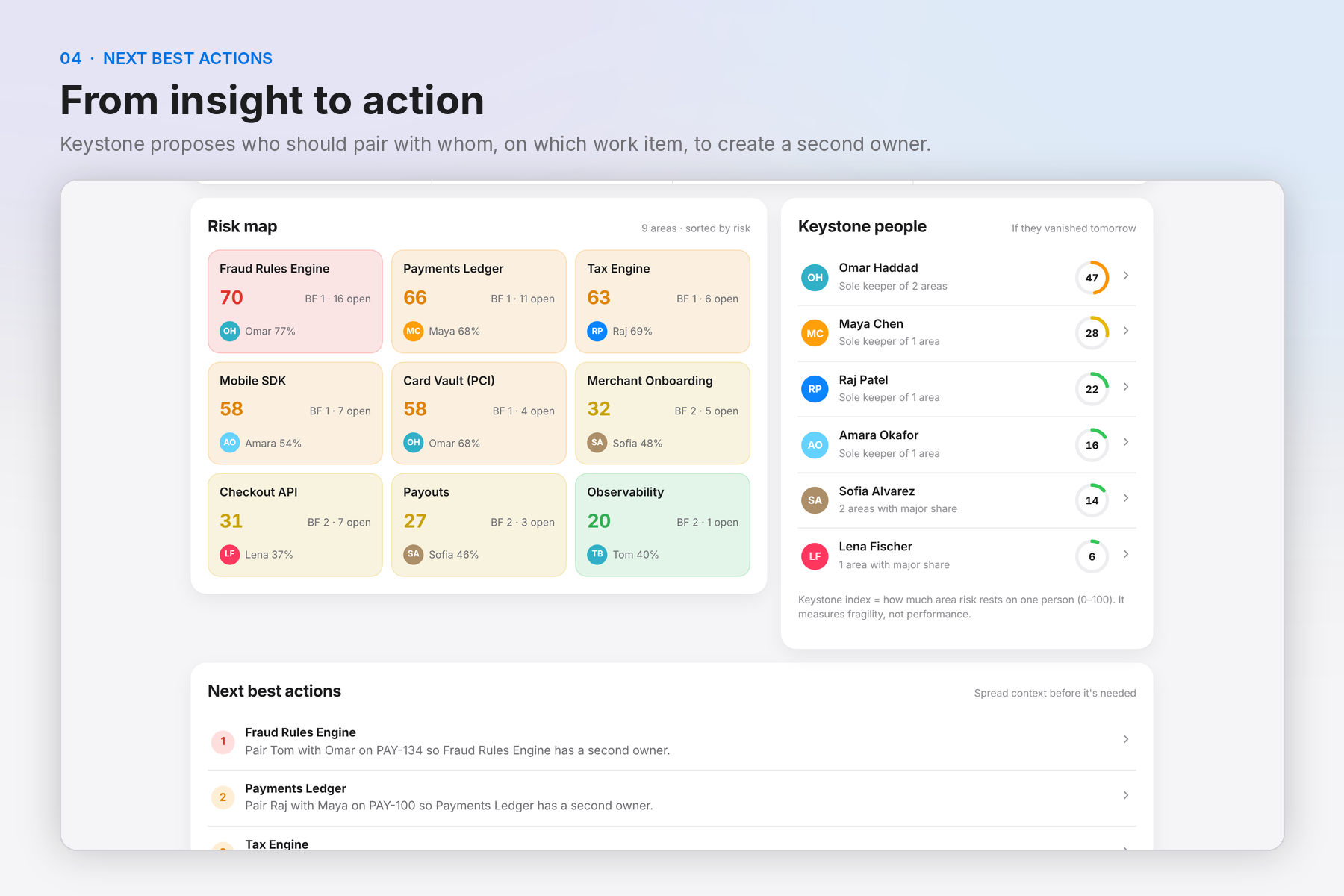
Next best actions: concrete pairing suggestions on real work items for the riskiest areas.
-
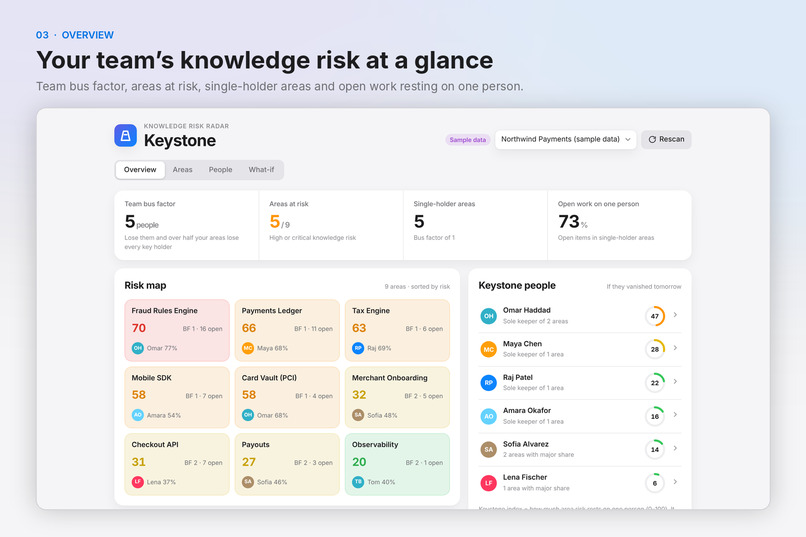
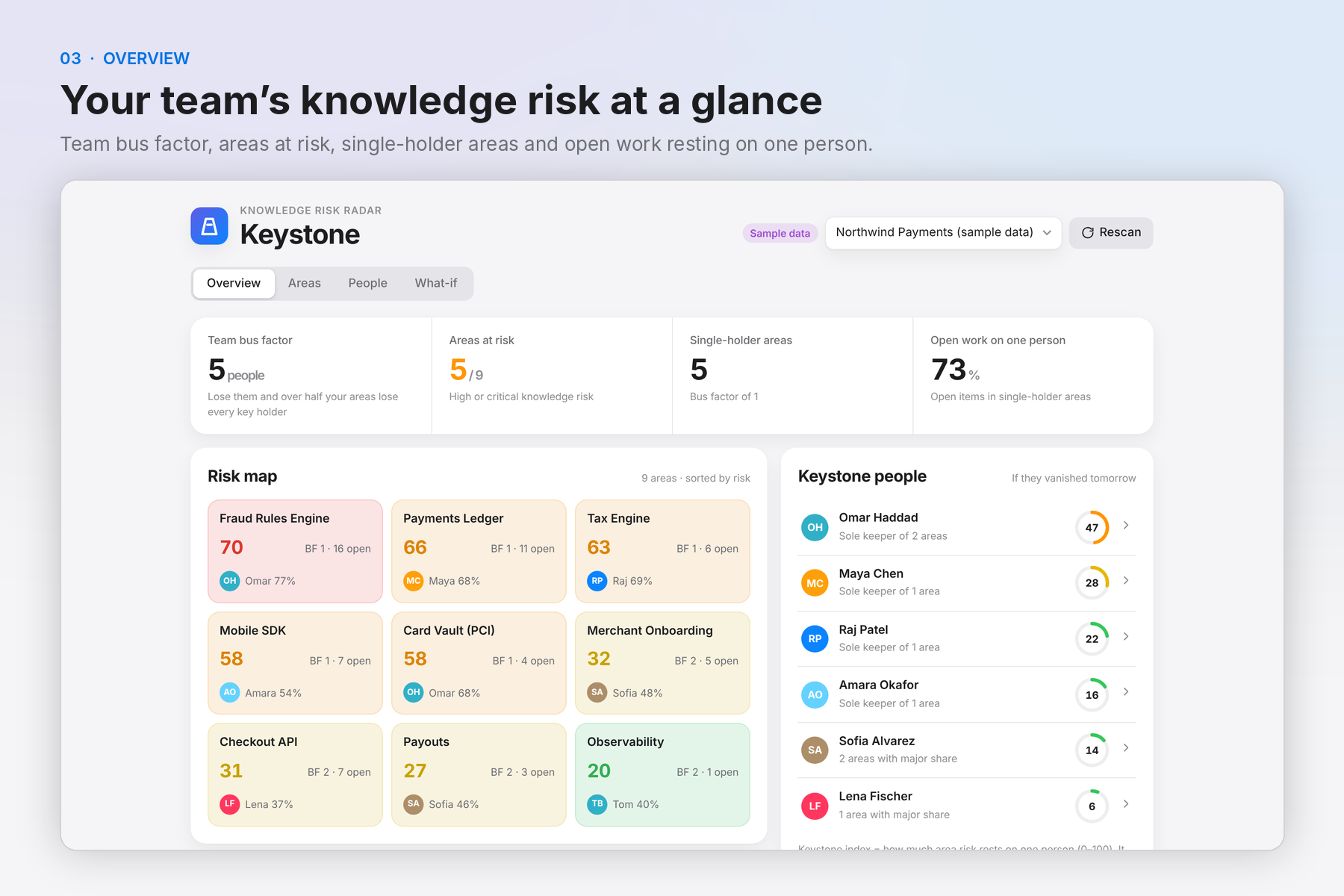
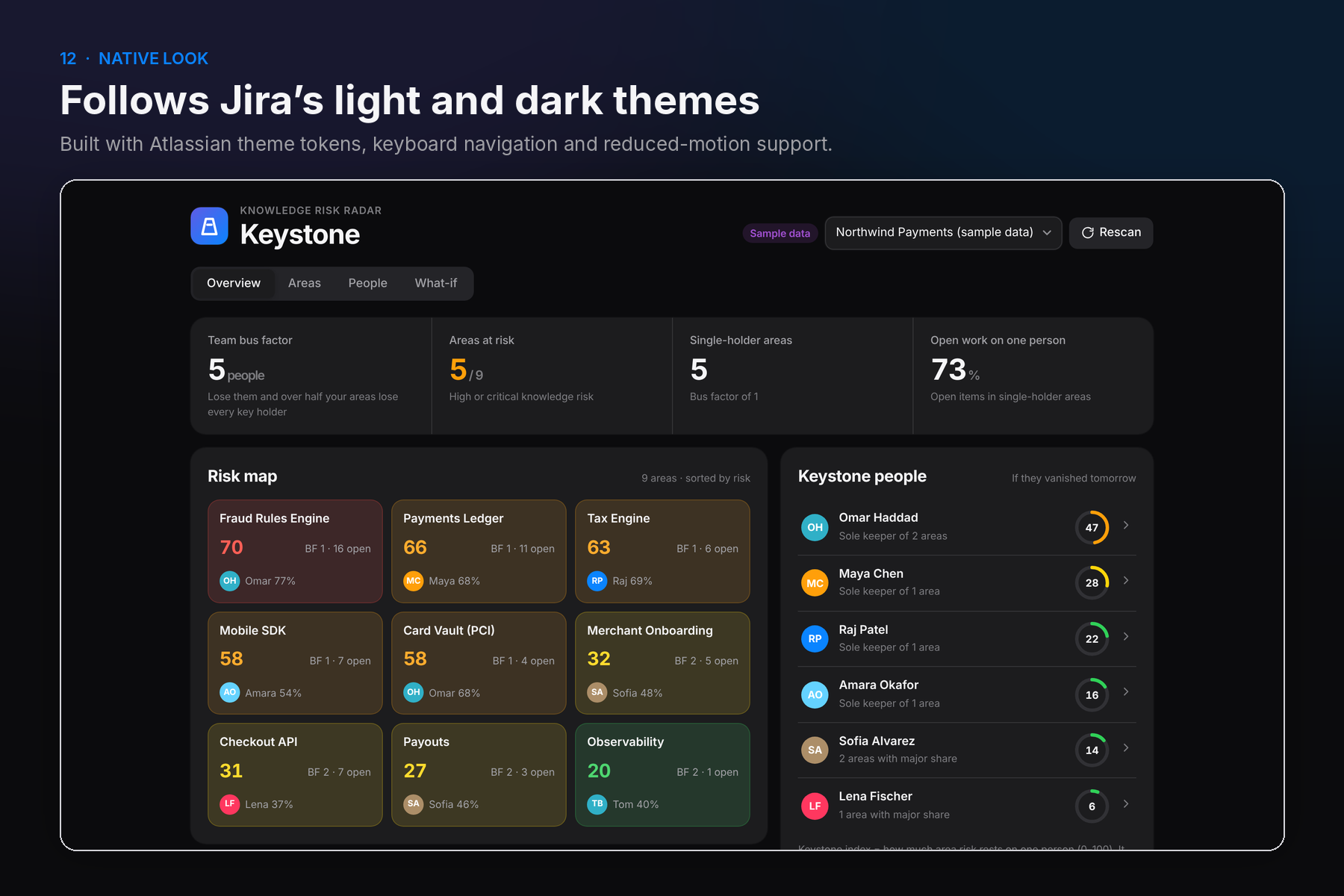
Overview: headline numbers, colour-coded risk map and the people the team leans on most.
-
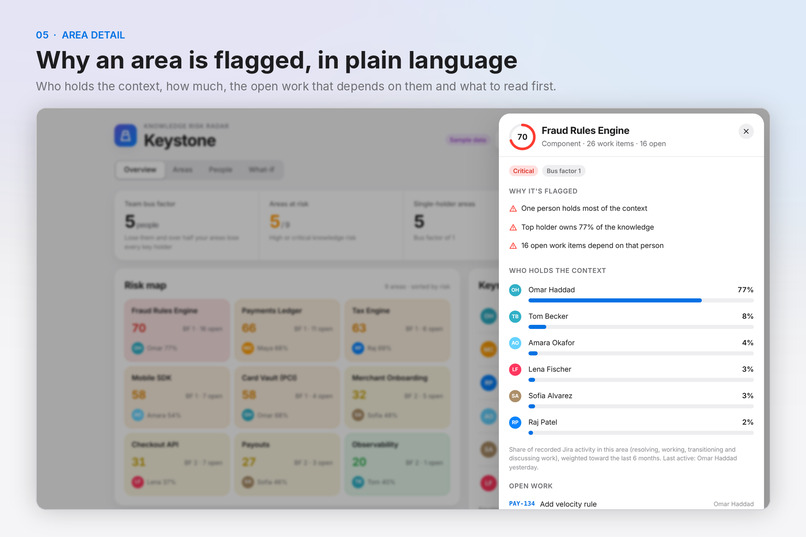
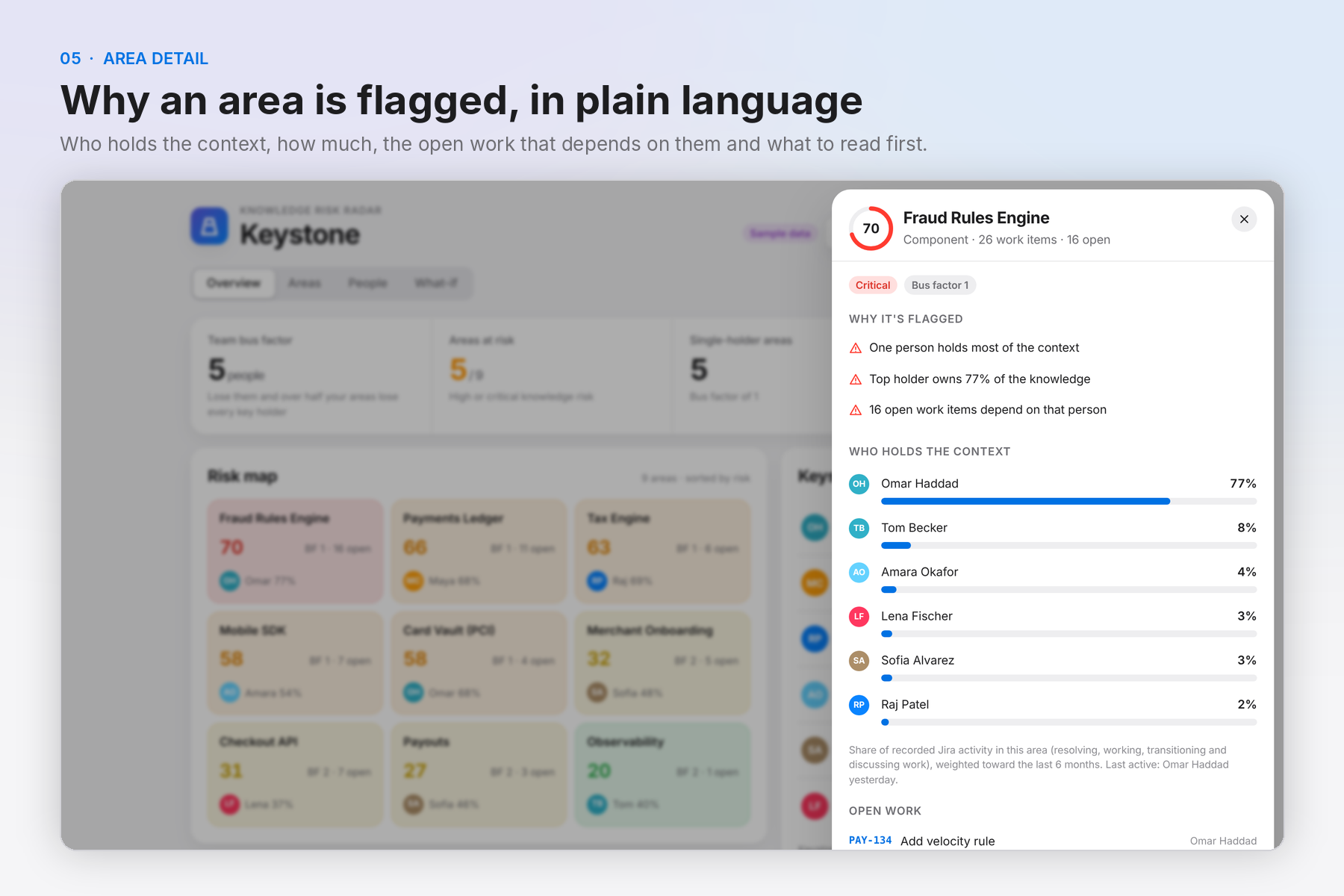
Area detail: plain-language risk reasons, time-decayed context share per person, open work and reading list.
-
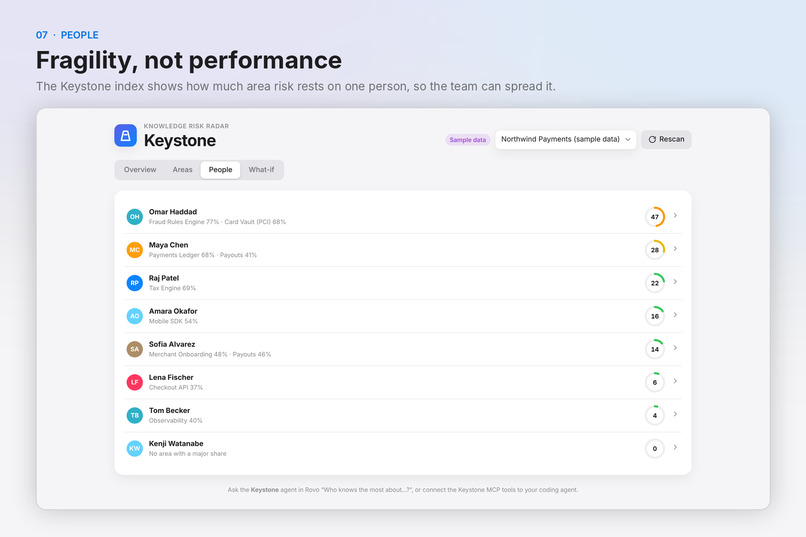
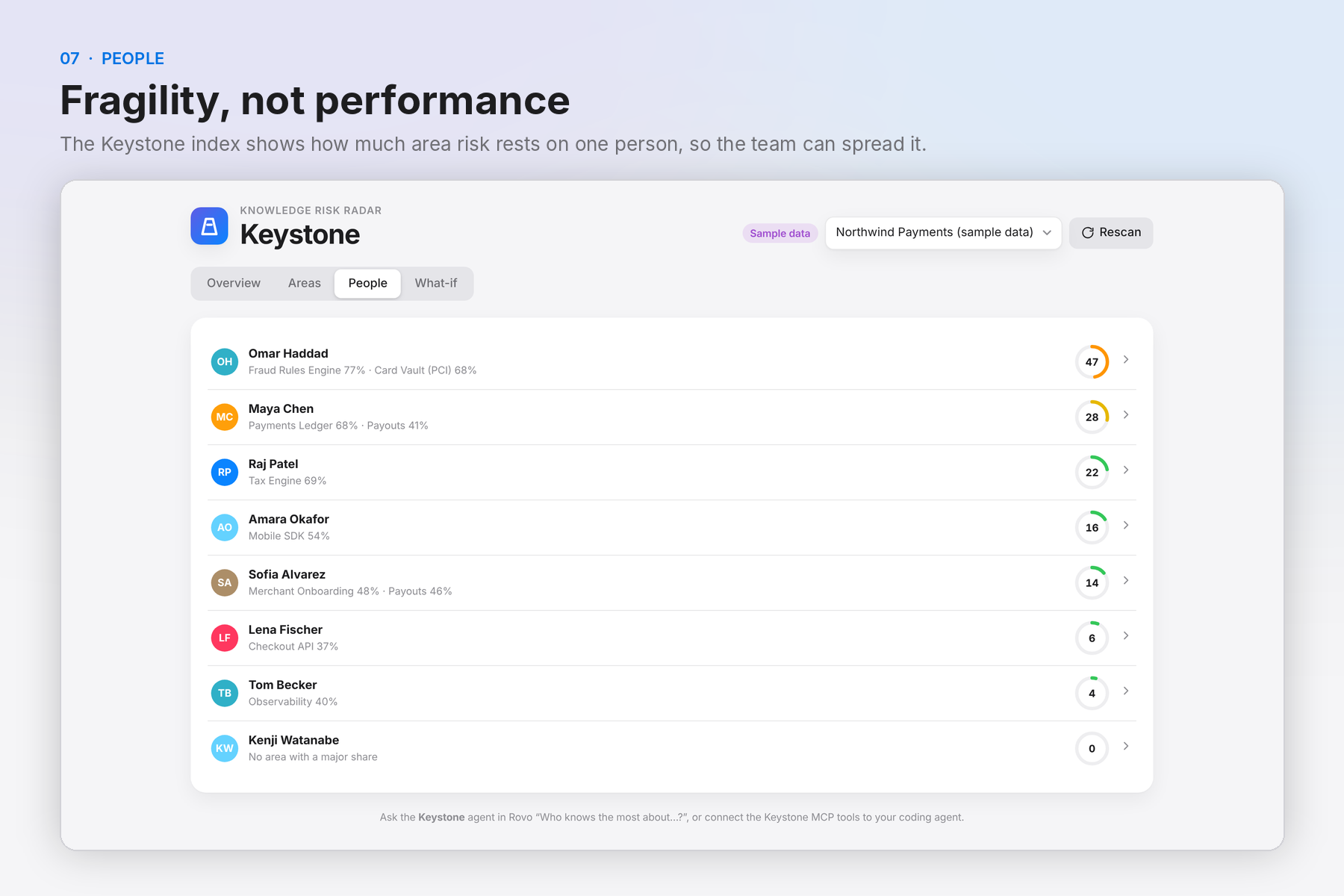
People: who the team depends on most. The Keystone index measures fragility, not performance.
-
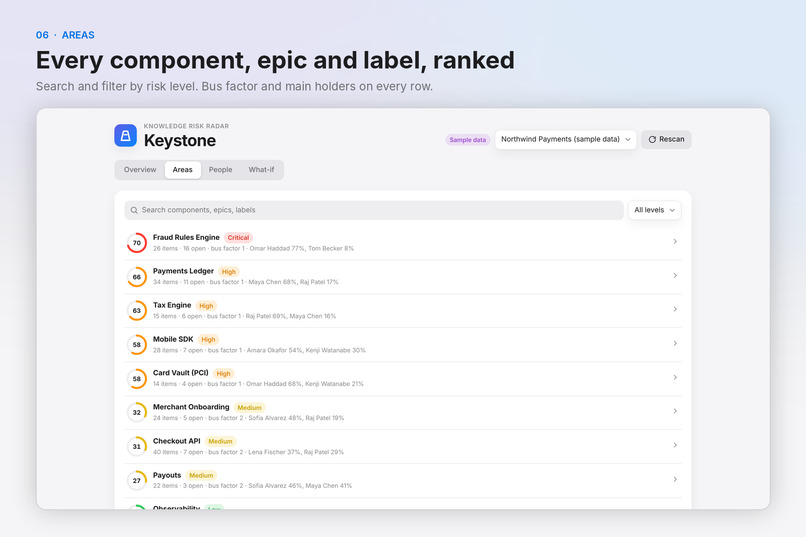
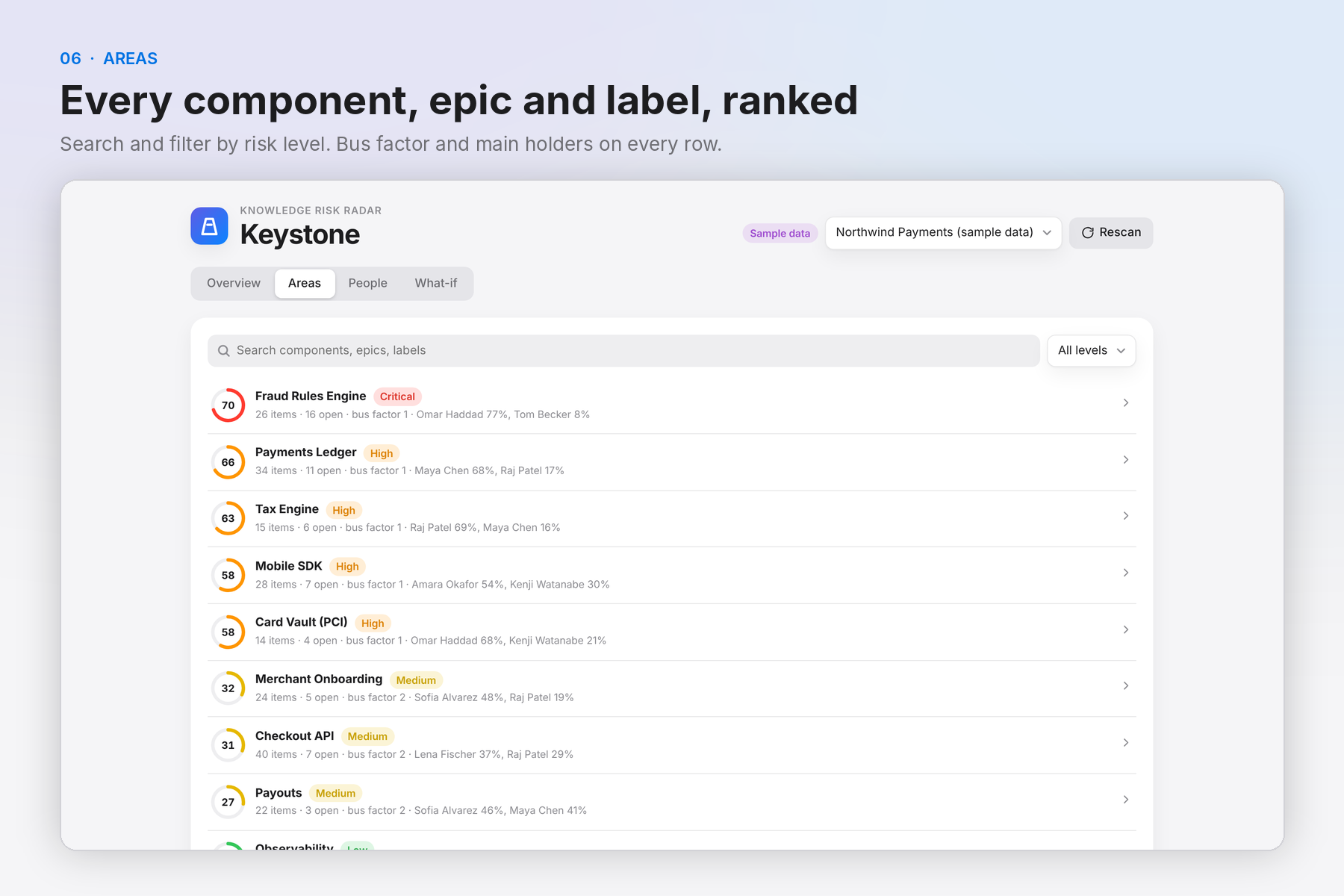
Areas: every component, epic and label ranked by risk, searchable and filterable.
-
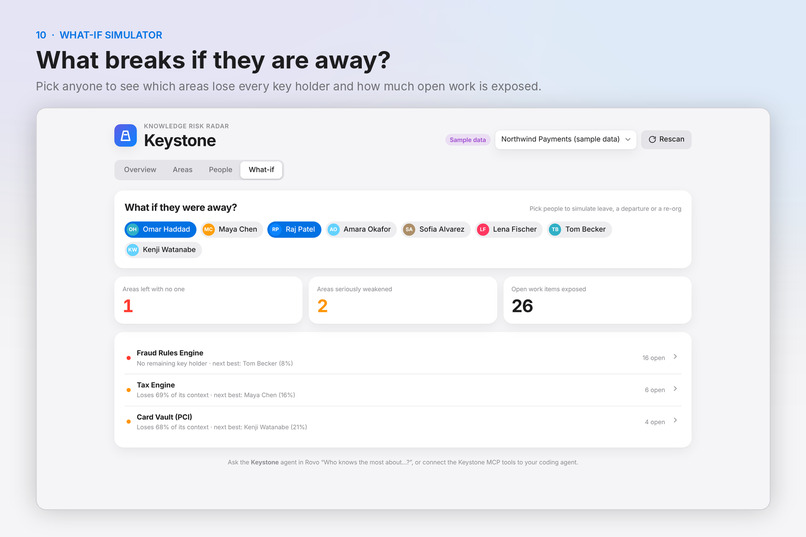
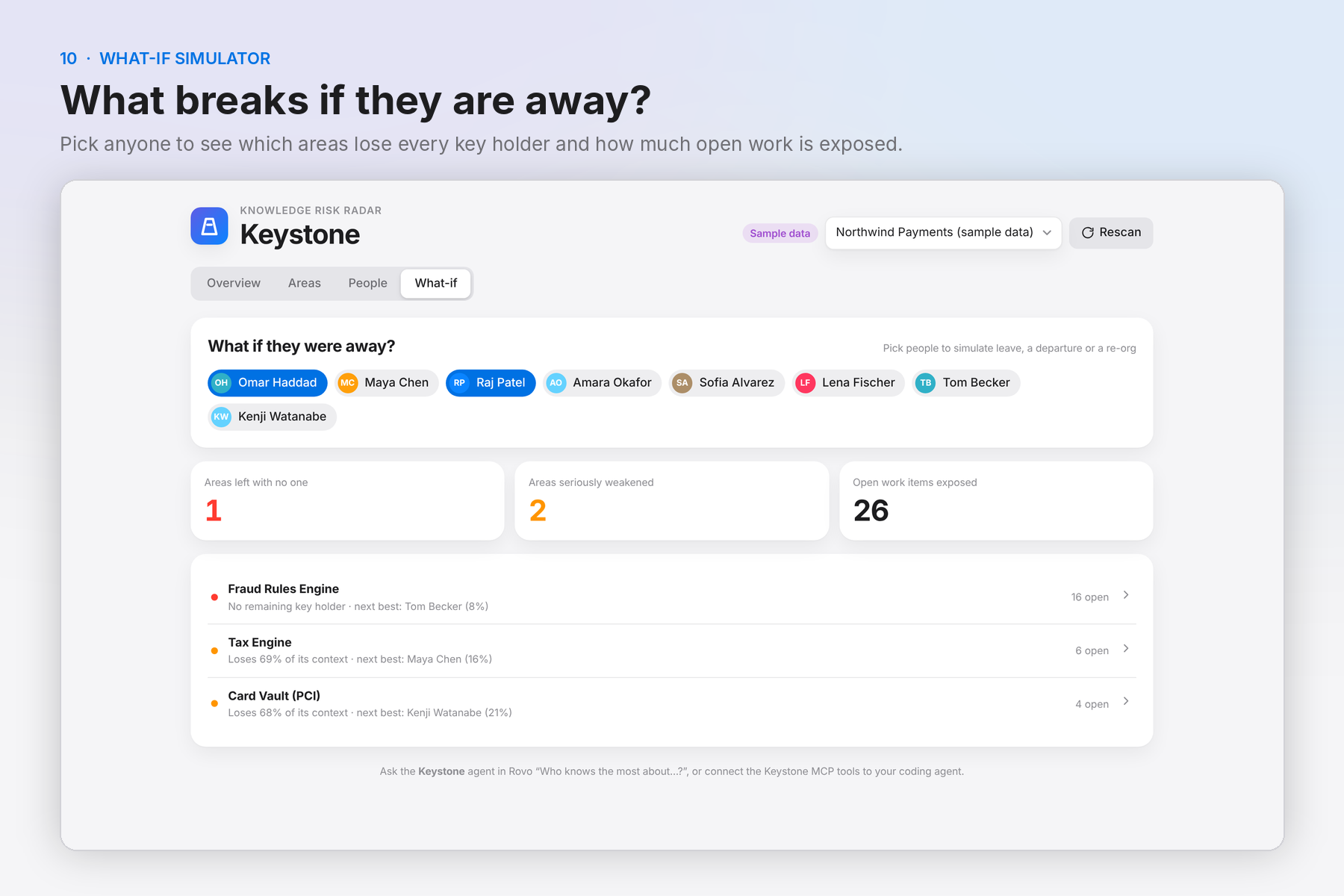
What-if: simulate absences and see orphaned areas and exposed open work instantly.
-
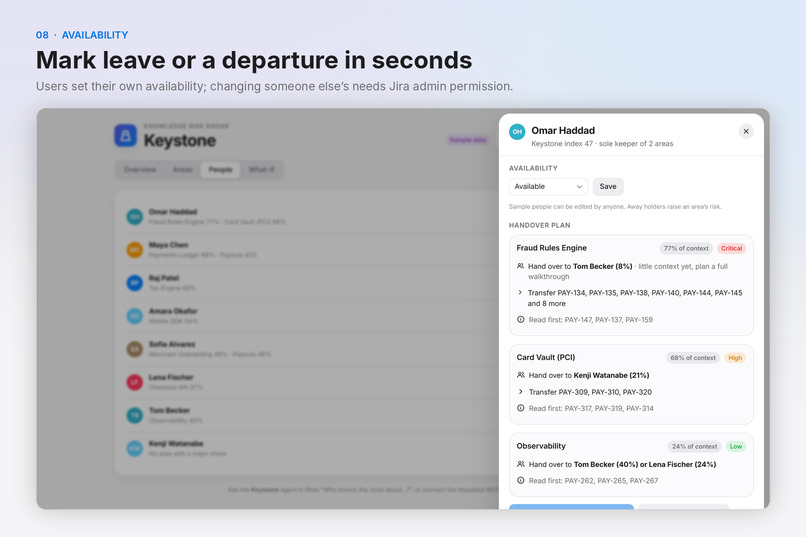
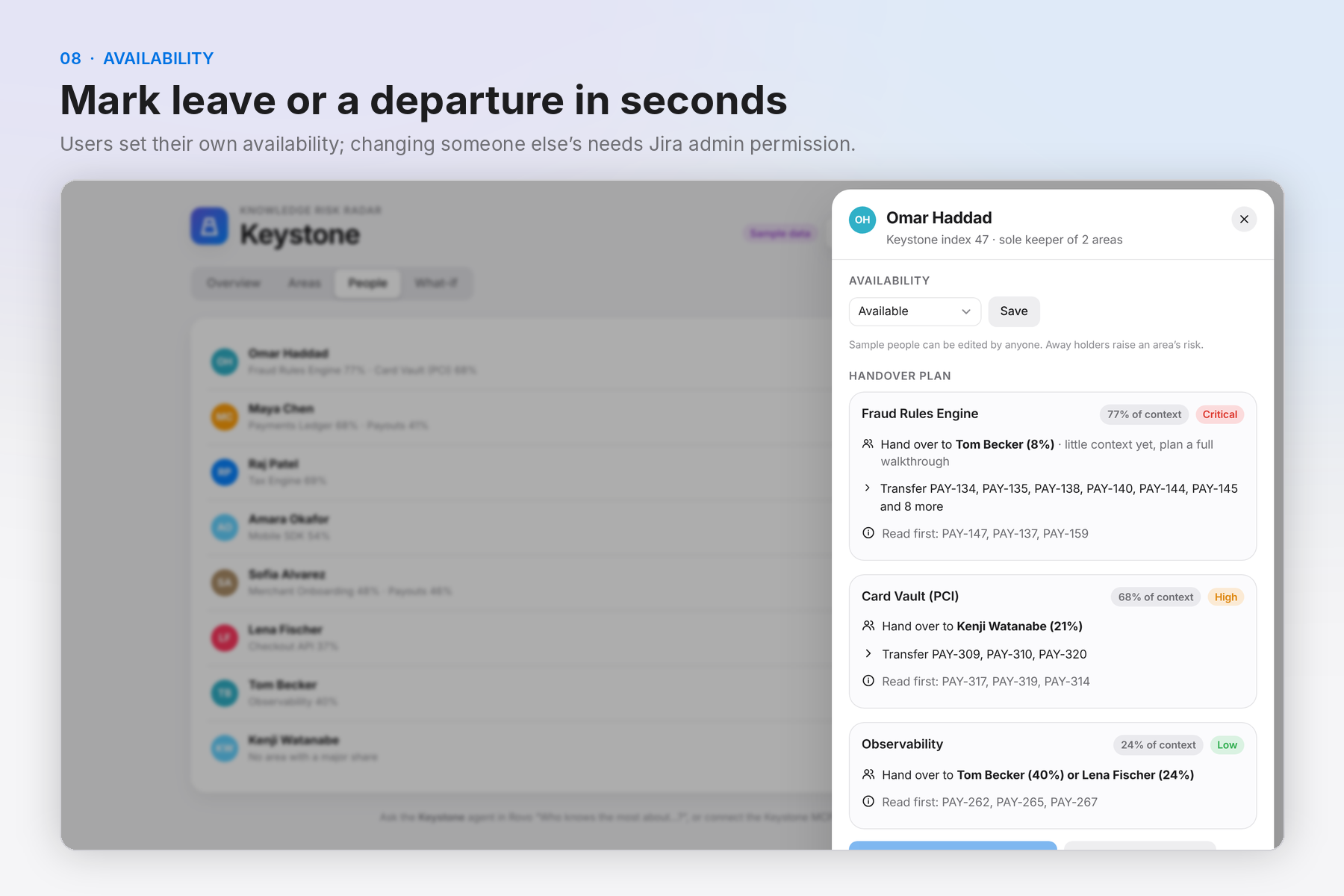
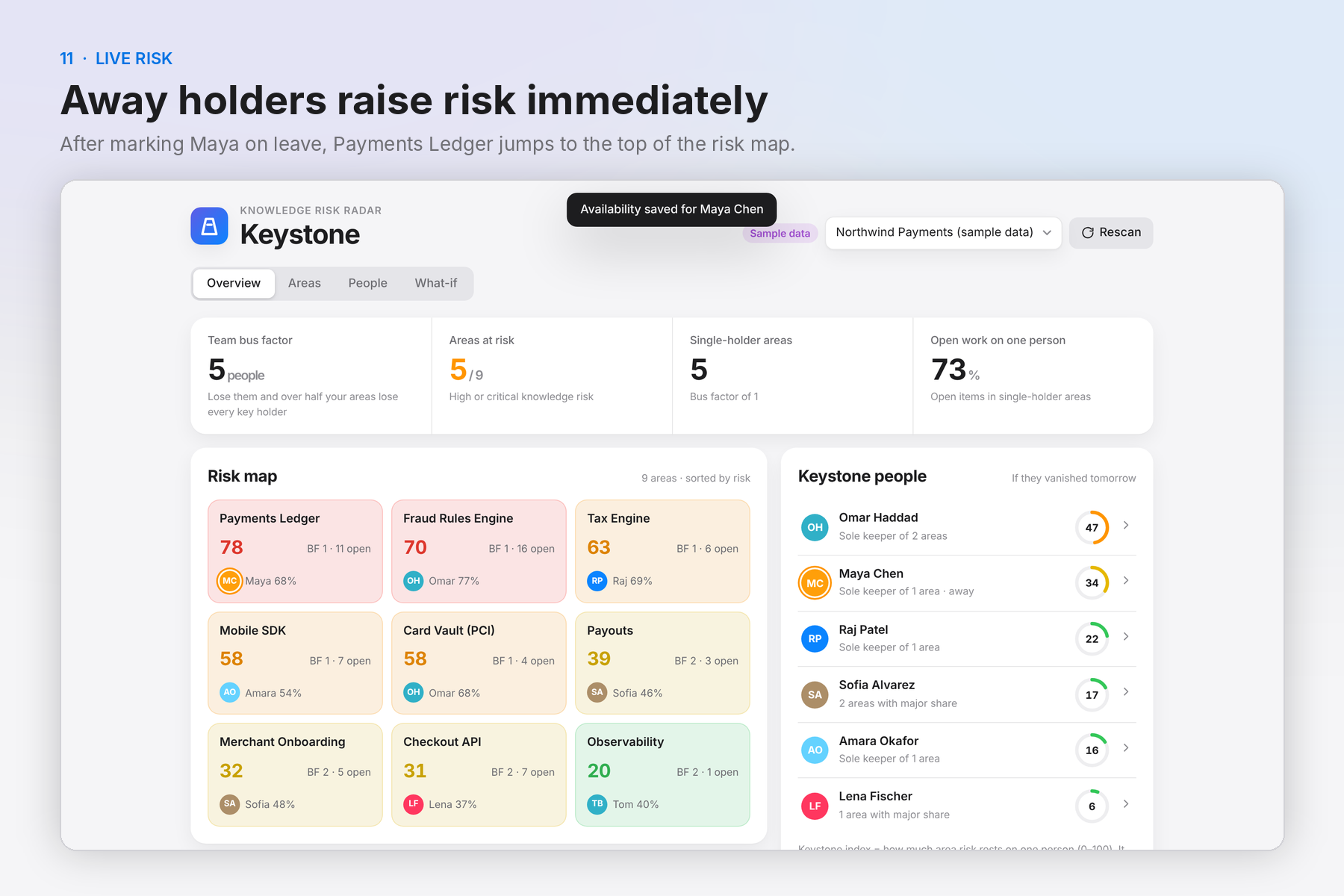
Availability: mark yourself on leave or leaving; admins can update others. Away holders raise risk.
-
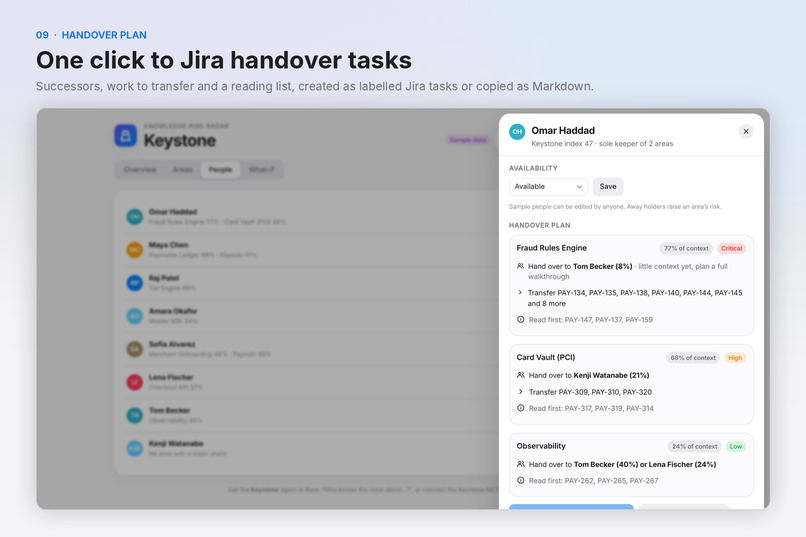
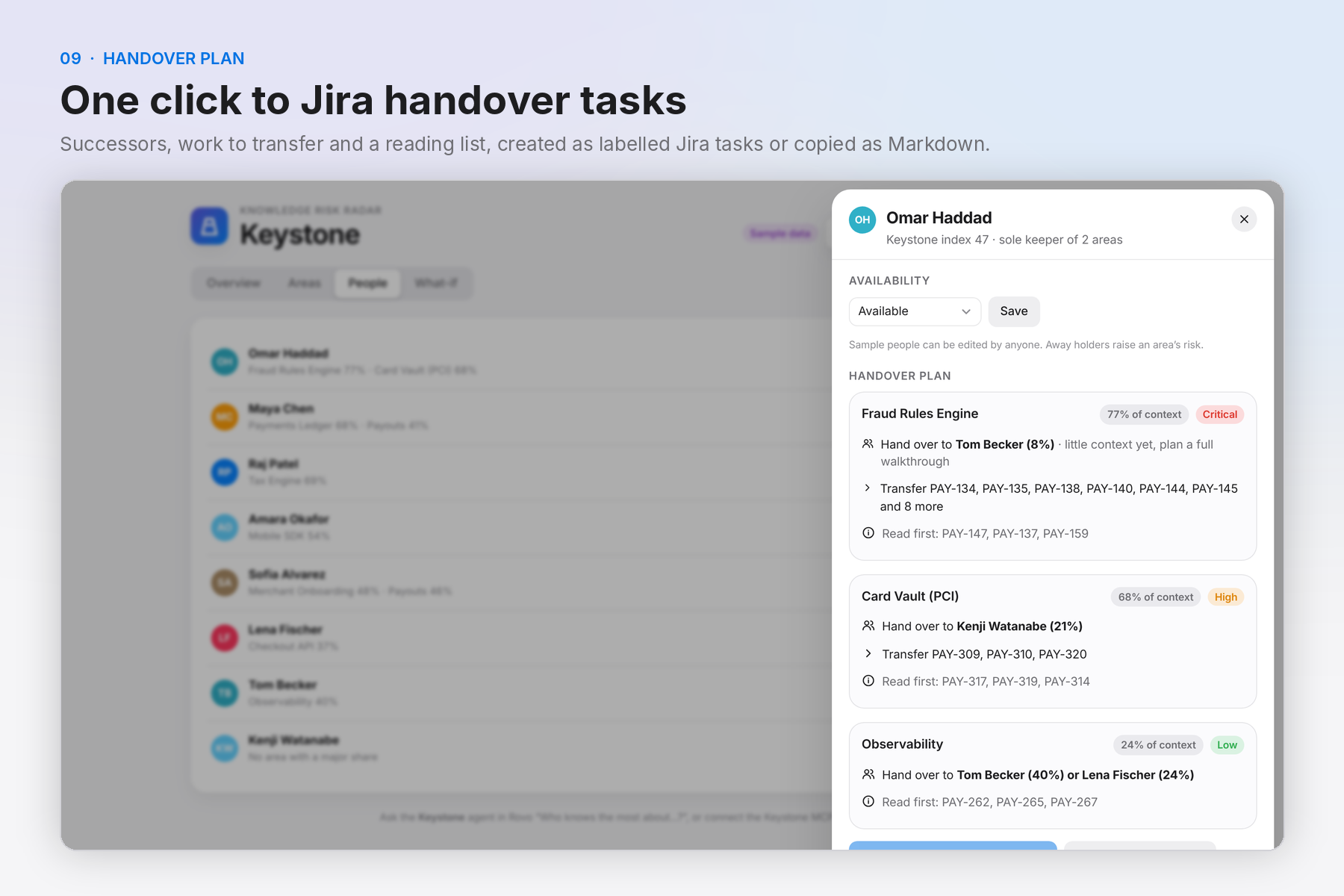
Handover plan: successors, work to transfer and what to read first, created as Jira tasks in one click.
-
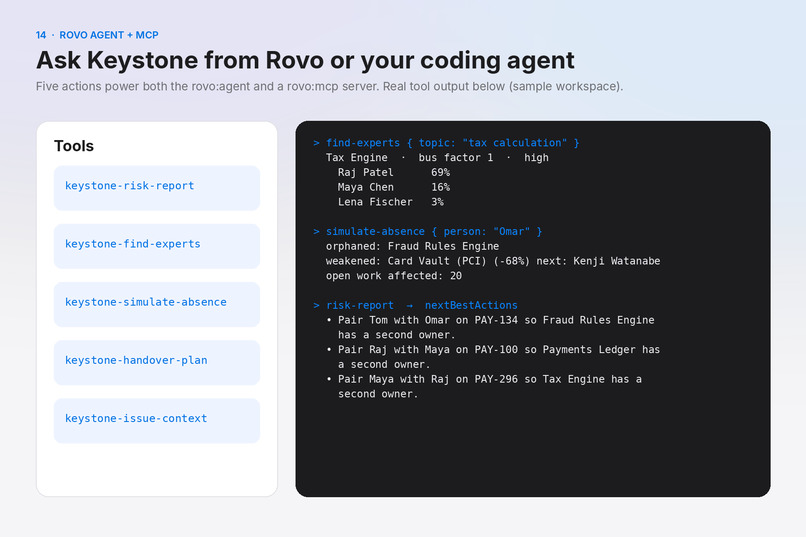
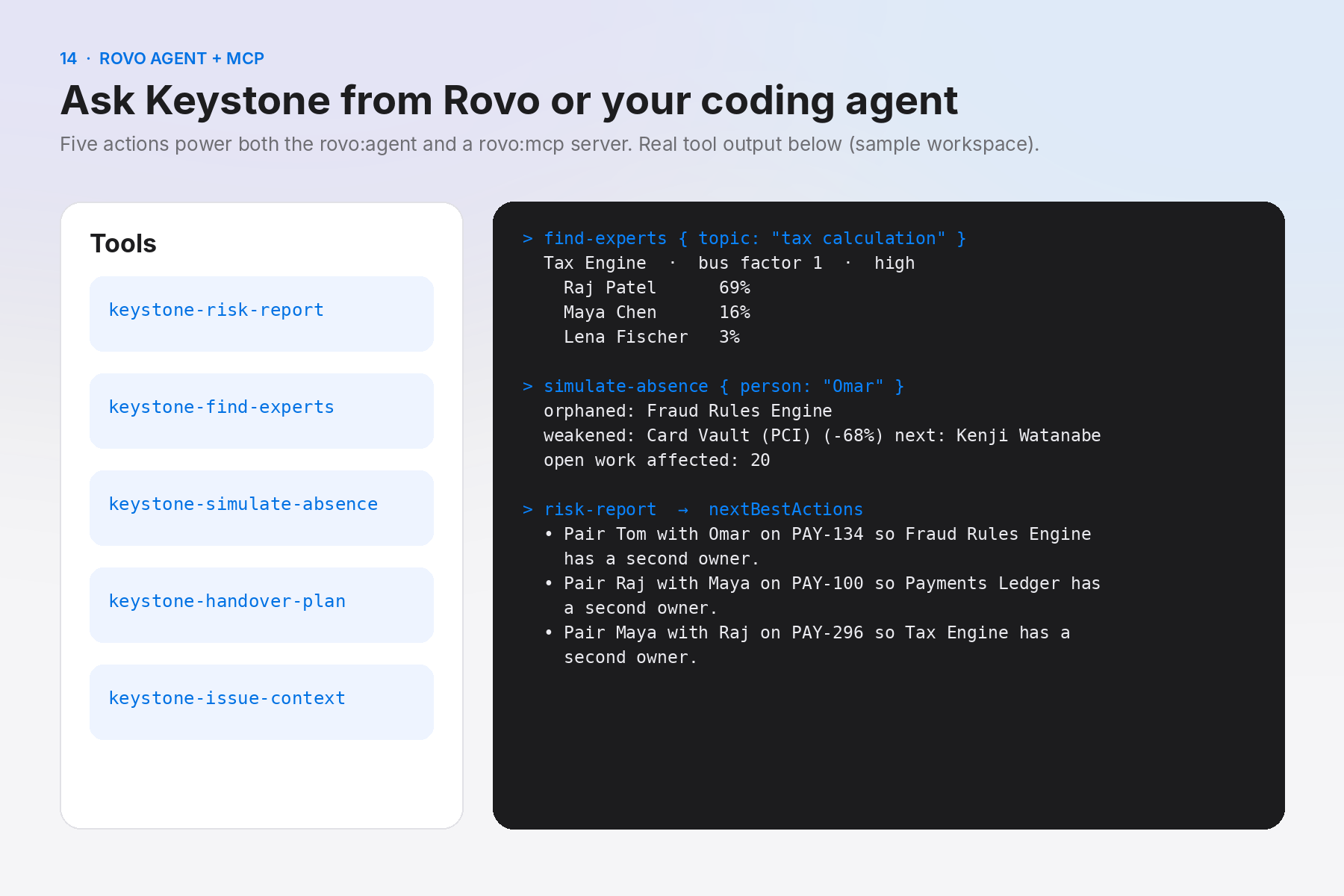
Five Forge actions power both the Rovo agent and a rovo:mcp server for Claude Code and Cursor (real tool output).
-
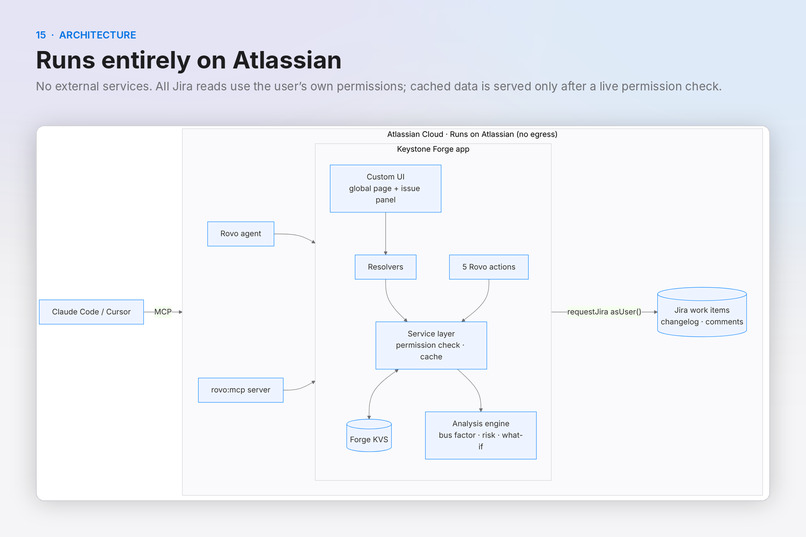
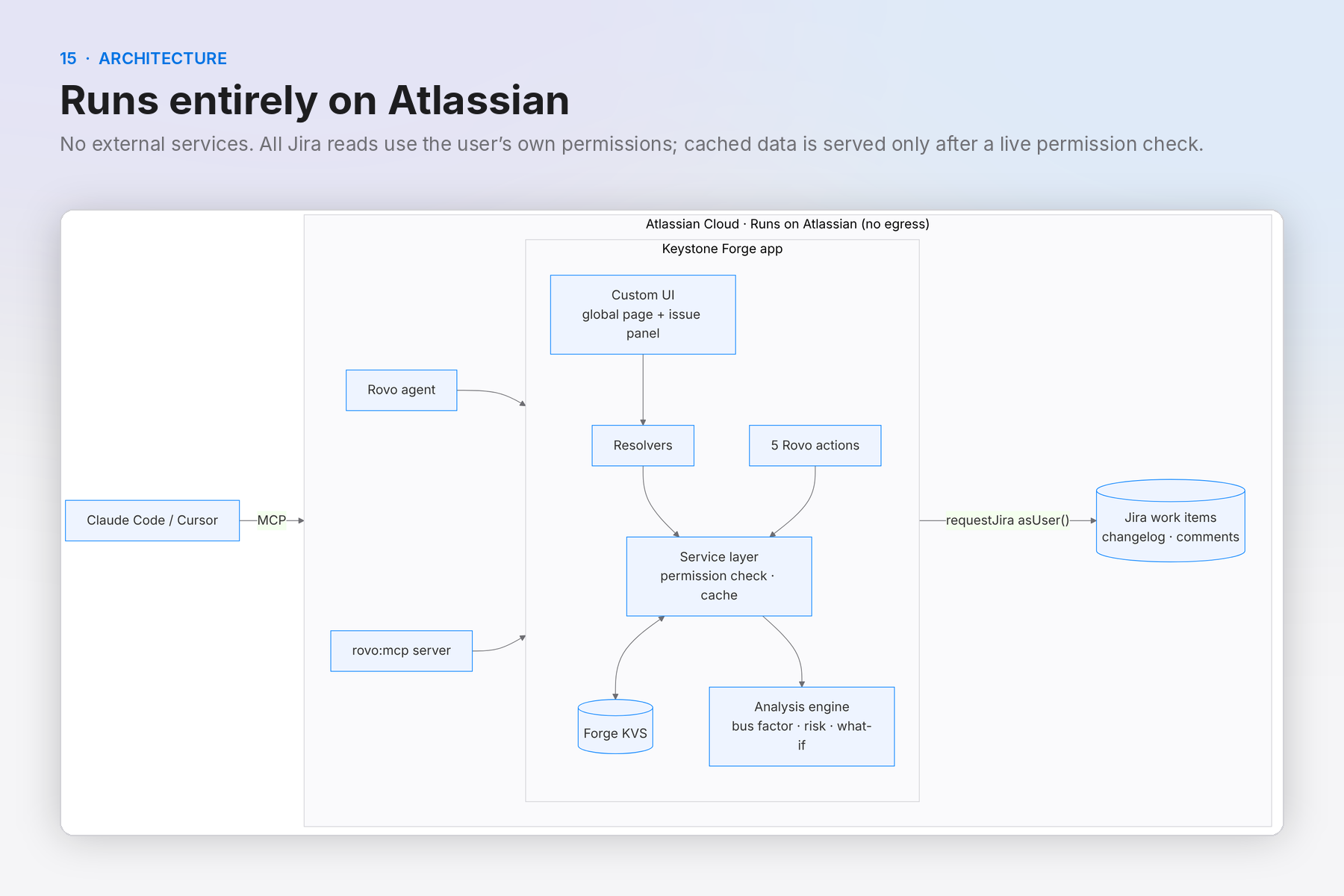
Architecture: Custom UI, resolvers and Rovo actions share one tested engine; Forge KVS; runs on Atlassian, no egress.
-
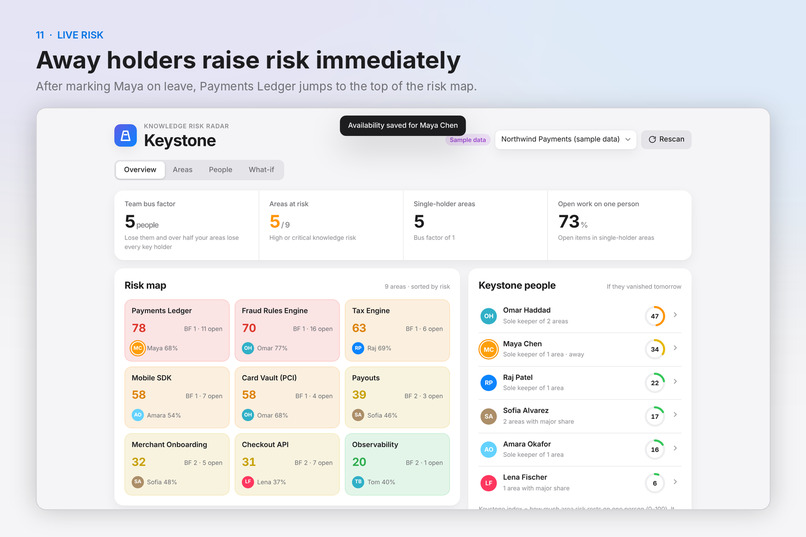
Live risk: marking Maya on leave moves Payments Ledger to the top of the risk map.
-
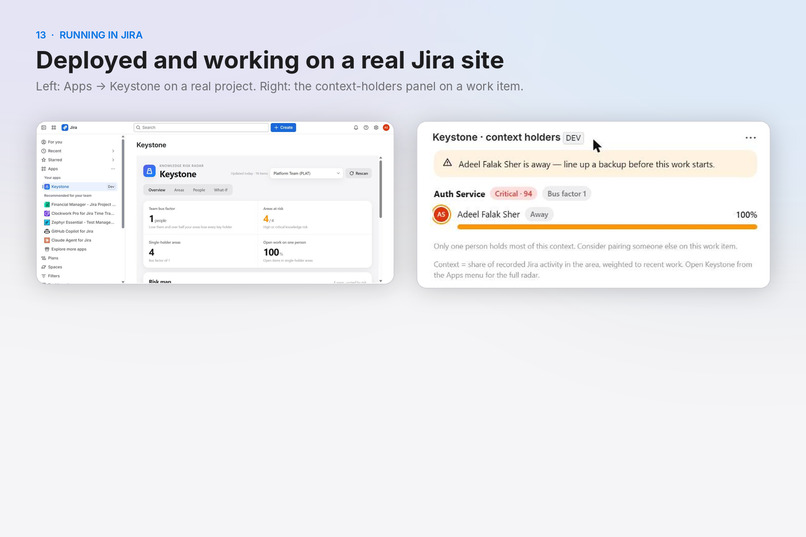
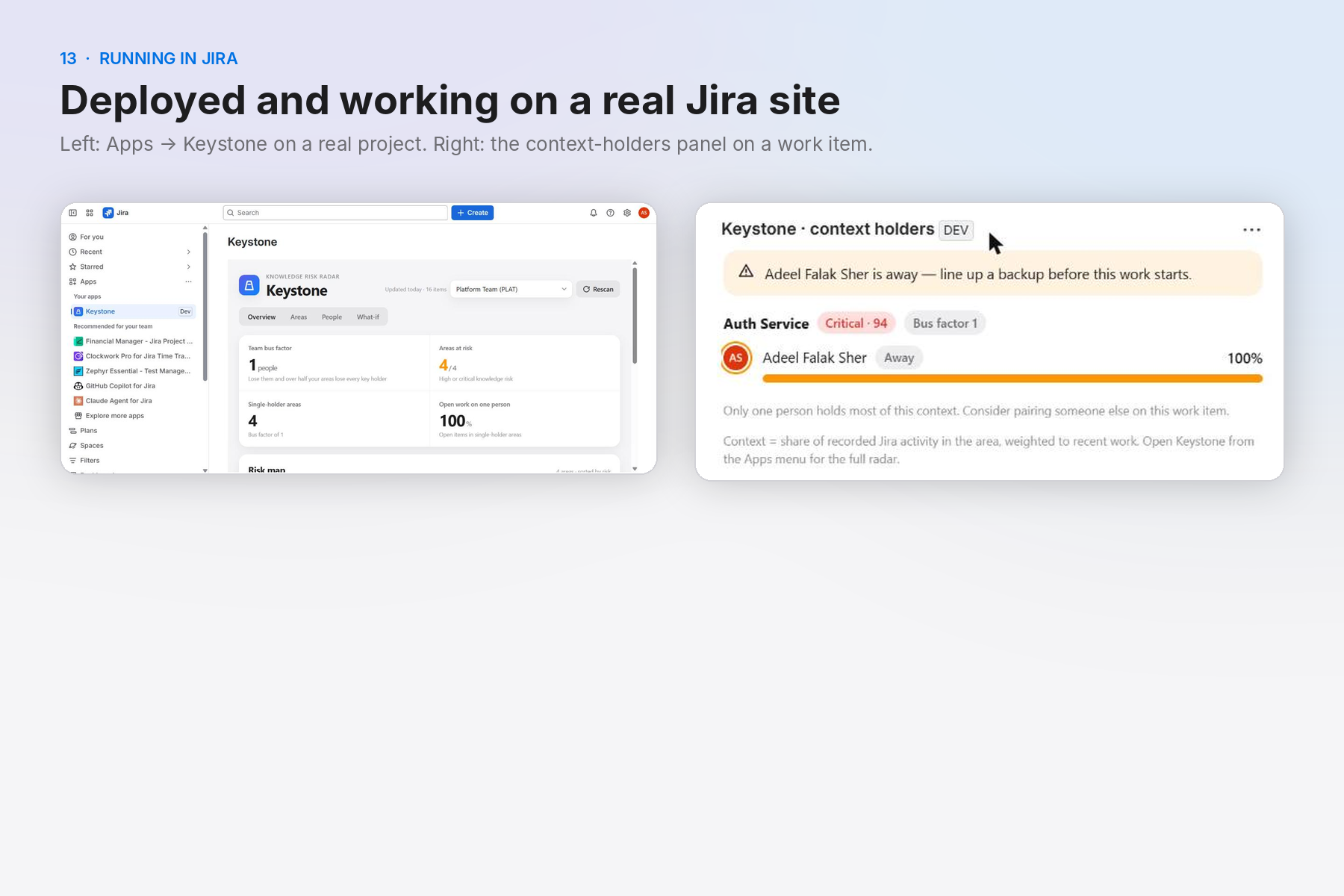
Running on a live Jira Cloud site: the Keystone page on a real project and the issue panel with an away warning.
-
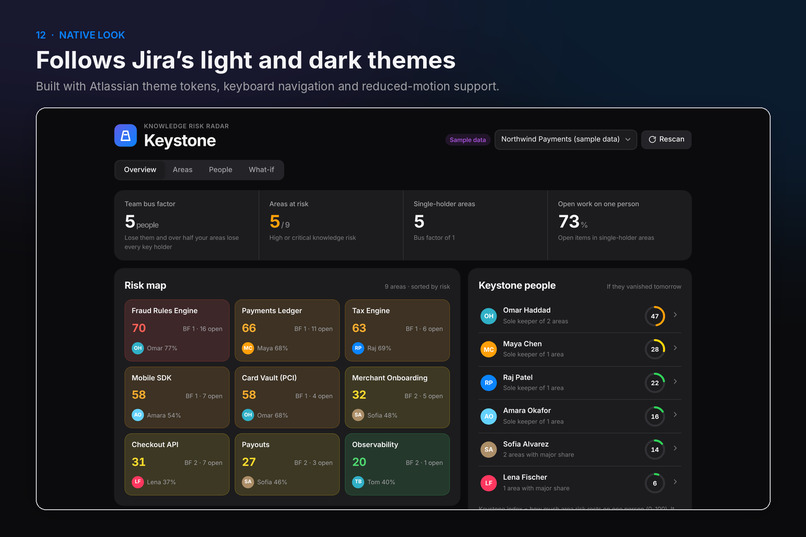
Dark mode: follows the Jira theme with Atlassian tokens and keyboard navigation.
Inspiration
Every team has an area only one person really understands. It stays invisible until that person is on leave during an incident or hands in their notice — and then a "two-day fix" takes two weeks of archaeology. "Bus factor" tools exist, but they only read git, so they miss the triage, decisions, reviews and support that live in Jira. Meanwhile AI coding agents now change code with no idea who to ask about it. We wanted a tool that makes this risk visible and gives teams a concrete way to reduce it.
What it does
Keystone turns real Jira activity into a bus factor for every component, epic and label.
- Risk map: every area scored 0–100 with plain-language reasons ("One person holds most of the context", "16 open work items depend on that person").
- Keystone people: who the team leans on most — framed as team fragility, not performance.
- What-if simulator: pick people to simulate leave or a departure; see which areas lose every key holder and how much open work is exposed.
- Handover plans: per person — successors, work to transfer, what to read first — created as Jira tasks in one click, or copied as Markdown.
- Availability: mark yourself on leave or leaving; risk updates instantly.
- Issue panel: on every work item, who holds the context for its area, and a warning if they're away.
- Rovo agent that acts, not just answers: "Who knows the most about tax?", "What breaks if Maya goes on leave?", "Draft a handover plan for Omar", plus write actions: "I'm on leave until 15 December" updates availability, and "create the handover tasks" creates them in Jira after you confirm.
- MCP tools: the same seven tools via
rovo:mcp, so Claude Code or Cursor can ask who holds context before touching an area.
How we built it
Forge app (Node 22 runtime) with a Custom UI (React 19 + Vite) in a Jira global page and issue panel, seven Rovo actions (five read, two write) shared by a rovo:agent and a rovo:mcp server, and Forge KVS for caching and availability. A pure, unit-tested analysis engine computes time-decayed context shares (180-day half-life), per-area bus factor, risk, team bus factor and simulations. All Jira calls use asUser(); cached data is only served after a live permission check, secured issues and restricted comments are never cached, and tool output is labelled as untrusted data to resist prompt injection. No external services — it runs entirely on Atlassian.
Challenges
- Turning raw Jira history into a fair signal: weighting resolution, transitions and comments, capping comment spam, and decaying old work.
- Making the numbers explainable — every risk flag carries a reason, and the UI explains that shares measure recorded context, not skill.
- Staying inside Forge limits: chunked KVS caching of normalized issues, availability applied at read time, and a 300-item cap with clear messaging.
- Teamwork Graph would be a natural data source, but its API is still EAP and can't be distributed via installation links, so we built on Jira REST.
Accomplishments
- One set of actions powering three surfaces: the Jira UI, a Rovo agent and an MCP server.
- A what-if simulator that recalculates "what happens if…" instantly from cached data.
- A sample workspace so judges and new users can explore on an empty site, always labelled as sample data.
What we learned
Knowledge risk is a people topic: the design had to avoid feeling like surveillance. Framing (fragility, not performance), self-service availability and admin-only edits for others mattered as much as the math.
What's next
Confluence and Bitbucket signals (page authorship, PR reviews), Teamwork Graph once it is generally available, scheduled weekly risk digests, and trend tracking so teams can see their bus factor improve.
Category & bonus prizes
Apps for Software Teams. Bonus: Best Agents (rovo:agent + seven actions, including UPDATE and CREATE) and Best app with Atlassian MCP (rovo:mcp exposing the same seven tools). Keystone uses no external services; Forge reports it eligible for Runs on Atlassian.
How it meets the technology requirement
Forge app using jira:globalPage, jira:issuePanel, rovo:agent, seven action modules, rovo:mcp, Forge KVS storage and Jira REST APIs via requestJira as the user.
Testing instructions for judges
- Install with the installation link (Jira). Open Apps → Keystone.
- The sample workspace loads first (fictional team, labelled Sample data). Try Overview → click a tile; People → open a person → handover plan; What-if → select people.
- To analyse real data, pick any Jira project in the menu (uses items updated in the last 12 months).
- Open a work item → Keystone · context holders panel.
- Rovo: open Rovo chat → Agents → Keystone → try "Where is our knowledge risk right now?" (uses the project selected in Keystone, or the sample workspace).
- MCP: a site admin enables the Keystone tools for external clients in Atlassian Administration; connect an MCP client to the Atlassian Rovo MCP server.
Built With
- atlassian-forge
- javascript
- jira
- mcp
- node.js
- react
- rovo
- vite