-
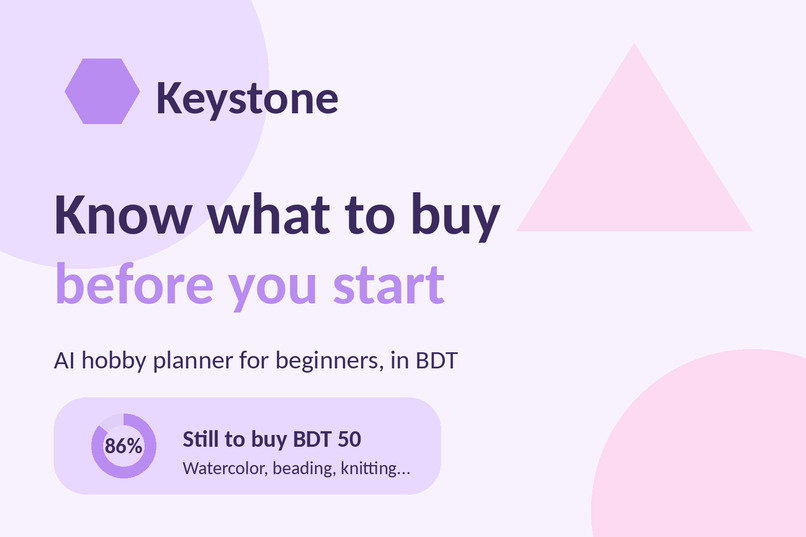
Keystone: know what to buy before you start a new hobby.
-
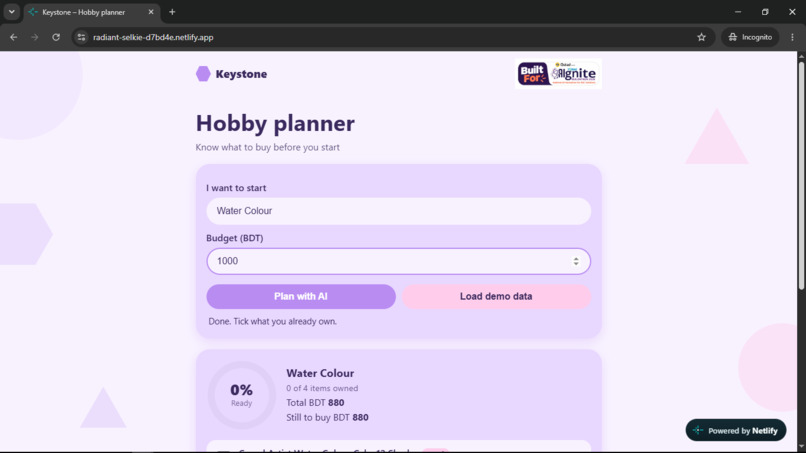
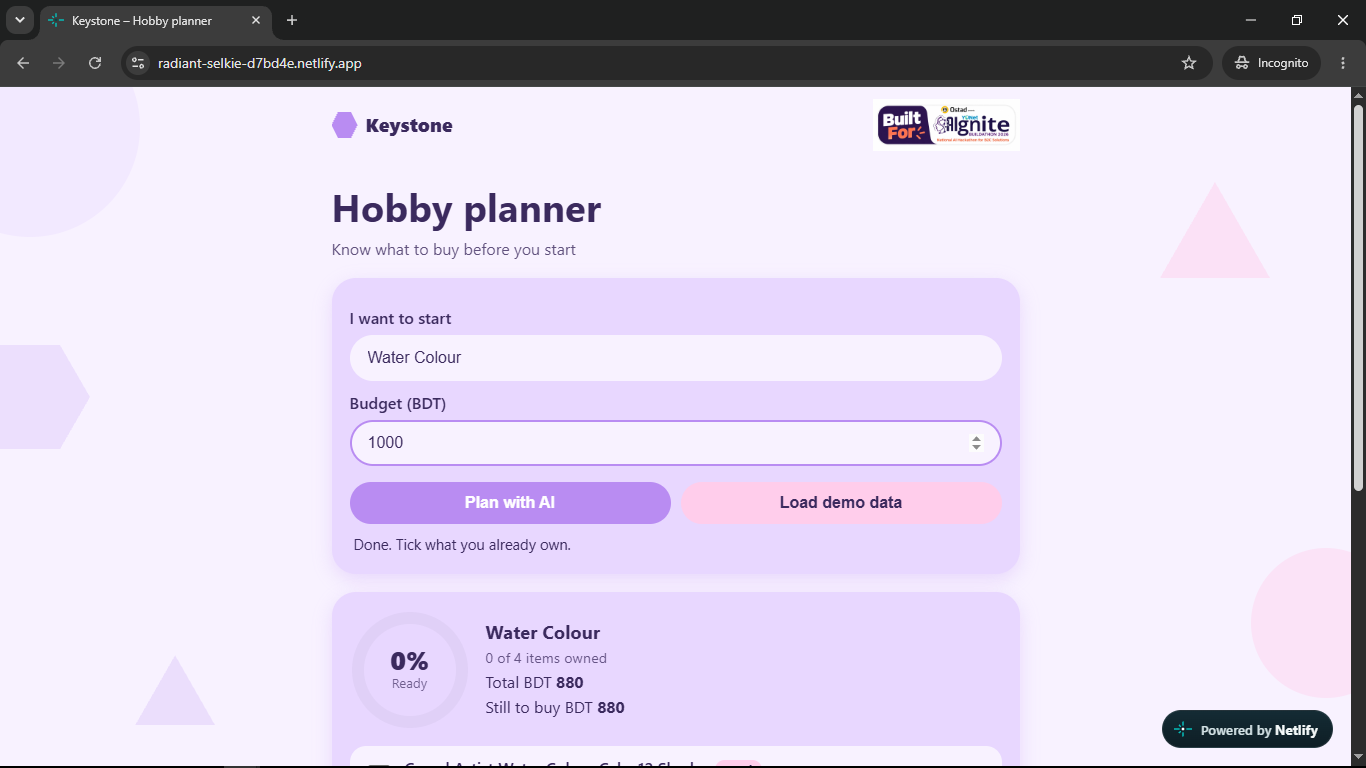
Step 1: Type a hobby and a budget in BDT, tap Plan with AI, and get a beginner checklist in seconds.
-
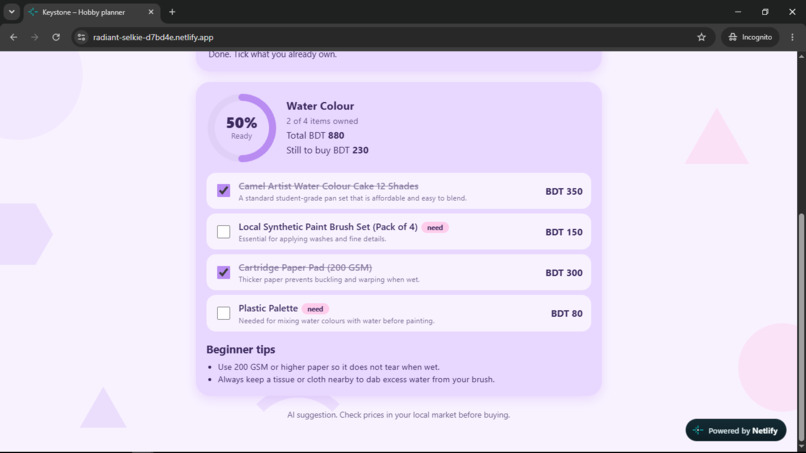
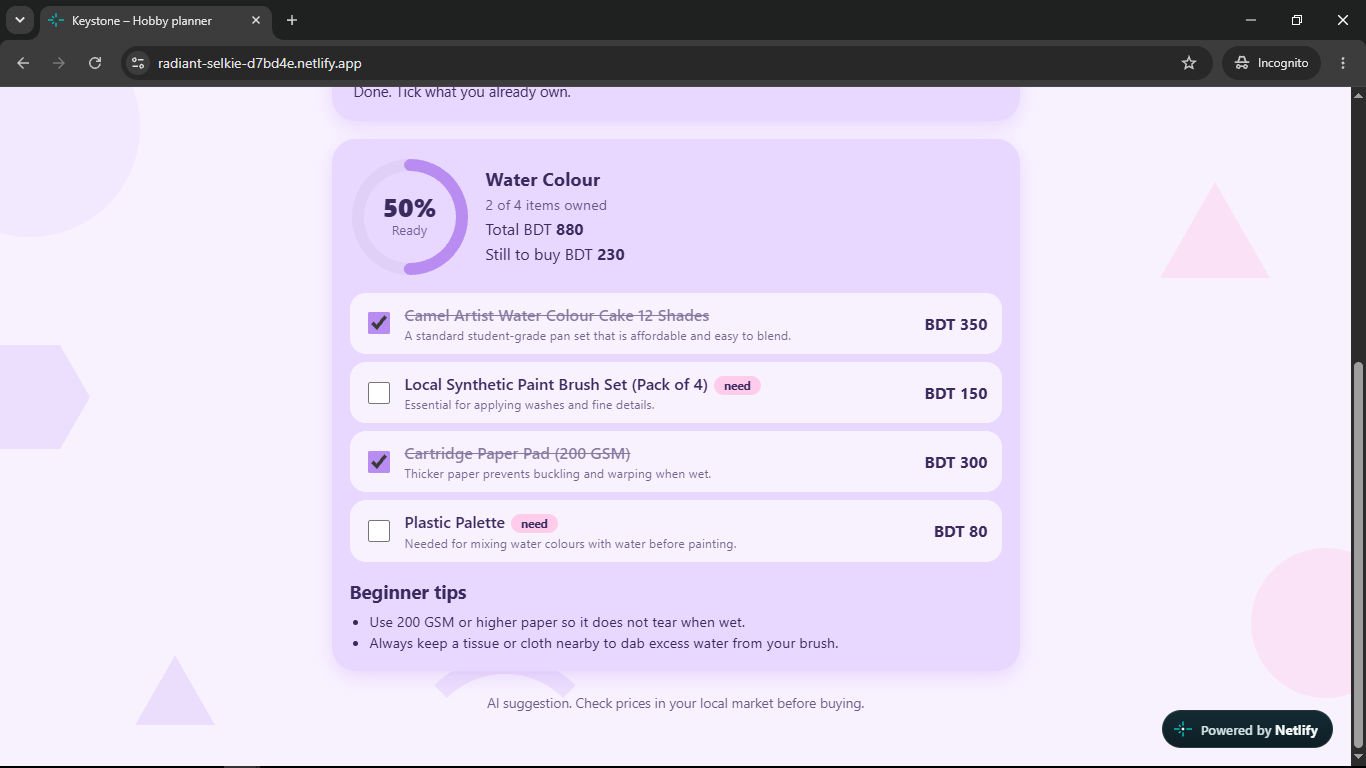
Step 2: Tick what you already own. Readiness, total and "still to buy" update instantly, with beginner tips from the AI.
-
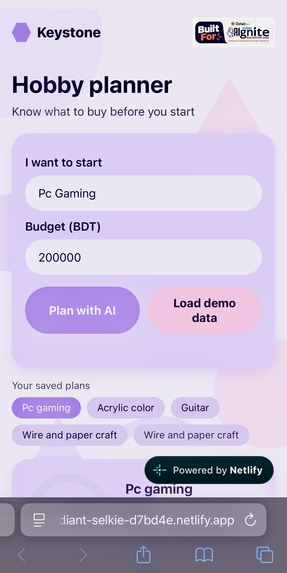
Mobile view: the official YUNet AIgnite sticker in the navbar, and saved plans so you can reopen any hobby later.
-
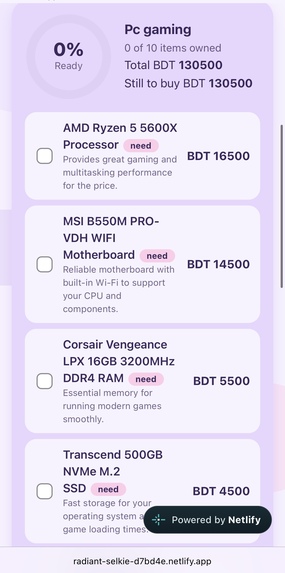
On mobile, AI builds a full checklist with BDT costs for any hobby, here PC gaming. Tick what you own to see what's left to buy.
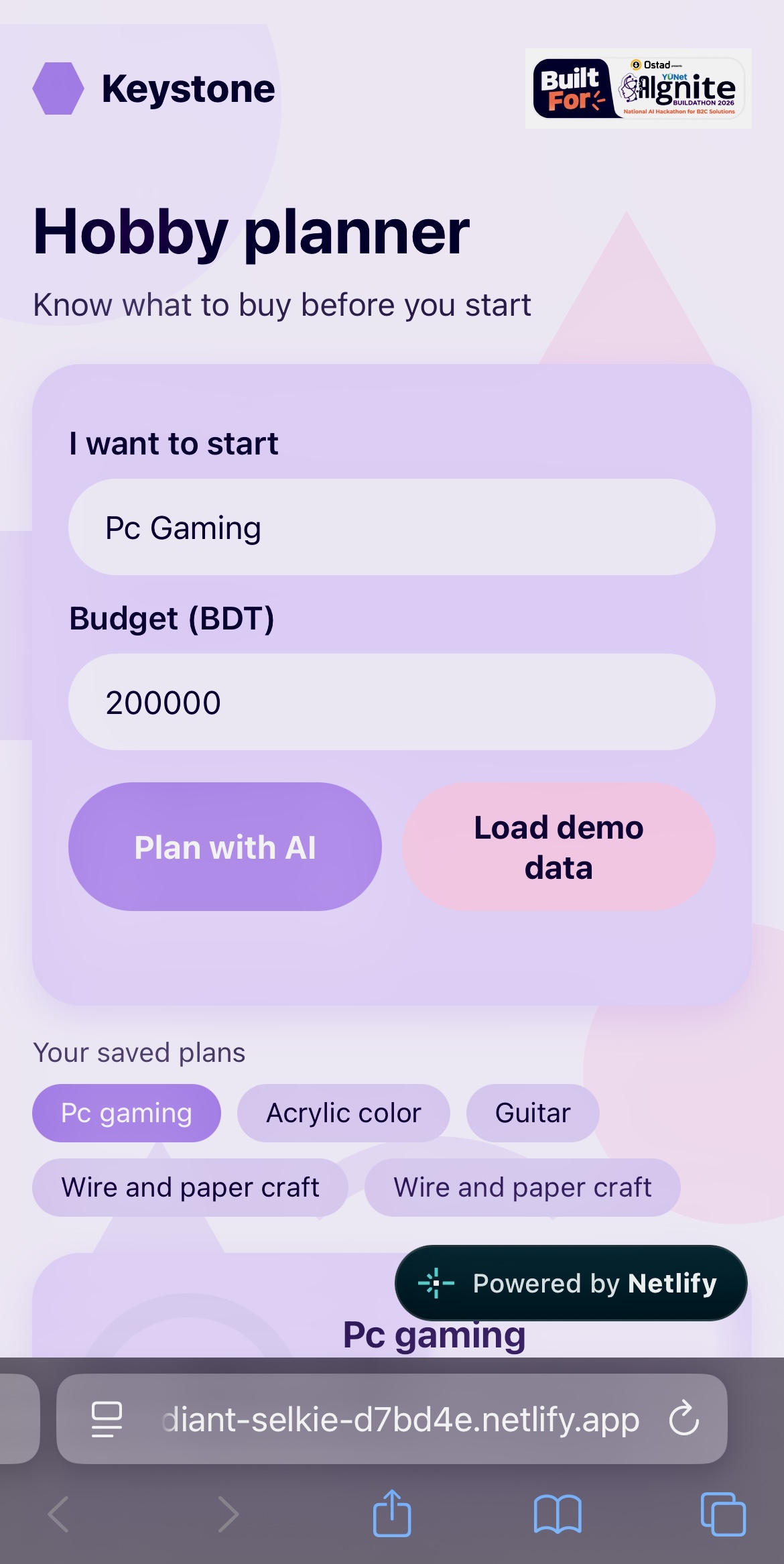
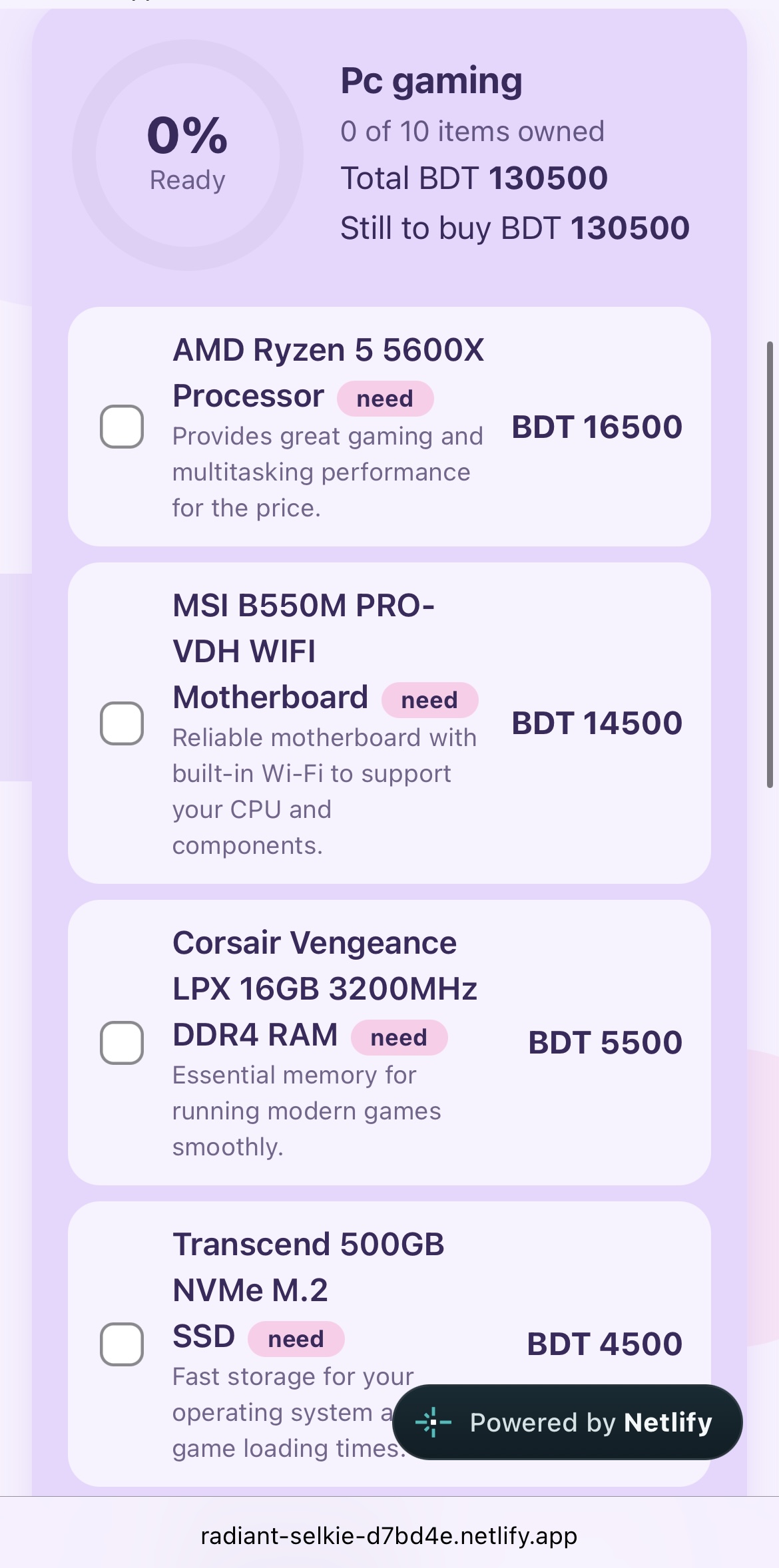
Category: B2C, Lifestyle. Keystone helps everyday people start new hobbies without wasting money.
Live app: https://radiant-selkie-d7bd4e.netlify.app
Inspiration
I'm a polymath with dozens of hobbies: painting in different mediums, guitar, gaming, beading, knitting, clay figures, paper crafting, bracelet making, and more. I've quit many of them halfway. Not because I lost interest, but because I started without guidance. I didn't know which tools were really needed, which ones to buy first, or what a beginner's budget should look like. I wasted money on the wrong things and eventually gave up. Keystone is the answer I wish I'd had, for every creative person who wants to start a new hobby but doesn't know where to begin.
What it does
I type the hobby I want to try (for example "watercolor" or "beading") and my budget in BDT. The AI builds a beginner checklist of up to 10 items with local prices and a short reason for each. I tick what I already own, and Keystone shows a readiness ring, the total cost, how much is still left to buy, and a warning if I'm over budget. Plans are saved on my phone so I can take the list shopping. No login needed.
How I built it
Plain HTML, CSS and JavaScript, hosted on Netlify. The app calls a Netlify serverless function that holds the Gemini API key, so the key is never exposed in the browser. The function asks Gemini for strict JSON, checks and cleans it, and retries with backup models. If the AI fails, the user sees a friendly message instead of a crash. The readiness percentage is calculated in the browser so it updates instantly as you tick items and is always exact.
Challenges I ran into
During testing the AI call failed with model errors (HTTP 404) and overload errors (HTTP 503), and some answers were too slow for the serverless time limit. I fixed this by adding backup models, a time limit for each try, and detailed error logging. I also had to keep the AI's output strictly validated so a malformed answer can never break the page.
Accomplishments that I'm proud of
A fully working, public web app built solo in a few hours, with real AI doing real work, a secure server-side API key, a mobile-first design, and my own problem solved with it.
What I learned
How serverless functions and environment variables work, how to keep API keys secret, how to handle AI errors and slow responses safely, and how to deploy and debug a live app using logs.
What's next for Keystone: AI Hobby Planner
Bangla language support, local prices shared by users, shareable checklists, and links to local shops, progress tracking, so any beginner can start a hobby with confidence.
Built With
- css
- gemini-api
- google-ai-studio
- html
- javascript
- local-storage
- netlify
- node.js
