-
-
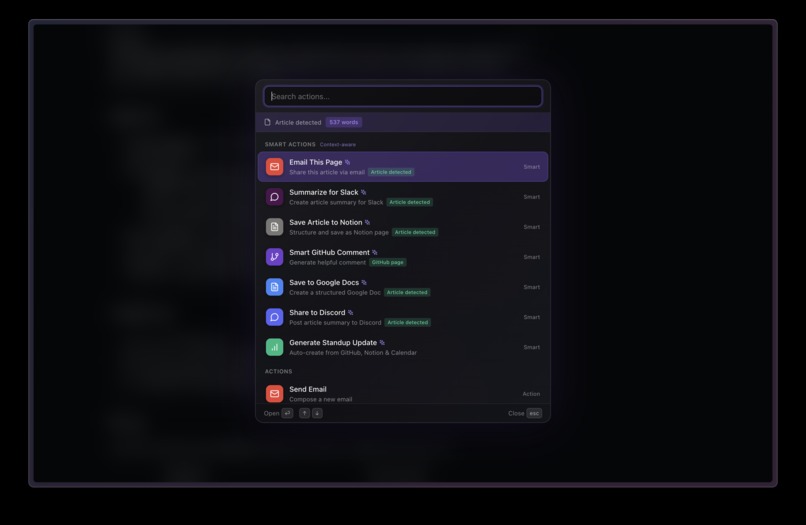
smart actions overlay: can be called anytime, anywhere
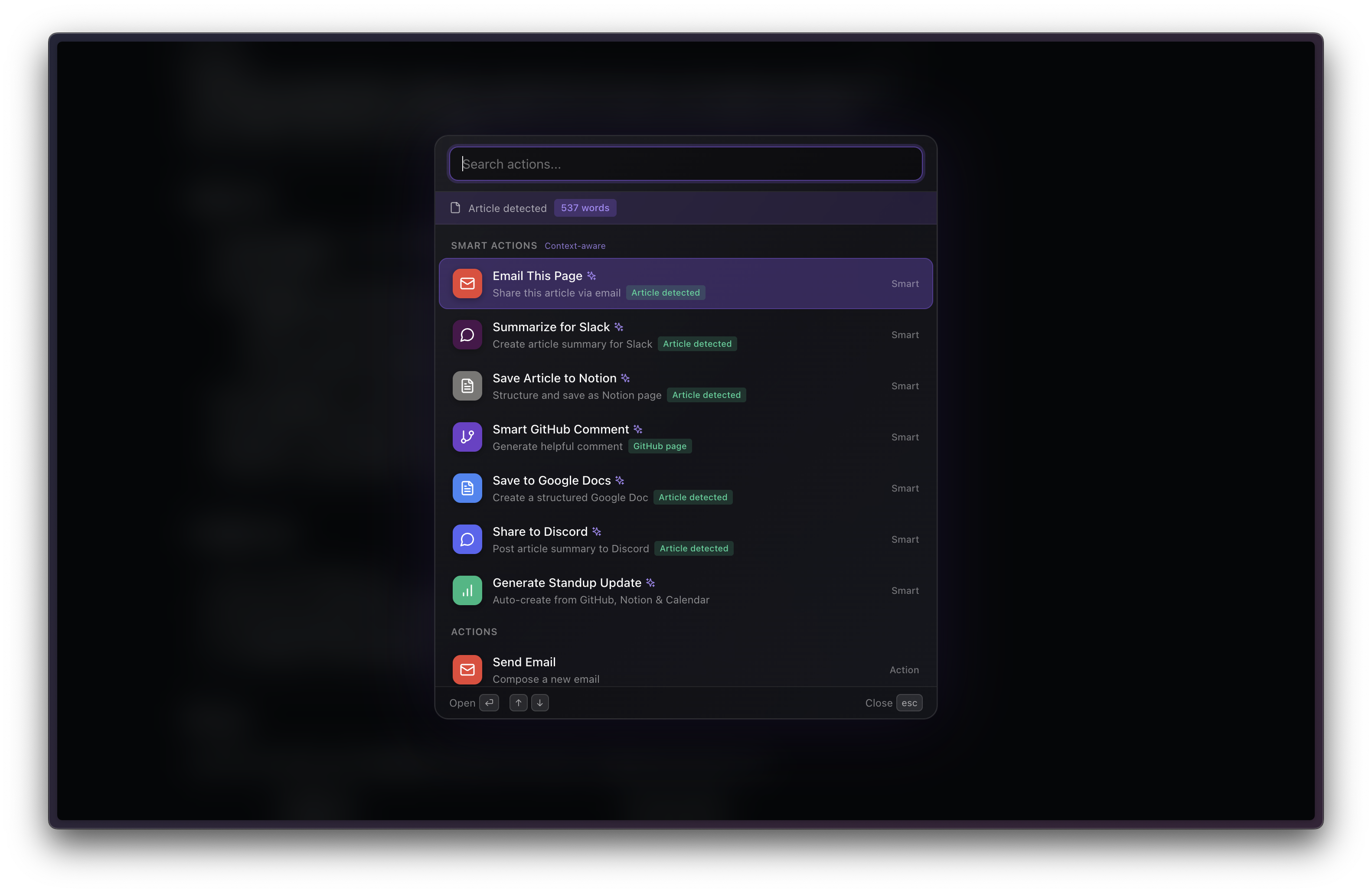
Keyshots: Smart Actions for Logitech MX
Inspiration
We were frustrated by constant context switching. The average knowledge worker switches between apps 300+ times per day, and each switch breaks flow state. Existing automation tools like Raycast require memorizing commands and only work with single apps. We realized: what if your hardware could trigger an AI agent that autonomously orchestrates workflows across all your apps?
When we saw Logitech's "Genie in a bottle" challenge, the vision clicked: physical buttons + voice commands + AI reasoning = the future of human-computer interaction. Your MX console becomes a control panel for an autonomous AI coworker.
What it does
Keyshots transforms Logitech MX devices into physical controls for AI, enabling one-button execution of complex multi-app workflows.
Core Features
Smart Agentic Actions
- Press console button → select command → AI executes autonomously
- Example: "Triage my inbox and handle urgent items"
- AI searches 50 emails
- Stars important ones
- Creates Linear issues for action items
- Archives newsletters
- Drafts replies to urgent messages
- Result: 47 emails processed in 15 seconds
Context-Aware Actions
- Hardware adapts to what you're viewing
- On Gmail: Buttons show "Triage" "Smart Reply" "Schedule Meeting"
- On articles: "Save to Notion" "Share to Discord" "Summarize"
- On GitHub: "Create Issue" "Review PR" "Smart Comment"
- Actions Ring rotates through contextual options
🔄 Cross-Platform Orchestration One button press triggers workflows across 11 platforms:
- Gmail → Linear → Discord → Notion → Calendar → GitHub → Sheets → Docs → Drive → OneDrive → Outlook
📊 Real-Time Feedback
- Console display shows agent progress: "Searching Gmail... Creating Linear issue #47... Posting to Discord... ✓ Done"
- LED indicators: Amber (working) → Green (success) → Red (error)
- Haptic feedback on completion
Example Workflows
Meeting Follow-Up (Button 1)
Press → AI finds today's "Design Review" meeting
      → Extracts action items from meeting notes
      → Creates 4 assigned Linear issues
      → Emails summary to 6 attendees
      → Posts to #design Discord channel
      → Result: 20 minutes of work in 10 seconds
Smart Inbox Triage (Button 2)
Press → AI analyzes 50 unread emails
      → Stars 5 from important people
      → Creates 3 Linear issues for action items
      → Archives 12 newsletters
      → Flags 2 meeting conflicts with alternatives
      → Result: Inbox zero in 15 seconds
Standup Update Generation (Button 3 + Voice)
Press & Hold → "Send standup update to team"
AI generates: "Hey team! Wrapped up the auth bug fix today..."
Posts message to Slack #standup
Result: Personal message without typing
Research Assistant (Dial + Button)
Turn dial to select topic → Press
AI searches: Notion pages, Gmail threads, GitHub repos, Discord messages
Compiles findings into structured Notion page with sources
Result: Hours of research in 30 seconds
How we built it
Hardware Integration
// Logitech Actions SDK
import { LogitechActions } from '@logitech/actions-sdk';

// Register AI agent button
actions.registerButton({
  id: 'keyshots-agent',
  name: 'AI Agent',
  icon: '🤖',
  onPress: () => startVoiceCommand(),
  onRelease: () => executeCommand()
});

// Real-time progress display
actions.updateDisplay({
  line1: 'Triaging inbox...',
  line2: '█████░░░░░ 50%',
  line3: 'Creating issues...'
});

// LED feedback
actions.flashLEDs('green', 3); // Success!
Chrome Extension Architecture
┌─────────────────────────────────────┐
│   Chrome Extension (Frontend)       │
│   - Context detection               │
│   - Voice capture (Web Speech API)  │
│   - Button mapping UI               │
└──────────────┬──────────────────────┘
               │ HTTPS
               ↓
┌─────────────────────────────────────┐
│   Replit Backend (Orchestrator)     │
│   - LLM API integration          │
│   - 11 platform connectors          │
│   - Authentication management       │
└──────────────┬──────────────────────┘
               │
       ┌───────┴────────┬──────────┬────────┐
       ↓                ↓          ↓        ↓
   [Gmail API]    [Linear API] [Discord] [Notion]
AI Agent Logic
// AI decides which tools to use
const response = await gemini.messages.create({
  model: 'any-llm-model',
  tools: [
    { name: 'gmail_search', description: 'Search emails' },
    { name: 'linear_create_issue', description: 'Create Linear issue' },
    { name: 'discord_send', description: 'Post to Discord' }
    // ... 20+ tools
  ],
  messages: [{
    role: 'user',
    content: `User said: "Triage my inbox"
              Current context: Gmail inbox with 50 unread emails
              Execute this command autonomously.`
  }]
});

// AI chooses tools and executes
while (response.stop_reason === 'tool_use') {
  const tool = response.content.find(b => b.type === 'tool_use');
  const result = await executeTool(tool.name, tool.input);
  // Continue conversation with tool result...
}
// Send to Discord await discord.sendAudio(channelId, audio);
## Potential Challenges

### 1. Latency vs. Intelligence Trade-off
**Problem:** AI agents can take 10-20 seconds for complex reasoning. Hardware buttons need to feel instant.

**Solution:** Multi-stage feedback
- Immediate haptic response (button registered)
- Context detection starts before AI (we know what page you're on)
- Streaming progress updates to console display
- Parallel API calls where possible (fetch GitHub + Linear + Calendar simultaneously)
- Result: Feels responsive even with 15-second workflows

### 2. Hardware Constraints
**Problem:** MX console has limited buttons/dials. How to expose 50+ agent capabilities?

**Solution:** Context-aware mapping
- Buttons change based on page type (Gmail vs article vs GitHub)
- Dial rotates through relevant actions for current context
- Long-press vs short-press for primary/secondary actions
- Result: 3 buttons × 2 press types × 10 contexts = 60 accessible actions

### 3. Real-Time Progress Without Overwhelming
**Problem:** Showing every API call is noisy. Showing nothing feels broken.

**Solution:** Semantic progress
- Group related operations: "Analyzing emails..." (searches + reads + classifies)
- Show tool transitions: "Gmail → Linear → Discord"
- Success counter: "4/7 issues created"
- Estimated time remaining: "~8 seconds left"
- Result: Users understand what's happening without information overload

## What's next

### Phase 1: Enhanced Hardware Integration (1 week)
- Dial-based action browsing with visual preview
- Custom button mappings per user/team
- Gesture recognition on Actions Ring (circle = refresh, swipe = next page)
- Pressure-sensitive buttons (light press = preview, hard press = execute)

### Phase 2: Multi-Agent Architecture (2 week)
- Specialized agents: Research Agent, Writer Agent, Scheduler Agent, Notifier Agent
- Parallel execution: 3-5x faster on complex workflows
- Agent debate: Two agents argue to find best solution
- Visual on console: Shows which agents are working

### Phase 3: Learning & Personalization (1 week)
- Button mapping learns from usage patterns
- "You always post standups to #engineering" → defaults there
- Predicts next action based on time/context
- Suggests workflow improvements

### Phase 4: Logitech Marketplace Launch (2 months)
- Bring Keyshots to 40+ million Logitech users
- Team deployments with shared configurations
- Enterprise features: SSO, audit logs, compliance
- Pre-built workflow templates for common roles (PM, Engineer, Designer)

## Why Logitech + Keyshots = Future of Work

**Logitech brings:**
- 40+ million users
- World-class hardware design
- Distribution via Marketplace + Meta Store
- Trust in enterprise market

**Keyshots brings:**
- Proven AI agent technology
- 11 platform integrations (already working)
- Browser-native context detection
- Voice cloning for personal touch

**Together we create:**
- First physical AI control panel
- Workflows that span 5+ platforms in seconds
- Hardware that feels essential, not gimmicky
- The "iPhone moment" for AI agents (touch → hardware → AI)

**The vision:** Every Logitech device becomes an AI control surface. Your mouse, keyboard, console—all are portals to autonomous agents that know your context and execute your intent across every app you use.

Let's build the future of human-AI interaction. **Together.**
Built With
- browser-extension
- javascript

Log in or sign up for Devpost to join the conversation.