-
-
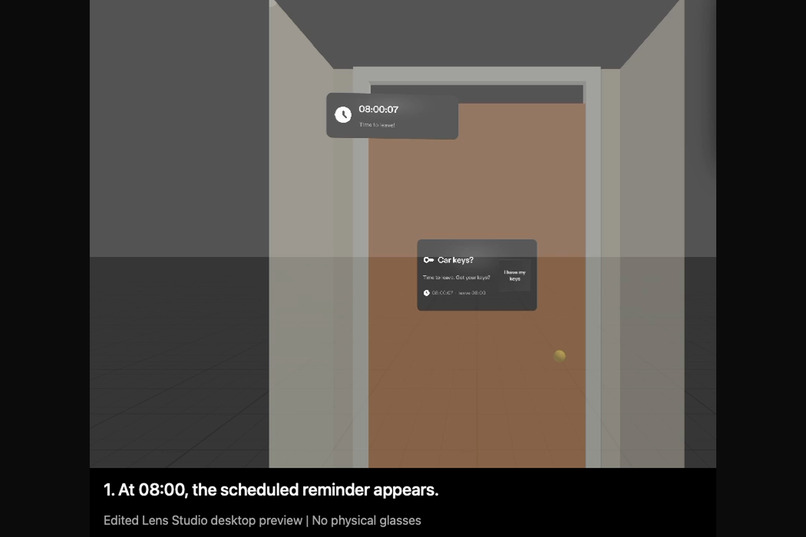
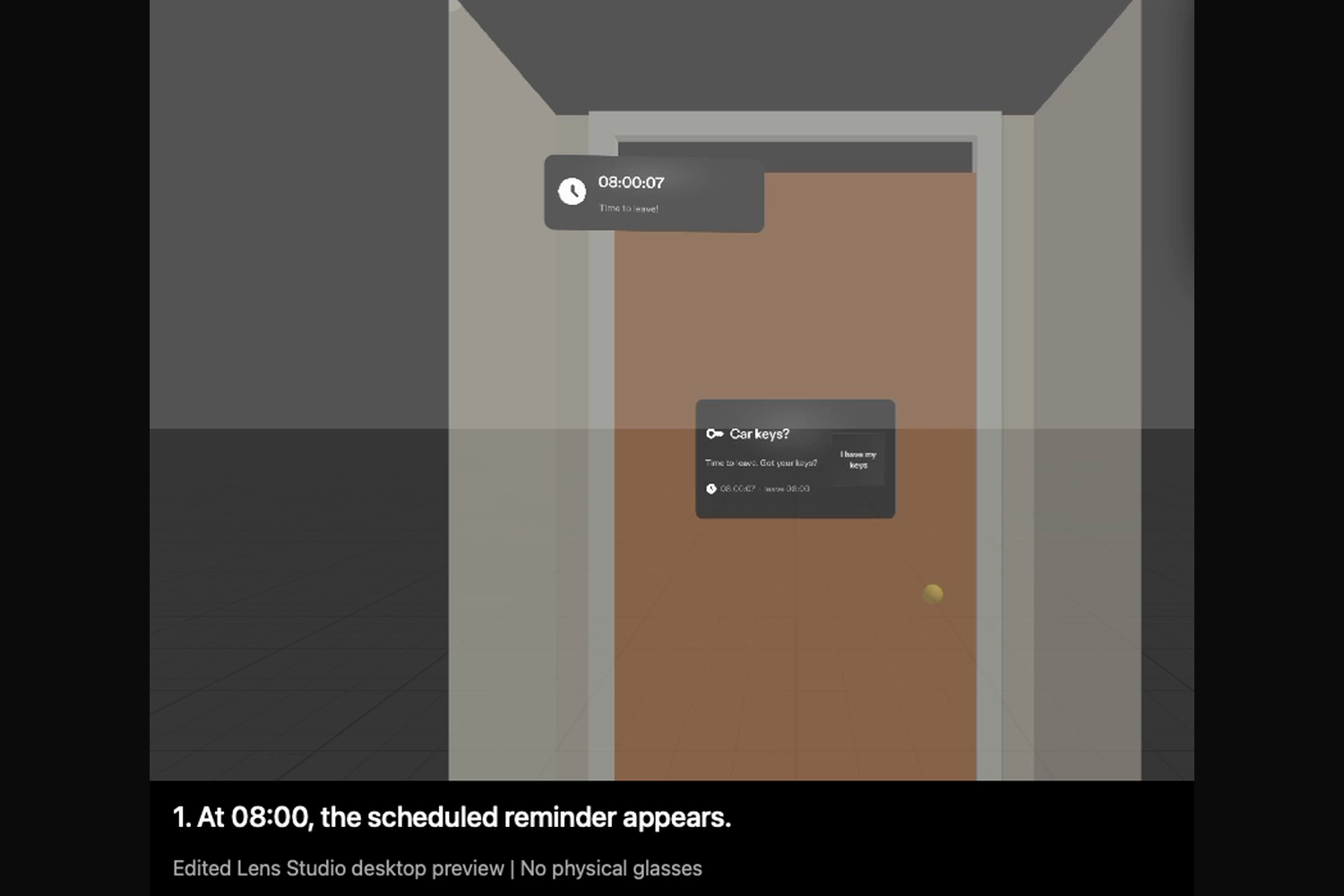
08:00 on the demo clock: the car-keys reminder appears in the hallway by the front door.
-
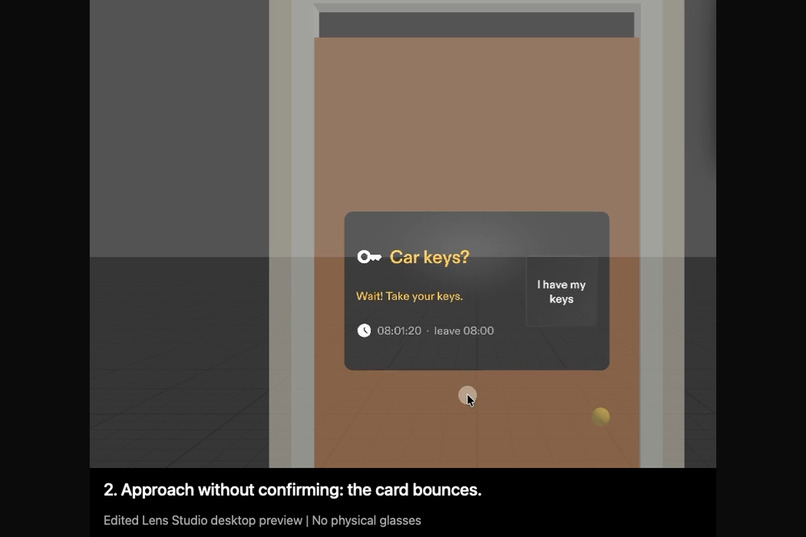
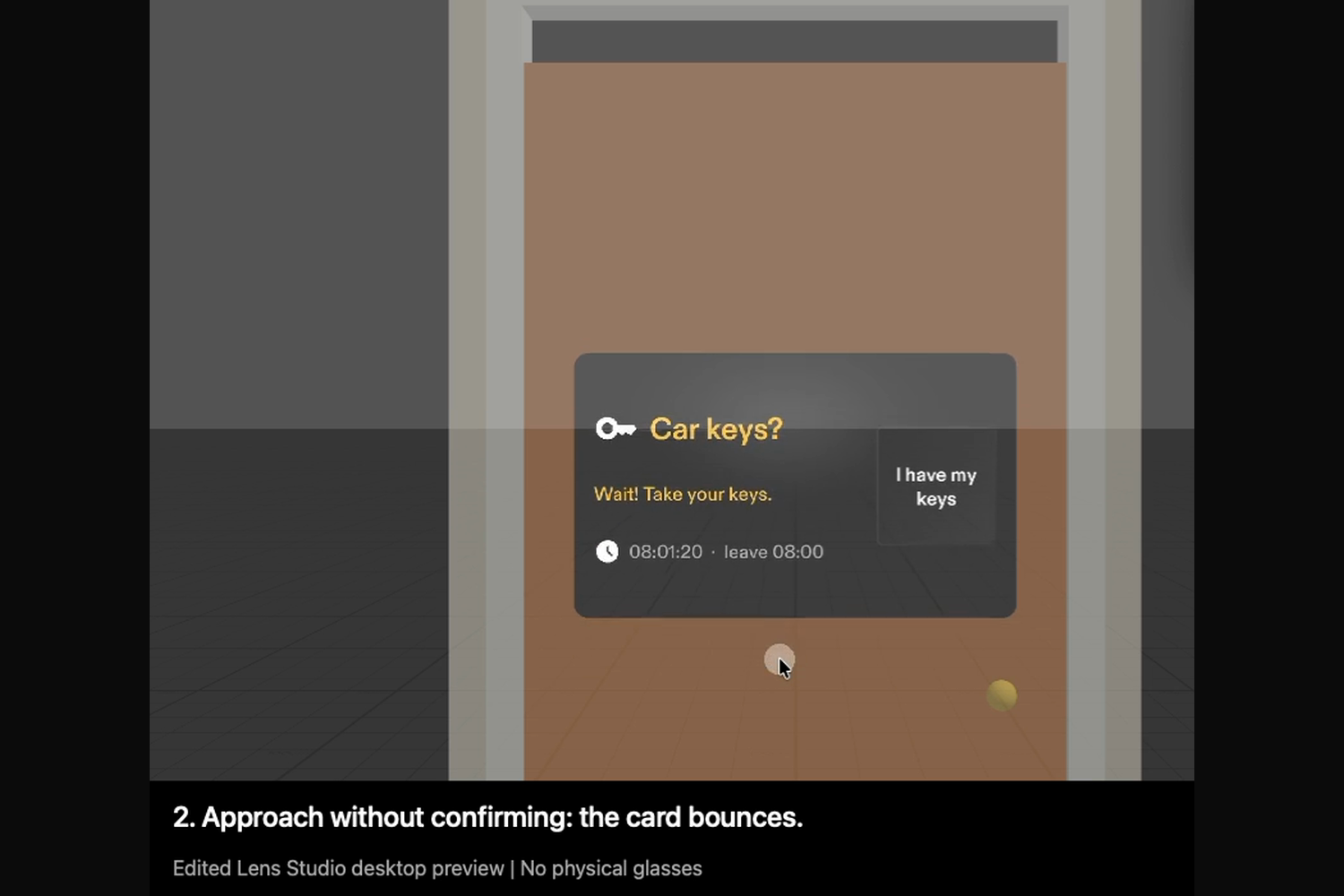
Heading for the door without pressing the button: the card bounces and says "Wait! Take your keys."
-
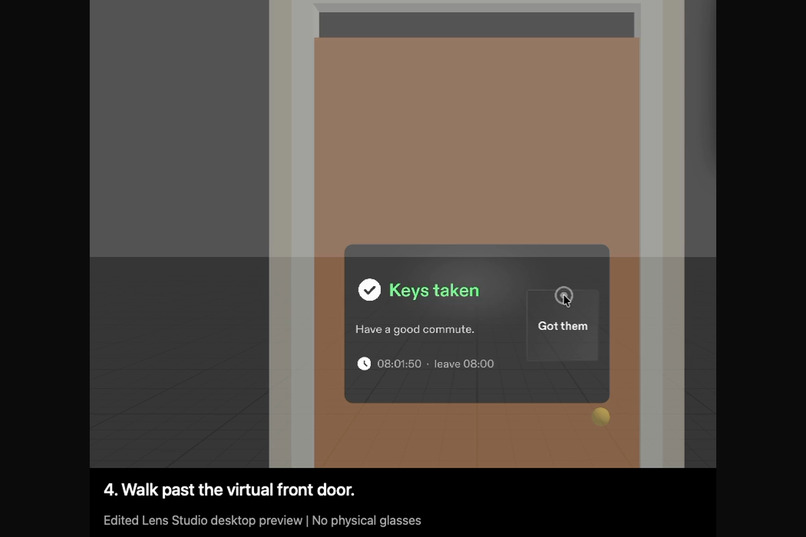
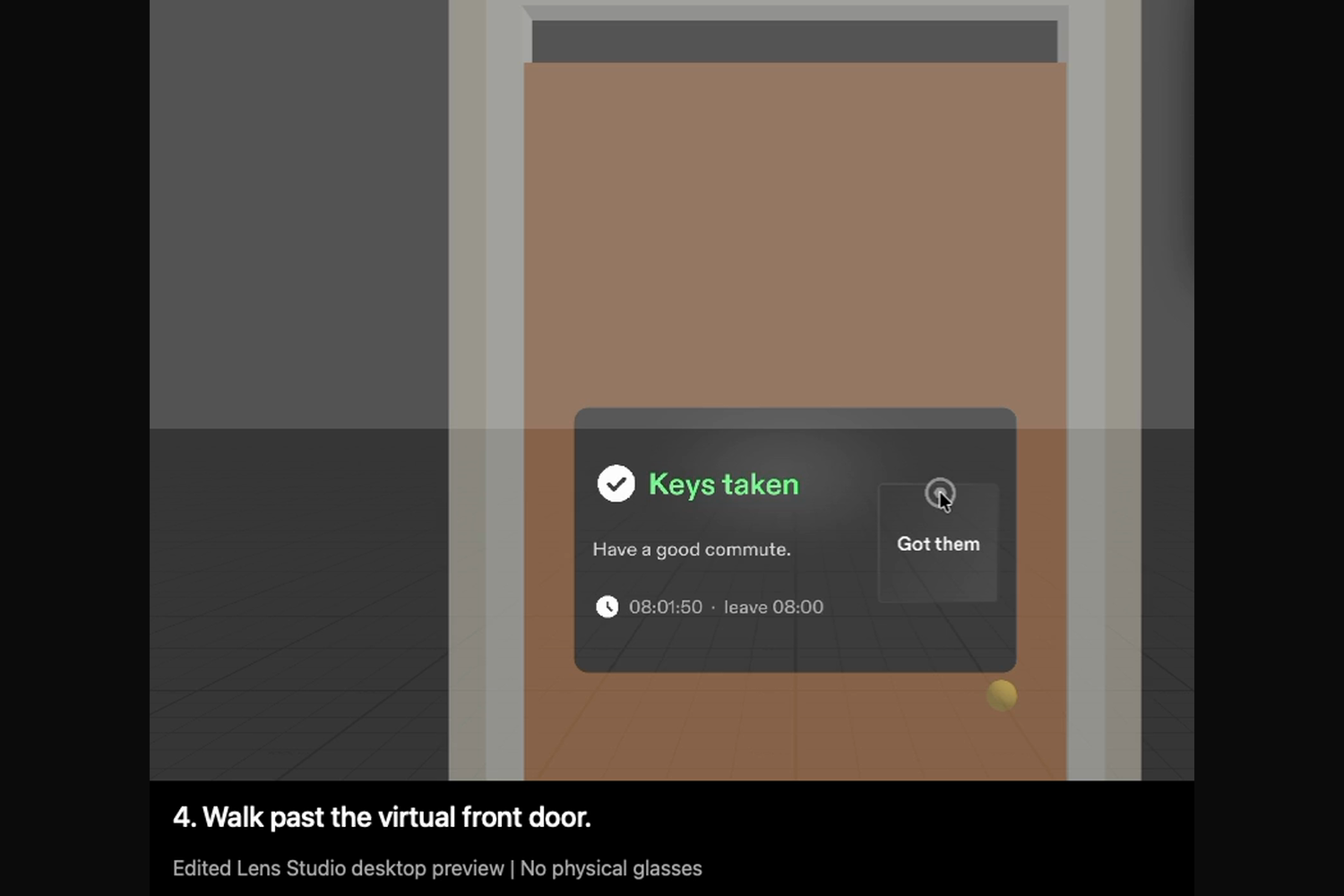
Pinch "I have my keys": the card changes to "Keys taken".
-
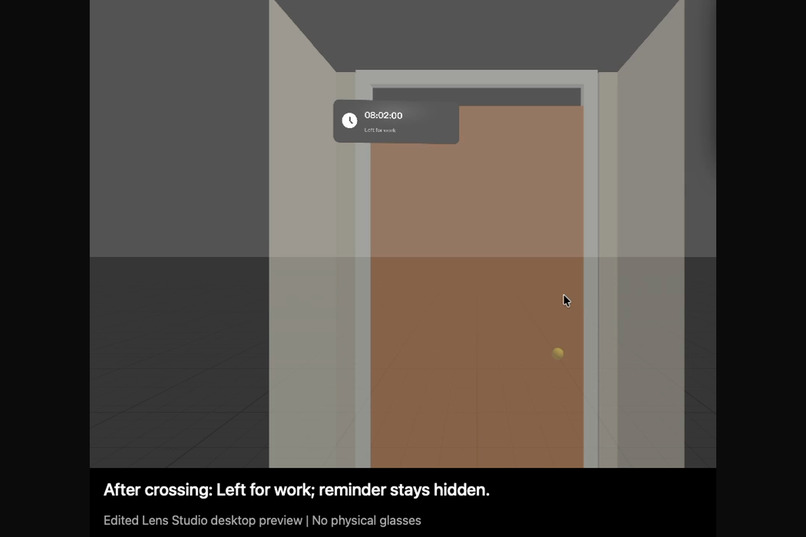
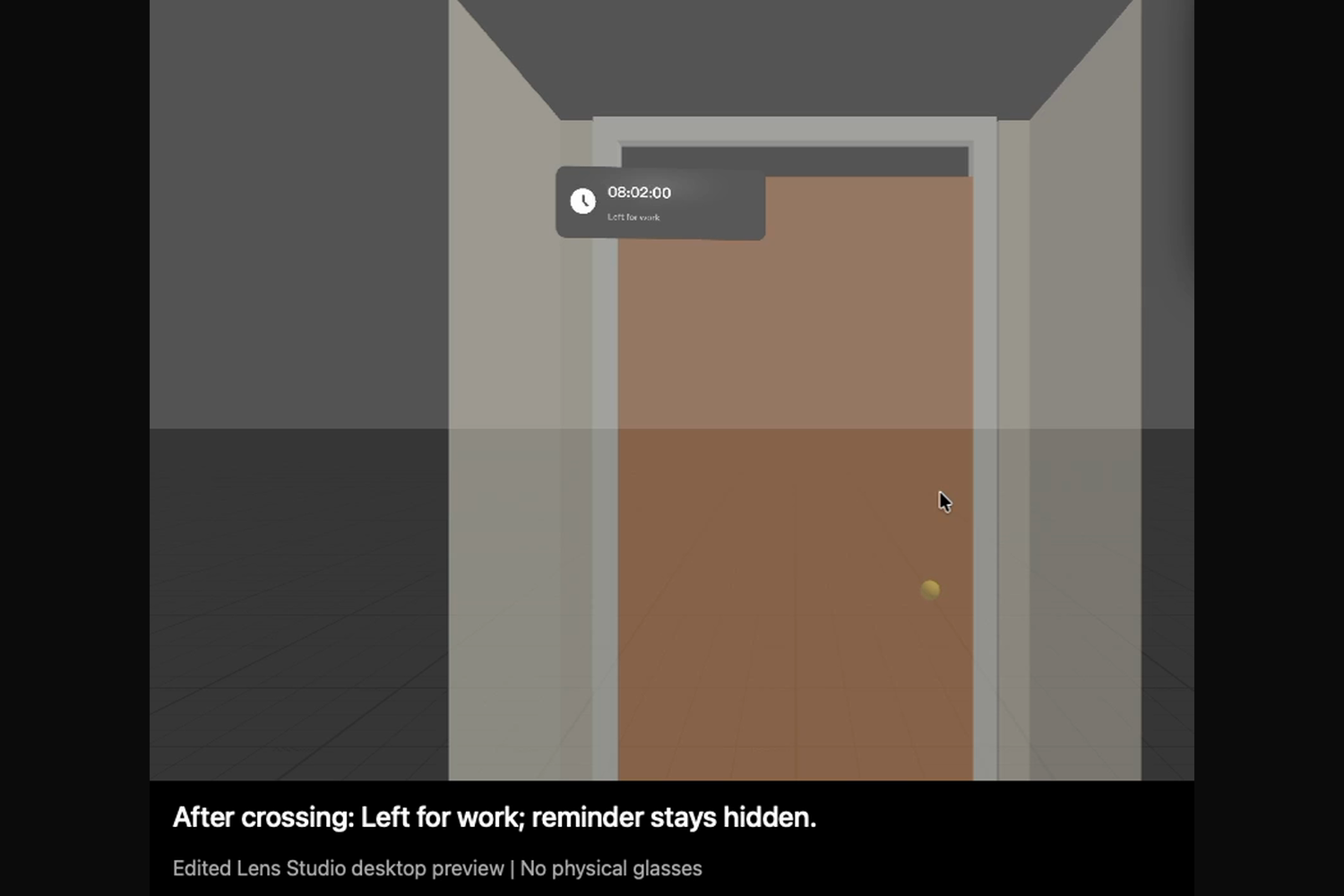
After walking out past the front door, the reminder stays hidden.
Inspiration
I sometimes leave home without my car keys. A phone reminder goes off at a set time, wherever I happen to be. I wanted the reminder to be in the place where the mistake happens: the hallway on the way to the front door.
What it does
At commute time, a car-keys reminder appears in mid-air in the hallway, 1.2 m in front of the front door and a little below eye level. It stays anchored there, so it does not follow your head around.
- Pinch the big "I have my keys" button and the card changes to "Keys taken".
- Head for the door without pressing it and the card bounces up and down: "Wait! Take your keys."
- Walk out of the front door and the reminder disappears.
- If you are not looking at the hallway when it appears, a small arrow points toward it and a chime is played.
Who it's for
People who drive to work and sometimes leave home without their car keys, starting with me.
How we built it
The design came first. The Devpost Learn skill pack (plan-lens) interviewed me about the idea and checked my answers against AR design habits and what Lens Studio's preview can show. My answers became a design brief with four done criteria (devpost/design-brief.md). Snap's CLAD agents then built the Lens in Lens Studio through the Lens Studio MCP: the scene, four TypeScript components, and nine LEAF test scenarios: two for each done criterion and one for the out-of-view arrow. All nine pass in the preview.
The preview cannot recognise real objects, so the Lens uses stand-ins: the button tells it you have your keys, a virtual hallway and front door stand in for your home, and a demo clock that starts at 07:59 stands in for the time of day. The video is an edited screen recording of Lens Studio's desktop preview; no physical glasses were used.
Challenges we ran into
- The preview cannot recognise real objects, so the Lens cannot see the keys. A big button stands in for that moment, and walking past a virtual front door stands in for leaving.
- I first wanted an OK hand sign to confirm the keys. A mouse cannot make hand poses in the preview, so pinching a button carries the demo.
- In the LEAF walking tests, the camera's device tracking reset the camera position every frame; the tests pause it while they move the camera.
Accomplishments that we're proud of
The four done criteria were written before any code, and each one has passing tests and is shown in the video with real keyboard and mouse input.
What we learned
The plan-lens interview changed the design twice. The reminder moved from wherever I was looking to a fixed spot on the way out, because a notice that follows your gaze feels like a screen stuck to your face. And the OK sign became a pinch, so the preview could show it. Deciding where things live and when they show mattered more than adding features.
What's next
On real SPECS glasses: recognise the keys instead of asking, read the real front door, and test whether a bouncing reminder catches the eye without becoming annoying.
Built With
- clad
- claude-code
- leaf
- lens-studio
- lens-studio-mcp
- specs
- spectacles-interaction-kit
- spectacles-ui-kit
- typescript

Log in or sign up for Devpost to join the conversation.