Inspiration
Creating an artisan keycap usually requires several disconnected skills: generating a concept, modeling it in Blender or CAD, understanding keycap dimensions, building a switch-compatible mount, repairing the mesh, and preparing it for 3D printing.
At the same time, most image-to-3D demonstrations stop after producing something visually interesting. They rarely answer the practical question: Can this model be edited, attached to a real keycap, validated, and printed?
We also wanted to explore a better way for ChatGPT to interact with complex web applications. Traditional browser agents depend on coordinates and simulated clicks, which become fragile when layouts change. WebMCP offered a different approach: the website could expose meaningful tools such as find_parts, auto_place_part, and compose_keycap.
That led to Keycap Forge: a browser-based workspace where a person and ChatGPT can collaboratively turn an image into a printable custom keycap.
What it does
Keycap Forge is a browser-local 3D keycap editor powered by WebMCP.
A user can:
- Choose a standard key size, from
1Uthrough6.25U Space. - Select an MX or Topre switch mount.
- Generate a standalone 3D statue from a PNG, JPEG, WebP, or SVG reference image.
- Create a lightweight 2.5D relief from a logo or silhouette.
- Import an existing watertight STL model.
- Select, move, rotate, and scale parts directly in the 3D viewport.
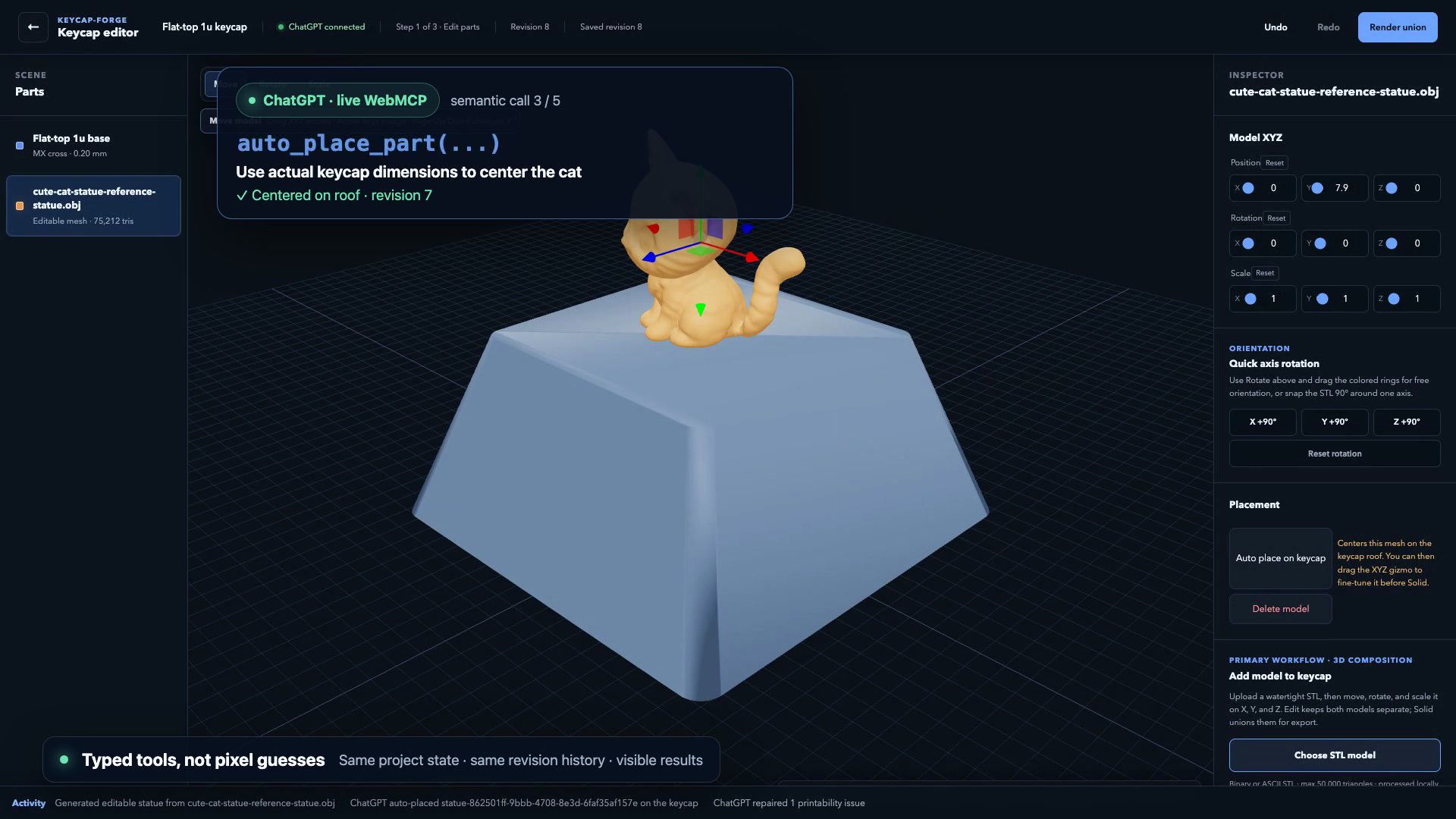
- Automatically center and fit a model on the keycap.
- Render the keycap and added model as one manufacturing solid.
- Inspect solid, section, and underside views.
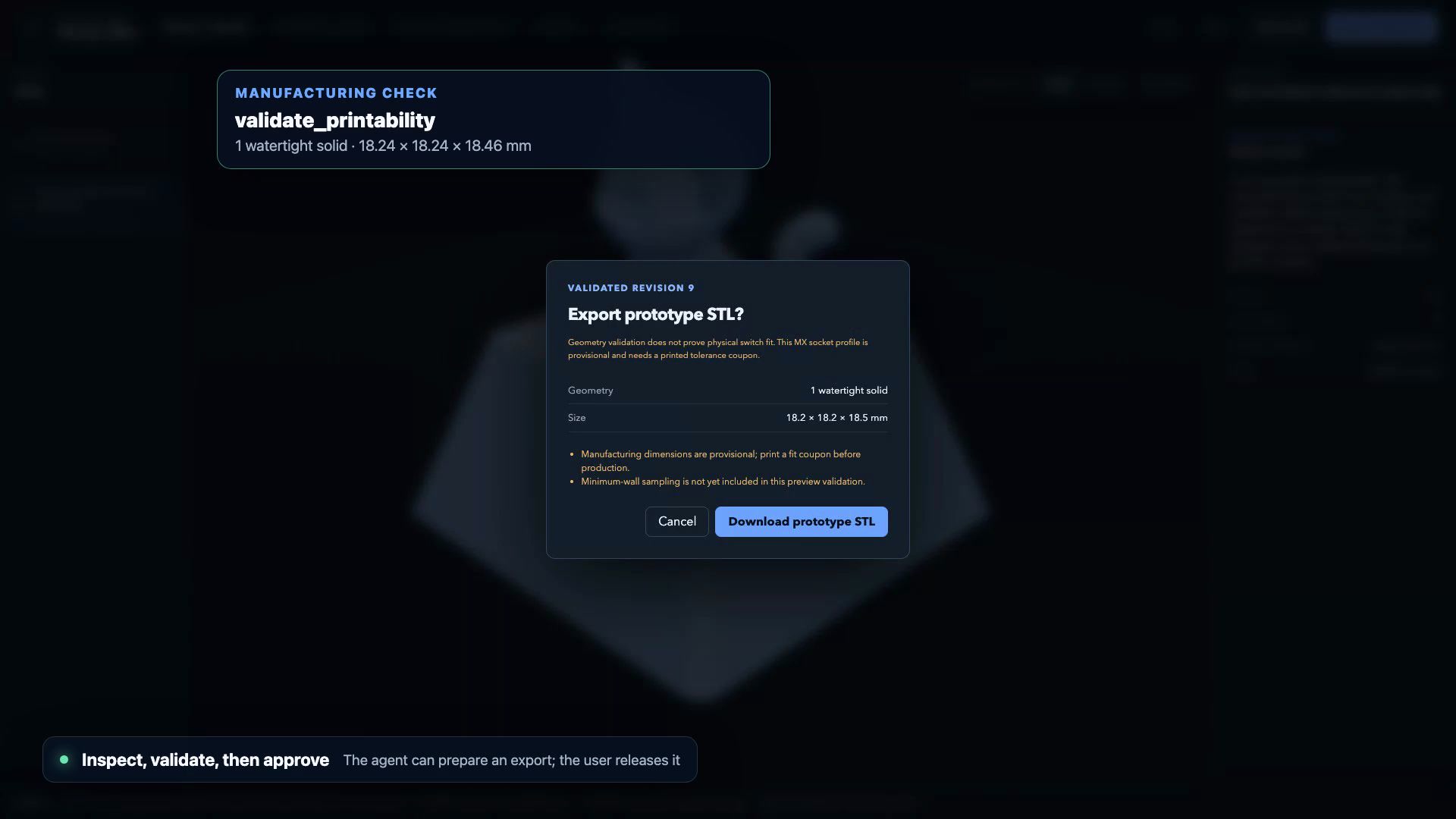
- Validate manifold connectivity, volume, and dimensions.
- Return to the editable state without losing the original parts or transforms.
- Export an STL only after explicit user approval.
- Download a tolerance coupon before printing the complete keycap.
The same project can also be controlled conversationally through ChatGPT. Keycap Forge exposes semantic WebMCP tools including:
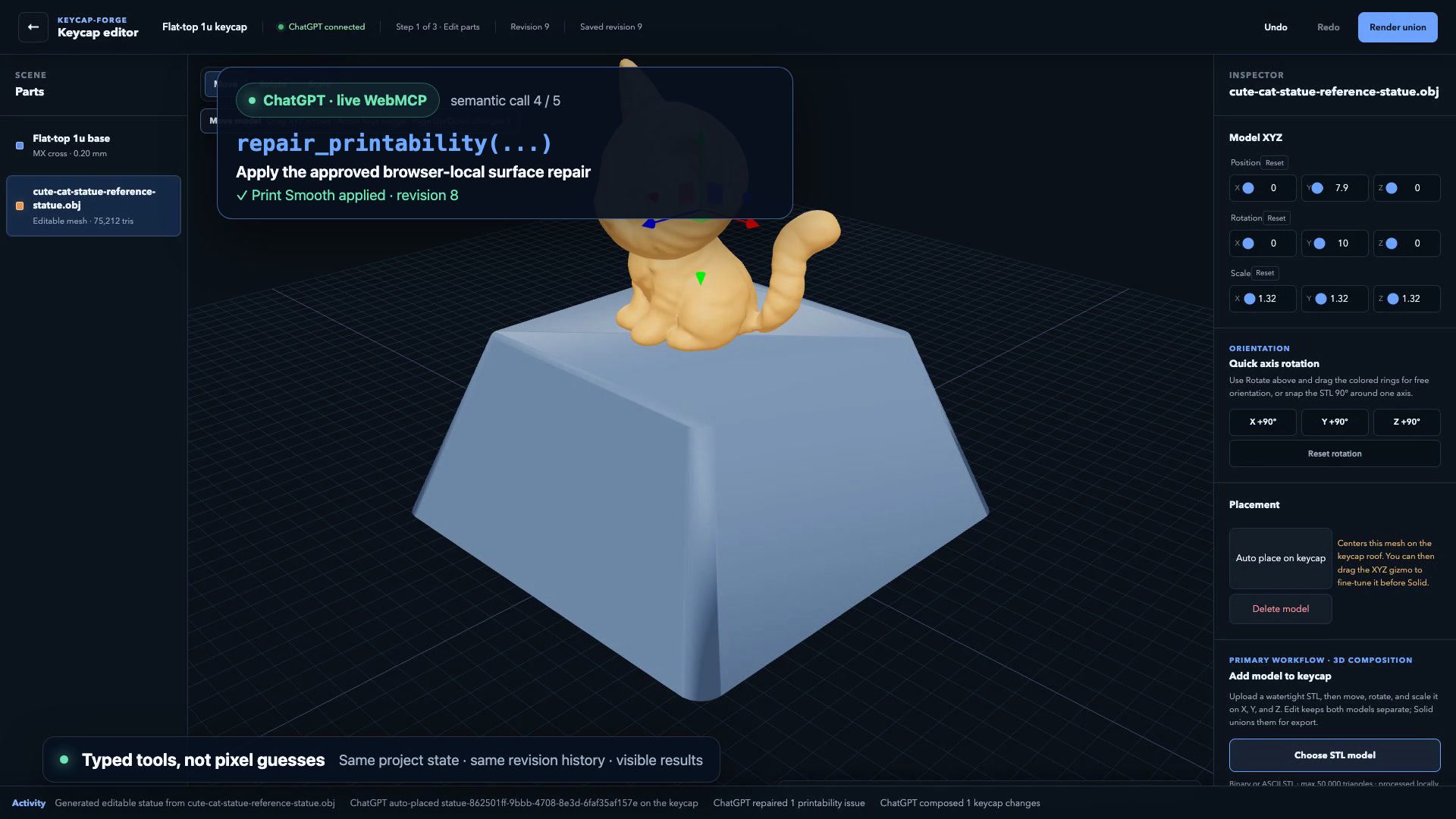
describe_projectfind_partsget_project_statetransform_partauto_place_partcompose_keycaprepair_printabilityset_keycap_specundo_last_actionvalidate_printabilityexport_project
Instead of asking ChatGPT to locate a colored arrow on the screen, the user can say:
Find the cat model, center it on the keycap, enlarge it slightly, and validate the result.
ChatGPT can then operate on the actual project state while every change remains visible and reversible in the website.
How we built it
The editor is built with React, TypeScript, vinext, and Vite. Three.js and React Three Fiber power the interactive 3D viewport.
The keycap itself is generated from deterministic manufacturing parameters rather than being a decorative cube. The geometry includes:
- A flat-top tapered shell
- Rounded corners
- An underside cavity
- MX cross or Topre mount geometry
- Stabilizer stems for supported wide MX keys
- Millimeter-based positioning and tolerances
For photo-to-3D generation, we run a browser-compatible TripoSR ONNX pipeline using ONNX Runtime WebGPU. The uploaded image stays on the user’s device.
The reconstruction pipeline:
- Removes a connected edge background and centers the subject.
- Converts the image into a
512 × 512model tensor. - Runs the TripoSR encoder, backbone, and decoder through WebGPU.
- Evaluates a (192^3) density field.
- Smooths the level set to reduce voxel noise.
- Extracts a surface using marching cubes.
- Welds duplicate vertices.
- Applies Taubin smoothing to improve print quality without excessive shrinkage.
- Corrects the generated model’s up axis and front-facing direction.
- Normalizes the statue to a practical keycap scale.
The three model files total approximately 801 MiB. To make that viable on a static deployment, we implemented parallel byte-range downloading, retries, and resumable chunk storage using the Origin Private File System. A refresh can reuse chunks that have already been downloaded.
Manufacturing composition uses Manifold WASM. During Render union, Keycap Forge applies the latest part transforms, removes geometry extending into the keycap cavity, preserves a small attachment overlap, and combines everything into one solid.
WebMCP is integrated through a typed tool registry. Zod validates every tool input, and state-changing calls include an expectedRevision. If ChatGPT tries to modify an outdated revision, the operation is rejected instead of overwriting a newer human edit.
Manual UI operations and WebMCP operations share the same command and history system. This keeps agent actions observable, undoable, and consistent with direct editing.
Challenges we ran into
Turning one image into a useful 3D object
A single image does not contain information about hidden surfaces. Early approaches produced flat extrusions rather than statue-like objects. TripoSR provided genuine single-view reconstruction, but its raw output still required orientation correction, surface smoothing, normalization, and manufacturing checks.
Running a large model on a static deployment
The first browser model download is approximately 801 MiB. A normal Vite deployment could host the interface, but unreliable downloads made the main feature unusable.
We addressed this by splitting model files into resumable ranges, downloading multiple chunks concurrently, retrying failed ranges, and storing completed chunks in OPFS.
Correcting model orientation
The reconstruction coordinate system did not match the editor’s coordinate system. Models initially arrived lying down, upside down, or facing away from the camera. We mapped the TripoSR axes into the editor’s right-handed millimeter coordinate system and added a front-facing correction before placement.
Separating camera movement from model manipulation
The 3D viewport needed to support both orbit controls and transform gizmos. Pointer events originally reached the camera while the user was dragging a model handle. We had to coordinate selection, transform controls, and camera controls so that dragging a gizmo manipulates the part while dragging empty space rotates the camera.
Preserving edits during Boolean composition
An early union path regenerated parts from their initial state, which discarded the user’s latest rotation or scale. We changed the manufacturing pipeline to operate on a snapshot of the current project revision and apply every stored transform before the Boolean operation.
Protecting the keycap cavity
A model could look correctly placed from above while extending through the roof and blocking the switch cavity. The manufacturing pipeline now prioritizes the keycap base and trims added geometry below the roof, while retaining a small overlap for reliable attachment.
Designing safe agent tools
WebMCP gives an agent real application capabilities, so tool boundaries matter. We separated read-only inspection, reversible editing, validation, and consequential export. ChatGPT may prepare an export, but only the user can approve the final download.
Accomplishments that we're proud of
- Running a complete image-to-3D reconstruction pipeline inside the browser without a paid 3D generation API.
- Deploying the AI workflow as a static web experience backed by WebGPU, OPFS caching, and resumable model downloads.
- Producing a genuine statue-like mesh instead of simply extruding a 2D silhouette.
- Making generated and imported models directly editable through XYZ position, rotation, and scale controls.
- Exposing 11 semantic WebMCP tools that operate on the same live project shown in the viewport.
- Supporting atomic multi-step composition through
compose_keycap. - Keeping human and ChatGPT edits in one revisioned undo/redo history.
- Preserving editable source parts even after previewing the manufacturing union.
- Protecting the underside cavity by trimming overflowing model geometry.
- Requiring explicit human approval before exporting an STL.
- Building automated coverage across 52 test files and 156 tests.
- Verifying the complete workflow on the publicly deployed application.
What we learned
We learned that browser-local AI can be more than a privacy feature. It can become part of the product architecture: inference, post-processing, editing, validation, and export can all happen in one environment without transferring the user’s source image to an application server.
We also learned that semantic agent tools are much more reliable than visual automation for complex editors. A tool such as auto_place_part carries domain knowledge about the keycap center, roof height, and safe dimensions. That is fundamentally different from asking an agent to drag an object toward an approximate screen coordinate.
Another important lesson was to separate generative geometry from manufacturing geometry. AI can propose a useful shape, but deterministic systems should handle dimensions, coordinate conversion, trimming, Boolean composition, validation, and export.
Finally, computationally valid does not automatically mean physically proven. A watertight mesh can still fit a real switch poorly. That is why Keycap Forge labels its current manufacturing dimensions as provisional and includes a tolerance coupon workflow.
What's next for keycap-forge
Next, we want to improve both manufacturing confidence and agent collaboration.
Planned improvements include:
- Physically calibrating MX and Topre mounts across different printers, materials, and slicer settings.
- Adding minimum-wall and minimum-feature analysis.
- Detecting fragile or unsupported statue features before export.
- Improving automatic scaling based on the usable keycap roof area.
- Supporting multi-view references for more accurate hidden-surface reconstruction.
- Exploring smaller and more aggressively quantized browser models.
- Moving more reconstruction and geometry work into background workers.
- Adding project import/export and shareable project files.
- Supporting multipart STL, 3MF, and GLB workflows.
- Expanding the verified keycap profile and layout bundle.
- Giving ChatGPT higher-level WebMCP workflows that can inspect, repair, compose, validate, and prepare an export from a single user request.
Our long-term goal is to make Keycap Forge a manufacturing-aware creative workspace where ChatGPT does not merely describe a design—it collaborates with the user inside the real tool that produces it.
Built With
- chatgpt
- cloudflare-workers
- hugging-face
- manifold
- onnx-runtime-web
- openai-sites
- react
- three.js
- triposr
- typescript
- vite
- webassembly
- webgpu
- webmcp

Log in or sign up for Devpost to join the conversation.