-
-
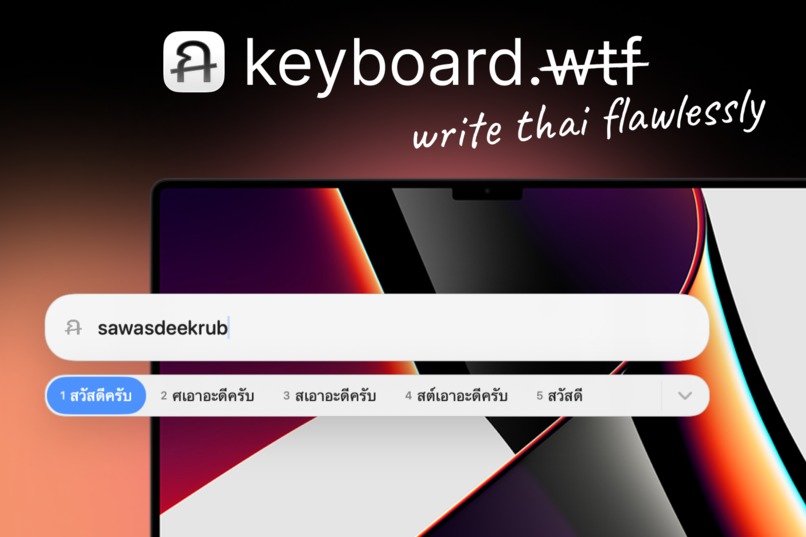
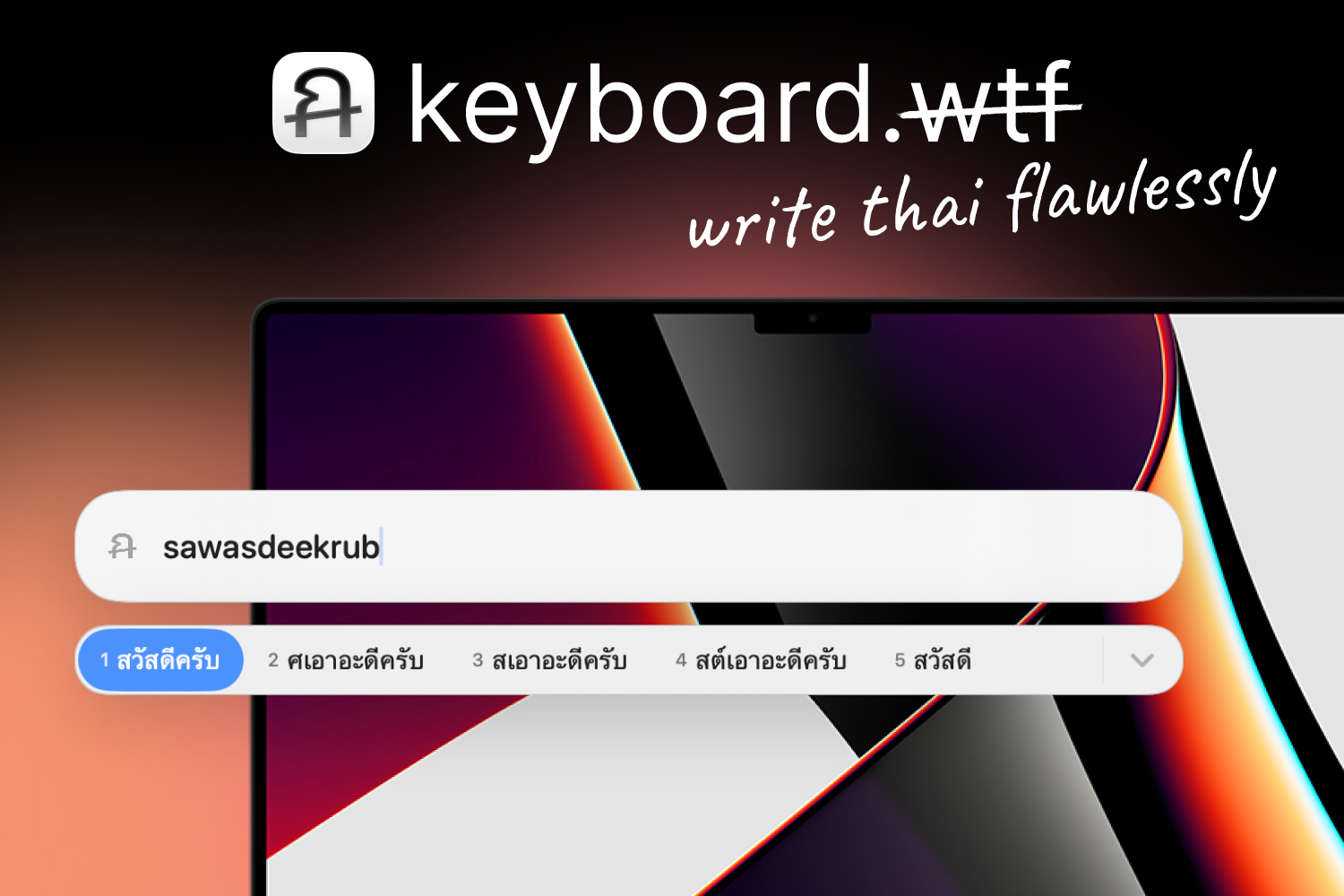
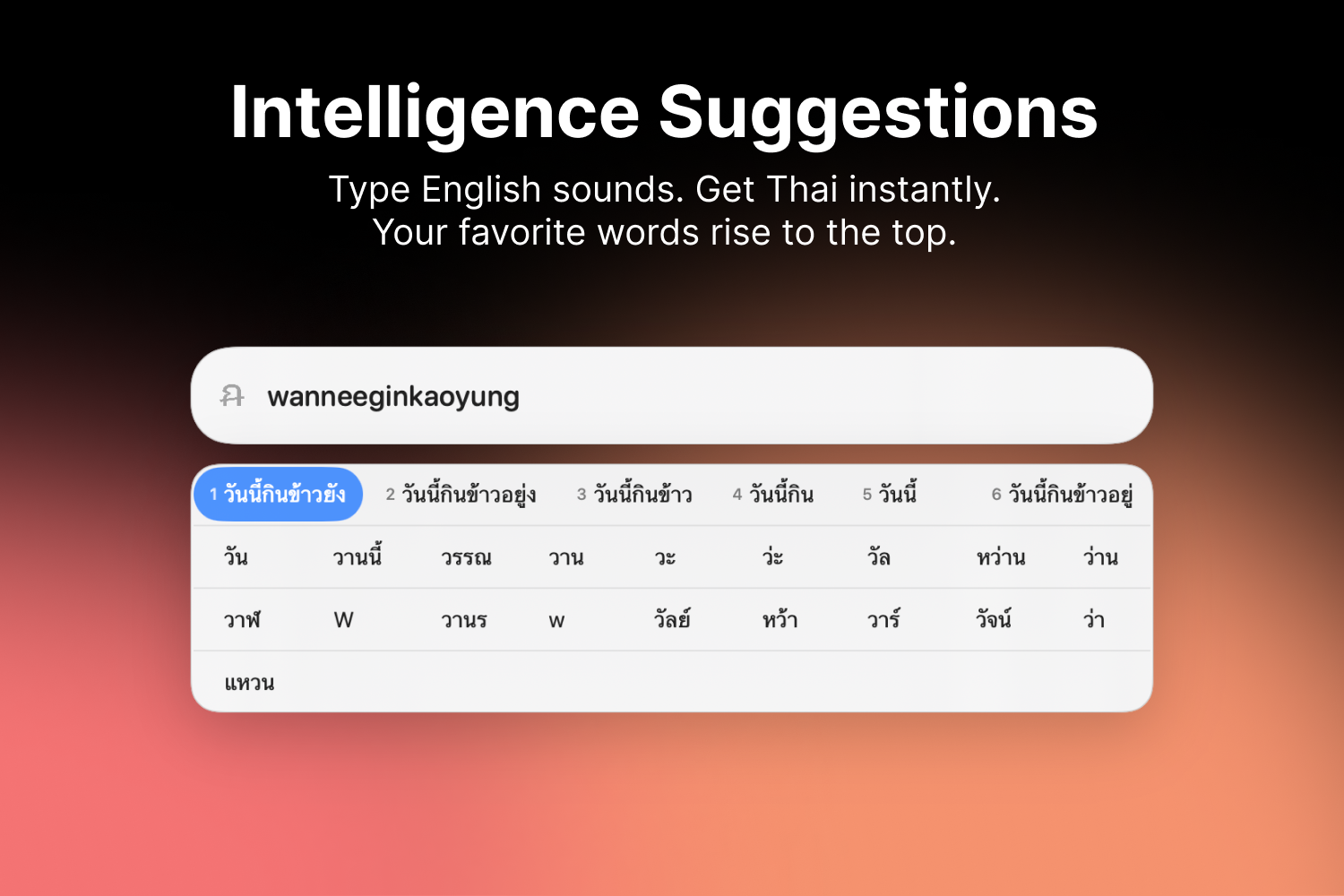
Type Thai from English sounds, then paste it anywhere on your Mac.
-
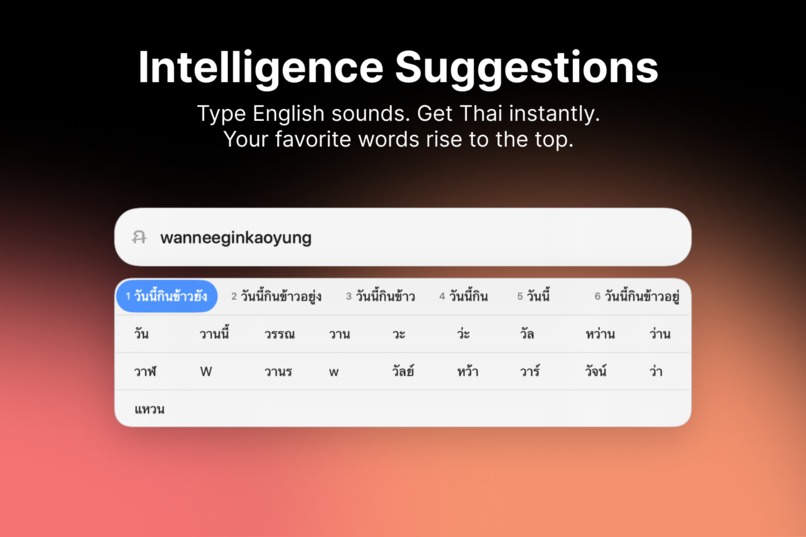
Smart suggestions learn your favorite words and bring them to the top.
-
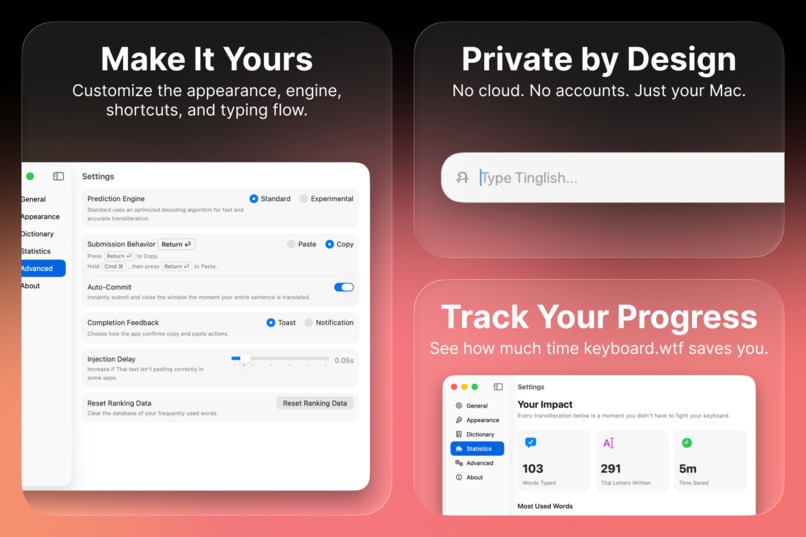
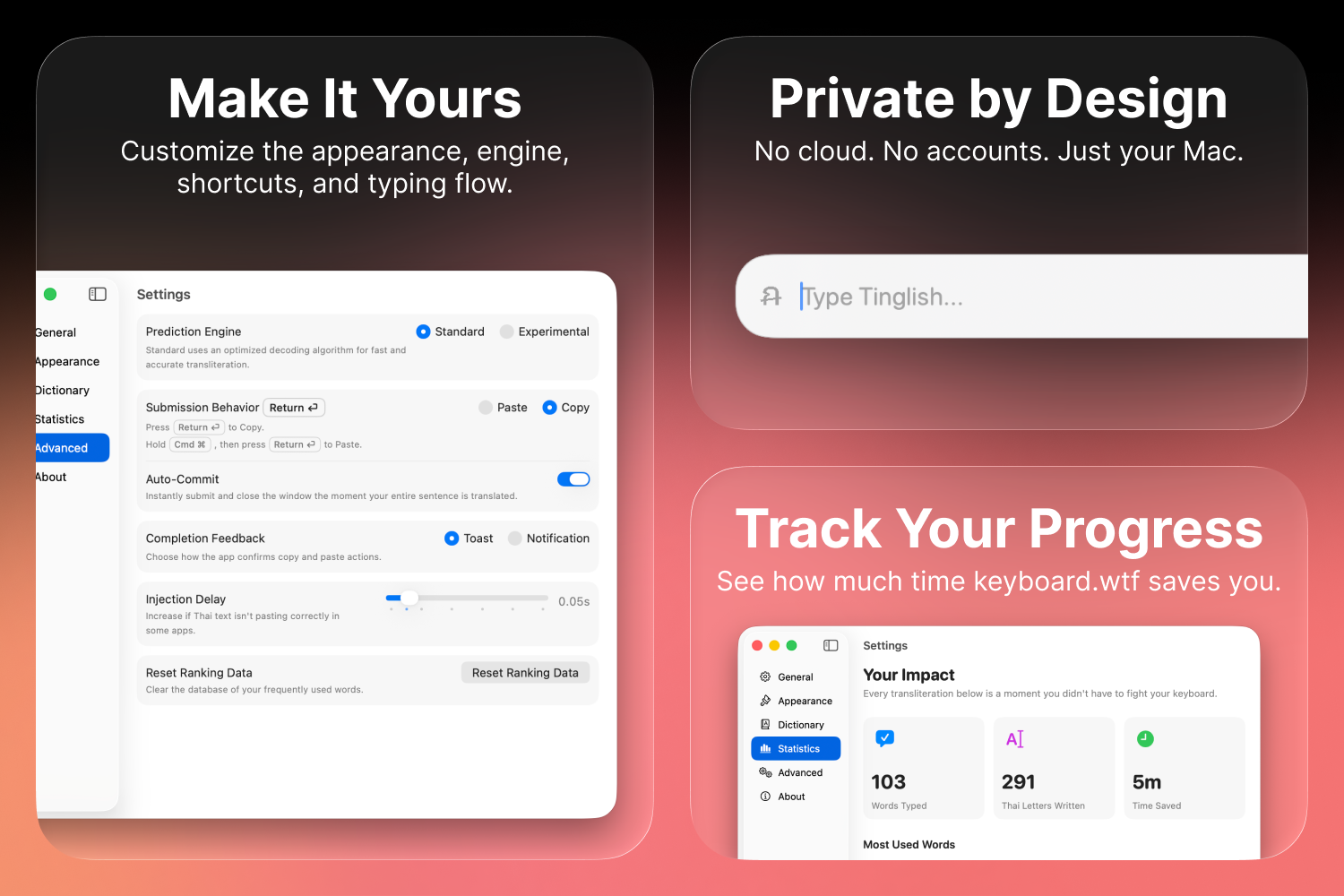
Customize your typing flow, keep everything private, and track your progress.
Inspiration
keyboard.wtf started from a very real feeling: trying to type Thai when your keyboard, muscle memory, and language do not line up.
Thai typing is a many-to-many problem. Casual romanization is not standardized, so the same English spelling can mean different Thai words, and the same Thai word can be typed many ways in English. Tinglish, Karaoke Thai, slang, regional habits, and personal spelling all mix together.
For example, mai might mean ไม่, ไหม, ใหม่, ไม้, มั้ย, or หมาย. ka might become ค่ะ, คะ, ค่า, or ขา. The reverse is also true: ครับ might be typed as krub, krap, or khrap; สวัสดี might be typed as sawasdee, sawatdee, or sawasdi.
That ambiguity is the real problem. Many Thais use English-configured devices every day even though Thai is their language: students on laptops set up in English, office workers using shared or work-issued machines, people chatting in mixed Thai-English group chats, Thais abroad, and anyone who grew up typing romanized Thai online. Learners of Thai run into the same wall when they want to practice writing without buying, carrying, or adapting to a Thai keyboard layout. keyboard.wtf is built for that shared moment where language ability exists, but the keyboard gets in the way.
The domain made the idea click. keyboard.wtf looks like frustration, but in this project WTF means Write Thai Flawlessly.
What it does
keyboard.wtf is a native macOS typing assistant that converts phonetic English spelling into ranked Thai transliteration candidates in real time.
Type something like sawasdee krub, and the app suggests Thai output such as สวัสดีครับ. Instead of forcing users to memorize a Thai keyboard layout, it lets them type the way they naturally sound words out.
The app shows a floating candidate picker inspired by native macOS input methods. Users can commit suggestions with Space, Enter, number keys, arrow keys, or mouse clicks. It runs locally and offline, so the typing experience is fast and private.
Why it matters
This is not just a novelty converter. It bridges people who share the same input problem: many Thais who already know the language but do not use Thai keyboard layouts every day, and international learners who want to write Thai without treating a Thai keyboard as a prerequisite.
That includes students switching between English and Thai assignments, professionals typing on English-configured laptops, Thai friends chatting casually in romanized Thai, families messaging across countries, and learners trying to move from speaking practice into written Thai. For all of them, the barrier is not curiosity or language. The barrier is input.
keyboard.wtf turns that barrier into a native keyboard experience: casual enough for real conversation, technical enough to handle ambiguous romanization, and polished enough to feel at home on macOS.
How I built it
I built keyboard.wtf entirely natively for macOS using Swift and SwiftUI.
The main engine is a custom Viterbi decoder running off a SQLite database that holds around 338,000 Thai phoneme mappings and an 89,000-word frequency model. When you type, it scores the phonetic matches and uses bigrams to figure out the most likely sentence. If the statistical engine isn't confident about a word, I hooked up a CoreML sequence-to-sequence model as a fallback to take a guess.
For the UI, I really wanted it to feel like it was built by Apple. It mimics the native macOS Pinyin input menu, down to using native blur components. To round it out, I added a quick onboarding flow to help users set their shortcuts, and threw in a stats tracker just so you can actually see how many hours of your life you're saving by not struggling with a Thai keyboard layout.
Challenges I ran into
No standard spelling:The biggest headache by far is that Thai doesn't have a standard romanization. If I type "krub", someone else might type "khrap" or "khrab". If the database only knows one of those, it fails. I solved this by writing a fuzzy variant generator that basically tries a bunch of common phonetic swaps in the background and penalizes them slightly before hitting the database.
Keyboard lag: A keyboard needs to be instant. Originally, doing the database lookups and math for every single keystroke was way too slow. I ended up caching my unigrams in RAM and batch-fetching the bigrams from SQLite in one go. That optimization brought the latency down to around 2-5ms per keystroke, which makes it feel real-time.
Filtering out gibberish: Sometimes the math would confidently predict absolute gibberish. I tried passing the results through Apple's built-in macOS spellchecker to filter them, but it ended up rejecting a ton of valid modern slang. I ended up building a two-layer check: it first checks my own informal dictionary in RAM, and only uses Apple's spellchecker as a last resort if the word is completely unknown.
Handling words without spaces: Thai doesn't use spaces between words. If you type "maipenrai" instead of "mai pen rai", the engine has to figure out the word boundaries. I had to build custom graph logic into the decoder lattice so it could recognize and collapse multiple edges into a single compound phrase.
Accomplishments that I'm proud of
I’m proud that keyboard.wtf turns a messy human typing habit into a real macOS typing workflow. Thai phonetic typing is not standardized: one romanized spelling can map to many Thai words, and one Thai word can be spelled many different ways in English.
I’m also proud that the app does more than a simple dictionary lookup. It generates fuzzy phonetic variants, searches a large offline SQLite phoneme database, scores candidates with unigram and bigram frequency data, validates Thai output, and presents ranked choices in a macOS-style candidate bar. The result feels closer to an IME than a translator: you type naturally, choose when needed, and keep moving.
The part I like most is that the domain joke turns into a real bridge between Thai speakers, Thai learners, and the keyboards they already use.
What I learned
I learned that the hardest part of this project is not converting English letters into Thai letters. The hard part is modeling how people actually type Thai when they do not know, cannot use, or do not want to switch to a Thai keyboard layout.
There is no single “correct” casual romanization. People write by sound, habit, region, keyboard comfort, and whatever spelling their friends use. So the engine has to handle ambiguity in both directions: multiple English spellings can point toward the same Thai word, and one short English input can point toward several completely different Thai meanings.
I also learned why context matters so much in Thai. Since Thai does not use spaces between words the same way English does, the engine has to think about word boundaries, compound words, and likely word sequences instead of just transliterating one token at a time.
What's next
Next, I want to make keyboard.wtf better at learning from the person using it. If someone always chooses a specific Thai candidate for a Tinglish spelling, the app should quietly adapt and rank that choice higher next time.
I also want to expand the dictionary coverage for slang, names, places, loanwords, and casual internet spellings, because those are exactly the words people reach for when they are typing naturally. Longer term, I’d like to improve phrase-level prediction, polish the macOS IME experience, strengthen the local model fallback, and make the candidate picker feel even closer to the native keyboard workflows people already understand.
Moreover, my next major goal is to scale the engine to support multiple languages under the hood. Ultimately, I want to build an "all-in-one" phonetic mode where the app automatically detects the language you are trying to type phonetically. Imagine typing an English, Thai, and Hindi phonetic phrase back-to-back, and the app seamlessly translates each part into its native script in real-time, all without you ever needing to switch your English keyboard layout.

Log in or sign up for Devpost to join the conversation.