Inspiration
IPMI, iDRAC, IMC, these are all technologies that are a prerequisite for large, industrial servers. What are they specifically? They're remote management protocols, but significantly more useful than just standard rdp, vnc, or even ssh. Protocols like these provide hardware level access to servers, allowing power cycling, reinstalling the os, etc, all remotely. For companies where downtime is not an option, these protocols are not an option either, they must be had.
In the age of AI, every developer is beginning to require enterprise level tools, in the sense that now a single developer can have code being generated at the speed of a medium sized company just 5 years ago. But, often times our software factories are limited by poor technology, preventing testing and code generation.
During the pandemic when people began working from home, IP KVM's began to become popularized, especially among the self employed, as a way of achieving this same enterprise reliability. A separate device that a computer thinks is a monitor, keyboard, and mouse, but is really recording all these values and passing them over the could to you, wherever you are.
Having experience working in IT, we wondered if this same reliabiltiy could be given to AI agents for the purpose of computer use - full hardware level access over a machine, keeping software factories truly operating 24/7.
What it does
KEVIN (KVM-Enabled Vision Interface for Native computer use) is a custom AI-native KVM that allows any agent, anywhere, to have full hardware level access to a machine. This means it's able to recover from a crash, install software that requires a restart, change bios settings, even reinstall the OS. If you can do it with a keyboard, video, and mouse, KEVIN can do it do. We leveraged a fine-tuned local AI model to achieve better computer use statistics in comparison to agents like OpenAI's Codex.
How we built it
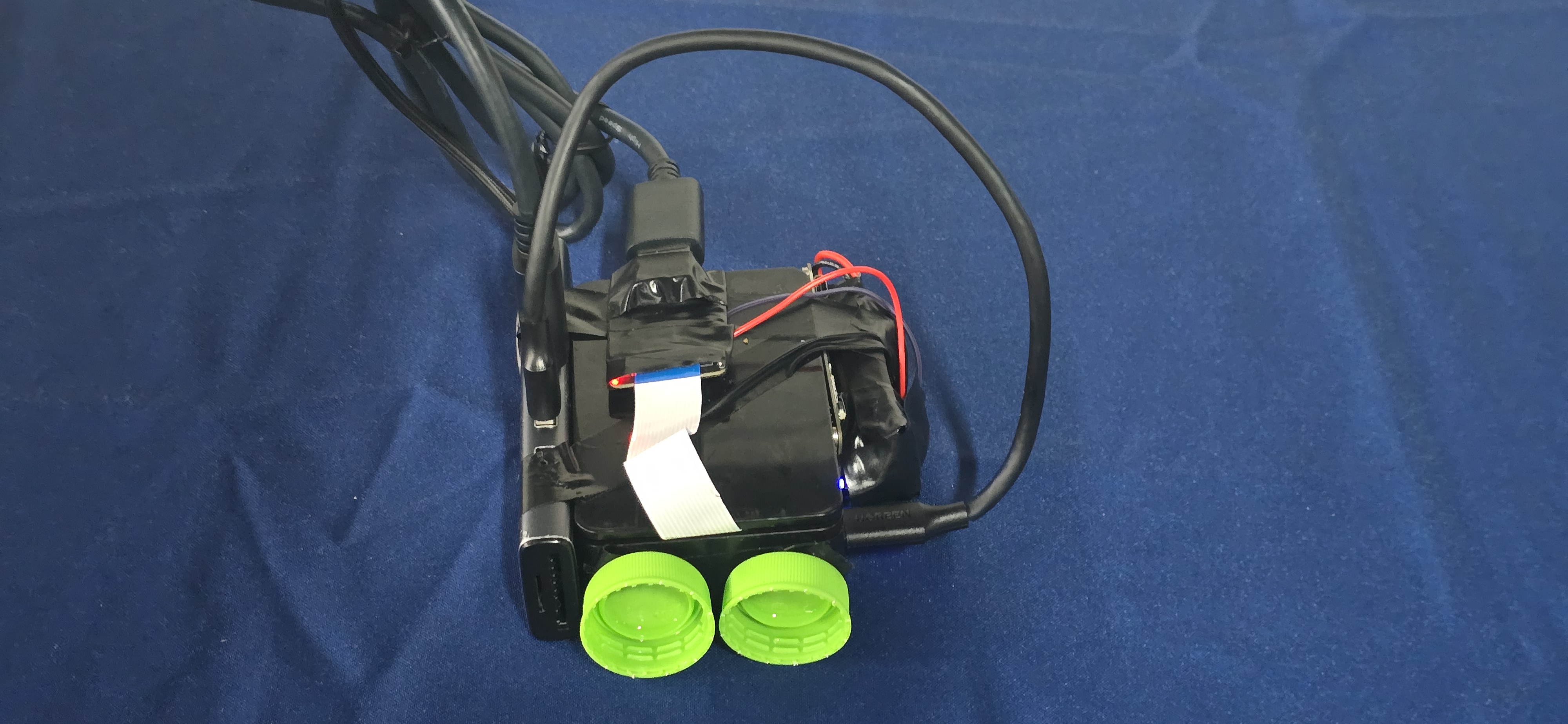
KEVIN is built with a Raspberry Pi 4B, with it's usb-c cable plugged into a hub, and it's camera cable connected to an HDMI adapter. A laptop plugs in the hub's usb-c cable, and HDMI, and it see's a keyboard, mouse, and monitor. The Pi captures the screen at 720p (but can be tuned to higher resolutions when needed), and types over the USB HID descriptors.
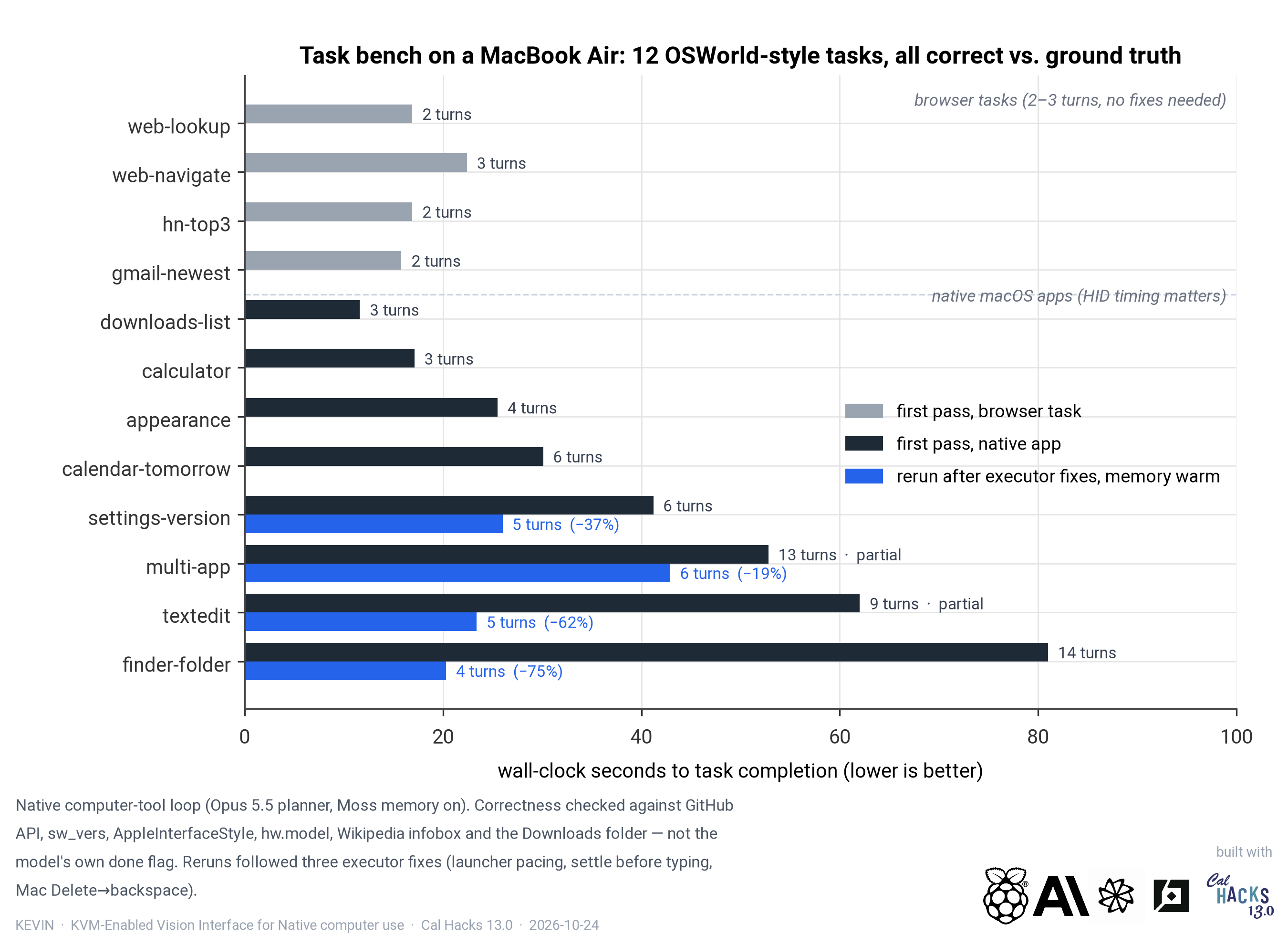
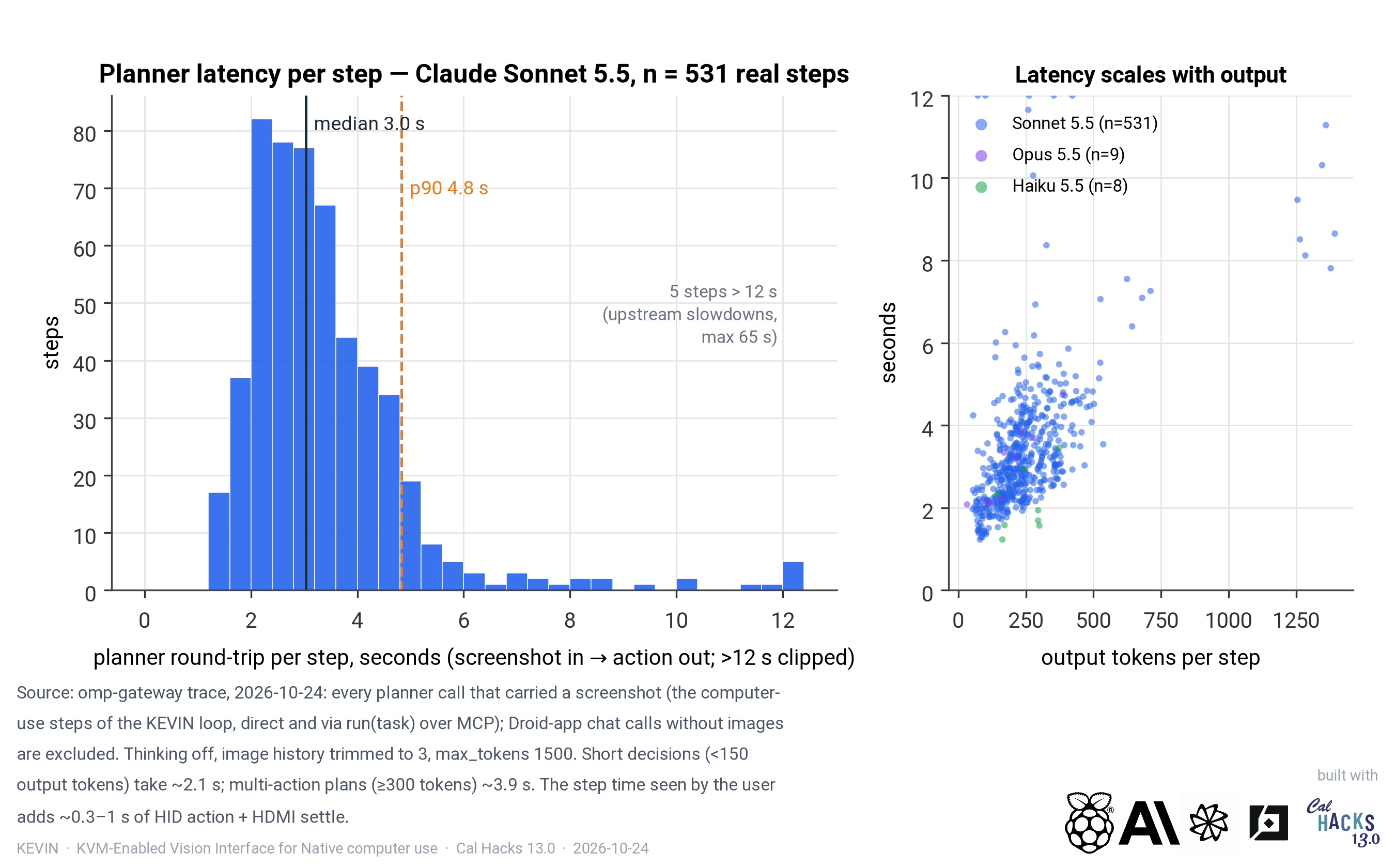
We had to go through several revisions with KEVIN. We initially built everything from the ground up, our own planner prompt, action grammar, a separate fine-tuned grounding model (Holo4), and another local model (Qwen 3.8 27b) checking each step. Vultr was a HUGE help in running and training the models, we couldn't have done it on our own hardware in the time we had. This was great, as it was entirely local, but we found that for more computation heavy tasks like office work, Qwen fell short. Our current approach inputs a screenshot, outputs a batch of actions, screenshots back once the capture stops changing, and is optimized to two to three seconds per decision with Sonnet 5.5 (although, in a perfect world, this would be a larger, faster local model than Qwen 3.8 27B- we just don't have the hardware available to us). What survived from version one is an enter gate that refuses to submit typed text unless a grounding model sees it landed in the input the task asked for, off-screen click rejection, launcher pacing, and a per-action log with every frame. A grounding model is a vision model whose only job is to turn a description from a smarter reasoning model, like "the Submit button below the grid" into the exact pixel to click, so the planner can reason in words while something else handles the aiming.
Challenges we ran into
KEVIN was something of a problem child in his adolescence and we have some crazy baby stories. We initially wanted to use a Pi Zero, and spent a while trying to get that working, but the CSI cable locker broke off in a previous project, leading to extremely unreliable display capture, and as we only had the Pi Zero, not the Pi Zero 2, we were limited to a 32 bit operating system and were getting bottlenecked on processing power.
Switching to a Pi 4B, we saw an immediate increase in stability but now had to wrestle USB issues. A USB port can either be a host/gadget, and all the ports of a Pi are hosts, whereas a zero is meant to be used as a gadget. The only port that can be used as a gadget in the Pi 4B is it's power port, and we had to figure out a way to somehow get power to the pi in a different way, which eventually led to us using an external battery connected to the 5V and GND GPIO pins on the Pi.
These so far are just a few of the hardware problems. The software problems were much more finnicky, so we're only going to get into 2 of them. If you want to know more or for some reason have a big interest in KVMs like we do, feel free to shoot a comment on Devpost or visit us on the second story, near the hardware checkout booth.
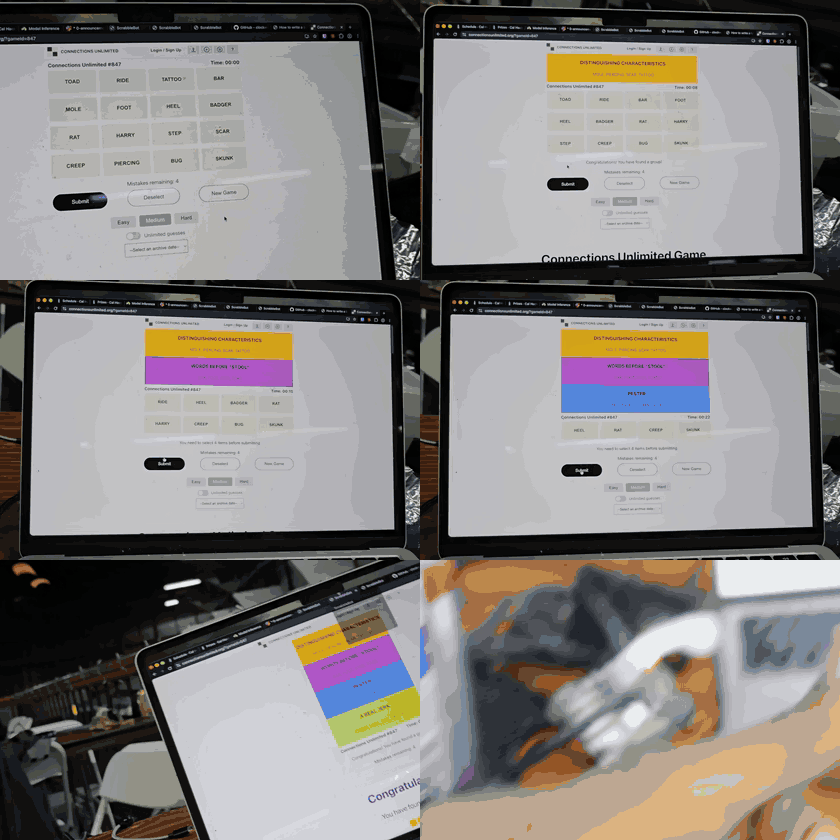
By far the most annoying software issue was our own planner loop. I mentioned it before, but we actually managed to optimize it significantly faster than cloud models, but the only issue was knowledge work. We initially benchmarked computer use by having them doing the New York Times Connections puzzles - lots of clicking, lots of reasoning, a good amount of back and forth - which we though was perfect. It's great for the more advanced office work, but for basic app testing the local models work just fine.
The timing between the USB report and the actual page was also a constant pain, pretty much every time it was acting clunky was because the HID side was firing before the target had caught up. This mostly manifested as poor dragging, modifier releasing before click, keystrokes lost because of UI delays. Moss really helped with this and with the peculiarities of each machine, and it made it so that second runs on a machine always sped up, and any edge cases were always stored for future use.
Accomplishments that we're proud of
Watching the connections game get solved for the first time, super fast, at 4 am, was a pretty awesome experience. It's also really cool to be able to put a single cable in your buddies computer and having them immediately begin to play with it, with no software install needed.
What we learned
I've messed around with creating a software factory a lot before, and actually did so pretty successfully, but it was never something that needed computer use, only browser use at most. Working on computer use made me realize how incredibly influential it's going to become and how much there is left to master.
What's next for Kevin
I would honestly love to see this turn into a product. If not a dedicated product, at least a software companion for existing KVMs. Computer use is the future and the better tools developers have, the better their software factories will be able to function.
Built With
- anthropic-claude
- computer-use
- droid-sdk
- factory-droid
- fastmcp
- hdmi-capture
- holo4
- hostapd
- linux-configfs
- macos
- mcp
- moss
- pillow
- python
- qwen3
- raspberry-pi
- socat
- sonnet-5.5
- systemd
- tailscale
- tc358743
- usb-gadget
- ustreamer
- vllm

Log in or sign up for Devpost to join the conversation.