-

Hero Section
-
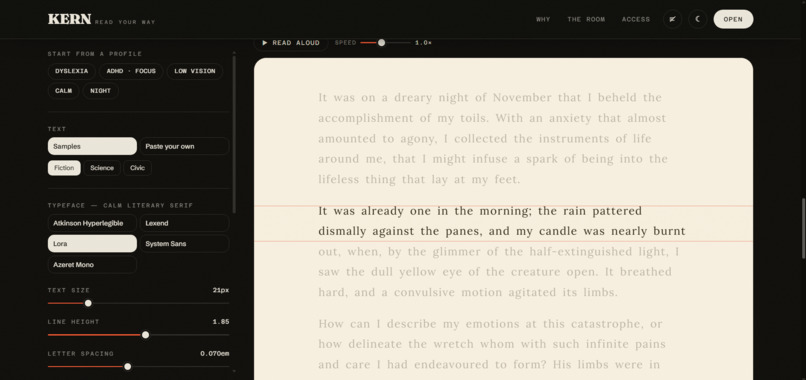
The Reading Room: Dyslexia profile
-
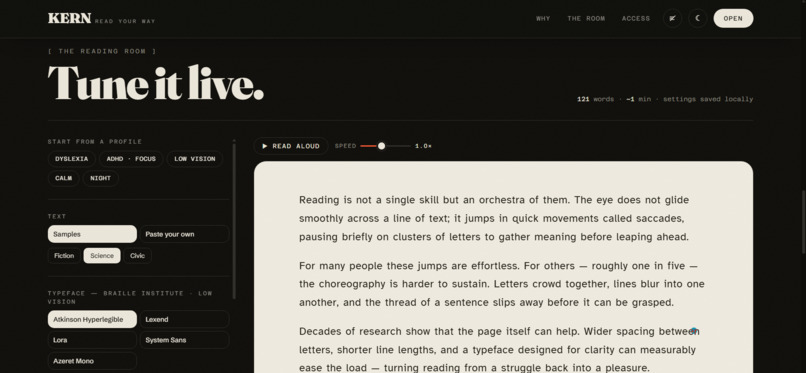
The Reading Room: Plain Mode
-
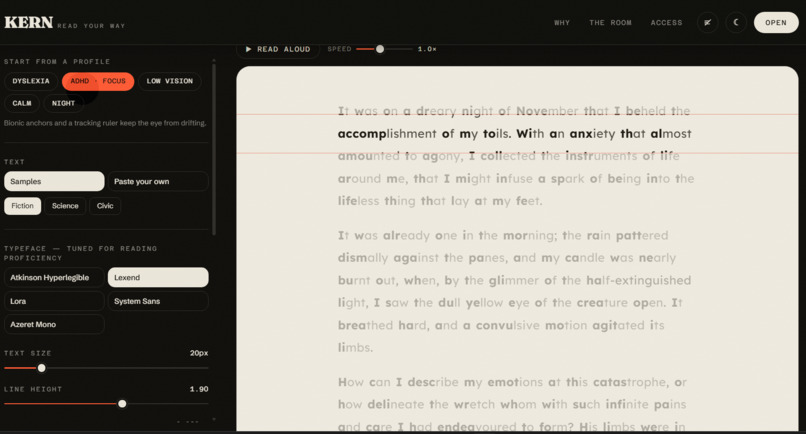
The Reading Room: ADHD profile
-
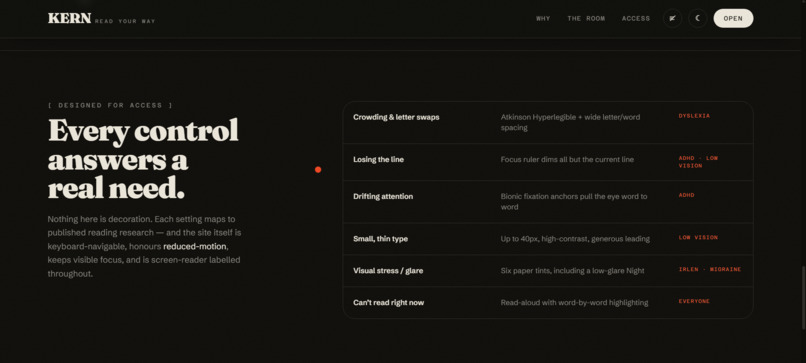
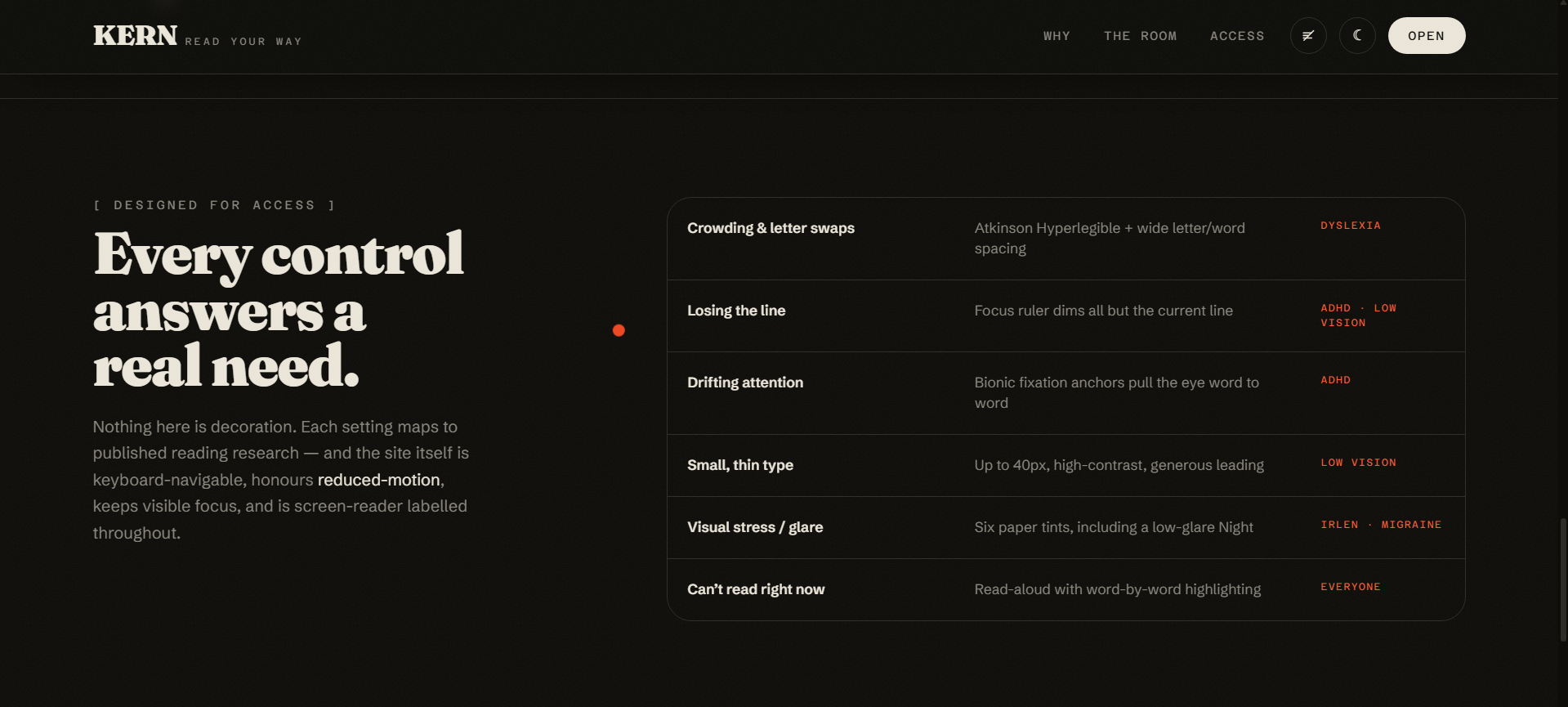
The accessibility table
-
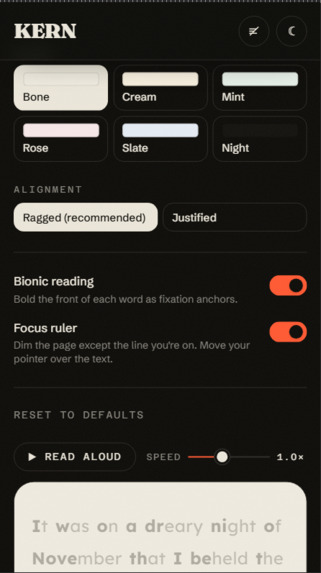
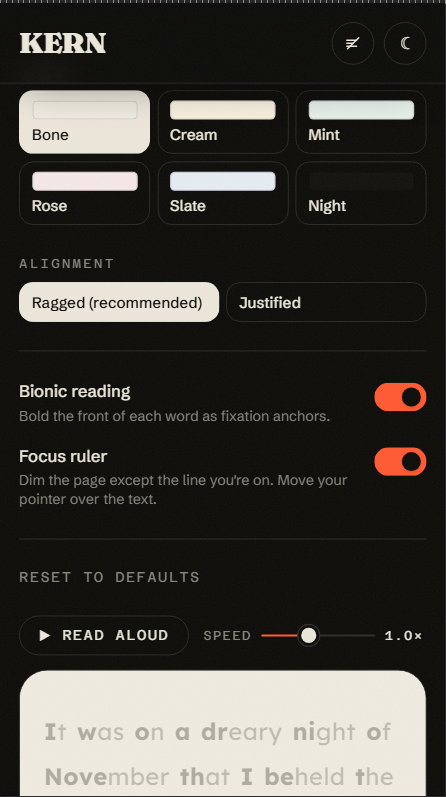
Mobile view

Inspiration
Almost everything we publish is set exactly one way: small, tight, edge-to-edge. That works fine if you happen to be the reader it was designed for. Around one in five people aren't — dyslexia, ADHD, low vision, visual stress.
The usual response is a "reader mode" bolted on the side: one font, one width, take it or leave it. I wanted to invert that. What if the page itself could be re-tuned, live, until the words settle — and what if that wasn't a buried accessibility setting, but the whole product?
That's KERN. The name is the typographic term for the space between letters, because that space is often the difference between reading and struggling.
What it does
Paste any text — an article, an email, a chapter — and re-shape how it reads:
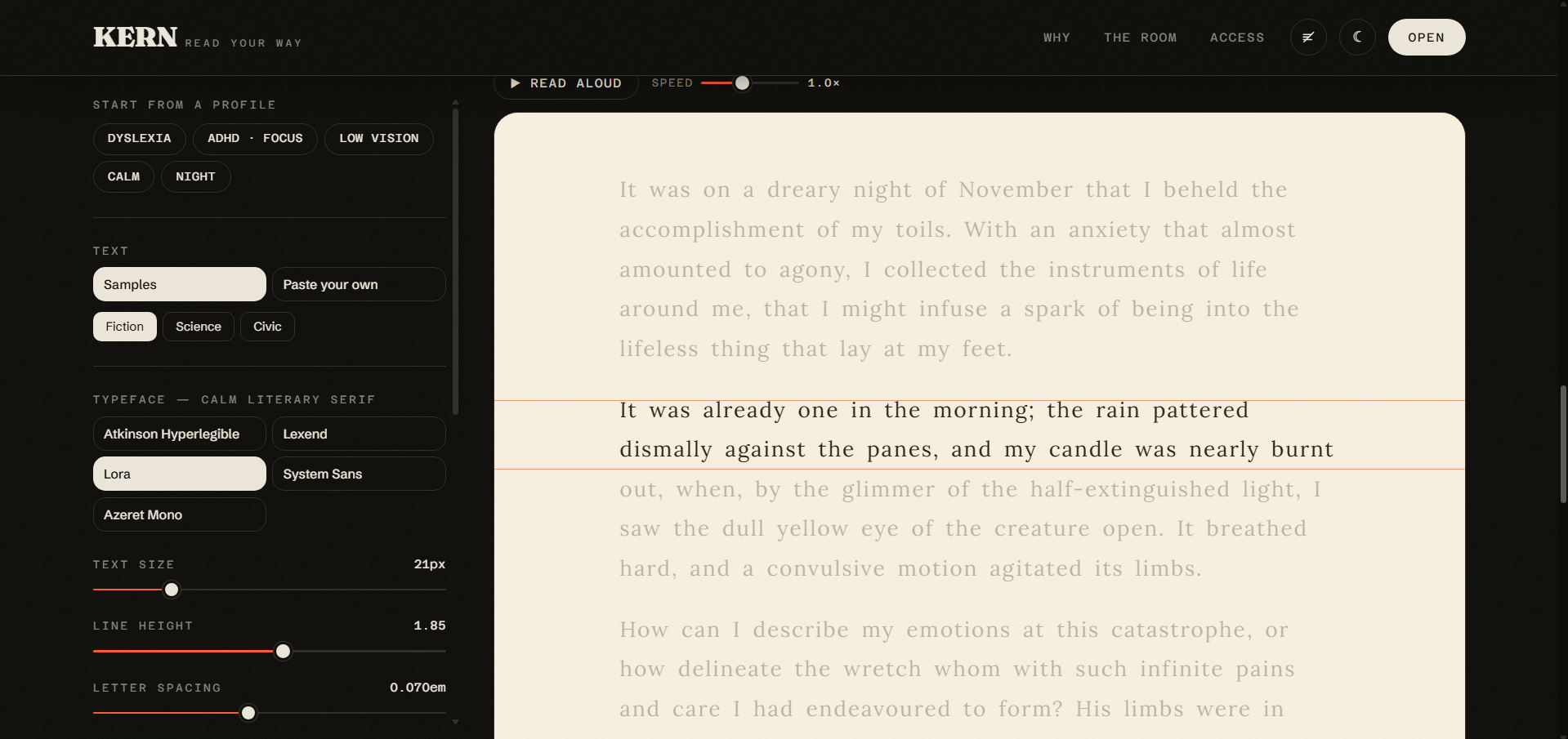
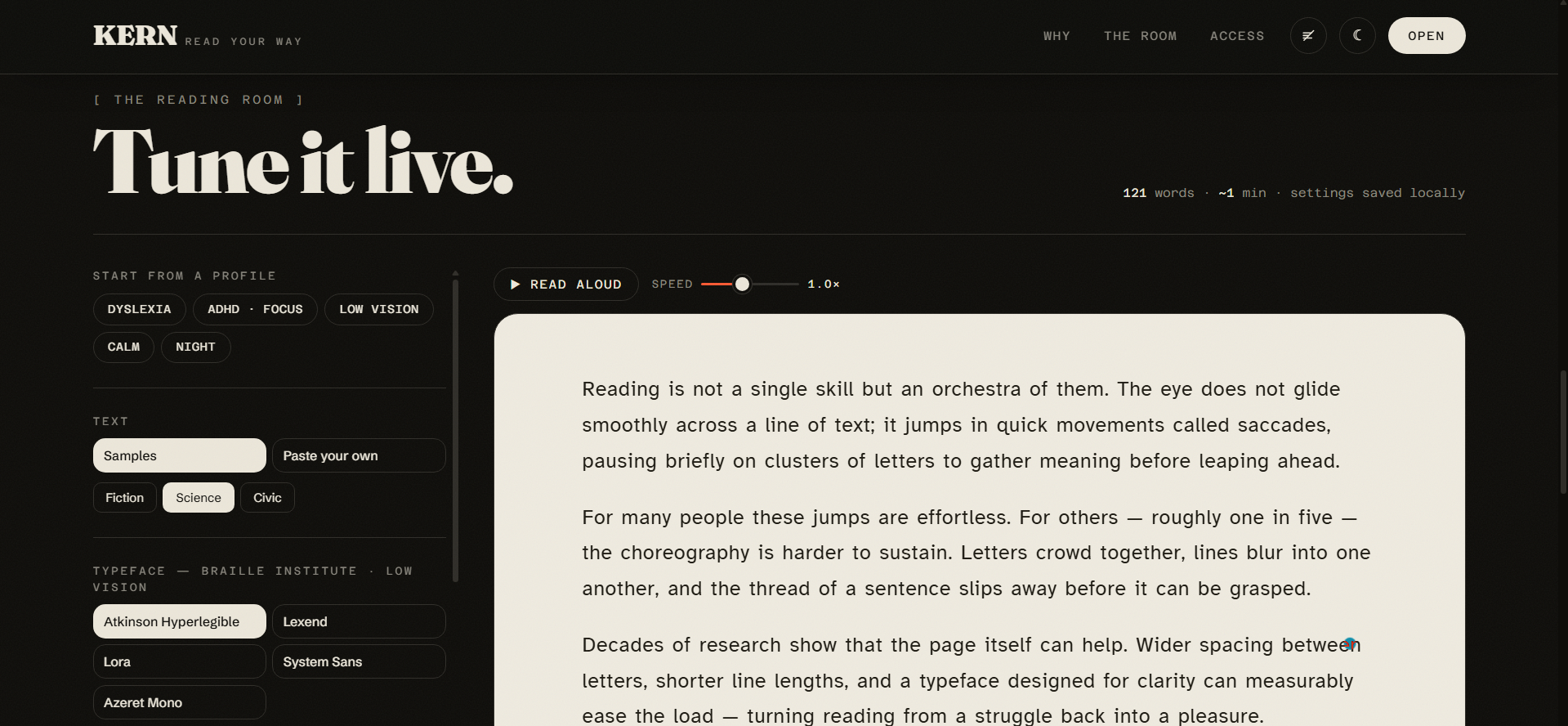
- Typefaces chosen for a reason. Atkinson Hyperlegible, designed by the Braille Institute with deliberately distinct letterforms for low vision, and Lexend, designed to improve reading proficiency — alongside a literary serif and a monospace.
- Spacing and measure — size, line height, letter spacing, word spacing and line width, all on live sliders. Crowding is one of the biggest barriers for dyslexic readers.
- Six paper tints, including a low-glare Night. Colour overlays ease visual stress for some readers.
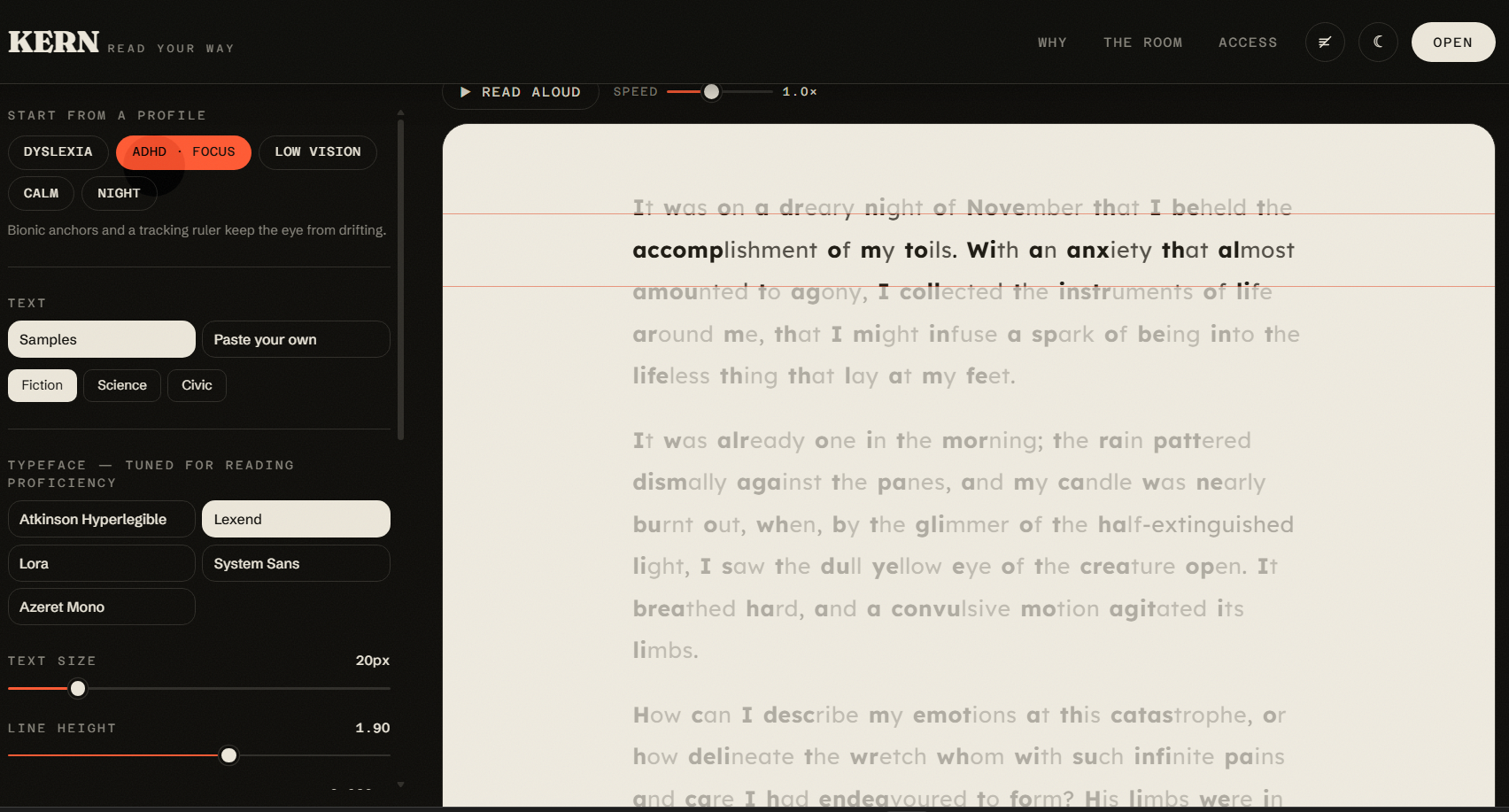
- Bionic reading — bolding the leading fixation span of each word to anchor the eye.
- A focus ruler that dims the page except the line you're on.
- Read-aloud via the Web Speech API, with word-by-word highlighting synced to speech boundary events.
- One-click profiles — Dyslexia, ADHD / Focus, Low vision, Calm, Night — so you don't need to know which slider to reach for.
Everything persists to localStorage. No account, no tracking, no backend.
How we built it
React 19 + Vite + Tailwind v4, with Three.js for the hero, GSAP for the headline and Framer Motion for scroll reveals. Entirely frontend — it ships as static files.
The art direction is deliberately editorial: Fraunces for display, a warm bone-and-ink palette with a single vermillion accent, film grain, kinetic marquees. The hero is a WebGL sunset — a drifting field of warm starlight over a dark ridge — pinned behind the content so it parallaxes as you scroll.
The headline is also a type specimen you can play: hover any letter and it re-sets itself in one of the faces the Reading Room actually offers. I pin each letter's advance width before swapping the glyph, so a monospace replacing a serif never reflows the line. The hero performs the product's premise — the same word, re-shaped to suit the reader.
For read-aloud, the hard part was the highlighting. SpeechSynthesisUtterance fires boundary events carrying a charIndex into the exact string you handed it, so I build a token model whose character offsets align to that string, then map each boundary back to a word.
Challenges we ran into
A sticky background that escaped its section. I used the classic negative-margin trick to overlay content on a sticky parallax layer. It worked — until I noticed the sunset rendering behind sections further down the page, which in light mode made body text unreadable. A sticky element is constrained by its margin box, so margin-bottom: -100svh let the canvas hang 646px below its section. I measured it against the live DOM and rebuilt it as an absolute wrapper with a sticky child.
overflow-x: hidden silently killing position: sticky. Hiding one axis computes the other to auto, which creates a scroll container and breaks the pin. overflow-x: clip clips without that side effect.
GSAP and React fighting over one property. I hid the headline with visibility until GSAP animated it in. Turning motion off then blanked it completely: React committed visibility: visible, and then the layout-effect cleanup ran ctx.revert(), which restored the hidden GSAP had recorded. The fix was realising the guard was never needed — useLayoutEffect runs before paint, so gsap.set() alone prevents the flash.
Performance. The first hero ran bloom post-processing over 12,600 shader points at up to 2× pixel ratio, plus a full-screen mix-blend-mode grain layer and a second always-on requestAnimationFrame loop for the custom cursor. It was visibly laggy. I cut the stars to 2,800, dropped the nebula from 6,561 vertices to 289, removed an atmosphere sphere the bloom already implied, halved the bloom resolution, capped device pixel ratio, throttled the render loop to 30fps, and parked the cursor loop when idle. Three.js is lazy-loaded into its own chunk so it never blocks first paint.
Accomplishments that we're proud of
The motion toggle. I build with prefers-reduced-motion enabled, so I kept loading my own site and seeing it frozen. The easy fix is to ignore the OS setting. Instead I added an explicit control that defaults to your system preference but lets you override it either way, driving the CSS, Framer Motion and the WebGL loop from a single switch.
An OS setting is an assumption about intent, not a statement of it — someone may keep system animations off and still want this particular page to move. Offering informed control is more inclusive than silently obeying, and it means a visitor with reduced motion enabled isn't quietly shown a lesser version of the work.
Accessibility that isn't decoration. Every control maps to published reading research. The site is keyboard navigable, screen-reader labelled, keeps focus visible throughout, and the split headline carries a proper aria-label so it isn't announced one character at a time.
What we learned
That "accessible" and "beautiful" aren't a trade-off — but they are a negotiation, and the negotiation is where the design actually happens. The parallax question was never "parallax or no parallax". It was: which part of this is motion someone might need to switch off, and which part is just a background holding still?
I also learned to measure before theorising. Both of my worst bugs looked like styling problems and were really specification details — margin-box constraints, and effect-cleanup ordering. Reading numbers off the live DOM found them in minutes after guesswork had failed.
What's next for KERN - Read your way
- Remembering settings per source, so a dense PDF and a novel can read differently
- A browser extension that applies your profile to any page you visit
- Syllable splitting and hyphenation controls
- Testing with actual dyslexic and low-vision readers — the research got me a good default, but only real readers will tell me where it's wrong

Log in or sign up for Devpost to join the conversation.