-
-
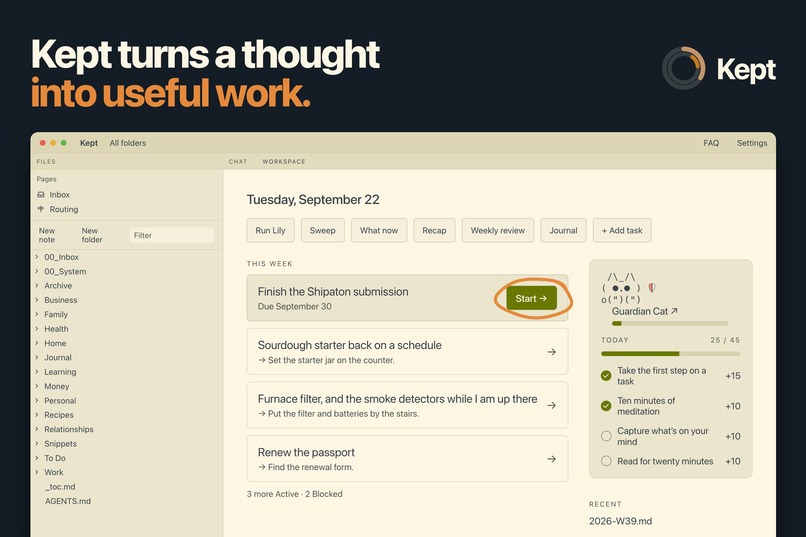
Press start for a boost on your next task
-
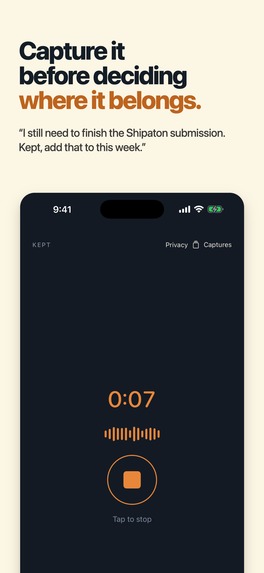
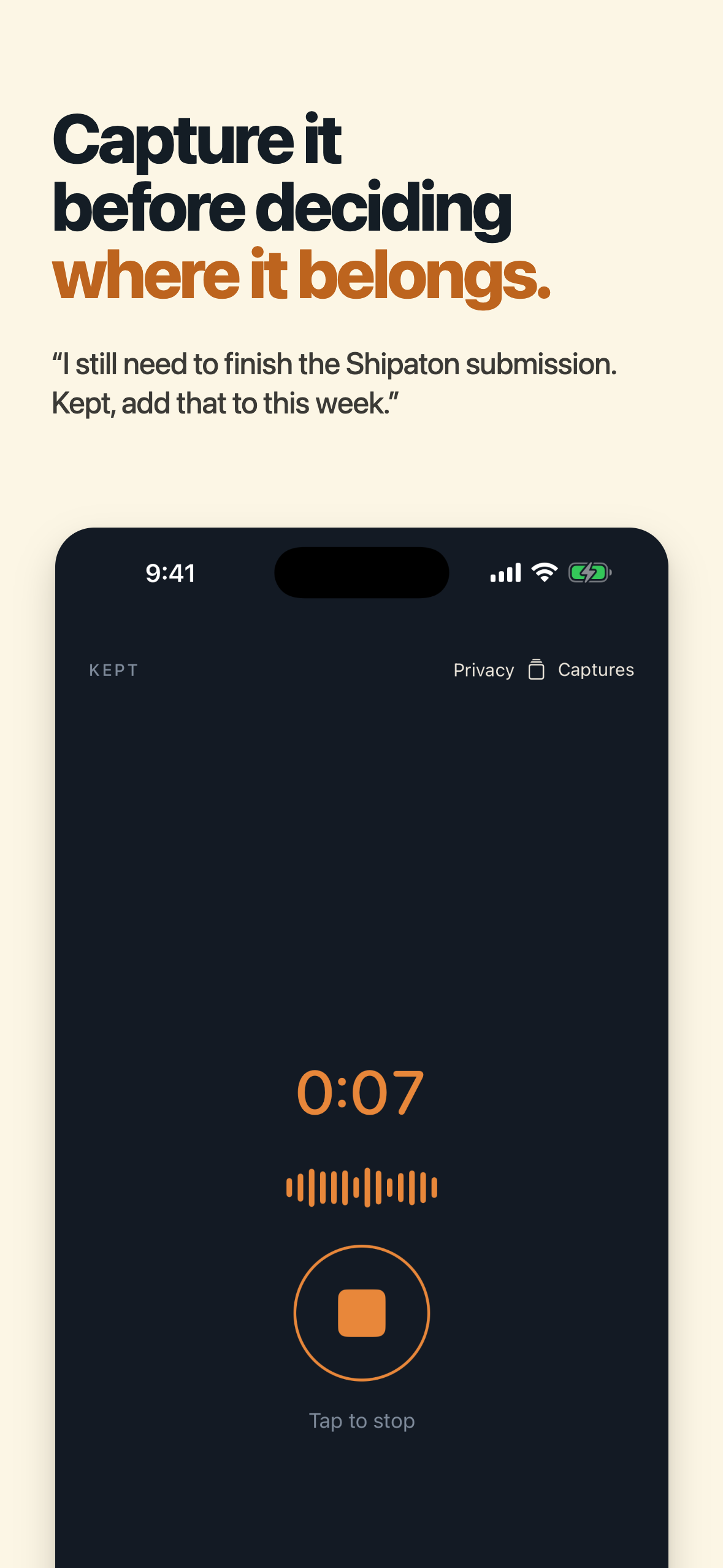
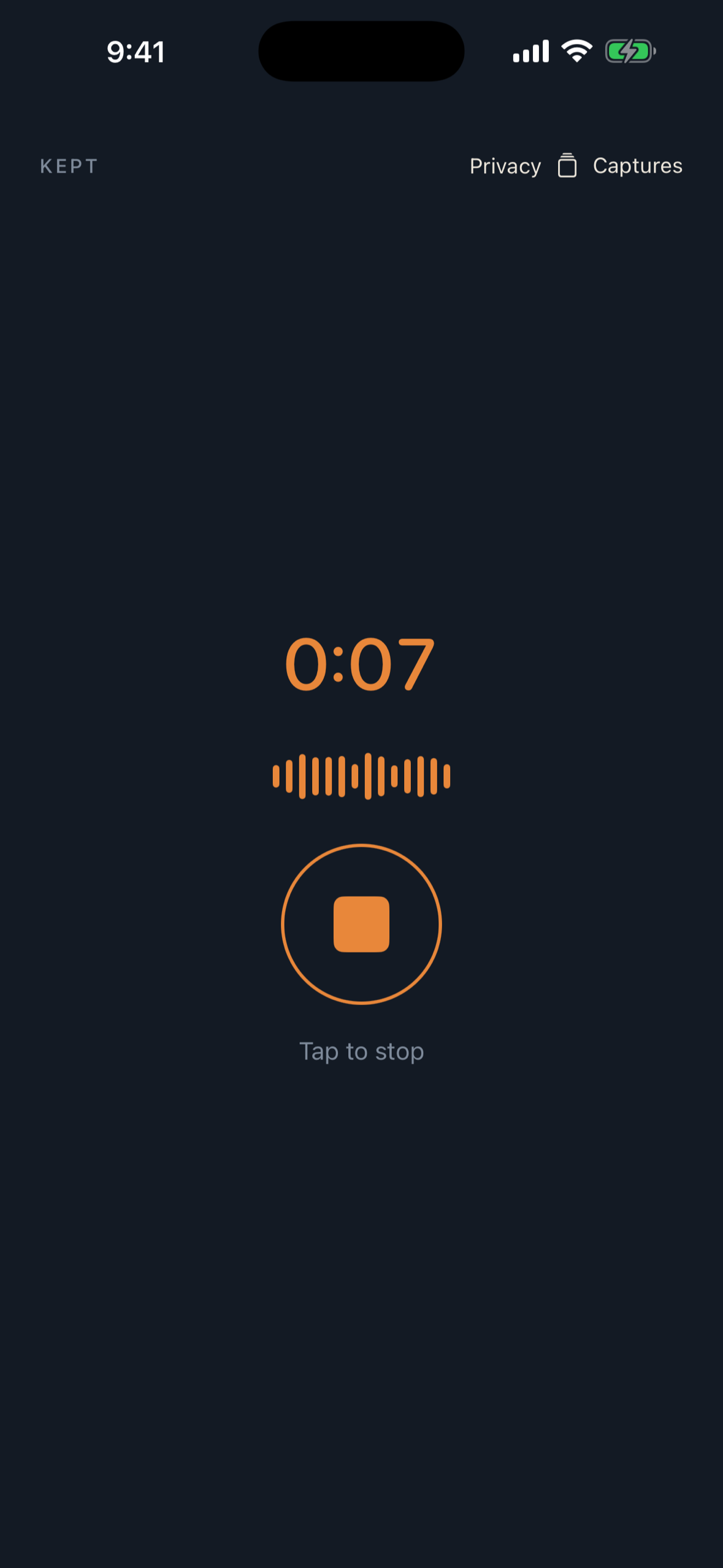
Capture on the iPhone by voice, text or photo.
-
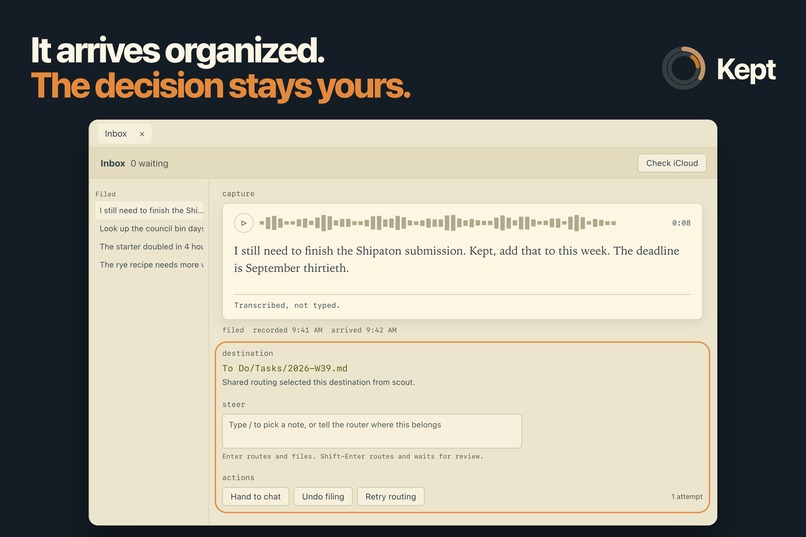
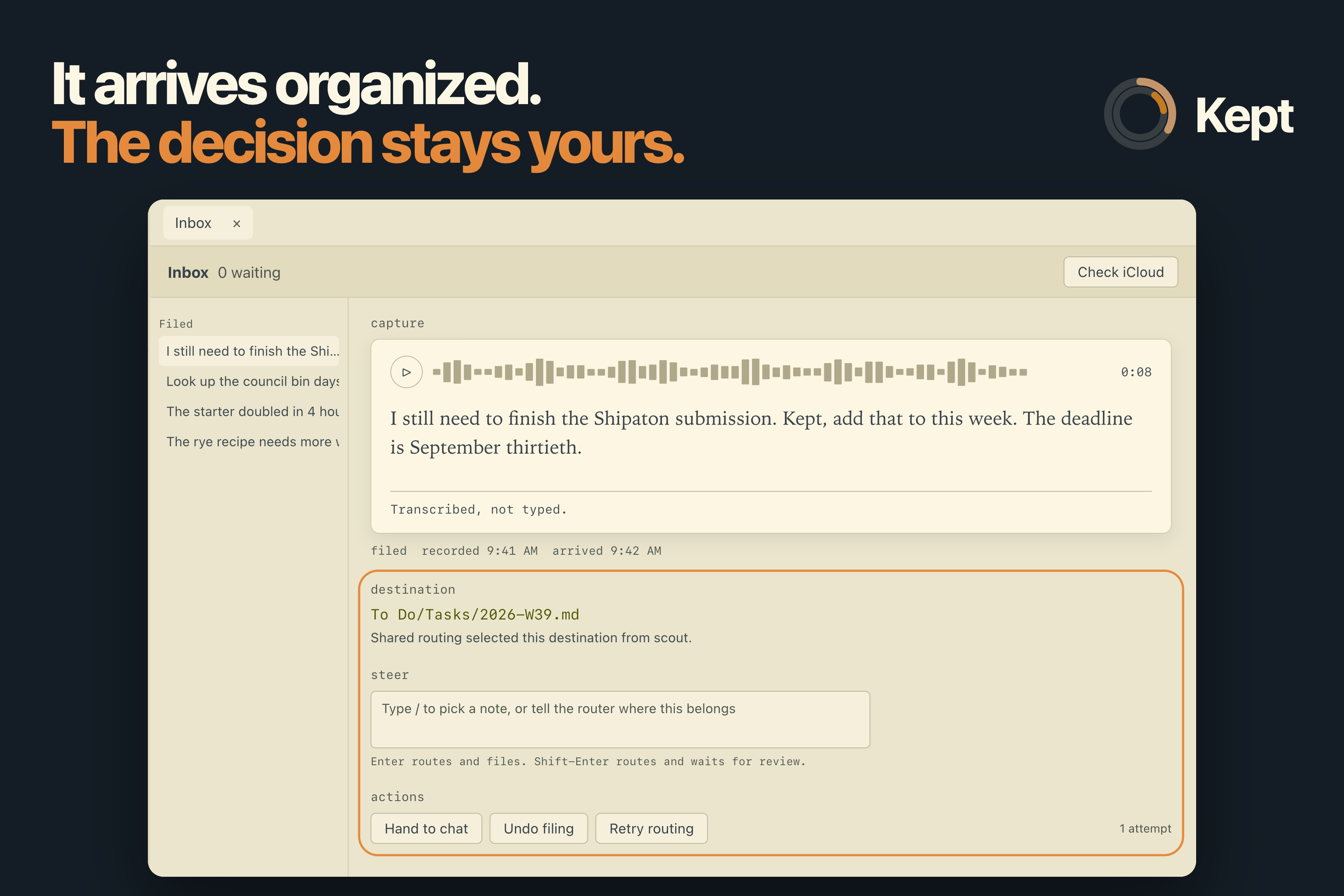
Design: captures arrive filed, with Undo and redirect options
-
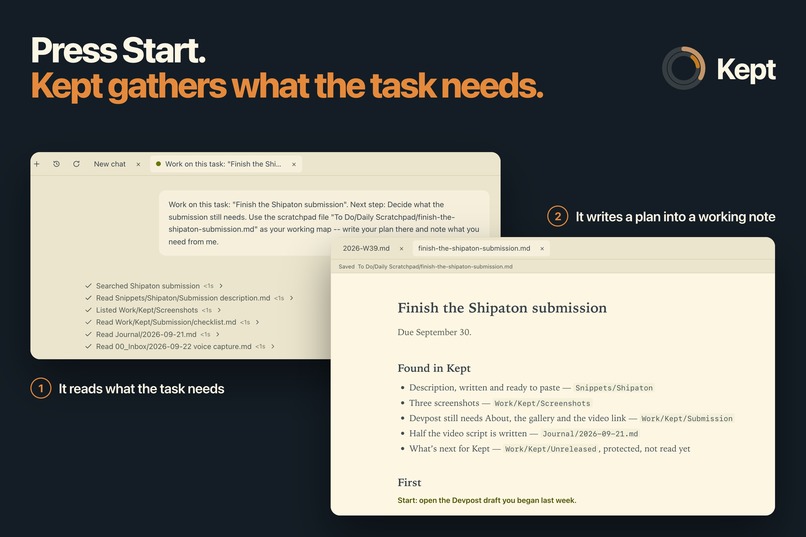
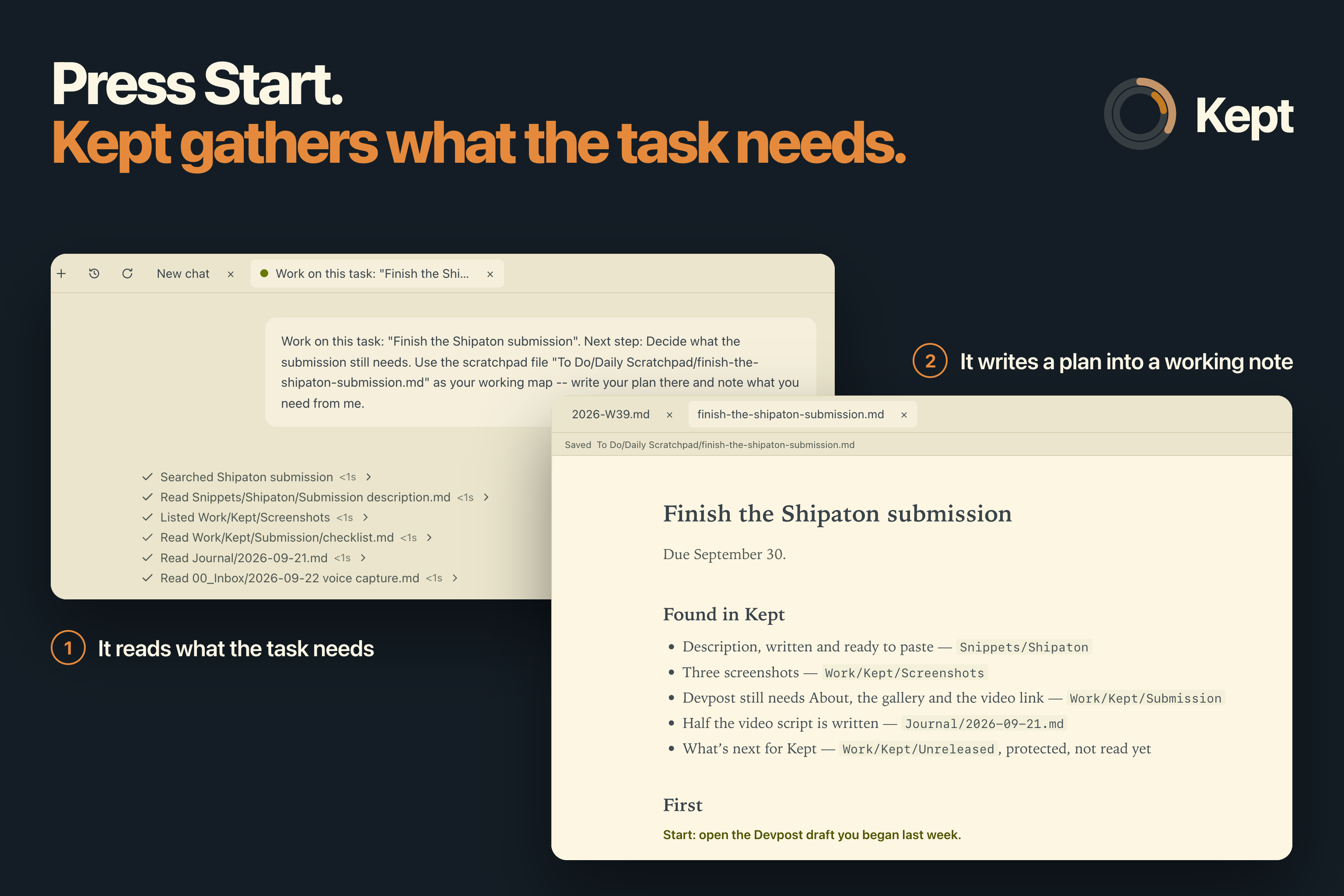
Design: Start gathers what the task needs.
-
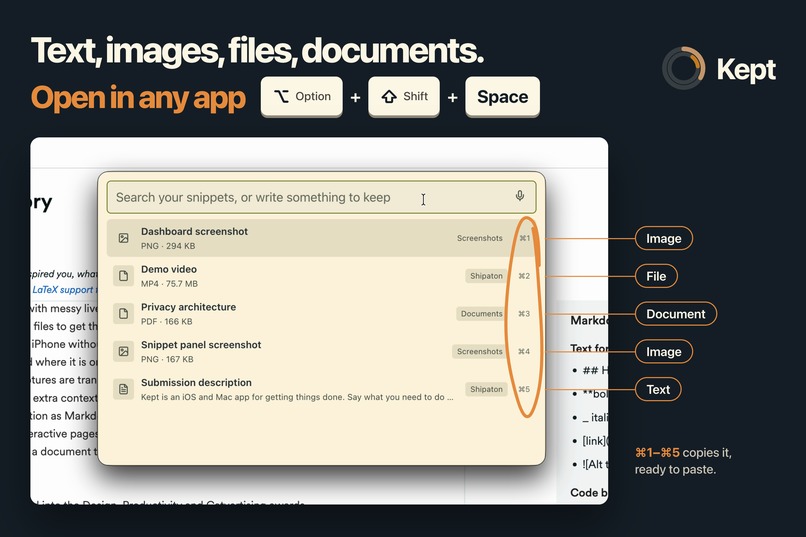
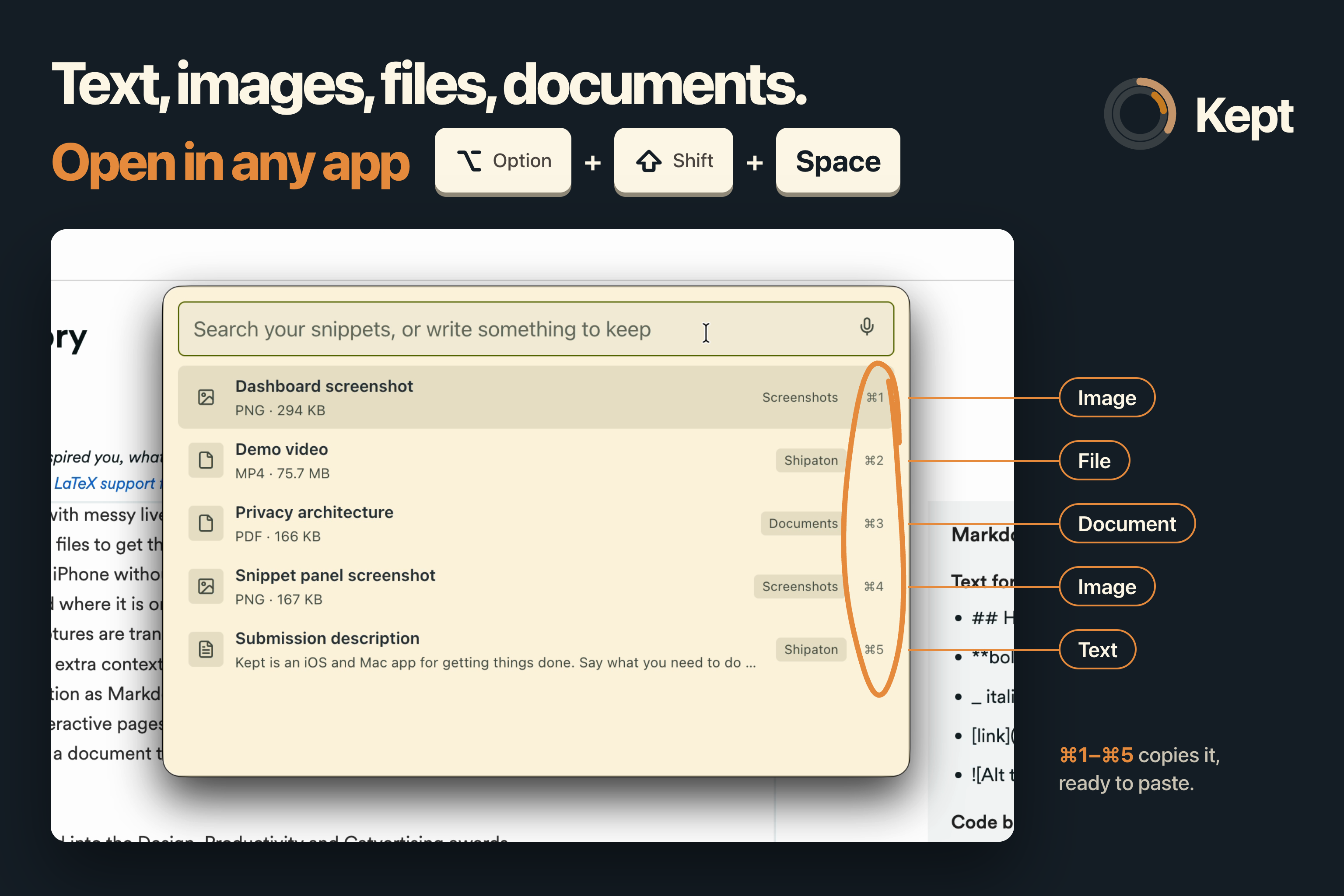
Productivity: snippets open over any app with ⌥⇧Space.
-
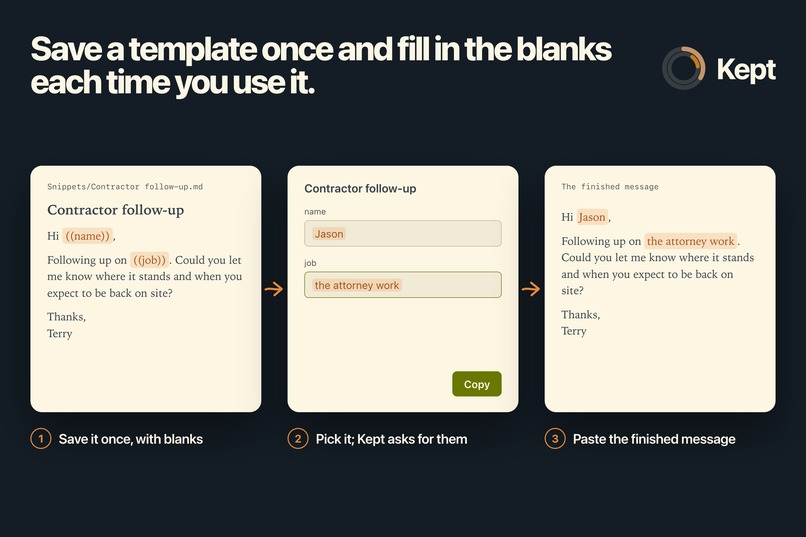
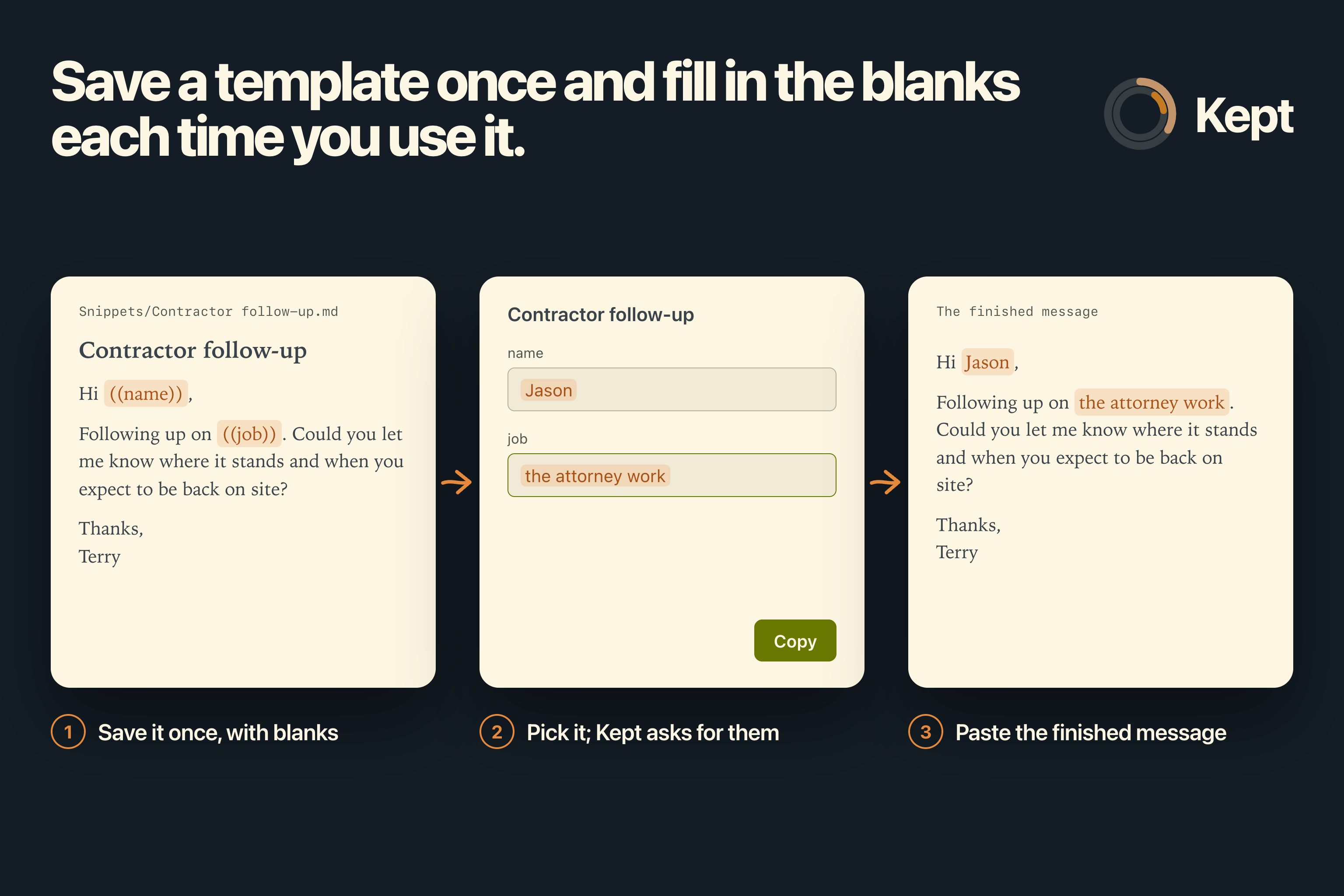
Productivity: a text snippet can hold blanks such as a name. Kept asks for them when you pick it and copies the finished text.
-
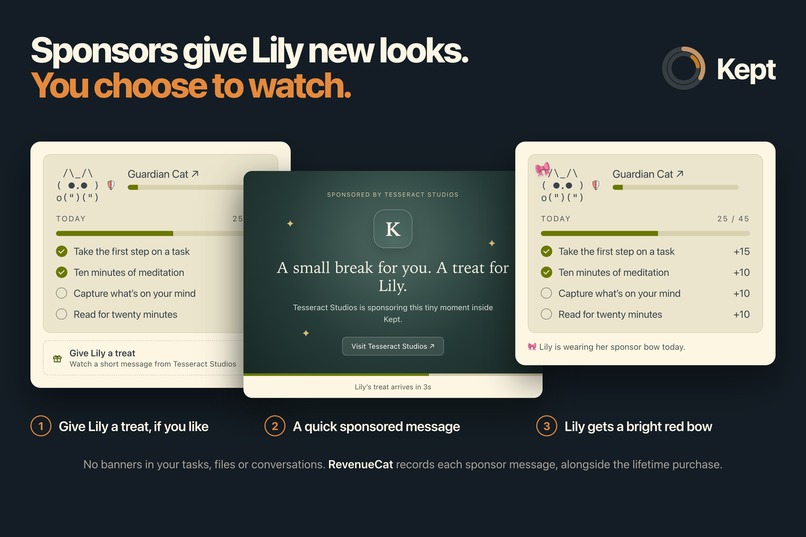
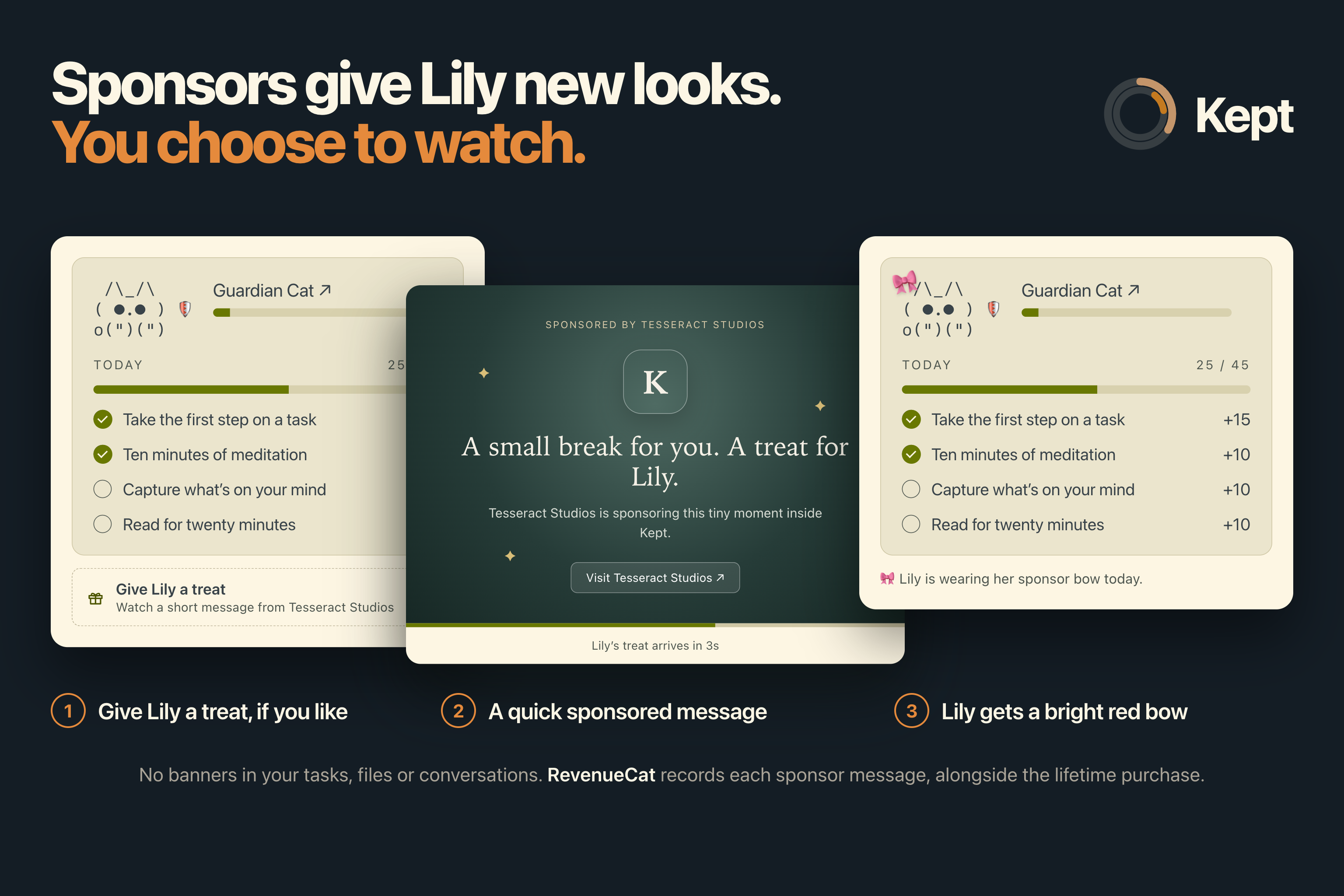
Catvertising: an optional sponsor message that updates Lily's skin
-
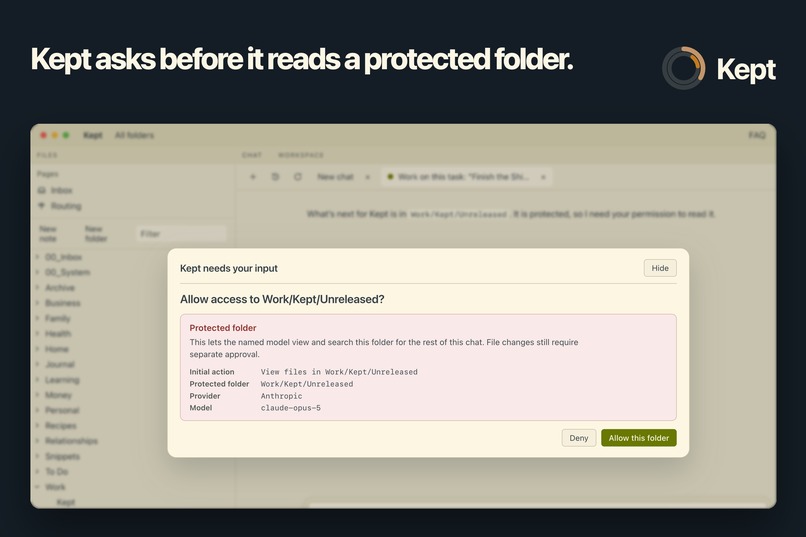
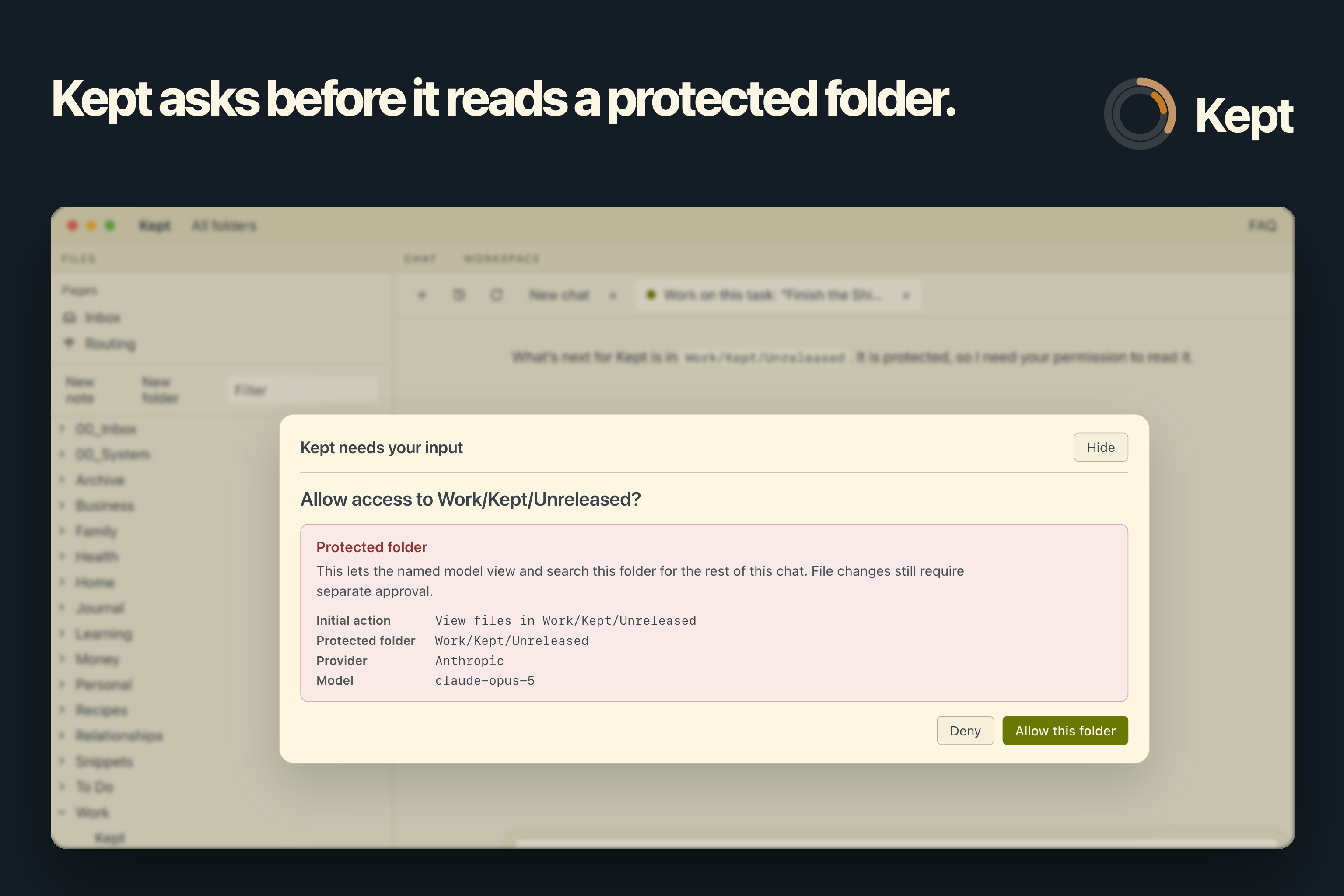
Design: protected folders need your approval.
-
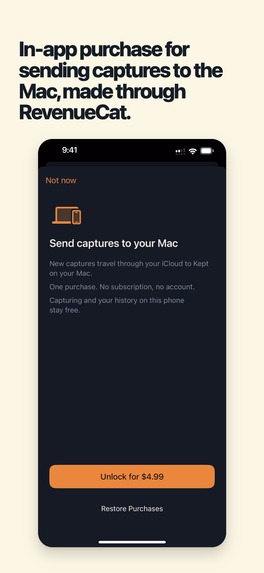
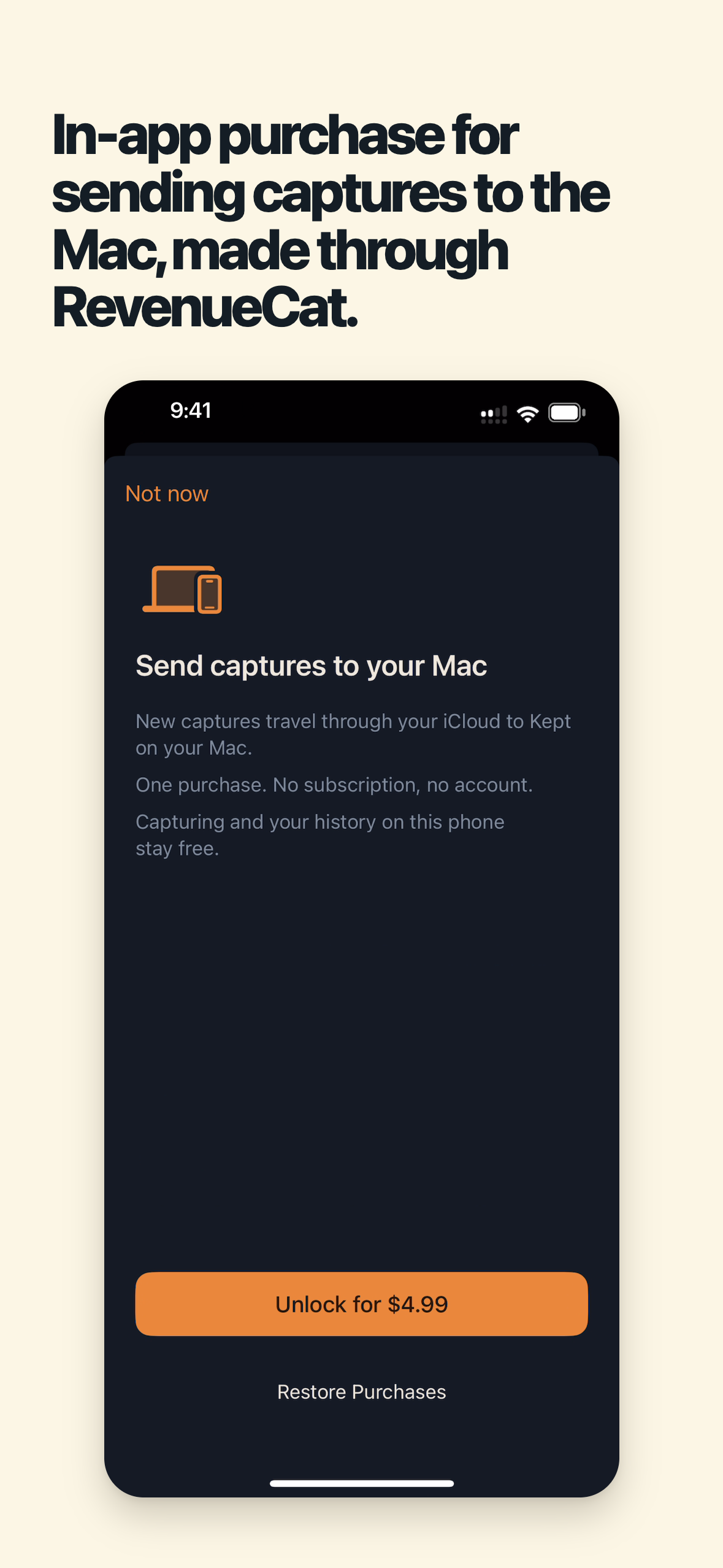
RevenueCat handles the Mac delivery purchase.
-
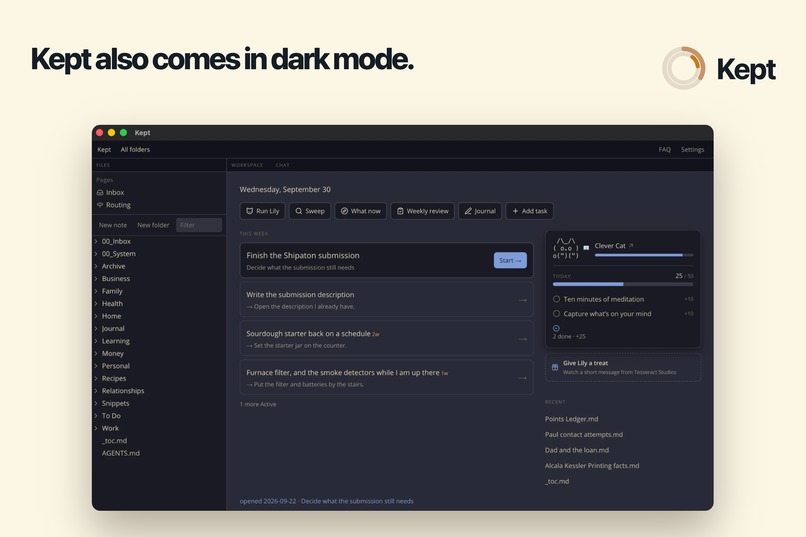
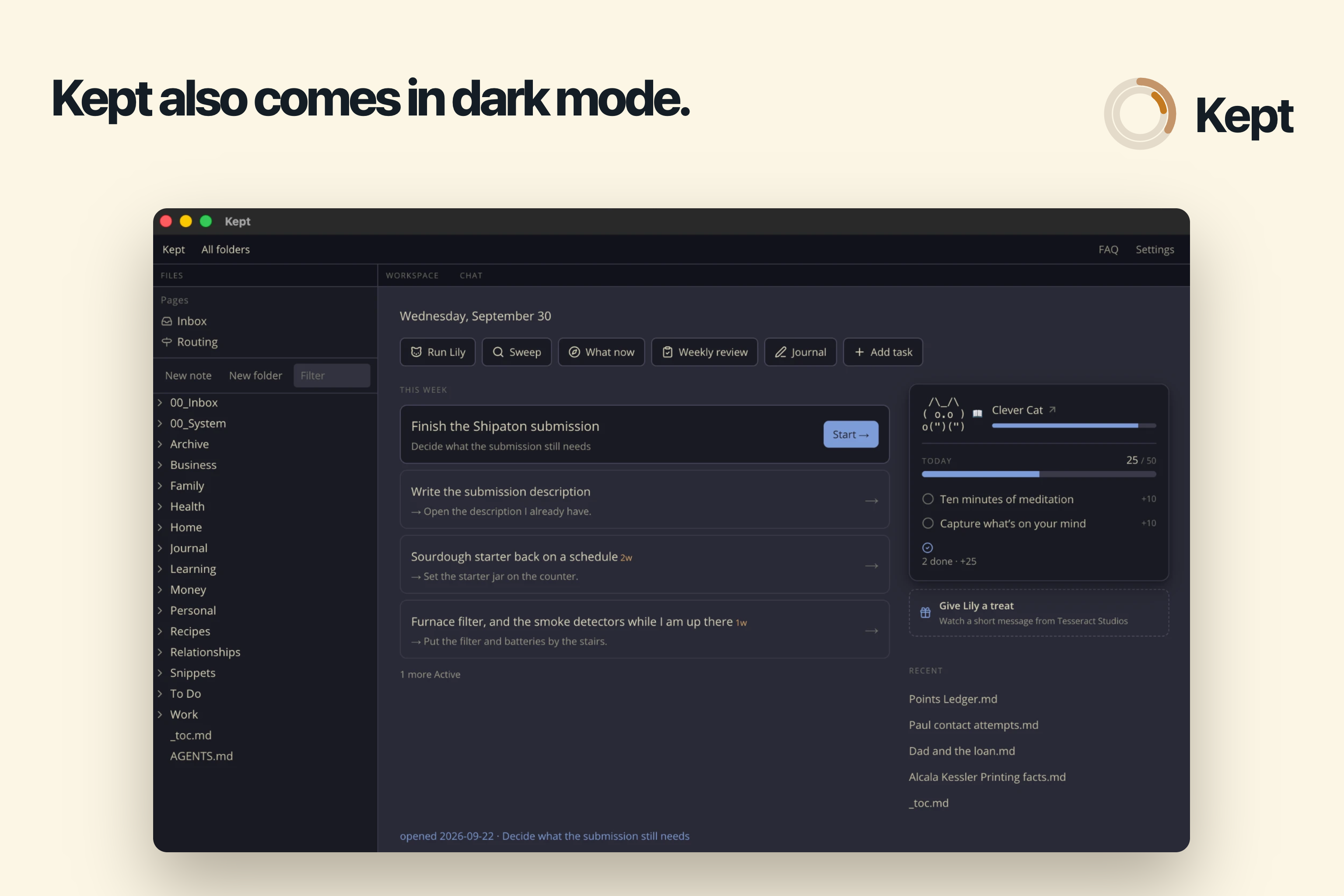
Kept also comes in dark mode.
-
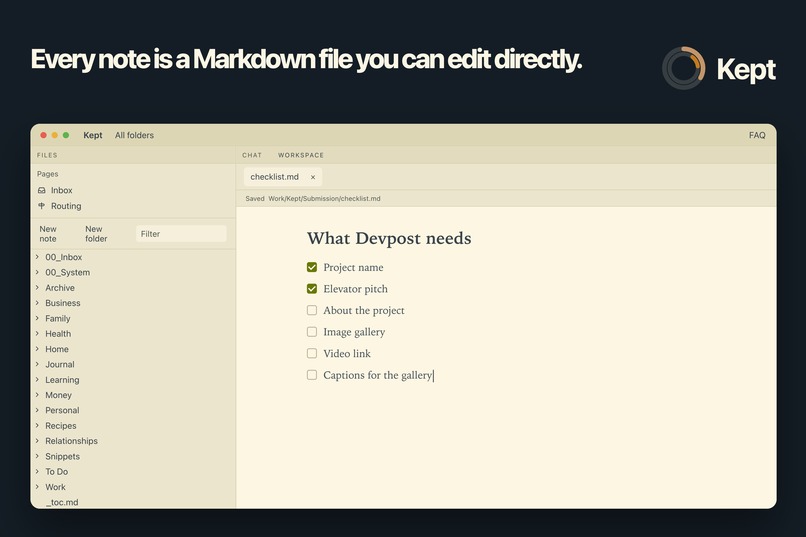
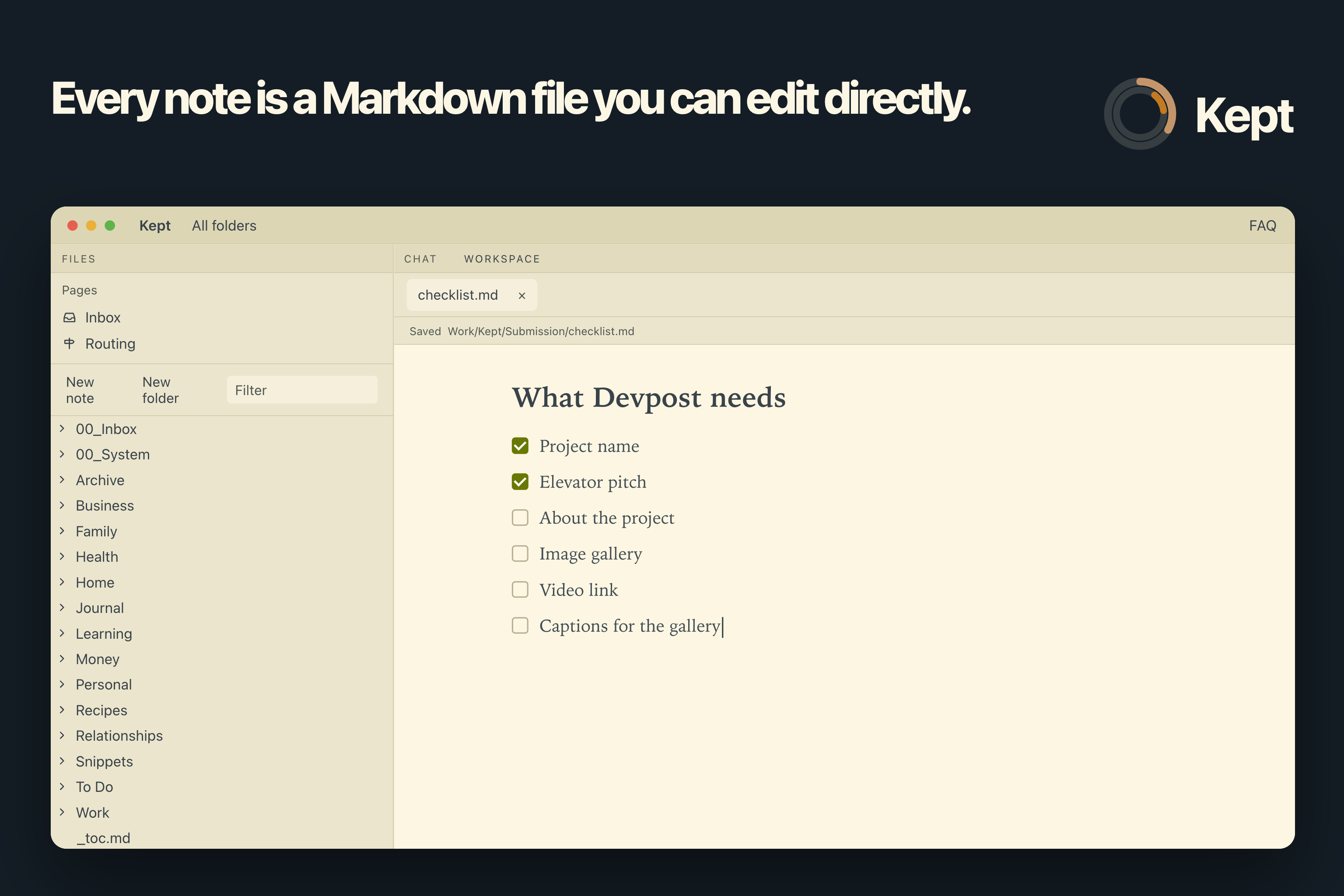
Everything is a markdown file that you can edit directly or with other tools like Obsidian
-
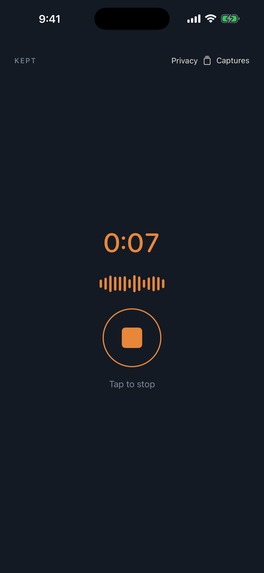
Kept Capture’s voice-recording screen on iPhone, shown without a device frame. Capture a thought on the go
-

Kept’s 1024 × 1024 app icon.

What is Kept
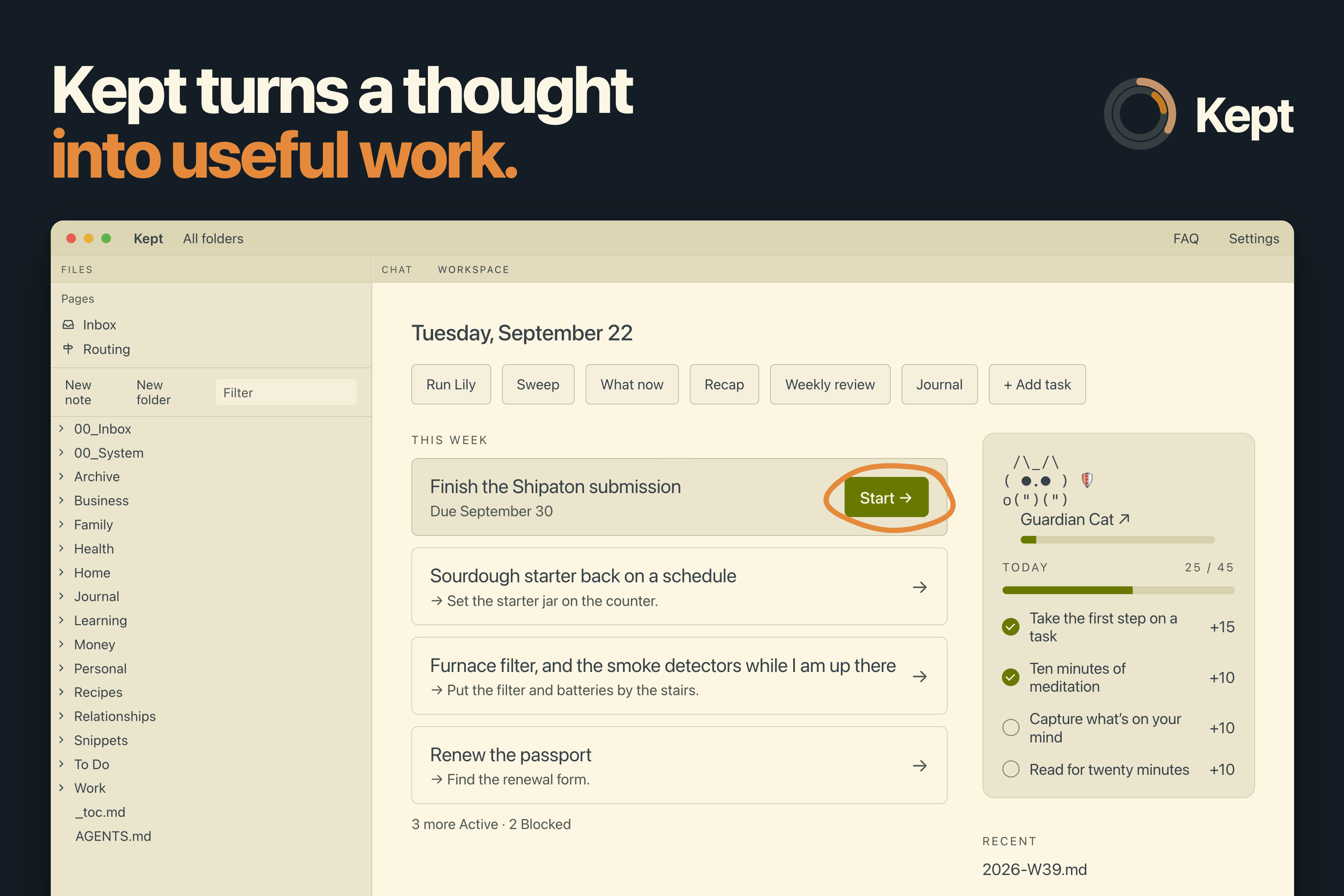
Kept helps people with messy lives capture their thoughts wherever they are. Kept then uses their captures, notes and files to get things done. A thought, commitment, picture or voice recording can be captured from your iPhone without stopping to think where it belongs. These Captures are transferred to your Mac via iCloud where it is organized into adaptable files and folders that fit your particular circumstances. Captures are transformed into journal entries, todo items, notes and other formats that might later become extra context for Kept to help you complete your work and organize your life. Kept stores your information as Markdown files that you interact with via the editor, through a chat interface or through custom interactive pages. From your Mac you can use Kept to prepare an invoice based on meeting notes, find a document that you only half remember or complete a task that you were previously stuck on.
Kept is being entered into the Design, Productivity and Catvertising awards.
Kept makes money via a lifetime payment that enables captures to by synced over iCloud. Kept also serves ads using RevenueCat ad tracking. In the future we will charge a subscription for users who do not wish to bring their own LLM key.
Inspiration
A lot productivity apps become places where notes and to-dos go to die. Before you can use them, you have to decide whether something is a task, note, project, journal entry, choose the right category / tag and manually keep the system organized. A lot of productive energy is spent on the tool and not on completing the task. I didn't need another place telling me to do things I already knew I was supposed to do. So I flipped it. You can give Kept a messy thought in any form and have it become useful. That means organizing it where it belongs and connecting it to the relevant context when it is time to retrieve it.
Challenges and Lessons
Cutting work I felt belonged in Kept so that there would still be a finished product to submit was hard.
There were several more features that I wanted to ship, including a dedicated "Shipaton Surface" for ShipatonSale, background maintenance workers, plugins and a broader build in public plan. But I realized that if I wanted to get both my IOS and Mac apps released in time I needed to strip things down. I was right to do so because Apple would eventually delay my submission because they needed a demonstration video, objected to the word "Mac" in the name, etc. The lesson is that it doesn't matter how great a feature is if no one can use it.
Explaining Kept's features and design choices in an absorbable way for judges in under two minutes was also a struggle. I had to approach it like a design problem and did something practical. I split the video in two, the first two minutes explained the core of the app and what the judges needed to know; and then I invited the viewer to learn about the deeper design choices and features that I still thought was important to understand.
How I built it
- Mac app: Electron, React and TypeScript. Notes are ordinary Markdown files.
- iPhone app: SwiftUI. Captures are delivered to the Mac through iCloud.
- RevenueCat on iPhone: the Purchases SDK handles the one-time Mac delivery purchase.
- RevenueCat on Mac: a native Swift bridge, loaded into Electron as a Node add-on, reports sponsor-message events (loaded, displayed, opened and revenue) through RevenueCat's Apple SDK.
What's Next?
We started using Jev as an LLM replacement. Where it's applicable it has dramatically improved speed and cost with no accuracy lost. If we go in this direction it will have a dramatic effect on how we monetize and shape the project.
We're listening to feedback on ways to make things better and on things that we got wrong
We're looking at platforms like Twitter and Noise to begin attracting traffic outside of organic appstore reach.
Winning Shipaton and showcasing Kept in NYC!
Features
Natural-language organization
An accountable Inbox — You can review where things were filed, correct the destination or wording, hand complicated items to chat and undo mistakes.
Work with your own context - Kept finds relevant notes, files and documents to help you complete your tasks
Makes starting easier — Press Start on a task and Kept creates a working space, brings the relevant context together and helps establish the first action.
Snippets from any application — Quickly retrieve and reuse text, images, GIFs, documents and fillable templates through a global keyboard shortcut.
Tasks that preserve judgment — Use next actions, five-second starts, weekly commitments, scratchpads, recaps and deliberate weekly reviews for an intelligent approach to organizing your life.
Lily, a habit tracker — Build habits specifically built to get you unstuck and recognize progress from your journal and tasks.
Private, user-owned files — Everything is stored as ordinary Markdown in a folder you control. Protected folders are excluded from automatic access, and Kept asks before reading them or changing files.
A system that adapts to you — Customize the folder structure, routing rules, commands, instructions, models, habits, layout and appearance.
NOTE TO JUDGES: Kept includes an iOS companion app along with main the MacOS. I was advised by RevenueCat's advocates to state this clearly in the description and to provide the macOS URL:
- macOS app -> https://apps.apple.com/app/6806446576
- iOS app -> https://apps.apple.com/app/6806446433


Log in or sign up for Devpost to join the conversation.