-
-
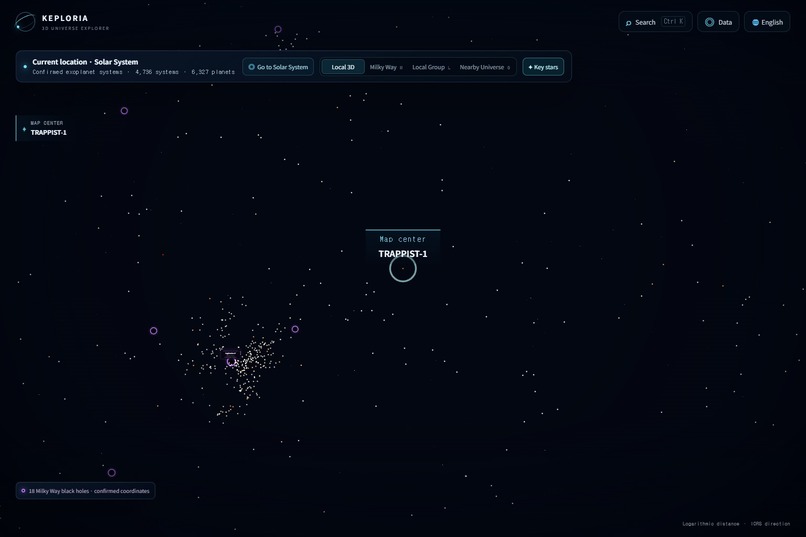
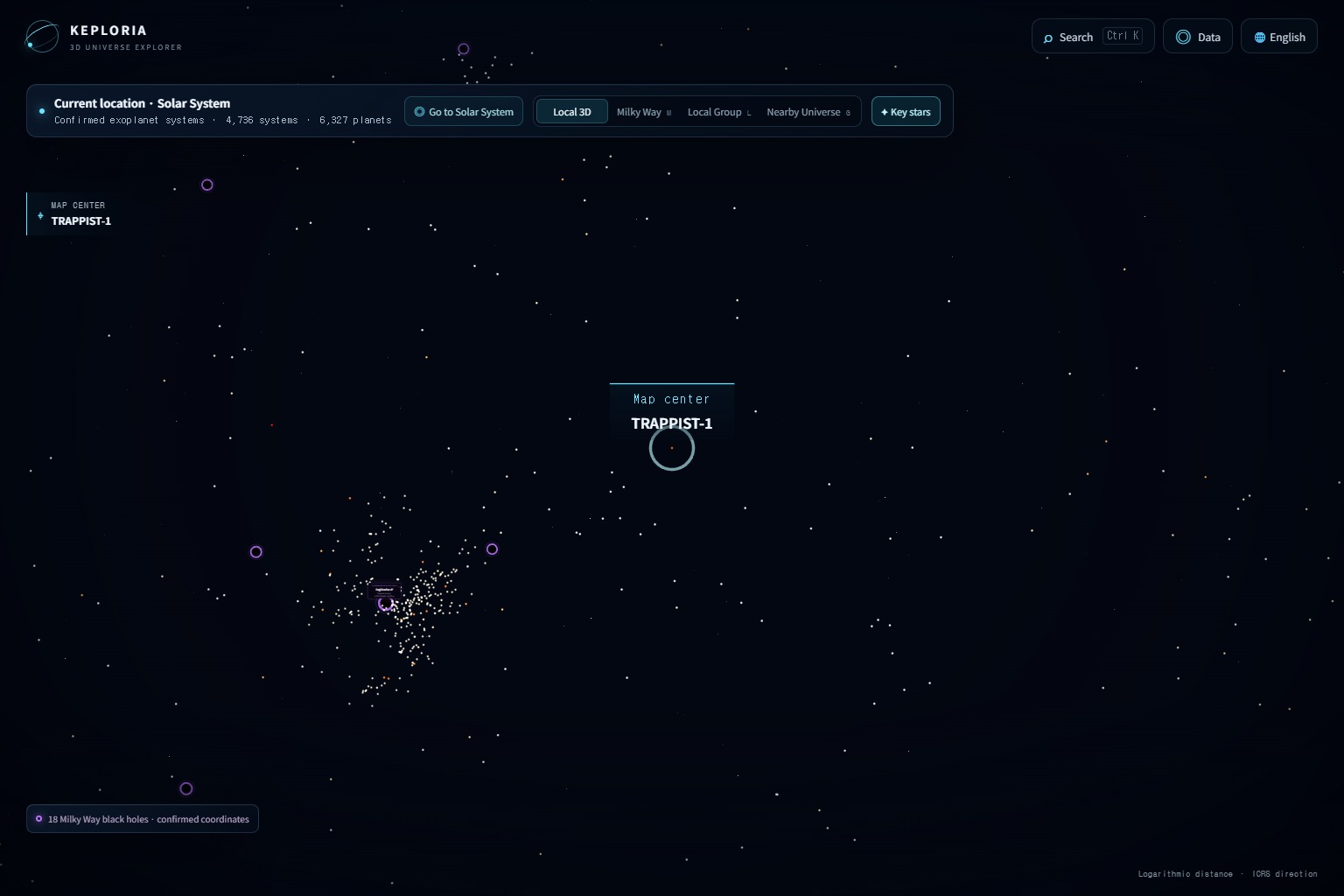
04-nearby-3d-catalog-map
-
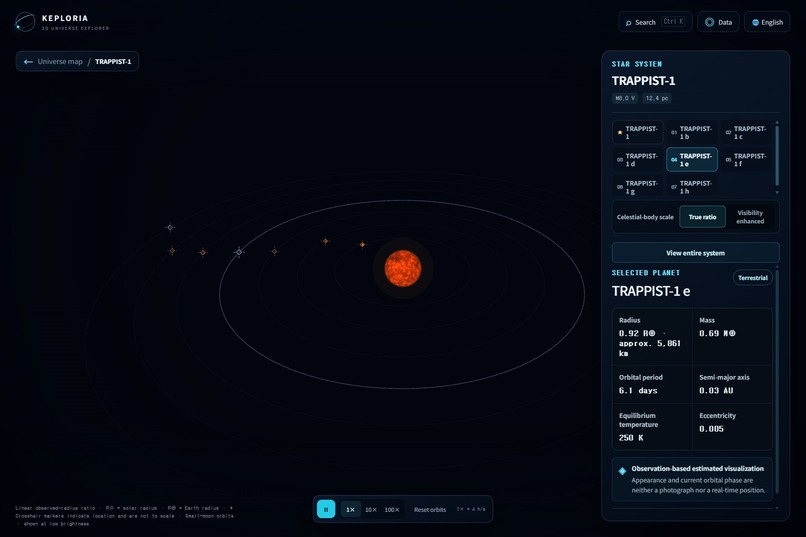
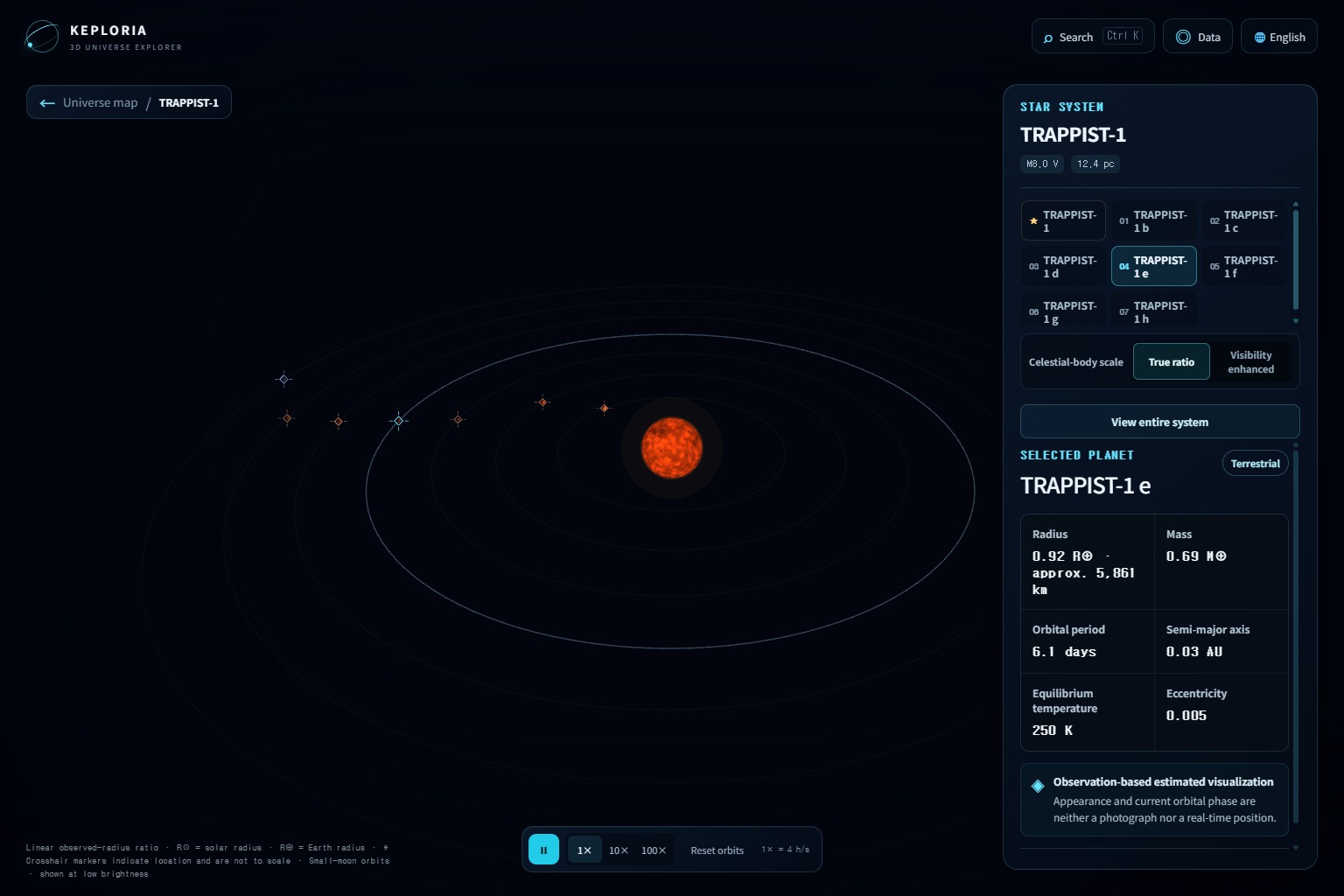
03-trappist-1e-exoplanet
-
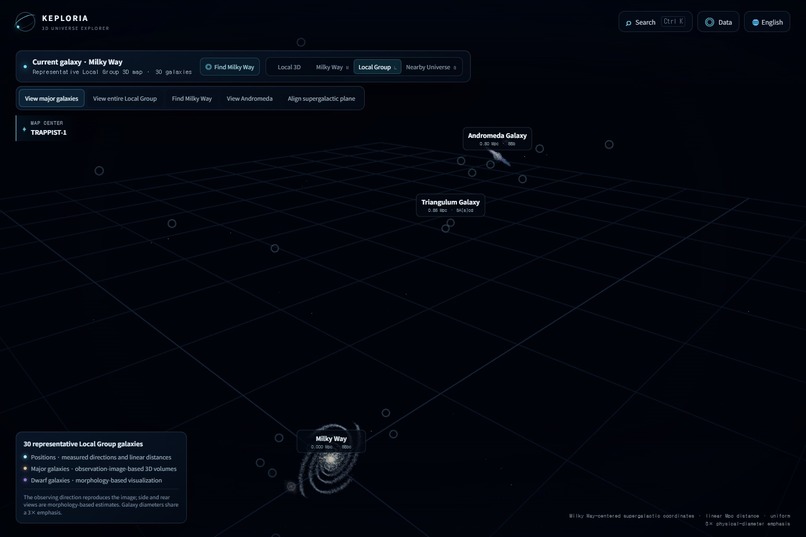
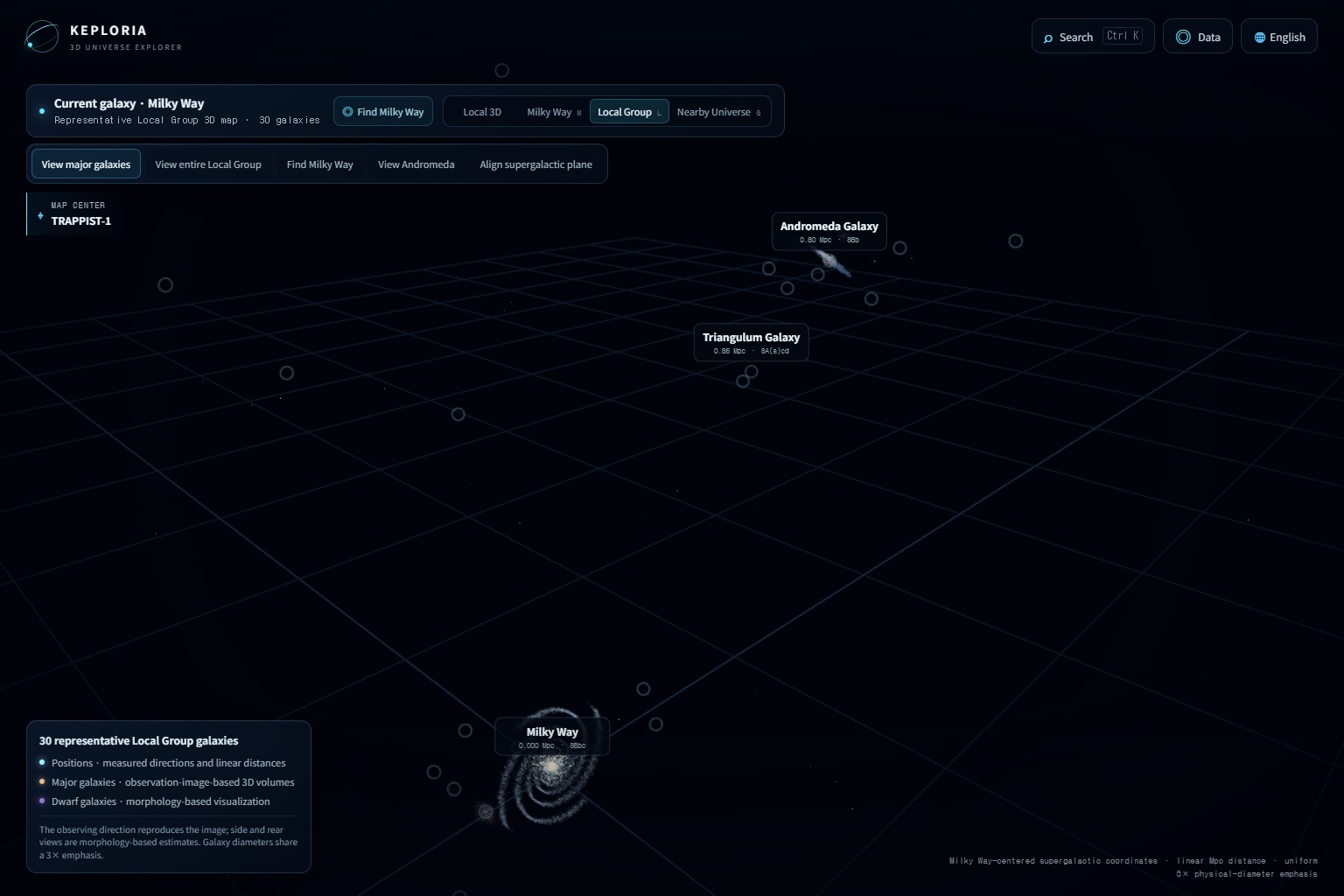
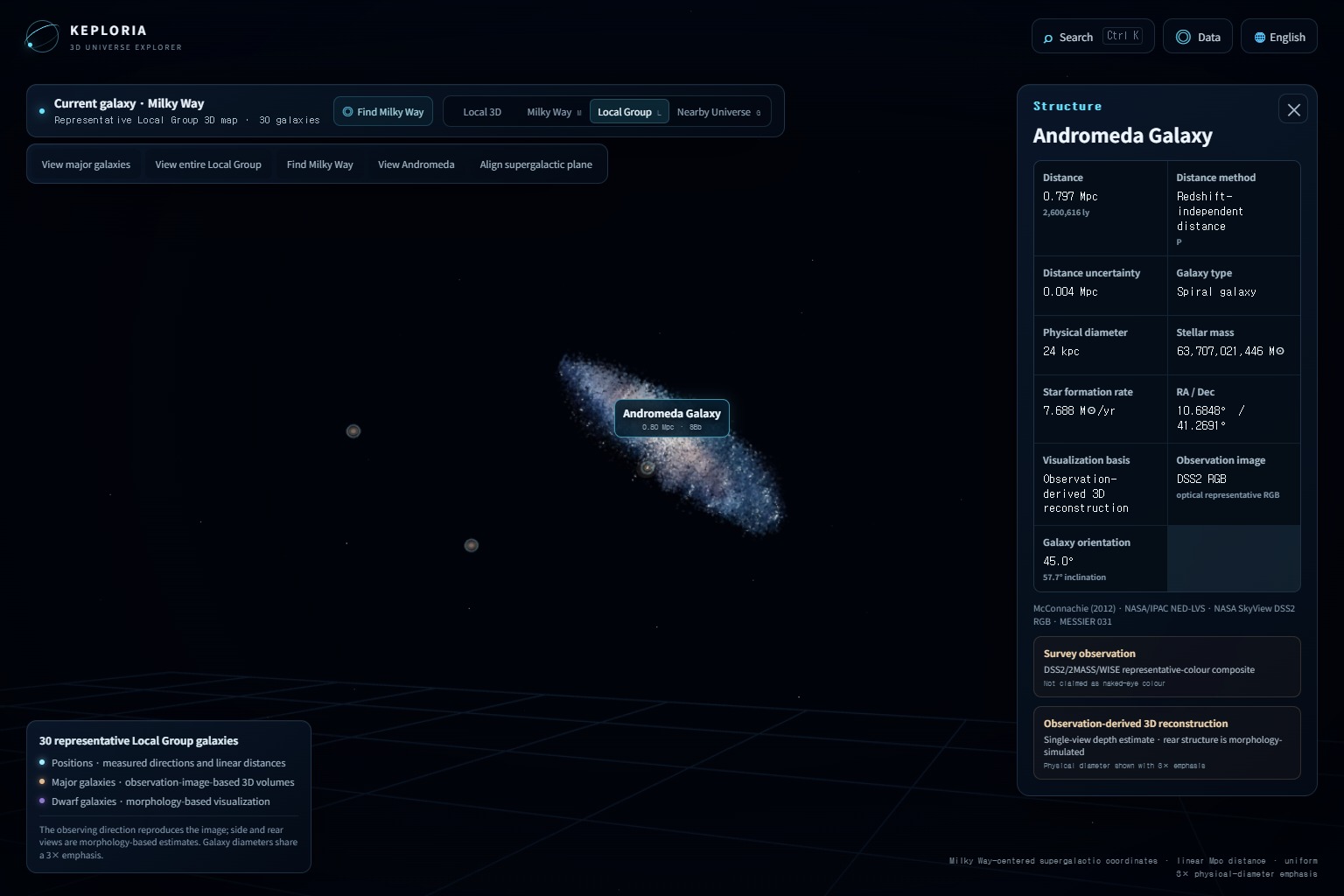
06-local-group-overview
-
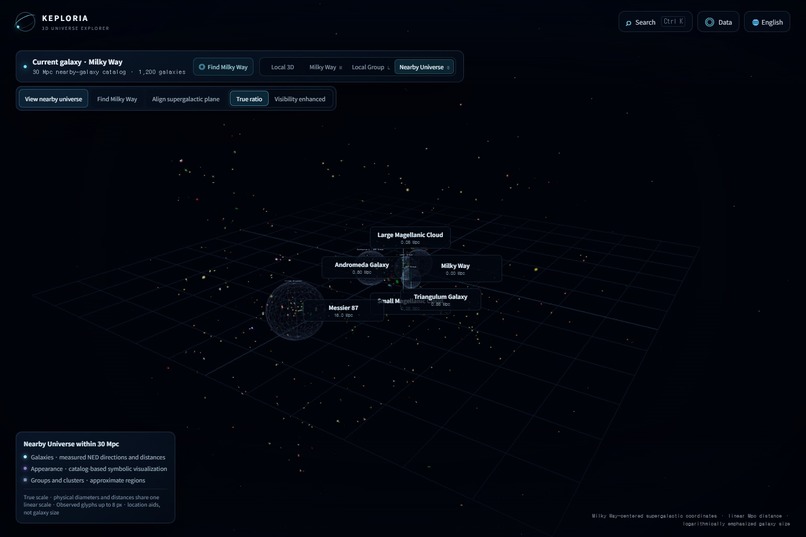
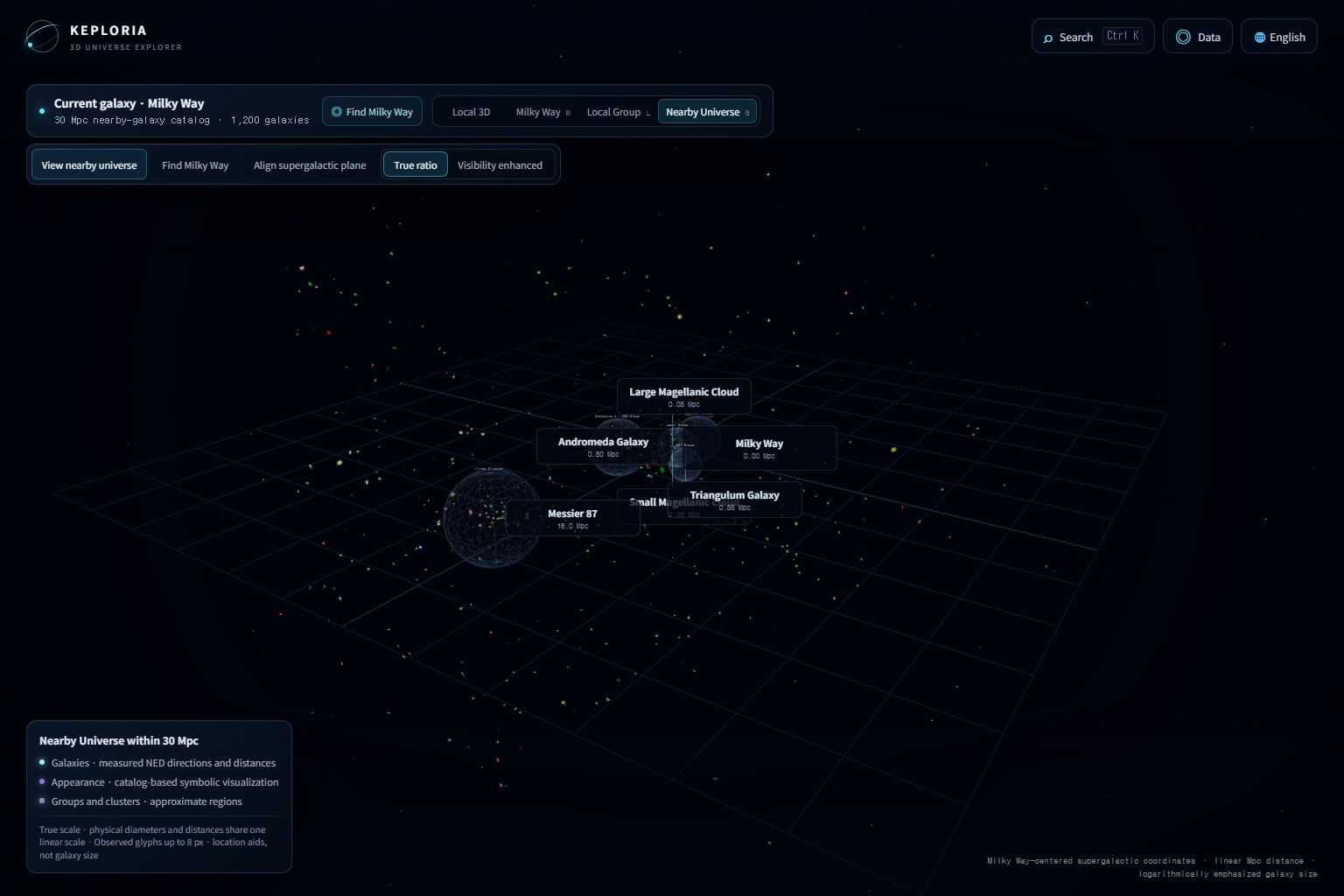
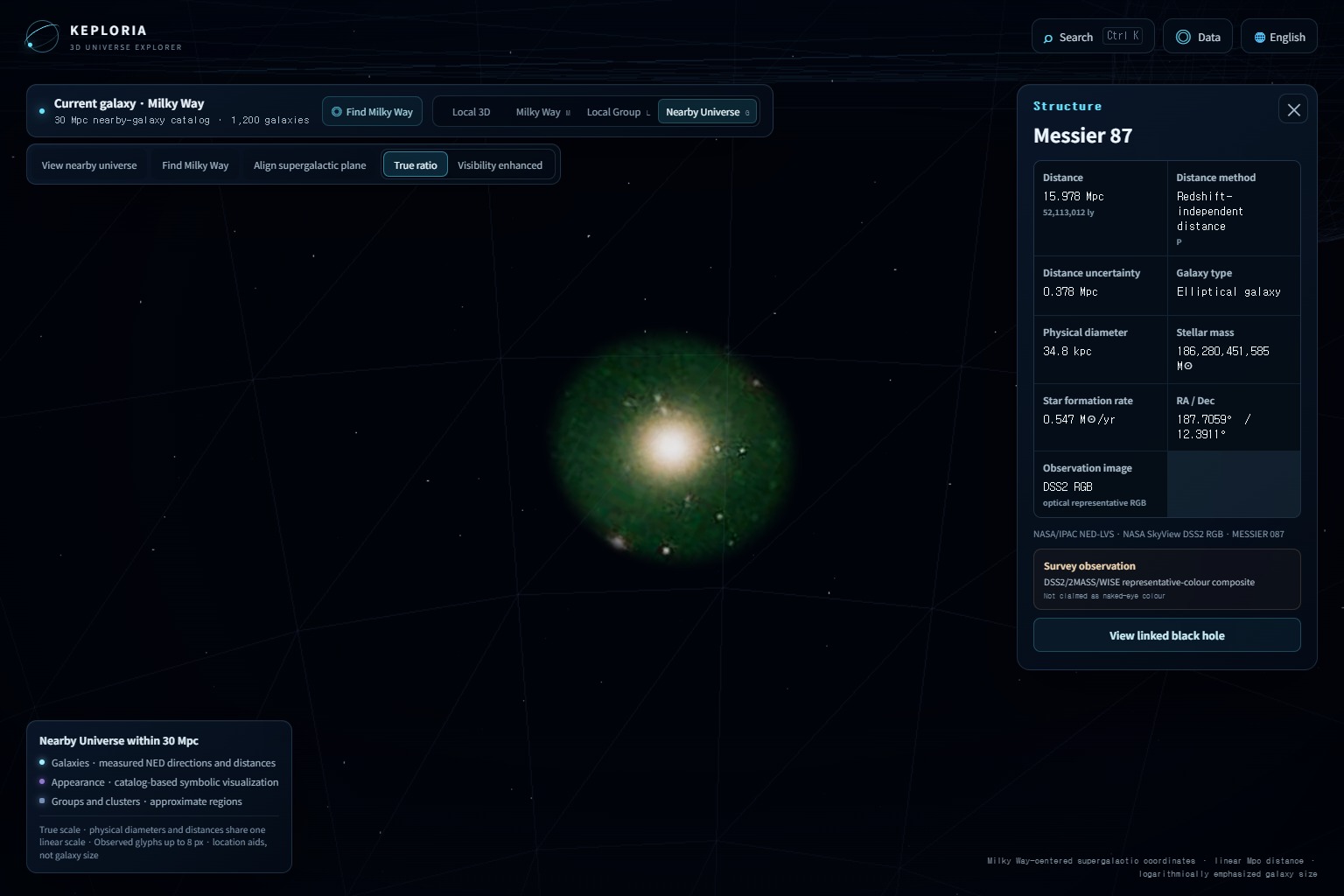
08-nearby-universe-30mpc
-
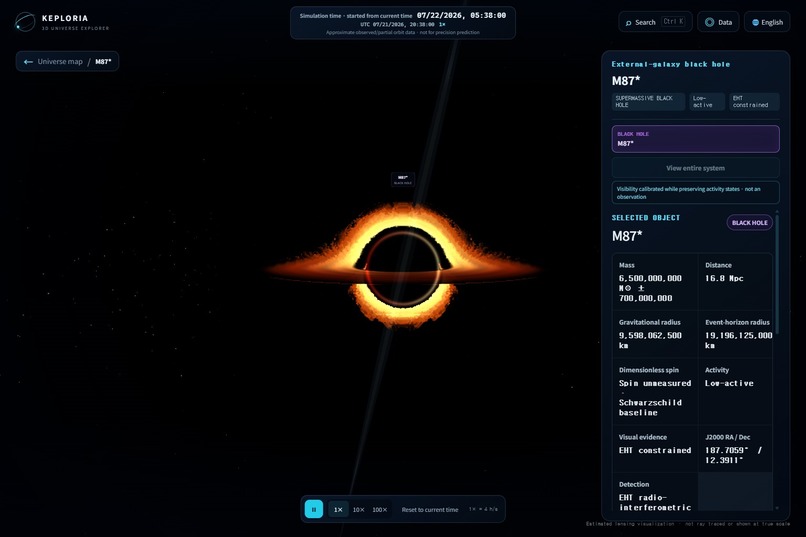
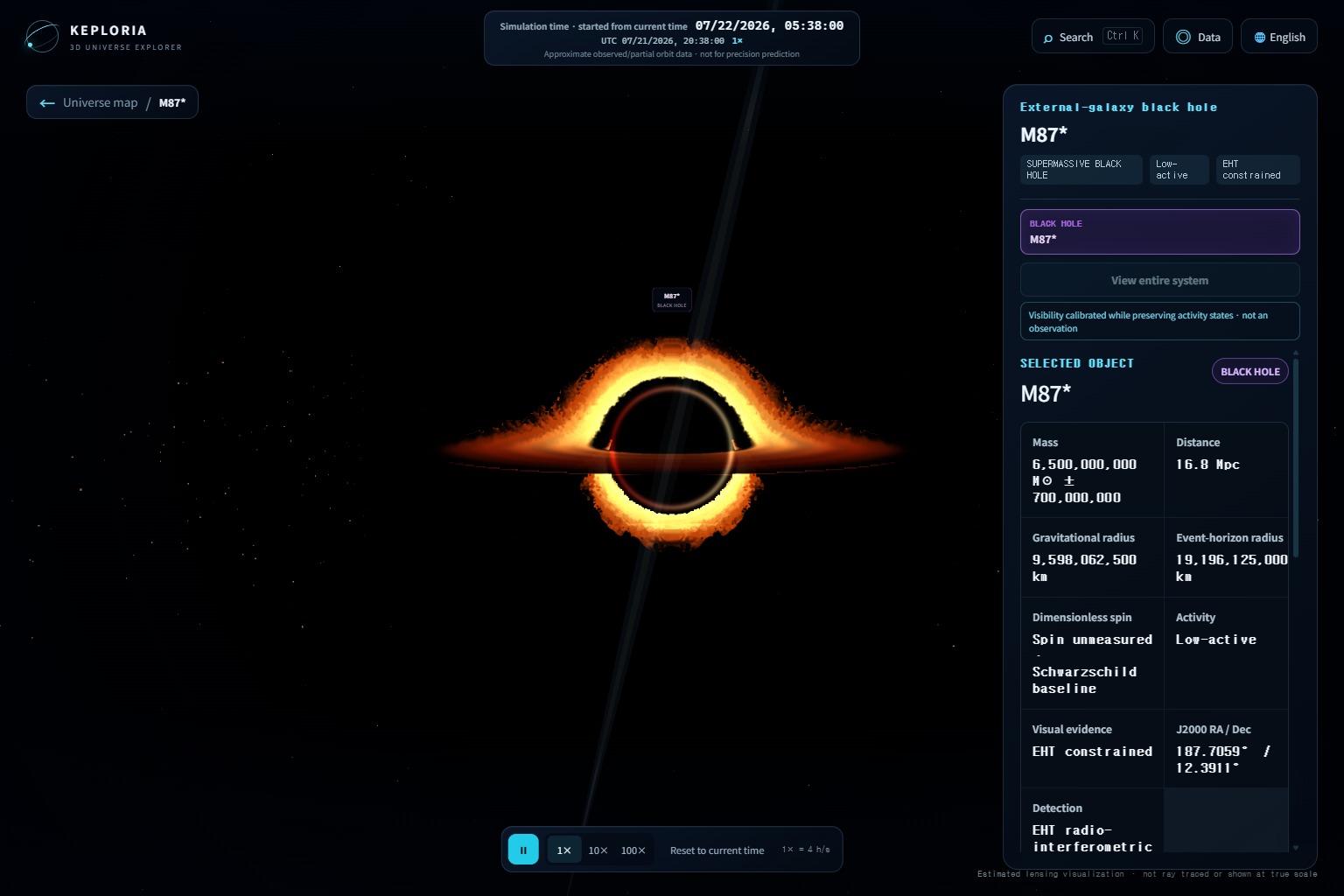
10-m87-star-black-hole
-
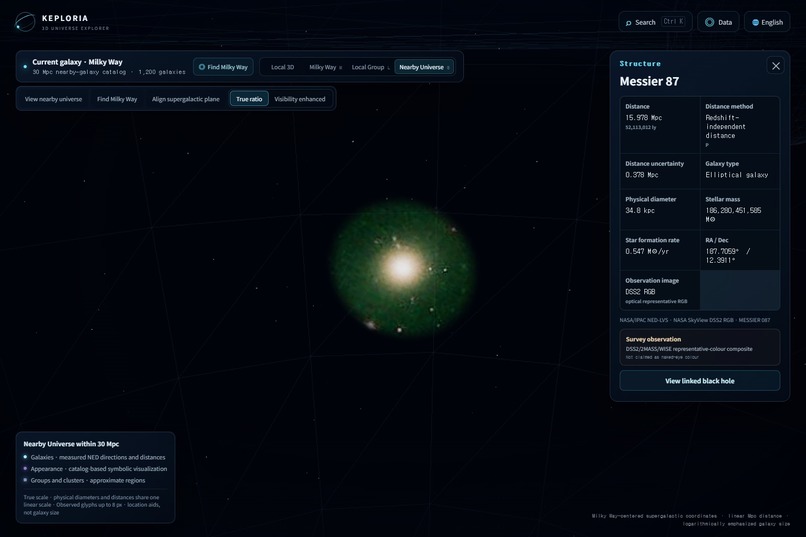
09-m87-galaxy-focus
-
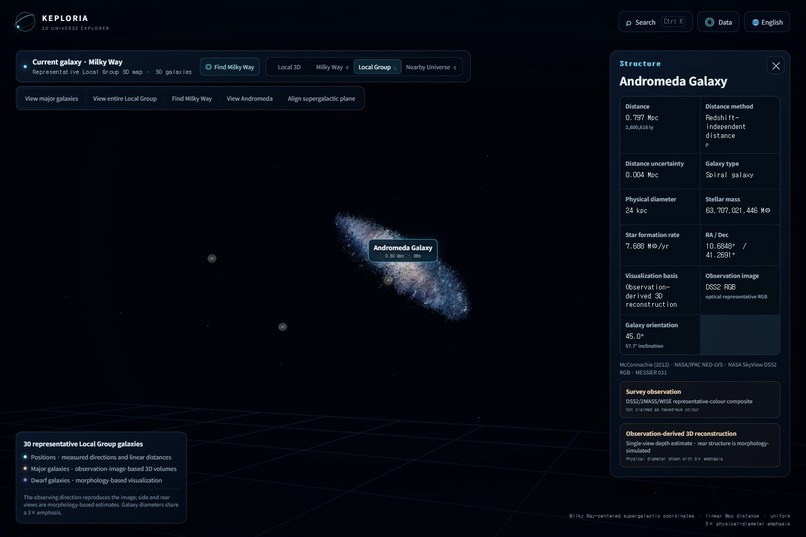
07-andromeda-m31-focus
-
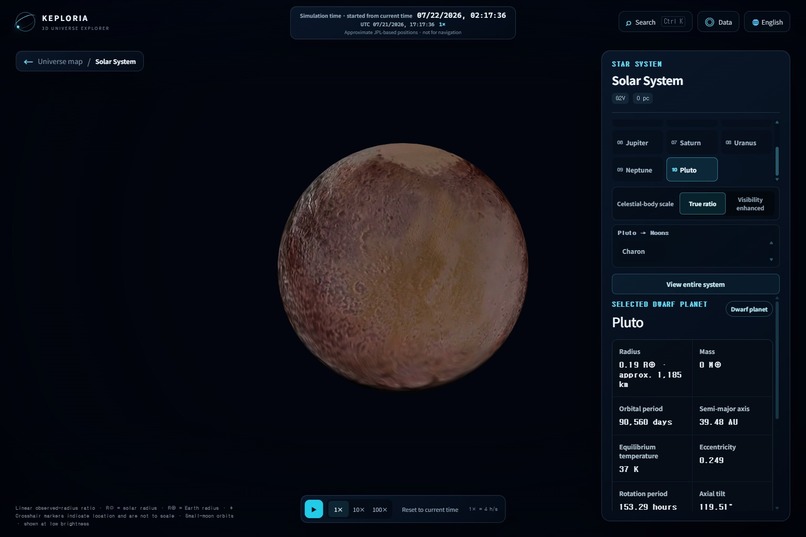
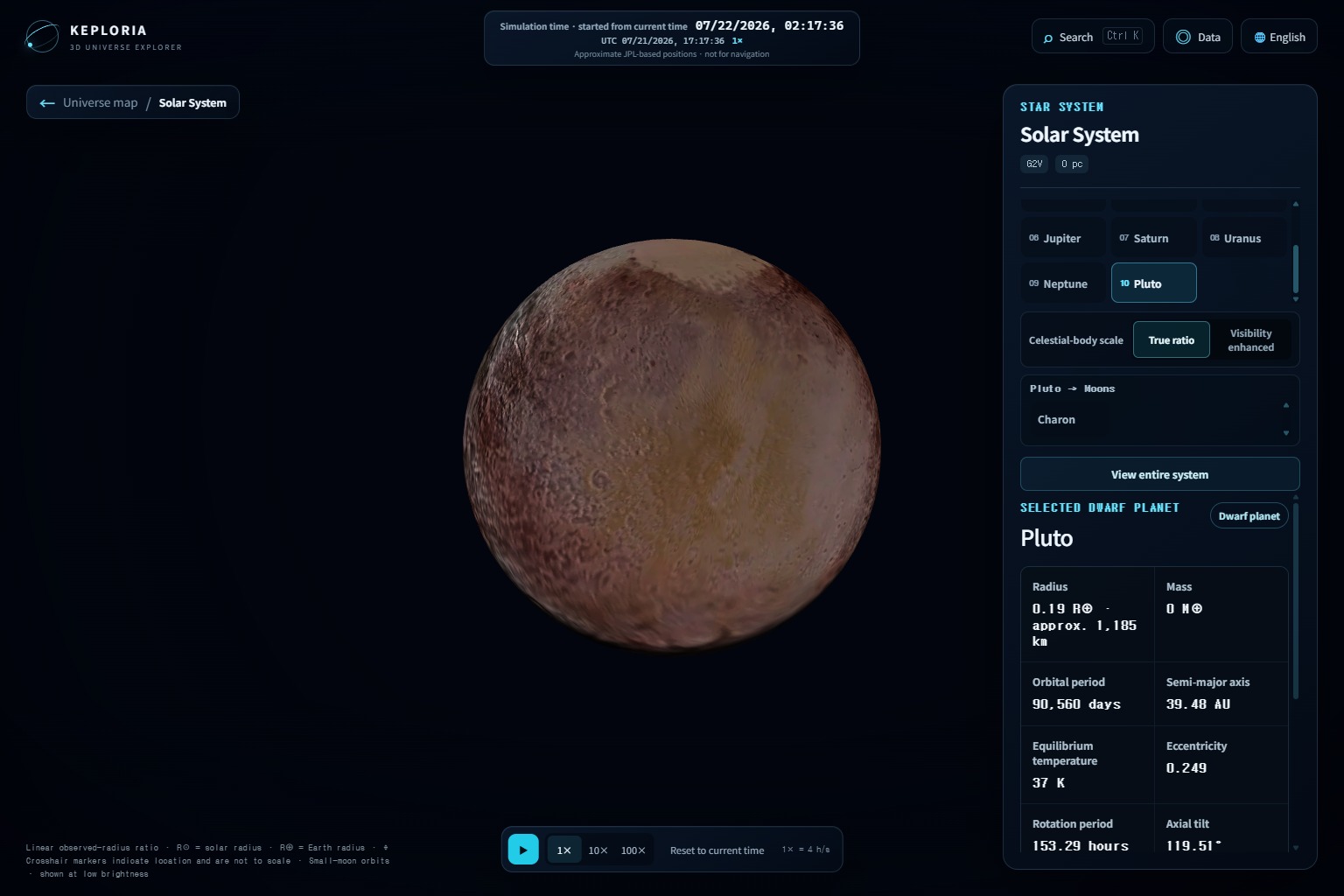
13-pluto-sunlit
-
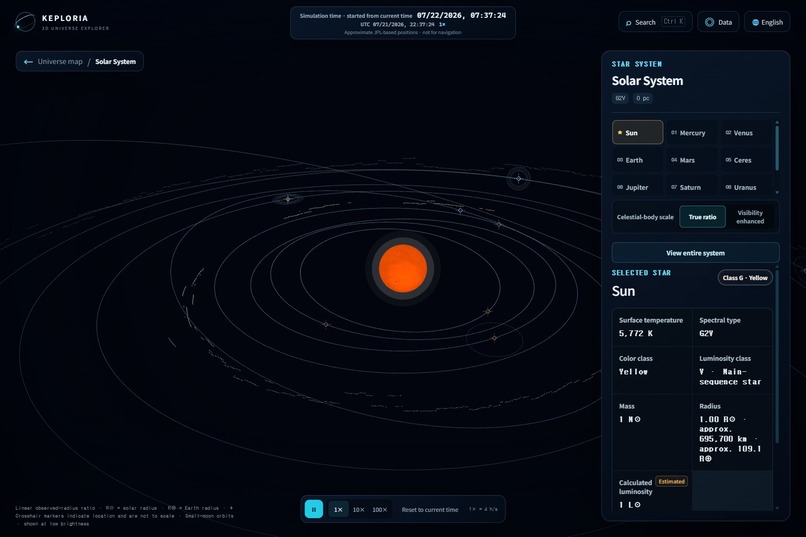
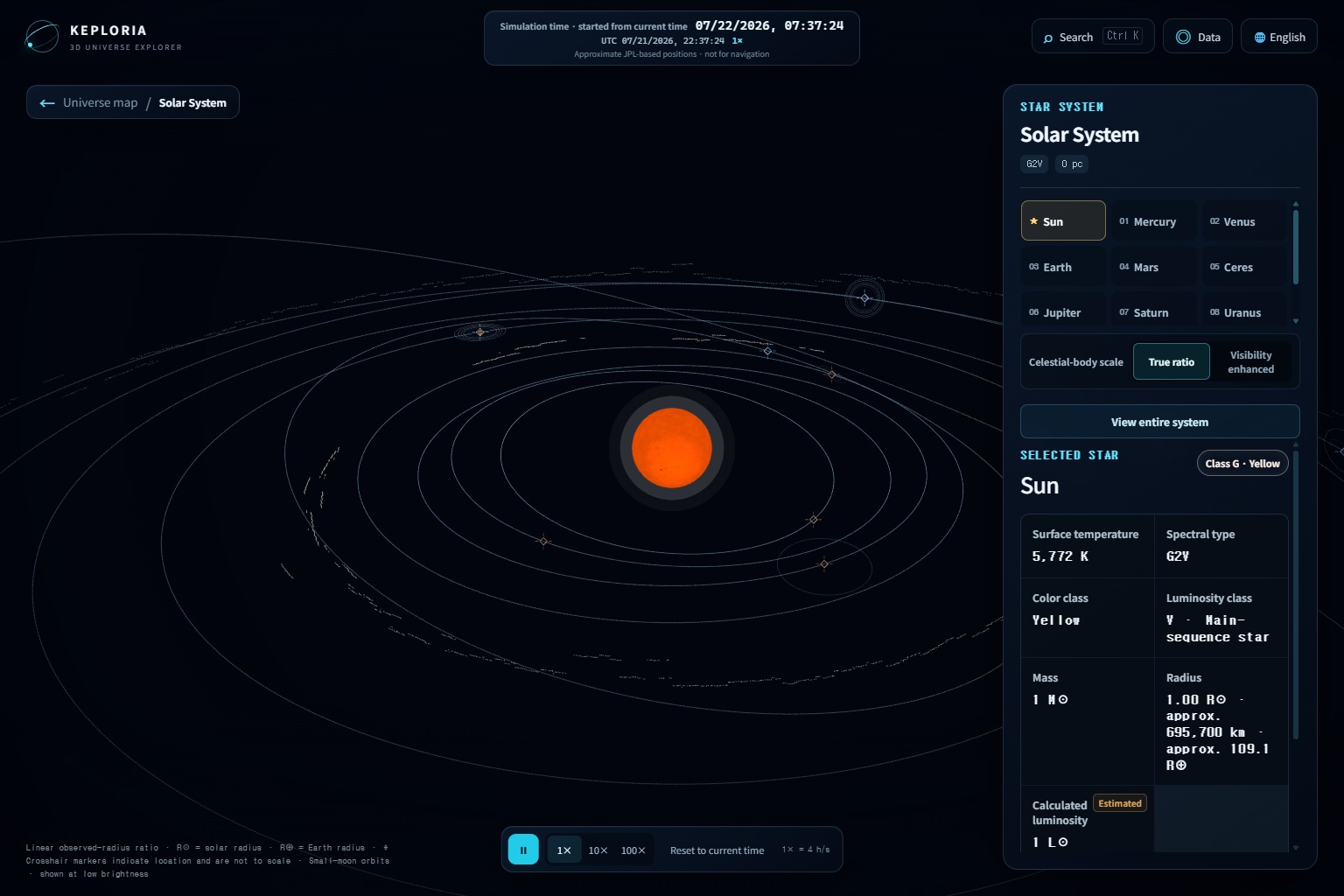
01-solar-system-overview
-
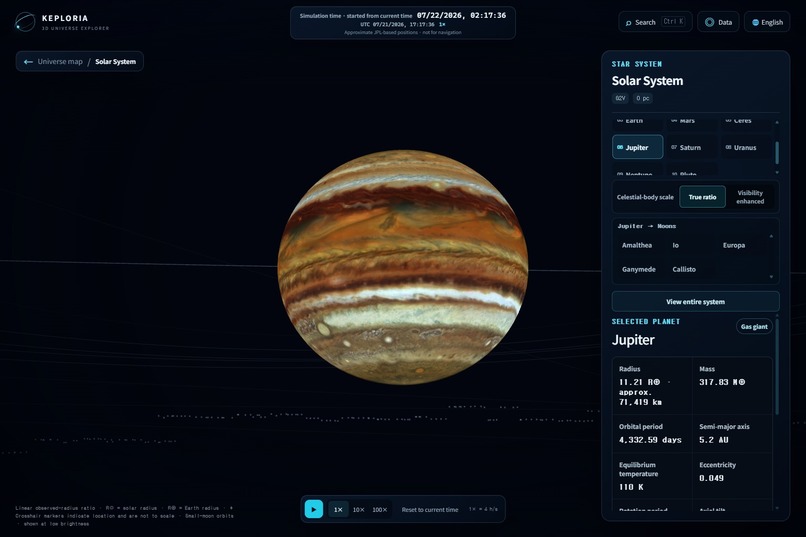
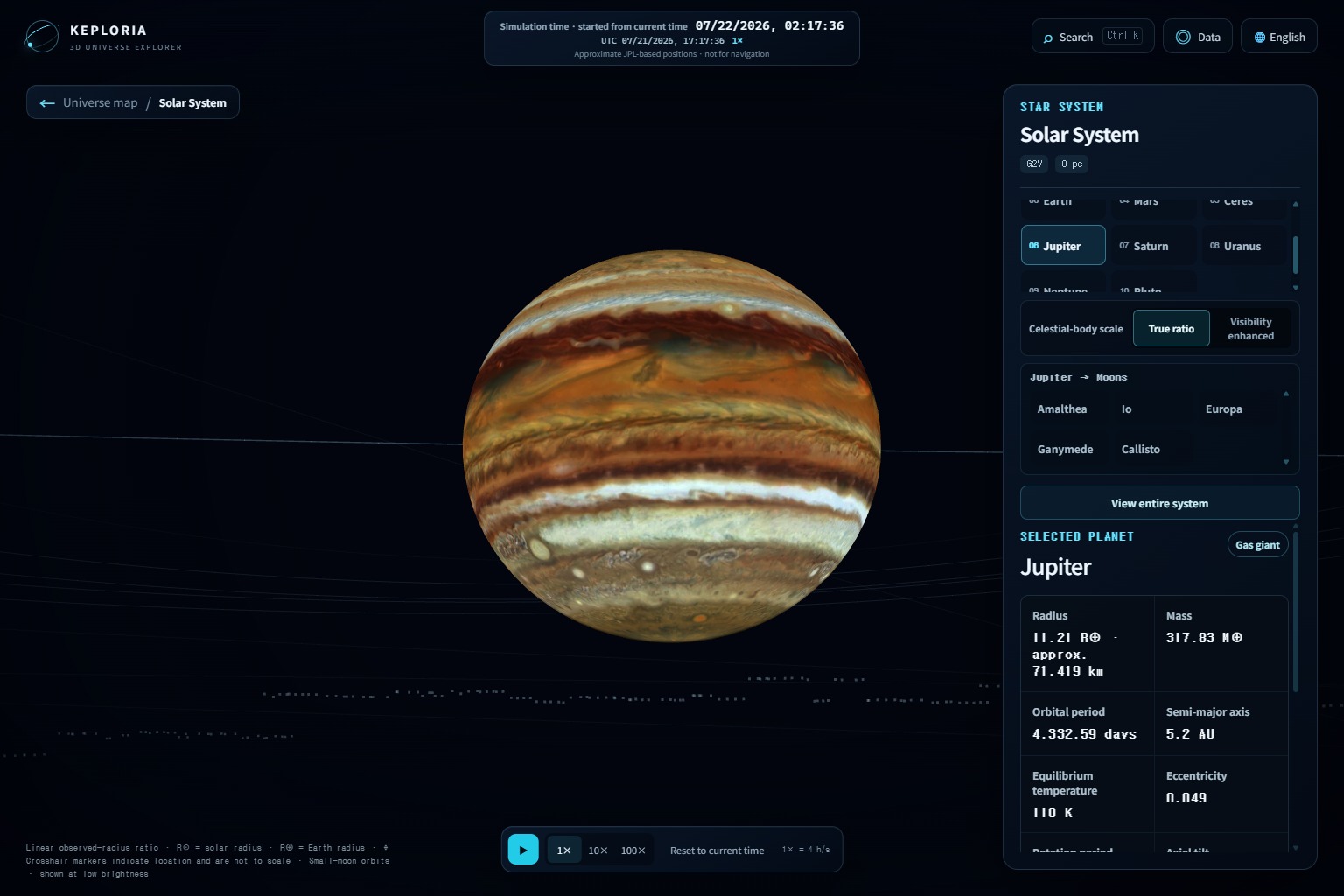
11-jupiter-sunlit
-
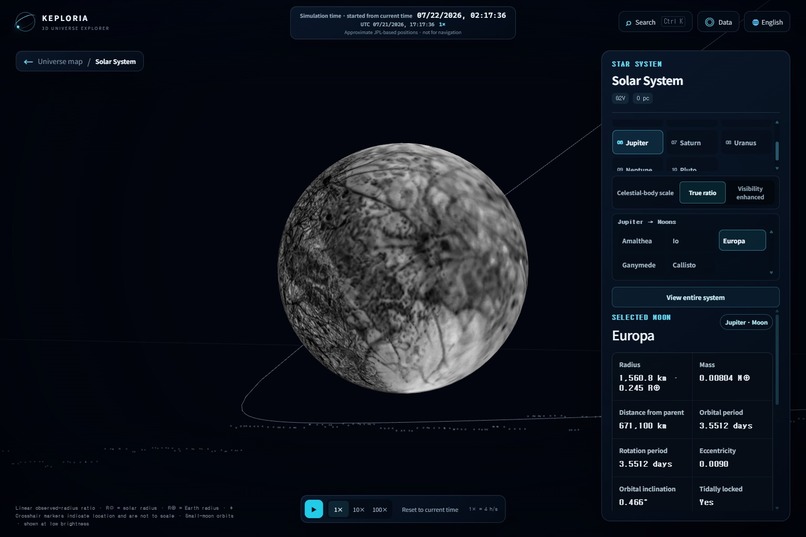
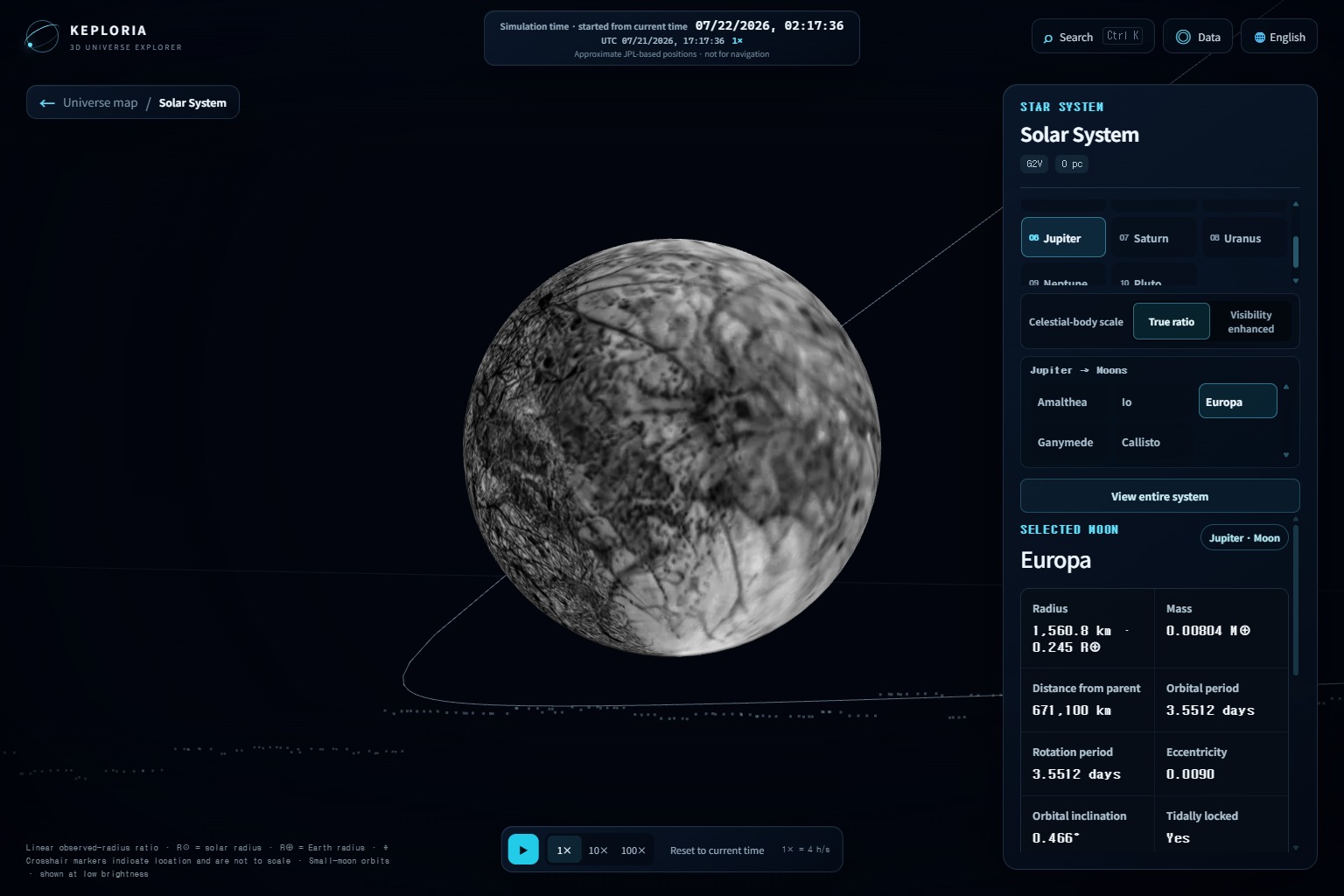
14-europa-sunlit
-
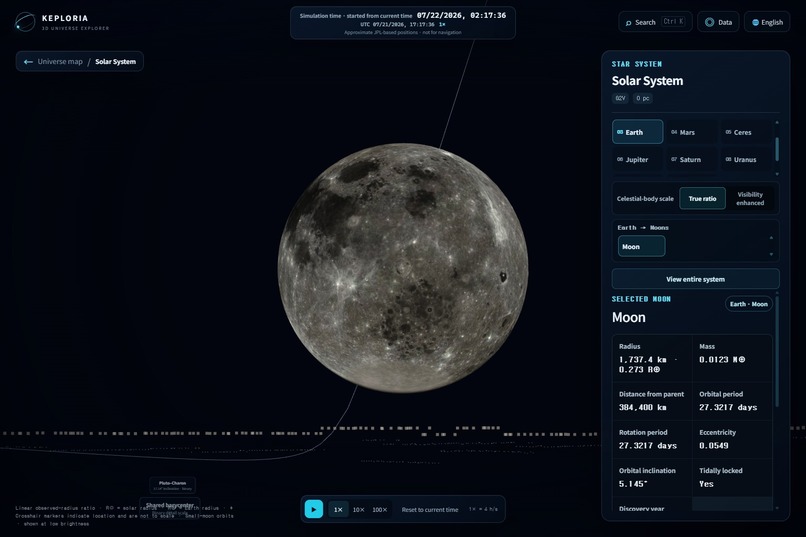
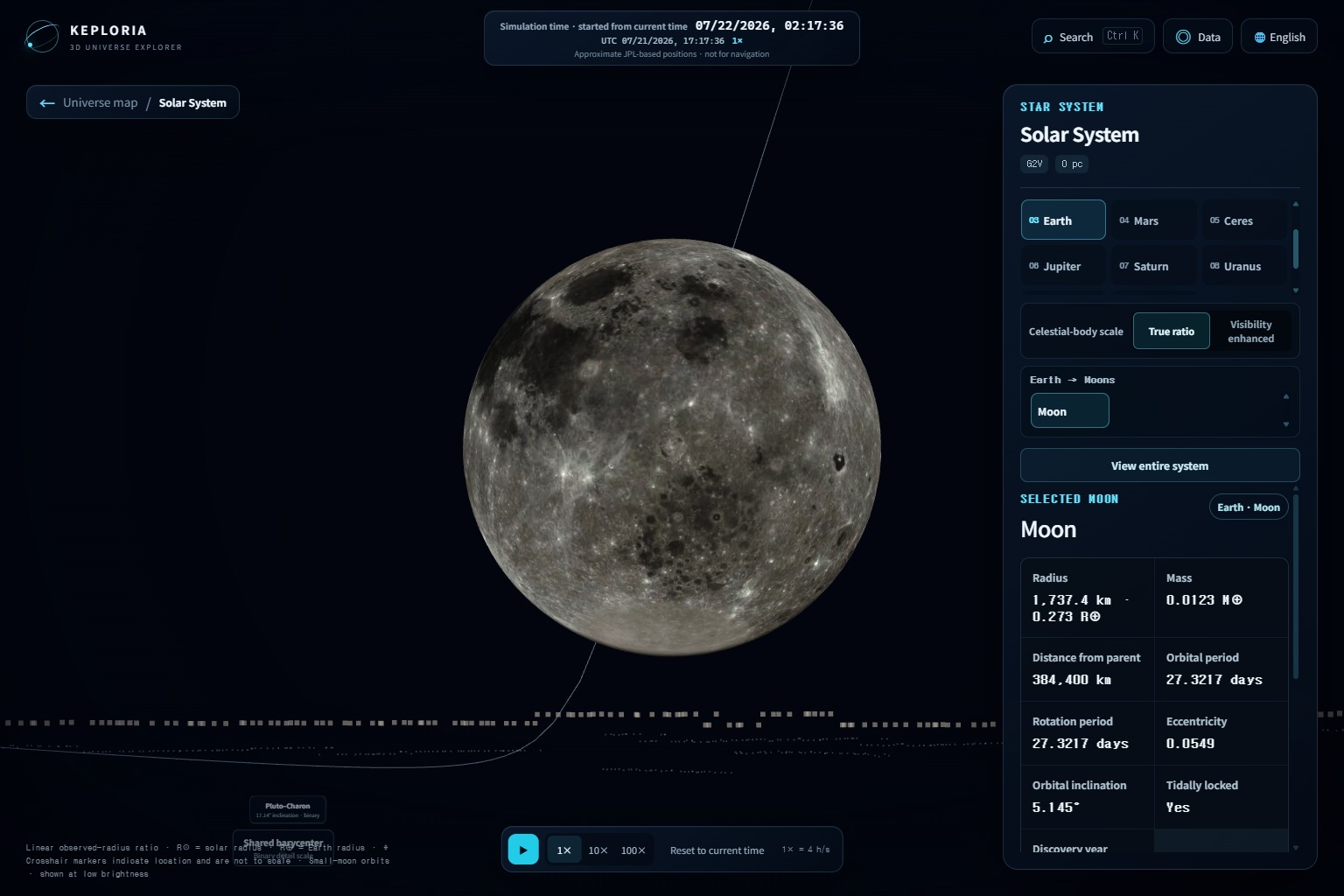
15-moon-sunlit
-
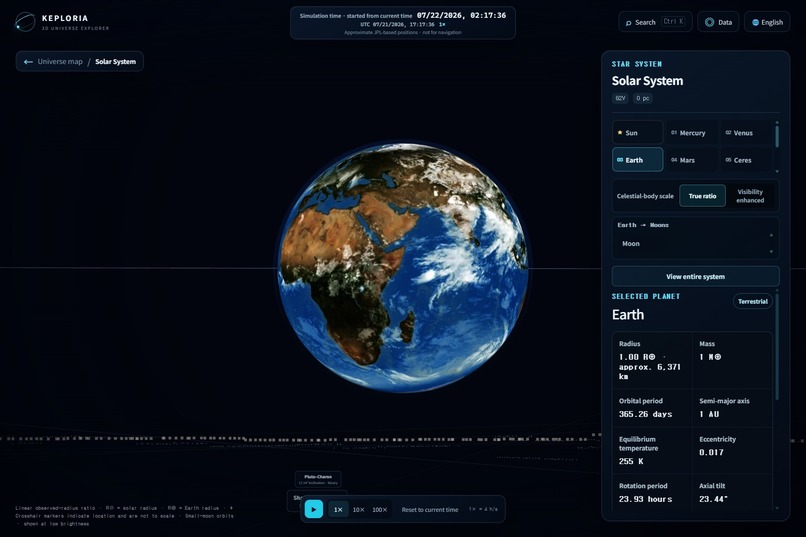
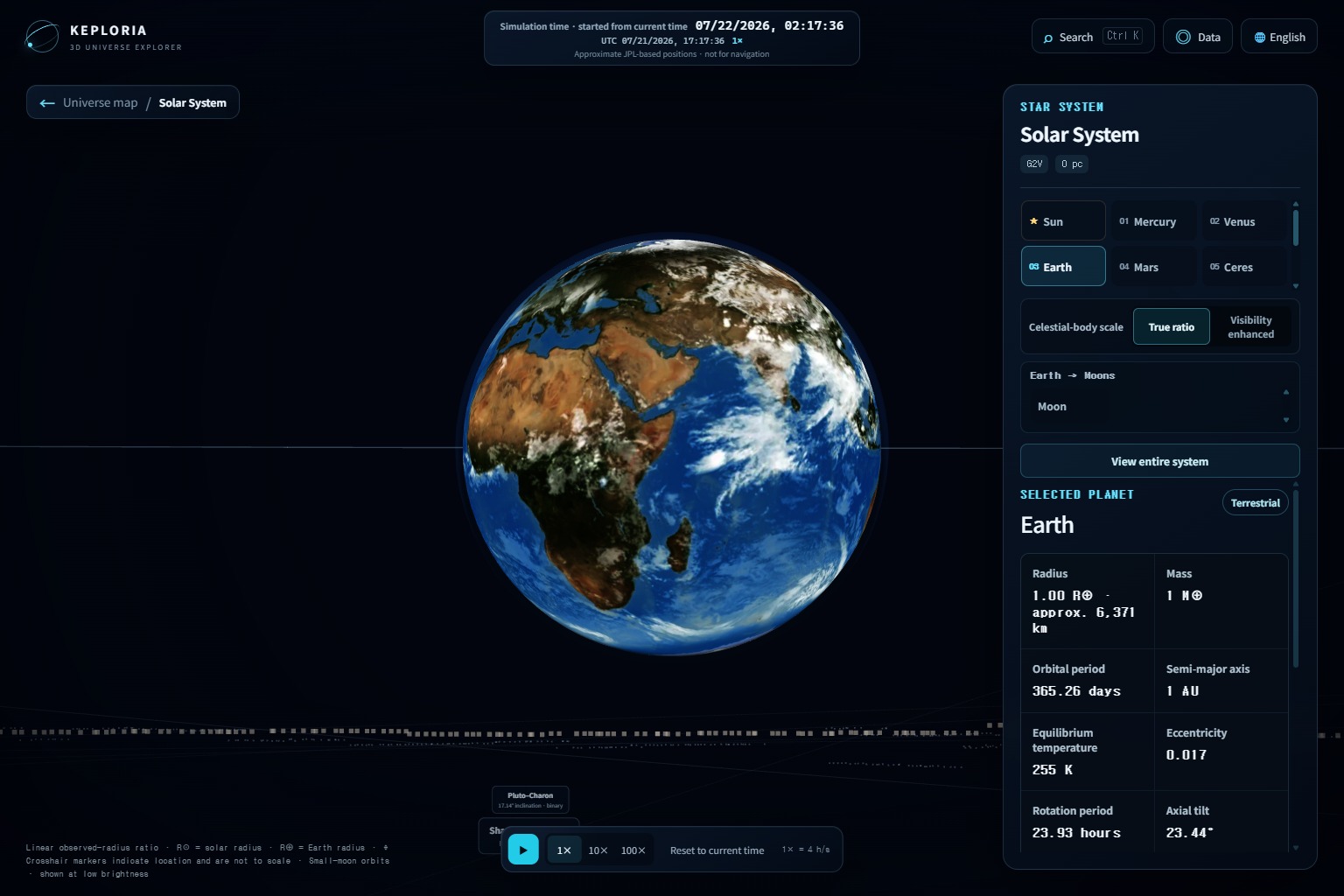
02-earth-sunlit-detail
-
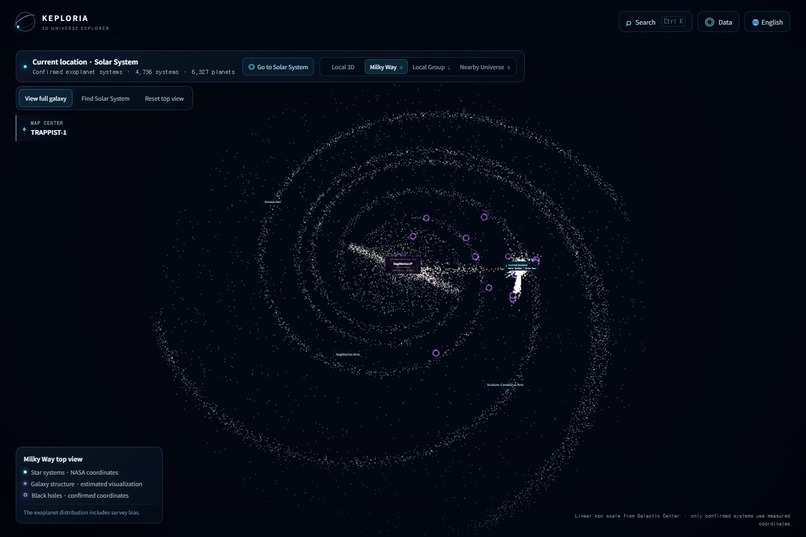
05-milky-way-map
-
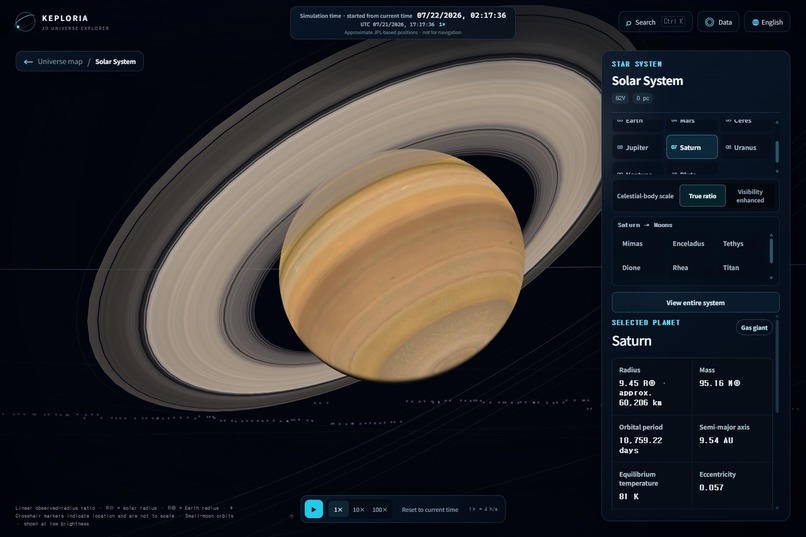
12-saturn-sunlit
Inspiration
I am not a professional developer. I recently discovered Codex and wanted to see what I could create through vibe coding.
I have always enjoyed space science fiction, and I wanted to build a tool that would let people explore the universe instead of only reading about it or looking at separate images. I thought an interactive space simulator could also help other people better understand the size, structure, and variety of the universe.
Astronomy is often taught in separate pieces: a Solar System diagram, an exoplanet table, a picture of the Milky Way, or an image of a black hole. Each one is useful, but it can be difficult to understand how they connect.
Keploria was my attempt to bring several of those scales together in one explorable desktop application.
It is not meant to simulate every object in the universe or provide research-level precision. Its purpose is to make astronomy easier to explore while being clear about which parts come from observations, catalog data, scientific models, or visual presentation choices.
Codex and GPT-5.6 were used to develop the application. Keploria does not use an AI model while the application is running.
What it does
Keploria is a Windows x64 desktop application for exploring astronomy in 3D.
The current version includes:
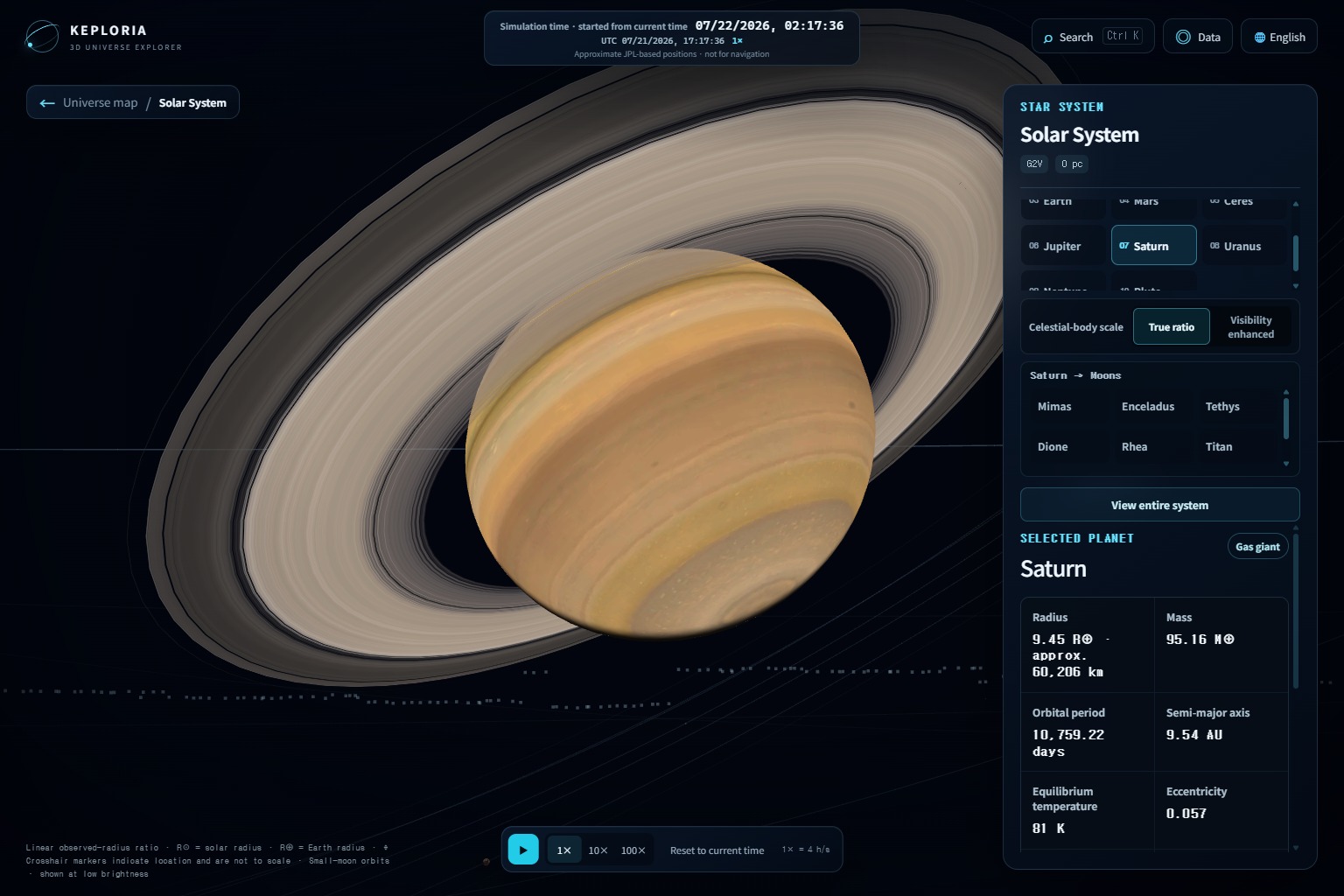
- a diagrammatic Solar System based on the current date and time;
- the Sun, eight planets, Ceres, Pluto, and 25 moons, including Charon;
- pause, 1×, 10×, 100×, and time-reset controls;
- 4,736 star systems and 6,327 confirmed exoplanets available offline;
- 24 curated nearby or well-known stars;
- search across planets, moons, exoplanet systems, stars, black holes, and nearby galaxies;
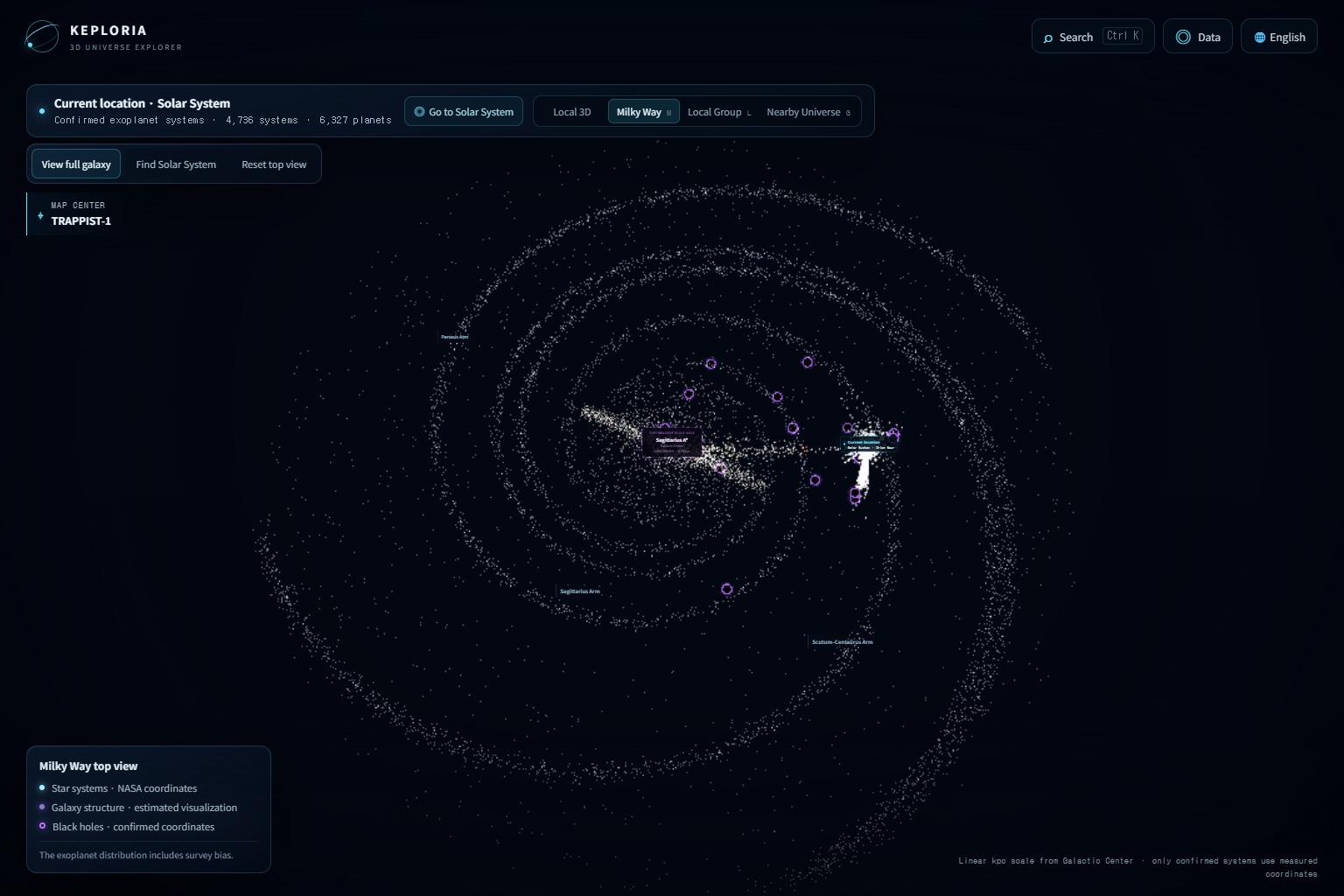
- four connected map modes: Nearby 3D, Milky Way, Local Group, and Nearby Universe;
- 30 Local Group galaxies;
- 1,200 nearby galaxies within 30 megaparsecs;
- navigation from the M87 galaxy to the M87* black-hole scene;
- 19 curated black-hole systems;
- companion-orbit overlays for 18 binary black-hole systems;
- source information, evidence levels, and scientific limitations in the object panels;
- English and Korean interface support; and
- offline operation after installation, with an optional exoplanet-catalog refresh that does not require an API key.
Keploria uses different visual scales for planets, orbits, stars, galaxies, and black holes. A single literal scale would make most objects either invisible or impossible to navigate.
The application therefore separates scientific values from display values. Solar System positions are approximate, galaxy depth may be limited or inferred, and the black-hole scenes use precomputed visualization data rather than a research-grade real-time relativistic simulation.
Keploria does not currently provide navigation-grade orbital data, full exploration inside external galaxies, macOS or Linux versions, user accounts, telemetry, or runtime OpenAI features.
How we built it
I started by asking Codex to help me build a space-exploration program using real astronomical data, including publicly available observational data from NASA and other scientific sources.
I described the experience I wanted, reviewed the results, and repeatedly asked Codex to modify the application as the project became more detailed.
Keploria was built with:
- Electron
- React
- TypeScript
- Three.js
- React Three Fiber
- Zustand
- Vite
- Electron Forge
The application separates astronomy data, coordinate transformations, navigation state, 3D scenes, and interface components.
The packaged application mainly uses bundled data. It only connects to the network when the user manually refreshes the exoplanet catalog.
During Build Week, I used Codex with GPT-5.6 in several important areas.
Expanding the universe maps
Codex helped connect data-building scripts, galaxy catalogs, coordinate conversions, navigation state, 3D scenes, search results, camera movement, and automated tests.
This work added the 30-object Local Group and the 1,200-object Nearby Universe. It also enabled navigation from M87 to the M87* black-hole scene.
Developing the black-hole scenes
I wanted the black holes to be more visually impressive than simple dark spheres.
Codex helped work on the transfer data, shaders, compositing, depth behavior, companion stars, orbital overlays, activity states, and adaptive rendering resolution.
The current black-hole visualization is designed for real-time education. It is not presented as exact Kerr ray tracing or telescope footage.
Testing and packaging
As the application became more complex, changes in one part of the project sometimes caused problems somewhere else.
Codex helped add unit tests, Electron Playwright tests, performance checks, and packaged-application startup tests.
At the audited revision, the project passes:
- strict TypeScript checking;
- 251 unit tests;
- 20 Electron end-to-end tests;
- Windows packaging; and
- one packaged-application smoke test.
I made the main product decisions myself. These included separating the Milky Way, Local Group, and Nearby Universe into different views, placing M87* behind the M87 galaxy, showing evidence levels, keeping dormant black holes from automatically displaying bright accretion disks, supporting both English and Korean, and prioritizing user-controlled navigation.
Challenges
Fixing bugs as the project became larger
At the beginning, changes were relatively easy to make. As the project became more complex, fixing one feature sometimes affected another part of the application.
There were cases where a change looked correct in the code but did not behave correctly in the actual program. I often had to ask Codex to inspect several related files, reproduce the issue, test a smaller change, and then try again.
This taught me that AI-assisted coding still requires clear instructions, testing, and human review.
Creating the black hole
One of the most difficult parts was the black-hole visualization.
I wanted to create something visually inspired by Gargantua from the movie Interstellar, especially the curved accretion-disk appearance around the black hole.
The first attempts did not look right. The disk, shadow, lensing effect, camera, and depth behavior did not work together as expected.
I tried several approaches with Codex, reviewed screenshots and test results, and repeatedly adjusted the rendering method. It took multiple iterations before the black-hole scene became stable and visually convincing enough for the application.
Making astronomical scale understandable
Planet sizes, orbital distances, stars, galaxies, and black holes exist at completely different scales.
Using one literal scale would make the application almost impossible to use. The challenge was to make each scene understandable without pretending that the display scale was physically exact.
Keploria uses separate and documented transformations for different views, and the information panels explain important limitations.
Separating observations from visual reconstruction
Astronomical catalogs may provide coordinates, distances, masses, or orbital information, but they usually do not provide complete visual appearances.
An exoplanet surface, the free-view shape of a galaxy, or a black-hole accretion disk may involve illustration or model-based reconstruction.
Keploria labels observation-based, catalog-based, inferred, and diagrammatic information separately so that the visualization does not overstate what is actually known.
GPU-sensitive rendering
Black-hole shaders, galaxy scenes, labels, camera transitions, depth, and render targets can behave differently depending on the GPU and driver.
Automated tests and diagnostic tools helped, but the current application has mainly been validated on one Windows development machine. Wider hardware testing is still needed.
Accomplishments
I am proud that I was able to build a working desktop astronomy application even though I am not a professional developer.
During Build Week, I expanded the earlier version 0.3.1 project into Keploria version 0.18.7, with dated Git commits separating the work.
The current application:
- connects several astronomical scales in one navigation system;
- works mainly offline using bundled data;
- distinguishes observations from inferred and diagrammatic content;
- includes a Windows x64 application, installer, and ZIP package;
- starts successfully from packaged data;
- passes 251 unit tests and 20 end-to-end tests; and
- includes performance and startup checks.
The most meaningful accomplishment for me was turning an idea inspired by science fiction into a real program that other people can use to explore astronomy.
What we learned
I learned that scientific visualization is not only about making something look impressive.
Scale choices, source labels, uncertainty, and caveats can affect what the user believes. A visually attractive result can still be misleading if the application does not explain what is observed and what is reconstructed.
I also learned that display scaling is part of the data model, not just a visual effect. Changing a distance or size transform changes how users understand the relationship between objects.
My most effective way of working with Codex was to keep each task specific:
- inspect the relevant system;
- explain the visible problem;
- define what a successful result should look like;
- make a limited change;
- run focused tests;
- review the result; and
- run wider tests before release.
Codex and GPT-5.6 made it possible for me to work across many connected files and technical areas. However, I still had to decide what should be built, judge whether the result was useful, and reject changes that did not match the scientific or visual goal.
What's next
The following items are planned future work and are not included in the current application:
- review the redistribution rights and attribution requirements for all third-party assets;
- code-sign the Windows installer;
- test the installation process from the exact judge download link;
- run visual and compatibility tests across more Windows GPUs;
- reduce unused black-hole assets and package size;
- add guided educational journeys and classroom materials;
- add comparison activities for astronomical scale and evidence;
- evaluate the application with students and educators;
- improve accessibility; and
- consider macOS and Linux versions after the Windows release is stable.
My long-term goal is to share Keploria freely and make it a useful starting point for people who want to understand the universe through exploration.
Built With
- codex/gpt-5.6
- electron/react/three.js


Log in or sign up for Devpost to join the conversation.