Xun Li @Foursquare
Inspiration
Kepler.gl is a popular open source project for GPU-accelerated geovisualization, rendering millions of data points, trip animations, and flow maps via simple JSON configs. However, while modern AI agents like Codex/Claude code excel at spatial data preparation, preprocessing and analysis, they lack rich mapping tools—relying instead on flat, static plots. Bridging this gap used to require tedious manual friction: exporting data/results from the agent, opening kepler.gl, and rebuilding layers by hand.
kepler.gl WebMCP eliminates that friction. Powered by the WebMCP standard, it exposes kepler.gl’s map controls directly to AI agents. Now, users can simply ask Codex(or Chrome webMCP puglin) to map their analysis and watch a live, interactive kepler.gl visualization build automatically with zero setup.
What it does
Open https://deploy-preview-3678--keplergl.netlify.app/demo in a WebMCP-enabled browser e.g. Codex browser and ask it to discover the site tools automatically. To create a map, ask in plain language and the agent composes the commands against the live map. Here are some examples:
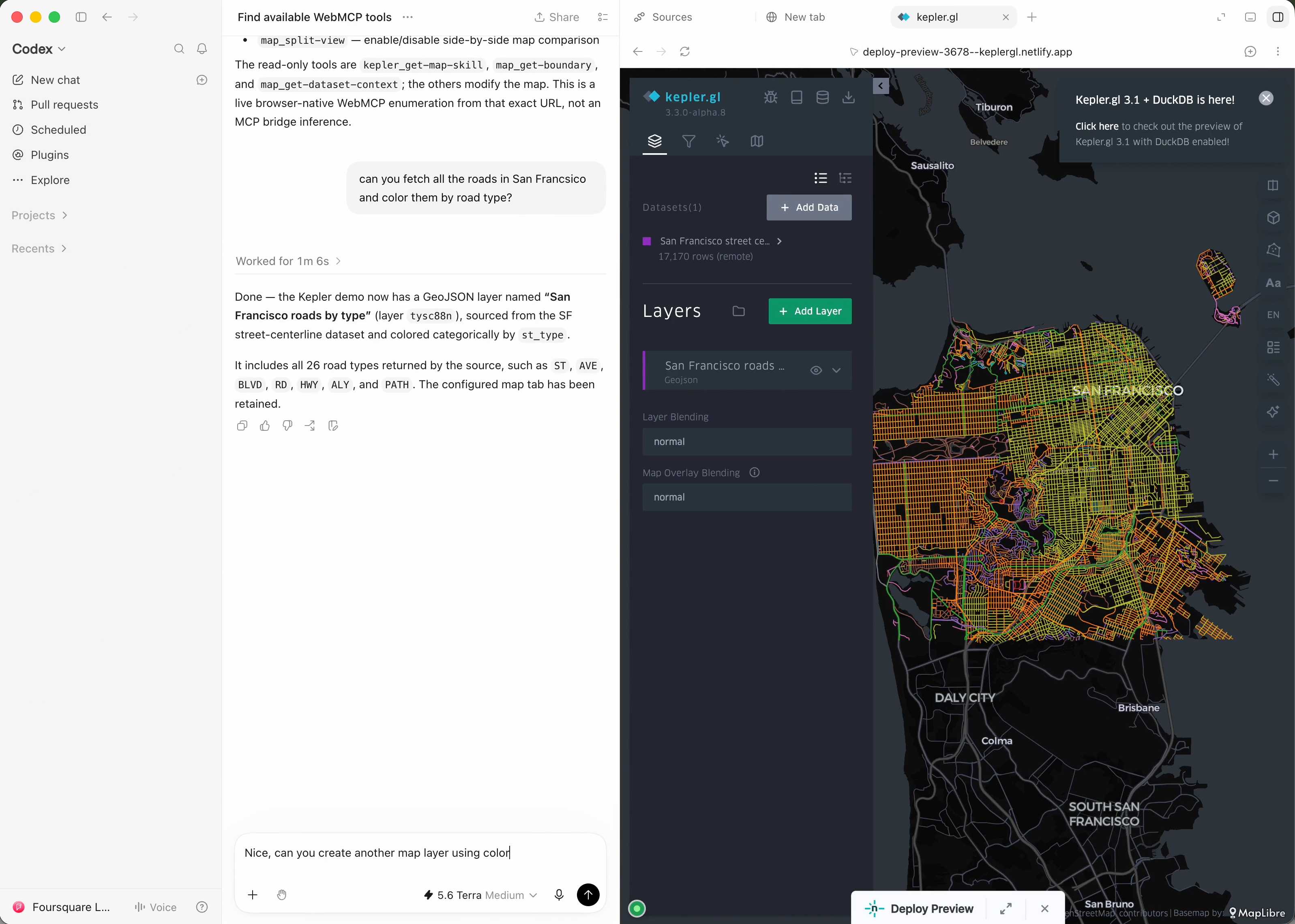
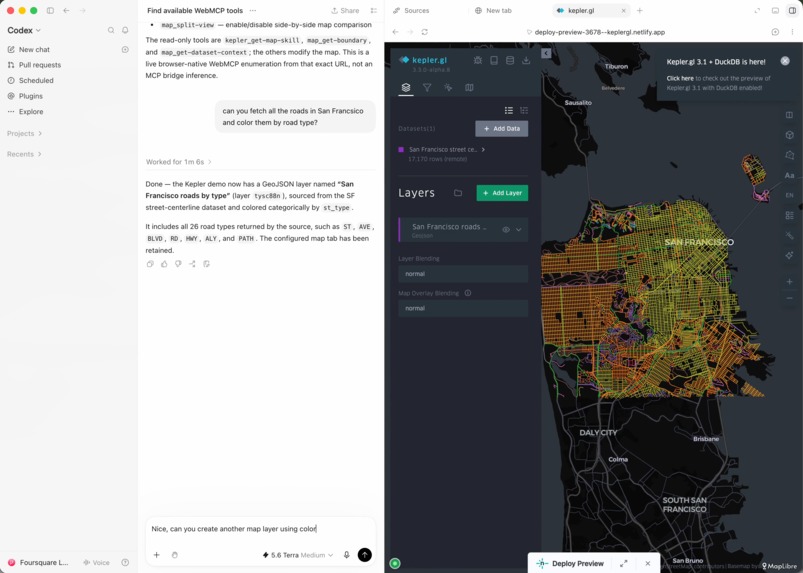
- A map from your analysis data/results, in any style you can describe. "Get all roads in San Francisco and create a map using road types. Then make two more maps: 'winter SFO' using winter theme colors, and 'Van Gogh SFO' using Van Gogh Starry Night theme colors." The agent loads the data, feed to kepler.gl, add a new map layer, colors the roads by type — the skill turns "winter" and "Van Gogh Starry Night" into proper palettes.
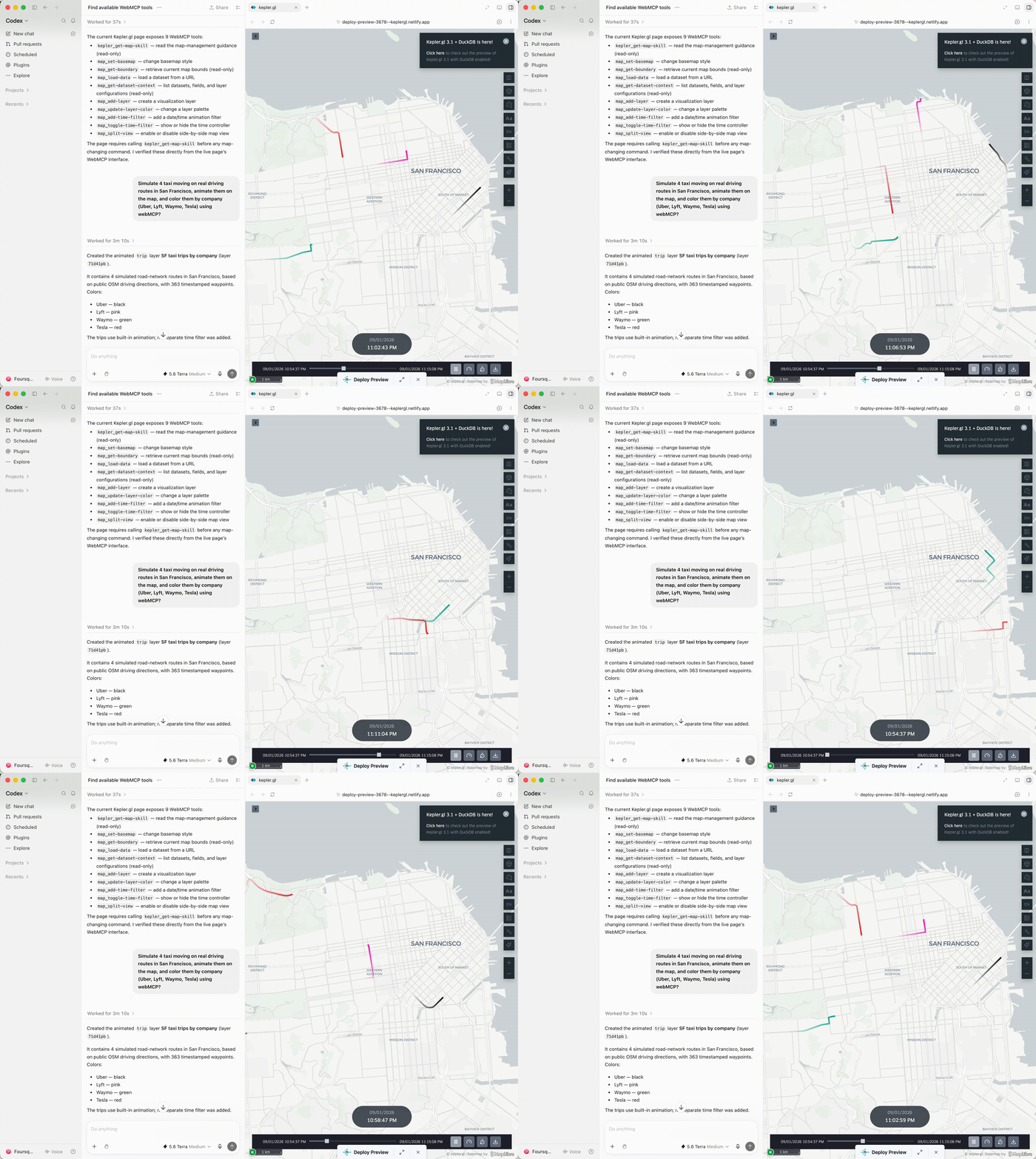
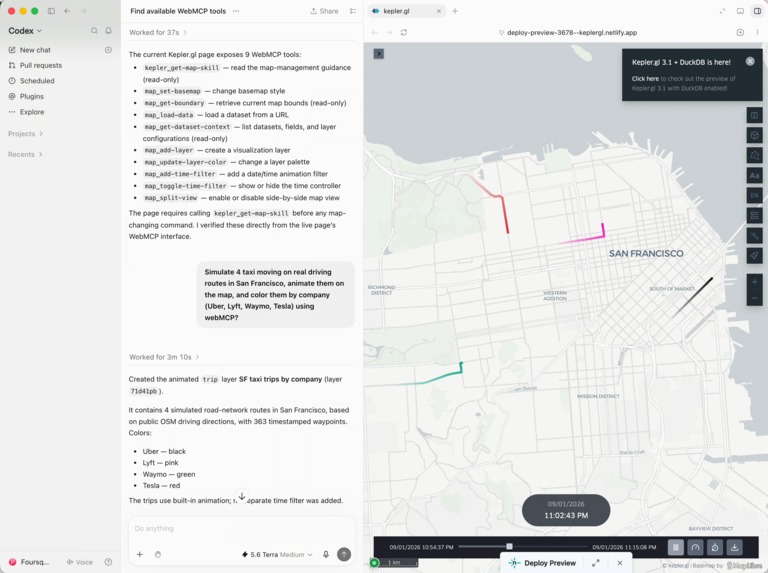
- Animation with simulation/real data semantics. "Simulate 4 taxis moving on real driving routes in San Francisco, animate them on the map, and color them by company (Uber, Lyft, Waymo, Tesla)." The agent builds a trip layer by creating real driving routes along real streets, animates it over time, and colors each taxi by its company in kepler.gl.
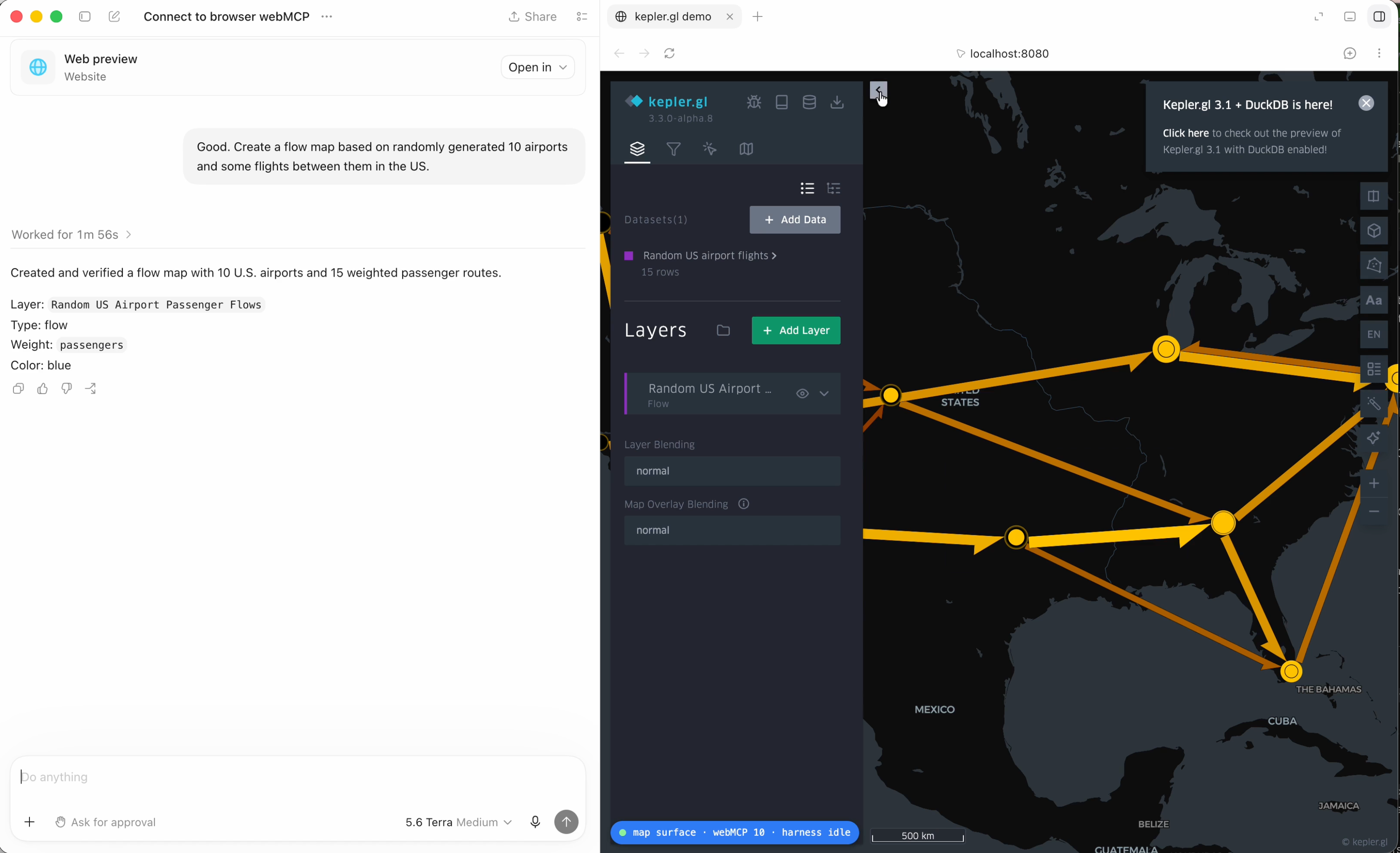
- Everyday, personal data. "Create a flow map using the geotags and timestamps of the photos in my travel folder." The skill maps this to a flow layer, turning consecutive photo locations across a trip into origin–destination movements — a daily-life use case, not an expert feature. Here is a simulation that everyone can run:
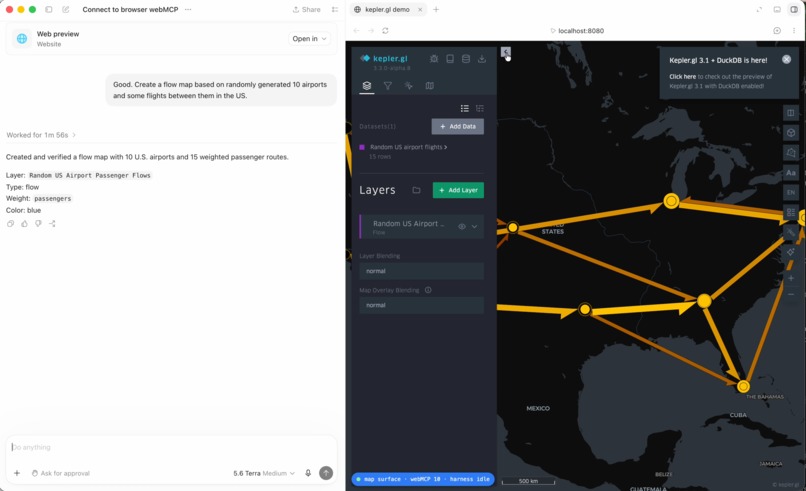
Every ask ends with a live, interactive kepler.gl map in the same browser — layers, colors, and animation all driven by the agent in real time.
How we built it
One contract, written once. Everything hangs on @kepler.gl/mcp package, which defines 12 map.* commands — data (load, save, create-table, add-column), layers (add-layer, update-layer-color), views (set-basemap, split-view, get-boundary), time filters, and dataset context.
Each command has a ZOD input schema that converts once to JSON Schema (served to both MCP and WebMCP), policy metadata (read-only hints, risk), and results formatted as human-readable text for the model, not for an API.
See the source code of kepler.gl/mcp at: https://github.com/keplergl/kepler.gl/pull/3678
Challenges we ran into
Building on a moving target. WebMCP is an evolving draft standard with active UI, permissioning, and discovery developments. We mitigated this moving specification by shipping flexible adapters for both MCP and WebMCP API endpoints.
The agent can’t see the map. Every command alters a visual surface where the ultimate source of truth is the rendered pixels. Right now, our tool outputs narrate the action taken rather than the visual result—closing that loop with screenshots and viewport deltas is our clear next step.
Accomplishments that we're proud of
The whole kepler.gl map became a callable package. We extracted a mature map surface into @kepler.gl/mcp — twelve commands, dependency-light, with the kepler skill shipping inside. The same code now runs in a chat panel (kepler.gl AI assistant), an MCP relay, and browser WebMCP.
What we learned
Correctness comes from structure, not prompting. A structure with a combination of SKILL set and a limited number of tools is better than converting every function into tool.
Write results for the model, not the API. Type-safe failures that die as an opaque UnknownError teach an agent nothing. It is better to return the details that say what went wrong to help agent work with the Kepler.gl webMCP.
What's next for kepler.gl webMCP
Close the visual loop. Let the agent see the map it's building — screenshots and viewport deltas as first-class command results — so it can verify its own work like a human would.
Publish @kepler.gl/mcp to npm so any team can embed the same callable map surface in their own site or MCP server.
Grow the ecosystem pipeline, so the "data processing → analyze → map → understand" conversation in Codex or other harness tools keeps expanding.
Xun LI @Foursquare

Log in or sign up for Devpost to join the conversation.