-
-
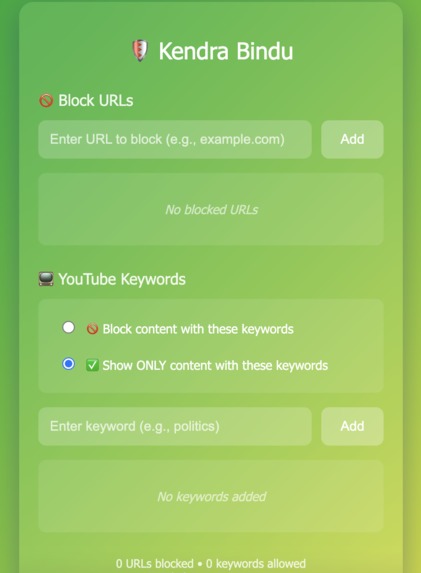
how the extension looks like
Inspiration
Students and professionals lose 4 hours daily to digital distractions. Existing tools block entire platforms, which is impractical for learning. We wanted a smarter way to remove distractions without removing useful content.
What it does
KendraBindu is a Chrome extension that helps users stay focused by blocking distracting websites and filtering specific content (like gaming videos) while allowing useful content such as tutorials. It also includes Focus Mode, reminders, and screen-time insights.
How we built it
Built as a Chrome Extension (Manifest V3) using JavaScript, HTML, and CSS. It uses declarativeNetRequest for network-level blocking and content scripts with Mutation Observer for real-time YouTube filtering.
Challenges we ran into
Handling dynamic YouTube content was challenging. We solved it using Mutation Observer to detect and filter videos as they appear.
Accomplishments that we're proud of
Created a precise distraction blocker that works offline, respects privacy, and allows learning content while blocking distractions.
What we learned
Productivity tools should focus on user intent, not just blocking platforms. Privacy-first design is also possible without cloud processing.
What's next for KendraBindu
Add AI-based content filtering, launch an Android app, and expand to more browsers.
Built With
- chrome-extension-(manifest-v3)
- chrome-notifications-api
- chrome-storage-api
- css
- declarativenetrequest-api
- git
- github
- html
- javascript
- mutationobserver


Log in or sign up for Devpost to join the conversation.