
Inspiration
I think of myself standing in the kitchen, phone in hand, scrolling past four hundred photos of dinners and dogs looking for the one shot of the fridge filter plate I'd taken six months earlier. I never found it.
That's the thing nobody seems to build for. Your camera roll has two completely different kinds of photos in it, mashed together in one stream: moments you want to relive, and information you need to retrieve. A birthday and a paint code are not the same object, but your phone treats them identically - sorted by date, findable only by scrolling. So the paint code is effectively gone the moment you take it.
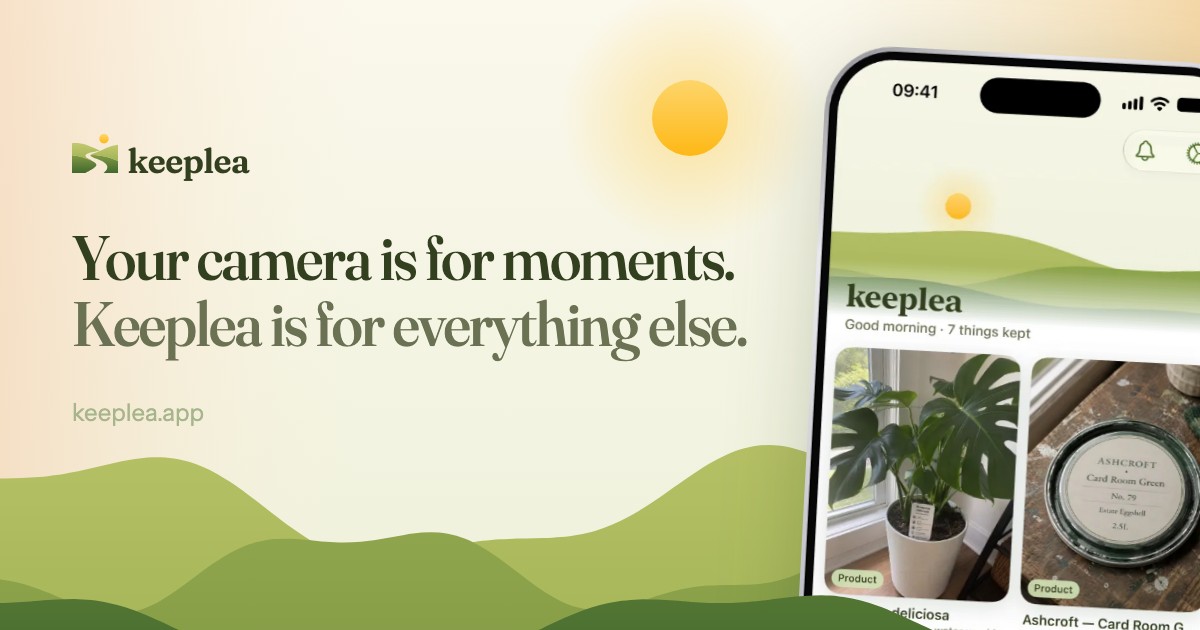
Keeplea is the second half of that split. Your camera is for moments. Keeplea is for everything else.
What it does
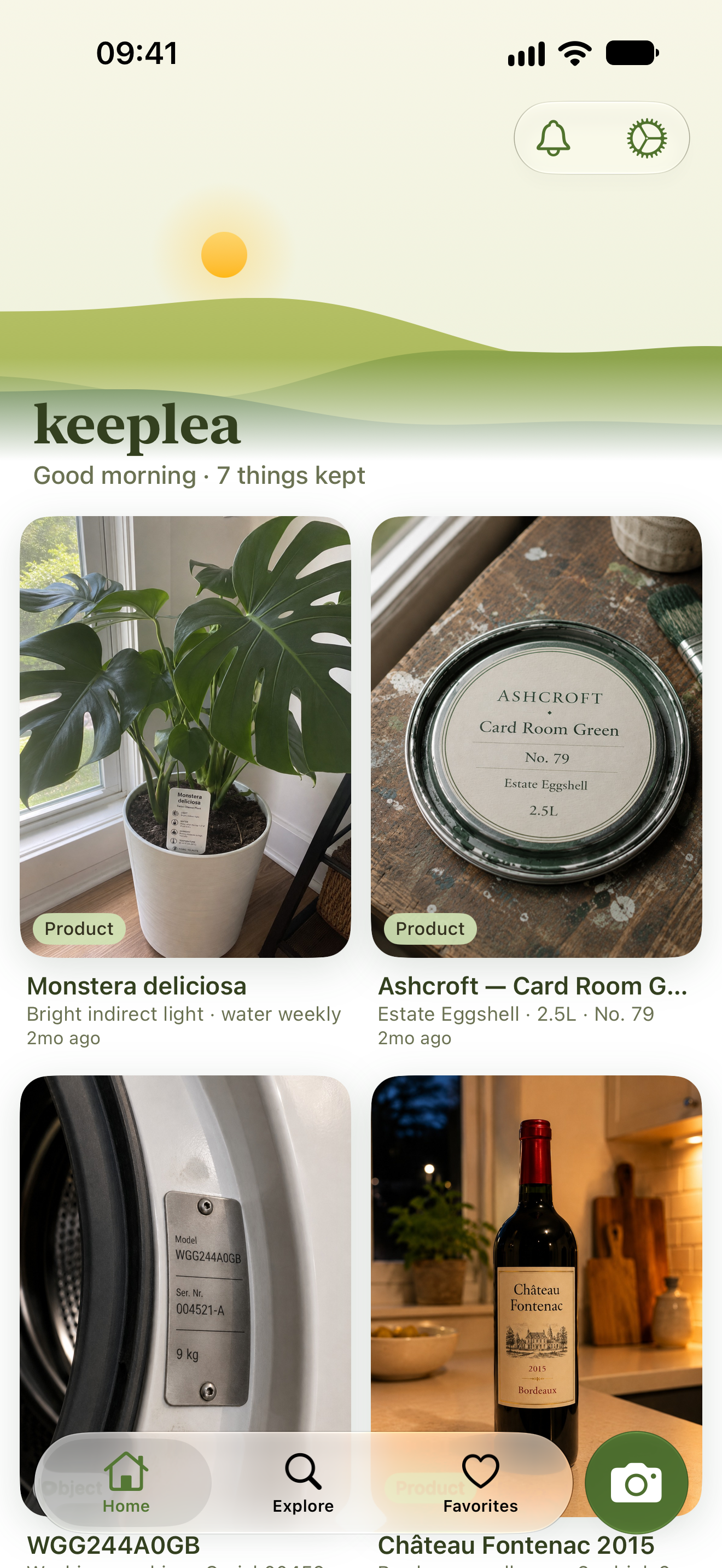
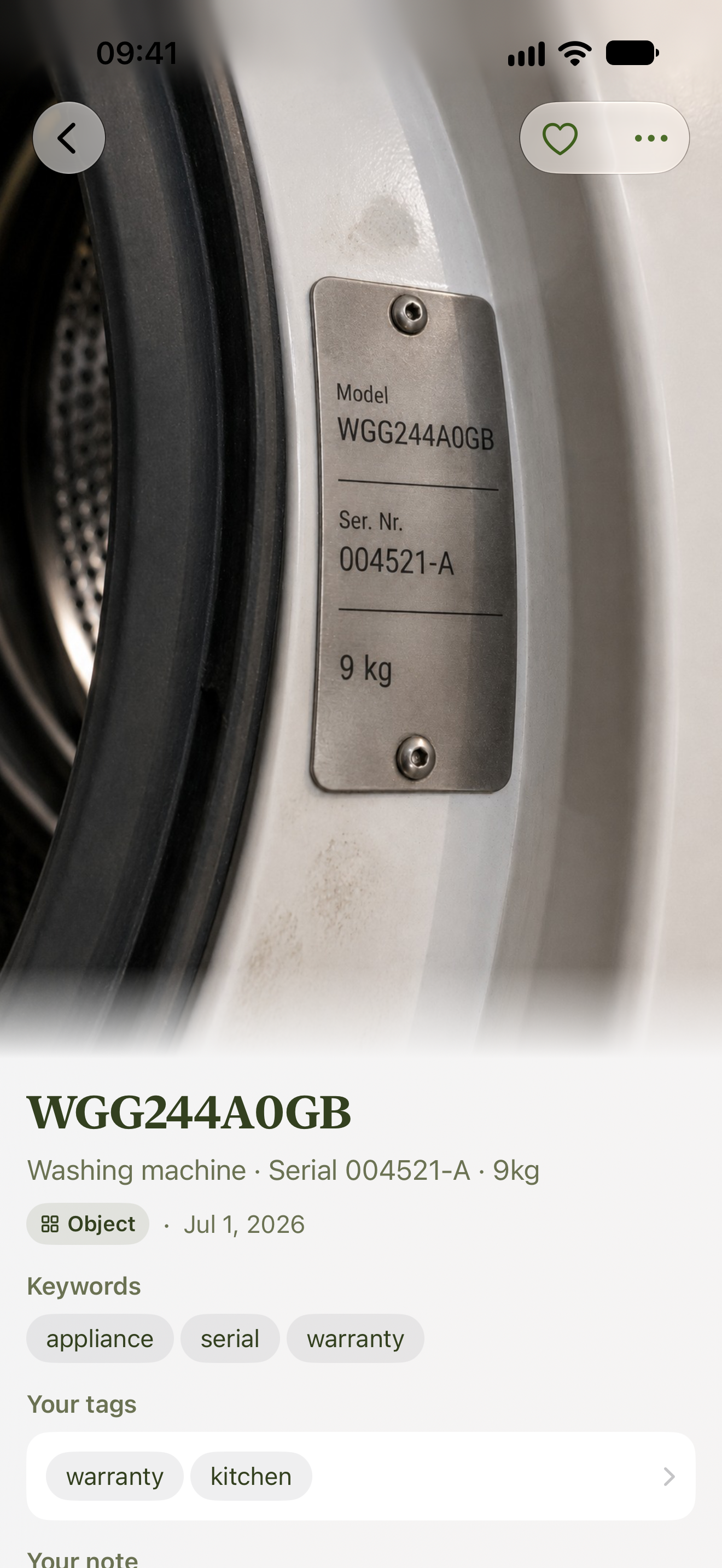
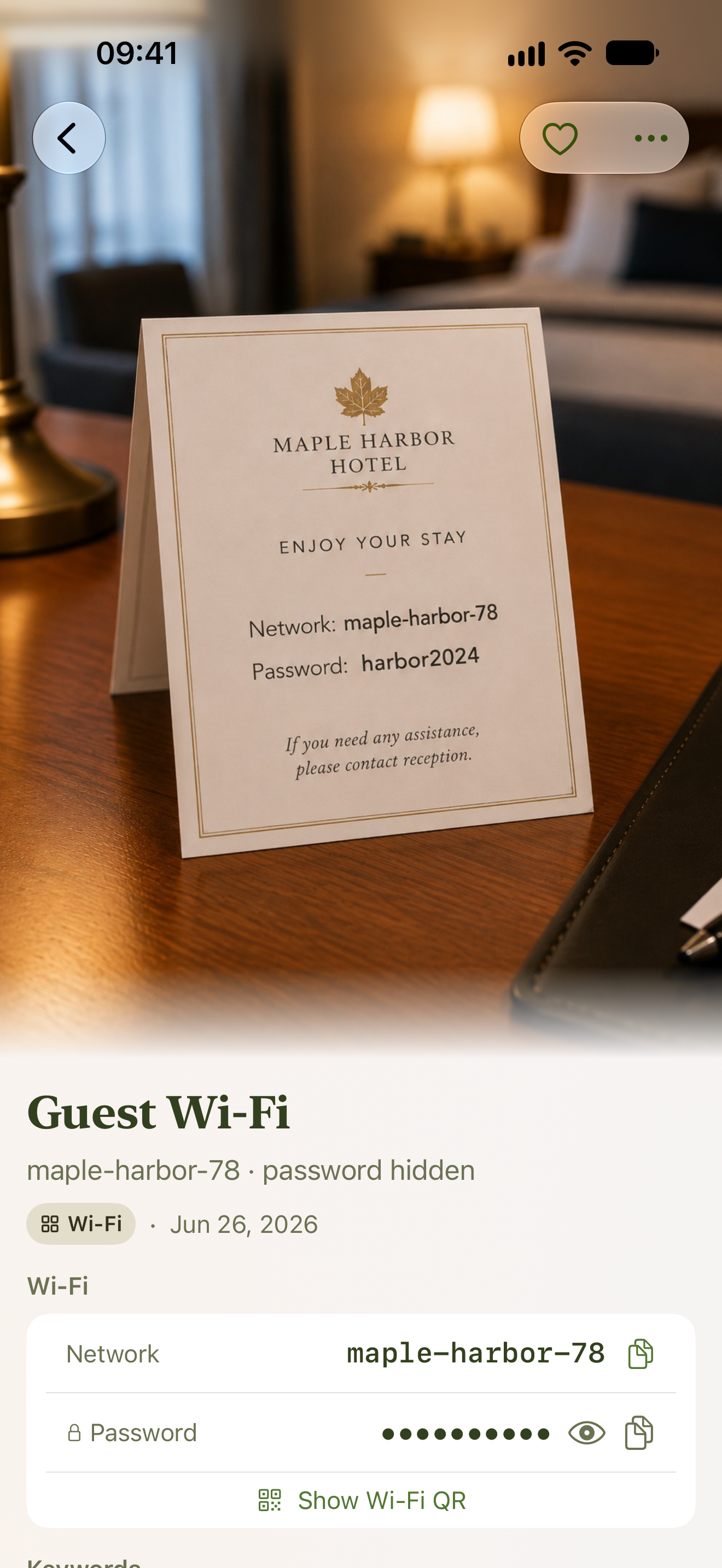
You point it at a thing you want to remember - an appliance plate, a paint bag, a wine label, a plant tag, a router sticker, a receipt - and the app works out what it's looking at. It pulls the brand, the model, the specs, the dates, whatever that particular kind of object happens to carry, and writes a rich description of it. That description is what you search, in your own words, months later.
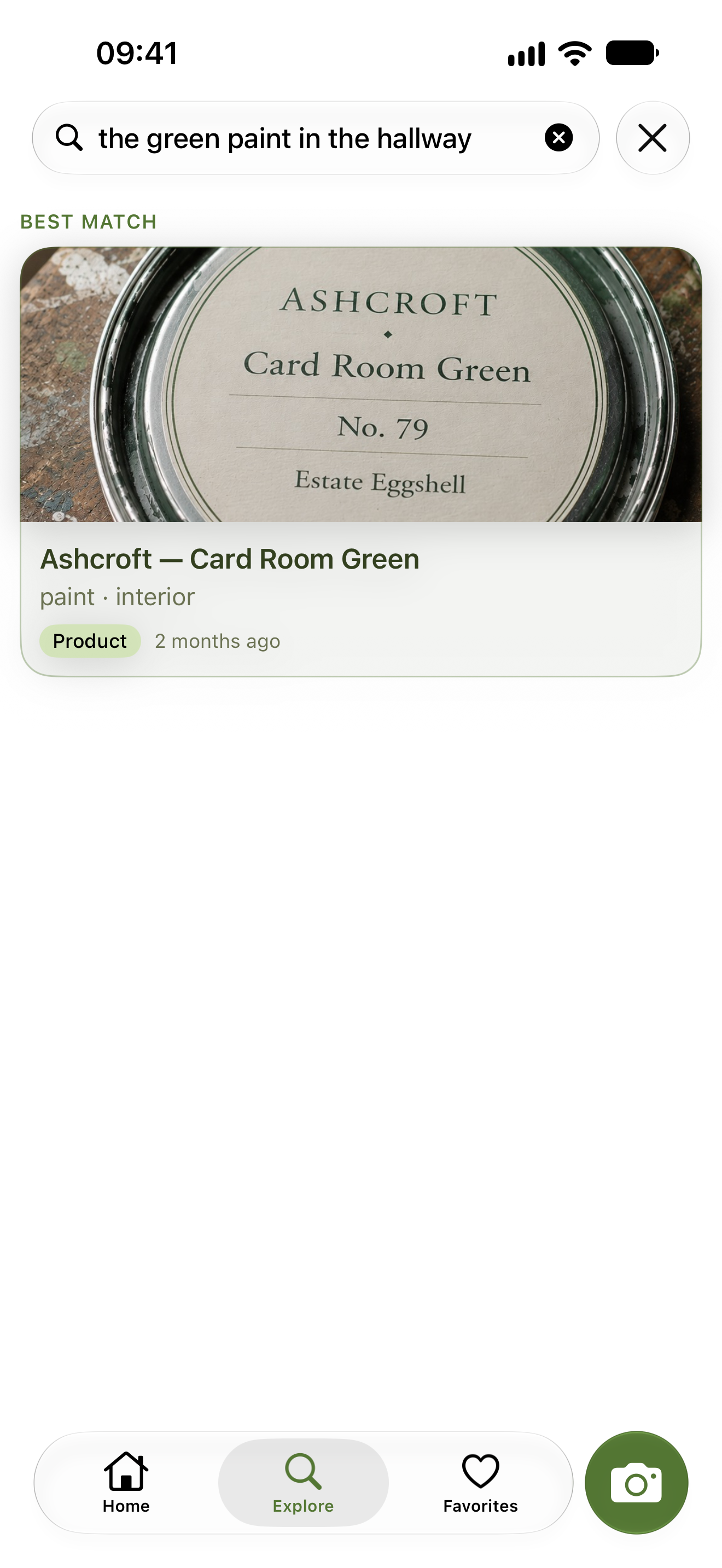
"That grey paint from the hallway" finds the paint. "The filter for the fridge" finds the plate, with the part number already lifted onto the card so you never have to squint at the photo.
Two other ways in matter as much as the camera:
- Share a PDF into it - a boarding pass, a concert ticket, a hotel booking. It reads a ticket the same way it reads a photo, so the ticket becomes something you can ask for instead of a file in Downloads.
- Scan paper with the phone's own document scanner. A multi-page document stays one thing you kept, rather than exploding into nine unrelated ones the way page-by-page photos used to.
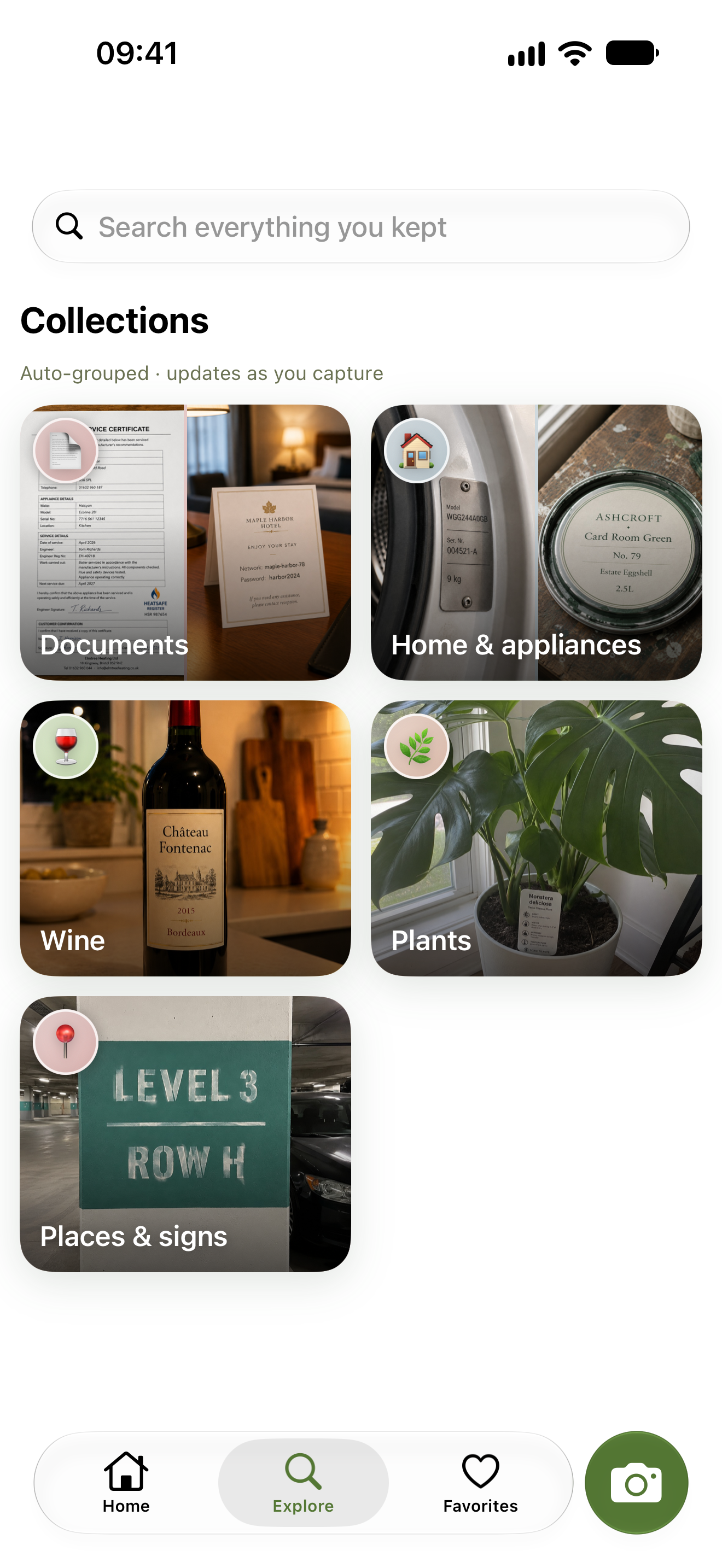
Browse doesn't use folders, and it doesn't use a fixed list of categories either. The shelves group themselves by what your things actually are, and they regroup as the library grows - five receipts sit on one shelf, three hundred split themselves into groceries, hardware and travel. You never file anything. That is the whole point.
How I built it
One shared brain, two native apps. Everything that thinks - the models, the capture flow, search, billing - is written once in Kotlin Multiplatform. Everything you touch is written twice: SwiftUI on iOS, Jetpack Compose on Android. An app that lives inside the camera and the share sheet has to feel like it belongs to the phone it's running on, so the iOS build follows Apple's guidelines and the Android build follows Material 3, and neither is a port of the other.
A backend that does the reading. A capture goes up to Firebase, Gemini reads it and writes out what the thing is, and that description gets indexed for search. Searching happens on the server, not on the phone. There's one search box and one kind of answer: your things, ranked. The app never asks you to pick a mode.
Subscriptions through RevenueCat, verified on the server. RevenueCat runs the purchases and the paywall on both platforms from the same shared code. But the app never gets to decide whether you're a subscriber: RevenueCat tells my backend, my backend writes that onto your account, and the phone, the database rules and the server all read the same answer. Prices live in the repo as files, so changing one is a reviewable diff.
Challenges I ran into
The category list that couldn't exist. The first design sorted every item into a curated category, and browsing was a filter over it. That breaks the instant you promise to accept anything. You can't list the world in advance, the long tail all lands in "other", and the label locks an item's shelf at the moment you shot it. Replacing the whole taxonomy with shelves that form themselves meant rebuilding how browsing works, and it's the single best decision in the app.
Cutting the feature everyone expects. There was going to be an Ask mode: you ask a question, the AI writes you an answer. I killed it. The facts printed on an object are already lifted onto its card, so an answer mostly re-reads what the app had already stored - and it was the only feature capable of failing by lying. Bad ranking is visibly bad. A confident wrong answer, in an app whose entire claim is that it remembers correctly, is invisibly wrong.
Keeping two native apps honest. Every screen exists twice, every string exists twice, and I hold back the Kotlin version to whatever the iOS bridge supports rather than taking whatever shipped last week. Worth it - but it is a real tax.
What I learned
Search quality is mostly a reading problem. Once the app describes each thing well enough, finding it stops being hard - a personal library is a few hundred items, not a few hundred million, and nothing exotic is needed to search it.
The other lesson is subtractive. Two of this app's best decisions - no Ask mode, no category list - were deletions.
What's next for Keeplea
Digging into the shelves, and narrowing by brand, by expiry, by where a thing lives. Reminders, so an expiring warranty finds you instead of waiting to be searched for. And shared spaces, so a household can point at the same boiler.

Log in or sign up for Devpost to join the conversation.