Inspiration
What it does
How we built it
Challenges we ran into
Accomplishments that we're proud of
What we learned
What's next for Keep or Return
The problem
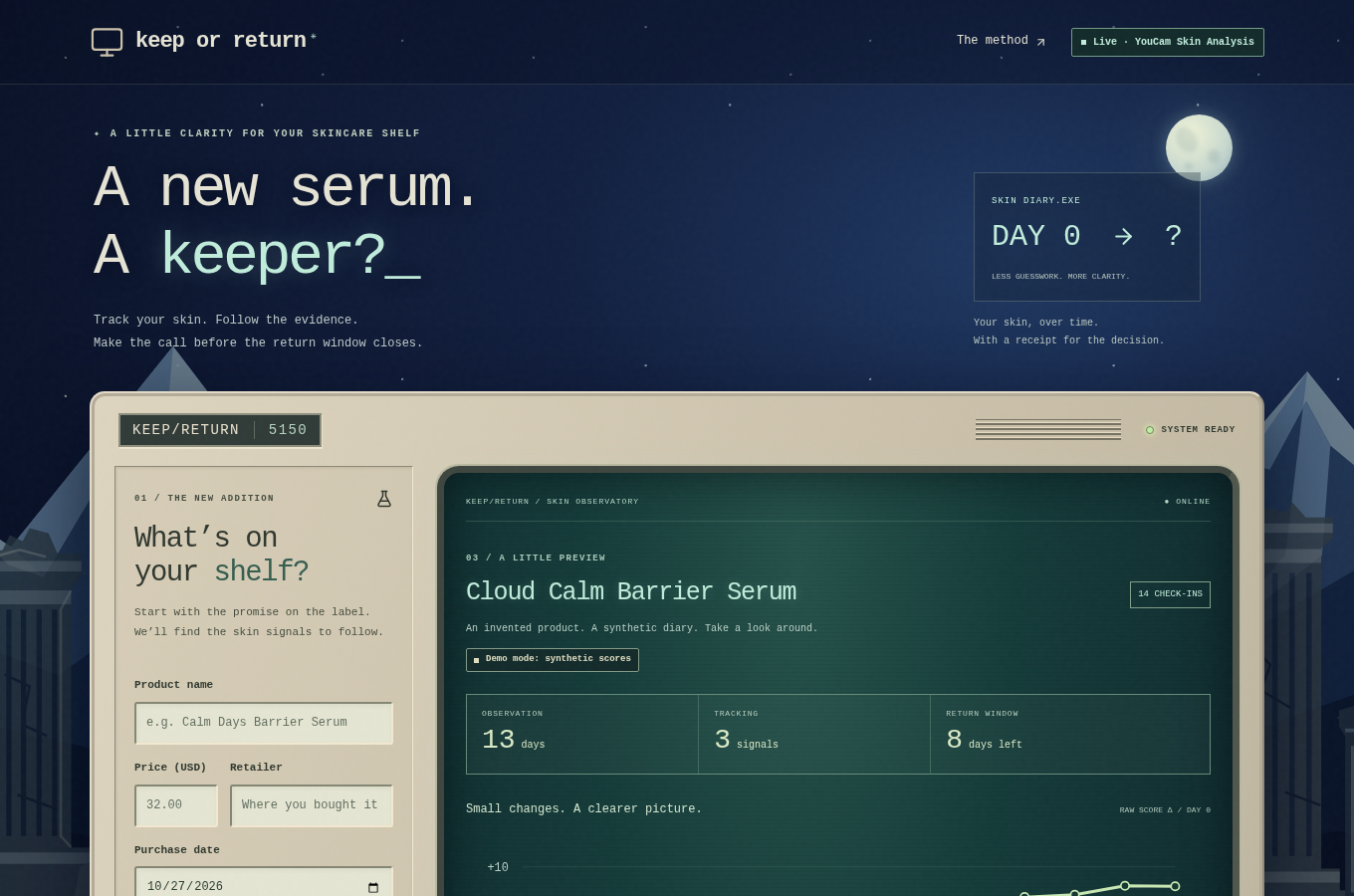
You buy a serum. The return window is 30 days. Skincare changes are small and slow, and your mirror is bad at small and slow. So the window closes before you know, and you keep products by default.
That's a problem for the shopper, who keeps what doesn't work. It's also a problem for the store, which gets returns that are guesses either way.
What it does
Keep or Return turns the return window into a short, measured trial.
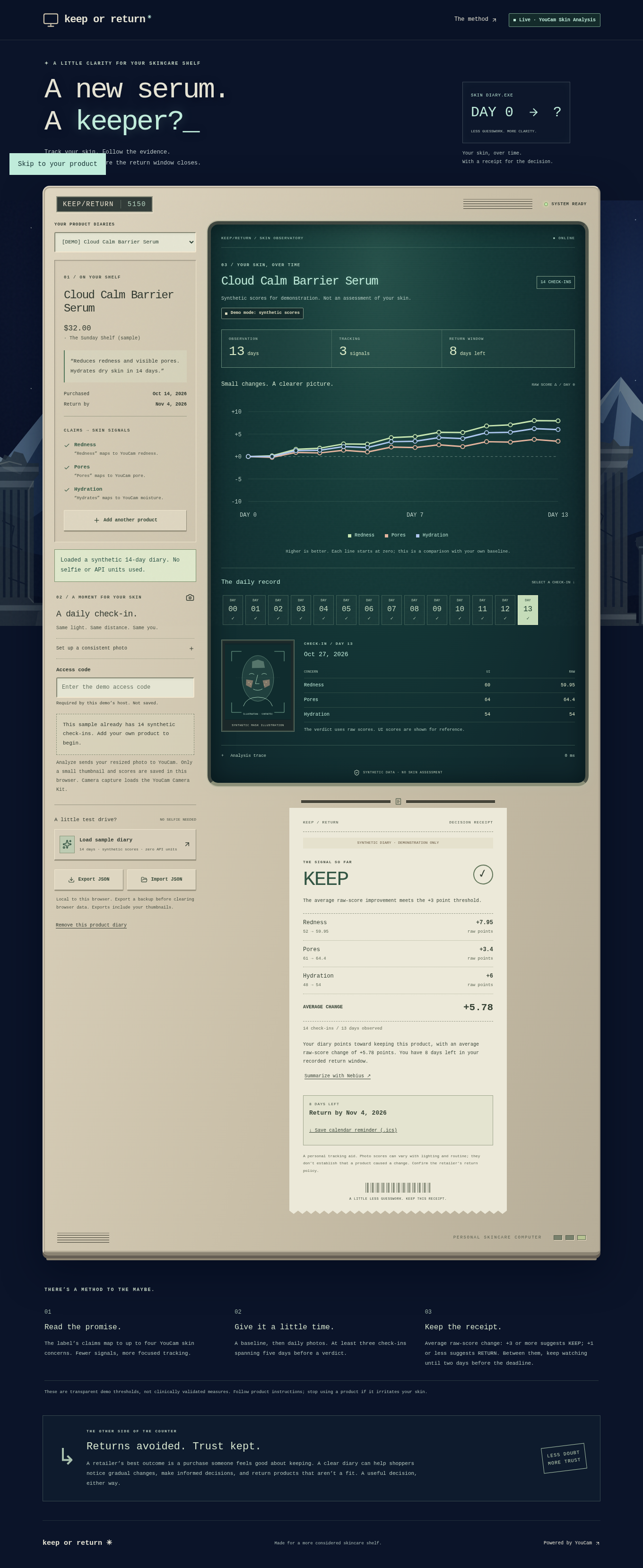
- Start with the label. You type the product, price, retailer, purchase date, return deadline, and what the label promises. The app maps the promise to up to four YouCam skin concerns. "Reduces redness and visible pores, smoother texture, fewer breakouts" becomes redness, pore, texture and acne.
- Take a baseline, then one photo a day. Use YouCam's Camera Kit in skincare mode, or upload a photo. Each check-in goes to the YouCam Skin Analysis API and comes back with a score per concern.
- Watch your own baseline. A chart shows the change in each concern from day 0. Every day is saved as a record you can open.
- Get a receipt. After at least 3 check-ins across 5 days, the app prints a decision receipt. Average raw-score gain of +3 or more: KEEP. +1 or less: RETURN. In between: keep watching, or RETURN if the deadline is 2 days away.
- Don't miss the deadline. The receipt counts down the days left and saves a calendar reminder (.ics) that alerts you 2 days before.
The diary stays in your browser. Only scores and a small thumbnail are kept. There are no accounts and no database.
How we built it — YouCam APIs used
All YouCam calls happen on the server, so the API key never reaches the browser. Host: https://yce-api-01.makeupar.com, Bearer auth. Code: src/lib/youcam.ts.
POST /s2s/v2.0/file/skin-analysisreserves an upload and returns afile_idand a signed upload URL.PUTthe JPEG bytes to that signed URL. The YouCam key is not sent to the upload host.POST /s2s/v2.0/task/skin-analysisstarts the task withsrc_file_id, up to four SDdst_actions(the concerns from the label),miniserver_args: { enable_mask_overlay: true }andformat: "json".GET /s2s/v2.0/task/skin-analysis/{task_id}polls every 2 seconds, for up to 60 seconds, until the scores are ready.
We parse ui_score, raw_score and mask_urls per concern and skip the aggregate all, skin_age and resize_image entries. A test runs the parser against a real, redacted API response. One real call in our trace took about 5.4 seconds end to end: reserve 643 ms, upload 402 ms, start 171 ms, scores 4,170 ms.
YouCam Camera Kit (https://plugins-media.makeupar.com/v2.2-camera-kit/sdk.js) loads only when you tap "Use camera". It runs with faceDetectionMode: "skincare" and imageFormat: "base64", and the app saves the frame from faceDetectionCaptured. Code: src/components/camera.tsx. Photo upload stays as a fallback.
The rest: Next.js 16 and React 19 with TypeScript, deployed on Vercel. Photos are resized to at most 1600 px and converted to JPEG in the browser before upload. The verdict is deterministic code (src/lib/verdict.ts), not a model. An optional two-sentence summary uses Nemotron on Nebius and only sees the verdict numbers; if it's off, a template writes the summary. 94 tests cover the YouCam flow, the parser, the verdict, the routes and the .ics file.
Challenges
- Scores move with light. A photo-based score is noisy. So the verdict uses raw scores (finer than UI scores), compares each concern against your own day 0, and leaves a gap between +1 and +3 where it says "keep watching" instead of guessing. The app asks for the same light and distance every day.
- The face has to be big enough. YouCam rejects faces that cover too little of the frame. We turn that error, and the dark-lighting and no-face errors, into plain retake instructions instead of a dead end.
- The real response shape. Real responses include aggregate entries next to the per-concern scores. We captured one, redacted it, and wrote a test against it.
- Protecting a public demo. Live scans spend real API units, so the live route needs an access code and has a daily cap and a per-IP limit.
What we're proud of
- It answers one question a shopper actually has, with a date attached.
- The verdict rule is simple enough to print on a receipt, and it is.
- No account, no database. Photos pass through our server to YouCam for scoring and aren't stored; the diary keeps only scores and a small thumbnail.
What we learned
Most skin analysis apps give you a score. A single score doesn't help you decide much. A score over time, against your own baseline, inside a deadline, does.
What's next
- Let stores offer it at checkout, so a "try it for 30 days" promise comes with a way to measure it.
- Reminders by email or push, not just a calendar file.
- Before/after mask overlays side by side for each concern.
Try it without a selfie
Open the live app and click Load sample diary: 14 synthetic daily check-ins, the chart, the KEEP receipt and the calendar reminder, with no access code needed. Live scans need an access code (shared with judges privately).
Built With
- nebius
- next.js
- react
- tailwind-css
- typescript
- vercel
- vitest
- youcam-camera-kit
- youcam-skin-analysis-api

Log in or sign up for Devpost to join the conversation.