-
-

Header
-
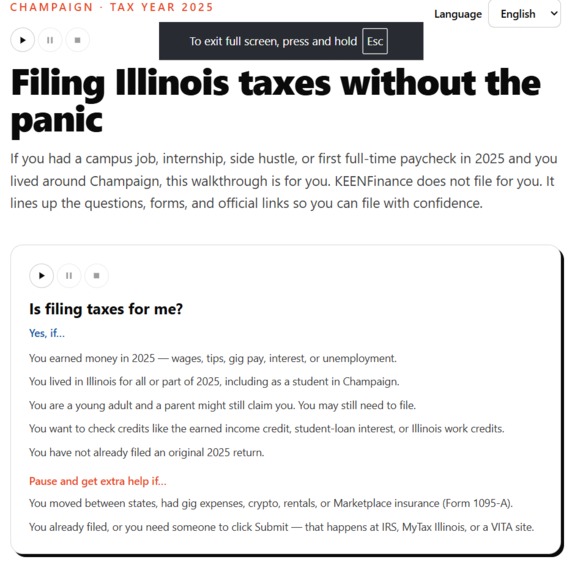
User Call
-
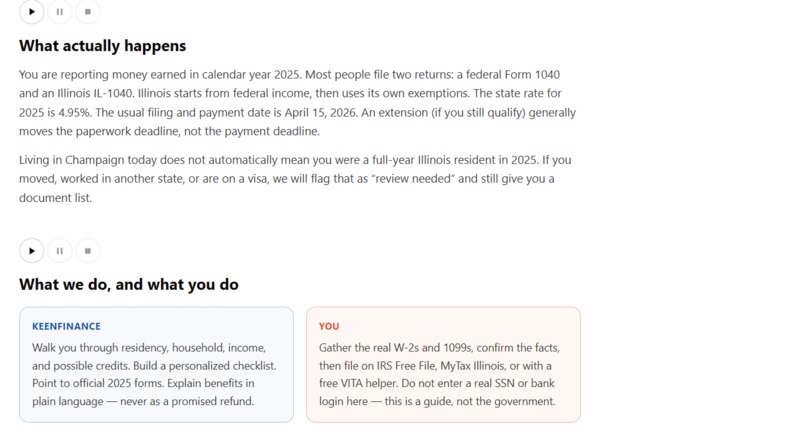
Website explanation
-
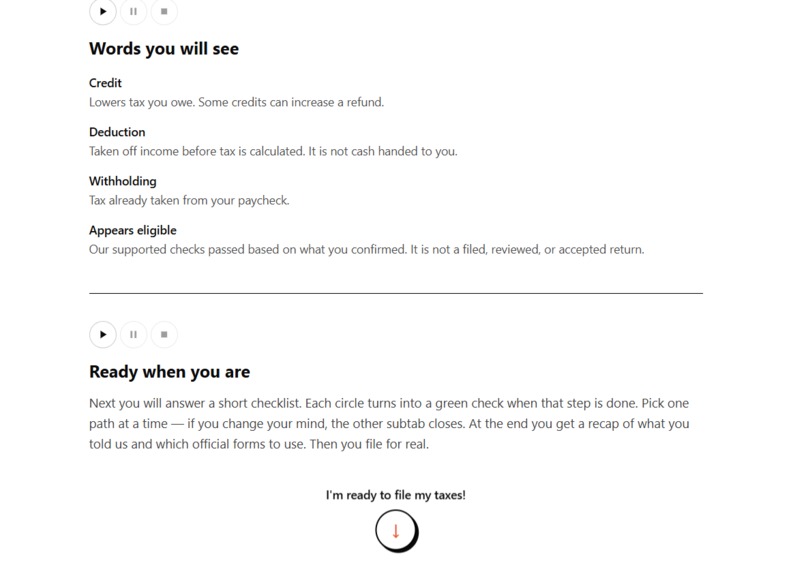
Tax wording explantion
-

Translator
-
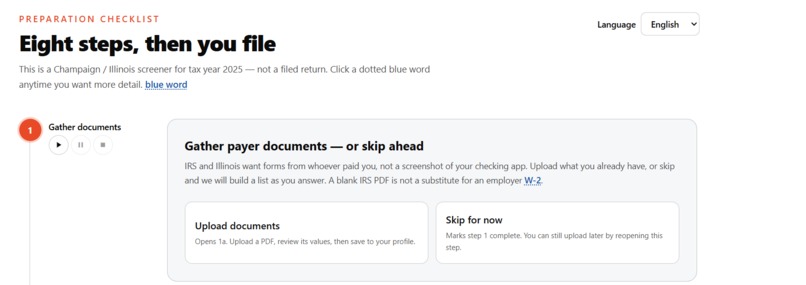
Step 1
-
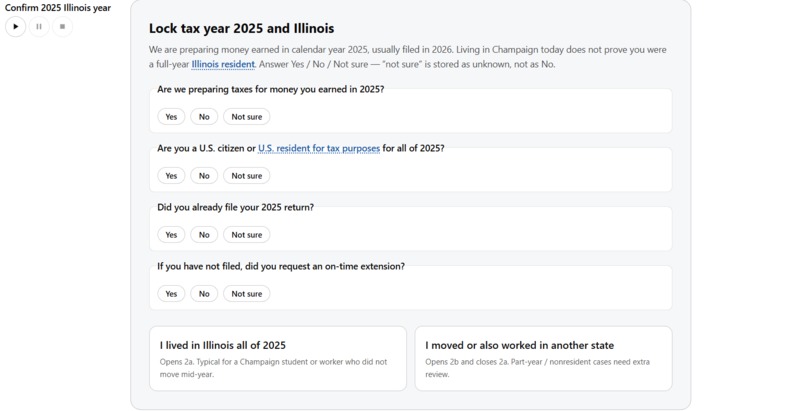
Step 2
-
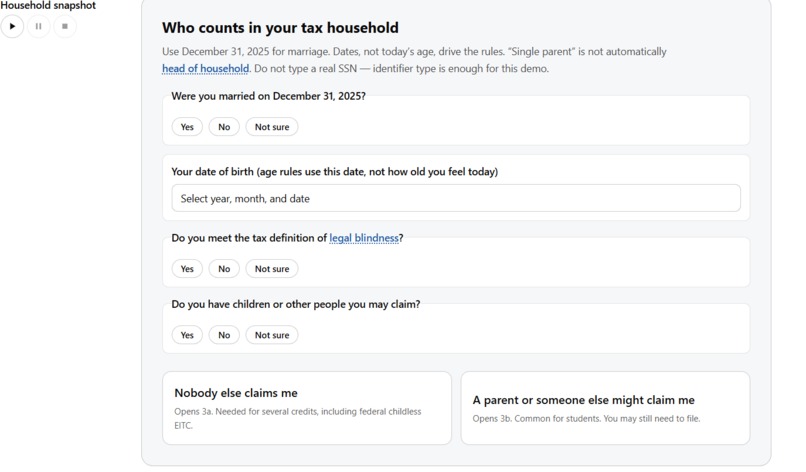
Step 3
-
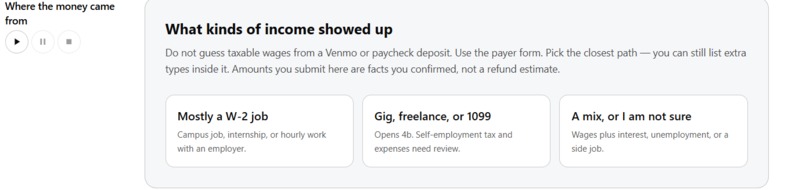
Step 4
-
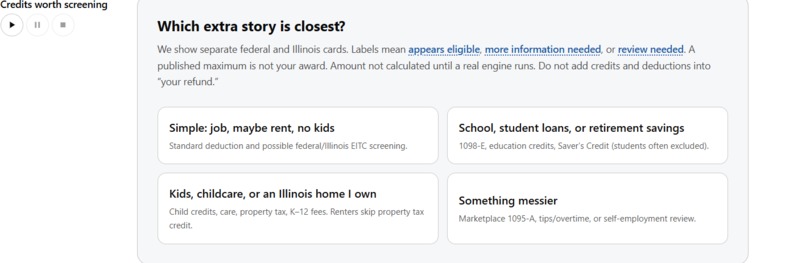
Step 5
-
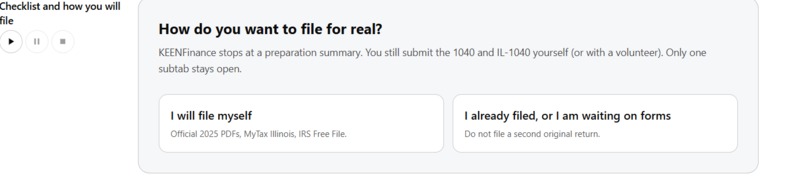
Step 6
-
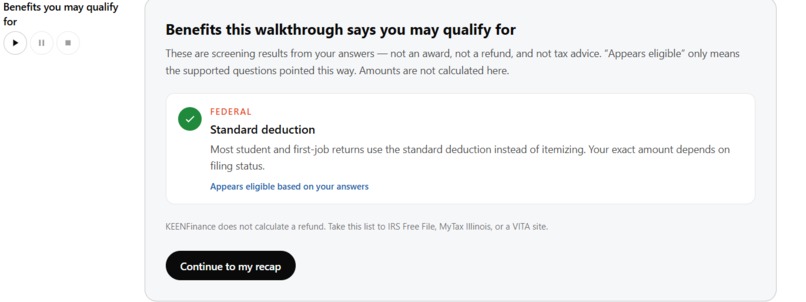
Step 7
-
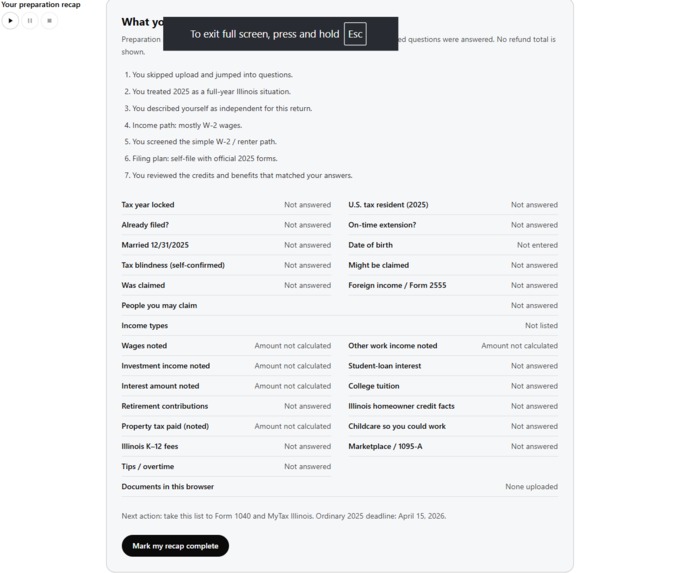
Step 8

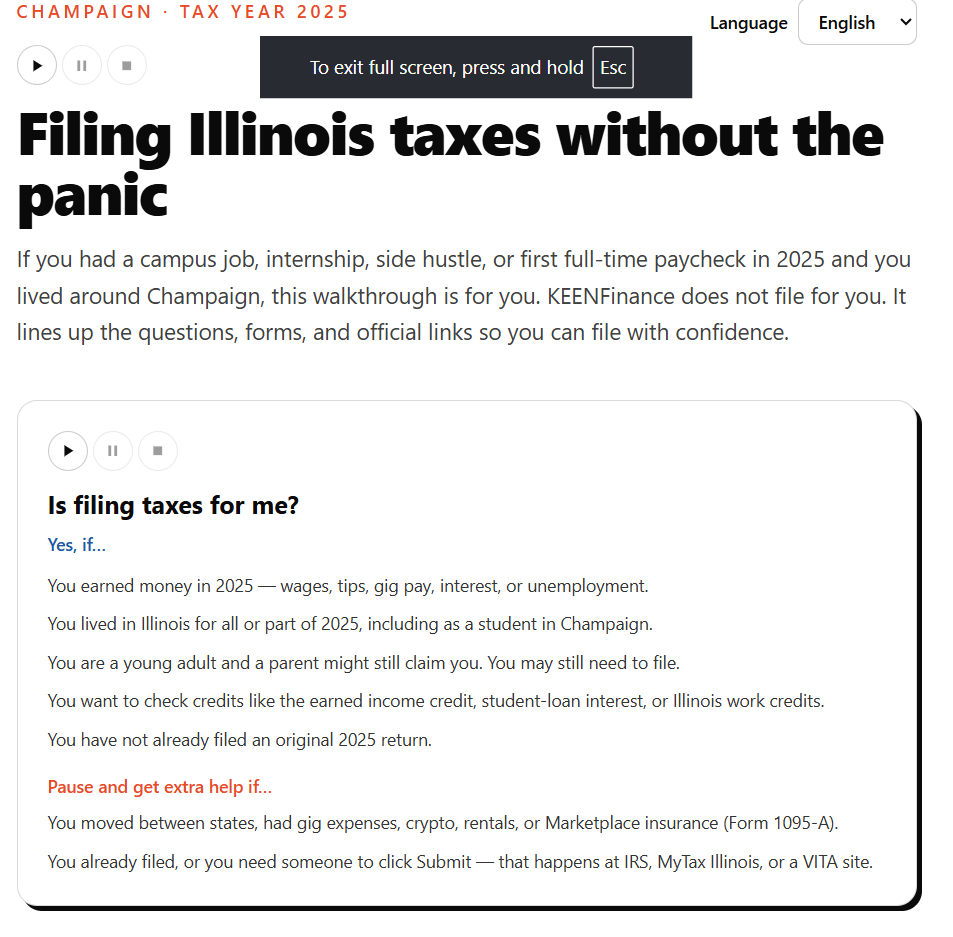

Inspiration
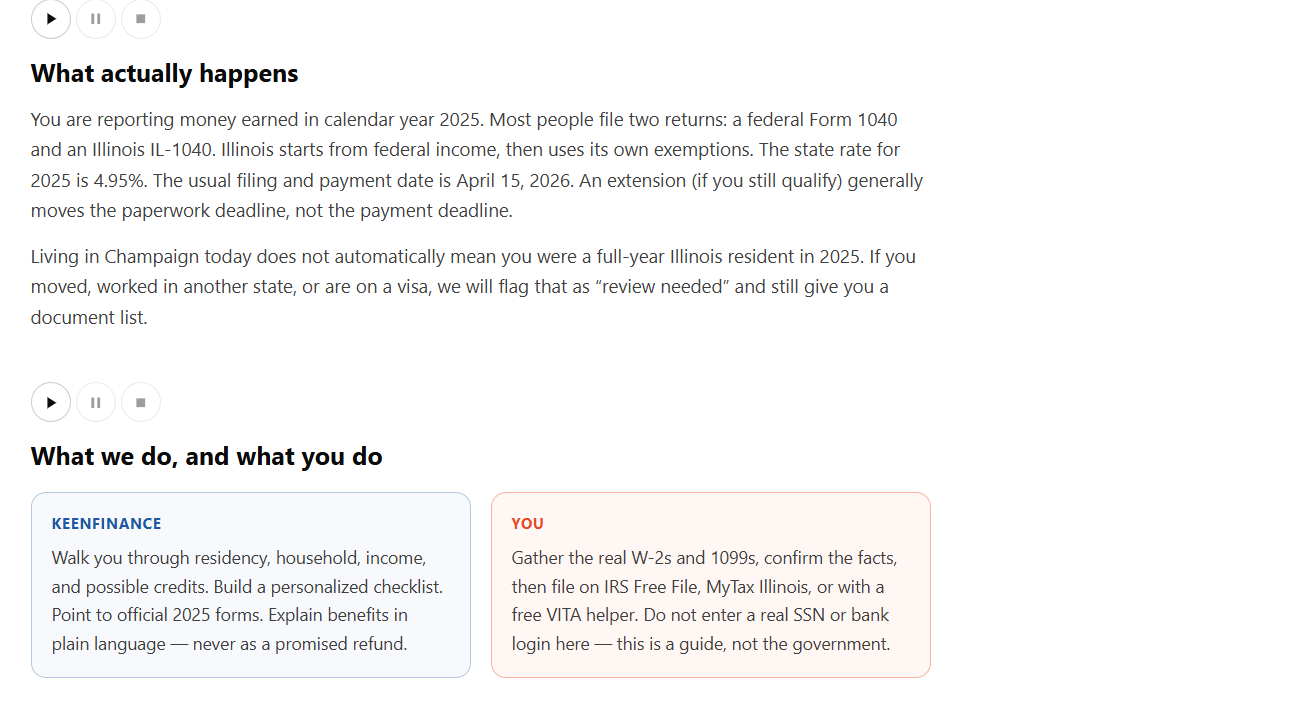
One of our group members grew up in Southern Illinois and saw firsthand how low literacy can prevent people from accessing basic financial services. Even adults who had worked their entire lives sometimes needed help understanding a form. Taxes made this problem especially obvious. Forms contain unfamiliar financial terms, complicated instructions, and language that assumes users already understand the system. We built KEEN Finance for people with low literacy, limited English proficiency, and low vision. Our goal is to make tax preparation easier to understand and navigate, starting with federal and Illinois taxes.
What it does
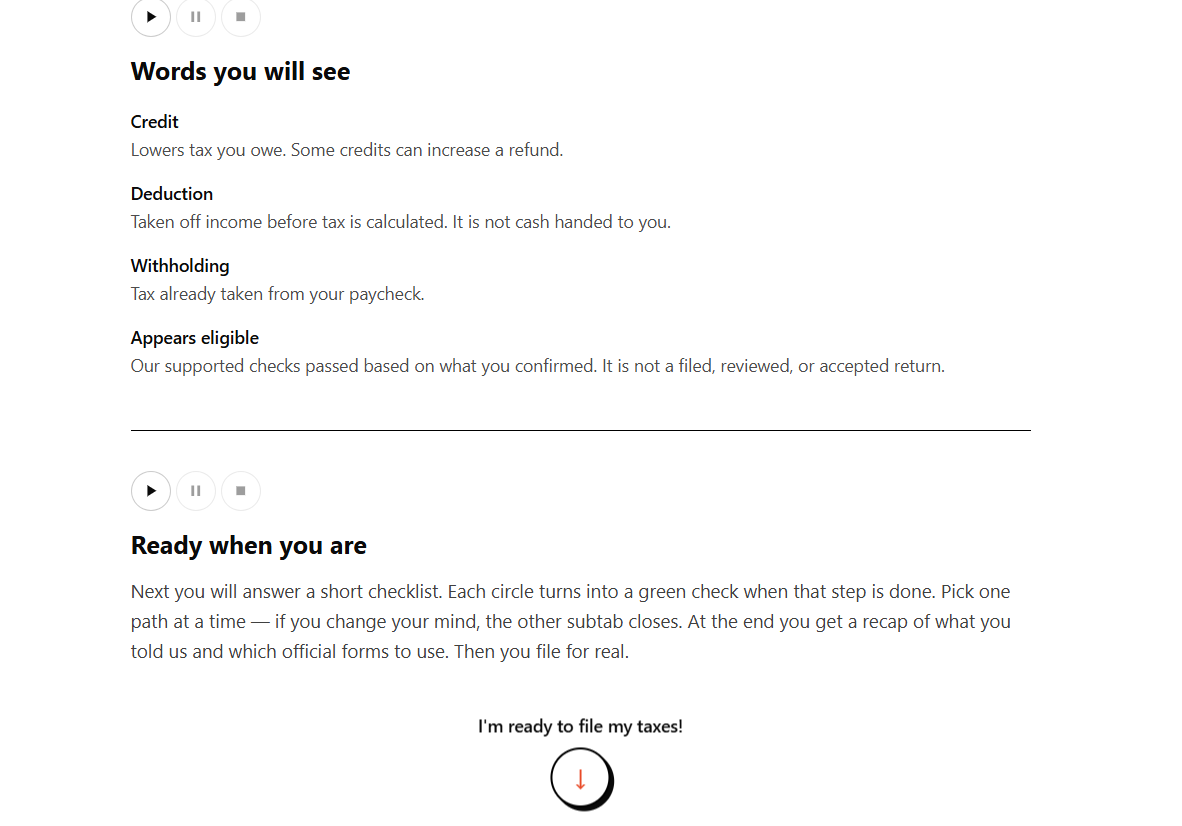
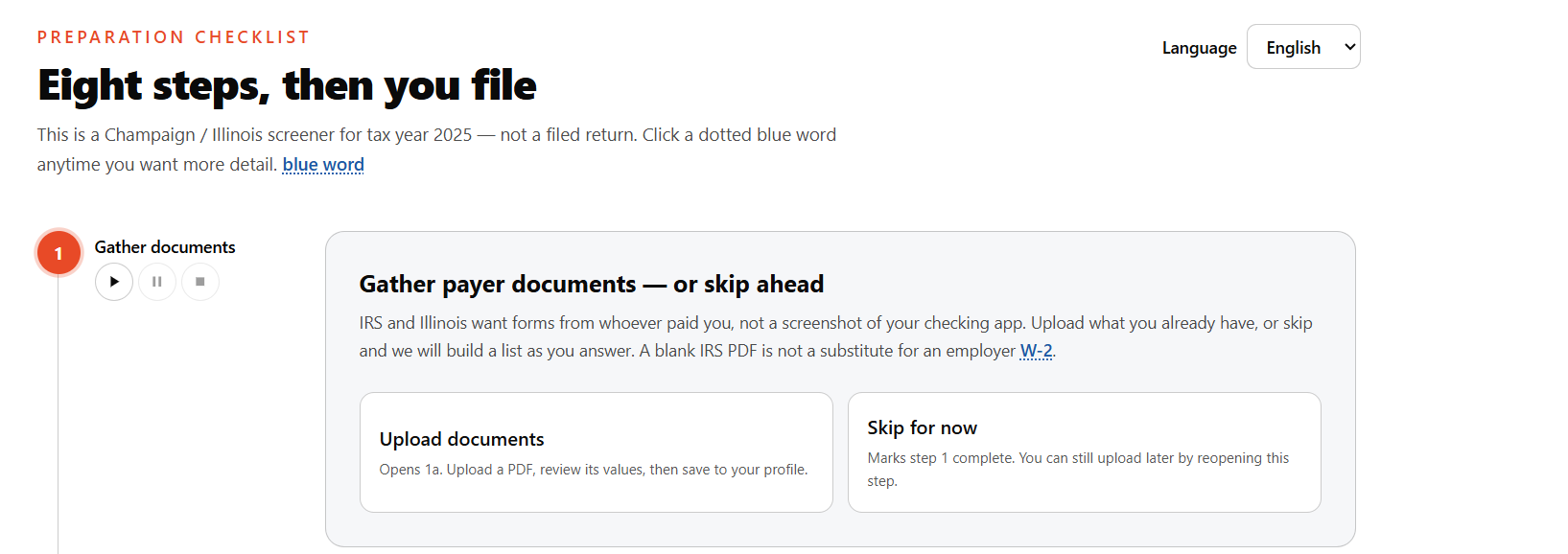
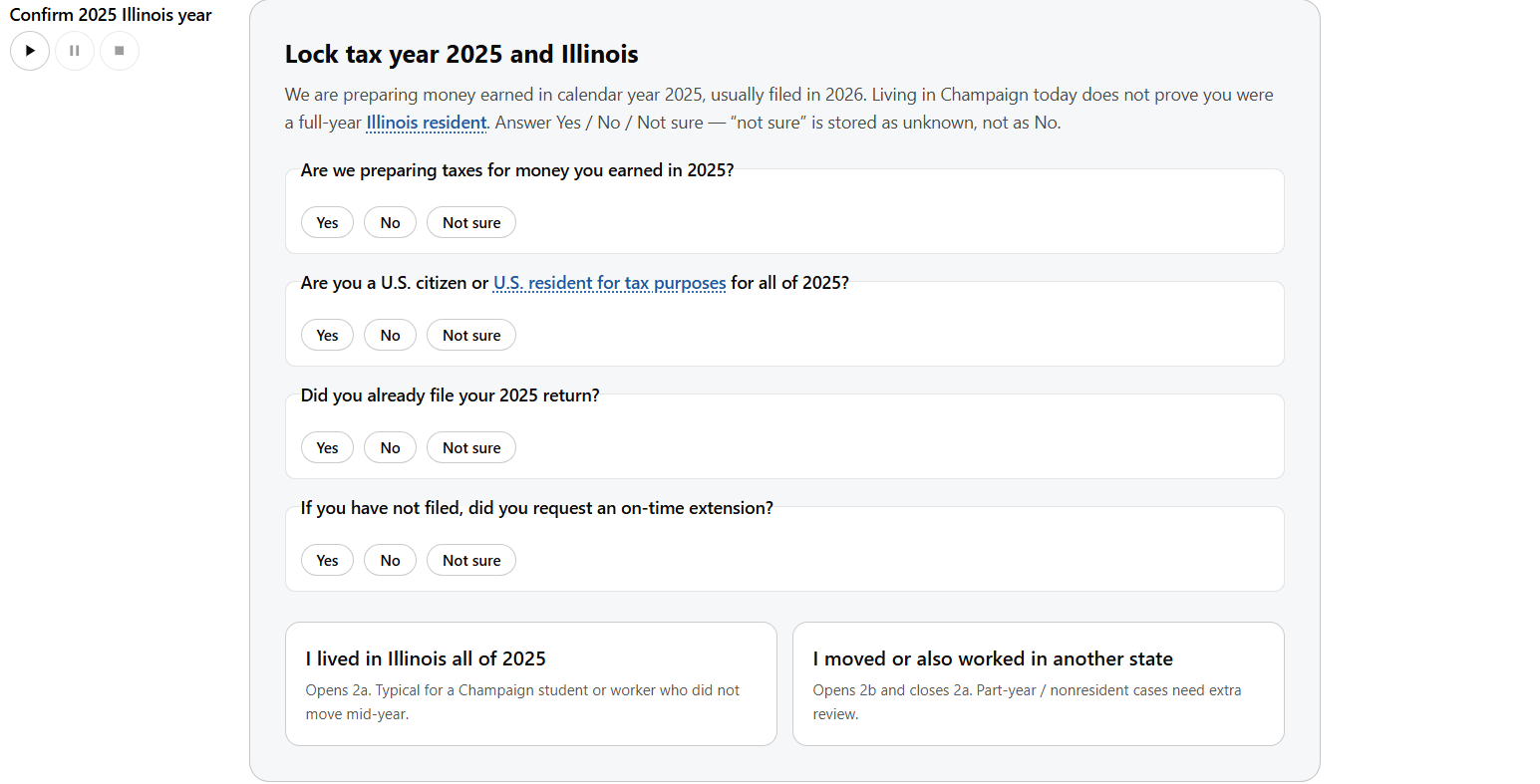
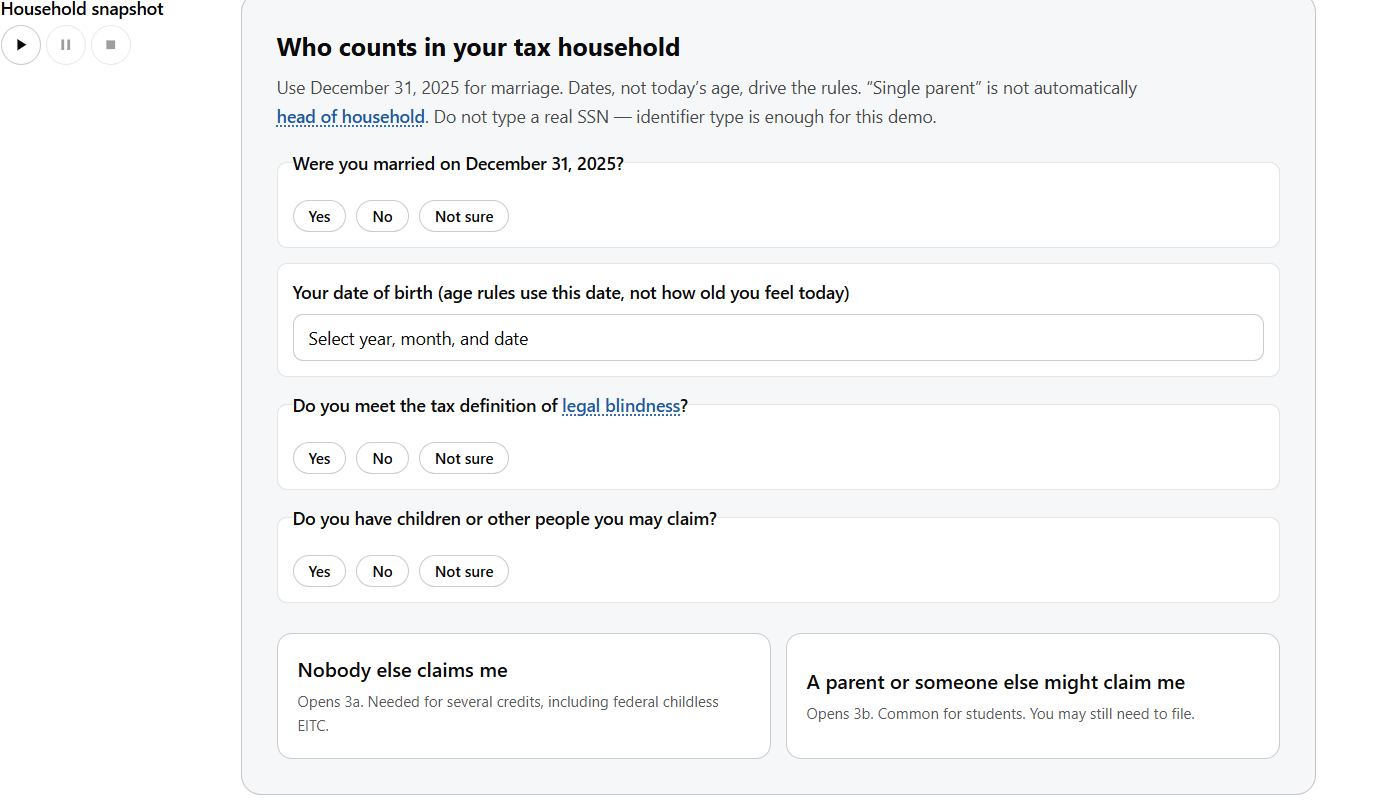
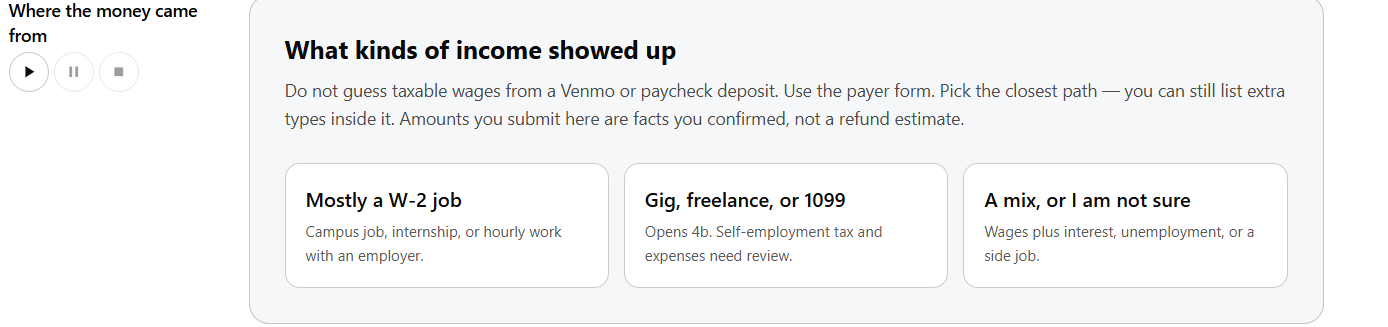
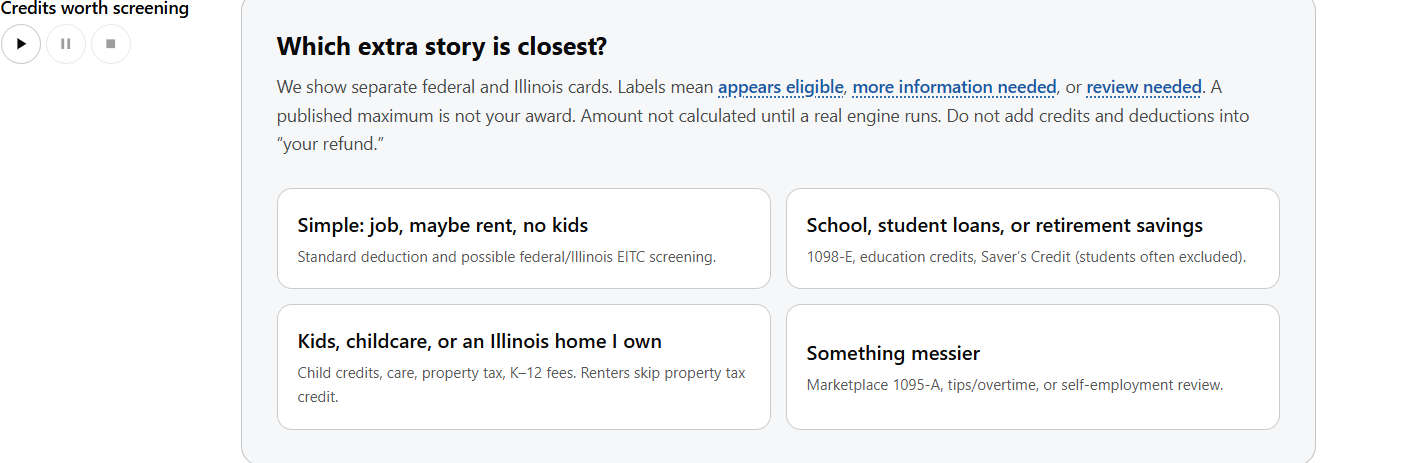
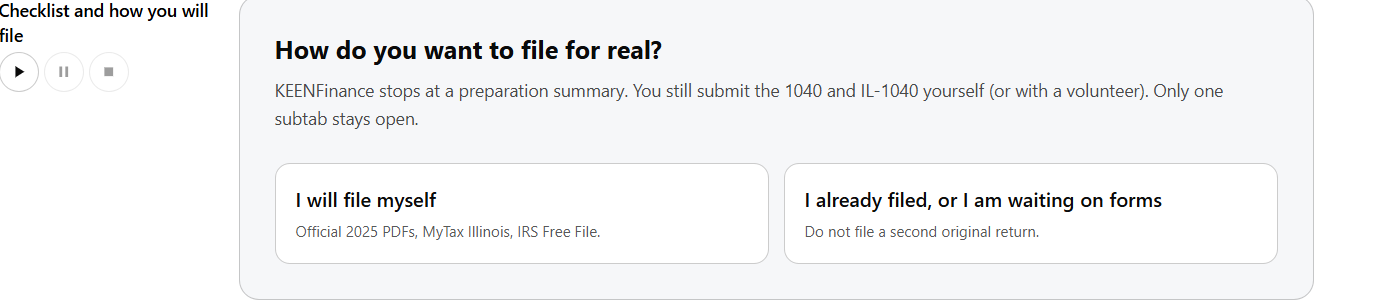
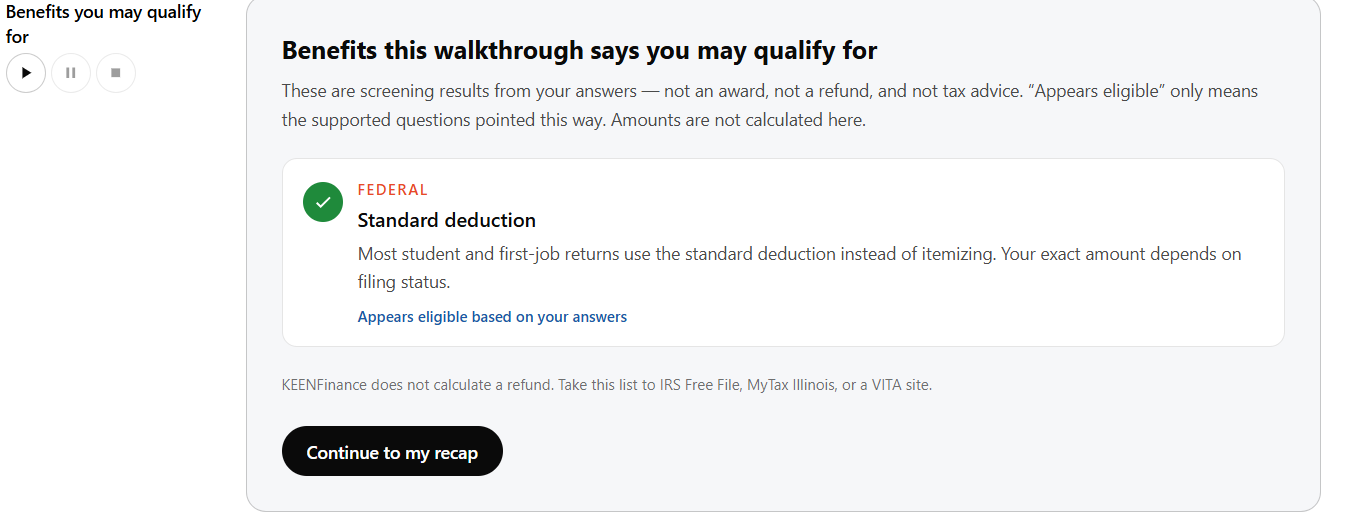
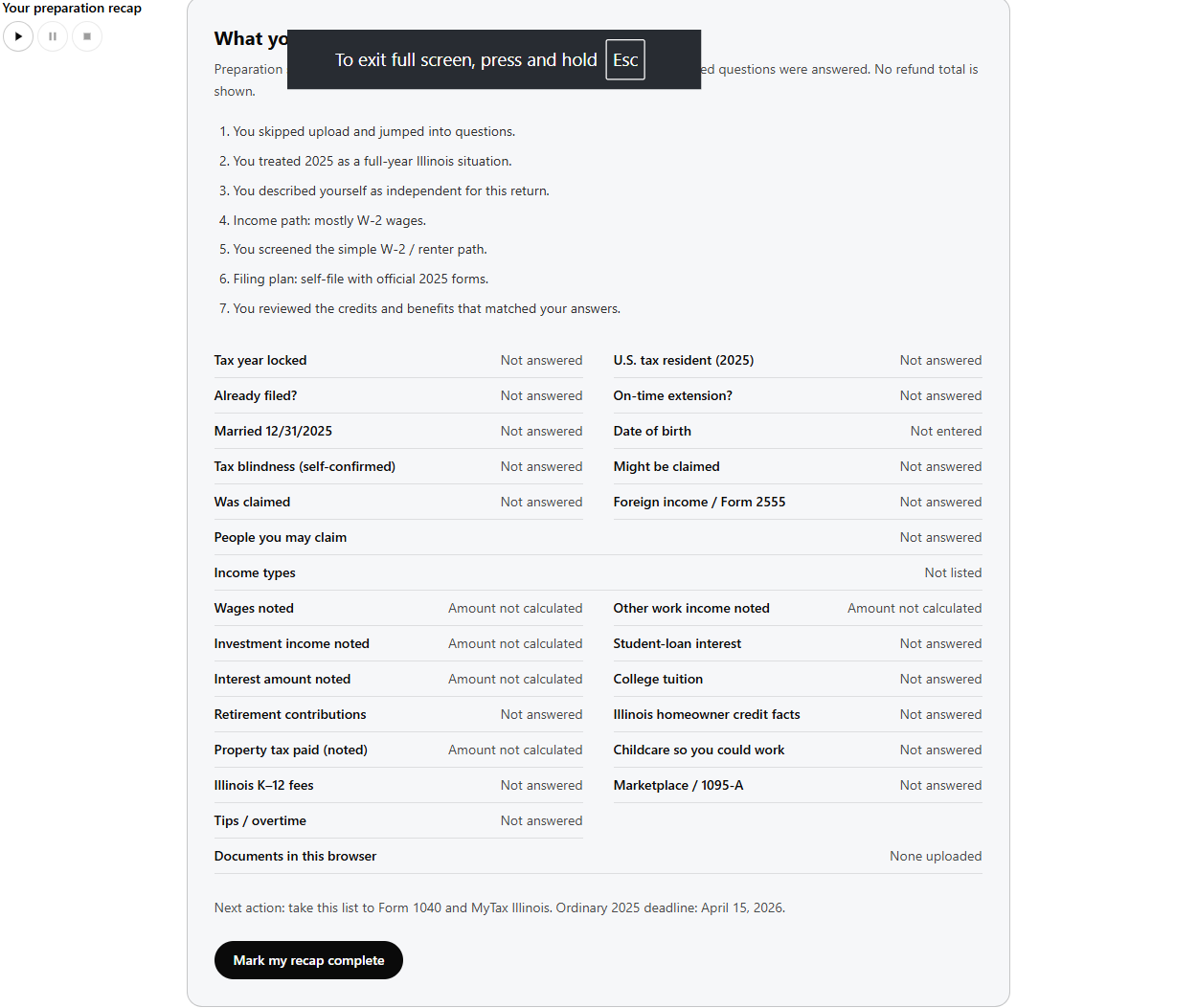
KEEN Finance turns tax preparation into a personalized checklist. Users answer simple questions and can optionally upload financial documents. Based on their information, KEEN organizes potential deductions and credits into three categories: Appears eligible, More information needed, and Does not appear eligible.
The document checklist explains: Which documents users need and why Which documents are still missing Where to obtain those documents How to understand their contents and prepare relevant tax forms
KEEN also checks uploaded documents for potentially missing information. A blank field does not always mean something is wrong, so the app asks whether it was left blank intentionally or whether information was omitted by mistake. It helps users clarify whether an amount is zero, a field does not apply, or information still needs to be verified. For employer- or payer-issued documents, such as W-2s and 1099s, missing information prompts verification with the issuer rather than guessing a value. Users can open supported fillable tax forms in a PDF pop-up within the website. Plain-language guidance appears alongside the form, helping users understand individual fields as they complete them. KEEN can suggest entries from uploaded documents, but users review and confirm the information before it is applied. Our demo supports English and Spanish, with plain-language explanations of tax terms and form fields. Keyboard navigation and screen-reader support provide additional ways to access the core workflow. Tax recommendations identify the applicable tax year and jurisdiction and link to the relevant official source.
How we built it
We started with a Next.js starter and built the frontend using React, TypeScript, and Tailwind CSS. We based our tax eligibility logic on 2025 IRS and Illinois tax instructions, including Form 1040 and relevant schedules. We connected recommendations to official sources so users could understand where the guidance came from. We brought document uploads, eligibility screening, personalized checklists, and assisted PDF completion into one workflow. Users can identify what they need and open supported forms without leaving the website. We designed the experience around understandable questions, English and Spanish explanations, keyboard navigation, and screen-reader support. We also created synthetic tax documents with completed fields, deliberately missing information, and legitimate blanks. These gave us a way to test whether the app could identify potential omissions without treating every empty box as an error.
Challenges we ran into
We are four freshmen, and this was the largest team project any of us had built. Our biggest challenge was coordinating frontend development, document processing, eligibility logic, and accessibility under a 24-hour deadline. We encountered merge conflicts while developing in parallel and had to communicate closely to keep the different parts working together. Another challenge was interpreting incomplete documents. Some blank fields represent missing information, while others are intentional or do not apply. We addressed this by asking users to clarify ambiguous blanks instead of automatically treating them as errors or zeroes. We also had to translate complicated tax rules into understandable explanations without losing the details that affect eligibility. This pushed us to narrow our scope and connect guidance to official sources.
Accomplishments that we're proud of
We are proud of building an experience that gives users a concrete starting point: what they need, what is missing, and what to do next. Our assisted PDF viewer connects explanations directly to the task. Users can read guidance and complete supported forms in the same place. We are also proud of the missing-field confirmation flow. Instead of presenting an unexplained error or silently filling a blank, KEEN helps users understand the issue and confirm the next step. English and Spanish guidance, plain-language explanations, and accessible navigation support our central goal: helping more people participate in a process that often assumes financial knowledge and strong English reading skills.
What we learned
We learned that accessibility affects the entire workflow, including the wording of questions, the organization of information, and how users recover from mistakes. We also learned that financial software needs to handle uncertainty explicitly. Missing information, a confirmed zero, and a field that does not apply are different situations, and our system needs to preserve those differences. Working under a deadline taught us how to divide responsibilities, resolve conflicts, and prioritize features we could demonstrate.
What's next for Keen Finance
Our long-term goal is to expand beyond Illinois and support users across the United States. That means adding state-specific tax rules, forms, and guidance while keeping recommendations tied to the correct tax year and jurisdiction. We also want to support more languages, extending understandable tax guidance to users who are not comfortable with English or Spanish. KEEN currently runs as a website on computers and phones. We plan to build a dedicated mobile app that makes it easier to capture documents with a phone camera, review missing information, and complete supported forms with guidance. As we expand, we want to improve document extraction and support more tax situations while keeping the experience understandable and accessible.

Log in or sign up for Devpost to join the conversation.