-
-
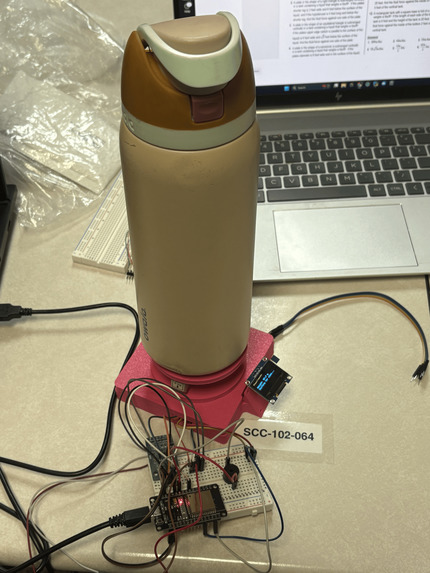
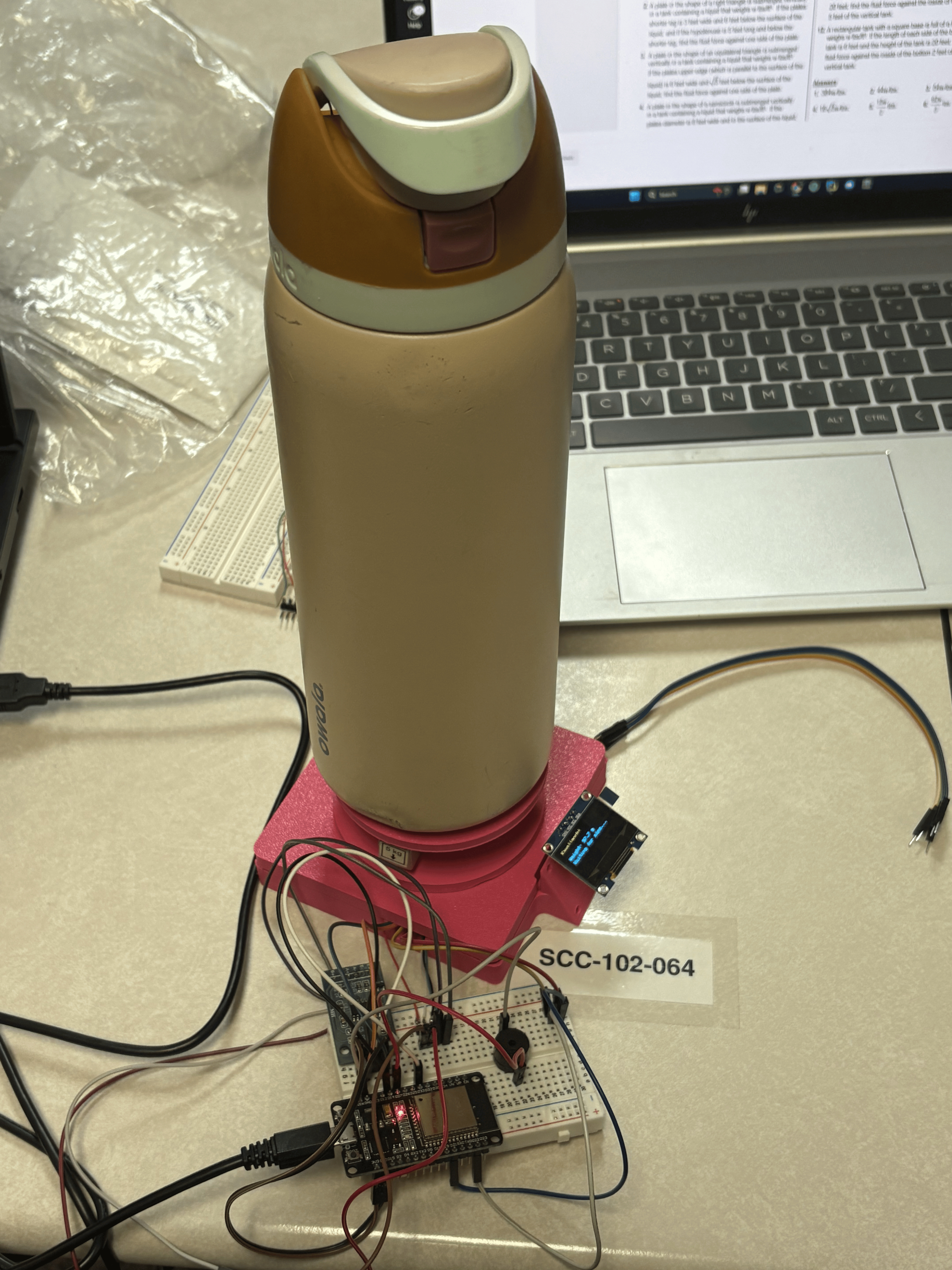
Kawaiigotchi with a water bottle on it.
Inspiration
NYU Students made a vape pen with a Tamagotchi that dies if the user stops vaping. We loved the idea of a pet tamagotchi device serving as motivation but, for a healthier cause. After long study sessions in the Student Computing Center where we left with dehydration-induced headaches of our own making, we realized what our solution would be… We decided to design a desk-pal for your water bottle where a tamagotchi reminds you to stay hydrated during study sessions.
What it does
The Kawaiigotchi takes in weight inputs from the Load Cell to detect the presence of a water bottle. After a programmed period of time, the screen text changes to remind the user to drink water. It detects when the bottle has been lifted and waits for the user to set the water bottle down. It then compares the weight of the bottle from before and after it was picked up by the user. If the difference surpasses a threshold, a happy Kawaiigotchi is displayed on the screen, otherwise the Kawaiigotchi will alert the user that they did not drink enough water. Both times it will display the change in weight detected by the load cell on the OLED display.
How we built it
The first step was developing an idea for our problem. Next we assessed the components needed to build the device that reminds students to drink water. We tested different parts to understand how they would operate in our use case. This led to us replacing a force sensitive resistor with a load cell for weight measurement for increase reliability. After understanding how the individual components worked, we soldered connections for the HX711 load cell amplifier IC and started 3D modelling the scale in OnShape. We used a Bambu Lab A1 Mini with pink PLA filament to print the model of the scale. Then we wired the components on a breadboard and started writing the finalized code. We used a ESP32 Devkit, Adafruit SSD1306 OLED display, 5 kg load cell, and HX711 load cell amplifier to make our device.
Challenges we ran into
Initially we planned on using a force sensitive resistor to detect the presence of the water bottle and measure a change in the weight of the water bottle. Through testing of the force sensitive resistor, we realized that the FSR resistor was incapable of producing an accurate reading and that the reading would change over the course of the resistor being on due to heat increasing the resistance of the resistor decreased. We initially planned to display an image of a cat according to the water levels drinking. Unfortunately, we were not able to get the code working within the time frame. In replacement, we stayed with the text reminders. The CAD design for the breadboard holder was not deep enough to hold all the electronic components and wires. This did not cause any technical issues, only the final display was not as clean as intended. Another unseen issue ran into from CAD design was the screw to secure the water bottle scale plate to the load cell. The product does work fine despite the protruding screw, but a water bottle cannot be placed on the center of the device. Counterboring the screws would have led to a more flawless product.
Accomplishments that we're proud of
We’re proud that we finished with a complete product and that no parts were harmed in the process of creating our Kawaiigotchi. We’re also proud that the Kawaiigotchi is fully functional and that it can even be expanded on in the future, and we are also proud of how we were able to use parts that we’ve never used before and make something out of it.
What we learned
We learned that your first CAD design won’t always be perfect, and that most of the time it will be faulty in some ways. We learned more about setting up the Arduino IDE and the coding language that it uses. This project was our first time utilizing an OLED display. Although we did not use it to the full extent imagined, we still learned how to display information to the screen.
What's next for Kawaiigotchi
If we were going to keep the Kawaiigotchi together, we would first improve the CAD design so all of the parts fit inside the Kawaiigotchi. We could also possibly add more faces and states for the display based on different inputs from the user, and we’d also change to a larger display so that we can print full images of silly faces. It could also become a pomodoro timer that lets the user focus by replacing a phone with a desk-pal for timing. Unfortunately, we have to disassemble our Kawaiigotchi and return all of the parts that we borrowed.
AI usage
This project was programmed with the aid of ChatGPT. Specifically, all of the Arduino code for the ESP32.
How it works
The Kawaiigotchi is powered via a USB connection from a laptop that outputs 5V. When the ESP32 turns on, there should be no weight placed on the scale as the ESP32 tares the load cell. After the display has shown 0 or -0.1 g, the user can place the water bottle on the plate. The amount of time it takes for the Kawaiigotchi to remind the user to drink water can be adjusted by changing the delay in [ bool showHint = (millis() - presentSinceMs >= 20000UL); ]. The amount of weight change that qualifies as enough water can be adjusted by changing the constant in the code. [ const float ENOUGH_PER_SIP_ML = 100.0f; ]
Built With
- arduino
- arduinoide
- esp32
- onshape

Log in or sign up for Devpost to join the conversation.