-
-
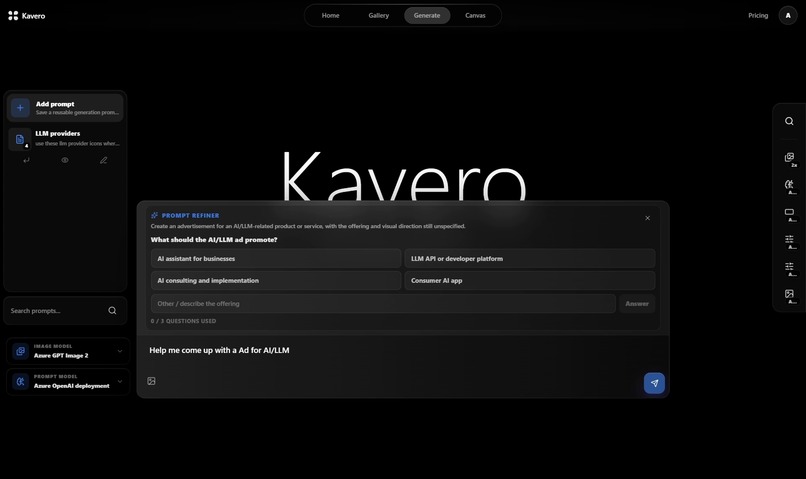
Generation
-
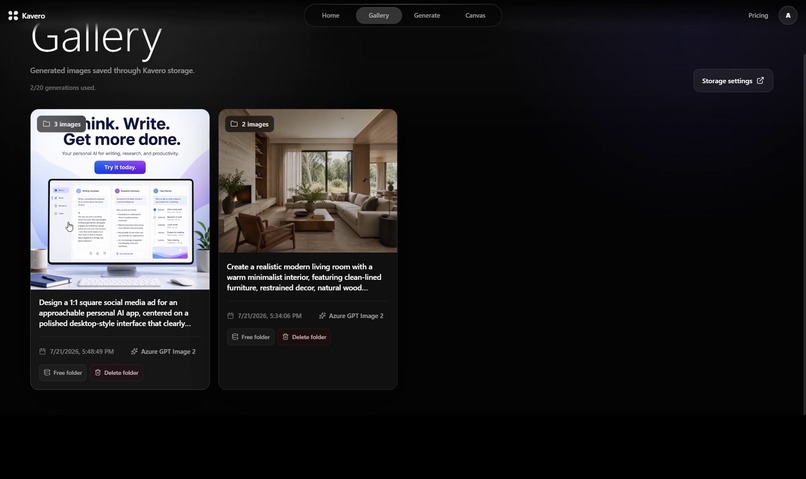
Gallary
-
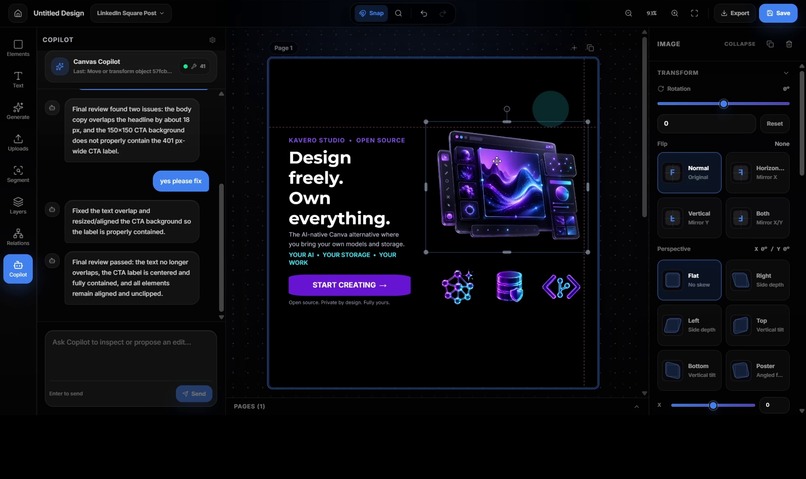
Canvas
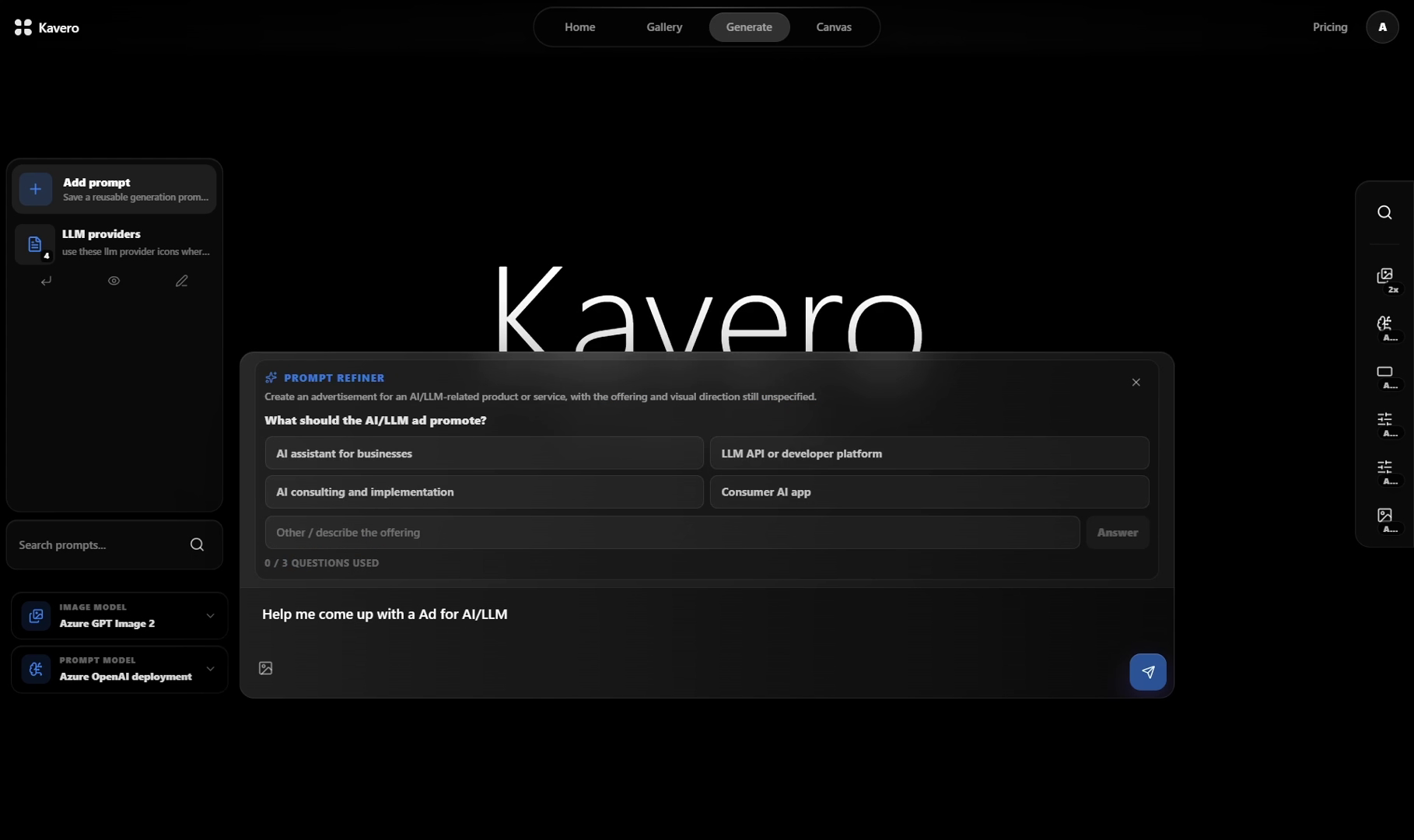
Inspiration
I’m a technical co-founder, so most of my time is spent building products and solving engineering problems. But like many early-stage founders, I also need to create launch graphics, social posts, product announcements, thumbnails, advertisements, and other marketing materials.
I’m not a professional designer. Existing tools make design more accessible, but their AI, storage, pricing, and workflows are usually controlled by the platform. AI-generated images also tend to remain isolated, flattened outputs instead of becoming part of an editable design.
As an engineer, I wanted a workspace I could understand, extend, automate, and self-host. I wanted to choose my AI provider, control my credentials and files, and use AI inside a real design workflow.
That frustration became Kavero.
What Kavero does
Kavero is the open design workspace for the AI era, bring your own AI, own your files, and use AI to edit real designs without platform lock-in.
Kavero combines a familiar, editable design canvas with:
- AI-assisted image generation
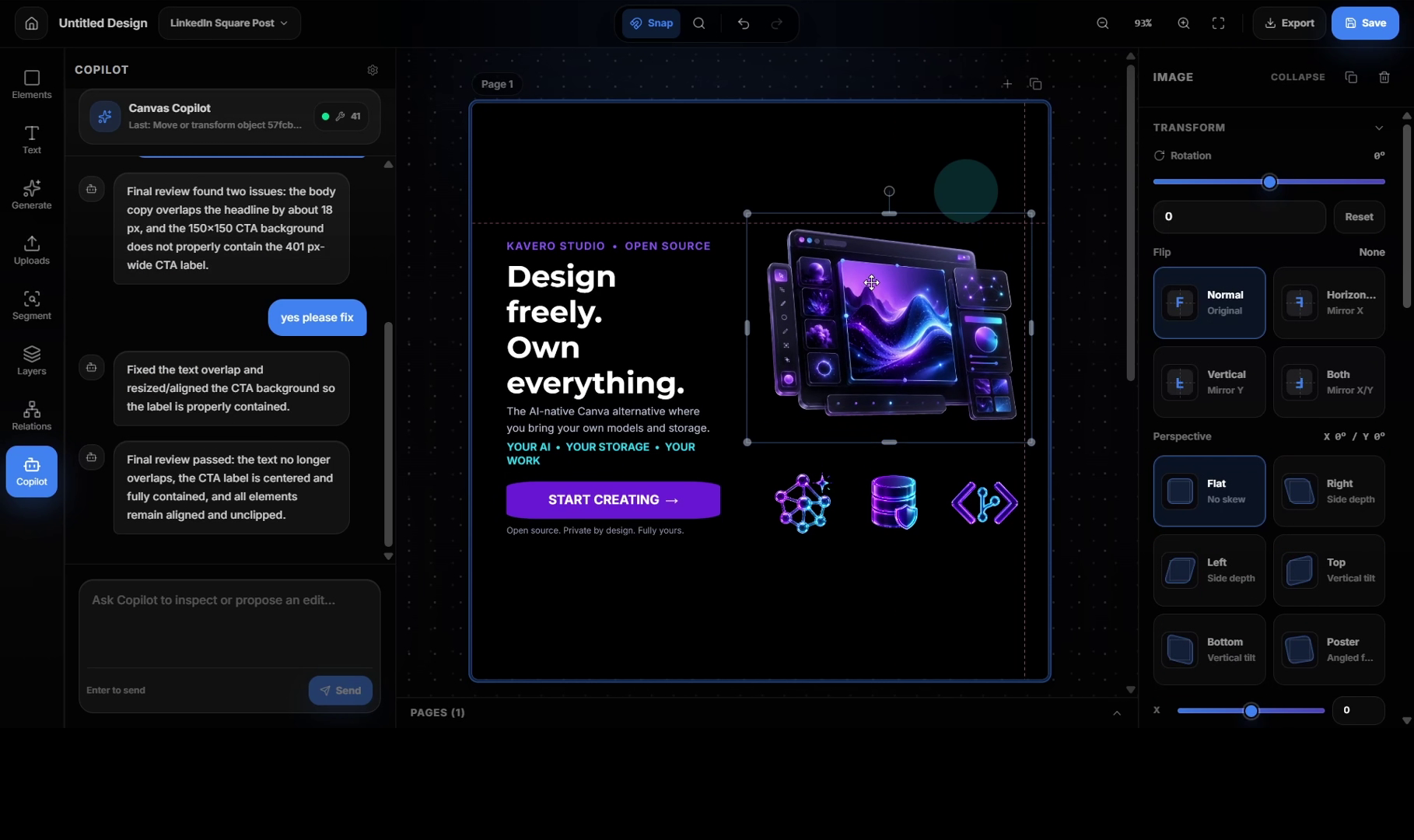
- Canvas Copilot and structured canvas actions
- Automatic image segmentation
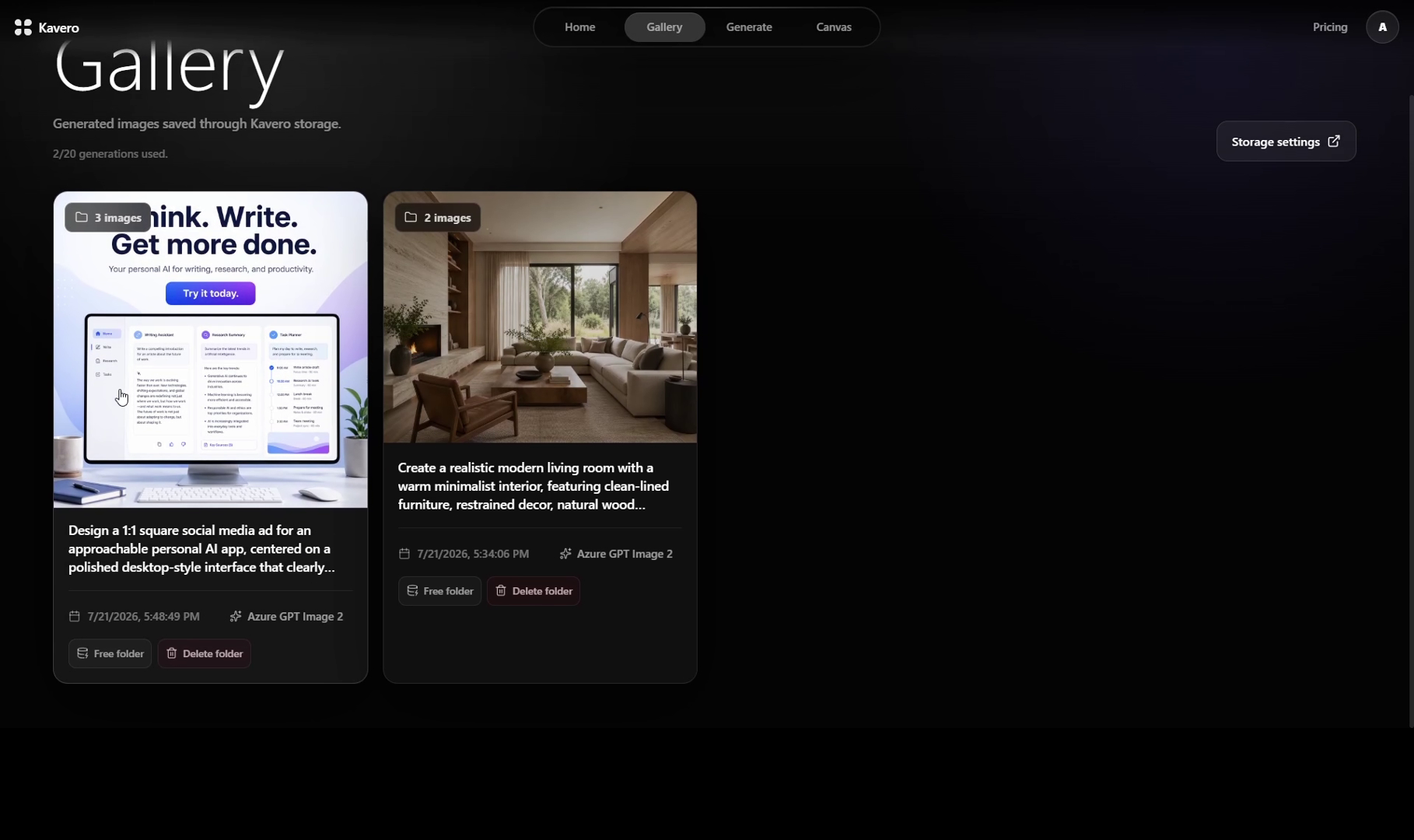
- Standalone image generation
- Generated-image history and galleries
- Multiple AI providers and configurable models
- Bring-your-own-key support
- Google Drive and managed storage options
- Local and Docker-based deployment
Users can create designs with text, shapes, images, layers, pages, and uploaded assets. AI-generated content can be placed into the canvas and edited as part of a complete composition rather than remaining a disconnected result.
Canvas AI workflows can inspect the current design and perform controlled operations such as adding or transforming objects, changing backgrounds, generating assets, aligning elements, repairing overflow, and arranging content.
The broader goal is simple:
Build an open design workspace where users control the models, files, and workflows, and where AI can operate the canvas.
What I built during OpenAI Build Week
Kavero existed before Build Week, so I clearly separated the existing product from the work completed during the official submission period.
During Build Week, I meaningfully extended Kavero’s AI foundation using Codex and GPT-5.6. The main work included:
- Adding GPT-5.6 orchestration support
- Integrating GPT Image 2 for image generation
- Building a modular model-provider boundary around LiteLLM
- Adding OpenAI and Azure OpenAI provider support
- Supporting separate orchestration and image-generation models
- Building capability-aware model selection
- Connecting provider configuration to canvas and standalone generation
- Adding secure, signed dynamic provider routing
- Strengthening bring-your-own-key credential handling
- Improving local setup and provider-selection workflows
- Expanding automated coverage for routing, credentials, generation, and canvas AI behavior
GPT-5.6 can power Kavero’s orchestration workflows through the provider layer, while dedicated image models handle visual generation. This separation lets users choose the right model for each task without hard-coding the product to one provider.
This work transformed Kavero from an application with individual AI integrations into a more flexible AI design workspace with a coherent provider and model architecture.
How I built it
Kavero is built with Next.js, React, TypeScript, Fabric.js, Tailwind CSS, Supabase, and PostgreSQL.
Fabric.js powers the editable canvas. The canvas exposes a structured action registry that allows AI workflows to perform controlled operations. Tool inputs are validated before execution, sensitive actions remain behind trusted server-side boundaries, and refreshed canvas state can be returned to the model.
LiteLLM provides the model gateway. Kavero’s provider layer handles model catalogs, capabilities, credentials, routing, image transport, and runtime availability. Orchestration and image-generation models are configured independently because they have different capabilities and deployment requirements.
Storage is also provider-aware. Users can connect Google Drive, use Kavero-managed storage, or run supported local storage when self-hosting.
I used Codex throughout Build Week to inspect the existing architecture, plan safe module boundaries, implement GPT-5.6 and provider support, debug integration problems, write regression tests, and verify that the new functionality preserved existing canvas, storage, authentication, and generation behavior.
Codex was especially valuable for working across a large existing codebase. It helped trace dependencies, identify risky boundaries, implement focused changes, and maintain detailed evidence of what was built during the submission period.
Challenges
The hardest challenge was integrating multiple AI providers without spreading provider-specific behavior throughout the application.
Different providers expose different authentication methods, model identifiers, endpoints, image formats, and capabilities. Azure OpenAI also requires deployment-specific configuration and may use separate endpoints for orchestration and image generation.
I addressed this by creating a centralized provider boundary and capability model. Product surfaces ask which models are available and what they support instead of embedding provider assumptions directly into the UI.
Another challenge was allowing AI to operate a stateful visual editor reliably. Canvas objects have coordinates, rendered bounds, scale, rotation, text dimensions, stacking order, and relationships with other objects. A mathematically valid action can still produce a visually poor design.
Reliable canvas automation therefore requires more than prompting. It needs structured tools, validated actions, deterministic geometry, current scene context, and clear user control.
The final challenge was preserving existing behavior while changing foundational AI infrastructure. Kavero already had canvas, storage, history, authentication, and provider-key workflows. I used focused tests and modular boundaries to extend the system without unnecessarily rewriting those areas.
What I learned
I learned that AI becomes more valuable when it participates in a complete creative workflow instead of only generating the first image.
The real task is rarely “make one picture.” Users need to generate assets, place them into a composition, edit the design, organize variations, save their work, and export a finished result.
I also learned that model flexibility requires architectural work. Supporting multiple providers is not simply adding names to a dropdown. Credentials, capabilities, routing, transport formats, error handling, and runtime availability must all agree.
Finally, openness is about more than publishing code. Meaningful control means letting users choose their models, bring their own credentials, control their storage, and run the product on their own infrastructure.
What’s next
Kavero’s long-term direction is an end-to-end social media automation workflow with humans remaining in control.
Users will be able to connect workflow nodes for topic research, competitor and reference analysis, brand guidelines, content planning, asset generation, design adaptation, and multi-platform publishing. Kavero will generate campaign variations while preserving brand consistency, then pause for human review and approval before anything is published.
The goal is not to remove people from the creative process. It is to automate repetitive production while keeping important creative and publishing decisions understandable and reviewable.
Kavero is starting as a creator-focused product to validate the core design and automation workflows. Ultimately, I want to expand it into a B2B production platform for marketing teams and agencies managing recurring content across brands, clients, and channels.
Canva made design easy. Kavero makes it yours.
Built With
- codex
- docker
- fabric.js
- google-drive-api
- gpt-5.6
- litellm
- next.js
- openai-api
- postgresql
- react
- supabase
- tailwind-css
- typescript
- vitest


Log in or sign up for Devpost to join the conversation.