-
-
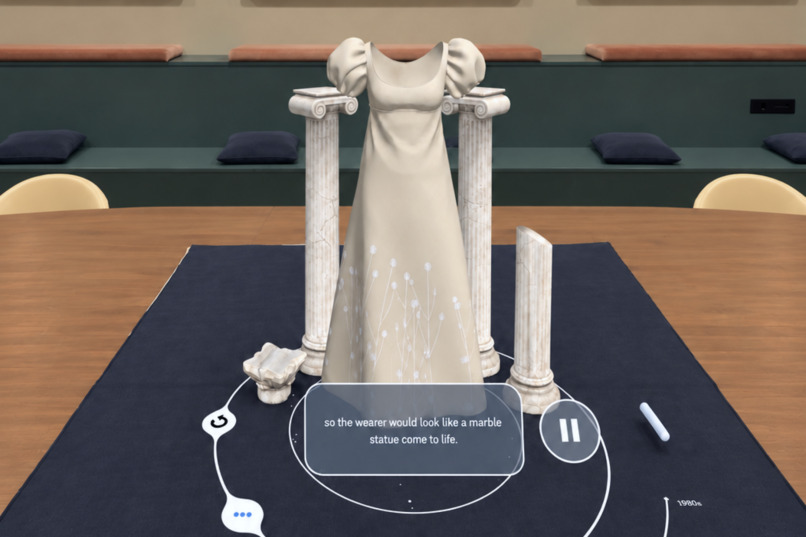
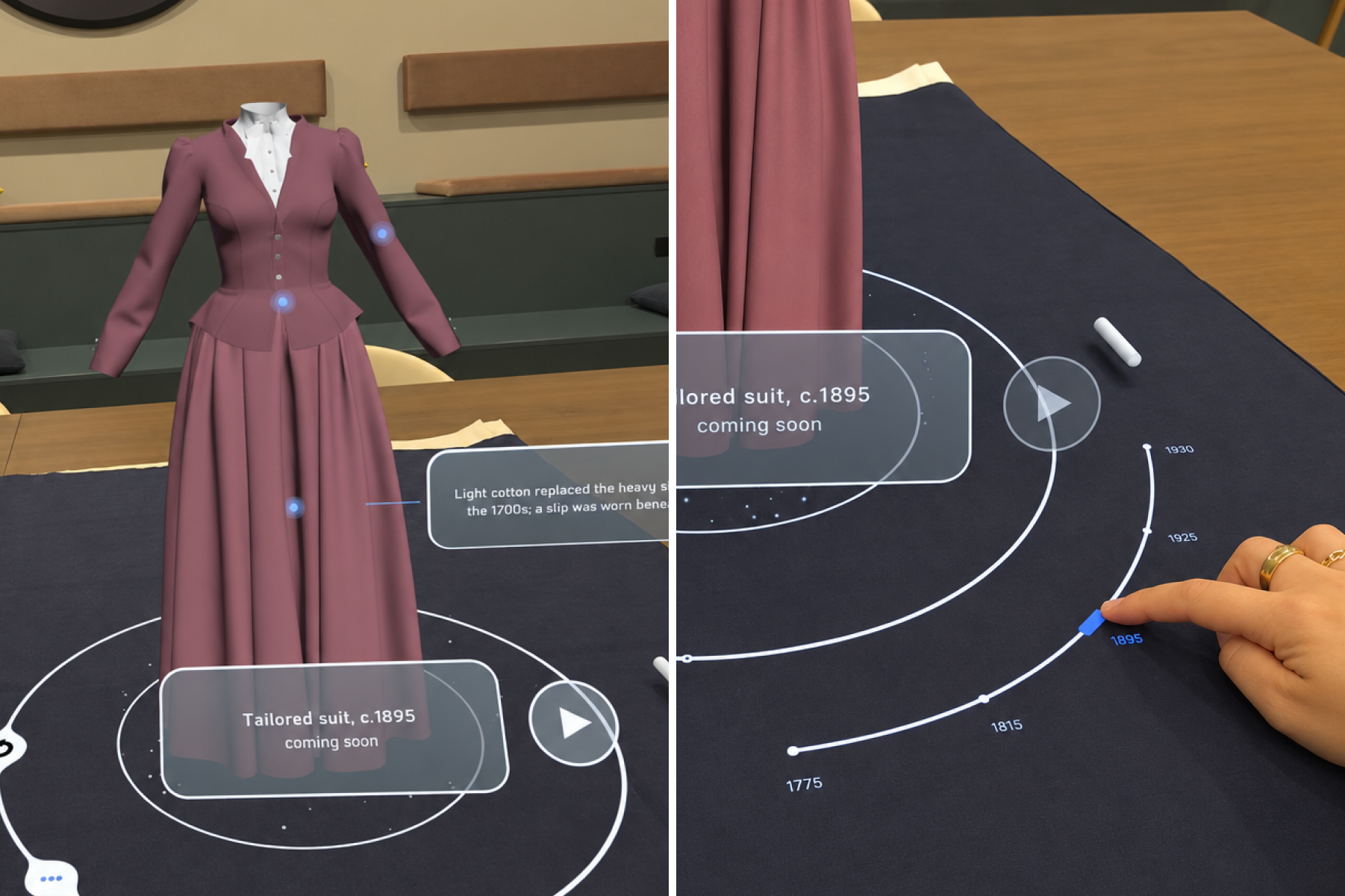
KAV: Garment story
-
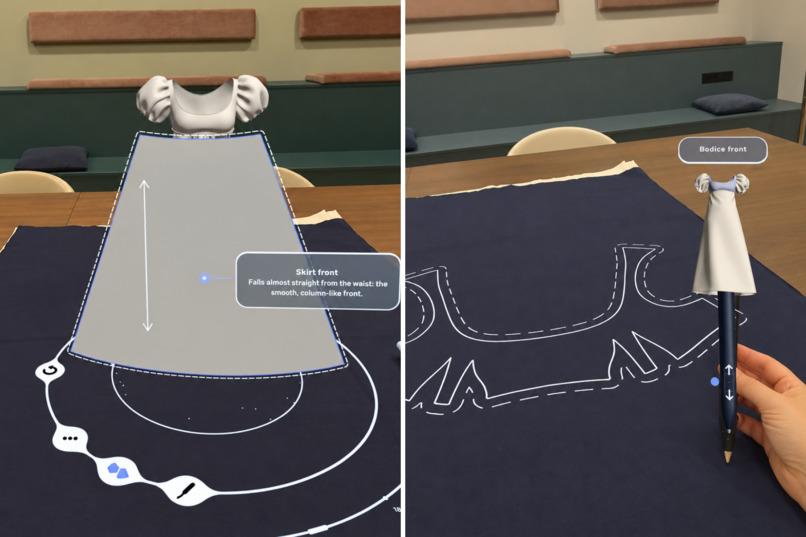
KAV: Sewing pattern
-
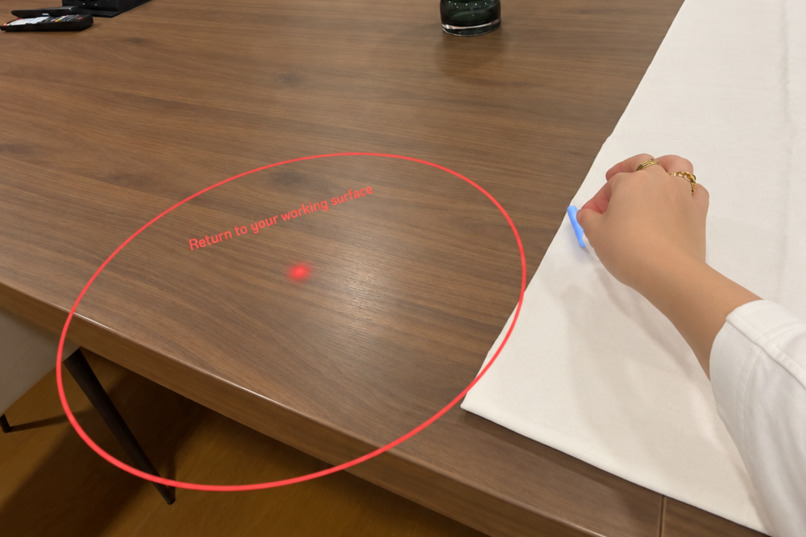
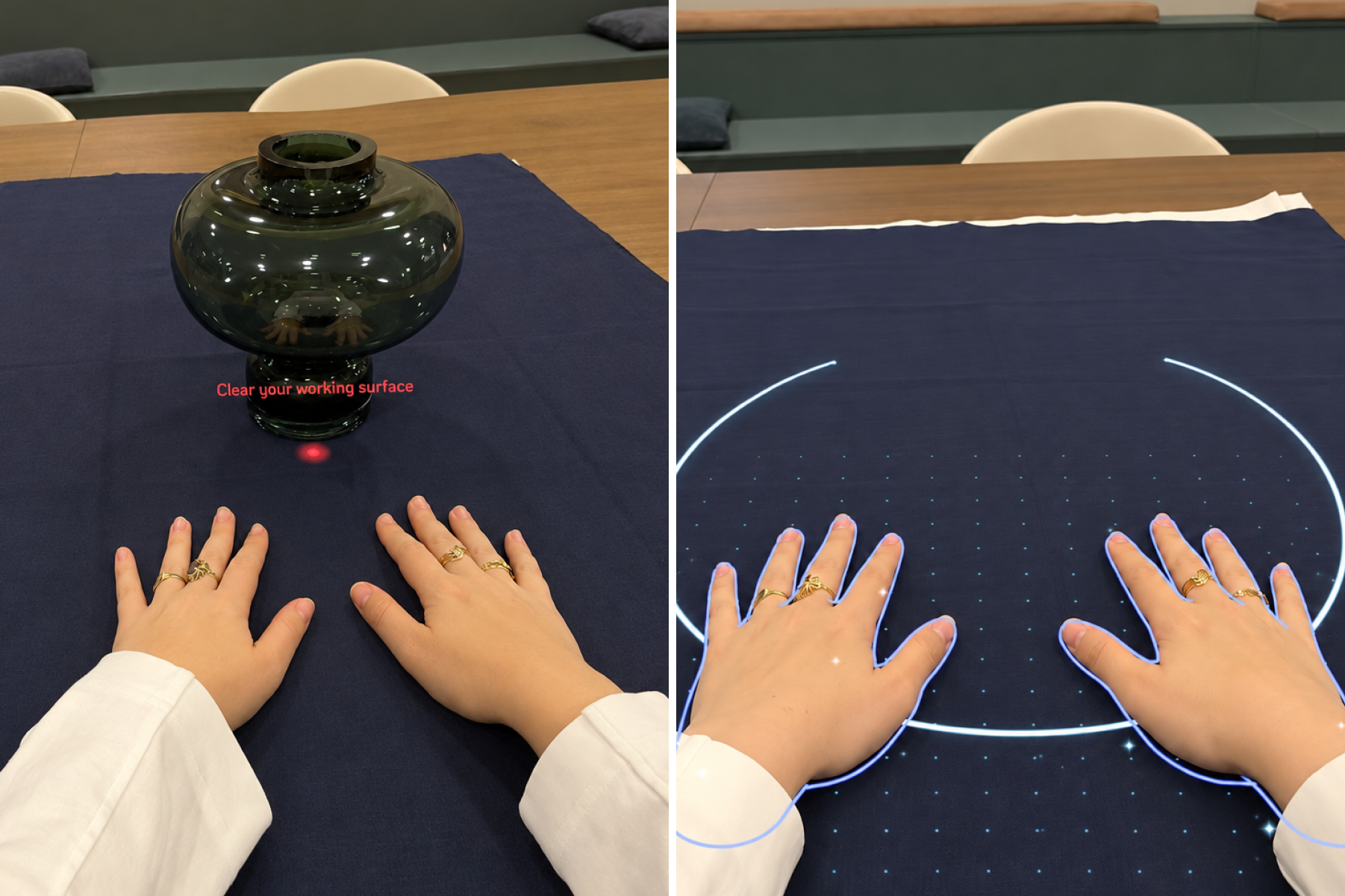
KAV: Surface recognition and alert
-
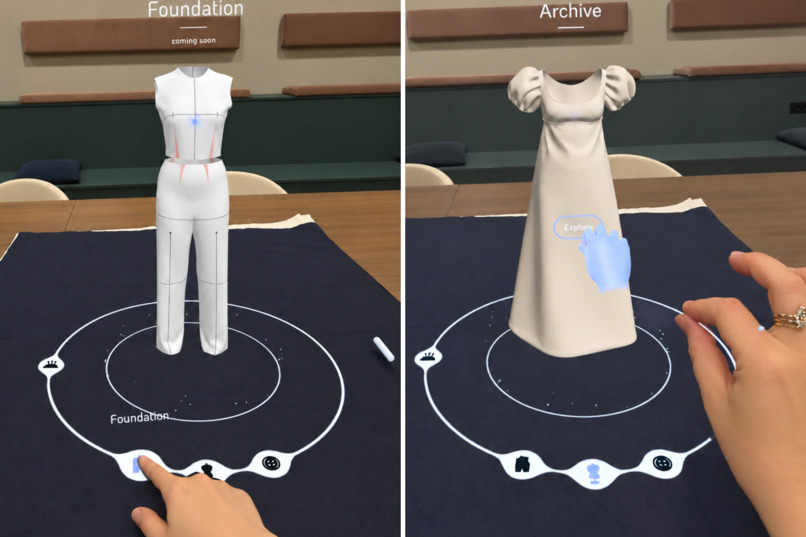
KAV: Hand Gestures and interactions
-
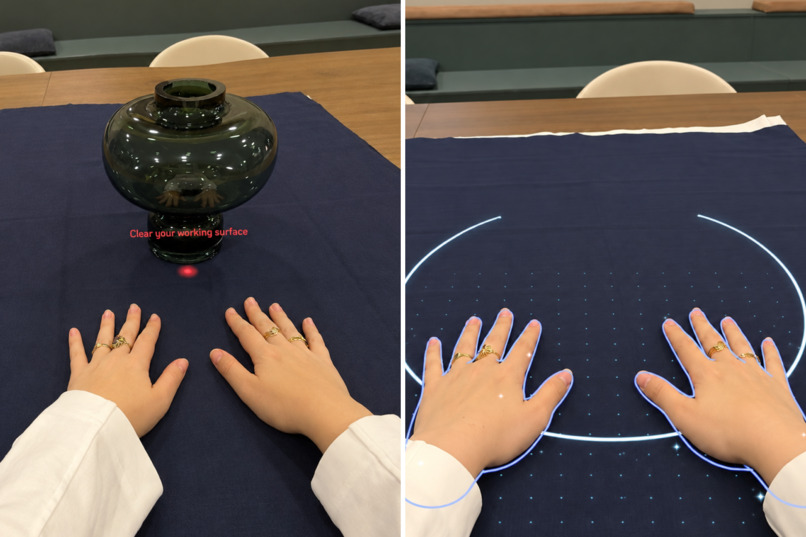
KAV: Surface placement and object detection
-
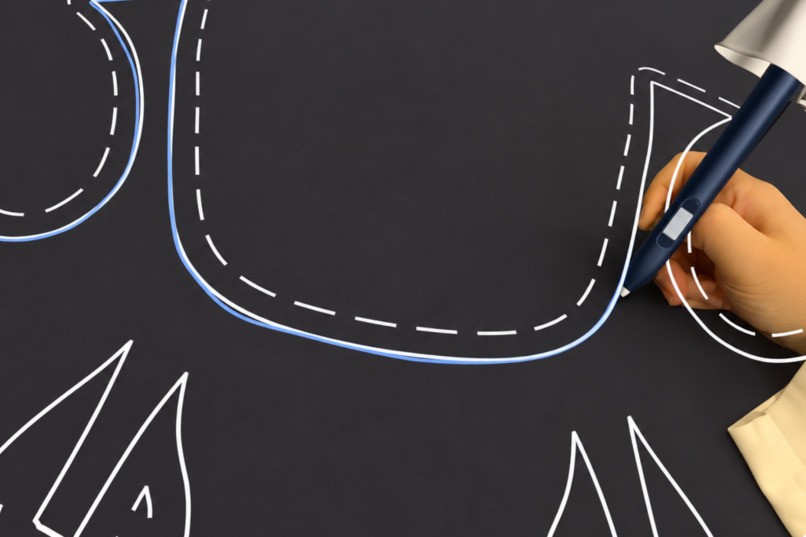
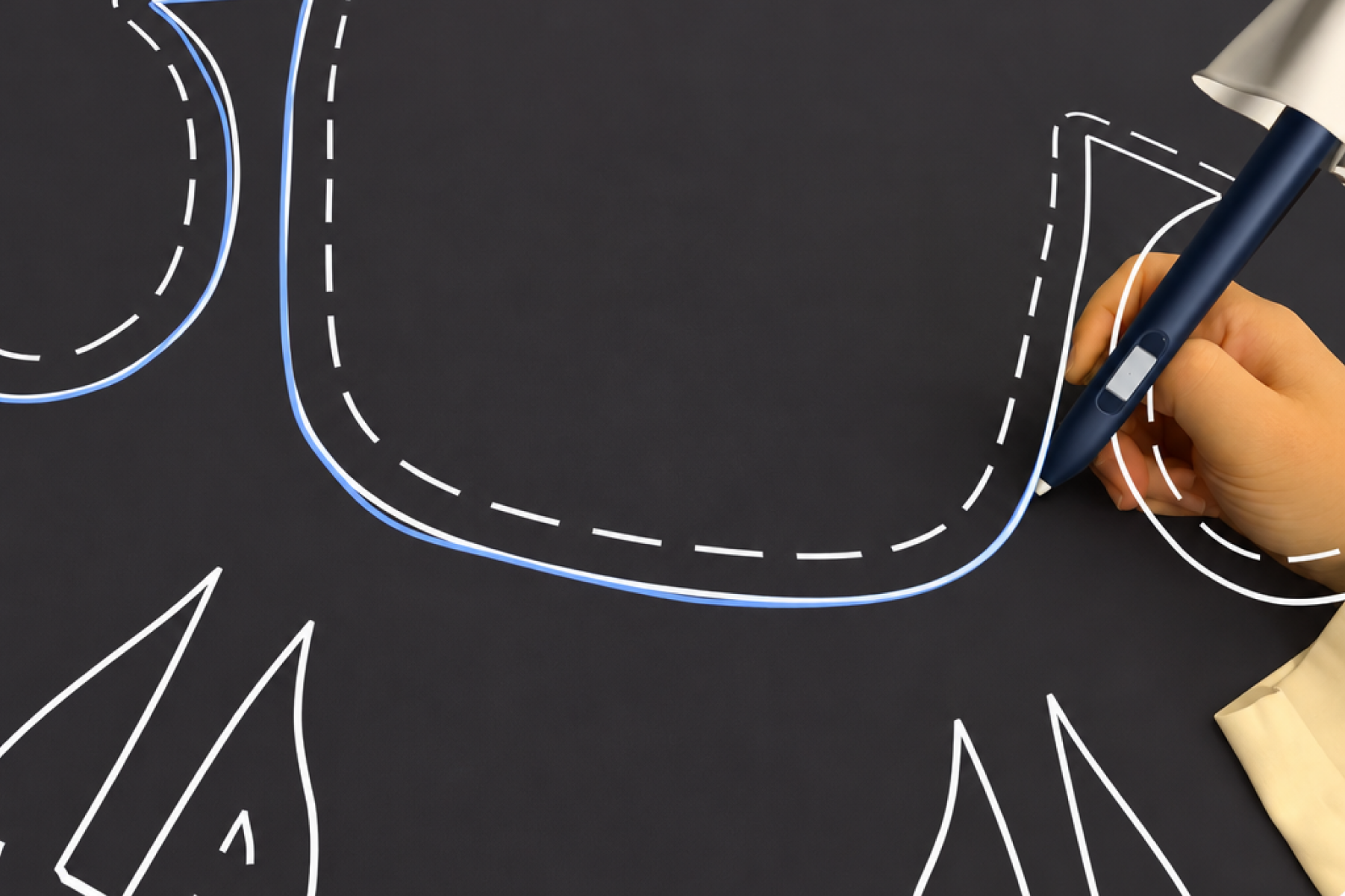
KAV: Tracing using Logitech MX Ink with 3D printed add-on
-
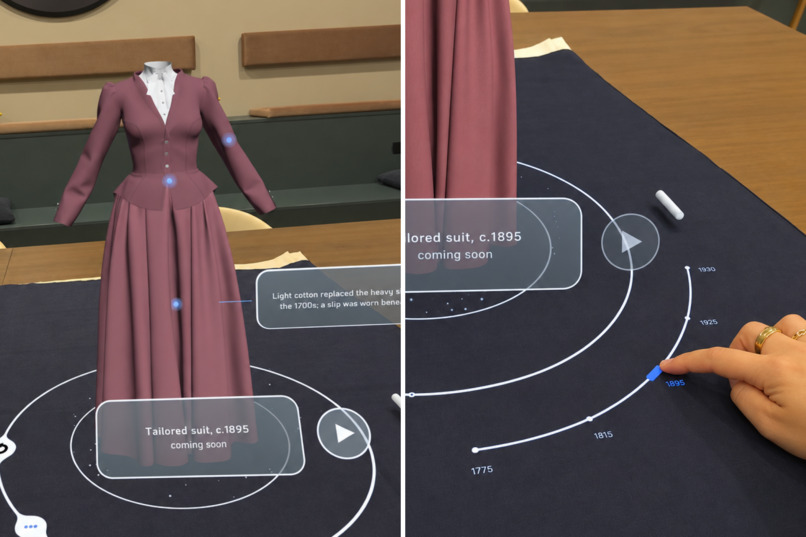
KAV: Archive
-
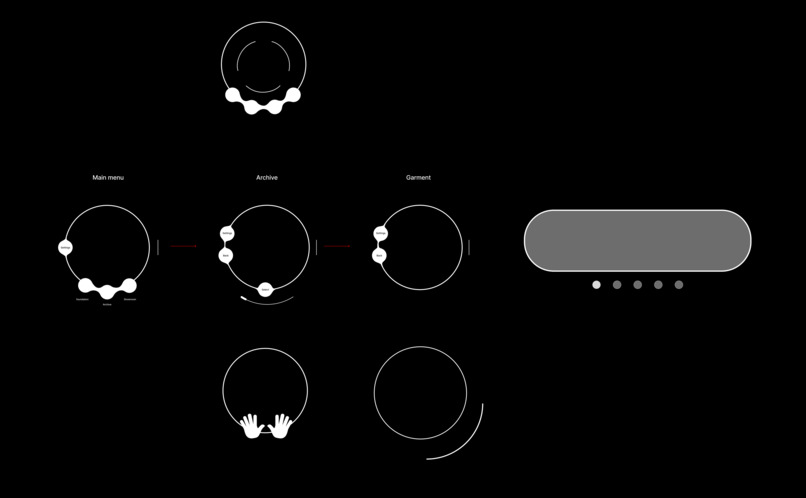
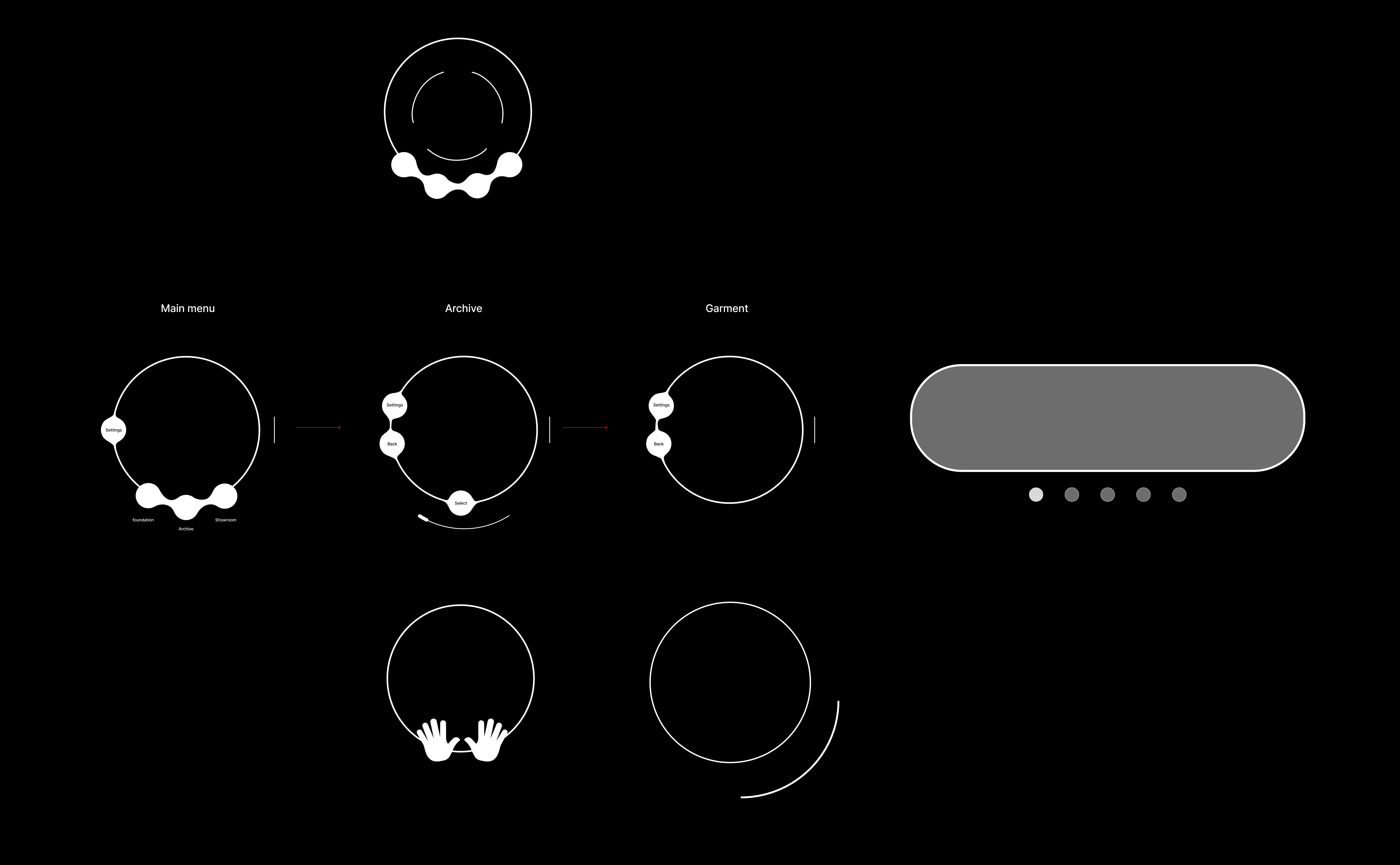
Figma: UI design base
Inspiration
Fashion is built on ideas that are constantly reinterpreted. Yet some of the most influential garments remain inaccessible, preserved in museum archives and behind glass. Students and designers often study them through books and photographs, with little opportunity to see the garments in person and examine them up close.
KAV began with a simple idea: projecting a sewing pattern at 1:1 scale onto a work table using passthrough. As the project developed, it became clear that the greater opportunity was to help people understand how a garment is constructed, how its story and form are connected, and then give them the means to make something themselves.
What it does
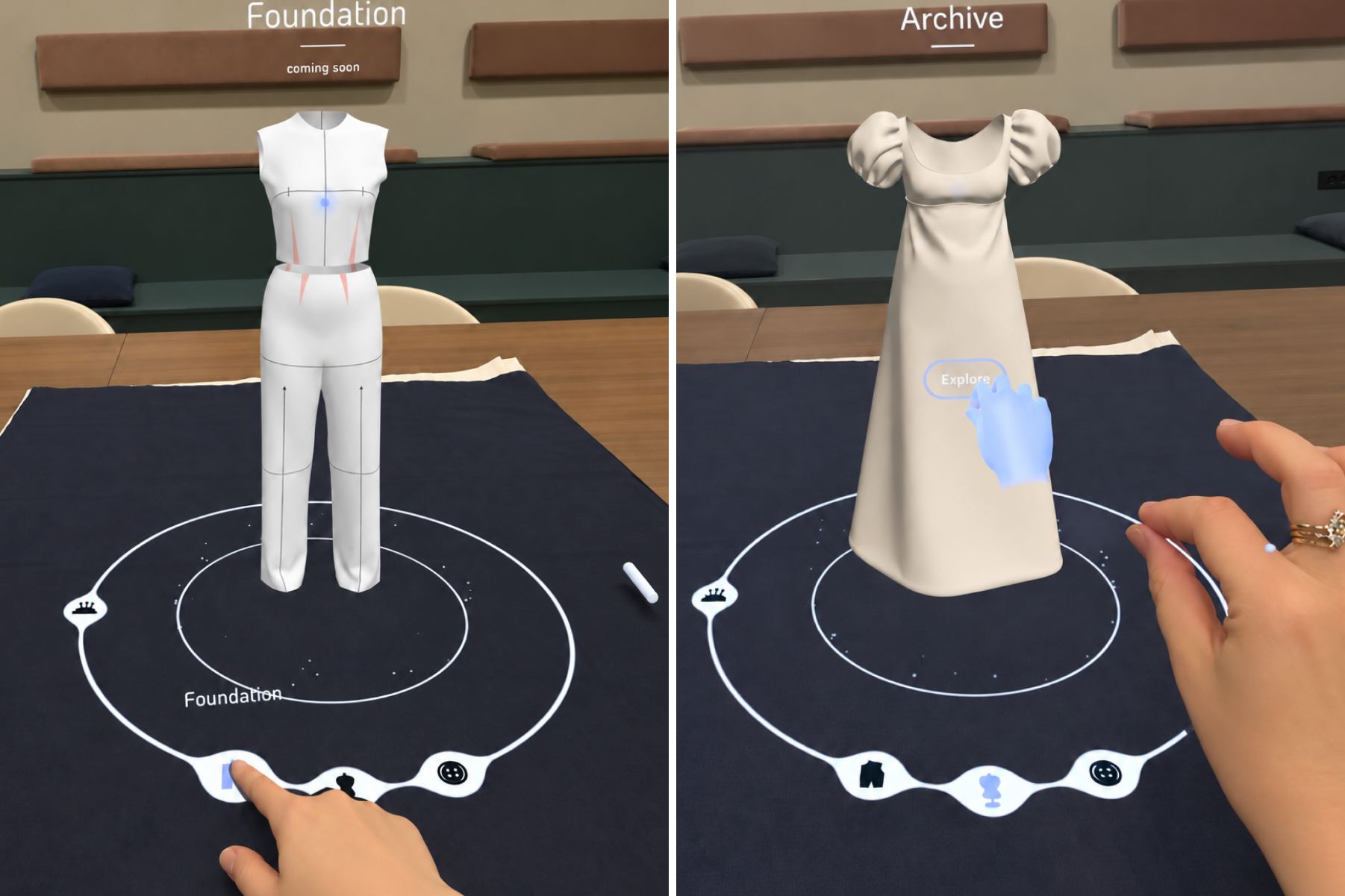
KAV is a mixed-reality atelier for fashion creatives, connecting fashion history, garment construction and creative exploration. It is built around three categories: Foundation, Archive and Showroom.
Archive Explore historical garments in mixed reality, discover their stories and examine how they were constructed. Each garment offers three ways to interact:
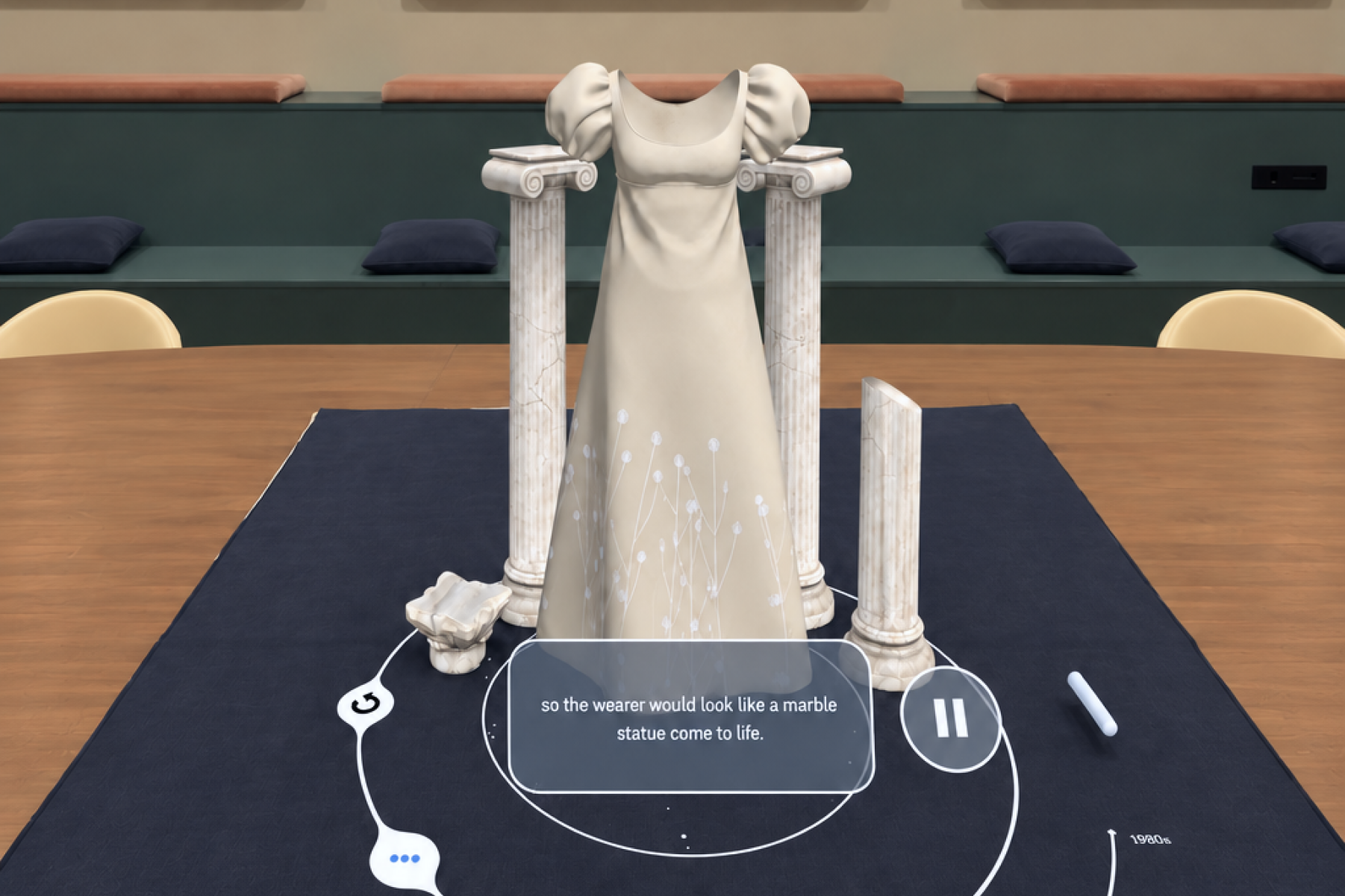
- Story: Discover the historical and cultural context behind the garment through narrated storytelling and visual elements.
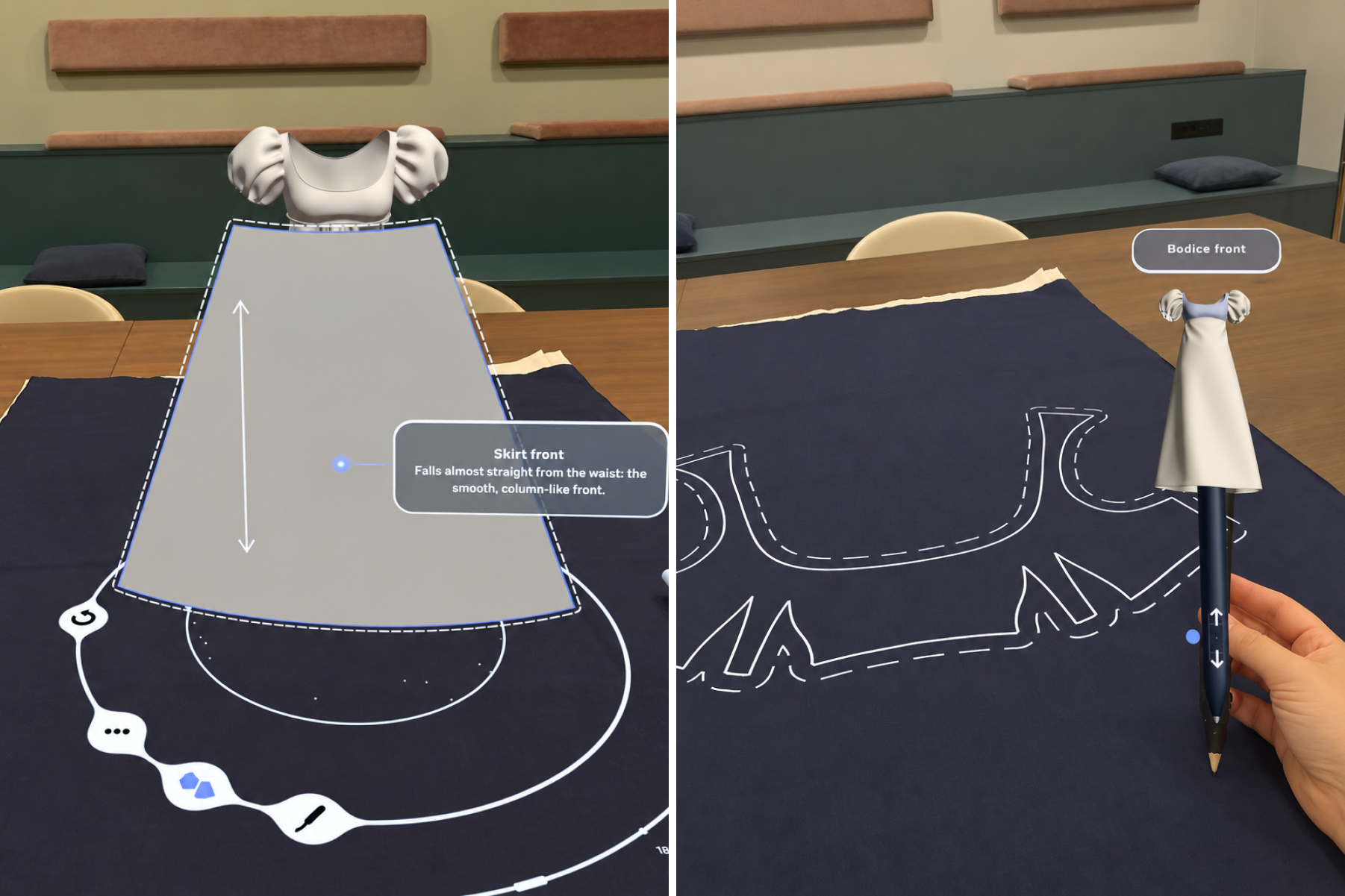
- Cuts: Deconstruct the garment piece by piece, revealing the actual sewing patterns behind its silhouette and the construction details of each piece.
- Trace: Project the garment's sewing patterns onto a real work table at 1:1 scale and trace them with Logitech MX Ink and a custom 3D-printed pencil connector, bringing the digital experience into physical making.
Coming next
- Foundation: A learning space for the language of sewing patterns: terminology, symbols and markings, learned in context through visual and interactive experiences.
- Showroom: A space for designers to bring their own creations into KAV. The dedicated CLO3D plugin already exports garments and their sewing patterns and uploads them to the cloud. The next step is connecting it to the app, so designers can publish their garments in KAV and link contemporary designs with the historical pieces that inspire them.
How I Built It
Experience Design I mapped the experience flow in Figma and sketched the initial interface concepts, then used Claude to help refine the UI and interaction ideas.
Garment Preparation and Simulation The historical garments were sourced from CLO-SET CONNECT and simulated and adjusted in CLO3D, keeping each garment piece linked to its corresponding 2D sewing pattern. This connection makes it possible to unfold individual garment pieces from their 3D form into their actual 2D pattern shapes, which can then be traced at full scale. The fabric movement on the Regency gown was also simulated in CLO3D. Blender was used to optimize models for standalone headset performance where needed.
Unity KAV was built in Unity using Meta's XR SDKs for mixed reality passthrough and hand tracking.
Tooltips Rather than introducing a traditional tutorial, I designed an animated holographic hand that demonstrates each gesture when it is first needed. I posed and animated the hand's bones for each gesture, with Claude assisting with implementation.
Spatial Storytelling The Story experience combines narration with animations that bring a garment's history and construction to life. Classical columns rise from the user's table, a line traces the gown's high waist, and the fabric becomes sheer to reveal the muslin underneath. I designed and developed these sequences using Claude Code.
Physical Tracing I extended the Logitech MX Ink integration for the Trace experience and designed a custom 3D-printed pencil attachment. This connects a physical pencil to the stylus, allowing users to trace the digital pattern and mark the physical fabric simultaneously.
AI and Development Tools Claude Code was my coding partner throughout development, alongside Meta's VR developer tools. Google Cloud Text-to-Speech was used to generate the narration. ChatGPT was used to generate images for the submission thumbnail and parts of the video.
Testing I used Meta XR Simulator during development.
Interaction Design
KAV is designed around hands-first interaction, combining hand tracking and eye tracking to create a natural workflow.
Surface Placement Users place KAV on a physical surface using both hands. The workspace remains anchored to that location throughout the session and can be reset through settings.
Surface-Based Interface The main ring menu sits directly on the physical surface. Users can press its buttons with a poke gesture, using the real surface as physical resistance for a more tactile interaction.
Micro Gestures Swipe left or right with your thumb to interact with garments, including rotating them, unfolding individual pieces and activating animations.
Eye tracking and Pinch Look at a button or garment component and pinch to select it, without needing to reach towards it.
Eye tracking Based Information Look at an information point on a garment to reveal additional details. The information closes when you look away.
Workspace Repositioning Pinch the ring menu to slide the entire workspace along the physical surface, moving it closer or further away.
Logitech MX Ink Integration A custom 3D-printed attachment connects a physical pencil to the MX Ink stylus, allowing users to trace digitally and physically at the same time.
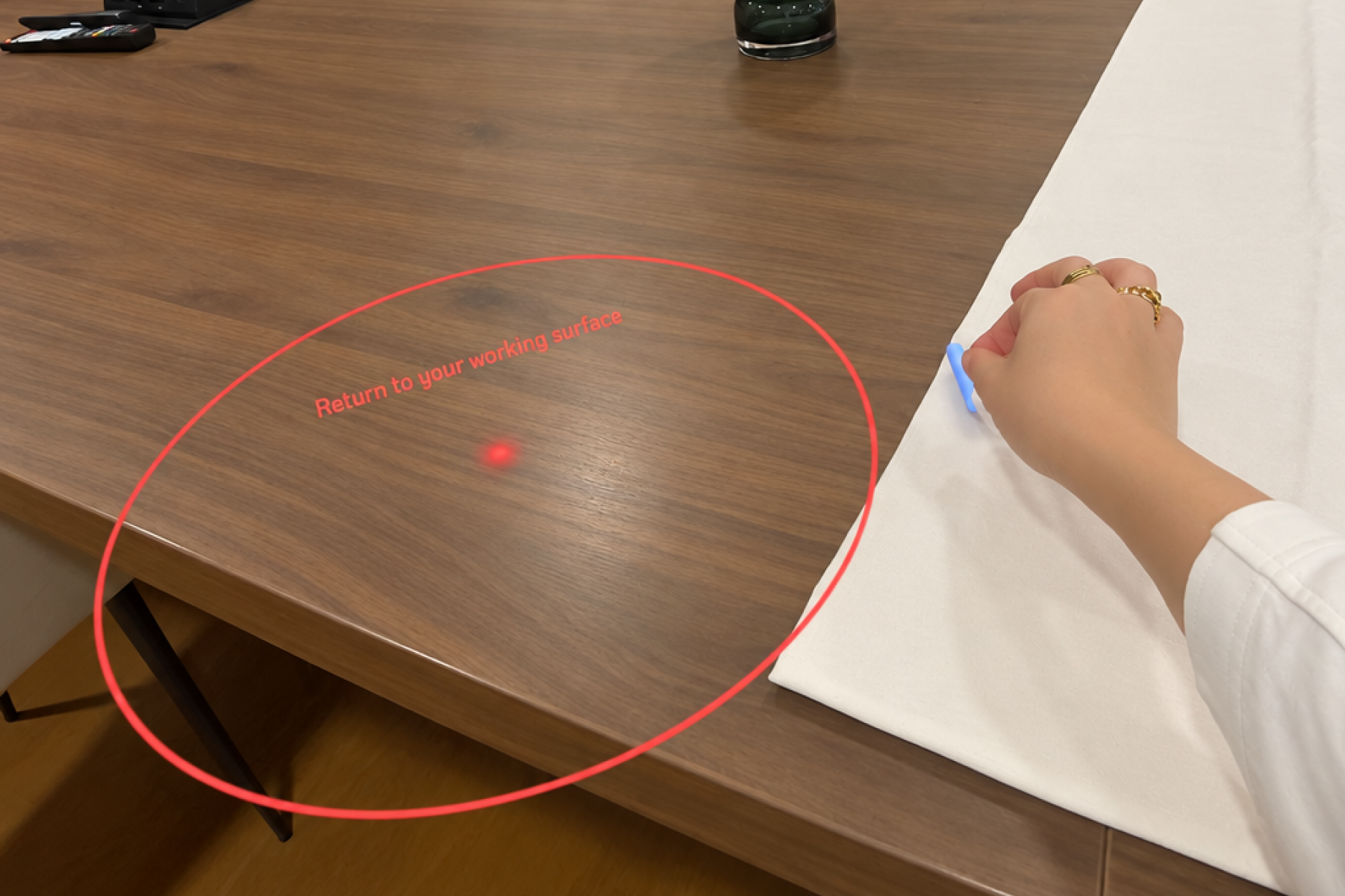
Surface awareness If objects are in the workspace area, or the UI is moved off the edge of the surface, KAV shows a warning that explains what to do: clear the space, or move the UI back onto the surface. In Trace, if a pattern piece is bigger than the table, KAV tells you the surface is too small.
Surface contrast KAV reads the colour of the surface under the workspace and switches the UI to light or dark to stay readable on it, whether it's a white table or dark fabric. You can re-check it from Settings if the surface changes.
Challenges I ran into
- Finding garments to work with. Historic garments with accurate, usable patterns are rare, and they also needed licenses that allow this kind of use.
- Not every table is big enough. A pattern piece at full size can be larger than the table, and tables are often cluttered. This led me to develop surface awareness logic.
- UI color in contrast to surface Continuously adapting the UI color to the surface used too much processing power and caused flickering. As a compromise, KAV now reads the surface once during placement, and users can re-check it from Settings when needed.
Accomplishments I'm Proud Of
- From prototype to standalone experience: Taking KAV from a pattern projector controlled by a phone to a complete mixed-reality experience, operated entirely through hand interactions.
- Bridging digital and physical making: Enabling users to trace patterns both virtually and directly onto physical fabric using a custom 3D-printed pencil attachment.
- Connecting 3D garments and 2D patterns: Creating a streamlined CLO3D export workflow that preserves the relationship between 3D garment pieces and their corresponding 2D pattern pieces.
- Using AI as a creative and technical collaborator: Working with Claude throughout development, from coding and implementing animations to exploring and refining design decisions, while keeping creative direction and decision-making in my hands.
What I learned
- I first wanted to show garments at full size, but found that a smaller version on the table is enough to understand a garment construction and story, and easier to turn and explore. Full scale matters where it's needed: in Trace, when you work with the pattern.
- Claude Code helped me build much faster, but I learned to start from my own designs and ideas and give clear direction. This way I kept full creative control and used AI mainly for implementation.
What's next for KAV
- Showroom: connect the Showroom to my pattern library on AWS, so designers can publish their garments and patterns directly into KAV, and users can purchase patterns through it.
- Remix: link every garment uploaded to the Showroom to a historical garment from the Archive as its inspiration or base, so you can see where a design comes from.
- Foundation: add the Foundation section to the app.
- Collaboration: Collaborating with fashion designers to create a library of historical garments.
Credits
Garments (CLO-SET CONNECT, connect.clo-set.com)
- Regency gown, c.1815: "1815-1820 Dress Block" by Gwendolyn Grey (Free license)
- Robe à la française, c.1775: by Kev-in-DESIGN (Extended license)
- Tailored suit, c.1895: "Victorian set" by Aban (Extended license)
- Flapper dress, c.1925: "1920s Flapper Dress" by mahdor68 (Extended license)
- Bias-cut slip, 1930s: "1930s Evening~Day Slip" by Binary Fashion (Free license)
- Showroom jacket: "puffy jacket" by maedeh (Extended license)
Patterns
- Showroom trousers: FreeSewing "Titan" design, MIT license (freesewing.org)
3D models
- Corinthian capital: scan of MAK/AS/2435, Archaeological Museum in Kraków, by Virtual Museums of Małopolska, CC0 1.0
- "Low Poly Classical Column" by chmonya200, licensed under CC BY 4.0: https://sketchfab.com/3d-models/low-poly-classical-column-e232b50b588a48e291b7a1be0b82d9d3
Font
- KoHo by Cadson Demak, SIL Open Font License 1.1
Unity Asset Store packs
- Hologram Shaders Pro, Plasma Shader (Houidisoft technology), Shaders Pack (Matthew Guz), Sparkle FX, Ultimate 10 Plus Shaders, characterEffects


