Project Horizon: The Invisible Assistant
"The best computer is a quiet, invisible servant." - Mark Weiser
Inspiration
I've always been inspired by the idea of an 'Invisible Assistant'—a system that works in the background of your daily life, much like J.A.R.V.I.S. from Iron Man or the Computer in Star Trek. These assistants don't just answer questions; they anticipate what you need and help you get things done. With recent breakthroughs in AI and Large Language Models, I felt it was the right time to try and build a simpler, real-world version of this idea. Horizon is my attempt to create this experience on the device I use most: my smartphone.
What it does
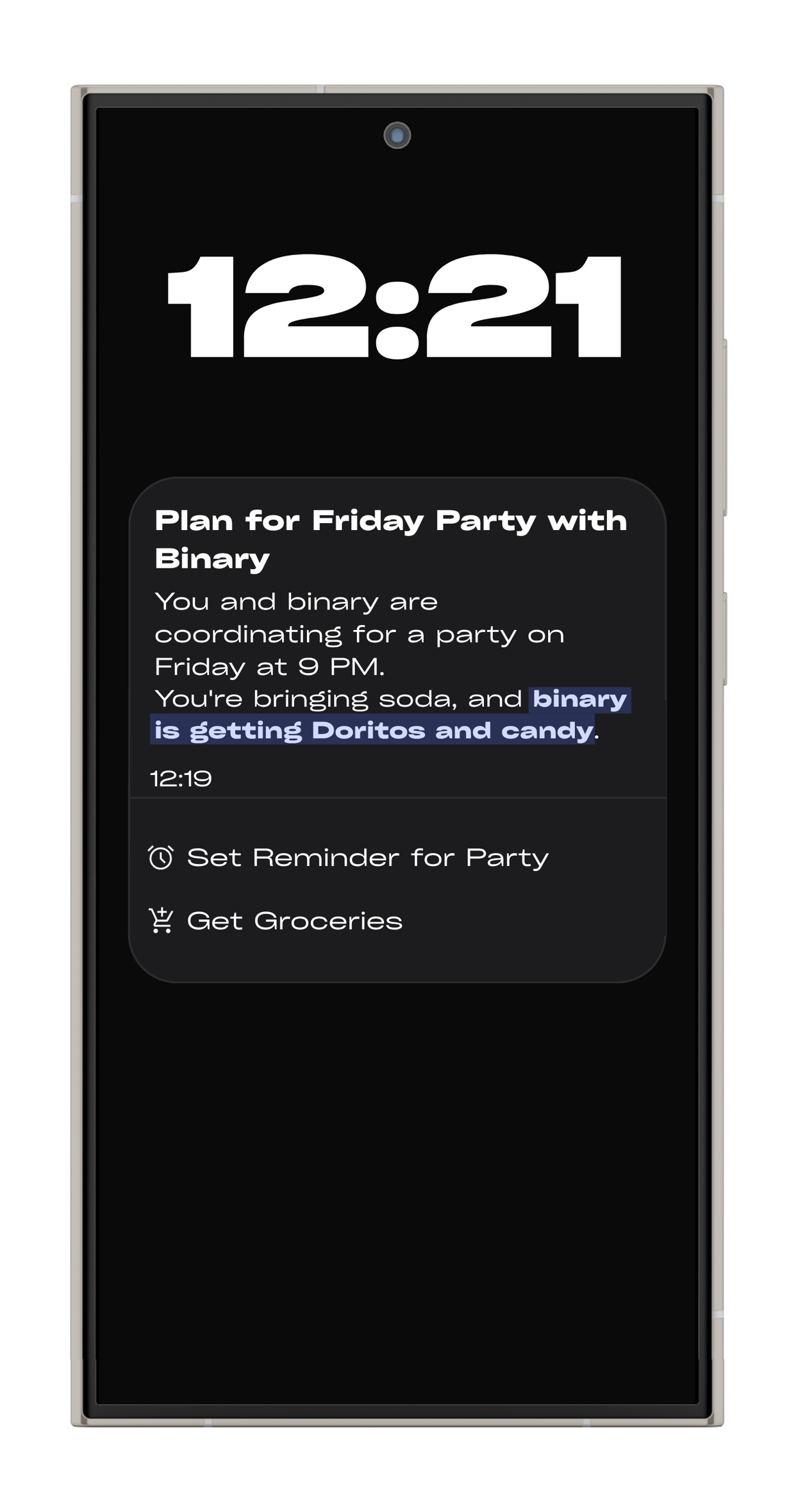
Horizon is a concept for an Android homescreen that acts as a proactive assistant. Instead of just reacting to your commands, it analyzes how you use your phone to suggest helpful actions and, with your okay, can even complete those tasks for you.
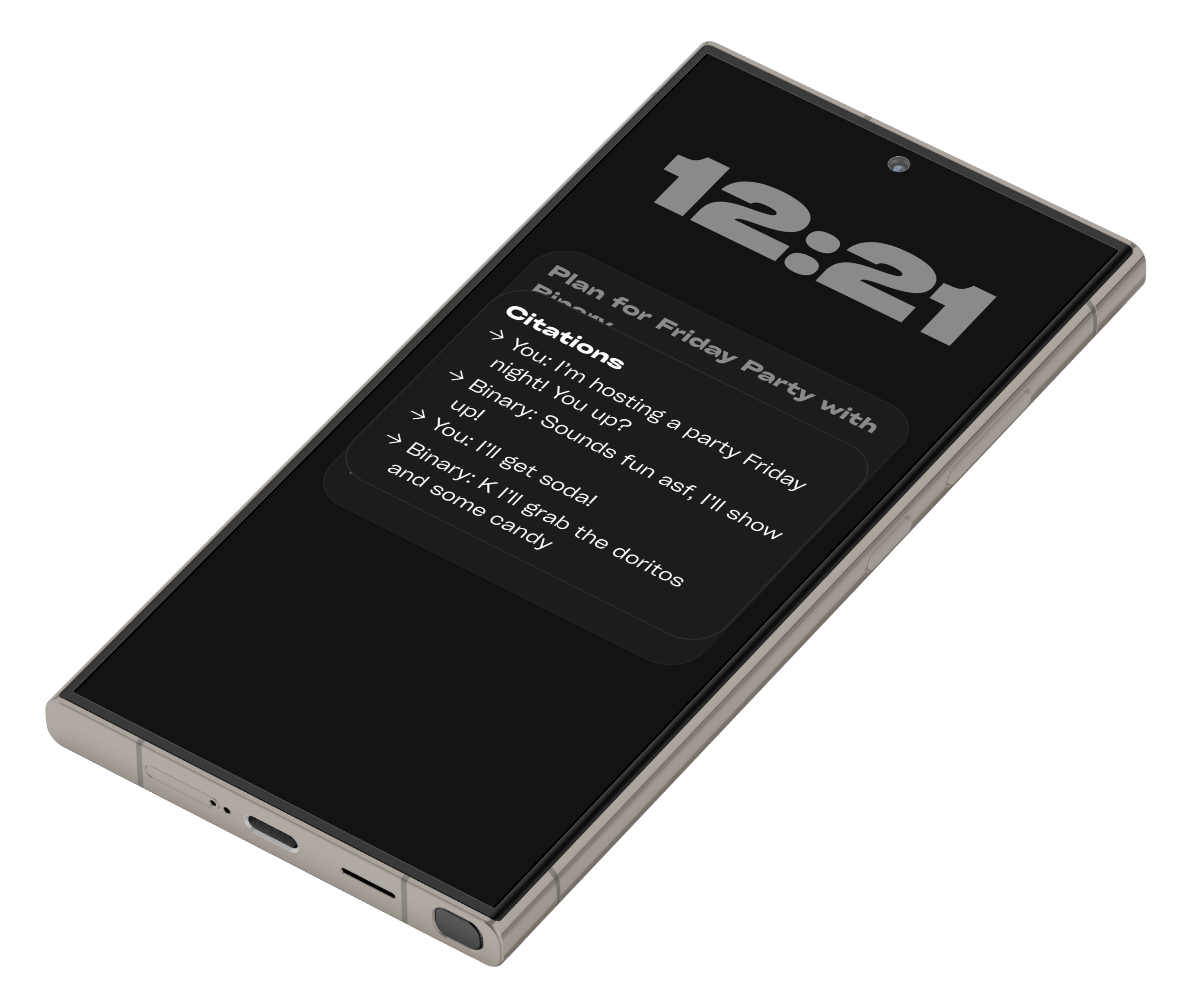
- Contextual Analysis: At its core, Horizon uses an on-device accessibility service to understand the context of your actions. It observes your interactions with different apps to build a picture of your intent.
- Proactive Suggestions: Based on this analysis, the Horizon Agent—the intelligence layer of the system—generates timely and relevant suggestions. For example:
- After you've been messaging a friend about dinner plans, Horizon might suggest creating a calendar event with the location and time automatically filled in.
- If you're Browse flights for a trip, it could offer to track the flight status and create a packing list.
- When a meeting is approaching, it can automatically silence your phone and prepare your notes.
- After you've been messaging a friend about dinner plans, Horizon might suggest creating a calendar event with the location and time automatically filled in.
- Automated Actions: The Horizon Agent is not just for suggestions. It can directly control Android functions to complete tasks, turning your multi-step processes into a single tap.
How we built it
I built Project Horizon over a month, using a set of modern tools to go from an idea to a working app quickly.
- UI Design and Prototyping (Bolt.new & Expo): The initial phase focused on user experience. I used Bolt.new to rapidly design the core UI components and screen flows. This visual development environment allowed me to build the entire front-end within an Expo project, creating a high-fidelity, interactive prototype without writing a single line of native code.
- Functionality and Backend (Supabase): With the UI established, I planned the app's functionality and data architecture using Supabase. It served as the backend for managing user data, preferences, and the logic for processing usage patterns.
- Native Module Development (Cursor IDE): To achieve the deep integration Horizon required, I exported the project from Bolt and brought it into Cursor, an AI-powered IDE. Here, I developed the critical native modules for Android, including:
- Permission Handling: Securely requesting and managing the necessary device permissions.
- Accessibility Service: The core module for tracking on-screen content and user interactions natively.
- Permission Handling: Securely requesting and managing the necessary device permissions.
Challenges we ran into
The main challenge was figuring out how to monitor a user's actions in a smart way that wasn't inefficient or invasive.
My first attempt involved building a notification processor. The idea was to analyze incoming notifications to understand what was happening on the device. However, this proved to be too shallow; notifications lack the nuance of actual user interaction and often don't capture the full context of a task.
The breakthrough came with the development of a custom Accessibility Service. This Android feature allows Horizon to natively and securely capture screen contents in real-time. By analyzing the hierarchy of UI elements on the screen, the system can understand context far more deeply than by reading notifications alone. The main hurdle then became passing this rich data to the cloud for processing in a way that was both efficient and respected user privacy.
Accomplishments that we're proud of
The most exciting moment of the project was seeing the system correctly summarize my usage and provide a genuinely helpful suggestion for the first time. Getting to this point was a chaotic, three-day sprint of intensive coding and debugging. I was wrestling with asynchronous data flow between the native accessibility service, the React Native bridge, and the Supabase backend. When the first coherent, context-aware summary finally appeared on the screen, it was a massive validation of the entire concept. That "Aha!" moment proved that an invisible, truly helpful assistant was not only possible but within reach.
What we learned
This project was a tremendous learning experience, pushing my skills in several key areas:
- Advanced React Native: Moving beyond simple UI to bridge with complex native functionality.
- Android Native Development: Writing custom modules in Java/Kotlin to access low-level device APIs.
- Accessibility Services: Understanding the power and responsibility of using Android's accessibility features.
- Full-Stack Integration: Connecting a mobile front-end with a cloud backend (Supabase) to create a cohesive application.
What's next for Project Horizon
I am committed to evolving Project Horizon from a proof-of-concept into a polished, full-time product. The next steps are clear:
- Refine the Agent: Enhance the intelligence of the Horizon Agent with more sophisticated models to improve the quality and accuracy of its suggestions.
- Expand Actions: Increase the number of native actions the agent can perform, from interacting with third-party apps to controlling more device settings.
- Beta Testing: Launch a closed beta program to gather user feedback and real-world usage data.
- Google Play Store: The ultimate goal is to launch Project Horizon on the Google Play Store and build a sustainable business around the vision of the Invisible Assistant.
Built With
- bolt.new
- gemini-api
- react-native
- supabase


Log in or sign up for Devpost to join the conversation.