-
-
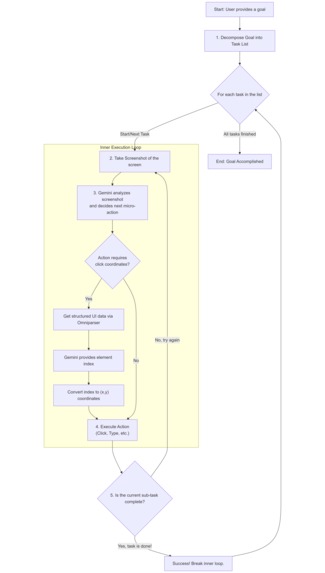
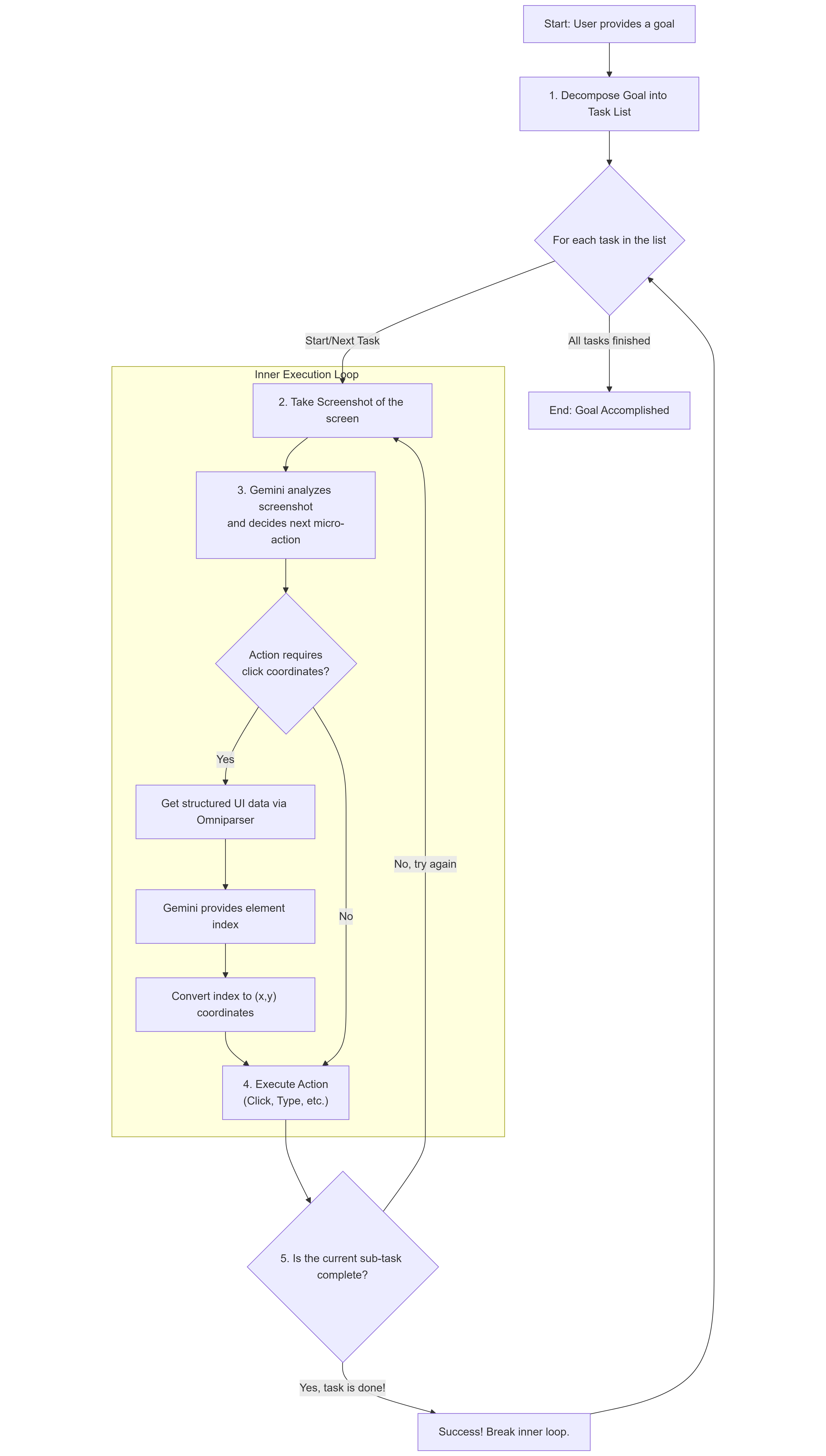
architecture
-
Horizon - AI Computer Control Assistant
An intelligent AI assistant that can control your computer directly using advanced vision, natural language processing, and speech capabilities. Horizon combines GPT-OSS orchestration with Gemini vision, Whisper Turbo speech-to-text, and PlayAI-TTS text-to-speech to understand your screen and voice and execute complex tasks autonomously.
Inspiration
The inspiration for Horizon came from the need to bridge the gap between natural language instructions and precise computer control. Traditional automation tools require specific programming or scripting knowledge, but Horizon allows users to describe what they want to accomplish in plain English or by speaking. By combining cutting-edge vision and speech models with intelligent orchestration, we created an assistant that can "see" your screen, "hear" your commands, and take appropriate actions just like a human would.
What it does
Horizon is a comprehensive AI assistant that can:
- Execute Complex Tasks: Break down high-level requests into actionable steps
- Visual Screen Analysis: Understand what's currently displayed on your screen
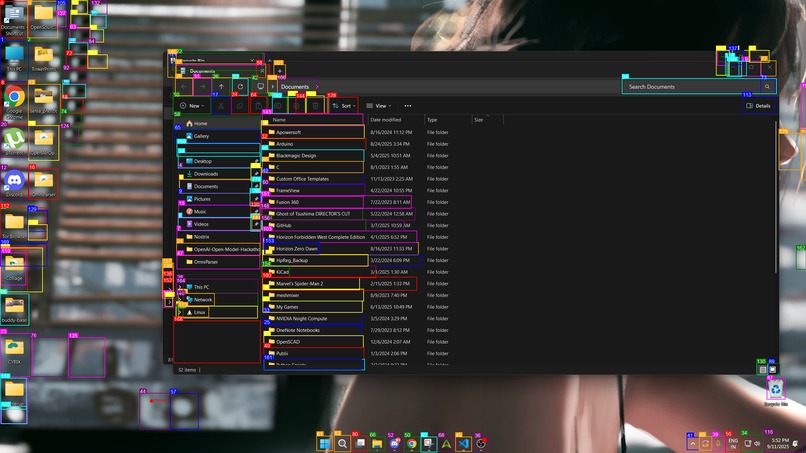
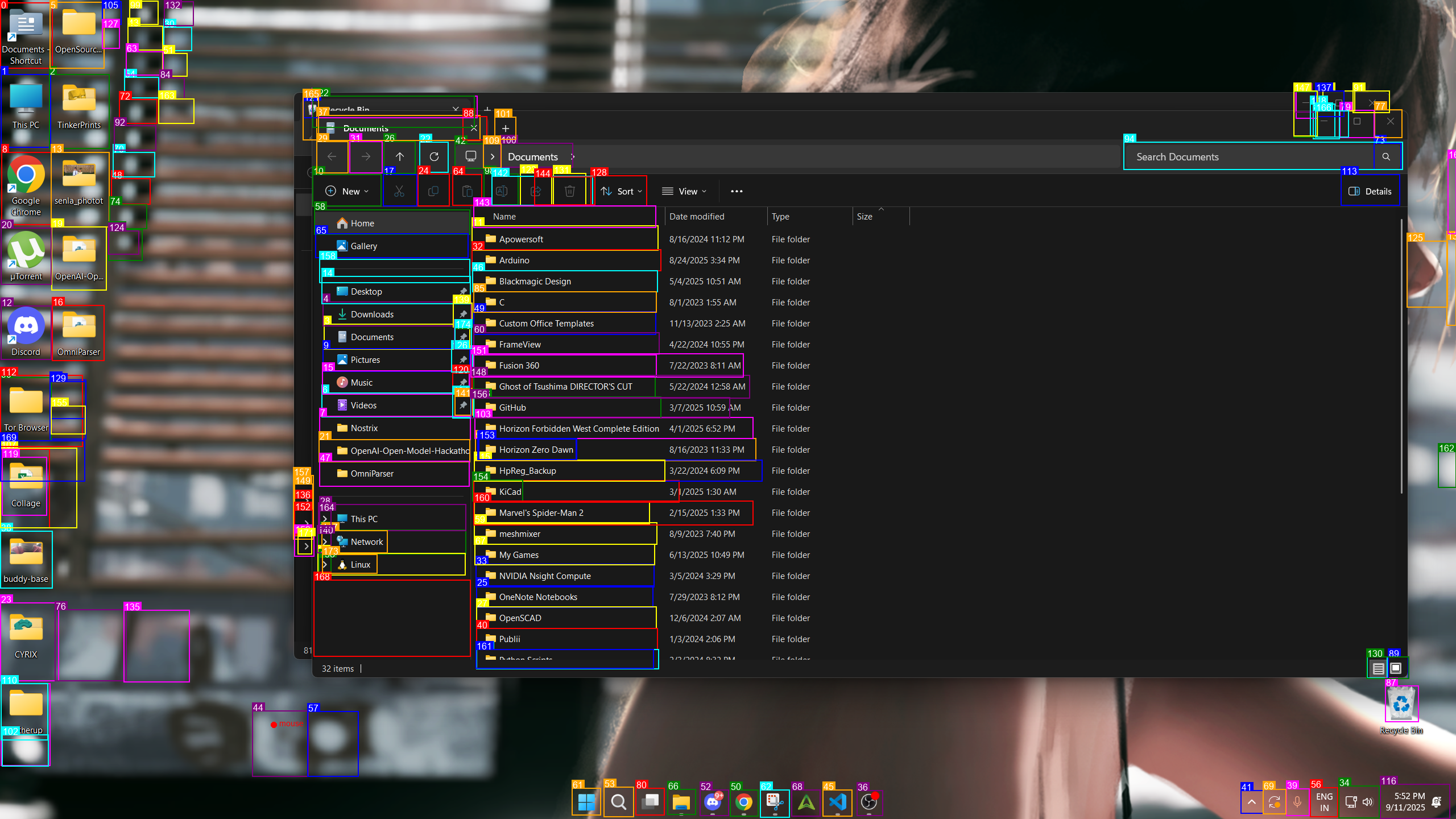
- Precise UI Interaction: Click buttons, fill forms, navigate applications with pixel-perfect (by leveraging omniparser and a vision model) accuracy
- Multi-Modal Understanding: Process both text and voice commands, as well as visual information
- Speech-to-Text: Use Whisper Turbo for accurate and fast voice command recognition
- Text-to-Speech: Respond to users with a natural-sounding voice using PlayAI-TTS
- Adaptive Learning: Learn from action history about the user to improve future performance
Key Capabilities:
- Screen Understanding: "What's on my screen?" - Get a detailed description of the current display
- Application Control: "Reply Rohit in Discord " - Launch and control applications
- Form Automation: "Fill out this form with my information (if available in history)" - Automate data entry
- Web Navigation: "Find the login button and click it" - Navigate websites intelligently
- Multi-Step Workflows: "Send an email to John about the meeting" - Execute complex multi-step tasks
- Voice Interaction: Speak commands and receive spoken responses for hands-free operation
How we built it
Architecture Overview
Horizon uses a sophisticated three-tier architecture:
GPT-OSS Orchestrator (
orchestrator.py)- High-level task planning and decision making
- Determines whether to execute tasks or answer questions
- Coordinates between vision, speech, and action modules
- GPT-OSS is perfect for this because of its strong reasoning and its safety features
Gemini Vision (
vision/vision.py)- Advanced screen analysis using Gemini API
- OmniParser integration for precise UI element detection
- YOLO-based object detection for accurate coordinates
Action Execution (
action/action.py)- PyAutoGUI-based computer control
- Mouse, keyboard, and system interactions
Speech Module
- Whisper Turbo for real-time speech-to-text
- PlayAI-TTS for natural text-to-speech responses
Why gpt-oss?
We chose GPT-OSS because of its outstanding safety, reasoning, and privacy capabilities. GPT-OSS is specifically designed to refuse dangerous or harmful commands, making it a perfect fit for an AI assistant that controls your computer. Its advanced reasoning allows it to break down complex instructions into safe, actionable steps, while its strong context understanding ensures reliable orchestration of Horizon’s components. Additionally, GPT-OSS is built with privacy in mind, ensuring that user data is handled securely and never exposed unnecessarily. The open-source nature of GPT-OSS also enables deep customisation and seamless integration with our vision, speech, and action modules.
Technical Stack:
- Models: GPT-OSS-20B, Gemini 2.0 flash, Whisper Turbo, PlayAI-TTS
- Vision: YOLO + OmniParser for UI element detection
- APIs: Groq and Gemini API for model access
- Automation: PyAutoGUI, platform-specific system calls
- Speech: Whisper Turbo (STT), PlayAI-TTS (TTS)
Accomplishments that we're proud of
1. Advanced Vision Integration
- Successfully integrated OmniParser with YOLO for precise UI element detection
- Achieved accurate coordinate mapping from visual elements to actionable commands
2. Intelligent Orchestration
- Created a sophisticated decision-making system using GPT-OSS
- Implemented proper tool calling and context management
3. Robust Action System
- Built comprehensive automation capabilities covering mouse, keyboard, and system control
- Added intelligent retry mechanisms and error handling
4. Seamless Speech Integration
- Enabled hands-free operation with Whisper Turbo speech-to-text
- Provided natural spoken feedback using PlayAI-TTS
What we learned
Technical Insights:
- Vision Model Capabilities: Gemini excels at understanding UI contexts and spatial relationships
- Orchestration Patterns: GPT-OSS provides excellent high-level reasoning for task decomposition, and its built-in safety features work seamlessly to ensure secure and reliable automation.
- Action Reliability: Combining visual verification with action execution significantly improves success rates
- Speech Integration: Whisper Turbo and PlayAI-TTS enable intuitive, accessible, and hands-free user experiences
Development Lessons:
- Modular Architecture: Separating vision, orchestration, action, and speech modules enables better testing and maintenance
- Error Handling: Computer control requires robust error handling and recovery mechanisms
- User Experience: Clear feedback and status updates are crucial for user trust in AI automation
What's next for Horizon
- Performance Optimisation: Reduce latency through model optimisation and caching
- Application-Specific Plugins: Devspecialisedlized modules for popular applications (browsers, office suites, etc.)
- Cross-Platform Support: Expand compatibility to multiple operating systems (Windows, macOS, Linux)
- Workflow Automation: Create and save complex multi-step workflows for repeated tasks
- Parallel Agent Execution: Enable running multiple agents in parallel to handle concurrent tasks efficiently
- Local Model Execution: Support running models locally for enhanced privacy and data security
- Multi-Screen Support: Handle multiple monitors and complex display configurations


Log in or sign up for Devpost to join the conversation.