-
-
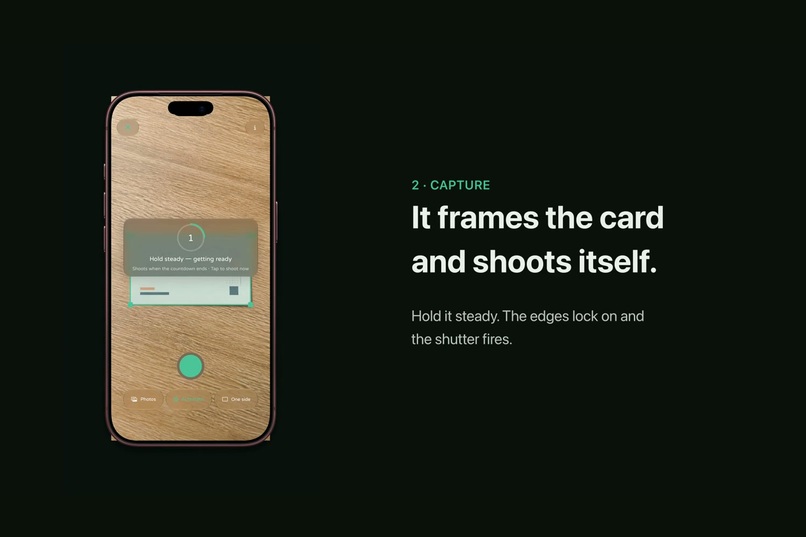
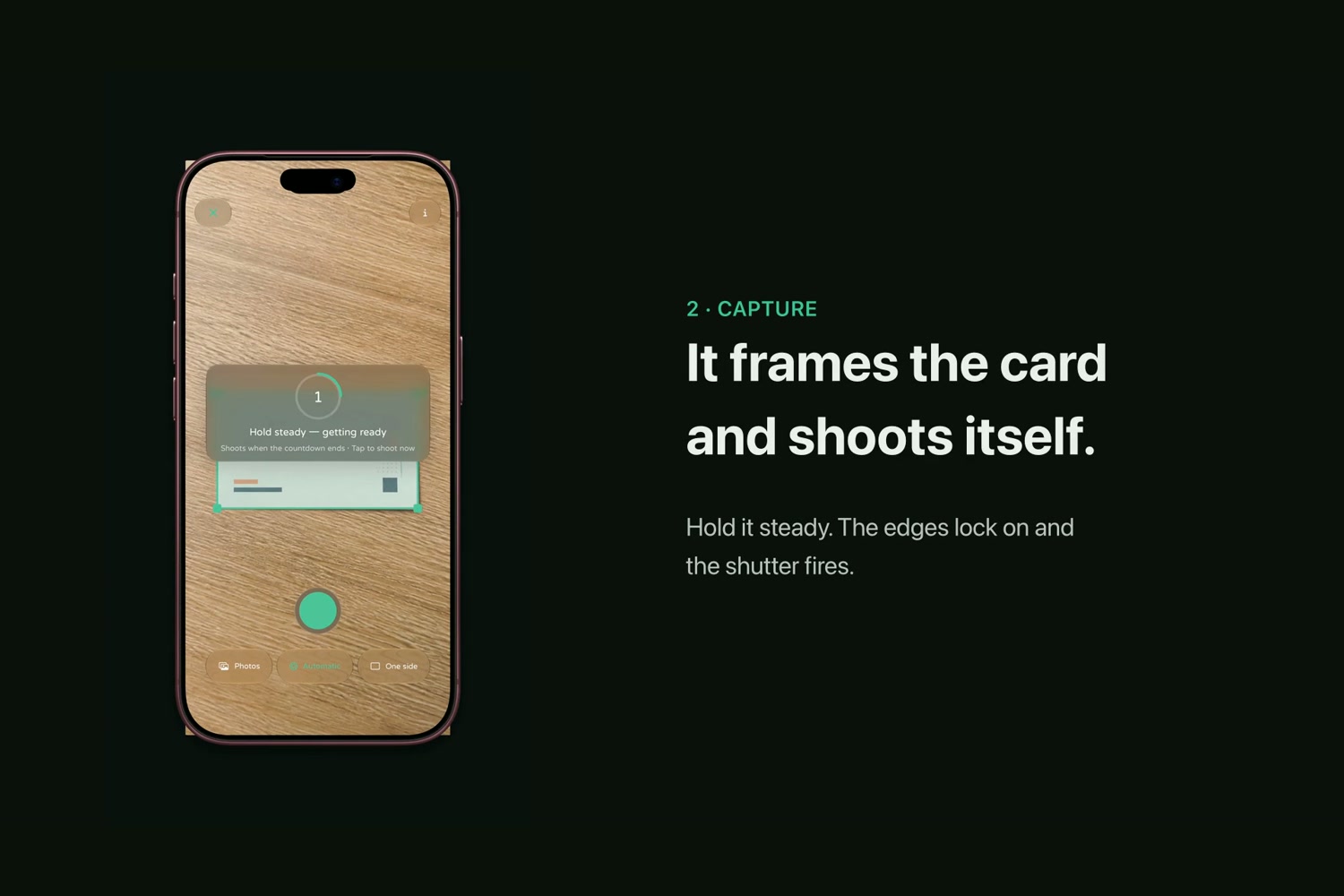
Press Camera Control on a locked iPhone: Kardhaus finds the card edges, counts down and shoots by itself.
-
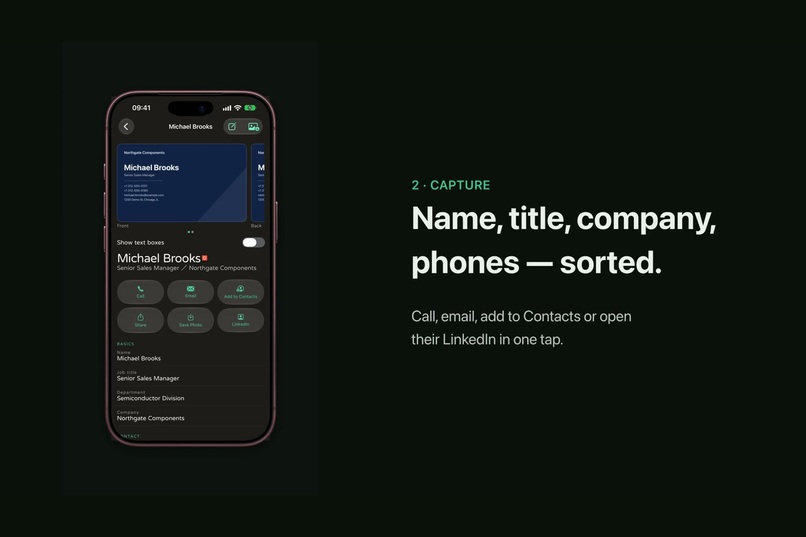
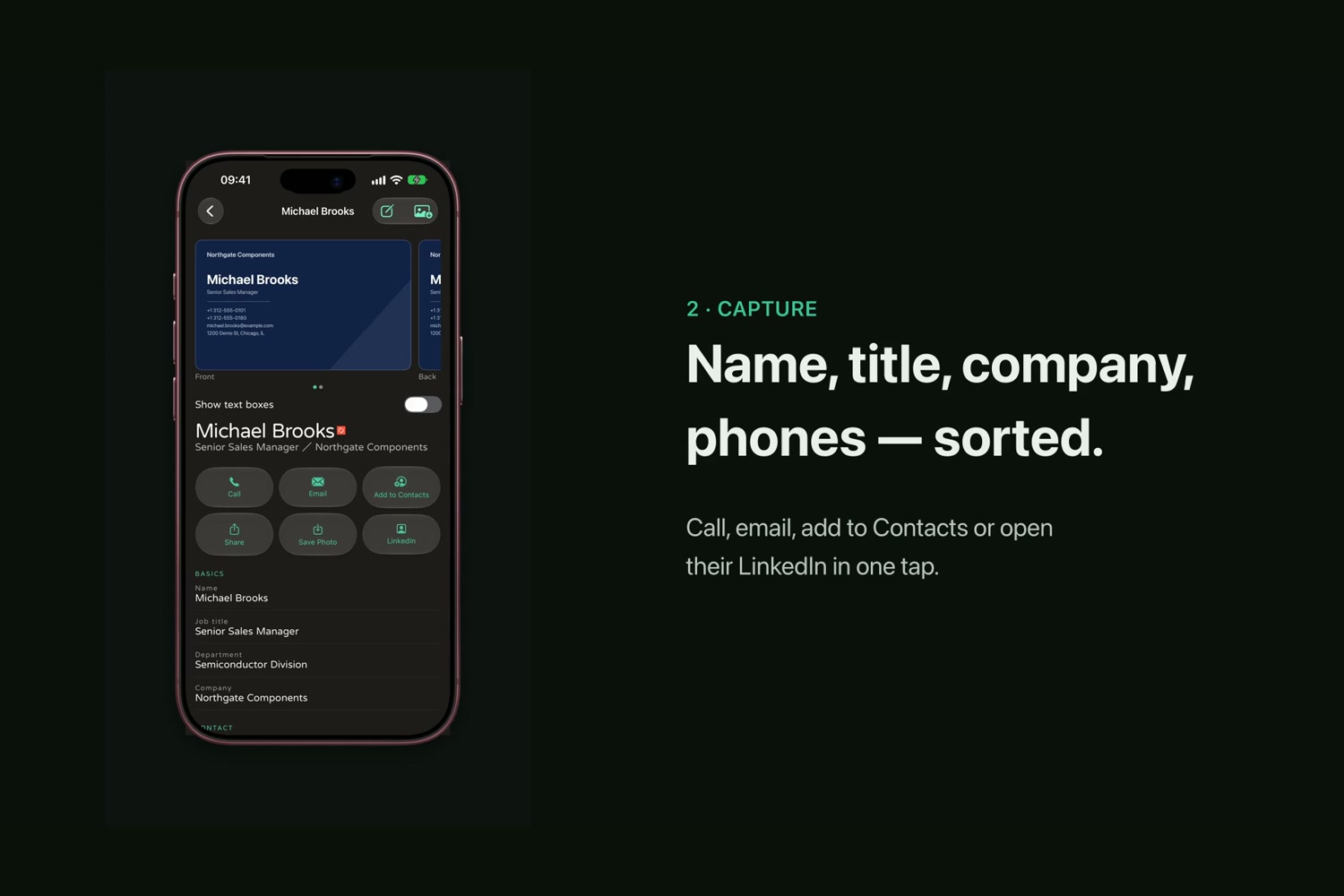
Apple Private Cloud Compute puts every line in the right field: bilingual names, title, company, phones.
-
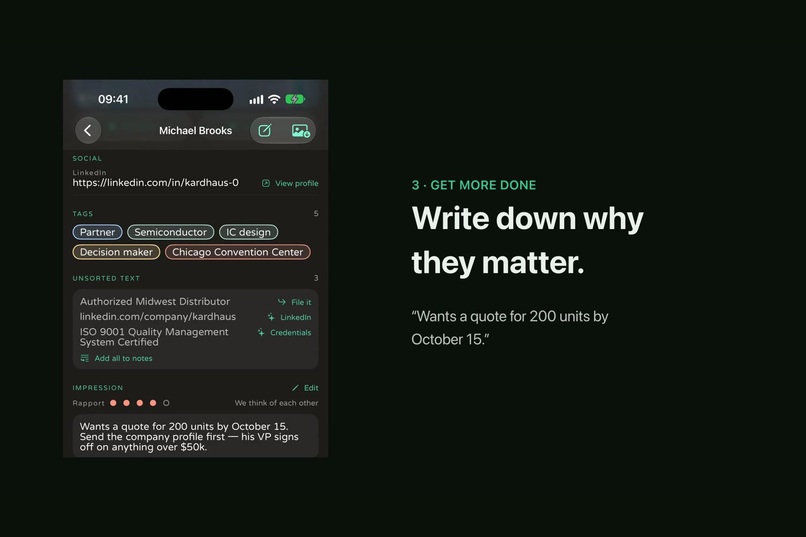
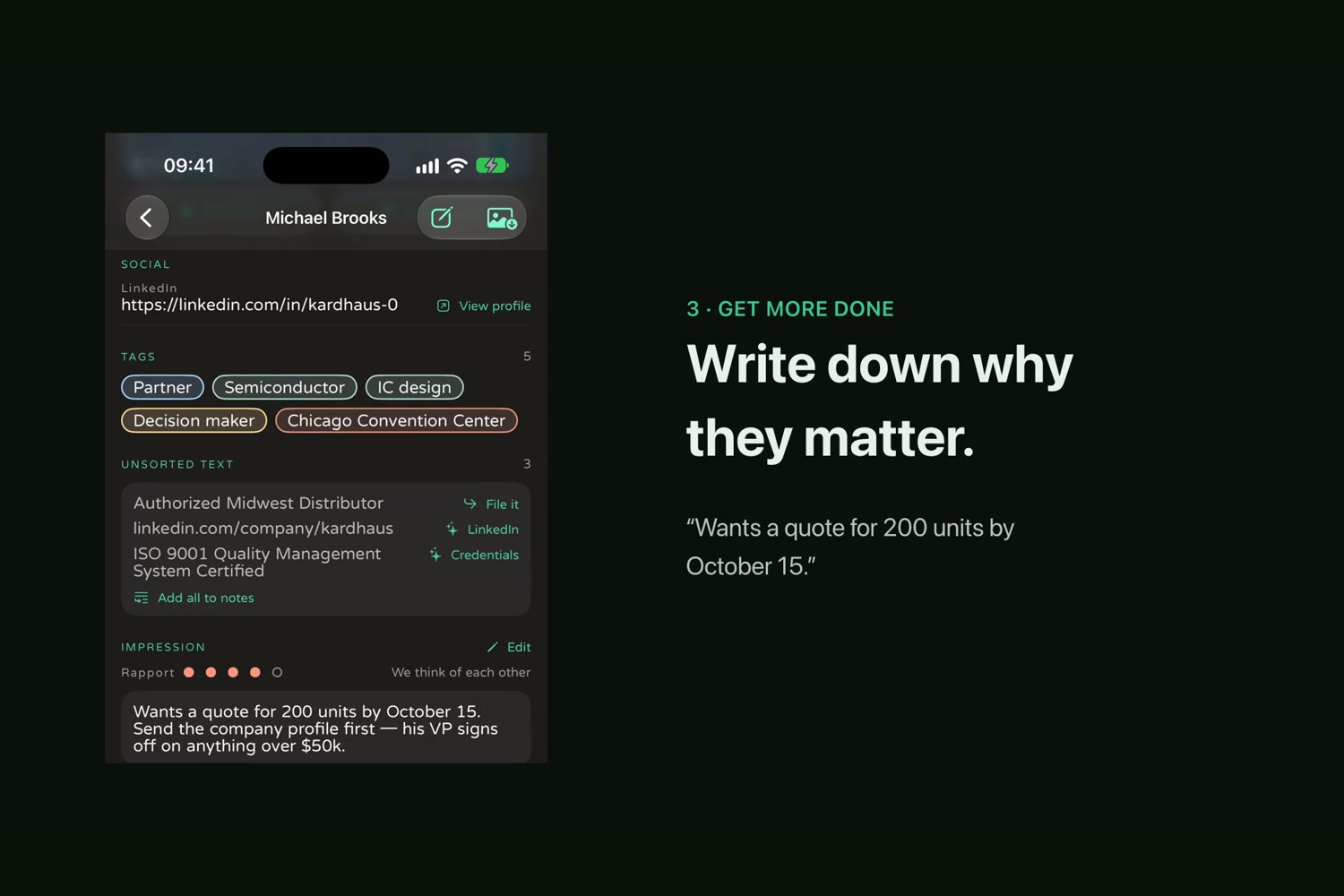
A private impression, rapport and tags: why this person matters, written down on the device.
-
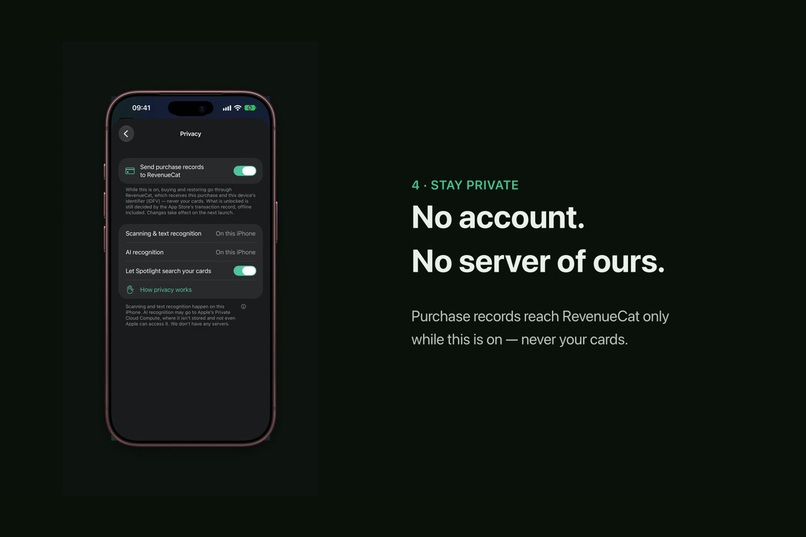
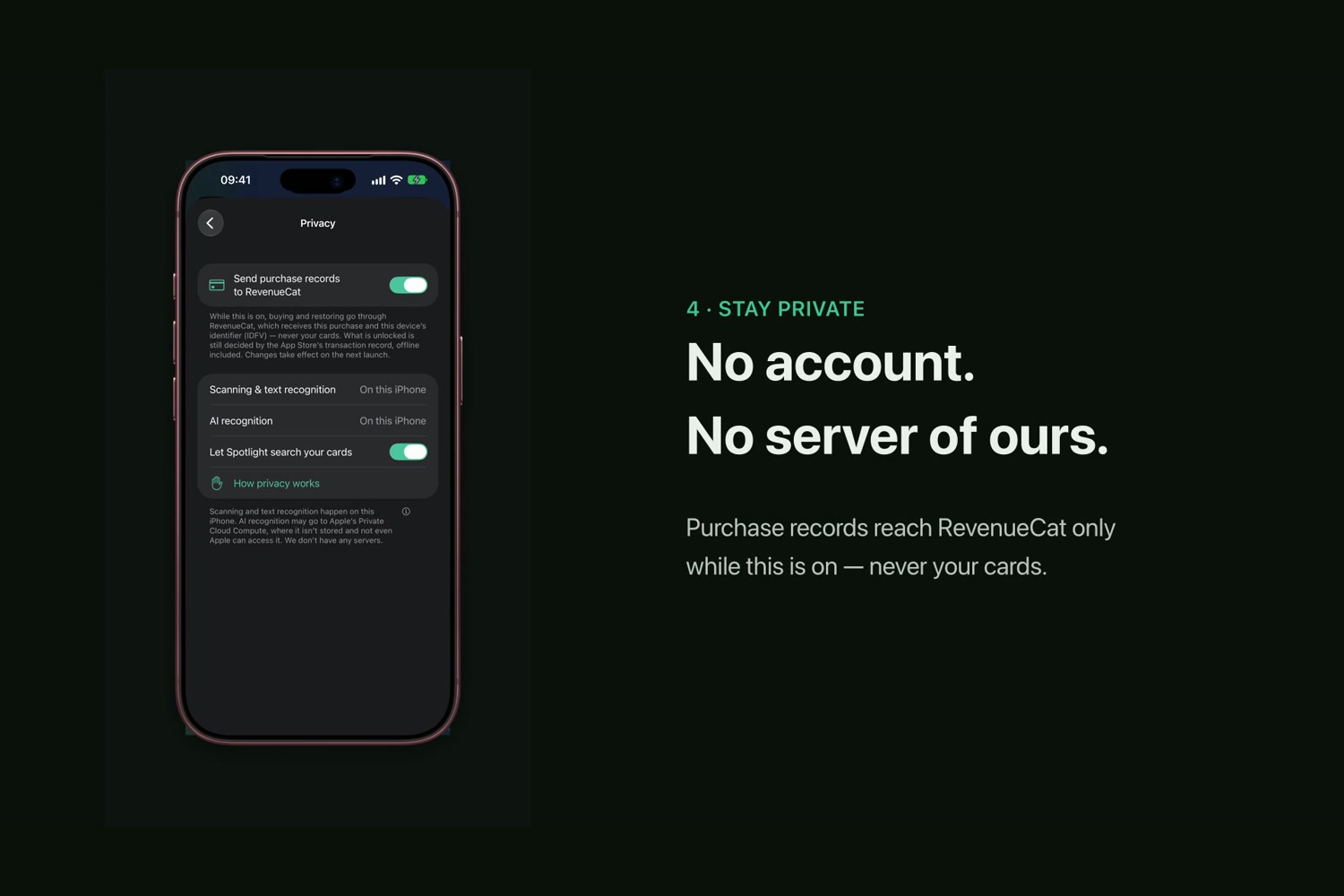
No account, no server of ours. RevenueCat gets only the purchase and a random ID, never the IDFV or your cards.
-
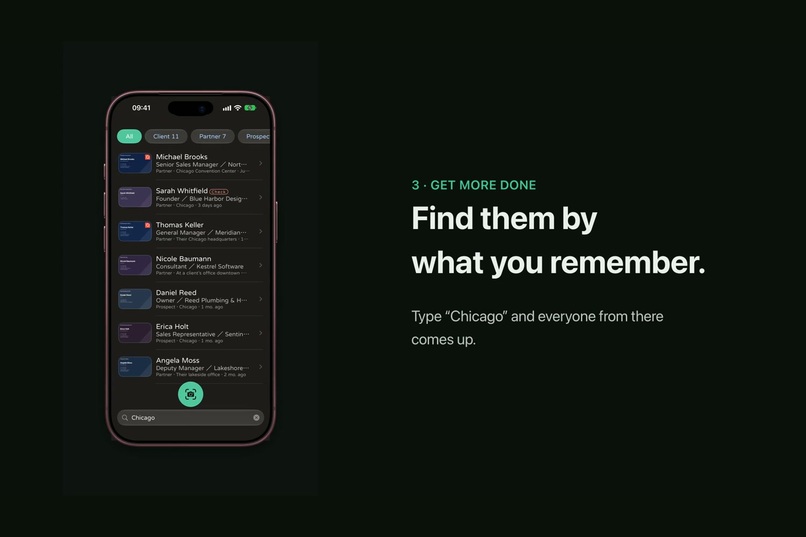
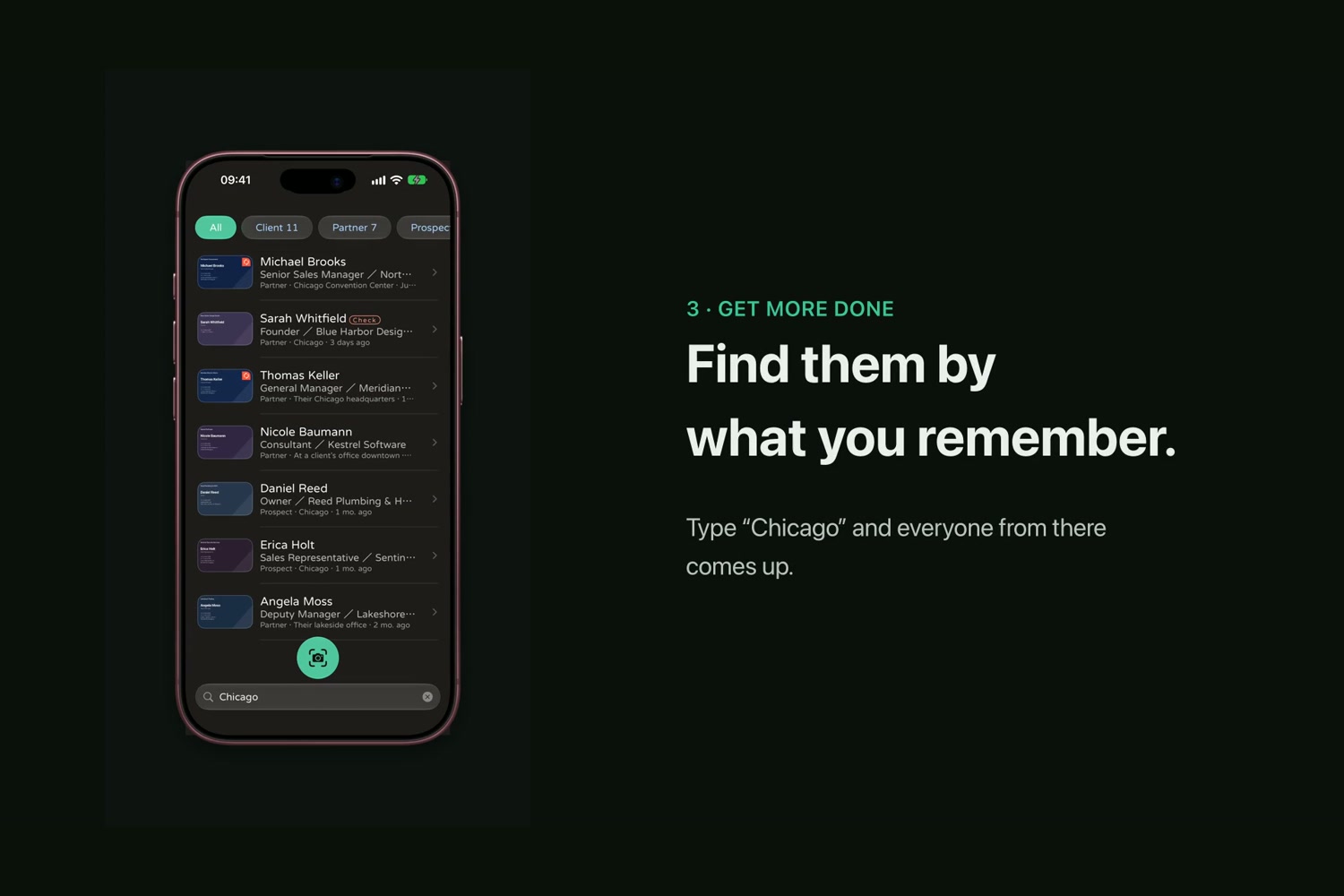
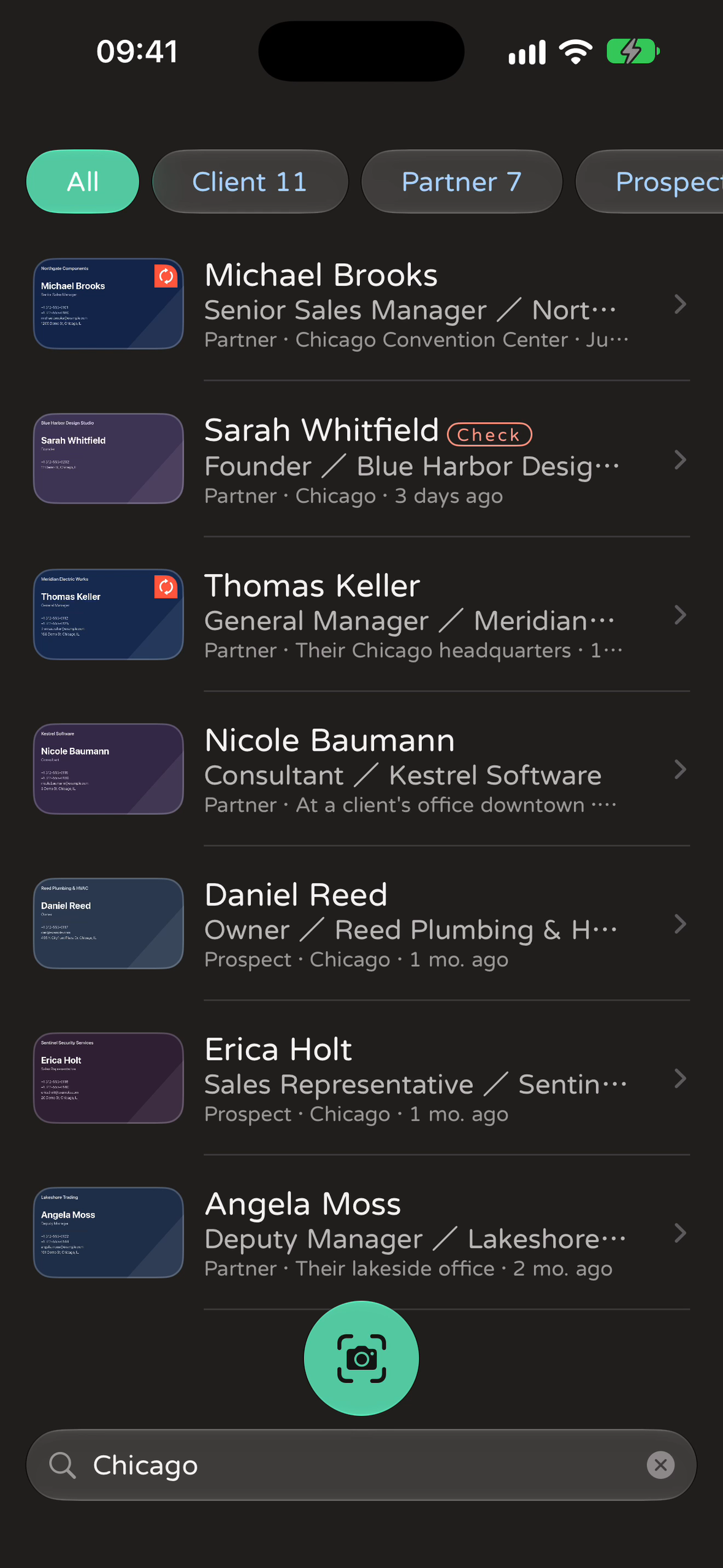
Search by what you remember: type "Chicago" and everyone you met there comes up.
-
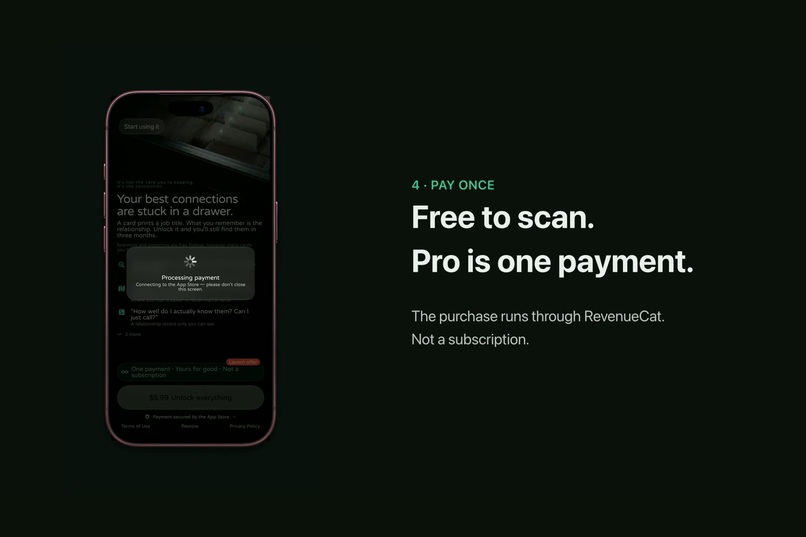
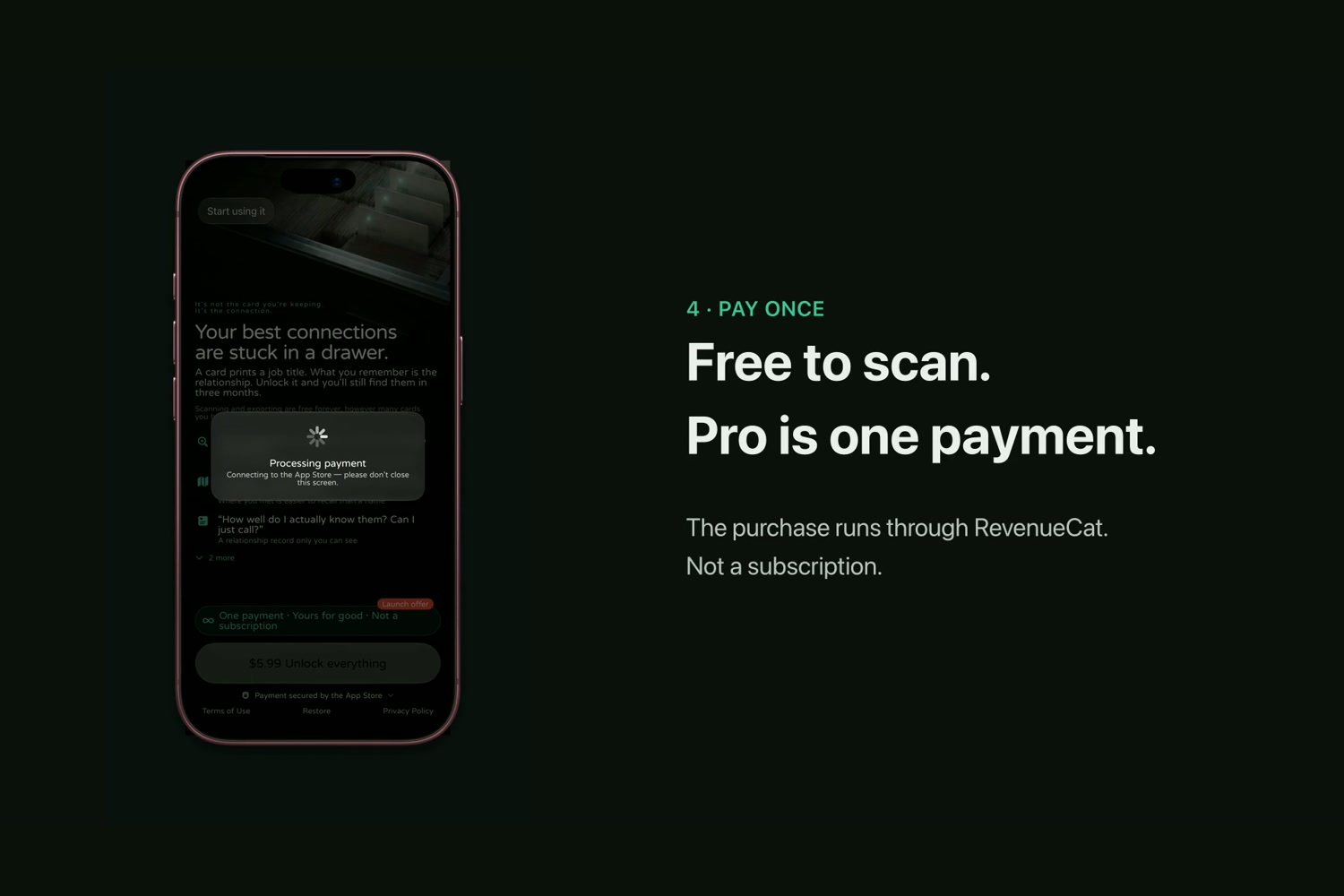
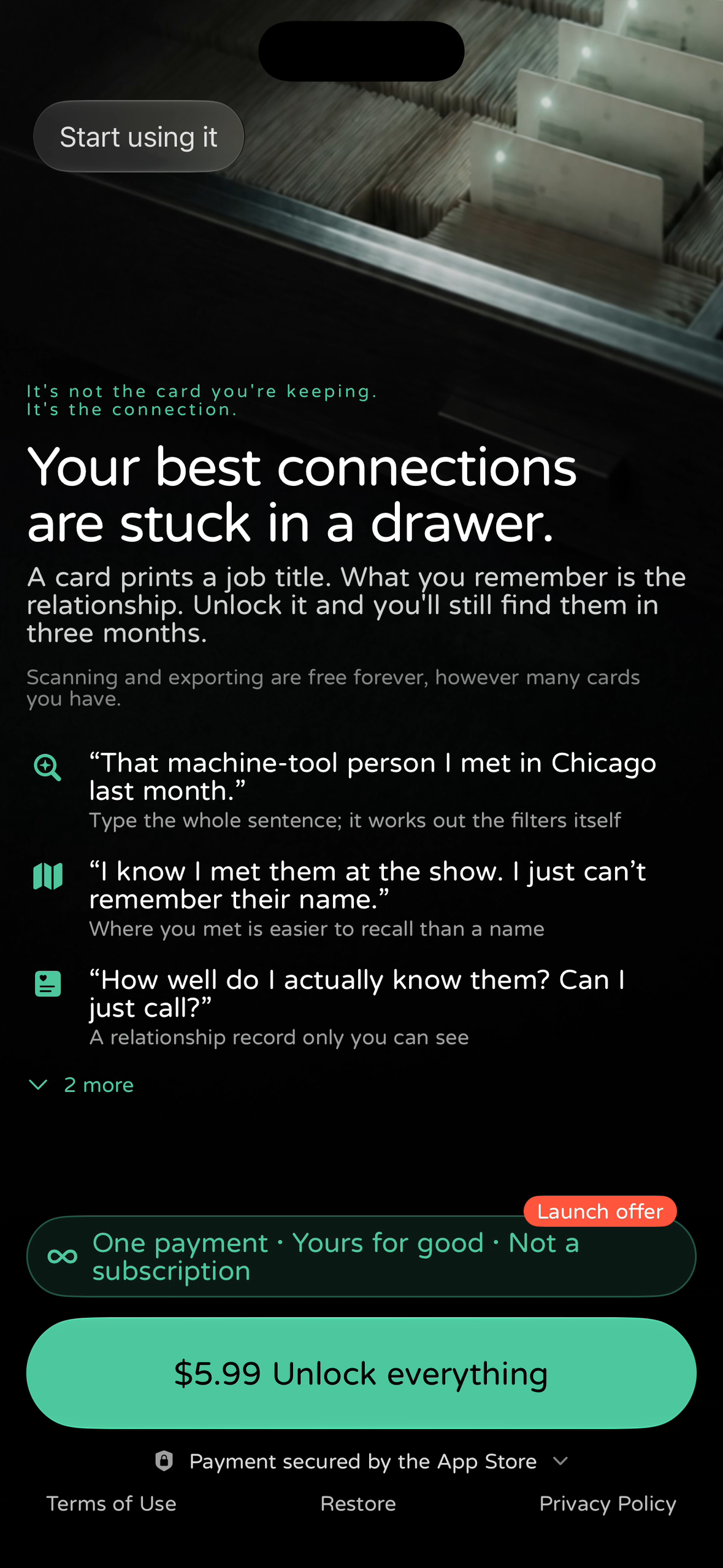
Free to scan, forever. Pro is one payment through RevenueCat, not a subscription.
-
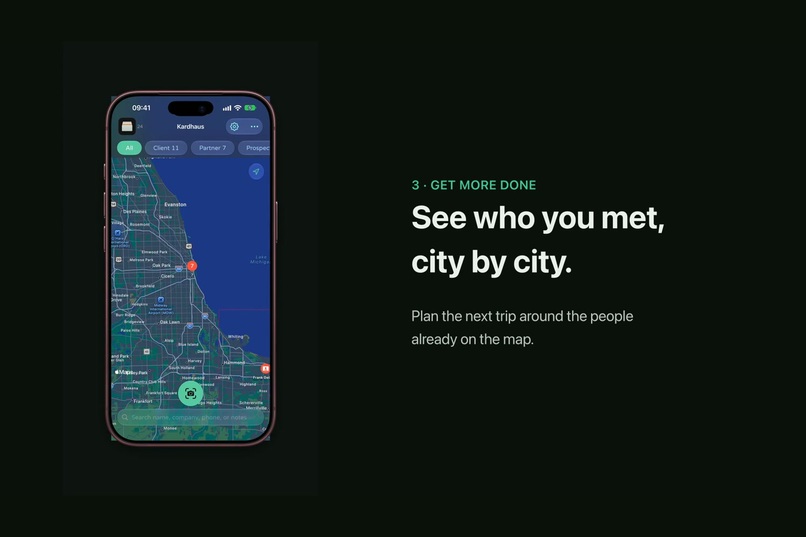
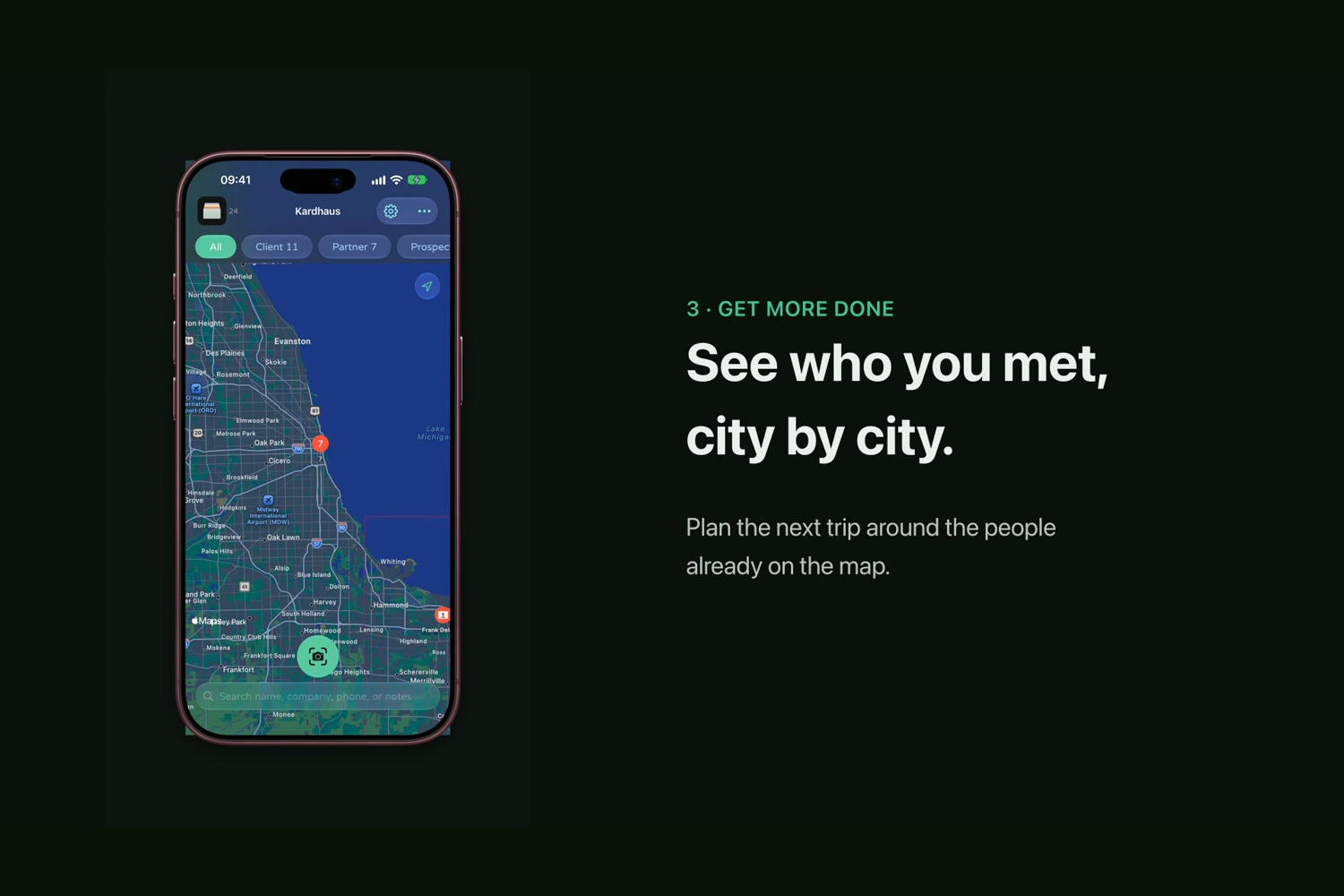
The card map: see who you met, city by city.
-

App icon, 1024 × 1024 (Liquid Glass, made in Icon Composer).
-
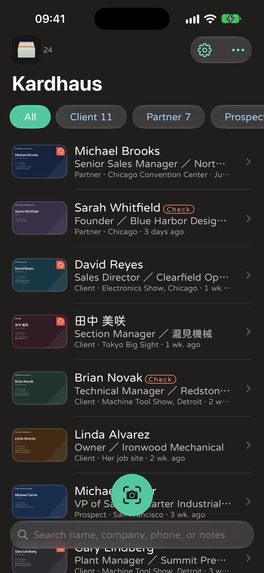
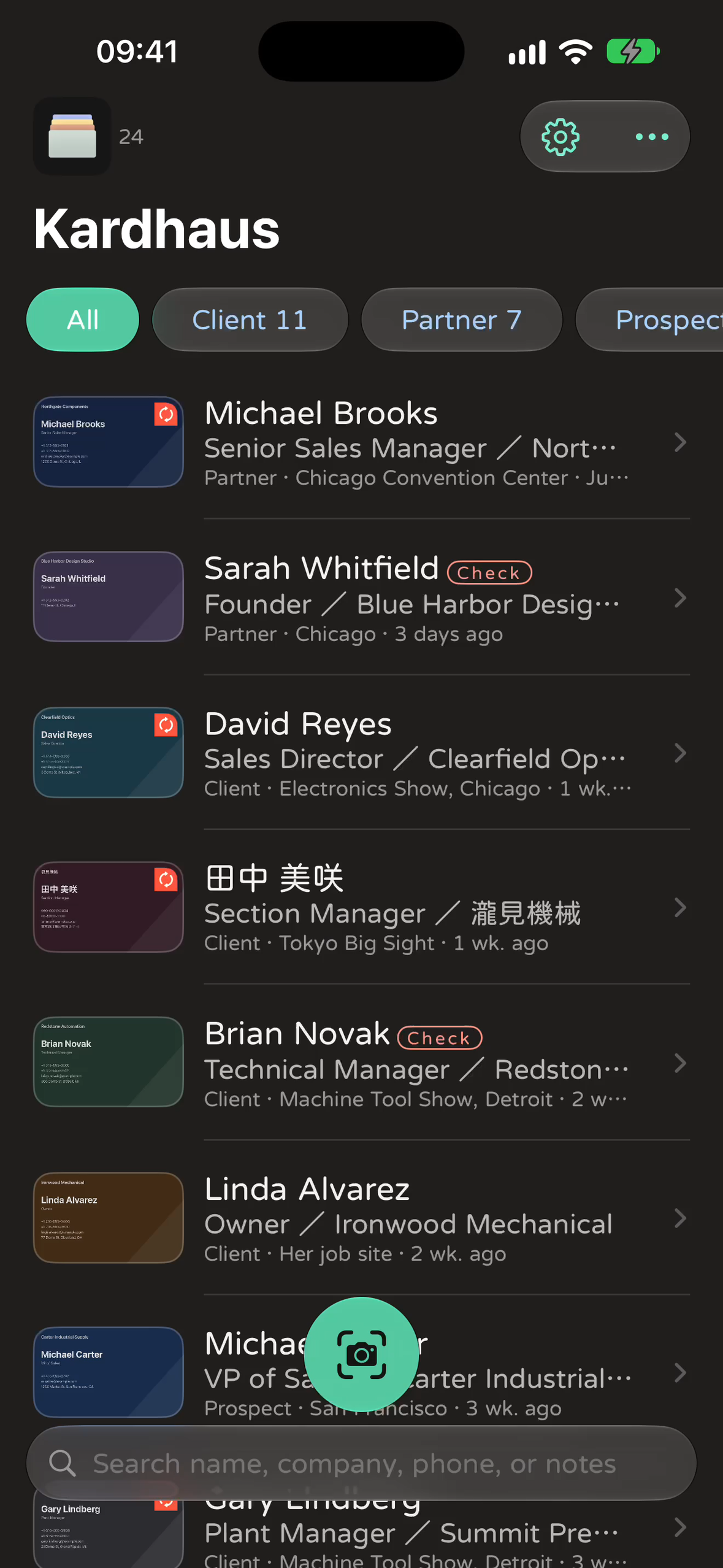
Screenshot without device frame (1179 × 2556): the card library.
-
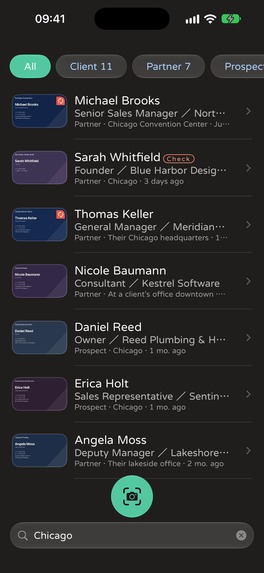
Screenshot without device frame (1179 × 2556): search results for "Chicago".
-
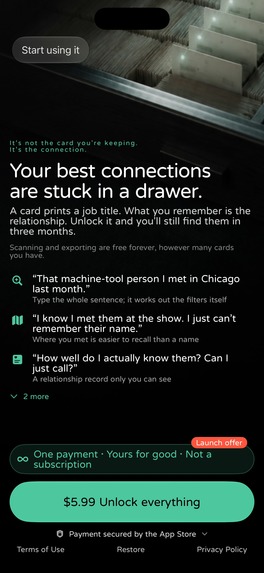
Screenshot without device frame (1179 × 2556): the paywall, one payment through RevenueCat.

Inspiration
At a trade show you collect forty business cards in a day. Three months later all you remember is "the machine-tool guy from Chicago". The card is still in a drawer; the person is gone. Most card-scanner apps fix the typing and stop there, and many of them want a subscription and an account on their servers for it. Kardhaus is built for you three months from now.
What it does
- Capture fast, even locked. On iPhone 16 and later, press Camera Control on a locked iPhone and Kardhaus is already framing the card. It finds the card edges, counts down and shoots by itself. The Lock Screen, Control Center and Action Button work too.
- Both sides, one person. Scan the front and back of a bilingual card together, or add the back later. Fields from both sides merge into one contact.
- Every field, sorted. On-device text recognition, then AI field recognition: on iOS 27 that uses Apple Intelligence (Private Cloud Compute, no data kept), and it falls back to the on-device model when offline. Cards get fields like LINE ID, tax ID, extension and name reading, not a notes blob.
- Remember why they matter. A private impression, rapport and tags, dictated on the device with no audio stored.
- Find them by what you remember. Type "that machine-tool person I met in Chicago last month" and it works out the filters. Or open the card map and see who you met, city by city.
- Chat in their app. The chat button follows the card and the market: LINE, WhatsApp, Telegram, Zalo or LinkedIn.
- Your data is yours. No account and no server of ours. Cards stay on the iPhone, with optional sync to your own private iCloud database. vCard and CSV export are free forever.
- 26 languages written for their markets, not machine-translated.
Apple Intelligence on Private Cloud Compute
Kardhaus is built on iOS 27's PrivateCloudComputeLanguageModel. When you scan a card, Apple's Private Cloud Compute reads that card's photo and puts every line in the right field: bilingual names, title, department, branch, credentials. Apple doesn't keep the photo; it's used for that one request and can't be accessed even by Apple. There is still no server of ours.
- The fallback chain: PCC first, then the on-device Apple Foundation Model, then rules. It works in a basement exhibition hall with no signal.
- A switch in Settings › Apple Intelligence: turn it off and recognition stays on the iPhone. No card photo goes to PCC.
- Next ("Ask Kardhaus", planned for 1.4): a chat agent on PCC with tools that run on the device and search your own cards. Each turn sends only the question and at most 6 matching card rows, and every answer cites the cards it used.
How we built it
SwiftUI + Core Data with NSPersistentCloudKitContainer (private iCloud database); VisionKit/Vision for edge detection and OCR; Apple Foundation Models with a Private Cloud Compute → on-device → rules fallback chain; a Locked Camera Capture extension and WidgetKit controls for Camera Control and the Lock Screen; MapKit for the card map; App Intents for Shortcuts and Siri.
Monetization with RevenueCat: one non-consumable, "Pro — Unlimited AI Recognition", with Family Sharing. Scanning, editing, tags, iCloud, import and export are free and unlimited, including 50 AI recognitions. Pro lifts the AI cap and adds natural-language search, the card map and relationship records. The purchase goes through Purchases.purchase(package:) (offering default, package $rc_lifetime, entitlement pro). StoreKit 2's signed Transaction.currentEntitlements still decides the unlock, so Pro works offline and with Family Sharing even if RevenueCat is unreachable.
Challenges we ran into
- Keeping RevenueCat anonymous. Kardhaus launched as "Data Not Collected". The stock RevenueCat SDK sends the device's IDFV on every request, and nothing turns that off. So we ship it with a one-line patch so it never reads the IDFV, and we never call
logIn. RevenueCat sees only the purchase and a random anonymous ID, and the label says Purchase History only. A visible switch in Settings › Privacy is ON for new installs and OFF for anyone who installed before, because they chose the app under the old promise. - Making the camera fast from a locked phone. We cut camera-open time from about 465 ms to about 245 ms and fixed a cold-start main-thread stall.
- Real cards are messy. Bilingual cards, vertical Japanese cards, WhatsApp numbers with spaces, LINE official @IDs, and Taiwanese tax IDs all needed handling.
Accomplishments that we're proud of
Shipped 1.0 on 2026-08-26 and three updates since, with 1.2 (RevenueCat) on the way, in 28 App Store locales. There's a featuring nomination and an approved Trade Show Season in-app event. The icon uses Liquid Glass. The app records purchases through RevenueCat but works exactly the same without it.
What we learned
"Localize, don't translate": card etiquette differs by market, from Japan's formal 名刺交換 to WeChat in China and LINE in Taiwan. Pricing works the same way: in this category, "pay once" is a feature users compare apps on.
What's next
Name readings and handwritten notes on the back of a card, follow-up drafts after a meeting, "Ask Kardhaus" (RAG over your own cards on Private Cloud Compute), and Taiwan company verification.

Log in or sign up for Devpost to join the conversation.