-
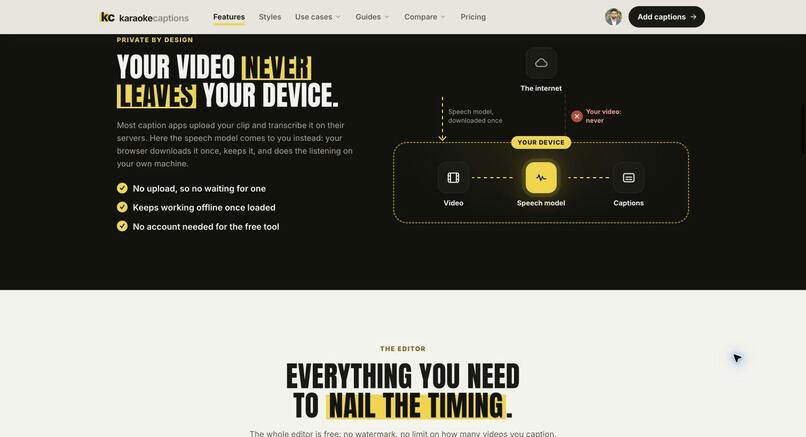
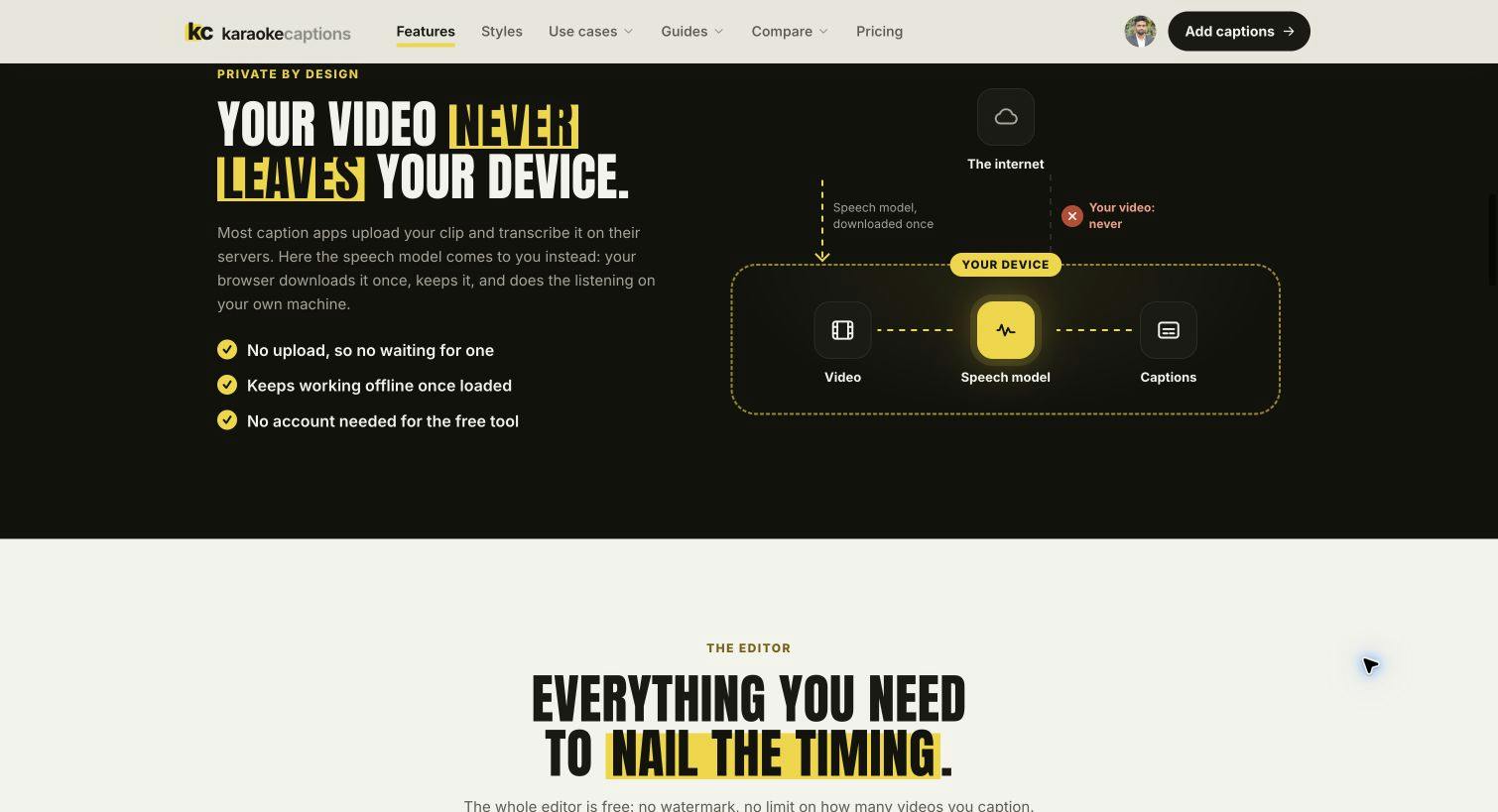
Local transcription and rendering: your source video stays on your device.
-
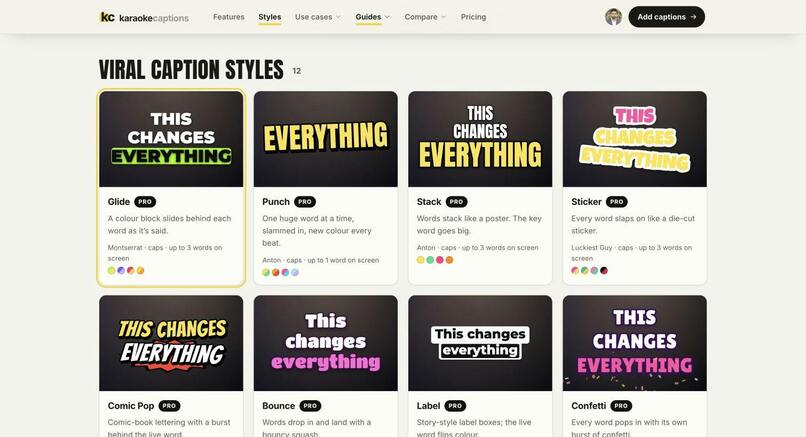
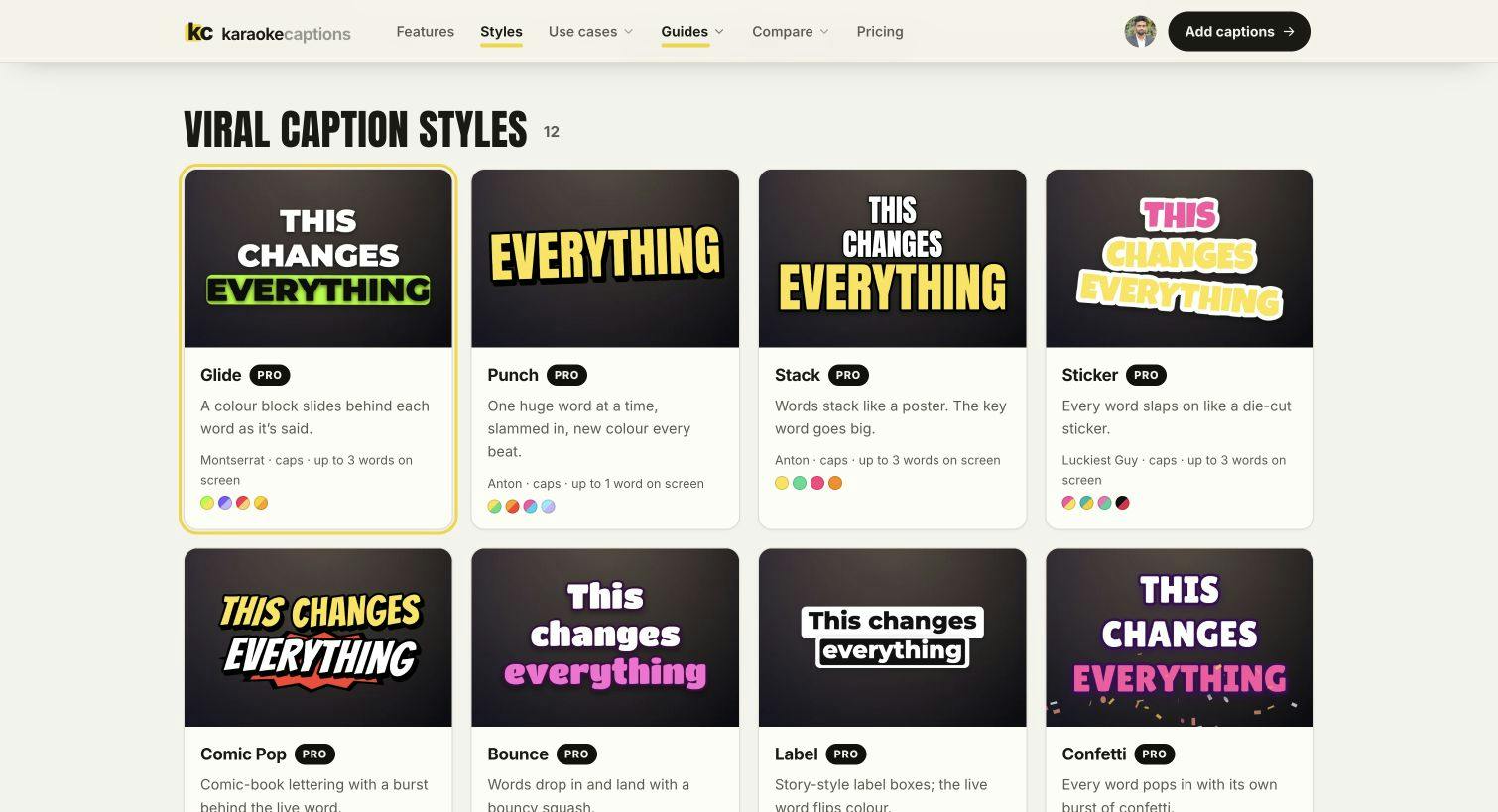
Animated caption styles with customizable colors and typography.
Inspiration
Adding readable, lively captions should not mean sending private footage to a server or paying just to remove a watermark. Karaoke Captions gives creators a browser editor that keeps transcription, editing and video rendering on their own device.
What it does
Drop in a video, generate word-level captions, correct the text and timing, choose a caption style, then export a finished MP4. You can also import an existing SRT file or export SRT and VTT subtitles. A live preview, editable timeline and undo/redo make it practical to refine the result before rendering.
Classic and Lyrics styles offer unlimited watermark-free exports without a required account. Optional Pro styles and Magic tools add more creative choices; trial exports using those features can include a small watermark, while paid Pro removes it.
The tool is useful for short-form videos, podcast clips, lessons and social posts. You can try the editor directly at karaokecaptions.com.
How it is built
The interface uses React 19 and TypeScript. Whisper speech recognition runs locally through Transformers.js in a Web Worker, with WebGPU or WebAssembly depending on browser support. The editor uses Remotion Player for the live word-synced caption preview, while canvas and WebCodecs handle local MP4 rendering. Vite builds the web app.
The media-processing workflow runs in the browser: the source video is not uploaded for transcription or rendering. After the app and initial speech model have loaded, the local captioning workflow can work offline.
Engineering challenges and tradeoffs
Browser video editing combines several demanding jobs: model loading, speech recognition, frame-accurate previews and export. Keeping transcription in a worker helps the interface stay responsive, and the editable transcript and timing controls let creators correct recognition mistakes instead of treating AI output as final.
Local processing also makes performance dependent on the device. The first transcription needs a model download, recognition may need corrections, and desktop Chrome or Edge is recommended for MP4 export. The goal is a useful private workflow with clear limits.
What comes next
Continue improving browser compatibility, editing clarity and caption quality while keeping the free Classic and Lyrics export workflow accessible. Feedback on timing corrections, export reliability and real creator workflows is especially useful.
Built With
- react
- remotion
- transformers.js
- typescript
- vite
- webcodecs
- webgpu
- whisper
