-
-
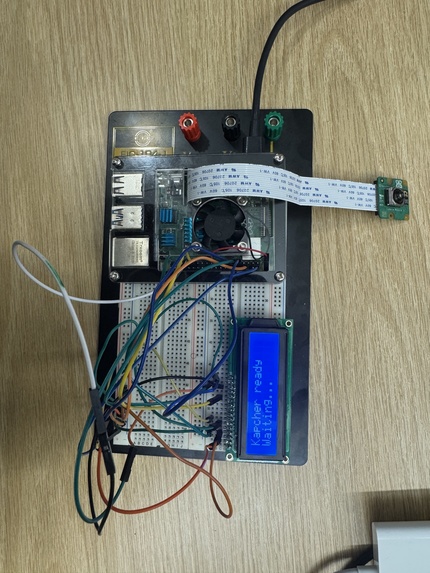
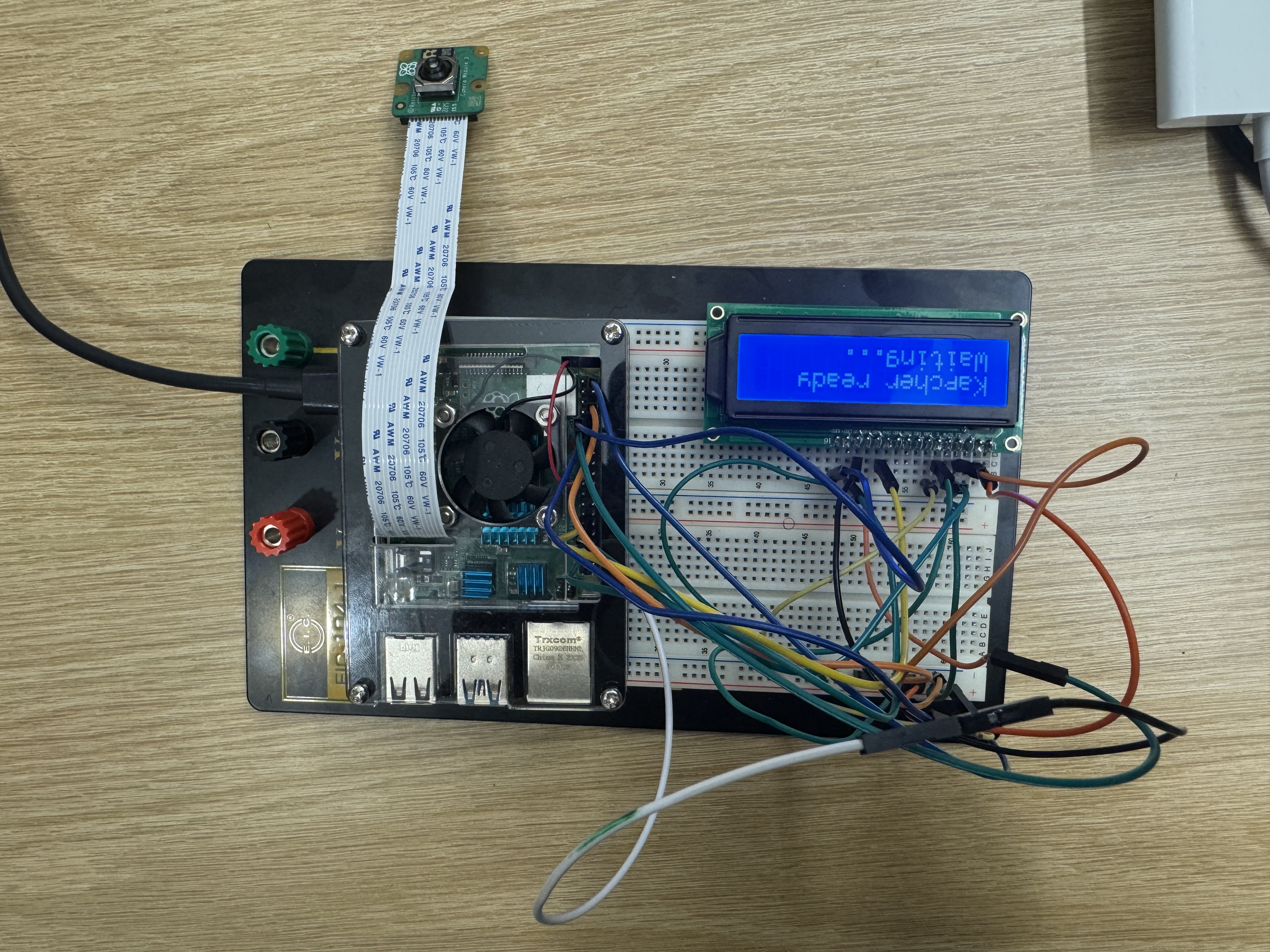
Kapcher waiting for auth initiation
-
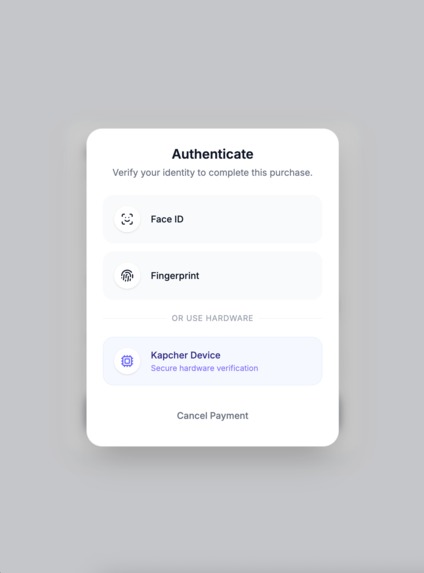
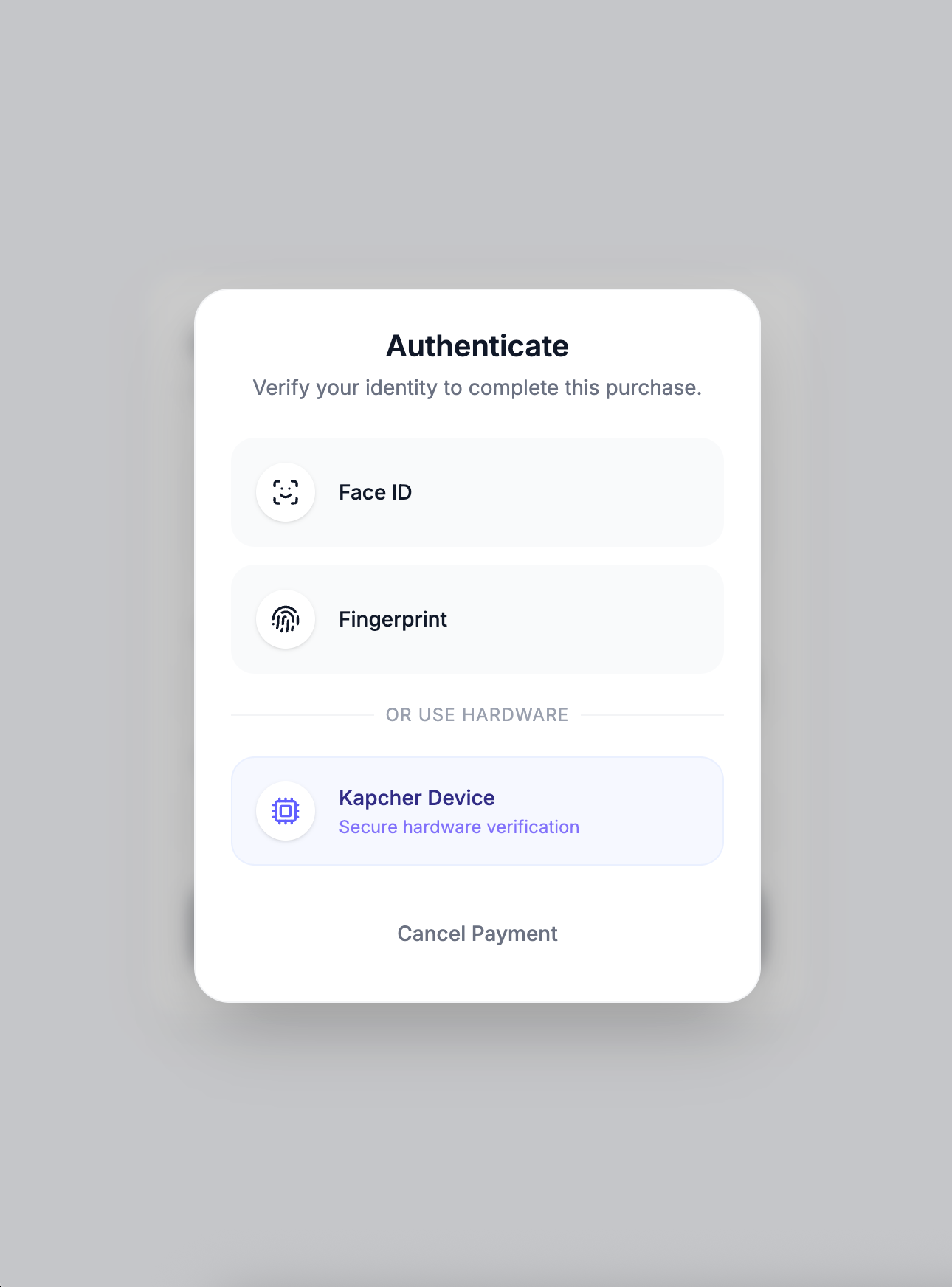
Option to use Kapcher for payment auth (on Stripe)
-

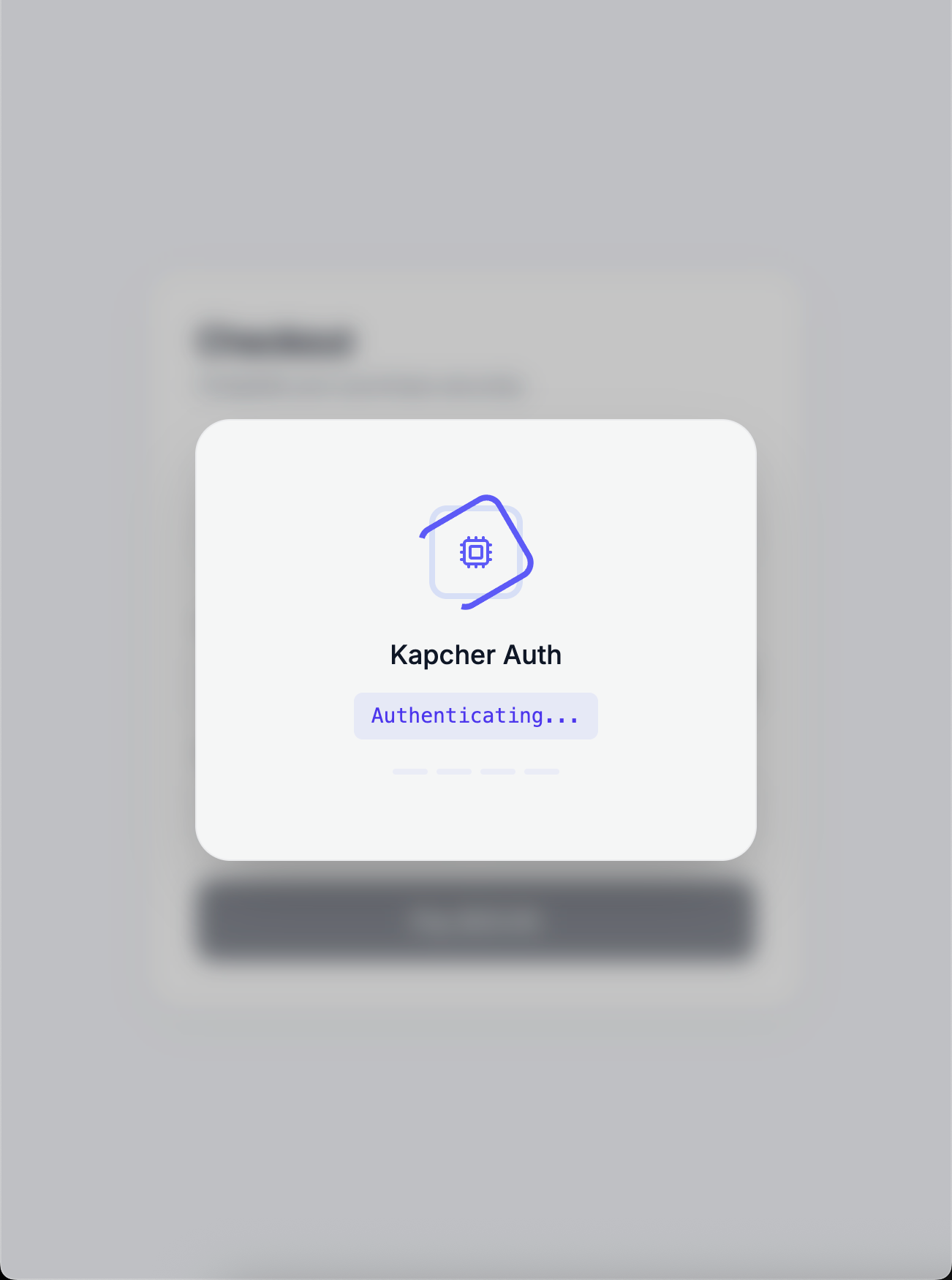
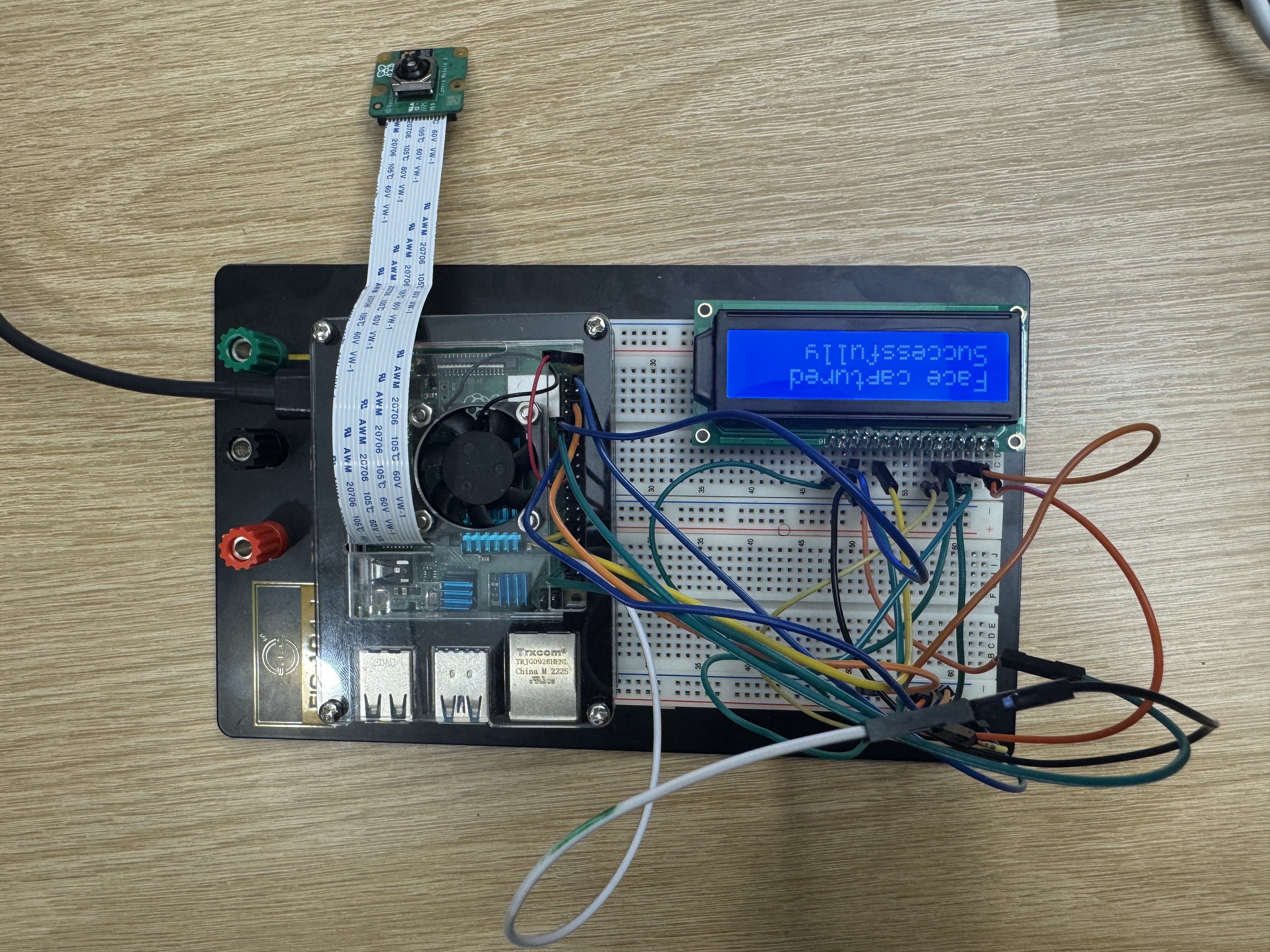
Kapcher auth loading (on Stripe)
-
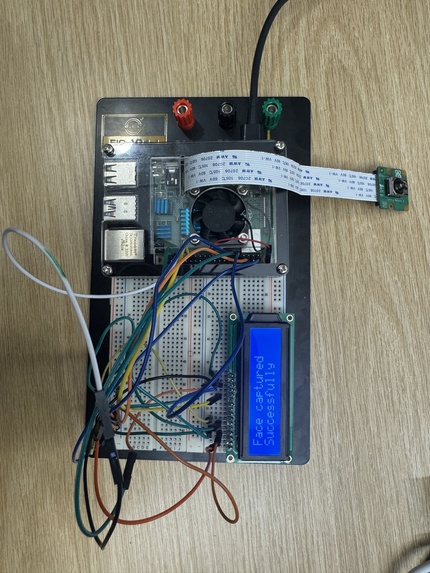
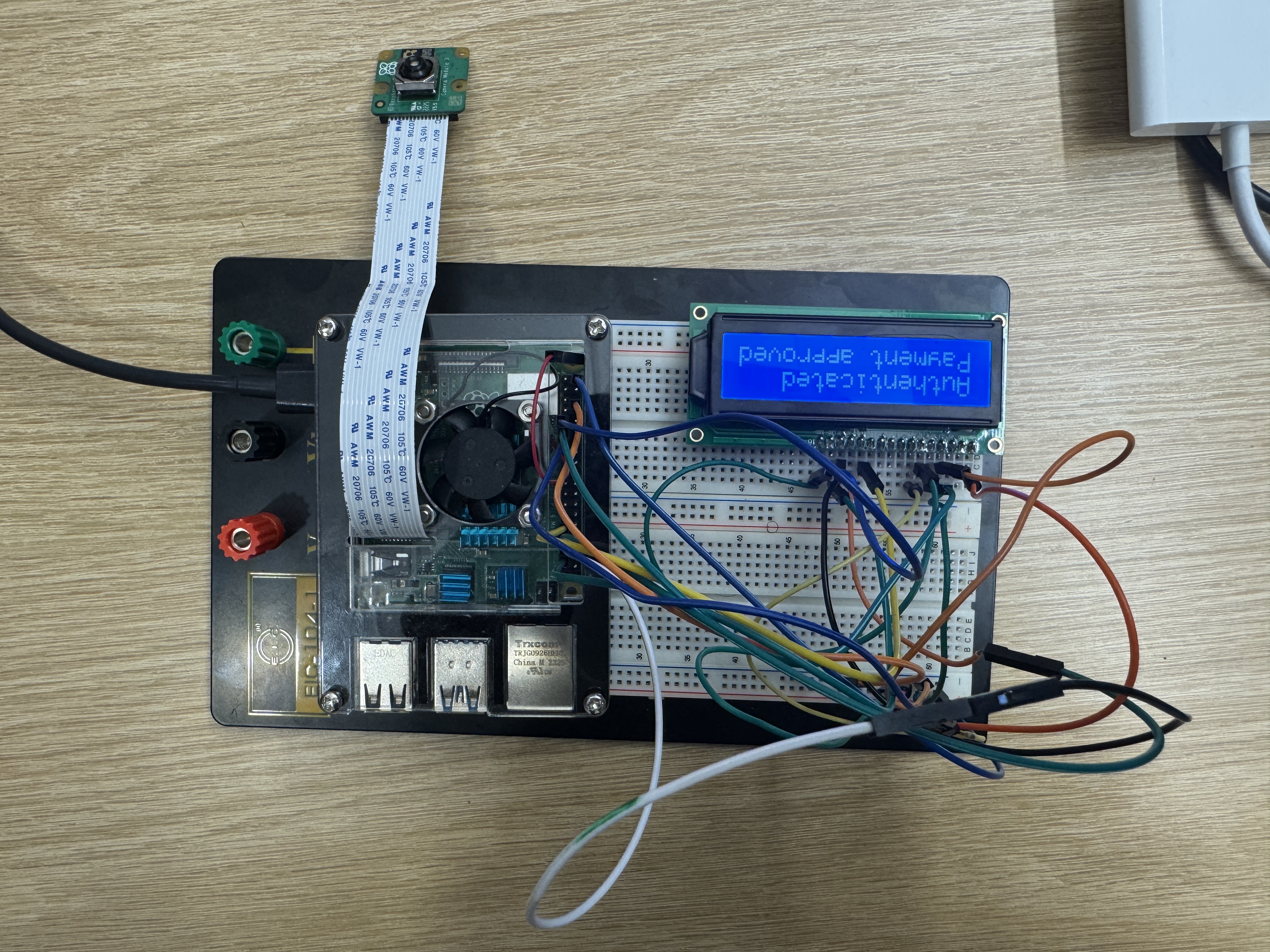
Biometics captured + Verified
-
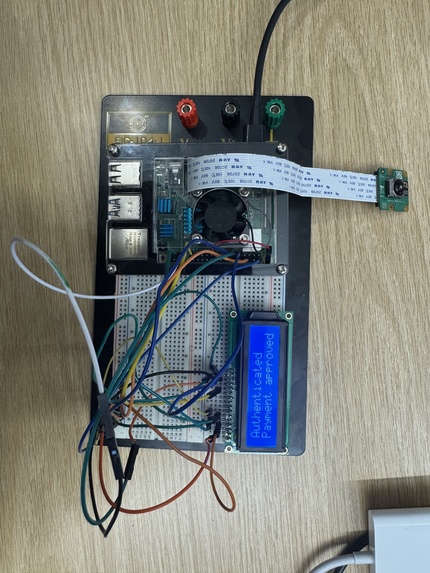
Payment completed
-
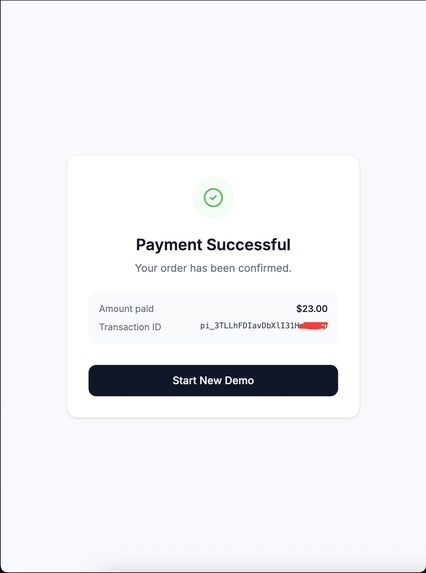
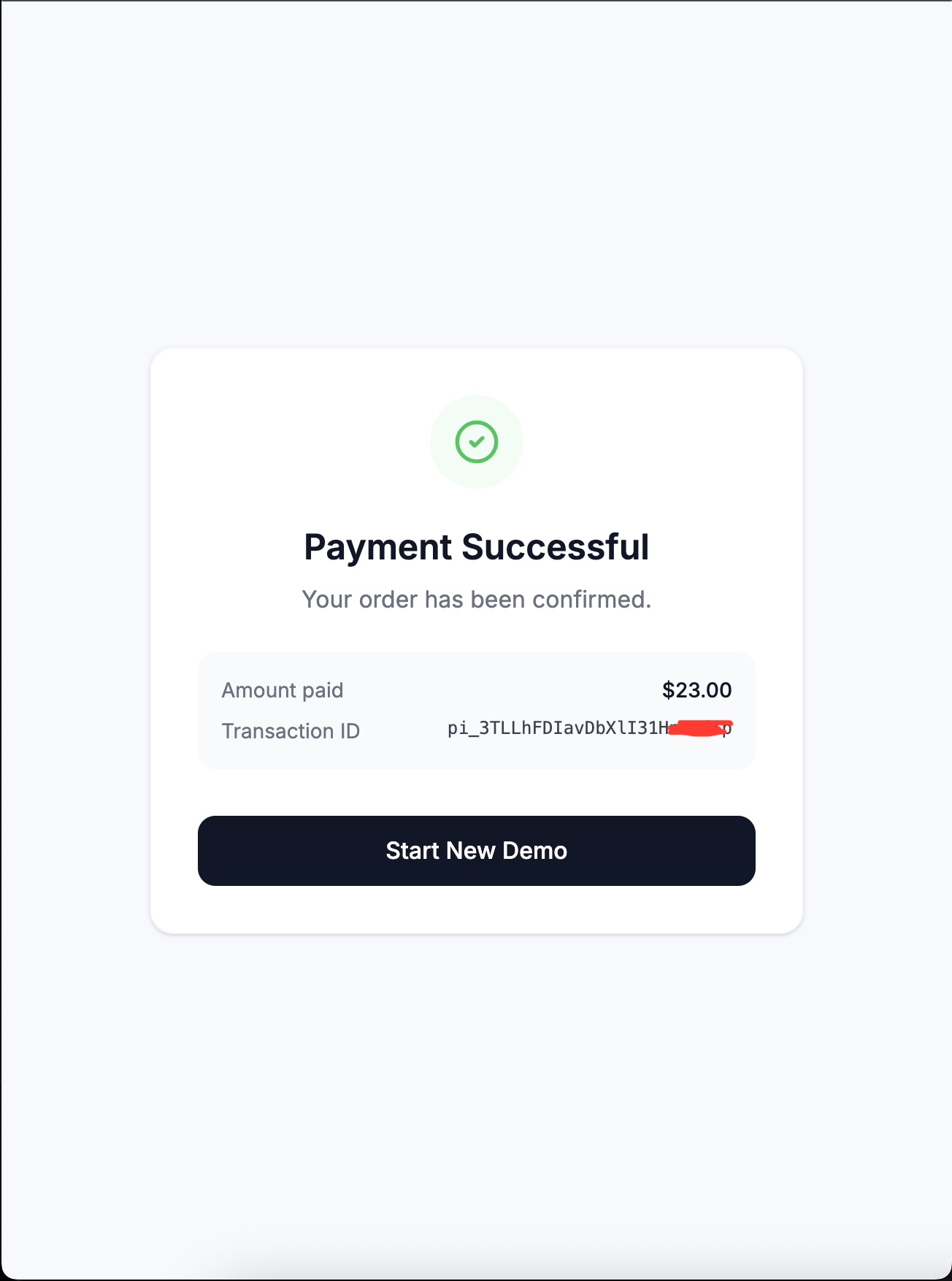
Successful payment (on Stripe)
Inspiration
Every payment you make today is protected by something that can be stolen. Passwords get phished. SMS codes get intercepted via SIM swapping. Even Face ID and fingerprint, while convenient, store your biometric on a device that is always online, always reachable.
Over last 2 years, payment fraud exceeded $40 billion globally. The fastest growing attack vector is not brute force; it is account takeover, where an attacker has already passed authentication because they compromised the device or intercepted the credential. The authentication happened. It just was not the right person.
We asked a simple question: what if your biometric never left your hands?
What It Does
Kapcher is a physical authentication device that plugs into your computer to authorize payments. Instead of a password or a code sent to your phone, you authenticate with your face and a personal hand gesture. Both verified entirely on the Kapcher device itself.
When you initiate a payment:
- An authentication prompt appears alongside Face ID and fingerprint — including a Kapcher Device option
- You plug in the device and look at the camera
- You perform your enrolled hand gesture
- The device sends back a single signal: success or failure (based on
- On success, the payment captures instantly
Your biometric data never leaves the device. No cloud. No database. No string of characters that can be stolen.
The Payment Flow
| Step | What happens |
|---|---|
| 1 | User fills in card details via Stripe |
| 2 | Clicks Pay Now — Payment Intent created, funds held |
| 3 | Auth modal appears: Face ID · Fingerprint · Kapcher |
| 4 | Frontend calls Flask server on the RPi hardware |
| 5 | RPi runs face + gesture check, LCD shows every stage |
| 6 | On success → stripe.confirmCardPayment() fires |
How We Built It
Device
Hardware
- Raspberry Pi 4: compute brain, all ML inference runs on-device
- Raspberry Pi Camera Module 3: face detection and gesture capture
- 16x2 LCD display: wired via direct GPIO in 4-bit parallel mode, showing real-time auth status at every stage
- Connected to the host machine over USB as a local network device
Firmware
- Python Flask API server that starts automatically on boot
- MediaPipe for face perception and hand gesture recognition, running entirely on-device
- LCD controller written from scratch — direct bit-banging of the HD44780 protocol over raw GPIO pins, no I2C backpack
- Reference biometric stored locally — a single video of your face and gesture recorded once at setup, processed into an encrypted landmark sequence using DTW (Dynamic Time Warping) for gesture matching
Web
- React frontend with Stripe Elements embedded directly in the page
- Node/Express backend with a single
/create-payment-intentroute - Stripe Payment Intents with manual capture: funds are authorized and held, only released after Kapcher confirms authentication
Challenges We Ran Into
Our single biggest time sink was the MSU_Hackathon WiFi. Getting the Raspberry Pi to connect, stay connected, and pull packages at a usable speed ate 5+ hours of our build time. What should have been routine dependency installs turned into repeated timeouts, dropped connections, and corrupted package states. It was brutal and hit us right at the start.
Beyond the network:
- MediaPipe on ARM: the standard install has no ARM wheel. The community ARM build required Python 3.11, but Raspberry Pi OS Bookworm ships with Python 3.13. We compiled Python 3.11 from source on the Pi itself — two hours of compilation
- picamera2 in a venv : the RPi camera library installs system-wide via apt and pip can't find it inside a virtual environment, forcing us to resolve the conflict before the camera would work at all
Accomplishments That We're Proud Of
- The GPIO LCD (written from scratch with no I2C layer) cycling through real-time auth stages during a live payment demo
- A real Stripe integration. The Payment Intent is created, held, and only captured based on actual hardware response
- All biometric computation happening on-device — nothing sent over the network
What's Next?
- True WebAuthn / FIDO2 integration: register Kapcher as a proper hardware authenticator so it appears natively in browser auth prompts with zero custom merchant code
- Face recognition: upgrade from face perception to full identity verification using embeddings, confirming it is specifically you and not just any face
- Miniaturization: move from a dev RPi to a custom PCB that looks and feels like something you would actually carry
- Gesture tiers: simple gesture for small purchases, complex sequence for large transfers
- Multi-user enrollment: one device, multiple authorized users with individual biometric templates
- Fintech partnerships: position Kapcher as a PSD2 SCA-compliant strong customer authentication method for European payment infrastructure
Built With
- flask
- media-pipe
- raspberry-pi
- stripe

Log in or sign up for Devpost to join the conversation.