-
-

Logo
-
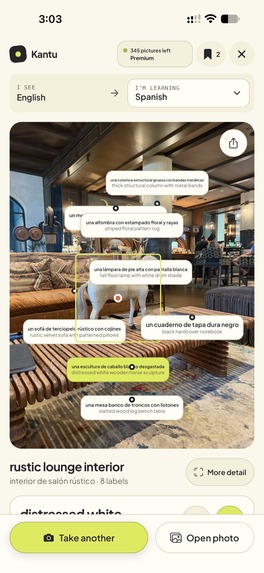
Spatial Labels
-
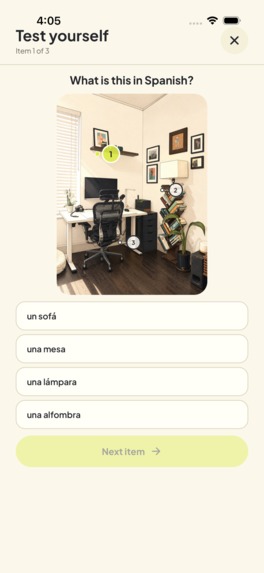
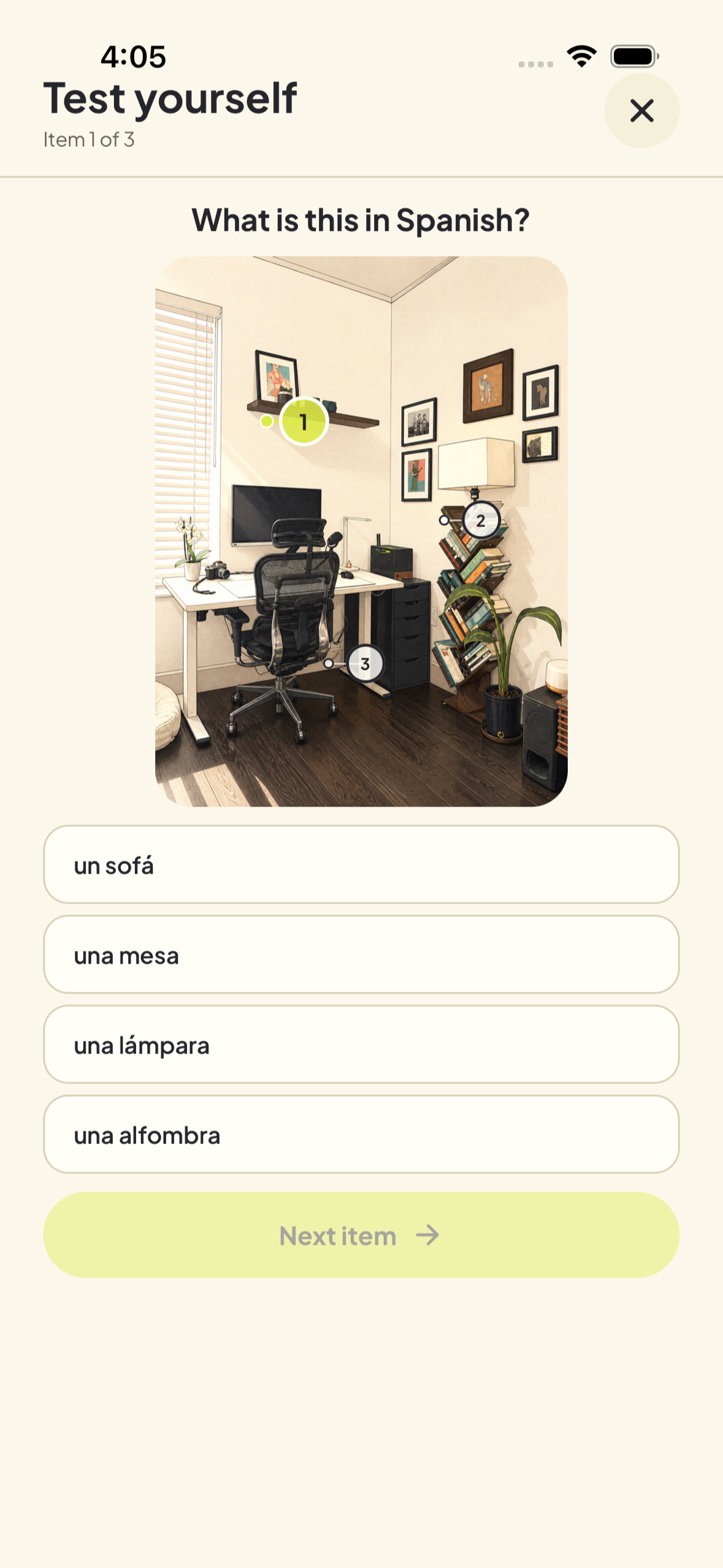
Test yourself
-
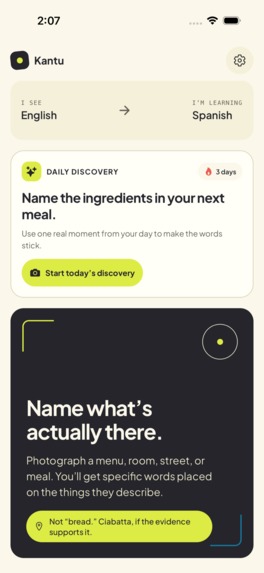
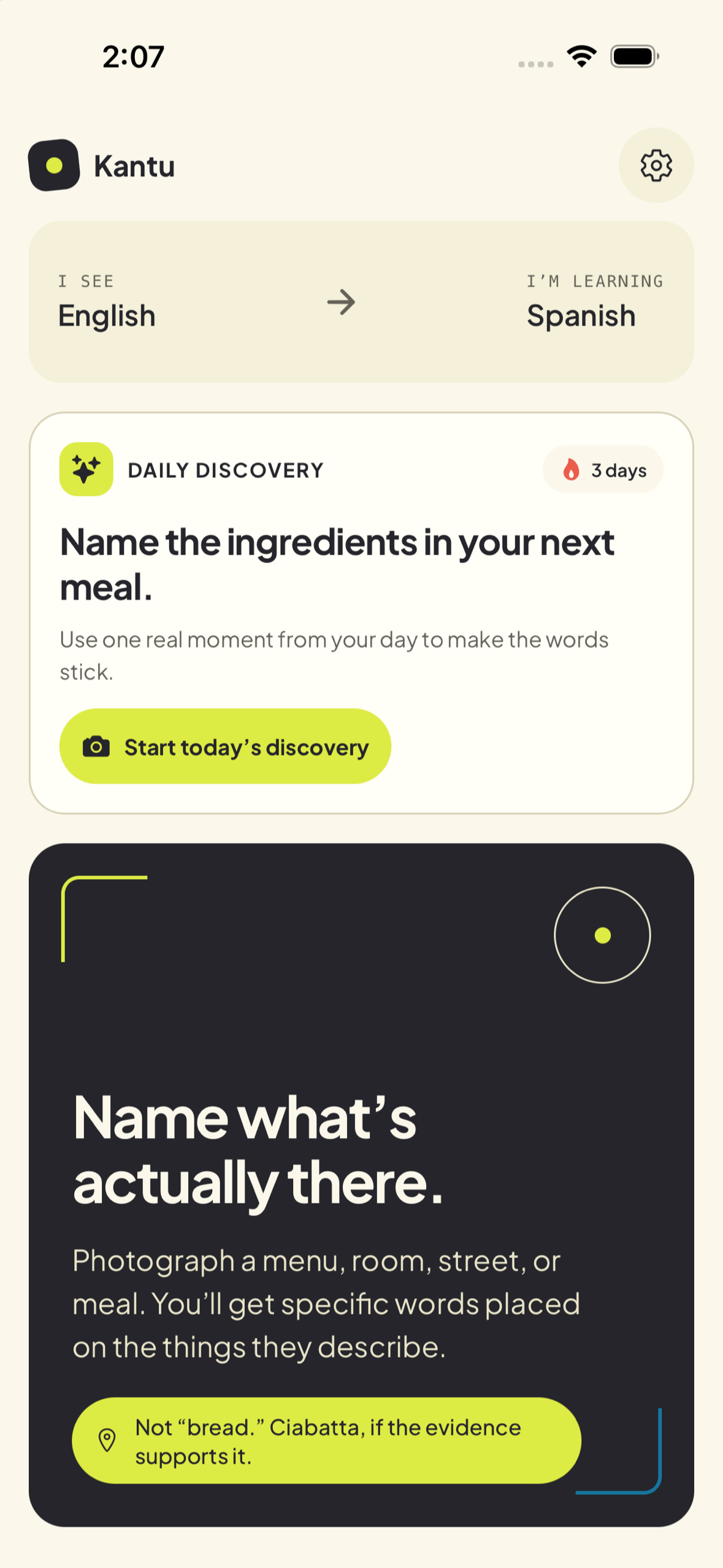
Daily discover
-
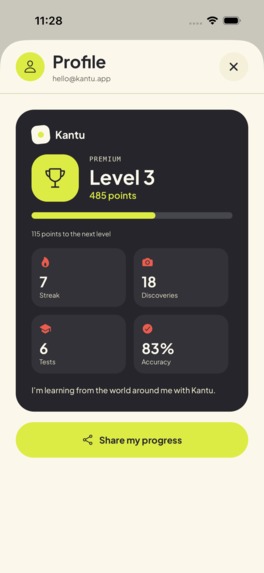
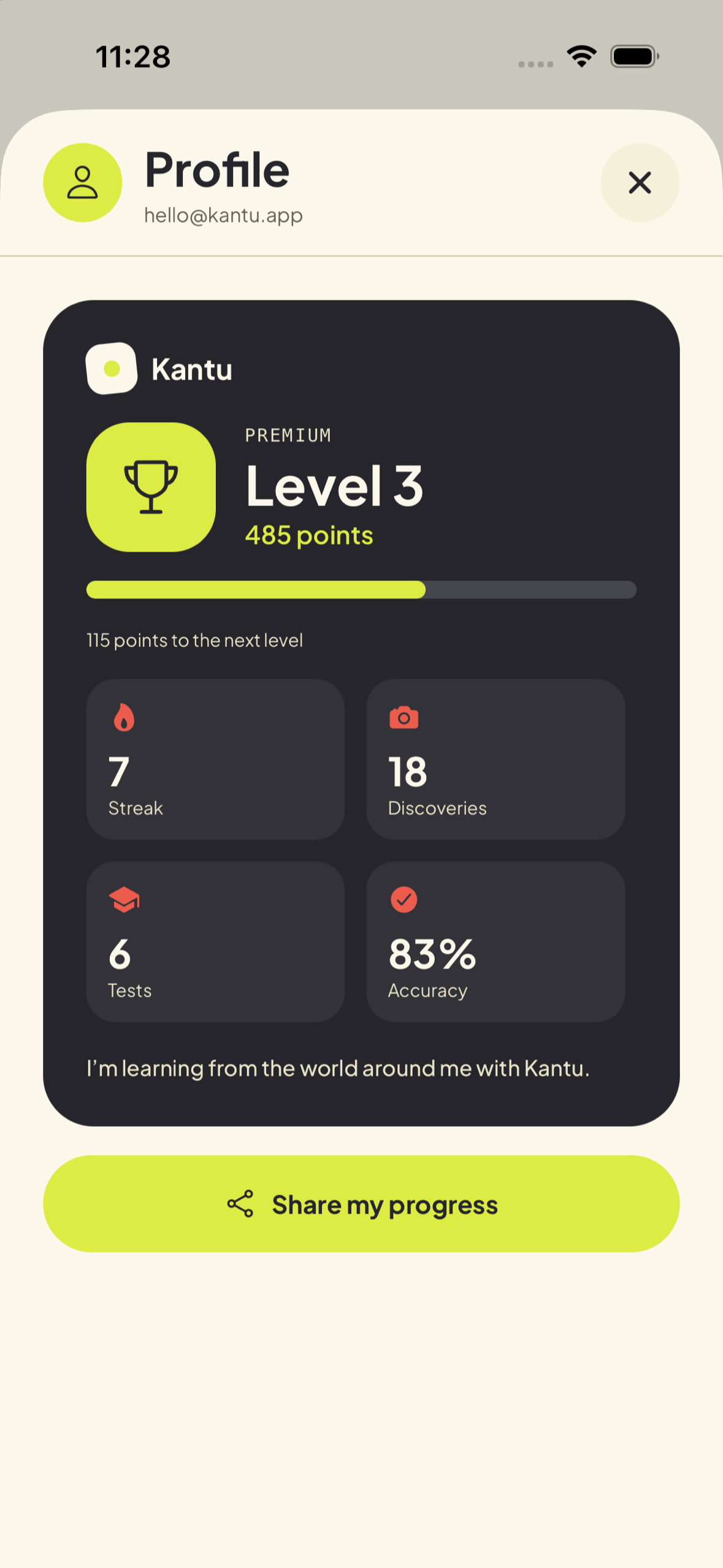
Progress
-
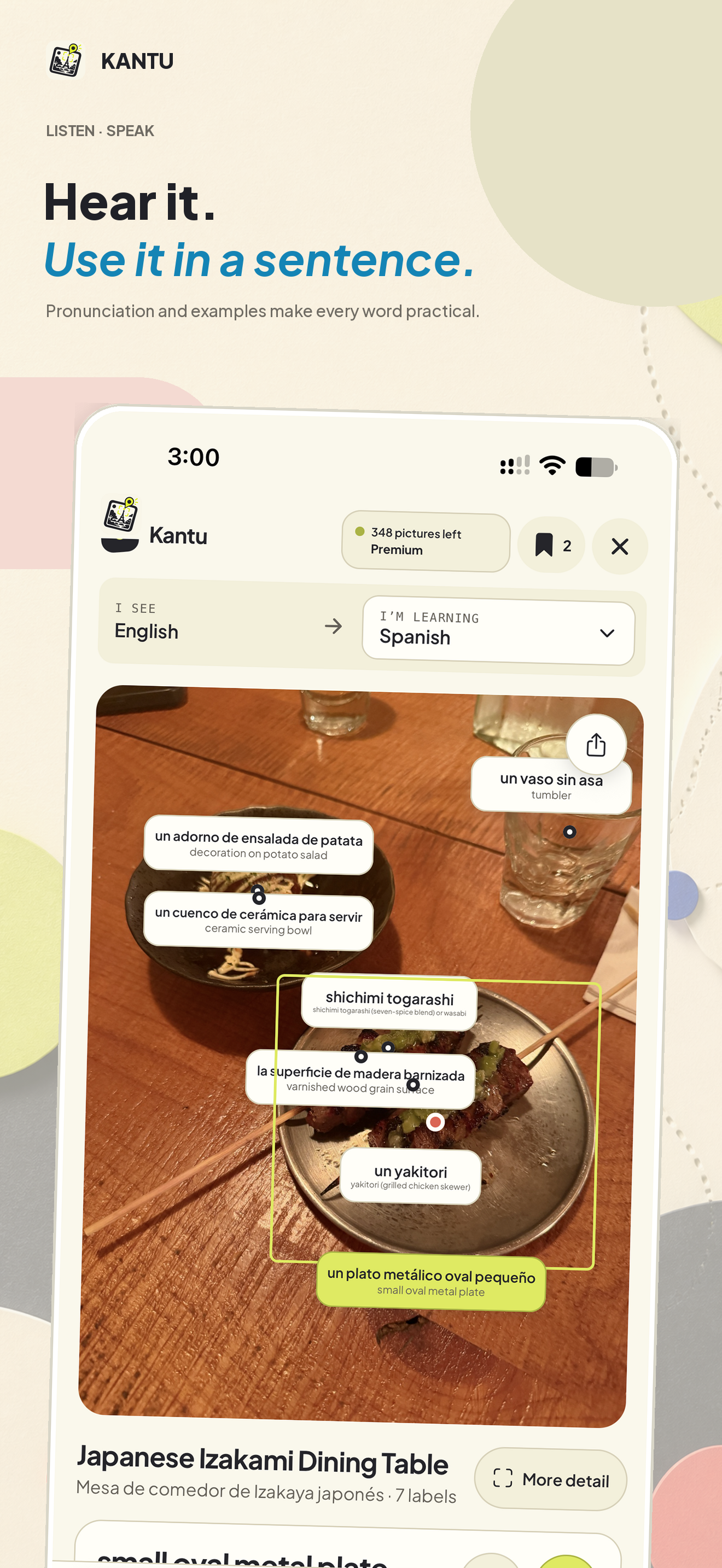
Hear and use it
-
Showcase
-
Diagram

Inspiration
Kantu started with a simple question: how do you learn the names of things you encounter during the day? A meal, a market stall, or a hotel room can give you vocabulary you want to use right away.
We wanted people to choose what they learn by taking a photo.
What it does
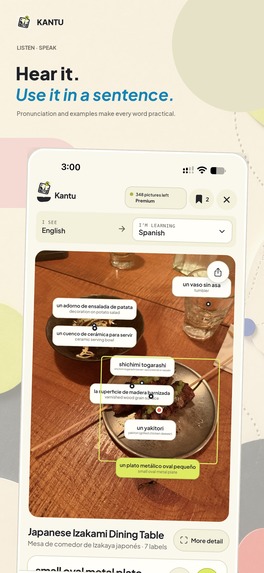
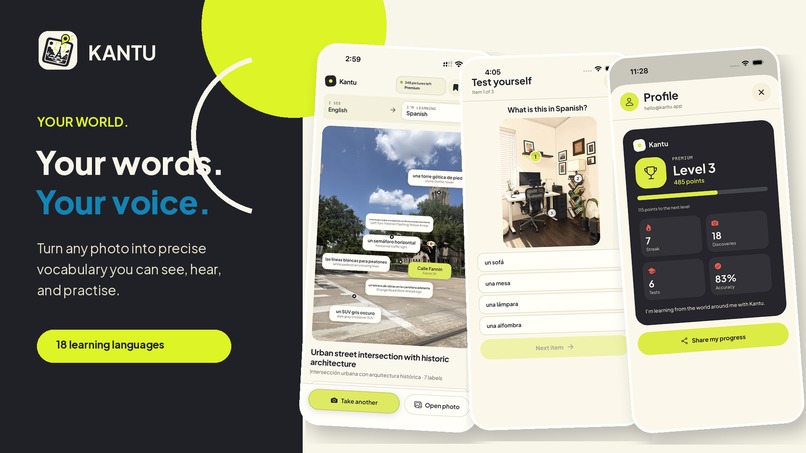
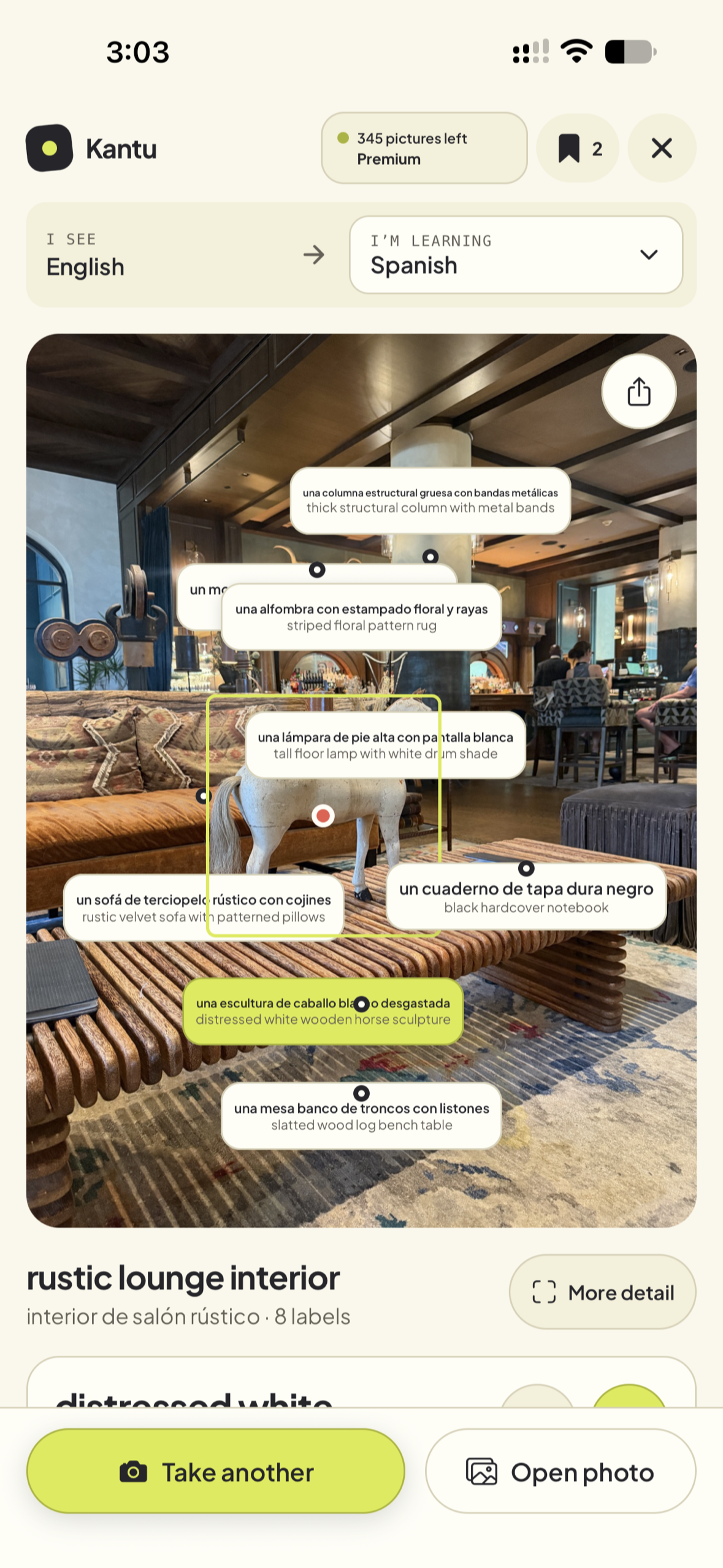
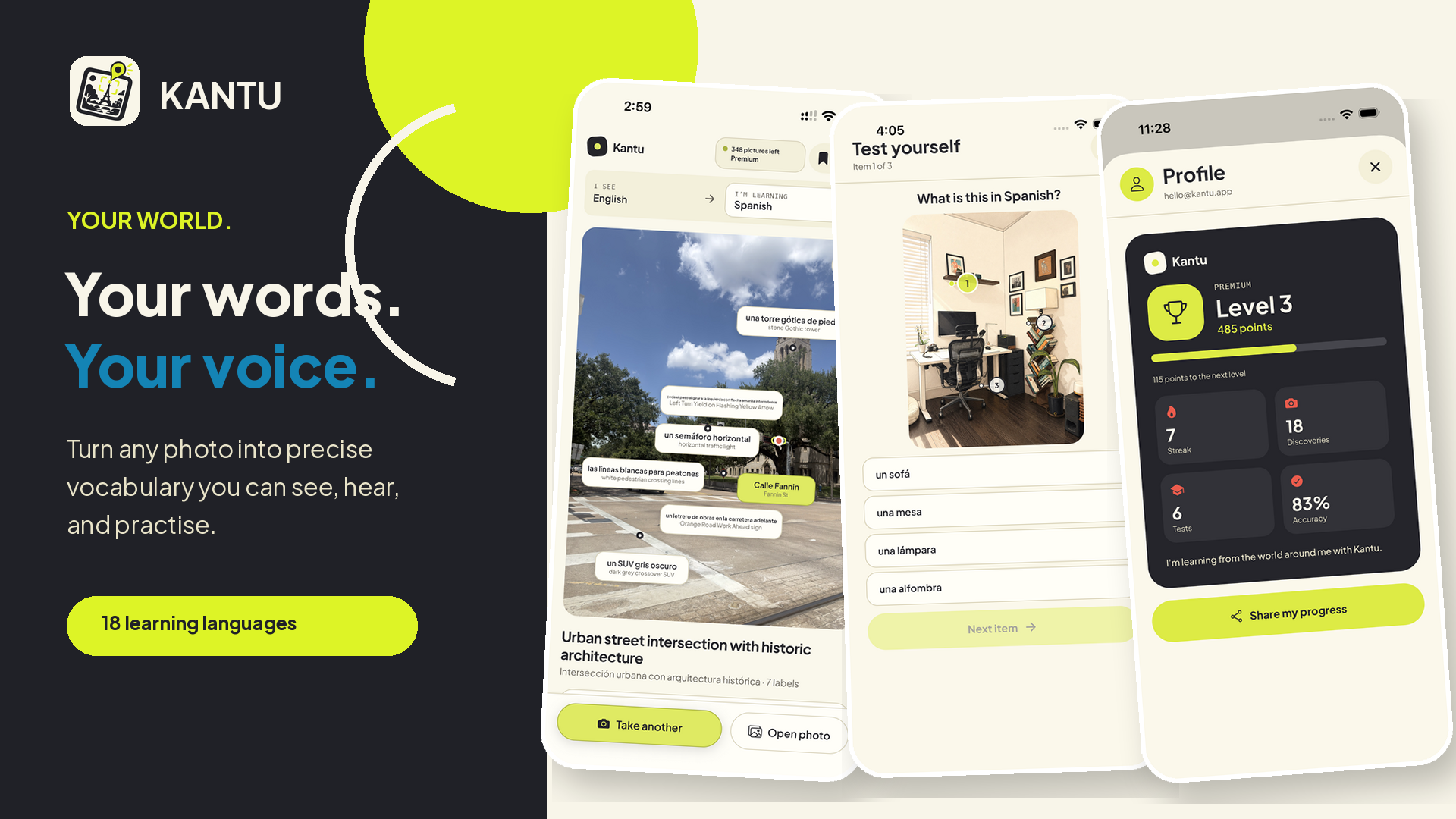
Take a picture or choose one from your library. Kantu identifies objects, ingredients, materials, and visible text, then places translated labels over the photo.
Tap a label to hear the word pronounced, read and listen to an example sentence using it, or save it to your dictionary. Qwen3 TTS generates the audio for both the word and the sentence. Each result also includes the model's explanation and confidence, so learners can check why it chose that name.
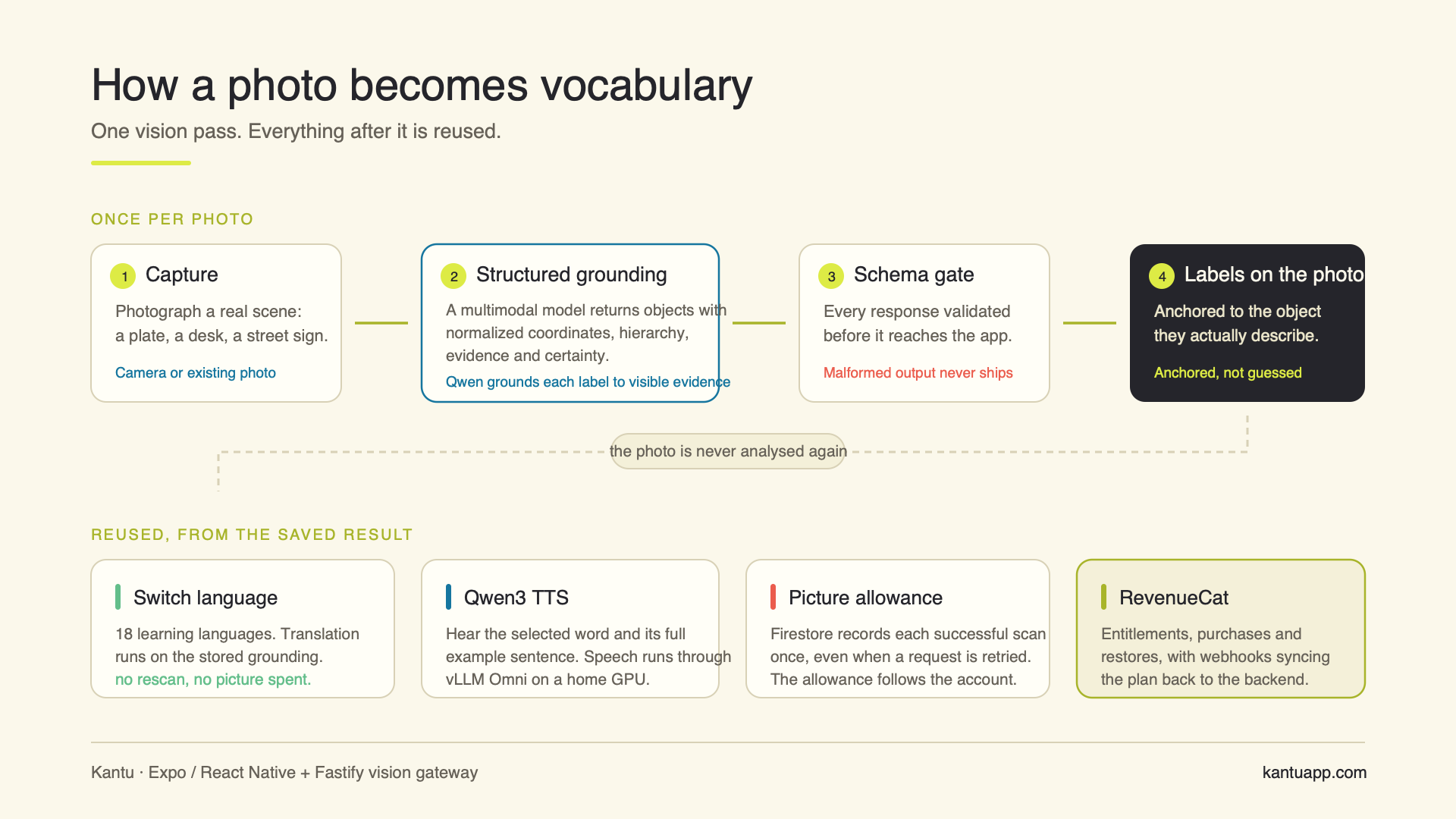
Kantu supports translations in 18 learning languages. You can switch languages without analyzing the photo again or using another picture from your monthly allowance.
Daily Discovery and Test Yourself give learners ways to practice with their photos and track their progress.
How we built it
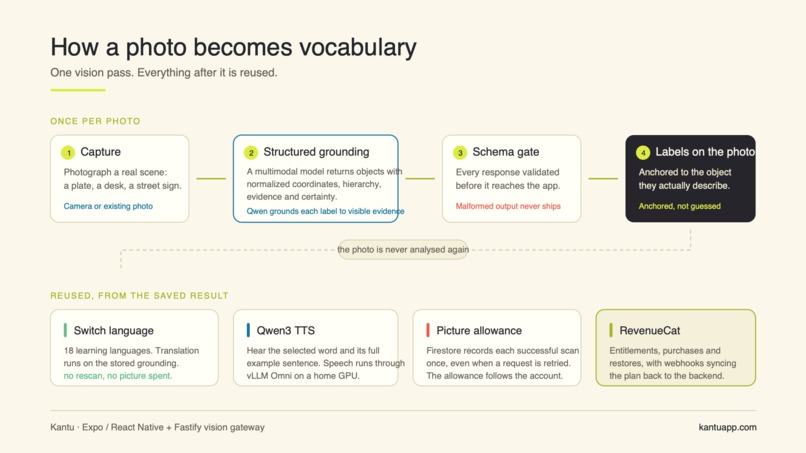
The mobile app uses React Native, Expo, and TypeScript. A Fastify backend prepares images, removes metadata, and sends them to Qwen through Alibaba Cloud Model Studio. It checks the response format before the app uses the returned positions to place labels on the photo.
Speech comes from a separate Qwen3 TTS service running through vLLM Omni on an Ubuntu GPU server at home. The app sends either the selected word or its example sentence to this service and plays the returned audio.
Firebase Authentication handles Apple and Google login. Firestore stores monthly picture usage, and RevenueCat manages Basic and Premium subscriptions. RevenueCat webhooks keep the backend's subscription records updated so the plan and allowance follow the account across devices.
Free accounts receive 5 pictures per month, Basic receives 120, and Premium receives 350. Failed scans and language changes do not use another picture. The optional “More detail” action runs a new analysis and tells the user that it costs one additional picture.
Challenges we ran into
Getting labels to stay over the correct objects took careful handling of image scaling and screen sizes. A position that looked right on one phone could drift on another if we did not account for how the photo fit the screen.
Generating every translation at once also added unnecessary waiting and cost. We separated object identification from translation. Kantu returns the selected language first, then reuses the identified objects when another language is requested.
Picture limits needed to work reliably across devices and retries. We moved usage tracking to the backend and added reservations so retrying the same request would not charge the user twice.
Accomplishments that we're proud of
- Labels stay aligned with objects across different image and screen sizes.
- Learners can hear individual words and full example sentences.
- Switching languages reuses the photo analysis without spending another picture.
- Subscription plans and picture allowances follow the account across devices.
- The interface is available in 12 languages.
What we learned
Identifying an object is only the beginning. Learners also need to hear its name, see how to use it in a sentence, and have a way to practice it later.
Separating image analysis from translation helped us reduce repeated work. Building speech as a separate service also let us run it on our own GPU while using Alibaba Cloud for image analysis.
What's next
We want to understand where new users get stuck and whether they return to practice. That feedback will guide improvements to onboarding, daily challenges, and vocabulary review. We also plan to check pronunciation and example sentence quality across the supported learning languages.
Built With
- alibaba-cloud
- expo.io
- fastify
- firebase
- node.js
- openai-codex
- qwen
- react-native
- revenuecat
- typescript