-
-
-
-
-

-
-
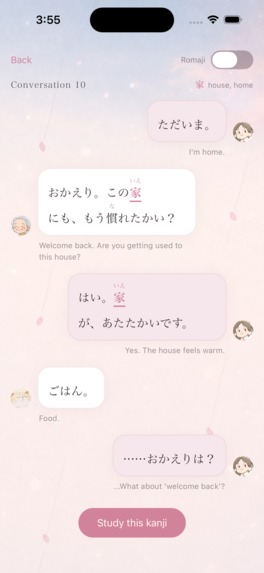
The screen unframed at 1179 × 2556.
-

App icon, 1024 × 1024.


Inspiration
Living in Japan, I've met many Japanese learners who avoid learning kanji. They can already hold conversations without kanji, so those intimidating symbols feel like an unnecessary burden.
But some learners told me the opposite: kanji actually made Japanese easier. Because each kanji carries a meaning, knowing just one character in an unfamiliar word is often enough to guess what the word means.
I built Kanji Encounter so that learners who struggle with kanji can discover for themselves that kanji isn't just an obstacle — it's a key to enjoying Japanese.
What it does
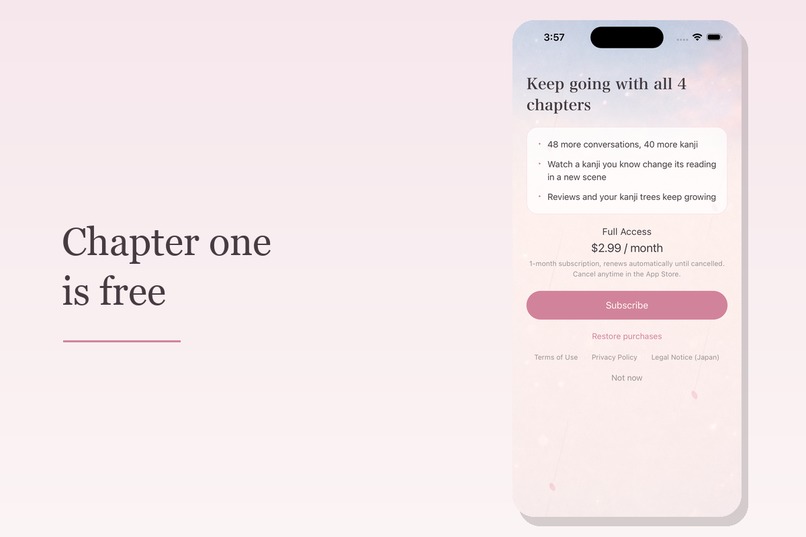
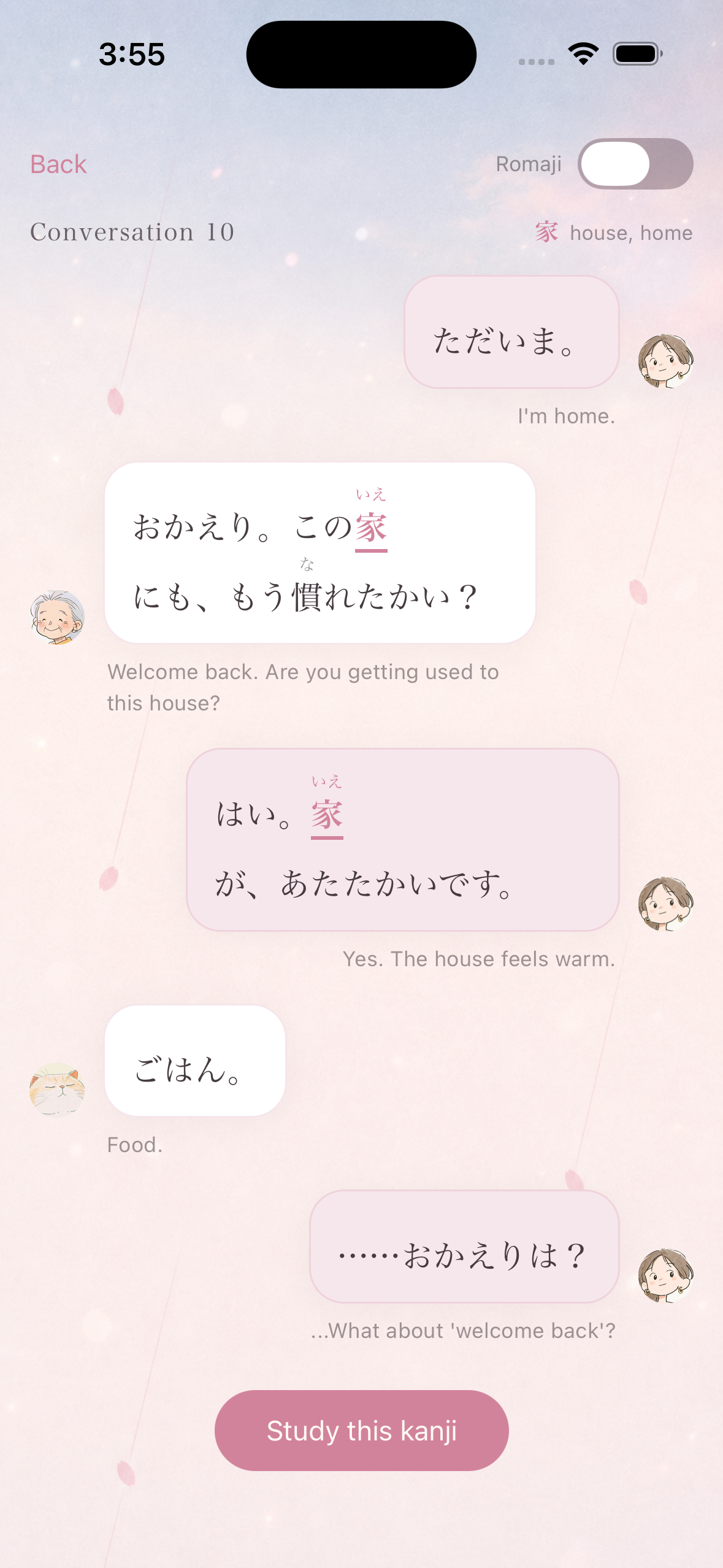
Kanji Encounter teaches the first 50 kanji through 58 short conversations between Mia, an international student in Japan; her host grandmother; and Sora the cat.
- 💬 You meet each kanji inside a conversation, not a word list. It appears with furigana above it, an English translation below, and romaji if you want it.
- 📖 Then you study it on its own. It comes with a picture, its meaning, and its readings.
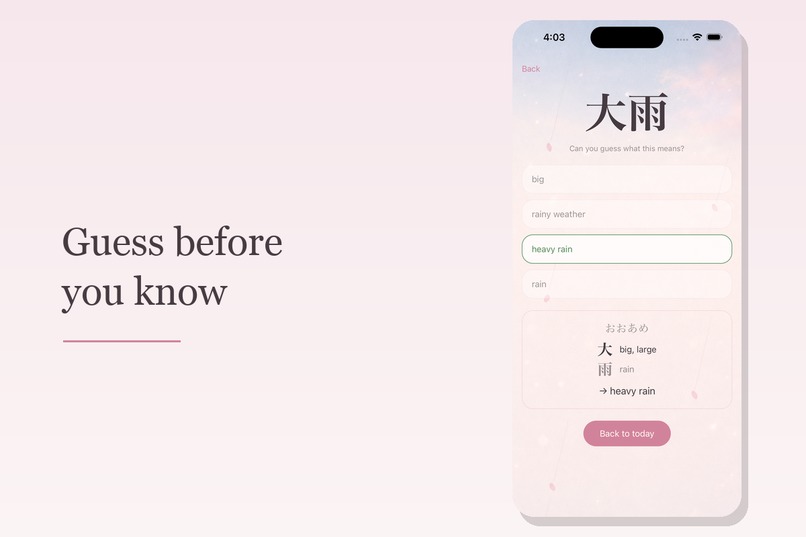
- 🔁 Reviews come back. Kanji you've met return as multiple-choice meaning quizzes, spaced further apart each time you get one right.
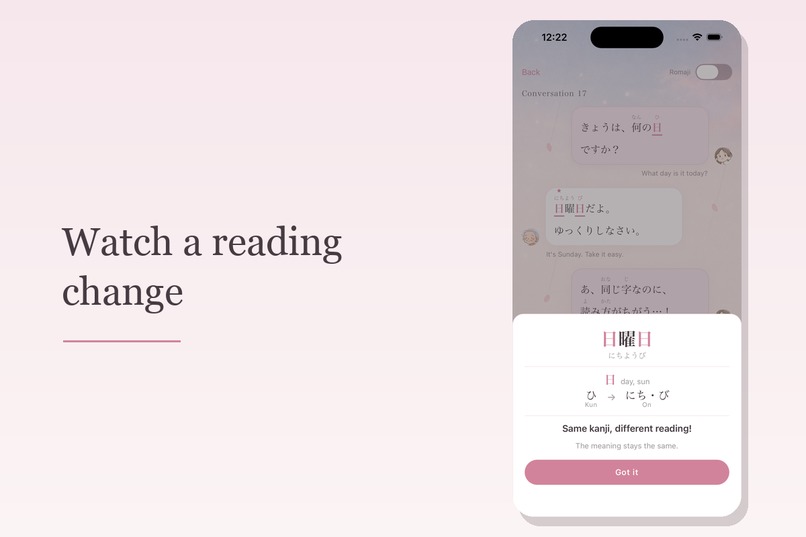
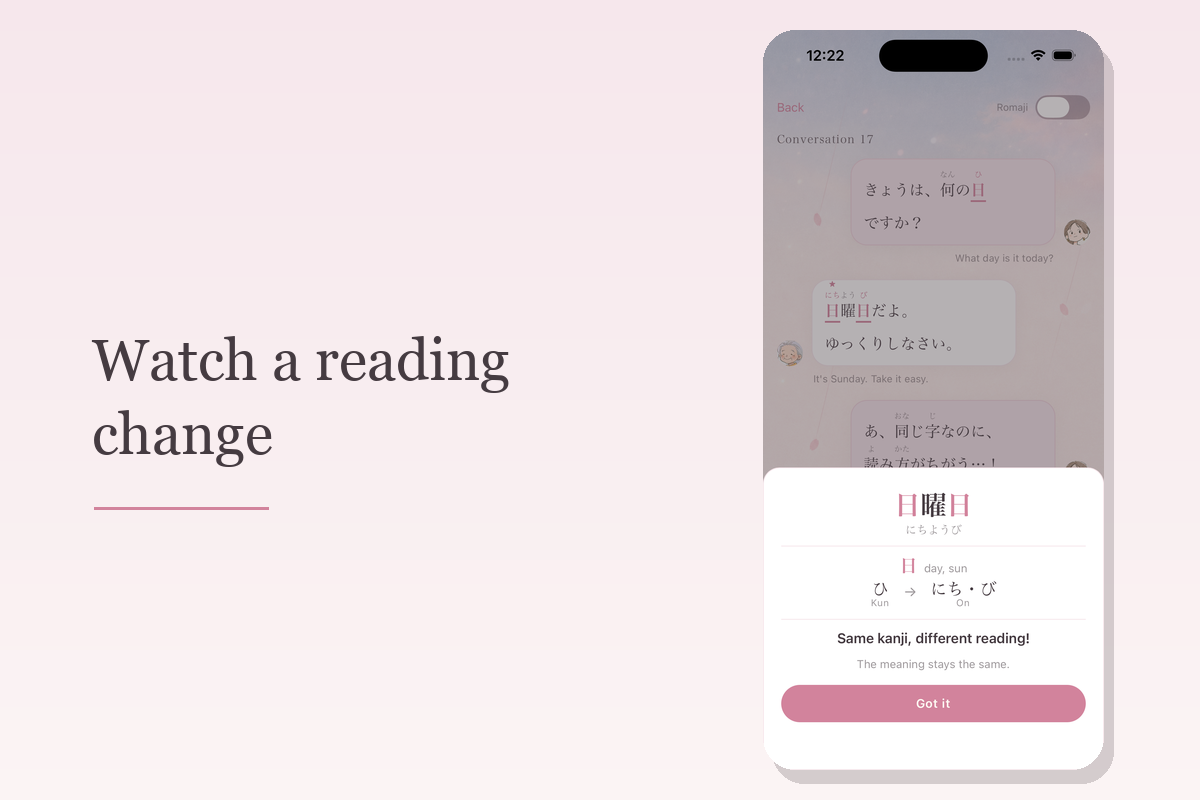
- 🌟 The kanji returns in a new word. 日 becomes 日曜日. 時 and 間 become 時間. The app stops and shows what happened: same kanji, new reading, same meaning.
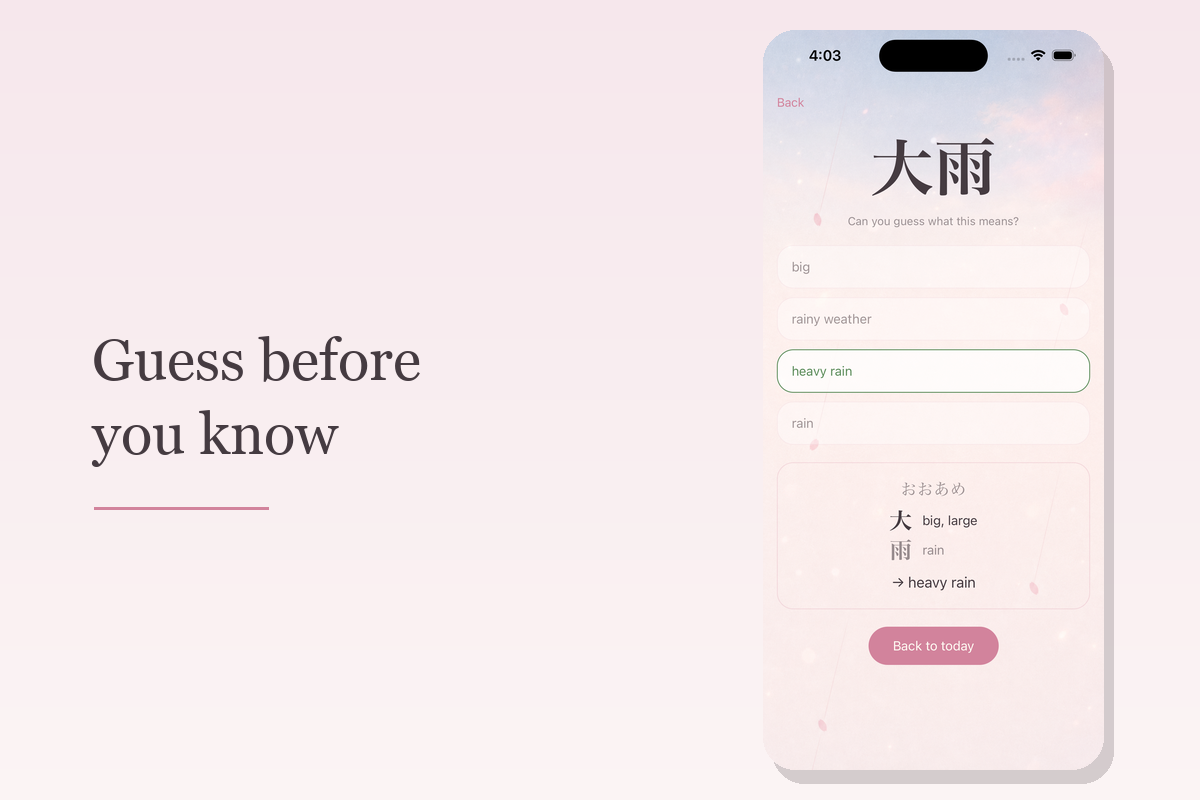
- 🤔 Some lessons end with a challenge. "Can you read this?" asks you to guess an unfamiliar word using kanji you already know.
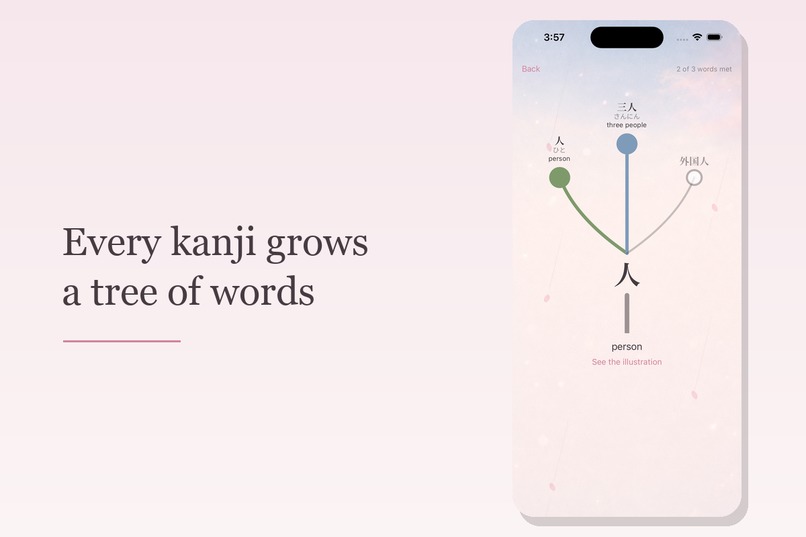
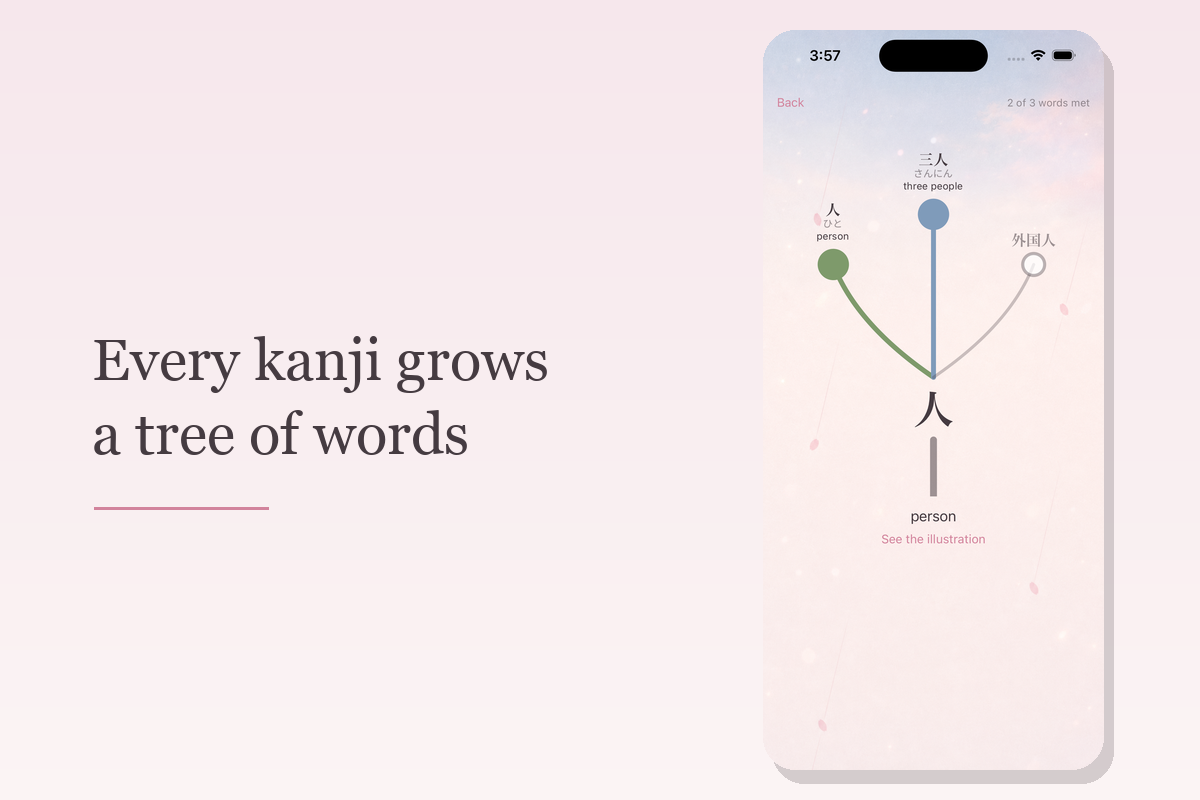
- 🌳 Every kanji grows a tree of the words it appears in. Colored leaves are words you've met; gray buds are words you haven't met yet.
How I built it
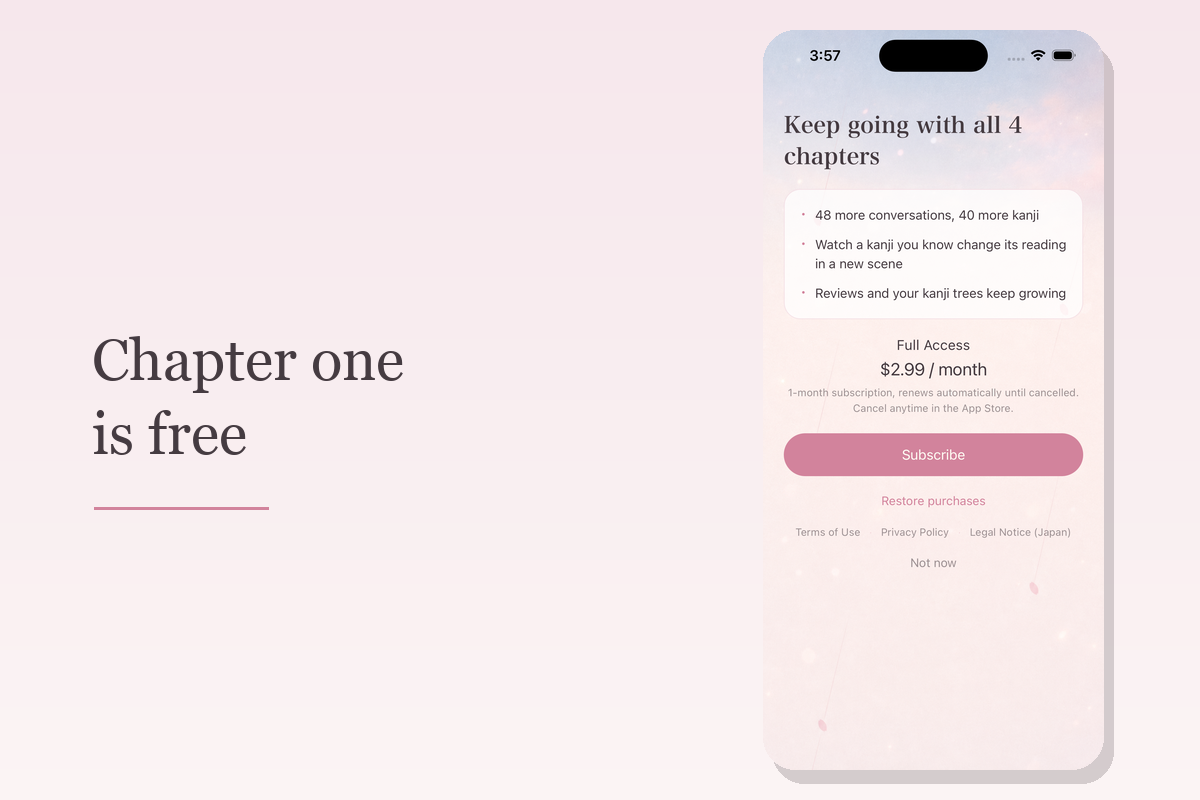
Expo (React Native) and TypeScript, with expo-router for the screens and SQLite through Drizzle for storage. RevenueCat handles the subscription.
Two design rules shaped the data model:
- Content and user state live in separate tables. Conversations and kanji ship with the app and are replaced wholesale on update; review history is never touched by that.
- Review history is append-only. The current spacing state is derived from the event log rather than stored, so a second device could later merge events in time order and be correct.
The 50 illustrations were generated in one consistent style and then cut out to transparent PNGs with a Python pipeline, with the failures fixed by hand. The only network call in the app is the subscription check.
Challenges I ran into
- Thinking like a Japanese learner. As a native speaker, the hardest part was putting myself in a beginner's shoes, so feedback from learners is always welcome! I thought back to how I first learned kanji, and that's where the kanji trees came from: they show how one kanji links words with different readings.
- Writing with a limited set of kanji. The app is for complete beginners, so at first I only allowed kanji the learner had already met, but the conversations came out unnatural. Then I loosened the rule and let a few new kanji appear where the dialogue needed them. Where a word needed a difficult kanji, I came up with simpler ways to say it and rewrote those lines myself.
- Checking AI-generated Japanese. Even with the looser rule, I wanted to stay as close to it as possible, so I used AI to draft conversations within those limits. But it wasn't enough to check each sentence on its own. I read all 58 conversations side by side and fixed places where they contradicted each other.
Accomplishments I'm proud of
- Shipping my first mobile app. I had never built a mobile app before. I found out about Shipaton at the end of July, and less than two months later the app was live on the App Store.
- Conversations and illustrations that stay consistent. All 58 conversations share the same three characters, and I checked them against each other so none contradicted another. All 50 kanji have their own illustration in one consistent style, and I adjusted each one so it could be cut out cleanly and sit naturally on the app's background.
What I learned
- Ship first, then improve. There are still things I want to fix about the app, but the deadline made me let go of perfection and release. That turned out to be the right call: real users showed me problems I couldn't have found on my own. For example, I had limited learners to three kanji a day because I thought it would help them keep going. However, people who just installed the app are at their most motivated, and the limit stopped them right there. I shipped v1.1.0 soon after, and the limit became a daily goal that learners can go past.
- Cut what doesn't serve the core idea. I had planned extras, such as theme options. But building the app took much longer than I expected. So I prioritized every feature by how essential it was to the core idea. Anything the app could work without, I moved to a "later" list so it wouldn't get lost.
What's next for Kanji Encounter
I shipped before it was perfect, so the next step is to keep improving it together with learners.
- More support for learning. Features that help learners remember kanji and see how far they've come.
- A clearer, easier UI. Making every screen easy to understand at a glance, based on feedback from real users.
- More kanji and conversations. Going beyond the first 50 kanji, and creating more moments where learners spot a kanji they already know in a new word.

Log in or sign up for Devpost to join the conversation.