-
-
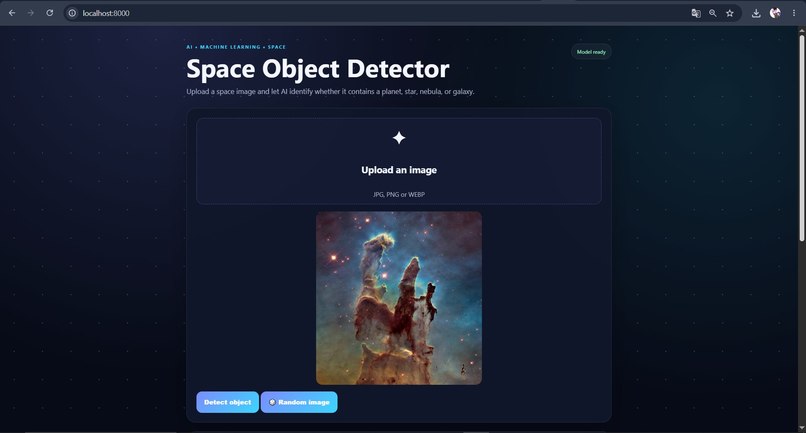
Upload your own space image or choose a random image from the dataset.
-
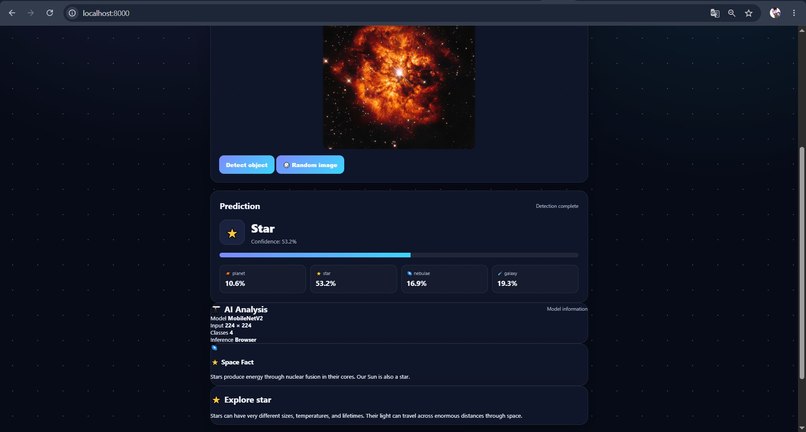
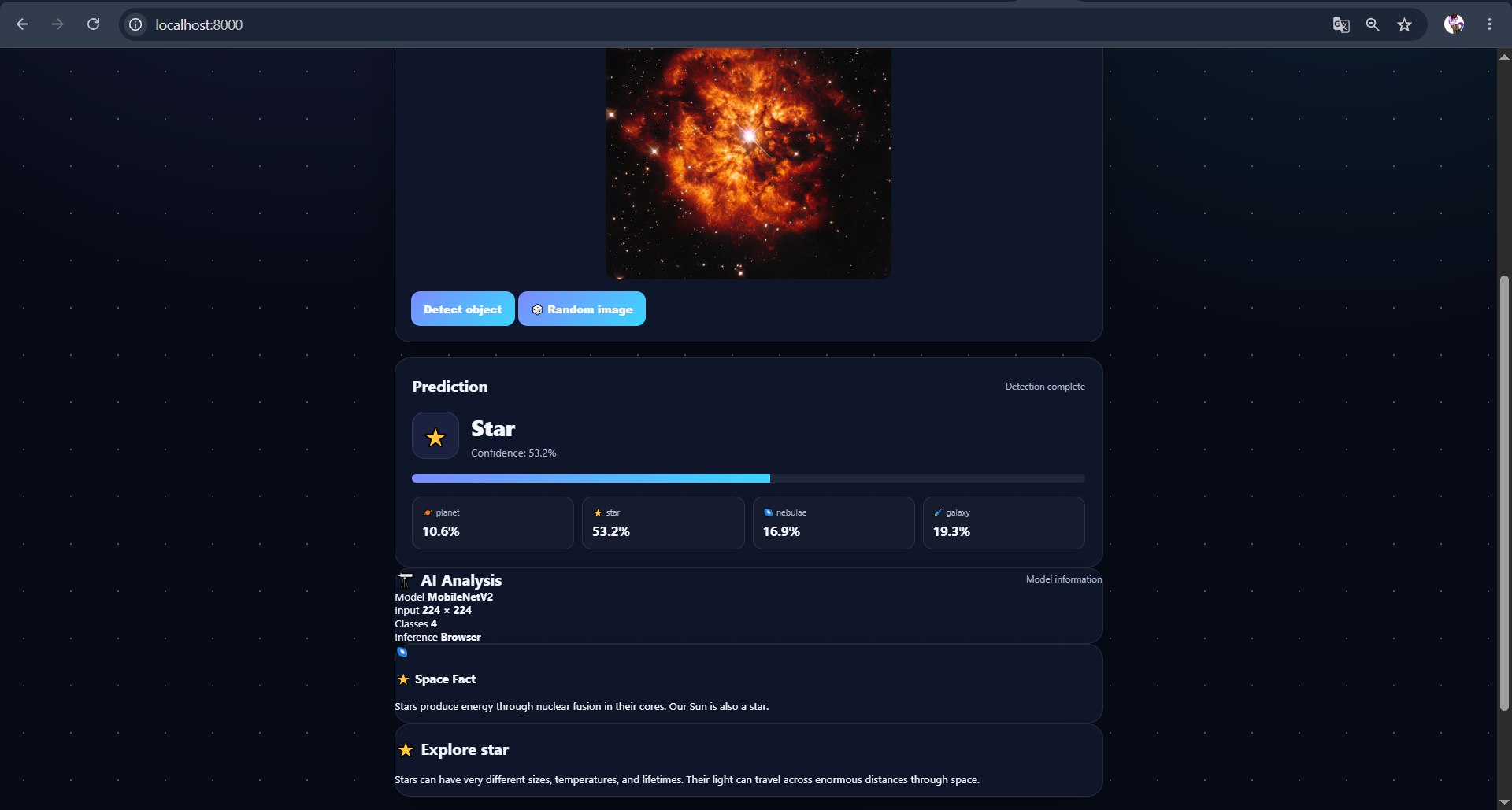
Shows whether the image is a planet, star, nebula, or galaxy.
-
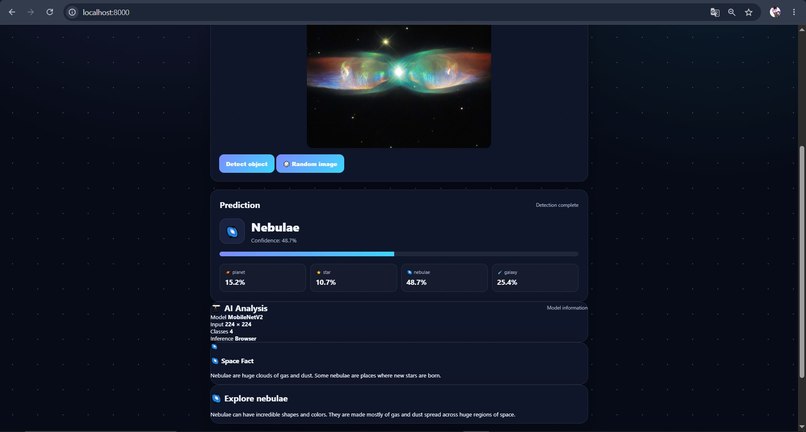
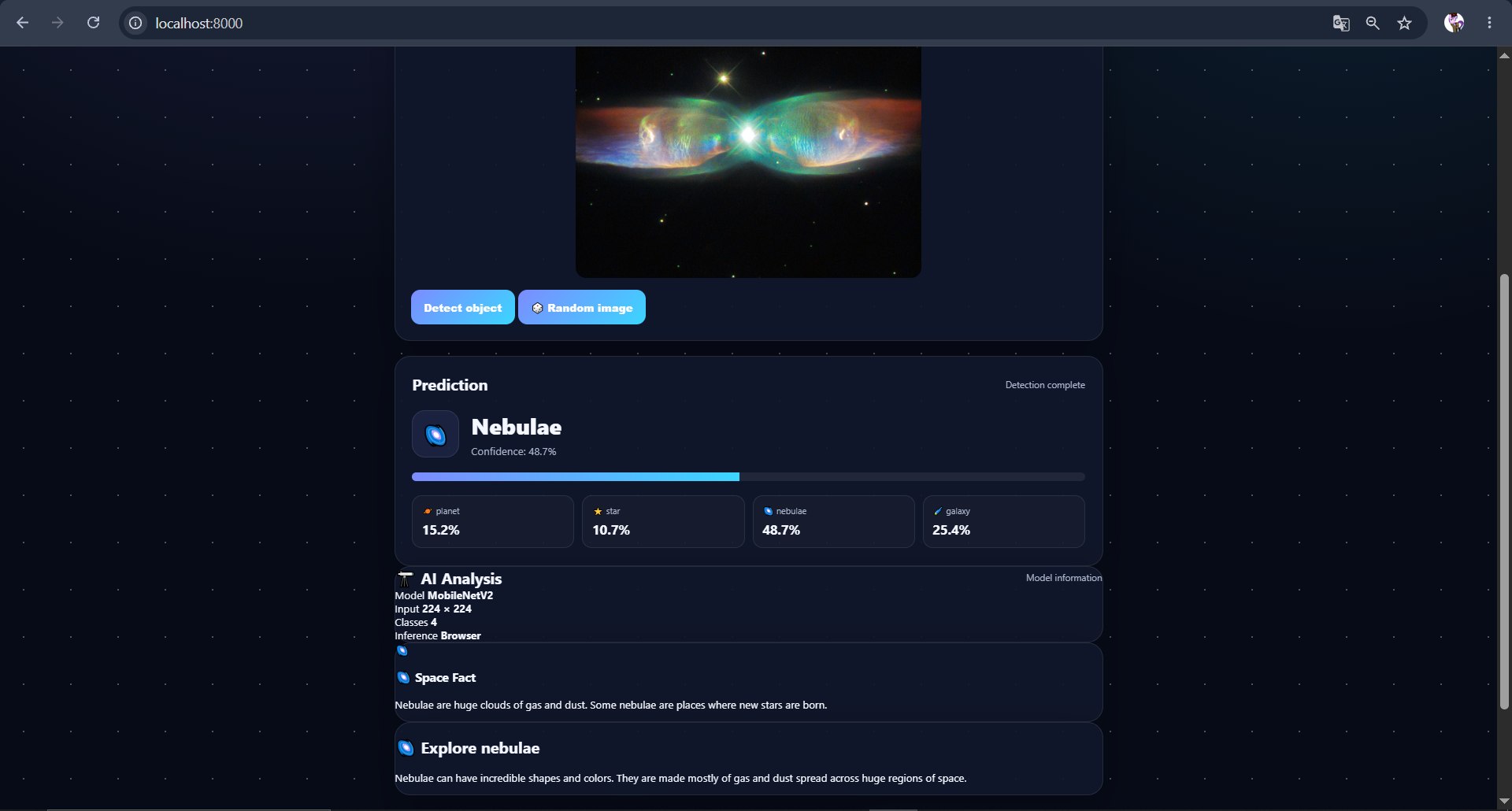
Shows whether the image is a planet, star, nebula, or galaxy.
-
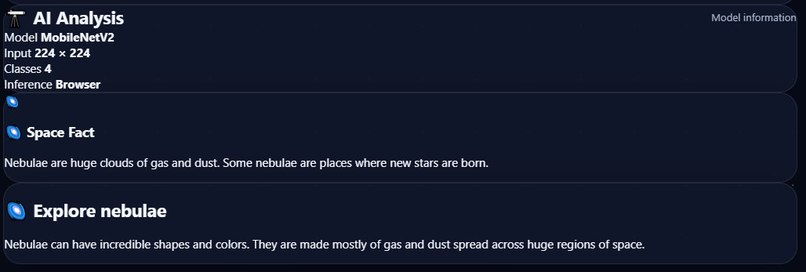
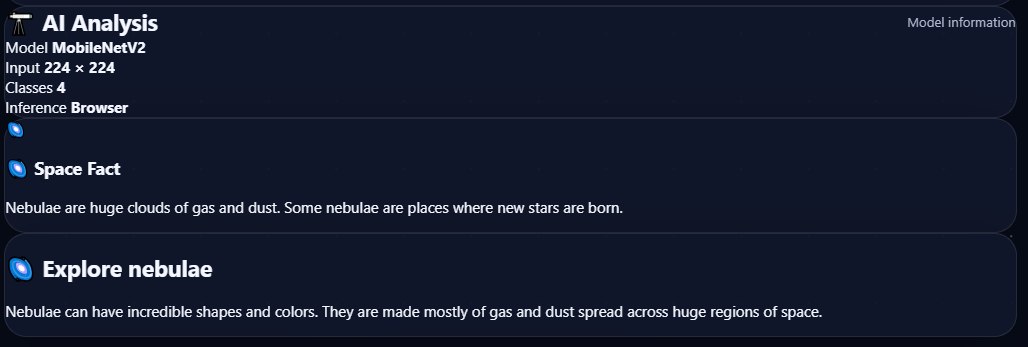
Displays an interesting fact about the detected space object. Provides a short description of the detected space object.
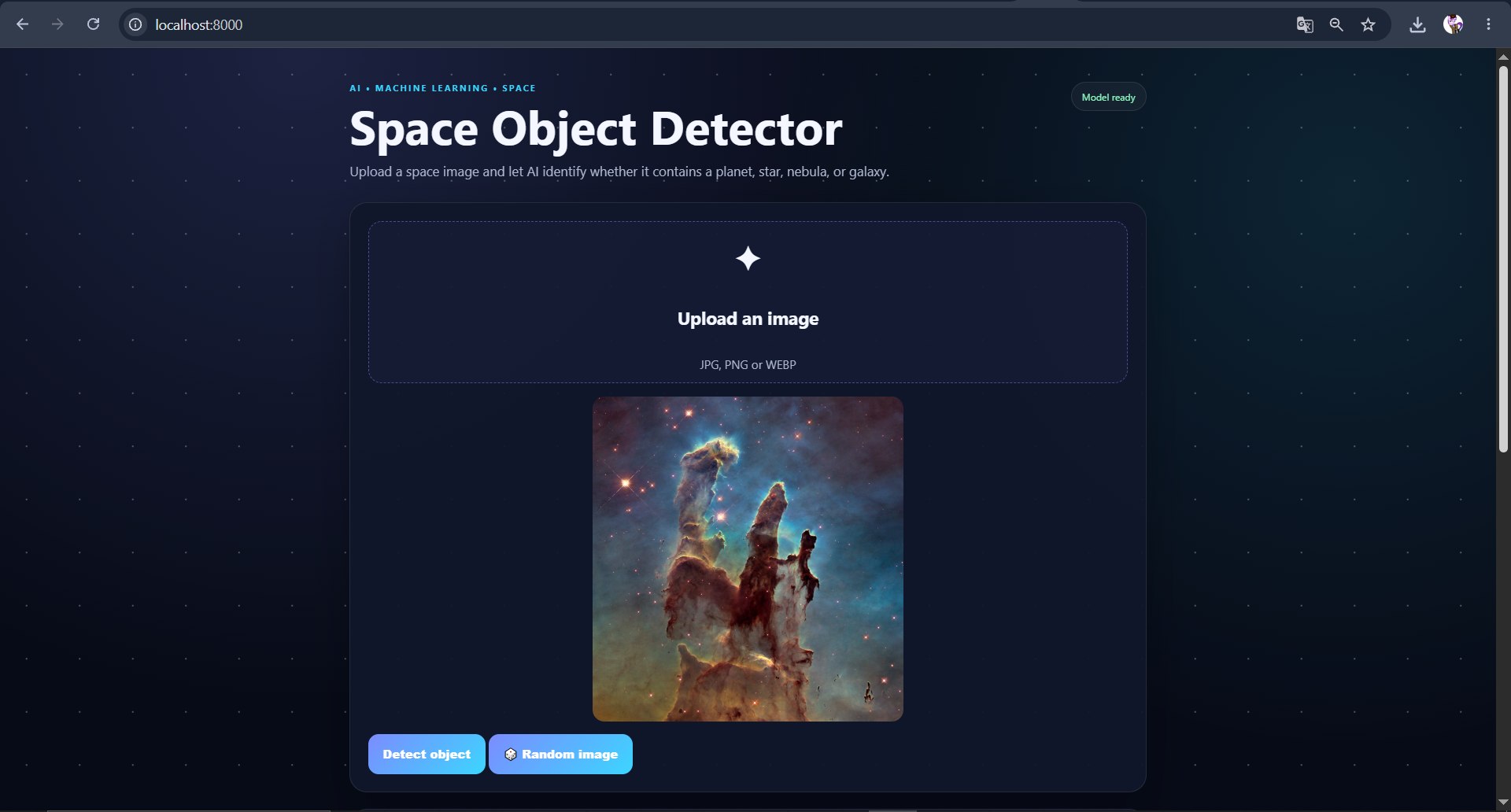
I was inspired by my interest in space and artificial intelligence. I wanted to create a project that combines these two areas in a simple and interactive way. My idea was to make it possible for anyone to upload a space image and use AI to find out what type of object is shown in it.
Kani is a web-based AI application that classifies space images into four categories: planet, star, nebula, and galaxy.
The user can upload their own image or choose a random image from the dataset. After selecting an image, the AI model analyzes it directly in the browser. The website shows the predicted object, its confidence, and the probability for each of the four classes.
I also added several simple features to make the application more interesting and useful. After a prediction, the website shows a space fact about the detected object and provides additional information about it. There is also a scanning animation during the prediction process to make the AI analysis feel more interactive. The Random Image feature allows users to test the model without having to find their own space image.
I built the whole project by myself, sometimes using Ai (chatGPT)
I trained an image classification model using TensorFlow and Keras, with MobileNetV2 as the main model. After training, I converted the model to TensorFlow.js so it could run directly in the browser.
For the frontend, I used HTML, CSS, and JavaScript. I connected Supabase to store prediction data, including the predicted class, confidence, and image file name.
The main workflow is:
Upload or Random Image → Preprocessing → AI Model → Prediction → Confidence Scores → Space Fact → Save Result
One of the biggest challenges was getting the trained Keras model to work correctly in the browser. I had problems with model conversion and compatibility between different Python, TensorFlow, Keras, and TensorFlow.js versions.
Another challenge was the small amount of training data. Because my dataset was limited, the model does not always make accurate predictions. This showed me that the quality and size of the dataset are very important for machine learning.
Since I worked on the project alone, I also had to handle the machine learning part, frontend, database, and technical problems by myself.
I am proud that I managed to build a working AI application from the beginning to the final web prototype on my own. The most important result for me is that the trained model can now run directly in the browser without requiring a separate Python server for predictions.
I also successfully connected the model with the website, added confidence scores, random image testing, space facts, object information, and prediction logging with Supabase.
I learned how an image classification project works from training a model to using it in a real web application. I also learned more about transfer learning, MobileNetV2, TensorFlow.js, model conversion, browser-based AI inference, and connecting a frontend to Supabase.
Most importantly, I learned that getting a machine learning model to work in a real application can be much more challenging than just training the model.
In the future, I would like to improve the model by collecting a larger and more diverse dataset. This should help make the predictions more reliable.
I also want to add more space object classes, improve the user interface, and show more detailed information about the detected object. Another possible feature is a prediction history where users can see their previous analyses.
Built With
- css
- github
- html
- javascript
- supabase

Log in or sign up for Devpost to join the conversation.