-
-
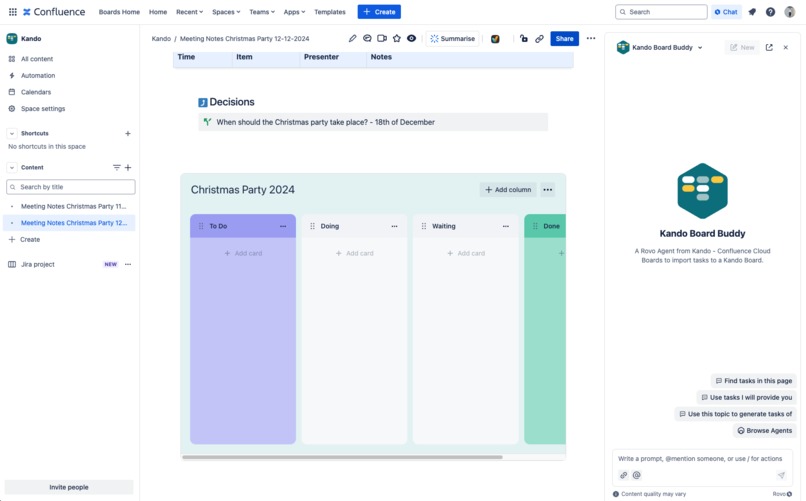
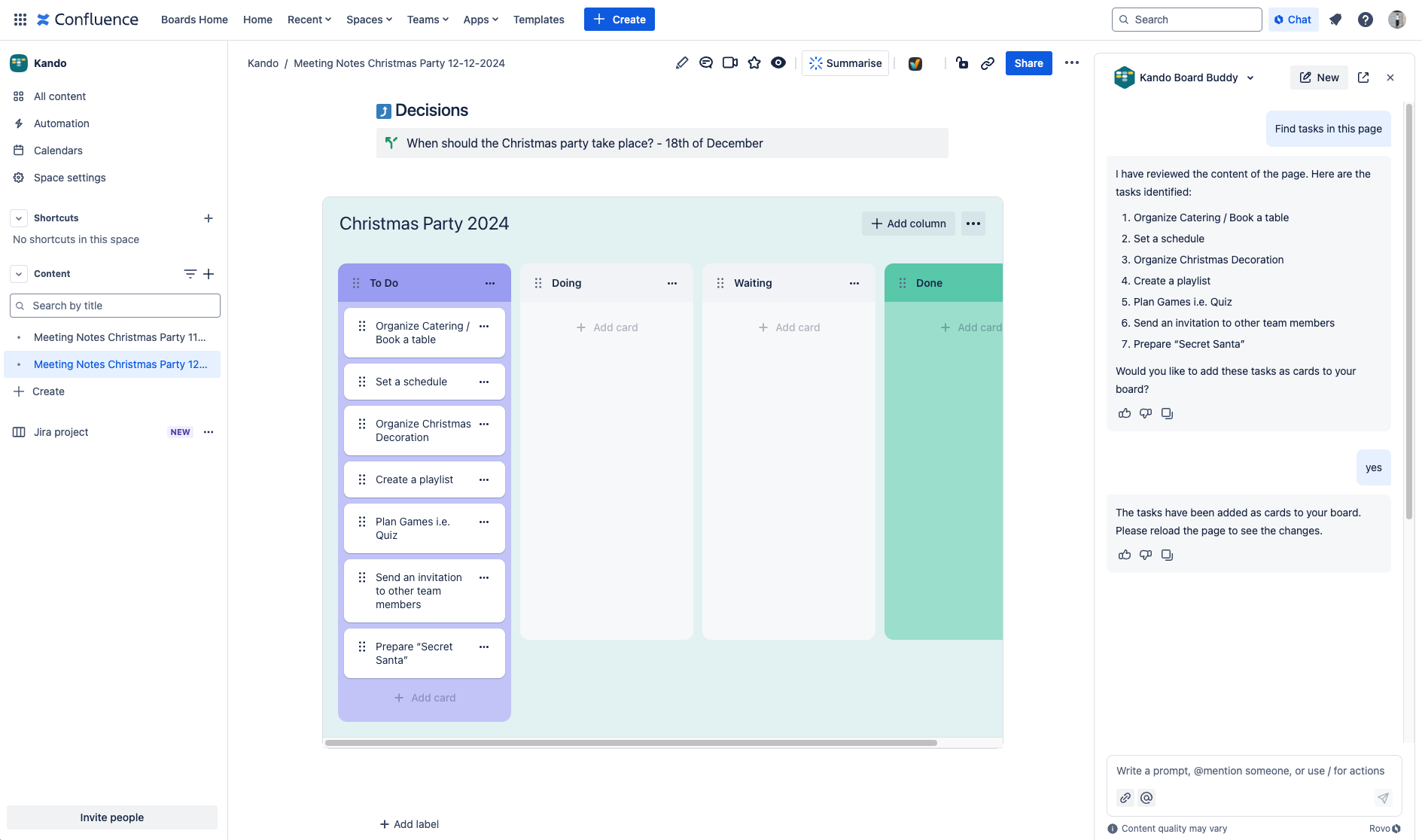
Kando Board Buddy helps you create tasks based on the content of your Confluence page.
-
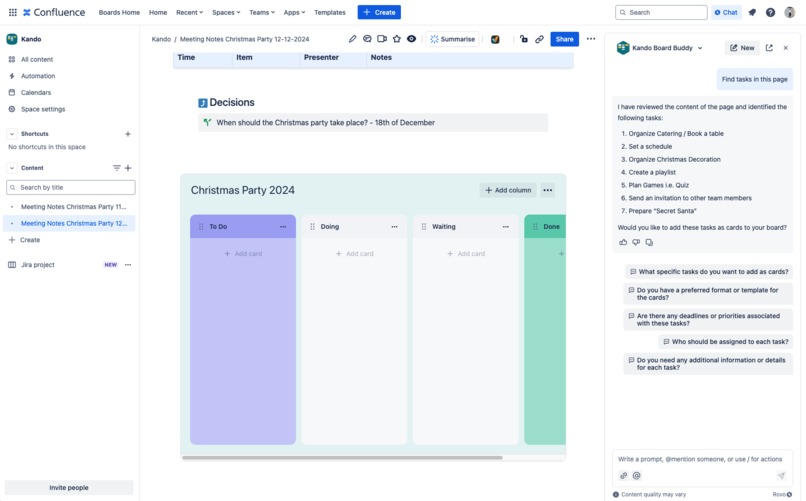
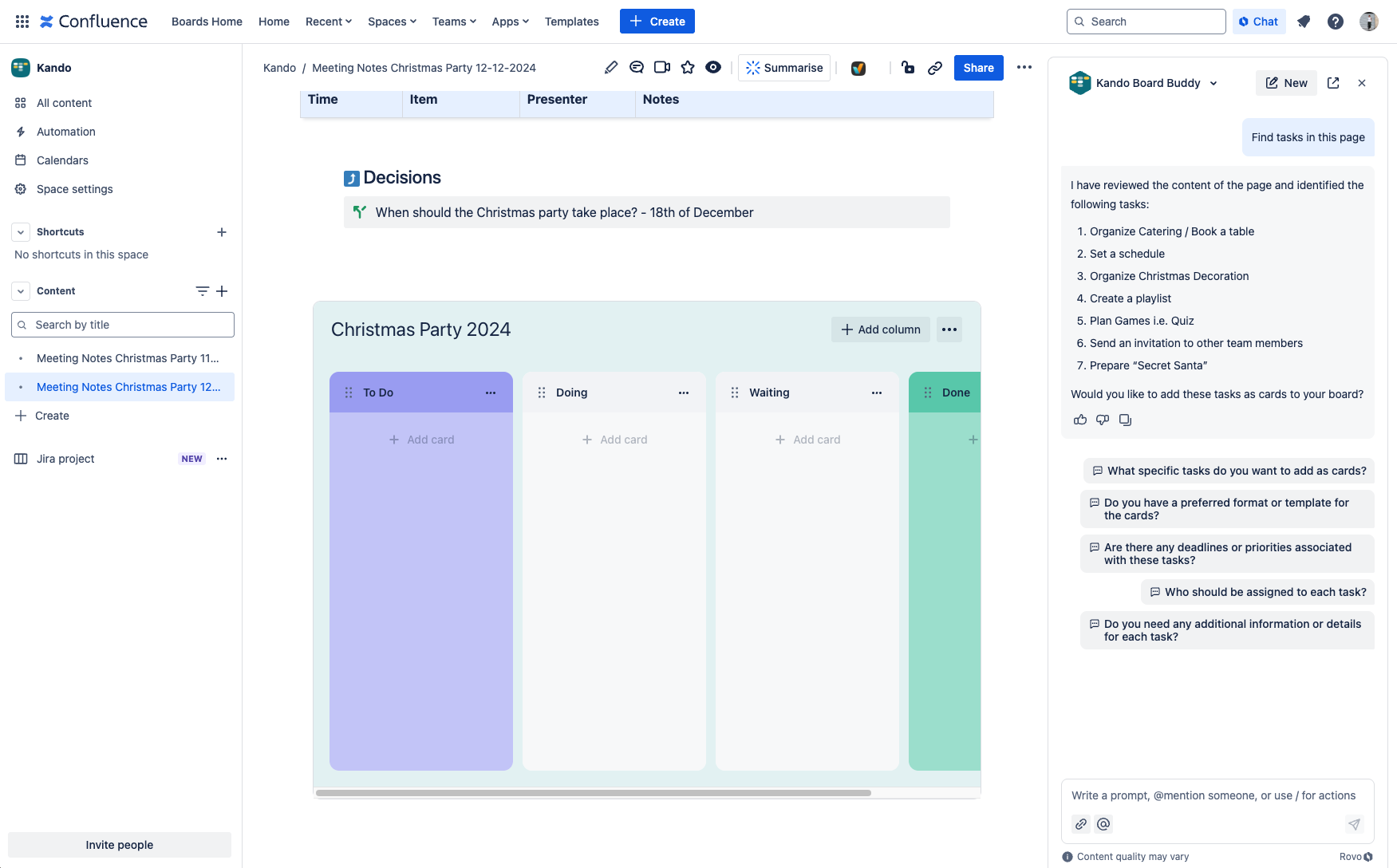
Identifying tasks on the page with Rovo
-
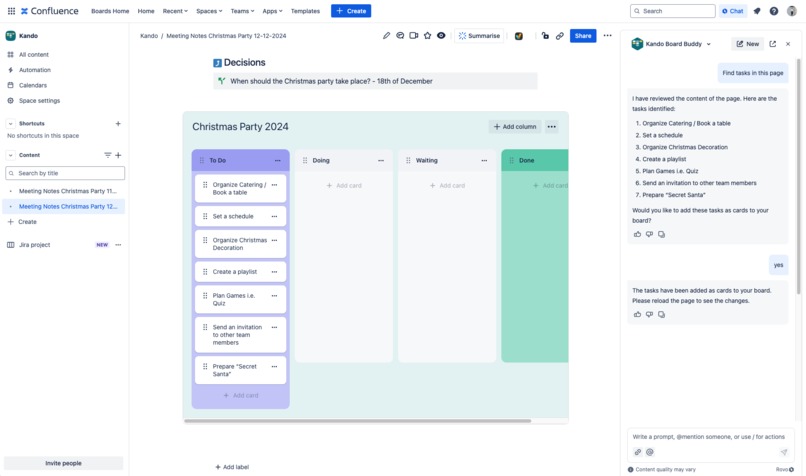
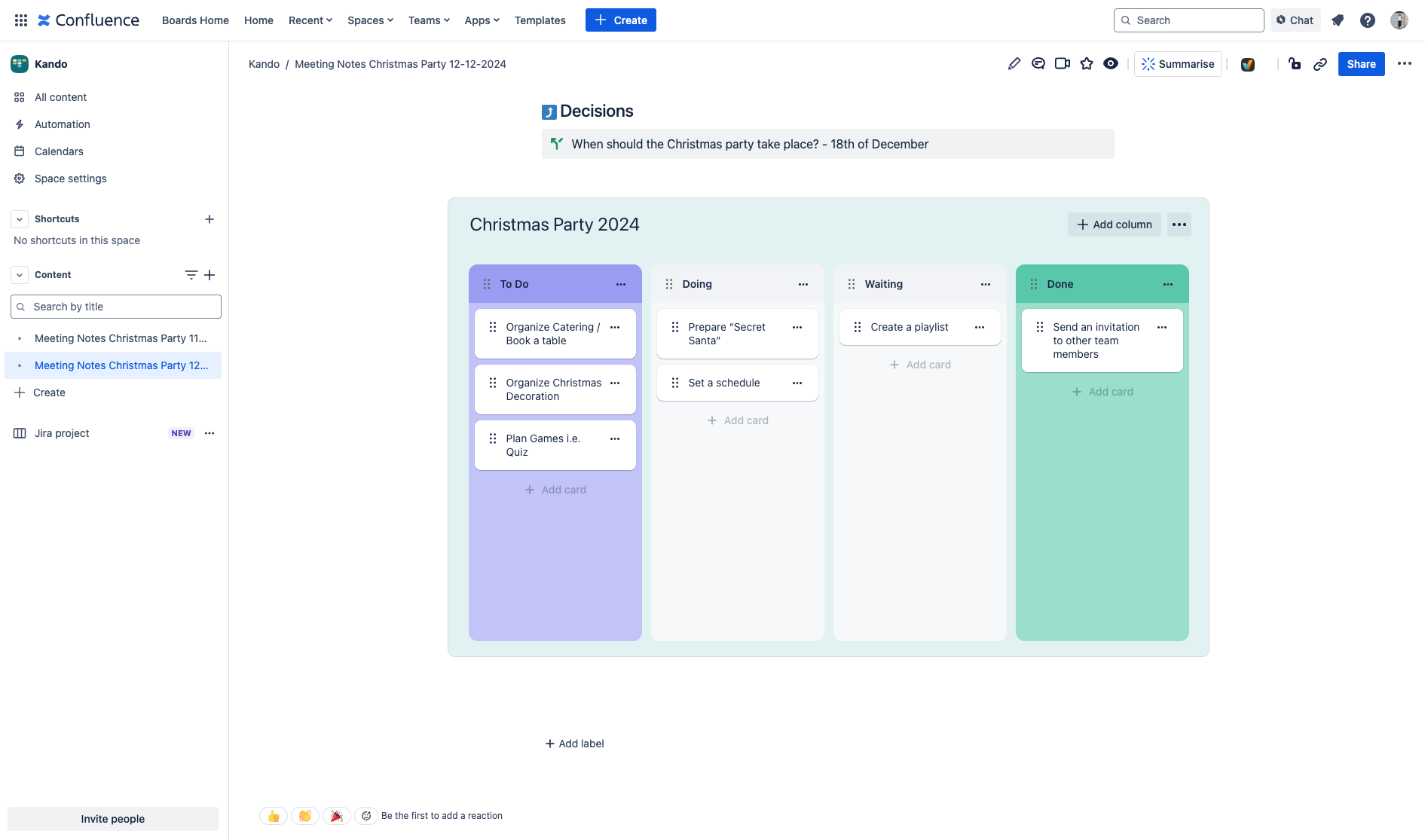
Add tasks to board with Rovo
-
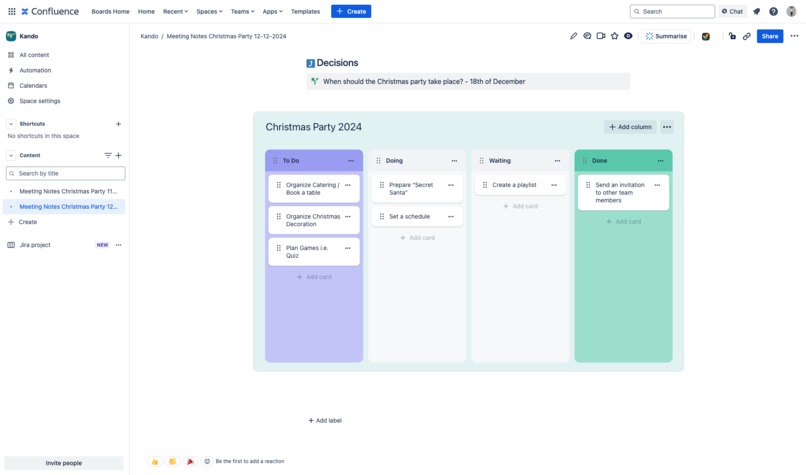
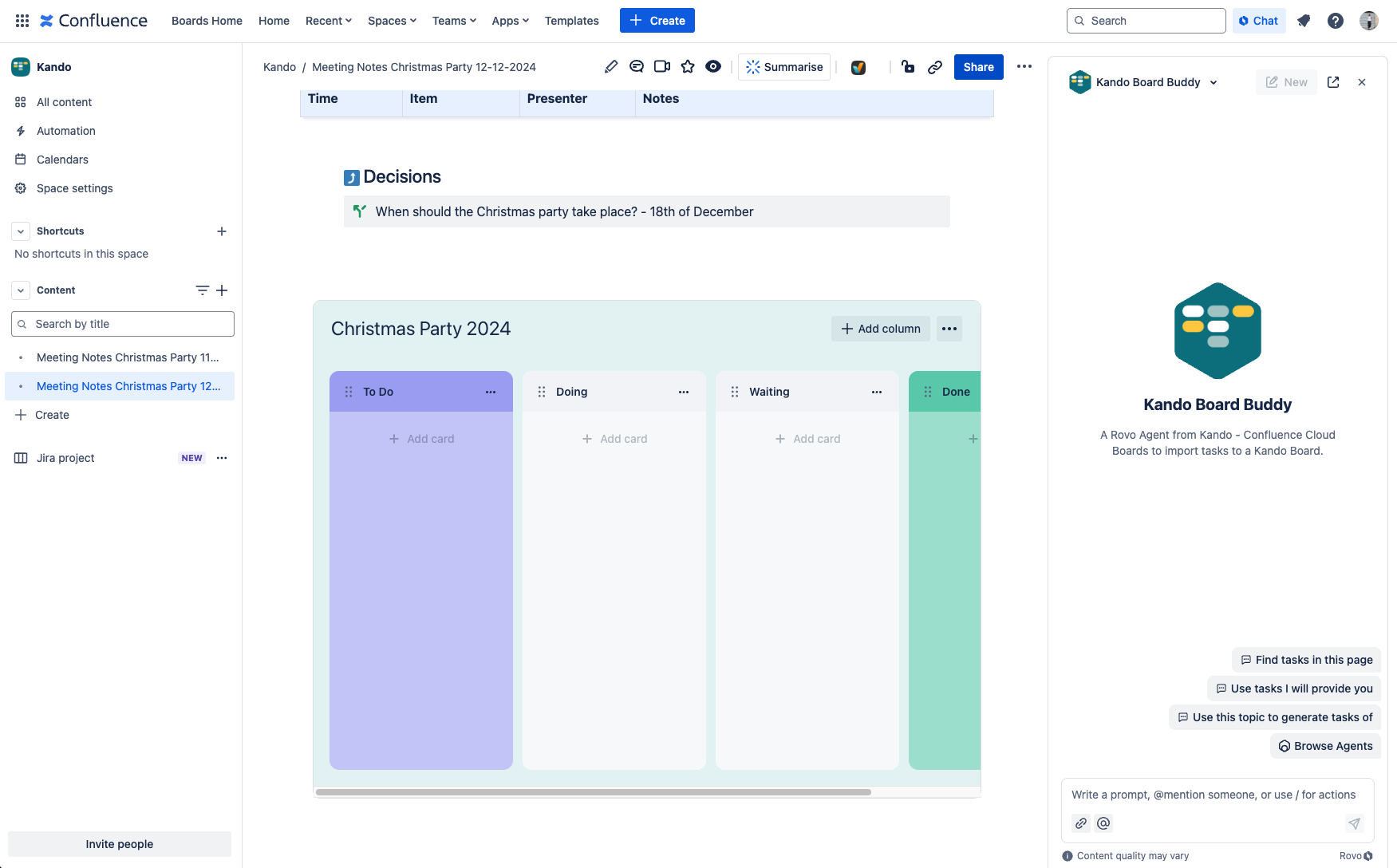
Kando board with tasks
-
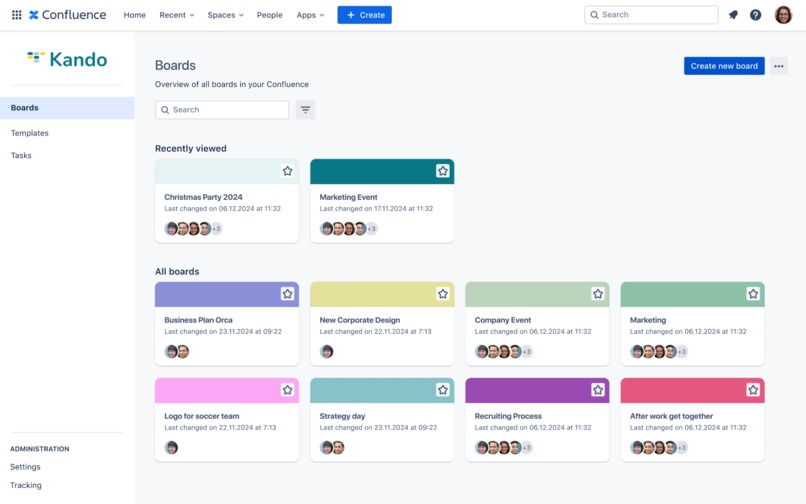
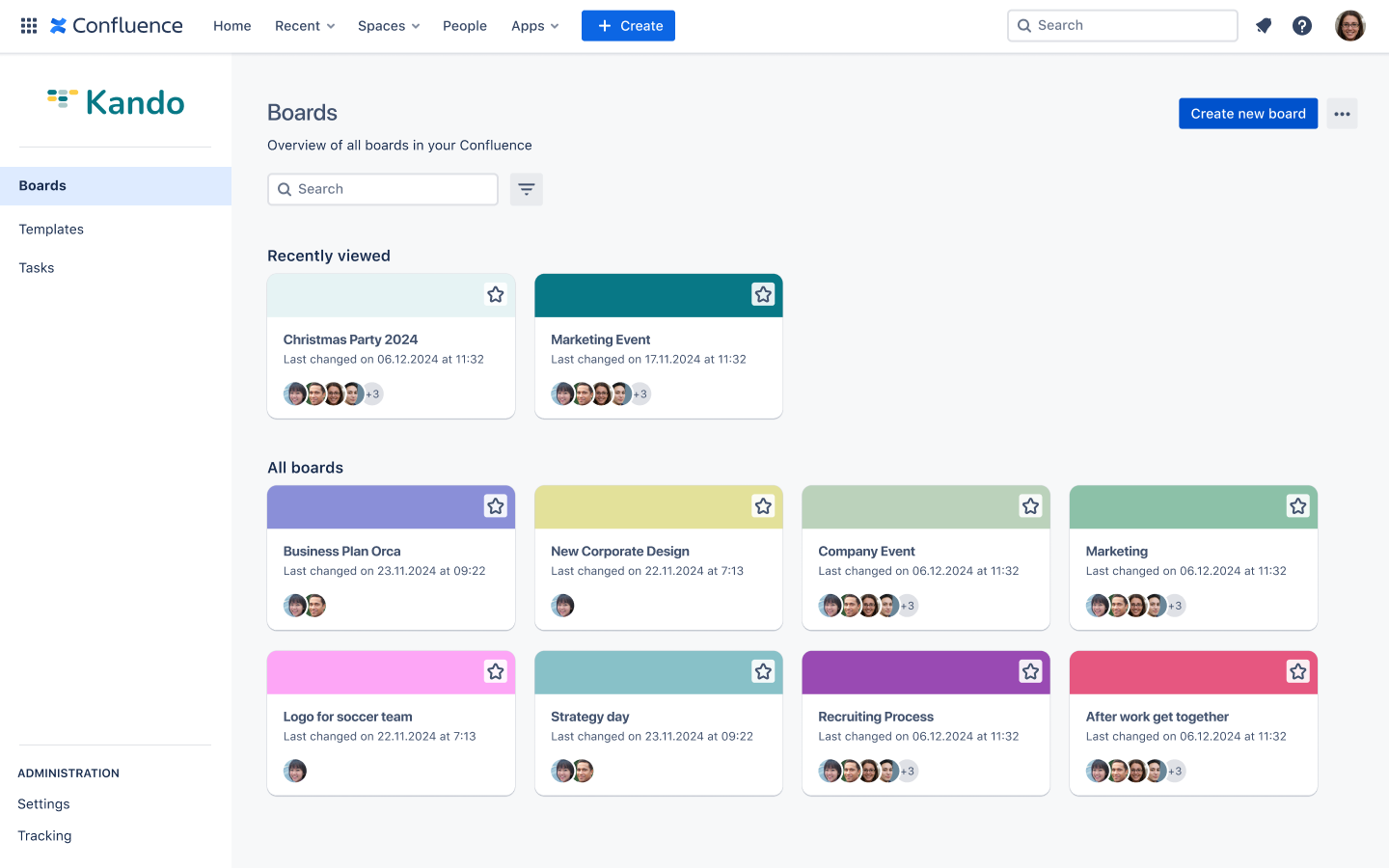
Future feature on the roadmap: Board Overview
-
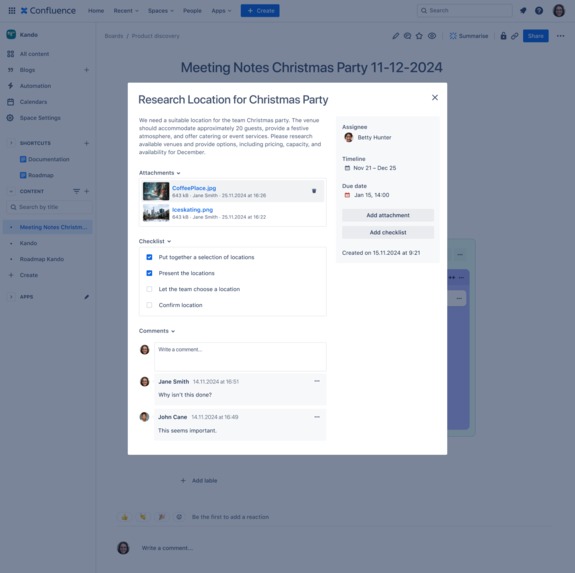
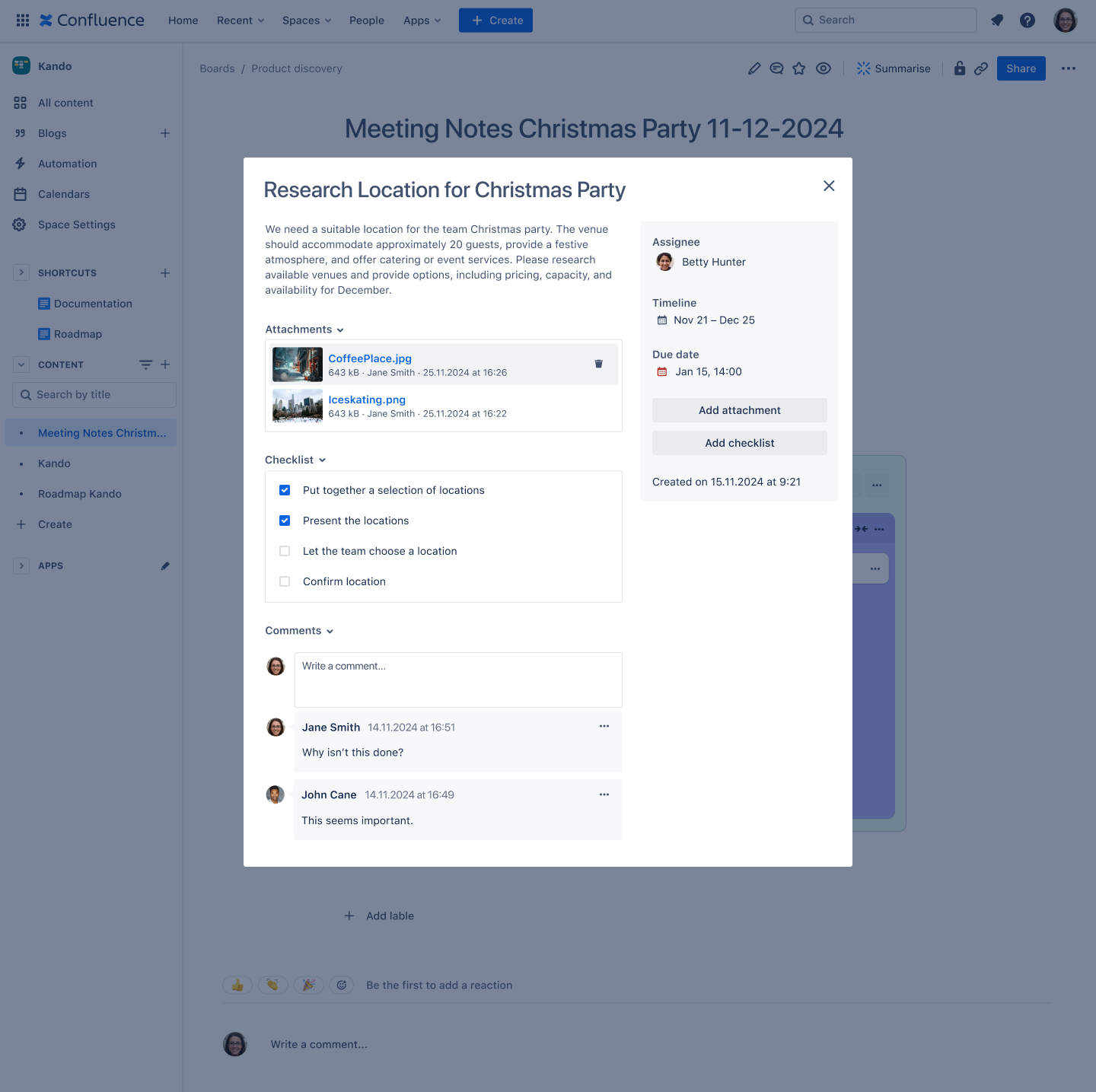
Card detail view in Kando
Inspiration
Confluence and Jira are Atlassian's powerhouse tools for documentation and project management. But let’s be honest –while Confluence shines as the go-to tool for documentation, Jira usually does the heavy lifting when it comes to managing tasks and projects. This got us thinking: Why can't Confluence teams manage tasks with Kanban-styled boards without switching tools?
Creating and managing tasks and project boards comes with its challenges. Setting up, maintaining, keeping track of scattered tasks on different boards, and staying up-to-date are many things. Teams need something intuitive, simple, and, dare we say –fun– to manage tasks directly in Confluence.
That’s why we created Kando-Boards for Confluence Cloud and its trusty AI sidekick, the Board Buddy Agent.
What it does
Think of it as your team’s personal board companion – always ready to help you easily create, edit, and prioritise tasks. Whether you're tackling small projects, organizing meeting agendas, or managing more complex workflows: Kando is our solution for seamlessly integrated boards in Confluence.
Rovo Features
What's more, to create tasks with the help of AI we have implemented a Rovo Agent called ‘Board Buddy’. The following conversation starters will assist you with task generation for your Kando Board:
- ‘Find tasks on this page’
- ‘Use this topic to generate tasks of’
- ‘Use tasks I will provide you’
Our mission? Empowering teams to turn ideas into action because managing tasks should be as easy as saying, 'Kando!'
How we built it
We have built Kando with Forge only. For the UI, we used Forge’s Custom UI. The app allows users to create custom Kanban-like boards, offering columns and card-based structures within a Confluence page. Users can drag and drop cards between columns, organize tasks, and visually track progress without switching tools. For storing Kando boards, we rely on Atlassian’s Custom Content: Each board is represented by a Custom Content object attached to a page where a Kando Macro is placed. Thanks to Custom Contents, searching for boards, managing permissions, and storing attachments come almost build-in.
Furthermore, we were exploring the capabilities of Atlassian’s new AI Rovo. Our implemented Rovo Board Buddy agent enhances the user experience by helping teams identify and create potential tasks for your board based on Confluence content or even self-provided topics.
Challenges we ran into
For Sven, our developer, this was his first time implementing an app with Rovo integration, which required a deep dive into the new technology. Navigating new technologies always brings a learning curve, but it also strengthened our team’s understanding of Rovo’s capabilities. Hats off to the simplicity of creating Rovo agents in an app. That was no problem. It worked like a charm.
The main challenge came with phrasing Rovo’s prompt. Either Rovo did not act how it was supposed to or was hallucinating. For example, Rovo was told to identify tasks based on content on a Confluence Page. However, our Rovo agent occasionally came up with tasks that did not appear on the page. Reworking its prompt, reading Atlassian tutorials, and reaching out to the Atlassian community greatly supported solving this issue.
Feedback to Atlassian: If our app is installed before a site administrator enables Rovo for the Confluence site, the Rovo Agent will not be available. In such cases, our app must be redeployed. (See Community Post and Bug Ticket)
💡What we learned
Through the process, we learned that user-friendly, simple usability is important, and that the power of a Rovo Agent can be particularly helpful for the task management of less technically experienced users. Simple, intuitive designs and the integration of AI make complex tools accessible to everyone, regardless of their technical background and simplify navigation in Confluence. We realised that our Board Buddy Agent doesn’t just streamline task creation–it actively enhances collaboration by reducing time for searching tasks or manual effort when creating tasks.
In addition, we learned during development:
- Prompt Engineering for Rovo AI: Crafting effective Rovo’s prompts requires precision and a lot of trial and error to achieve the desired results. This iterative process time-intensive. (Feedback: Refining Rovo’s prompt while running a forge-tunnel, so without the need to redeploy the app, would speed up development.)
- Challenges with 'Custom Content': Working with the "Custom Content" type comes besides advantages but also with some challenges. For example, this type must permanently be attached to a parent element (page or space), and updates require careful consideration of version control. These limitations call for creative solutions.
- Wish List for the Development Environment: Some UI Kit elements, like the User Select, would also be very useful for Custom UI. Having these elements available would simplify and increase development speed.
🏆 Accomplishments
Kando-Boards for Confluence Cloud makes Confluence accessible for task management, regardless of role or technical expertise, to benefit from kanban-styled boards and task tracking. With the Board Buddy agent, we’re proud to offer a solution that simplifies board task creation and maximises team productivity. It’s our solution to say goodbye to the chaos of scattered tasks. Get ready to transform 'Where is that task?' into 'Oh, there it is!'.
What's next for Kando – Boards for Confluence Cloud
Preparing for the Atlassian Marketplace Launch. We want to launch the app in Marketplace next few months. One of the following features we would like to tackle is the Board Library and its functionalities to give Confluence users the possibility to get an overview of their created boards.
Explore and unlock the full potential of board agent capabilities. We would also like to expand the Board Agent further to make it possible to create a board with a single prompt or automatically trigger the reload of a confluence page with a prompt.
Find early adopters and gain customer feedback this. We love Feedback, so we want to learn more about our customers' use cases and find out their needs. Feel free to contact us if you would like to join our Early Adopter program.


Log in or sign up for Devpost to join the conversation.