-
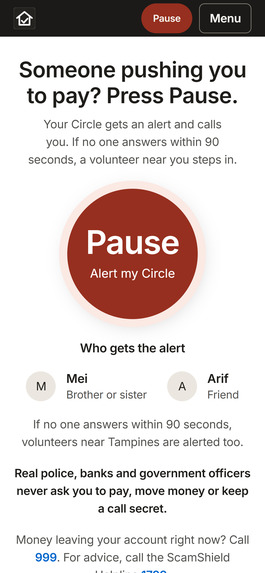
One tap when someone is pressuring you. Pause alerts your Circle, the family and friends you trust, and they call you straight away.
-
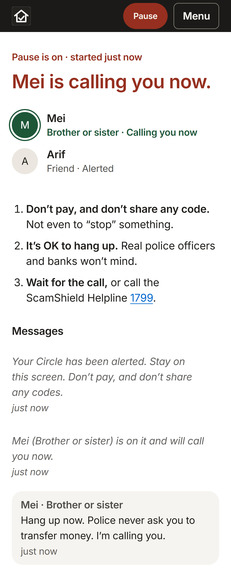
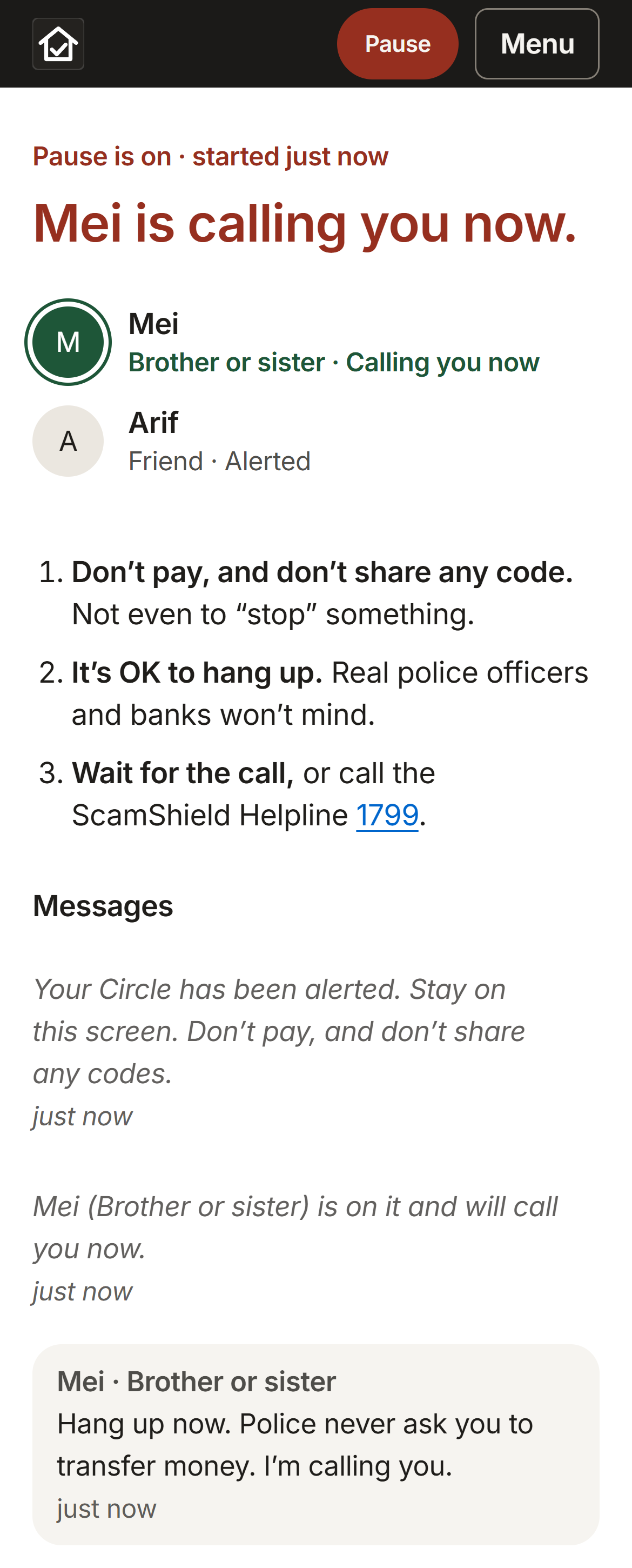
A live Pause: “Mei is calling you now”, the safety steps, and Mei’s message “Hang up now…”
-
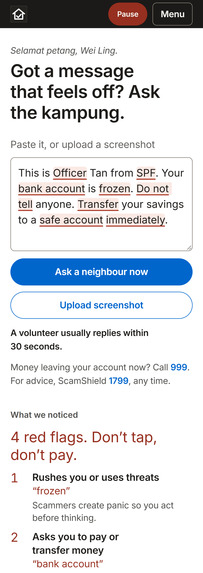
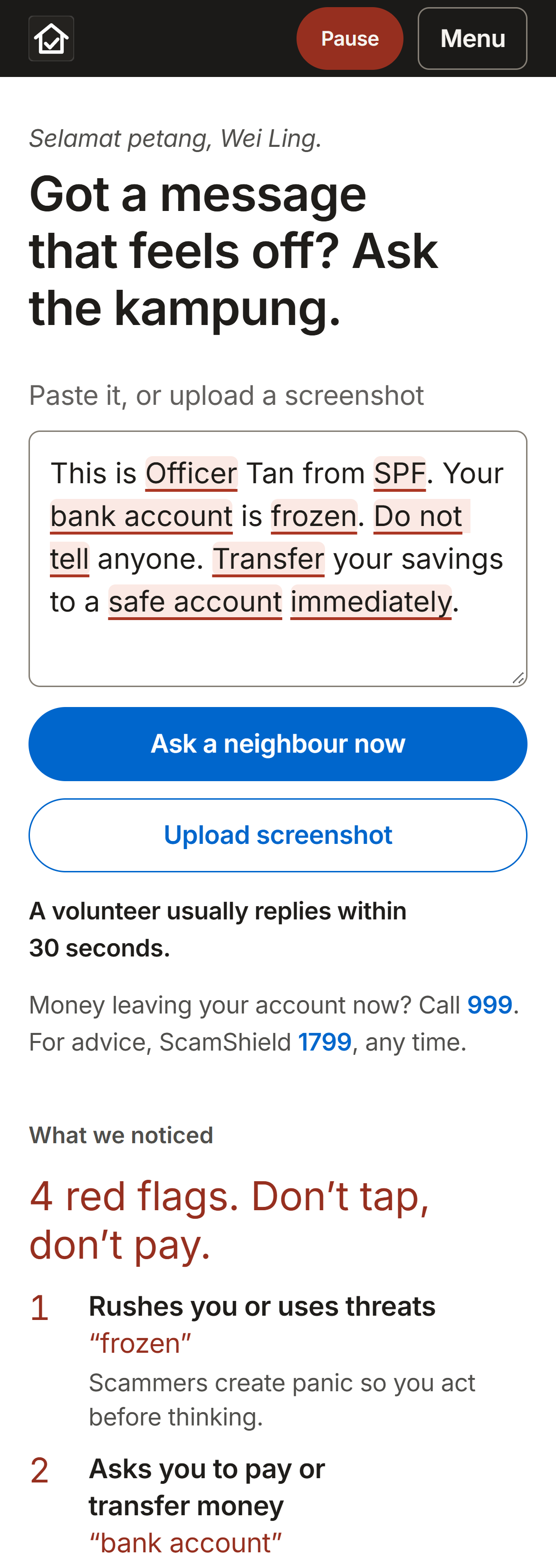
The fake police message with red flags highlighted in the text, and “4 red flags. Don’t tap, don’t pay.”
-
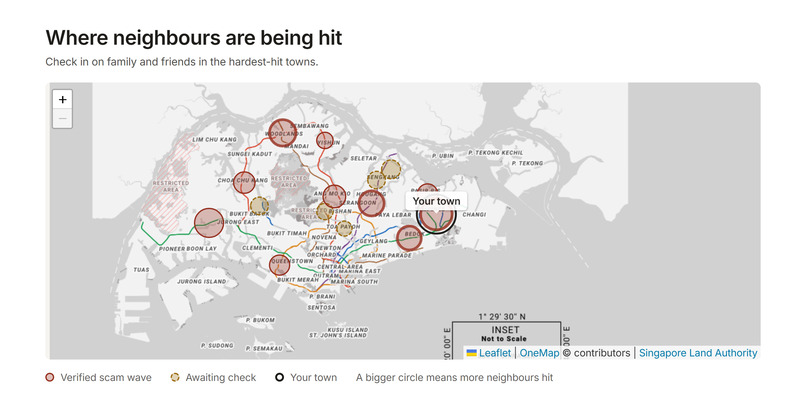
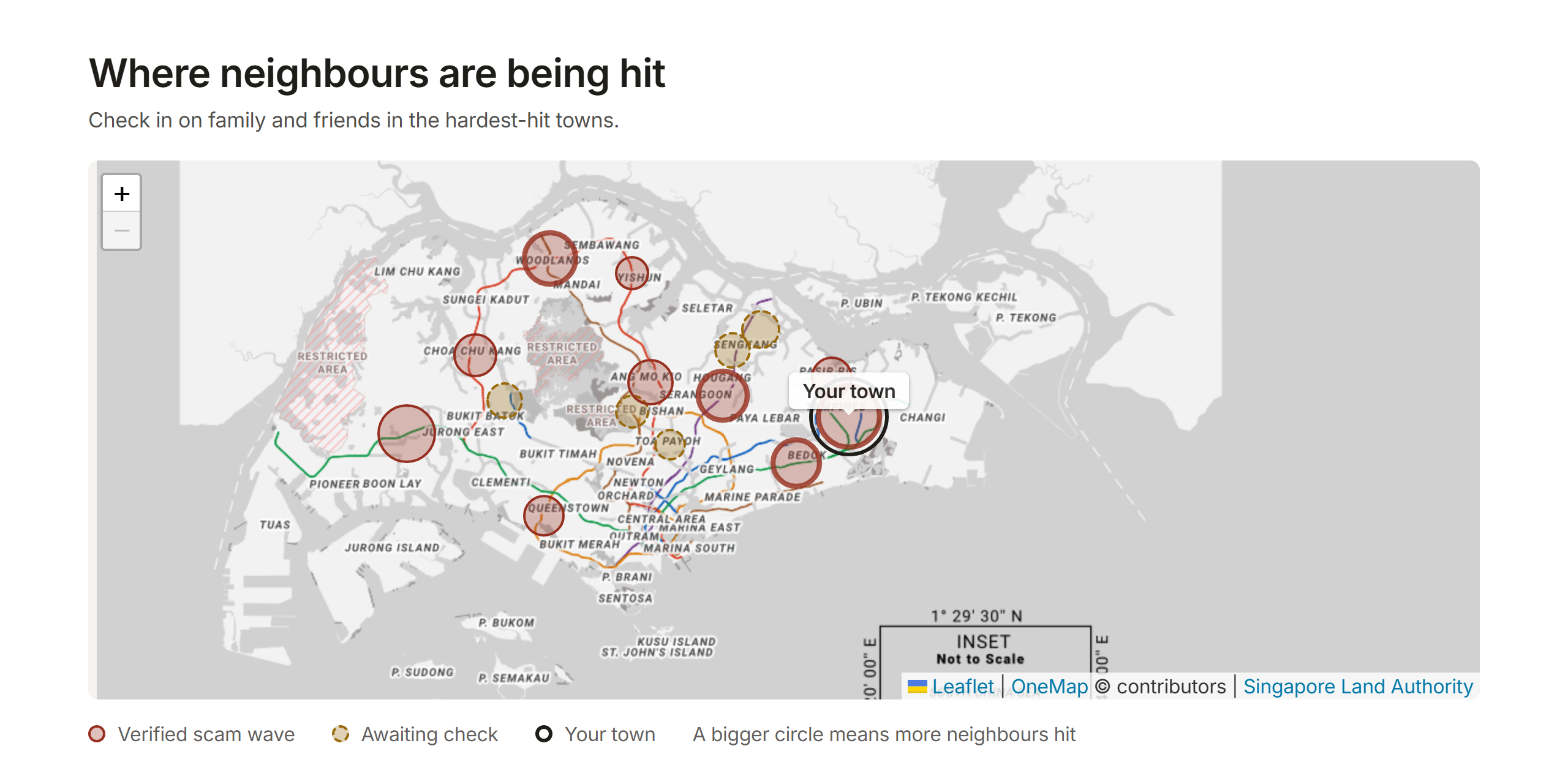
The whole-island map: scam circles, dashed ones awaiting check, and your town ringed
-
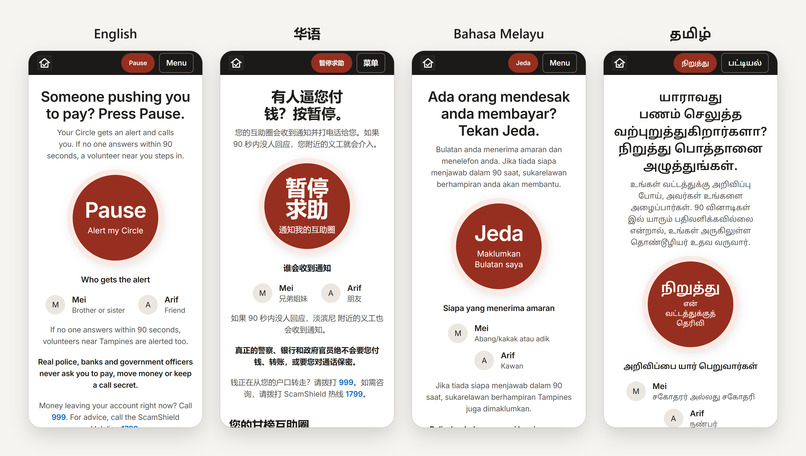
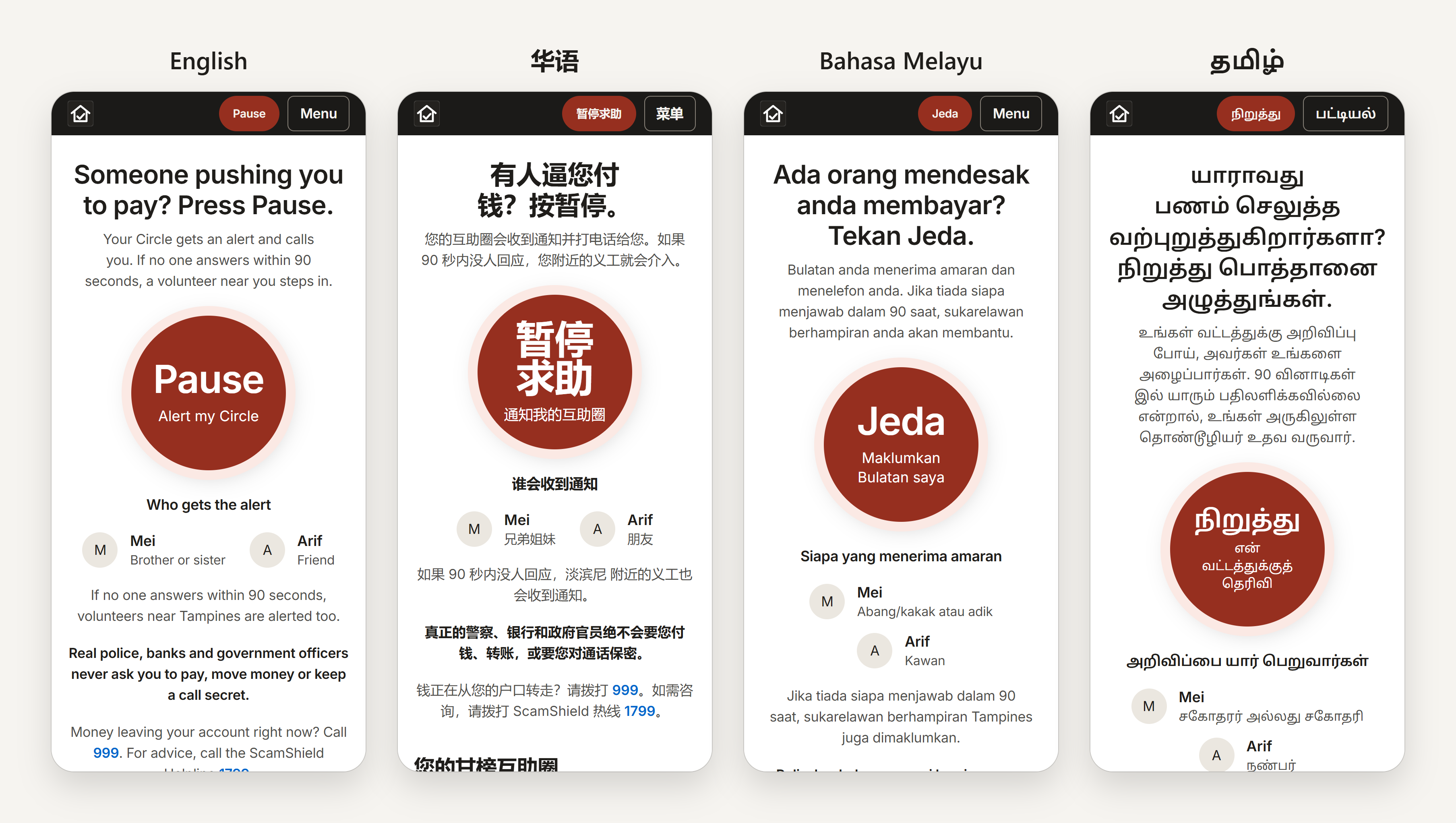
Every screen works in English, 华语, Bahasa Melayu and தமிழ், with bigger text in one tap, so no neighbour is left out.
Inspiration
In 2025, people in Singapore lost S$913 million to scams. The number that stopped us was a different one: in about 8 out of 10 cases, the victim made the transfer themselves. Nobody hacked them. They were talked into it on a phone call, rushed and scared, and told "don't tell anyone."
We noticed that almost every anti-scam tool works before a scam (awareness posters, call filters) or after it (police reports, calling the bank). Almost nothing helps during the scam, which is exactly when the money moves.
Scammers rely on two weapons: isolation and urgency. So we asked: what if one tap could bring in the people you already trust, right in that moment? That's the old kampung spirit, neighbours looking out for each other, rebuilt for a scam that happens over the phone.
What it does
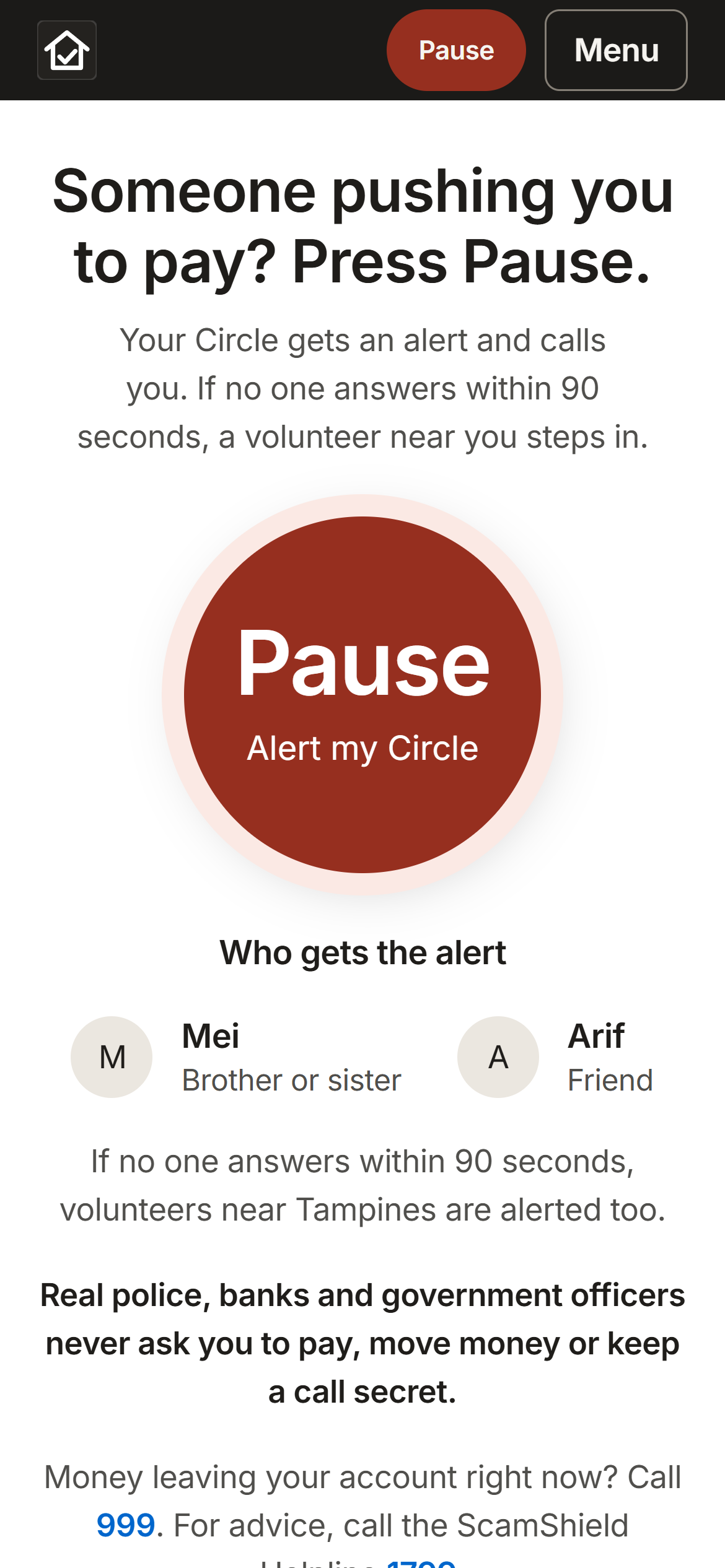
Kampung Watch is built around Pause, one button for "someone is pressuring me right now."
- Pause alerts your Circle (family and friends who joined with a 6-letter code). You tap the warning signs instead of typing, and they call you. If nobody answers within 90 seconds, trained community volunteers step in. It can even be triggered mid-call with iPhone Back Tap or "Hey Siri, Kampung Pause."
- Check a message highlights red flags as you type and connects you to a real volunteer.
- Scam Radar shows what's going round, how it's reaching people, and which towns are hit hardest. Reports only become alerts after a volunteer verifies them.
- Community, Learn (courses, quizzes, a Spot the scam game), Scam Drills (safe practice scams) and Ask AI fill in the rest.
Everything works in English, 华语, Bahasa Melayu and தமிழ்.
How we built it
We kept the stack deliberately simple so we could spend our time on the experience:
- Frontend: plain HTML, CSS and JavaScript, as an installable web app (service worker, home-screen icon, offline helpline fallback). No framework.
- Backend: Node.js with Express, using Node's built-in SQLite module, so there's no separate database server.
- Live updates: Server-Sent Events push Pause alerts, replies and verified scam waves instantly, with a polling fallback.
- Map: Leaflet, with a circle for each town that grows with the number of residents hit, so the worst-hit areas stand out at a glance.
- Red-flag check: nine rule groups (urgency, links, OTP requests, payment requests, authority claims, secrecy and more). A message that triggers three or more is marked as a strong warning.
- AI: Gemini (or Claude) for Ask AI, and SEA-LION, AI Singapore's model for Southeast Asian languages, to translate residents' posts.
- Quality: 42 API tests, and a script that checks every one of our 745 interface strings exists in all four languages.
Challenges we faced
- Designing for panic. Someone mid-scam can't think clearly. Pause gives a 5-second countdown to cancel a stray tap, then sends by itself, because a frightened person shouldn't have to find a second button. Getting that balance right took many iterations.
- Trust without spreading rumours. Community reports are powerful but can cause panic. We made every report start as awaiting verification. Volunteers must confirm their identity (a Singpass demo step) and pass our Intermediate courses before they can verify anything.
- Four languages, four scripts. Tamil strings can be twice as long as English ones, which broke layouts we thought were finished. We redesigned the header and menu so they hold up in every language.
- Privacy. Scam messages are full of phone numbers and names. We mask phone numbers, emails and NRICs before anything is shown publicly or sent to AI, and ask before sharing a screenshot.
- Real-world networks. Some networks and tunnels hold back live event streams, so alerts arrived late in testing. We added an automatic fallback that switches to polling when the live stream stalls.
What we learned
- People stop scams, not apps. The most effective thing technology can do here is connect a person to someone they trust, fast. AI and red-flag rules support that; they don't replace it.
- Design for the worst moment. Big buttons, few words, no typing, and nothing that punishes a false alarm.
- Accessibility and language are core features, not extras. Supporting all four languages and bigger text changed our design from the start.
- The web platform can do a lot. Installable apps, offline support, phone shortcuts, Back Tap and Siri all work without an app store.
What's next
Real sign-in with Singpass, a pilot in one town with its Community Club and Residents' Committee volunteers, and one number to measure success: how many Pauses end as "scam stopped."
Built With
- claude
- claude-code
- css3
- express.js
- gemini
- html5
- javascript
- leaflet.js
- node.js
- onemap
- sea-lion
- sqlite

Log in or sign up for Devpost to join the conversation.