-
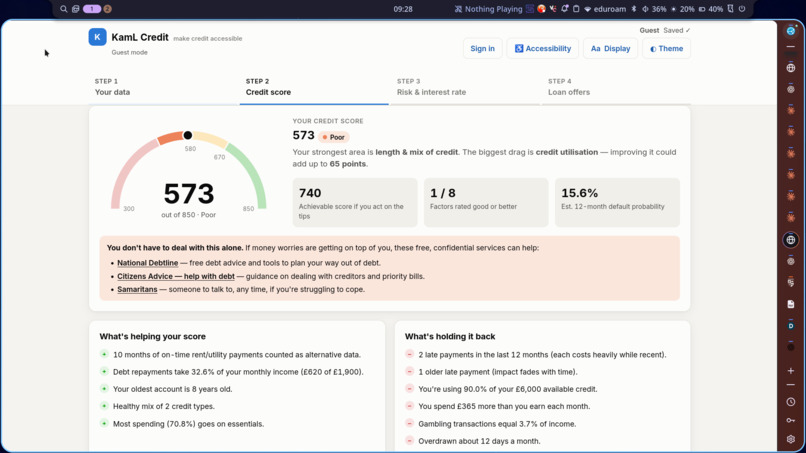
Program Interface Example
-
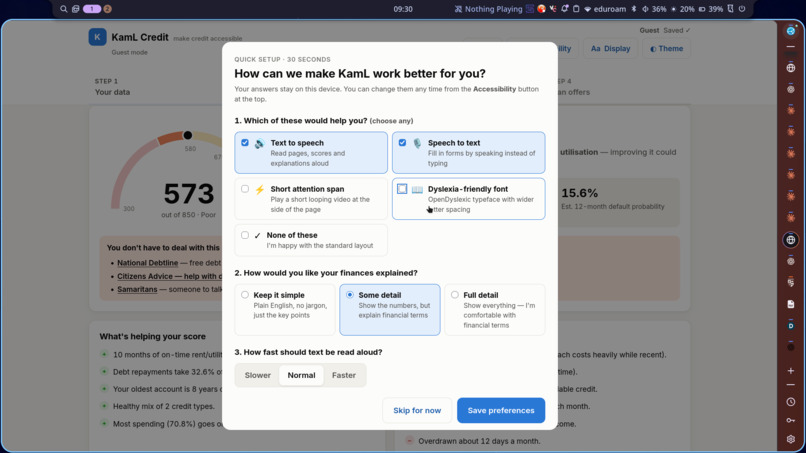
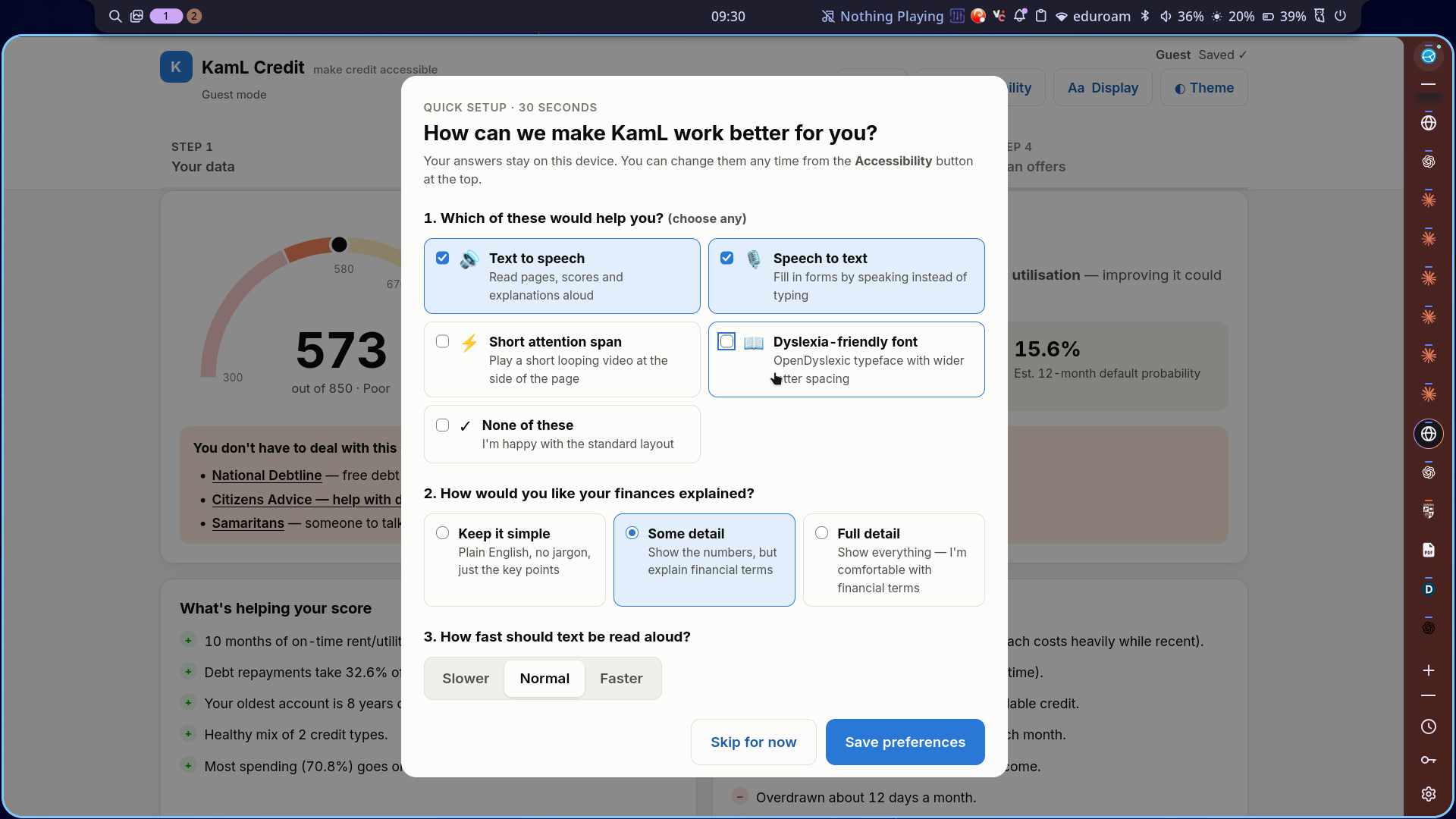
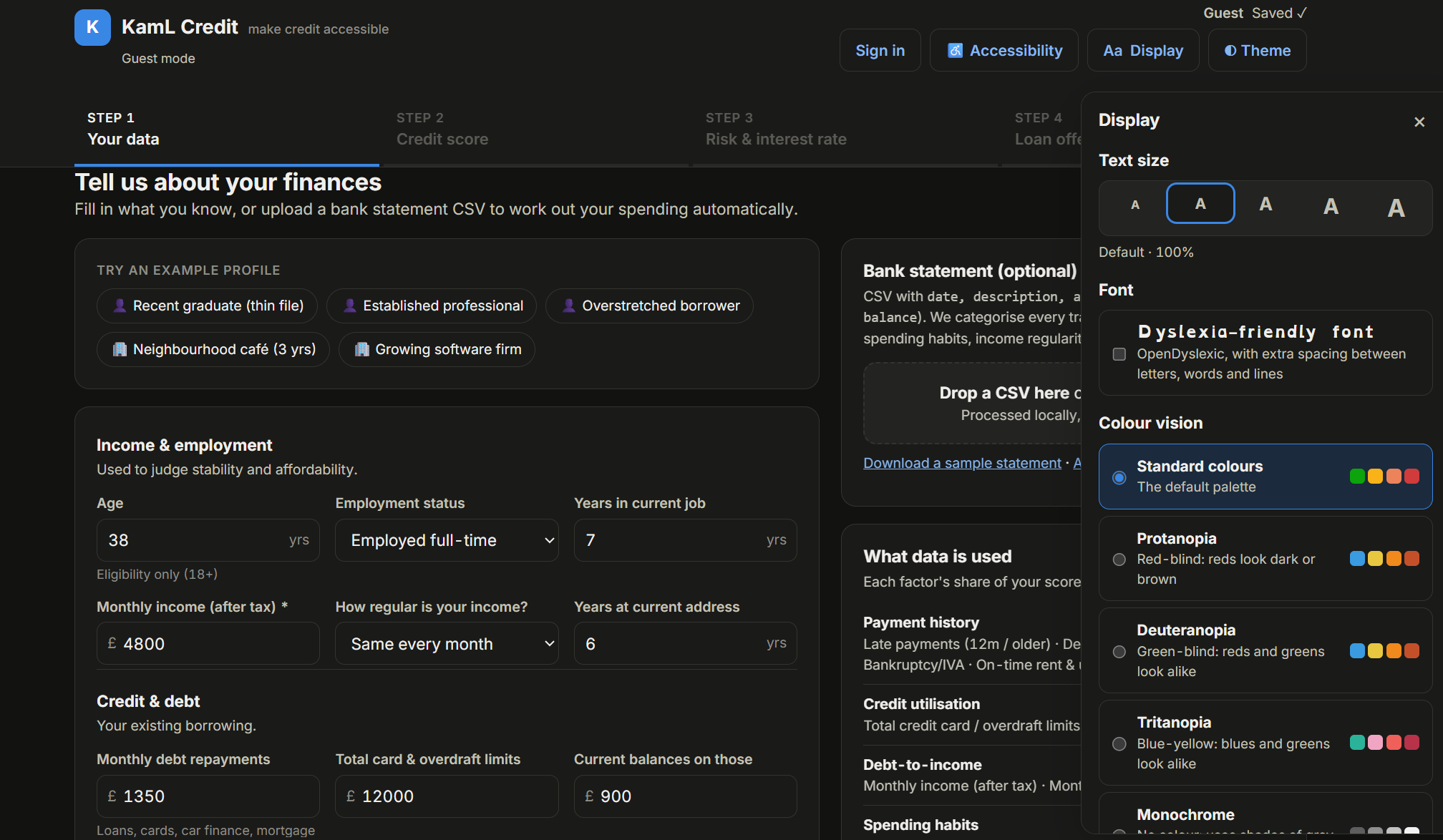
Sample List of Accessibility Options
-
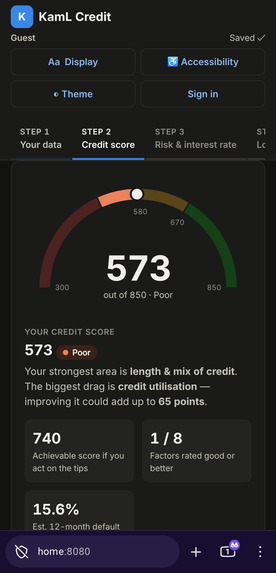
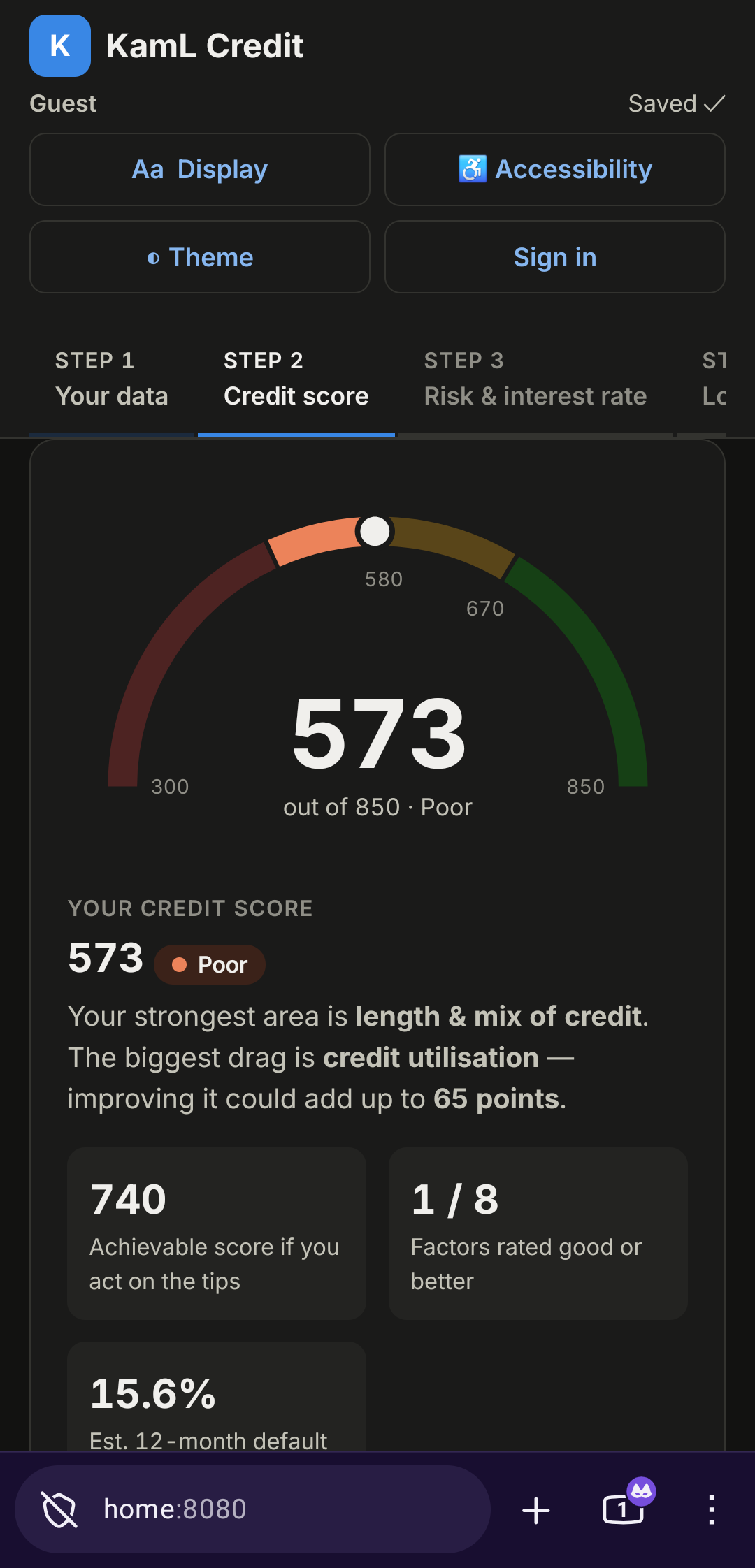
Mobile Interface
-
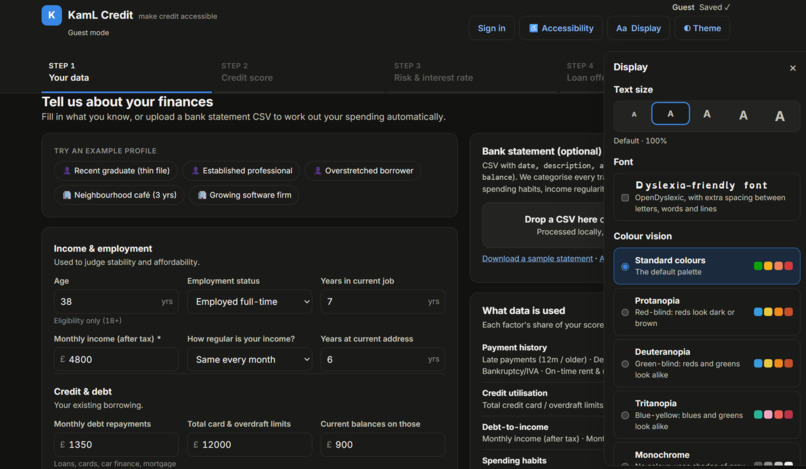
Data entry and display options
-
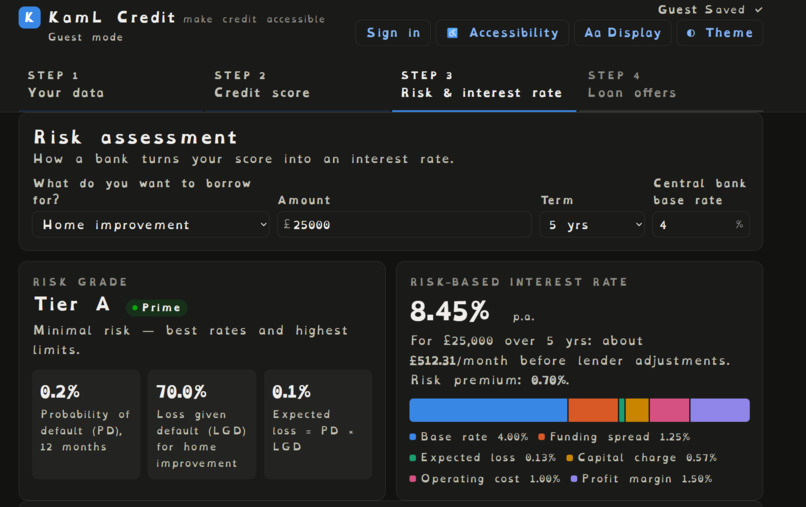
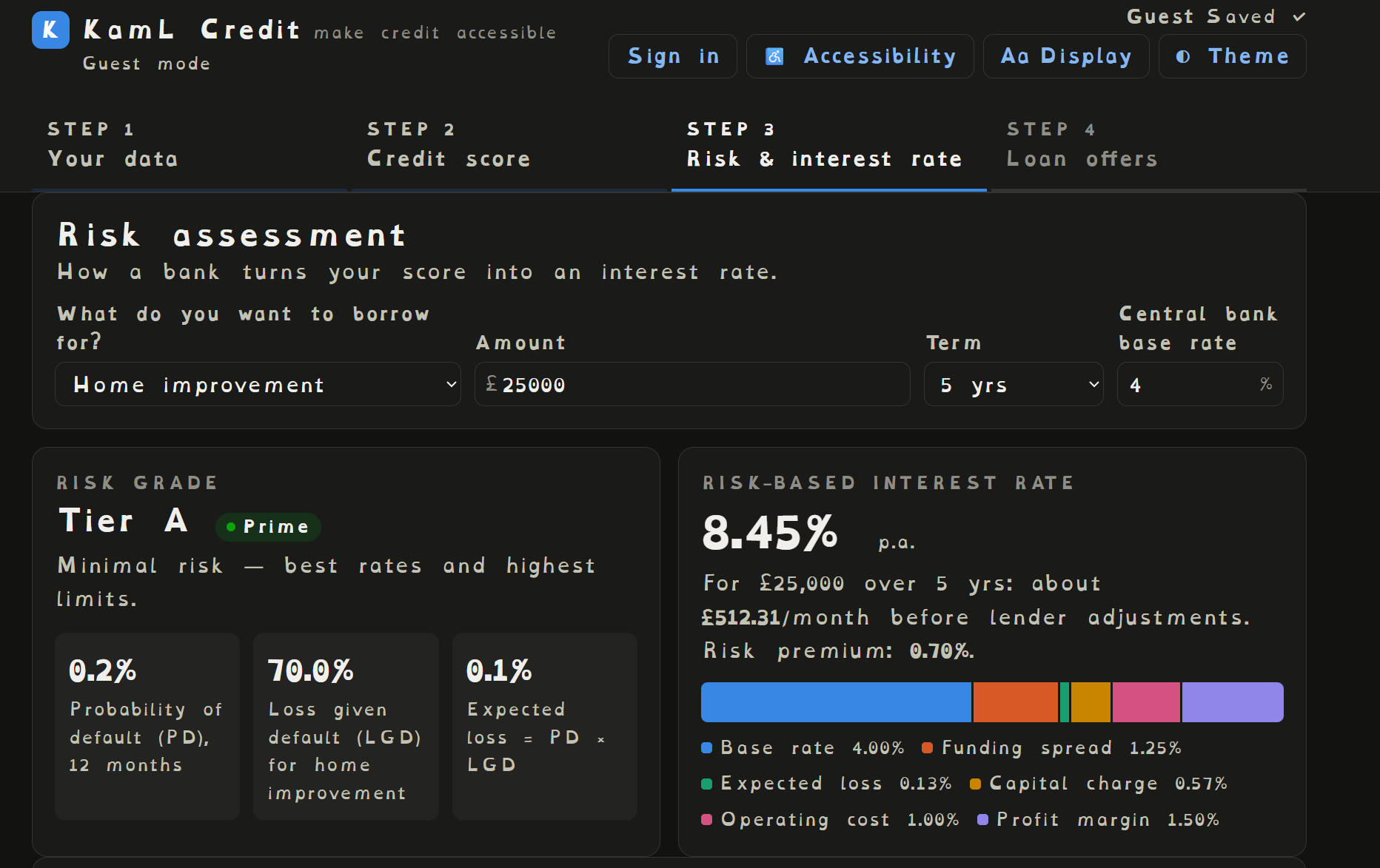
Risk and Interest analysis with dyslexic font
-
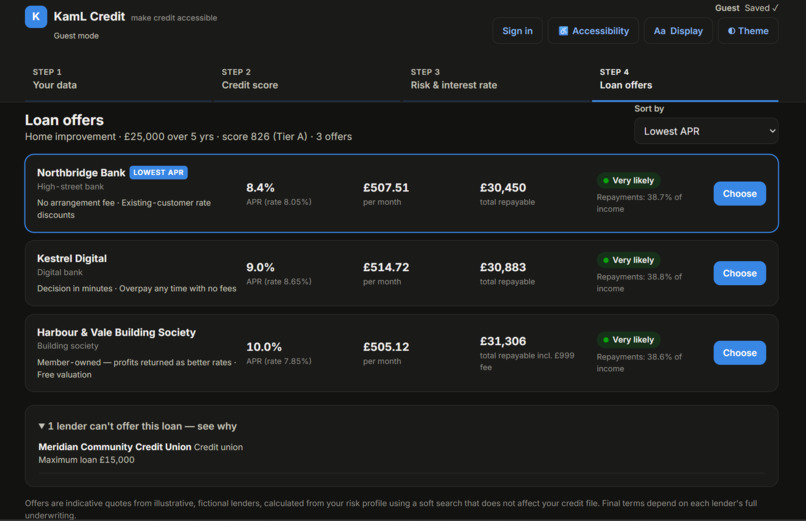
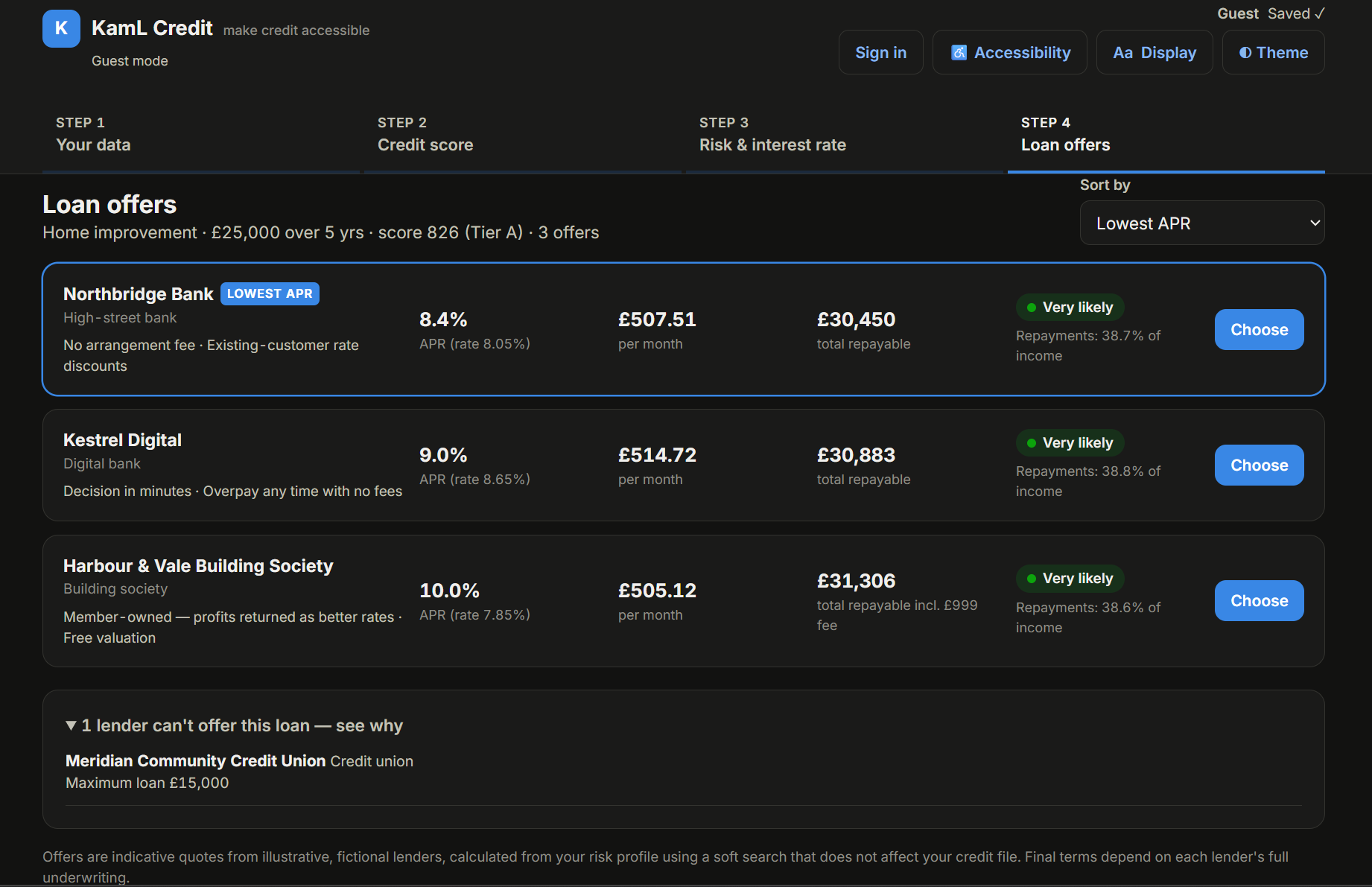
Loan offers based on credit score by fictional banks
KamL Credit — make credit accessible
Problem statement
"Make Credits Accessible" We want to help customers with accessibility requirements manage their account.
Inspiration
Managing credit is hard enough by itself. It's even harder if you're blind or partially sighted, have dyslexia, or find it hard to stay focused on a dense page. Credit scores feel like a black box. Explanations are full of complicated jargon ("utilisation", "LGD", "APR"), and loan comparison pages are designed for tedious scanning of tables full of numbers.
Most banking apps patched on accessibility as secondary-class feature, which basic options like contrast toggles and screen reader labels, bringing subpar experience to blind, dyslexic, and other users.
Instead, we tackle this issue by integrating different accessibility features directly into the credit estimator tool itself.
What it does
KamL Credits aims for ease of use for the accessibility users, and therefore contains features to streamline and simplify usage.
- Importing data: you can upload a CSV and have the tool calculate and autofill data for the required field entries.
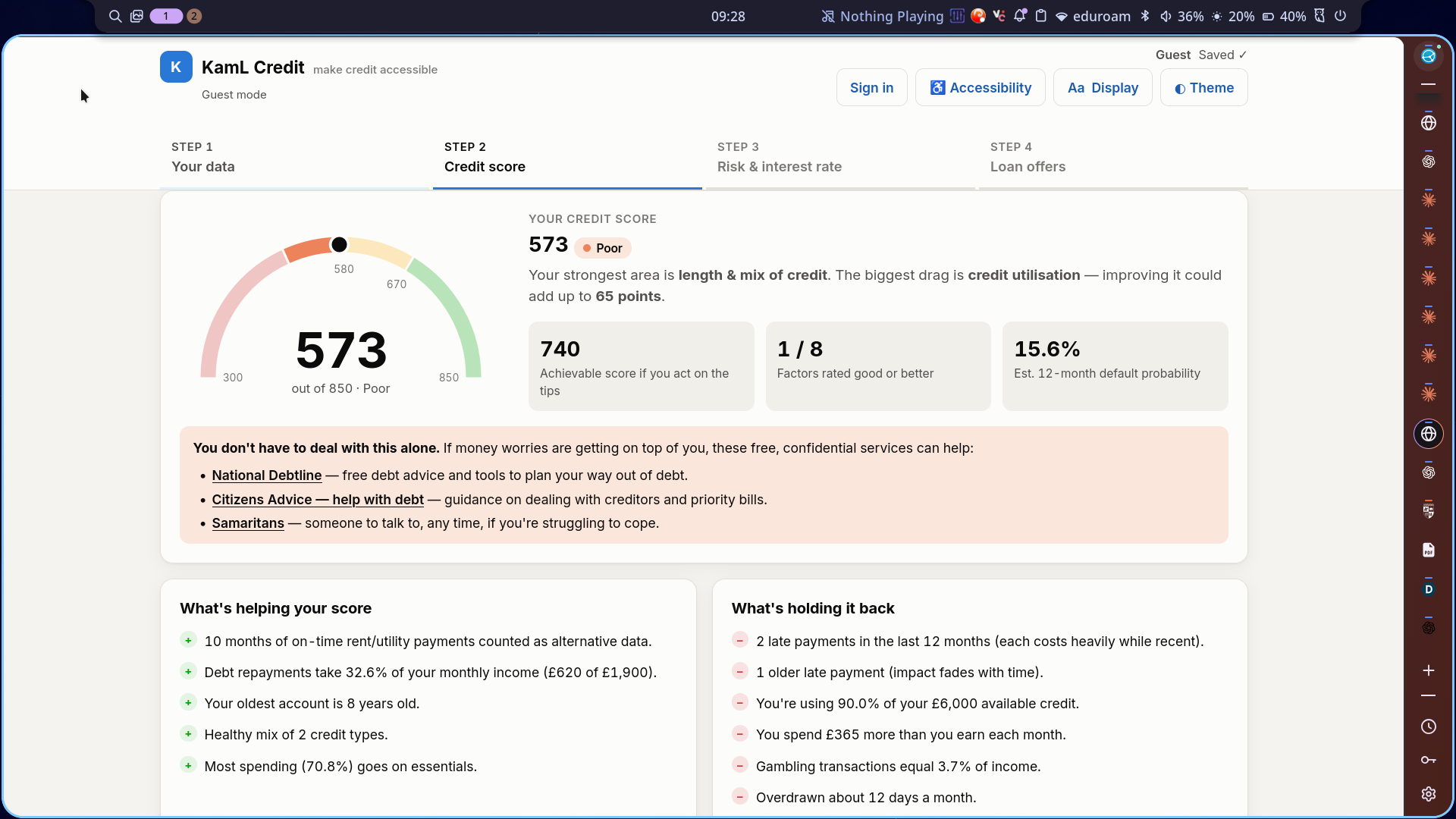
- Credit score (300–850): A simple numeric credit score is shown, colour-coded with explanations, avoiding excessive use of jargon and implied knowledge.
- Risk and interest rate: A credit score is still very abstract and ambiguous, so we directly show how a bank turns a score into a risk tier, a default probability and an interest rate, broken down part by part.
- Loan offers: compare offers from several lenders, with affordability checks and customisable sorting.
On top of that, accessibility is built in from the first screen:
- Autosave data entry No more worrying about having to worry about reentering everything after hitting the reload page button, instead have your data persist.
- A voice assistant that covers all four steps:
- It reads every question, score, explanation, tip, table and offer aloud for blind users or users struggling to read.
- You can answer by speaking ("forty", "self-employed", "change it to 2000"), and it fills in the field and moves on, for people unable to use their hands or require a hands-free experience.
- It works on mouse or with only keyboard. Use tab and the arrow keys move through the page, and the assistant reads whatever you land on, Enter or Space selects, and buttons ask "Do you want to go to the next step?"
- Display options: a dyslexia-friendly font (OpenDyslexic), text size and colour-blind-safe palettes for better accessibility coverage, and even a short looping video for people who find long sessions hard to stay focused on.
- Encouragement For poor scores, the app gently points people to free, confidential debt and wellbeing support.
- Fairness the app lists exactly which data feeds the score, and protected characteristics such as race, religion, gender, disability or postcode are never used.
- Available on mobile Allow usage on mobile devices for easier access to the services the webpage provides.
How we approached it
- We identified the limitation of users with accessibility requirements, and researched how typical solutions fail to handle those limitations.
- Local data processing and Web Speech API to ensure unnecessary PII are not sent to the cloud.
- Having a useful explanation of scores also help providing explanations for the voice assistant to go through.
- We tested the voice assistant in realistic environments and kept an automated test suite of 175 checks.
Challenges we ran into
- The assistant heard itself. The browser's speech recogniser has no echo cancellation, so on speakers the microphone picked up the assistant's own voice and treated it as the user's answer. We switched to turn-taking: the mic is off while the assistant speaks and reopens once it has gone quiet. A "Speak" button and Alt+S let you interrupt, and a headphones mode keeps the mic on so you can interrupt by voice.
- Keeping questions and answers in sync. Early versions asked for confirmation, so a fast answer could land on the wrong question. We removed the confirmation step and made the assistant move on as soon as an answer is accepted, with "previous" and "change it to…" to correct mistakes.
- Understanding speech as data. People say "two and a half grand", "the second one" or "twenty twenty". Recognisers return "2.500" or "4.125". Turning that into the right number for the right field took many rounds.
- Speaking numbers and symbols naturally. Sentence splitting broke "4.5" into two utterances. "%", "£ / month", "yrs" and "→" had to become words. Chart descriptions were noise, so we skip graphs and read the meaning instead.
- Saying enough, but not too much. We started by following screen-reader conventions ("Age, edit box"). Testing showed users wanted less: no control types, no question numbers, but every option in a drop-down, every improvement tip, and every row of the data table. We let user feedback decide this, not convention.
- Team workflow. With several people editing the same files in a short hackathon, we lost work to a merge once and resolved conflicts under time pressure. After that we made smaller commits and commit more often.
Accomplishments we're proud of
- A blind user can complete the whole journey, from entering data to choosing a loan, using only voice and the keyboard.
- Every piece of text the voice panel shows is also spoken, and every tip on the page is read out.
- Credit scoring that explains itself, with a fair, transparent list of the data used and the data never used.
What we learned
- Accessibility is a whole suite of tools, and not just a single component of it. Disadvantaged users will suffer if even any one part of the suite is missing.
- Voice interfaces need turn-taking and recovery. Knowing when to stop listening and making it easy to undo ("previous", "change it to…") matter as much as recognition accuracy.
- Explaining why a score or rate is what it is helps everyone, not only people with accessibility needs.
What's next
- Testing with blind, low-vision, dyslexic and neurodivergent users, and with real screen readers (NVDA, VoiceOver) alongside our voice assistant.
- More locales/translations and regional accents for speech.
- Having an actual financial expert to refine our technical knowledge
- Connecting to real account data through Open Banking.
- Enhance webpage security to protect user senitive data.
