-
-
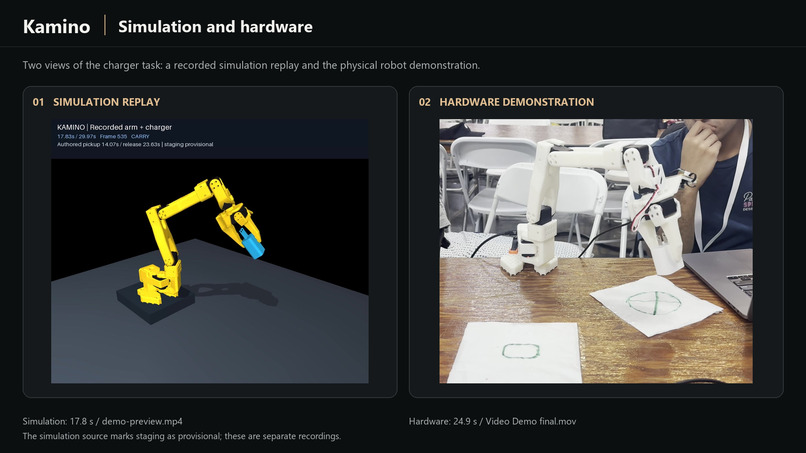
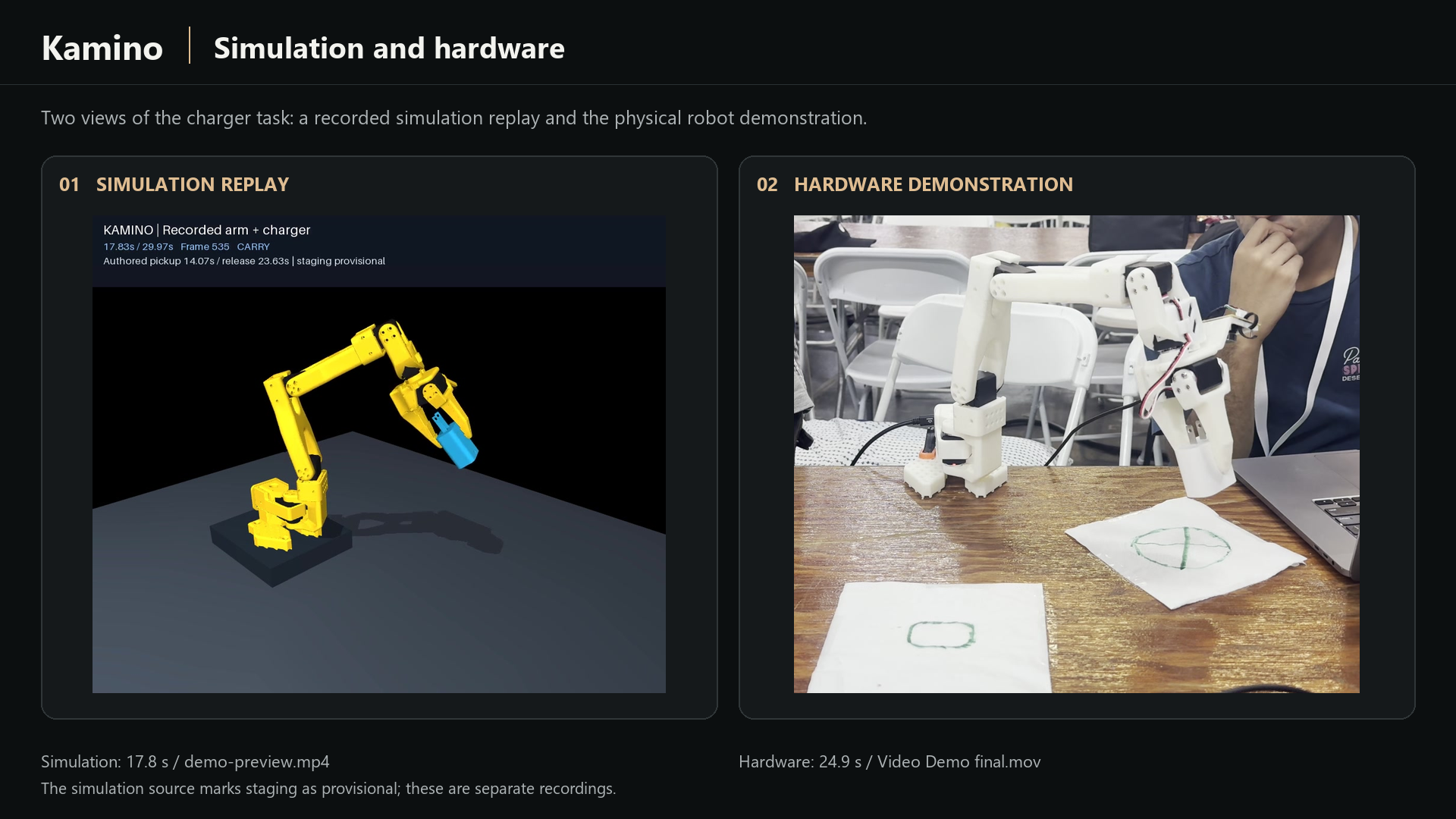
The charger task in simulation and on hardware. Separate recordings; simulation staging is provisional.
-
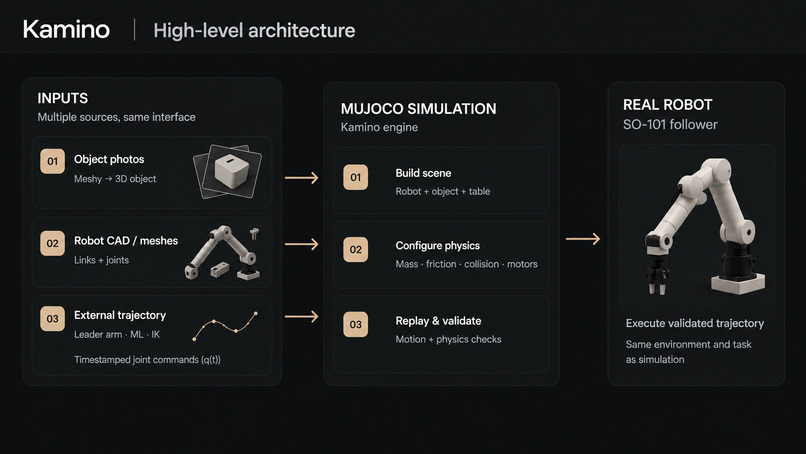
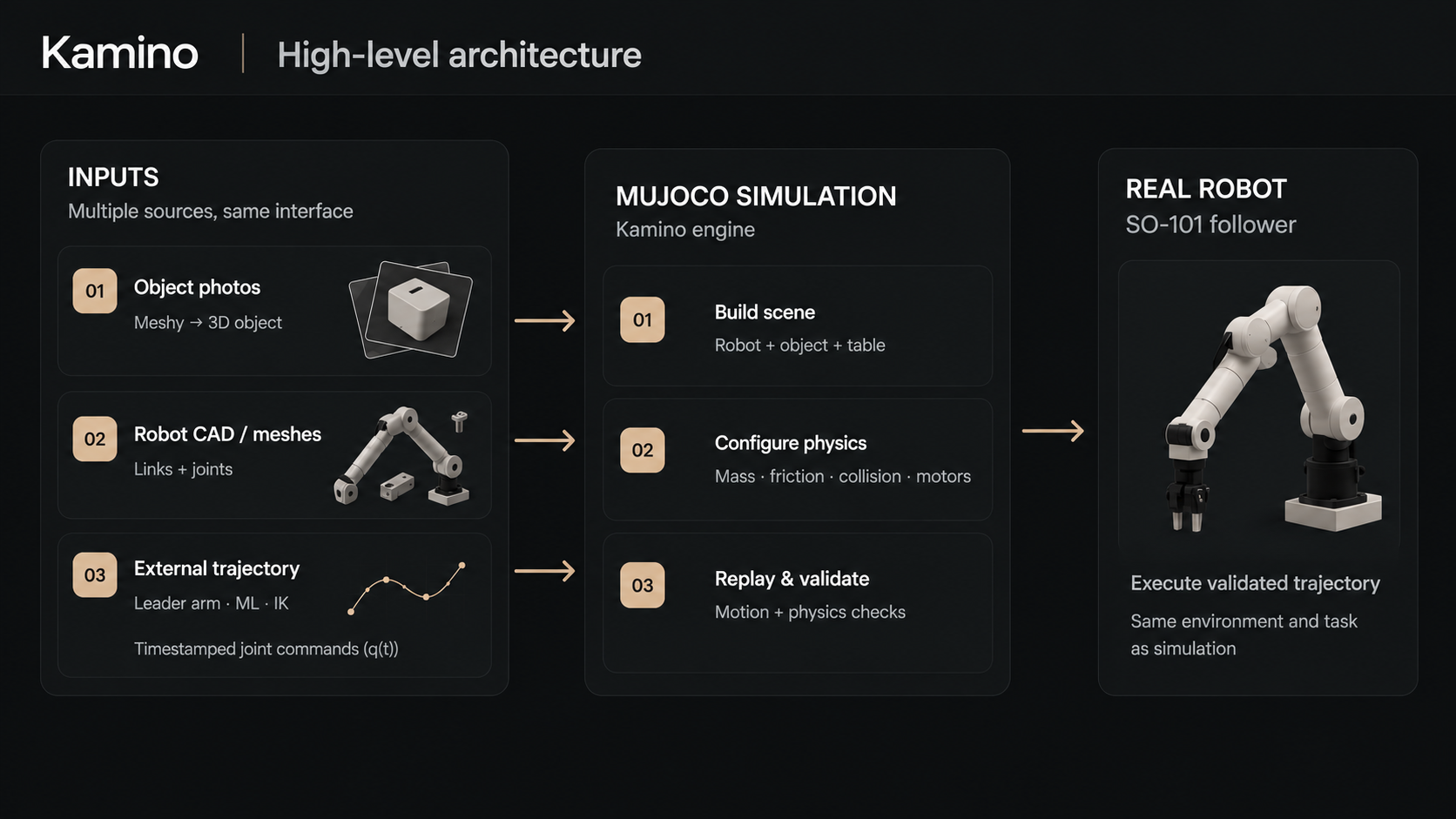
Kamino architecture: real-world inputs, MuJoCo scene preparation, trajectory replay, and hardware.
-
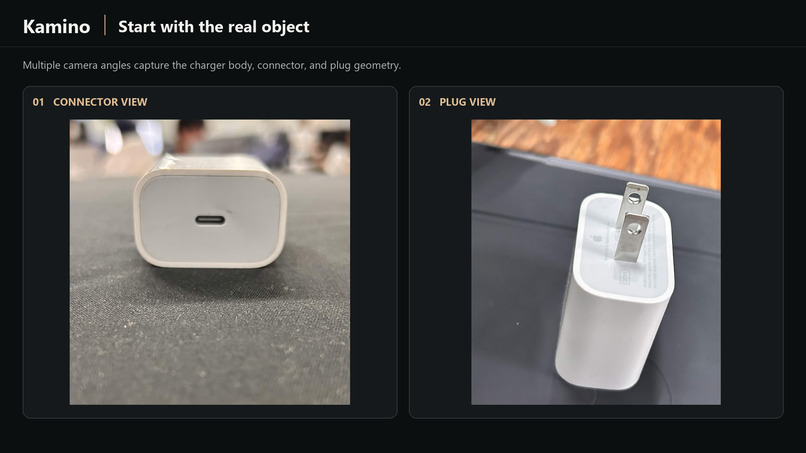
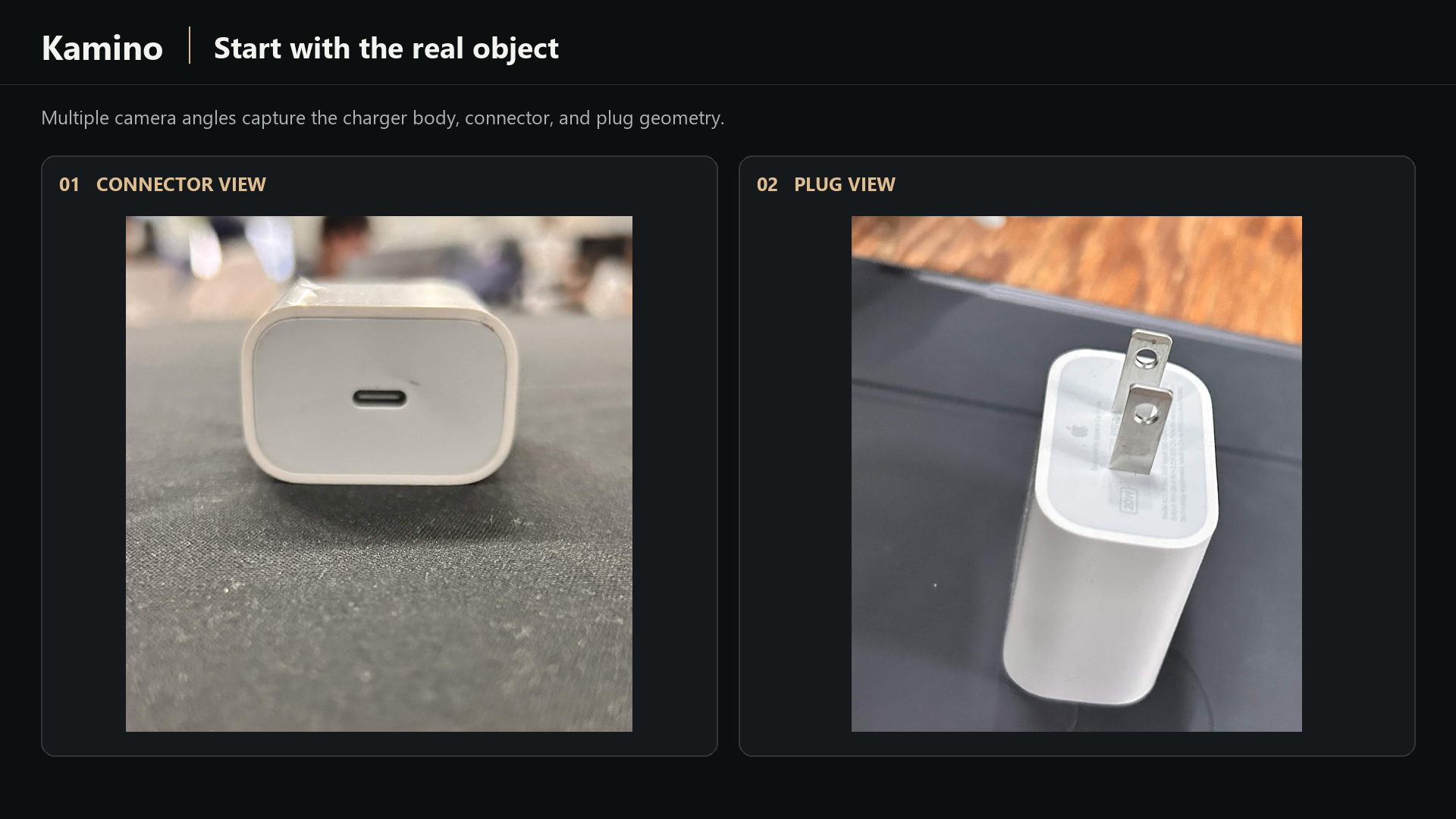
Two views of the real charger: connector and plug geometry.
-
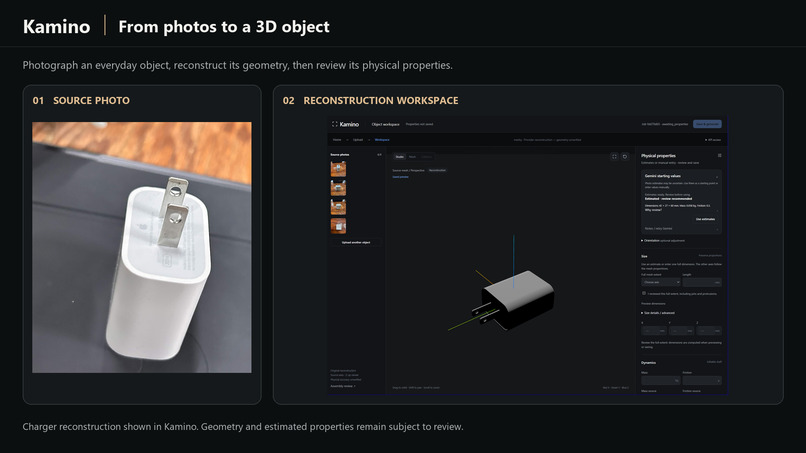
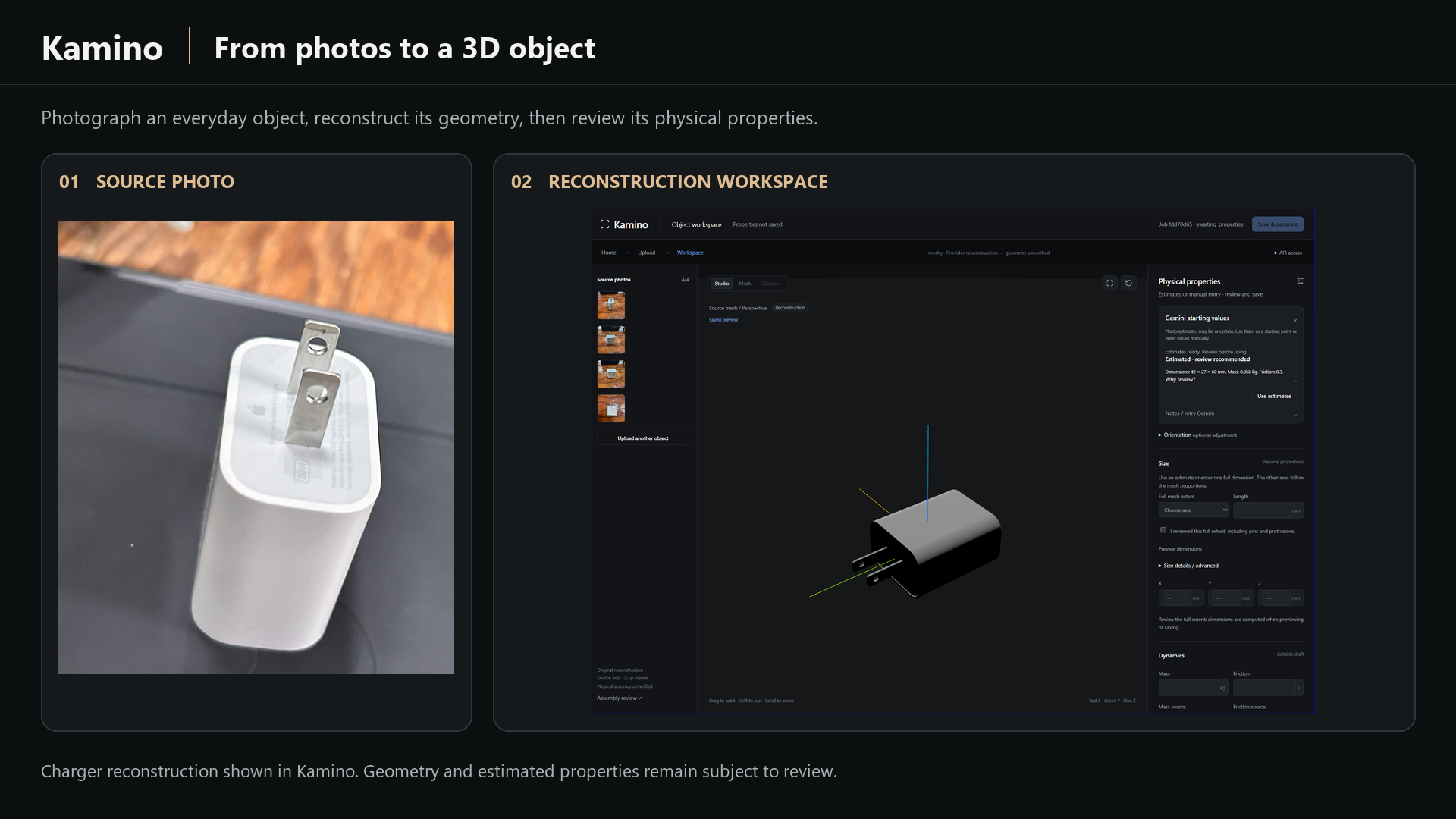
From object photos to a reconstructed 3D model, with physical properties reviewed in Kamino.
-
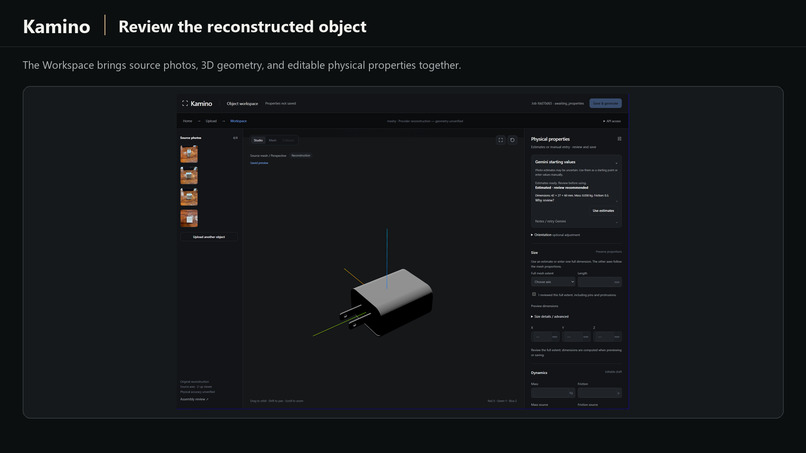
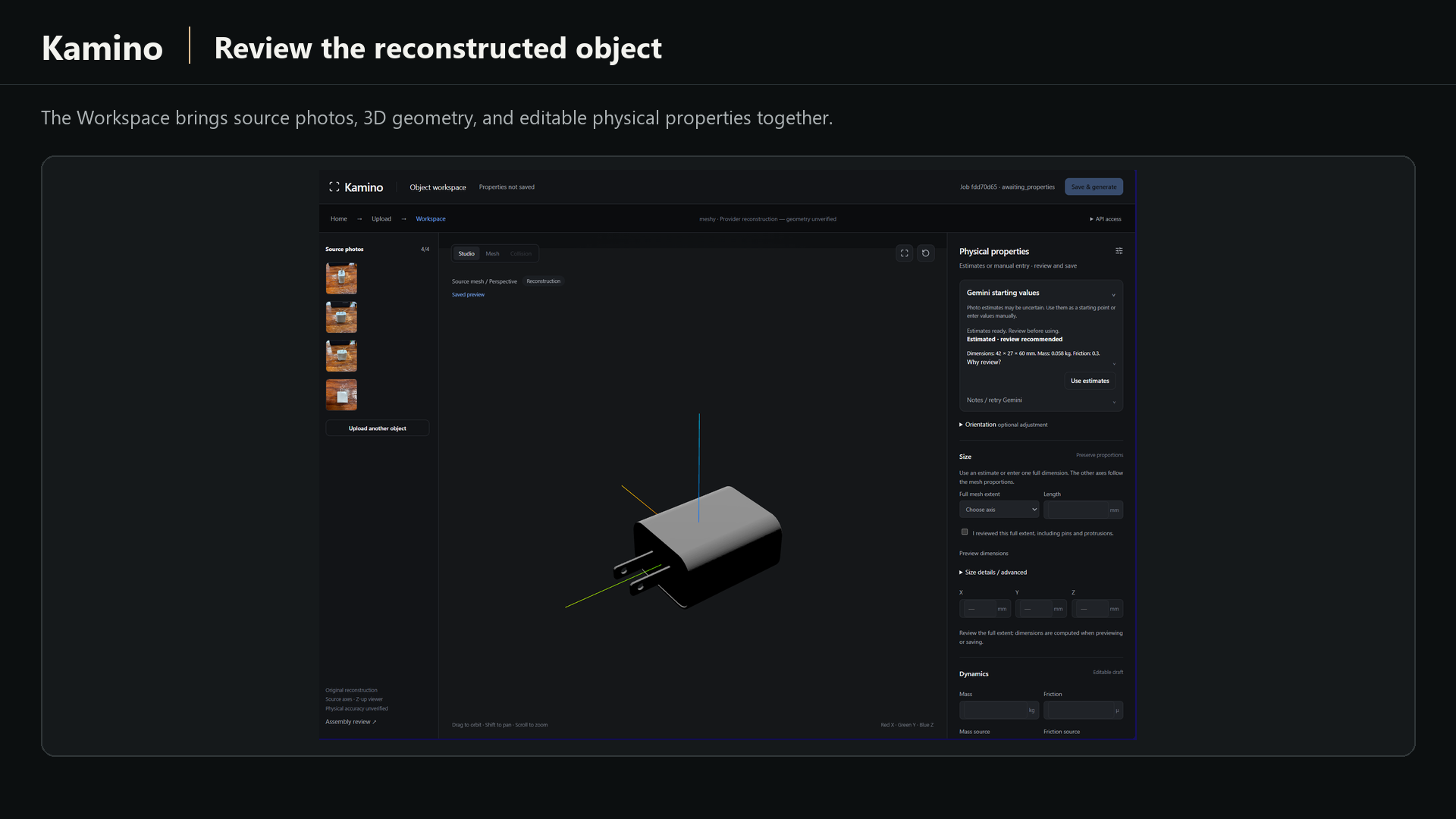
The Kamino Workspace: source photos, charger reconstruction, and suggested properties awaiting review.
-
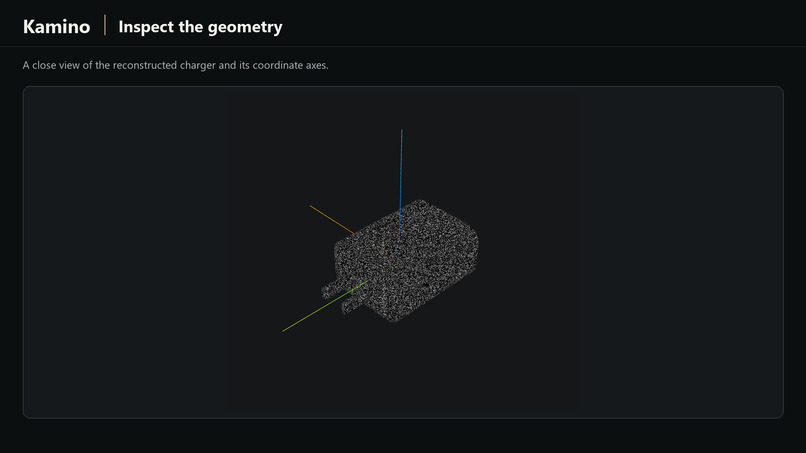
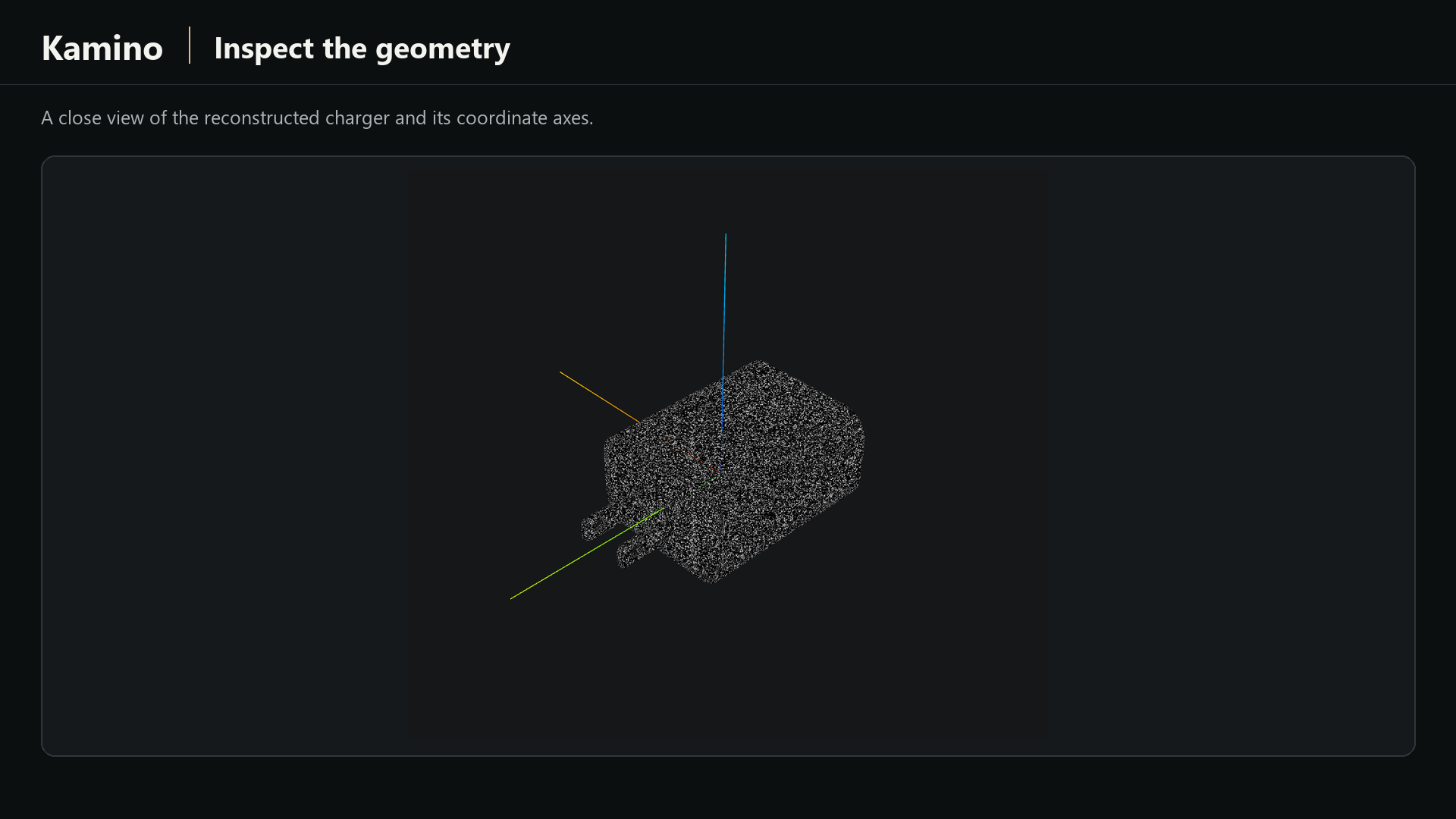
A close geometry view of the reconstructed charger and its coordinate axes.
-
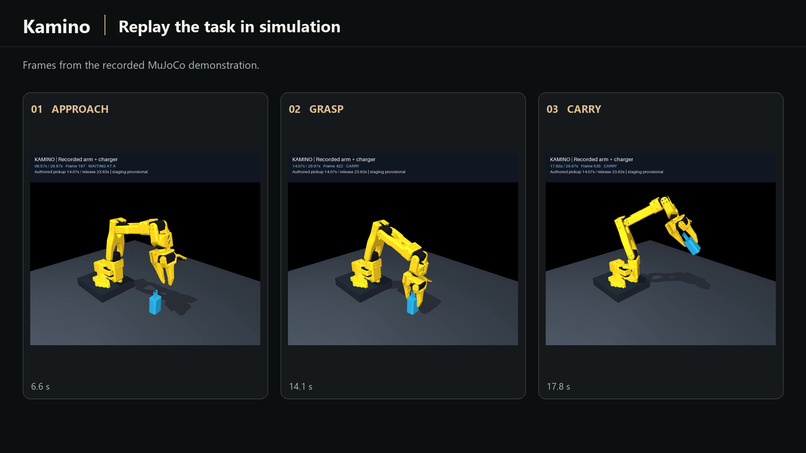
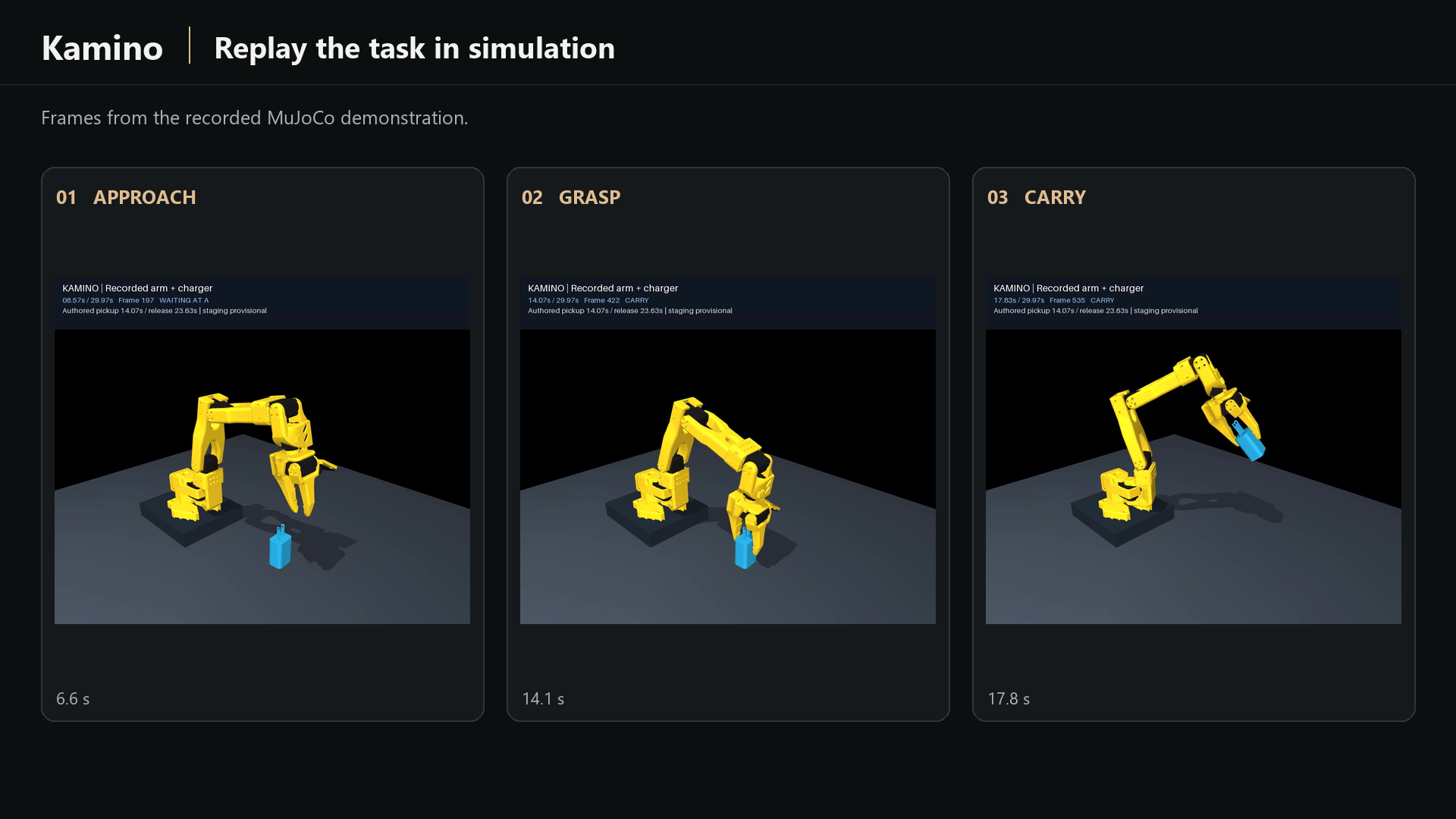
Simulation replay: approach, grasp, and carry. Pickup and release are authored; staging is provisional.
-
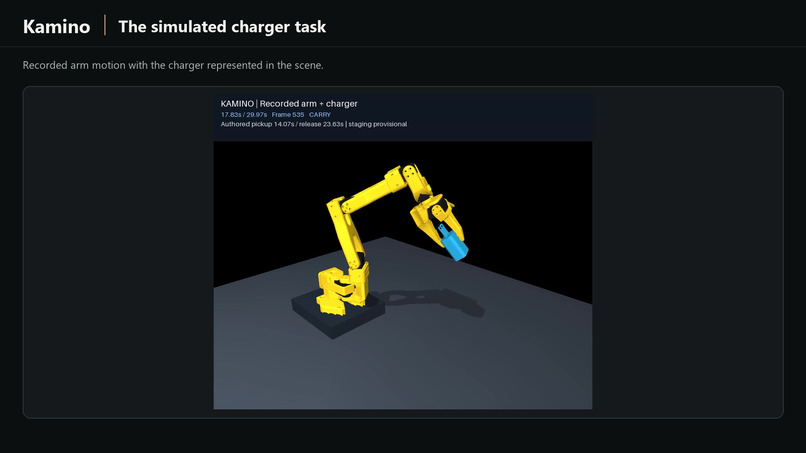
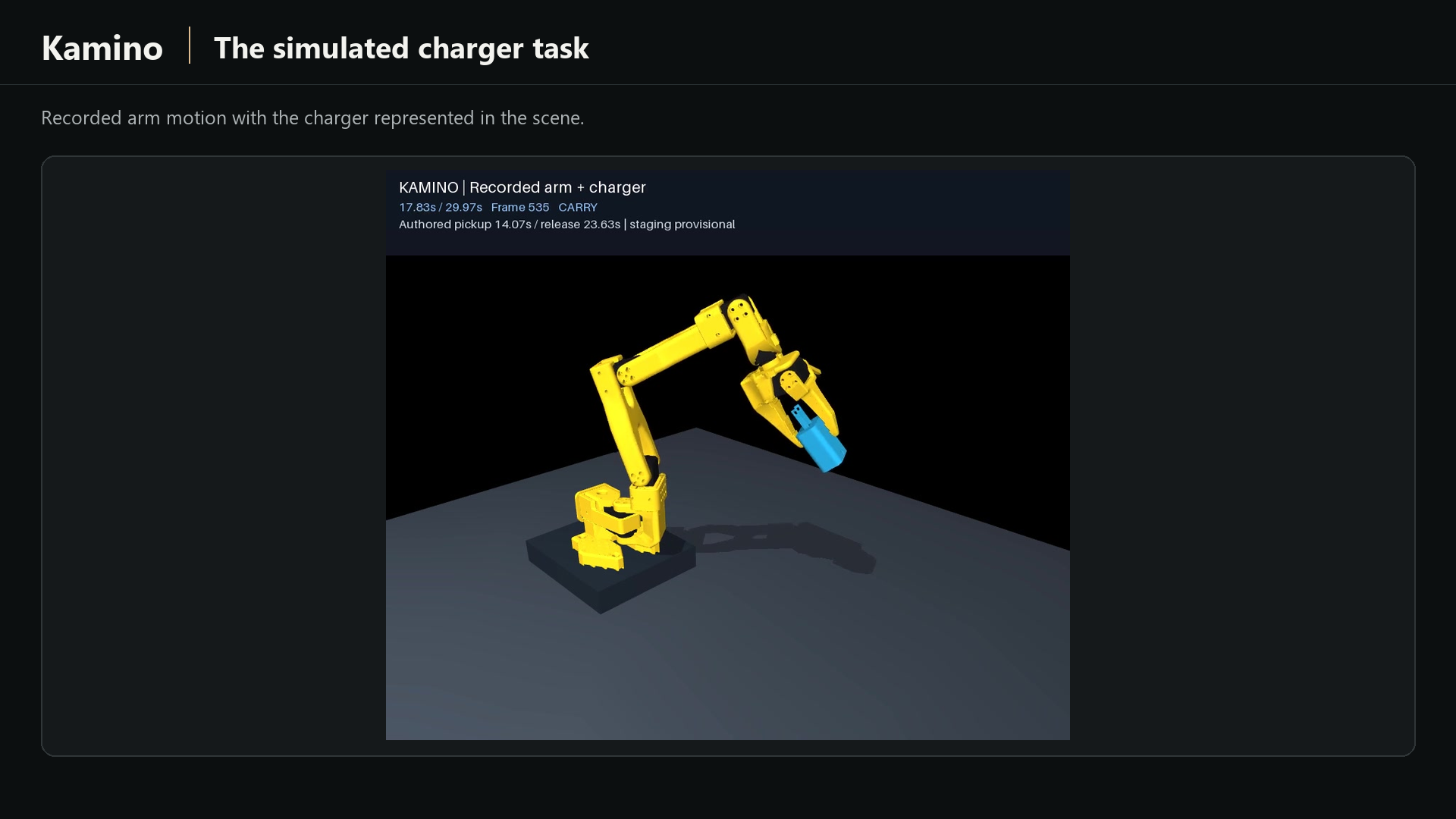
Simulation carry phase at 17.8 seconds. The source labels staging as provisional.
-
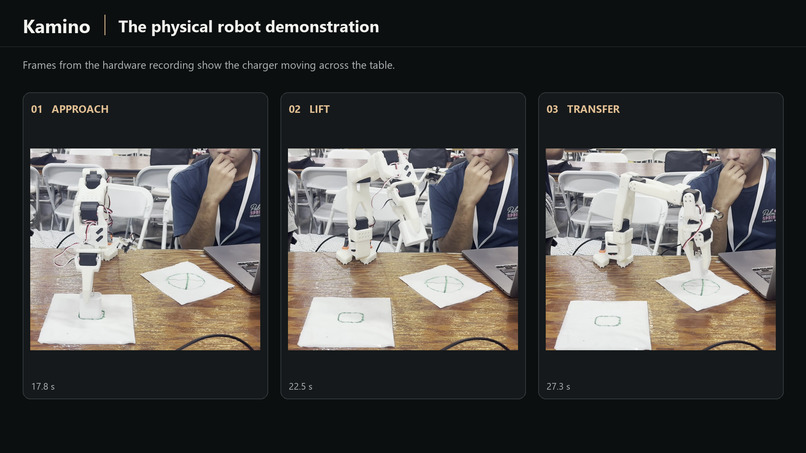
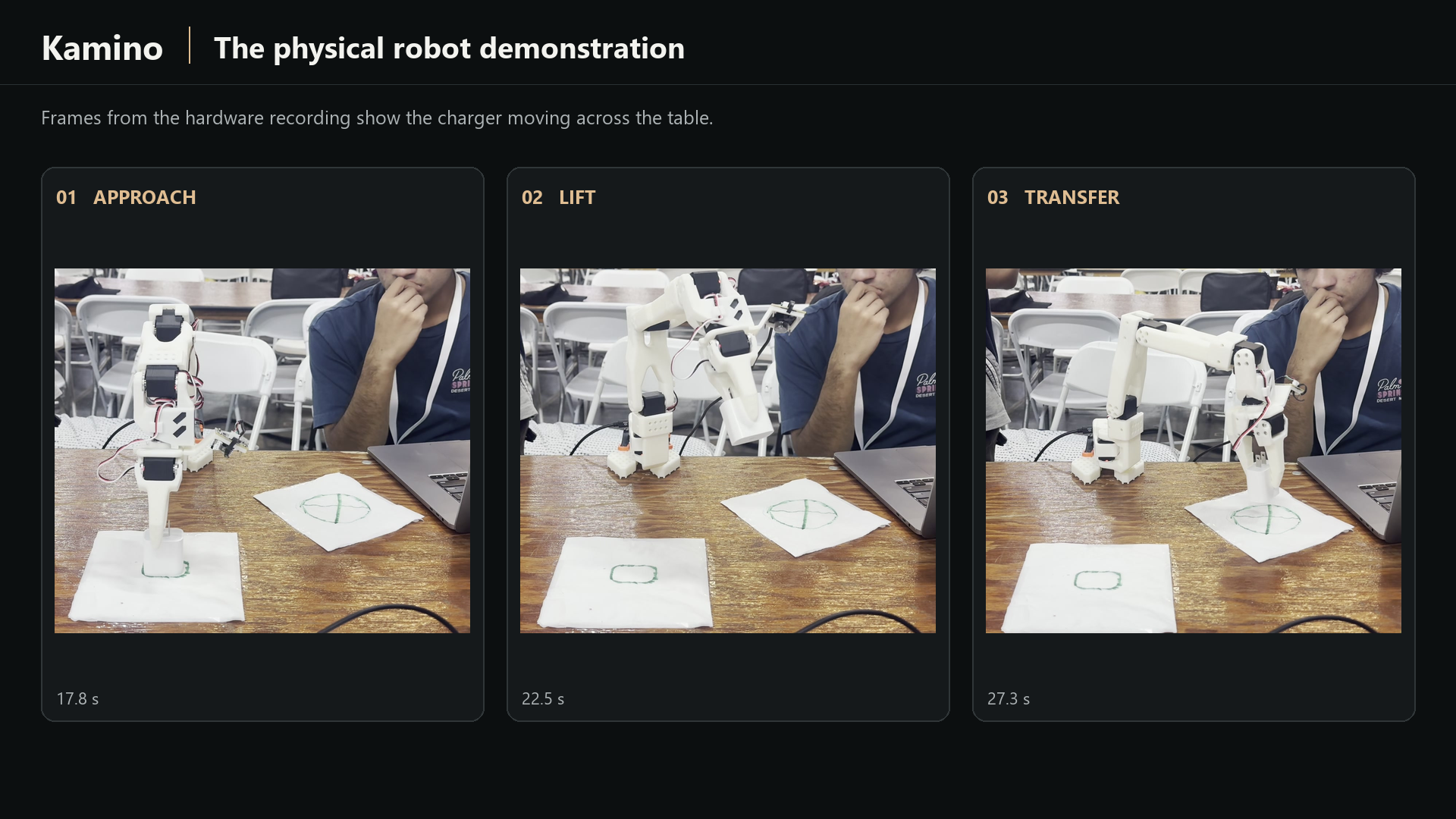
Hardware demonstration: the robot approaches, lifts, and transfers the charger.
-
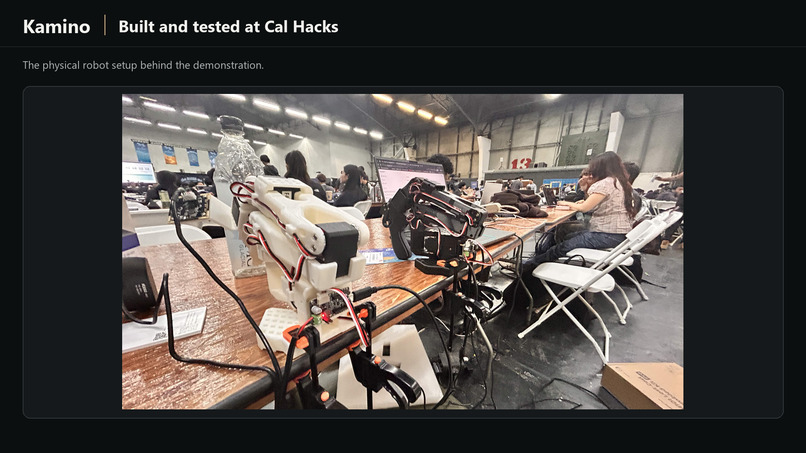
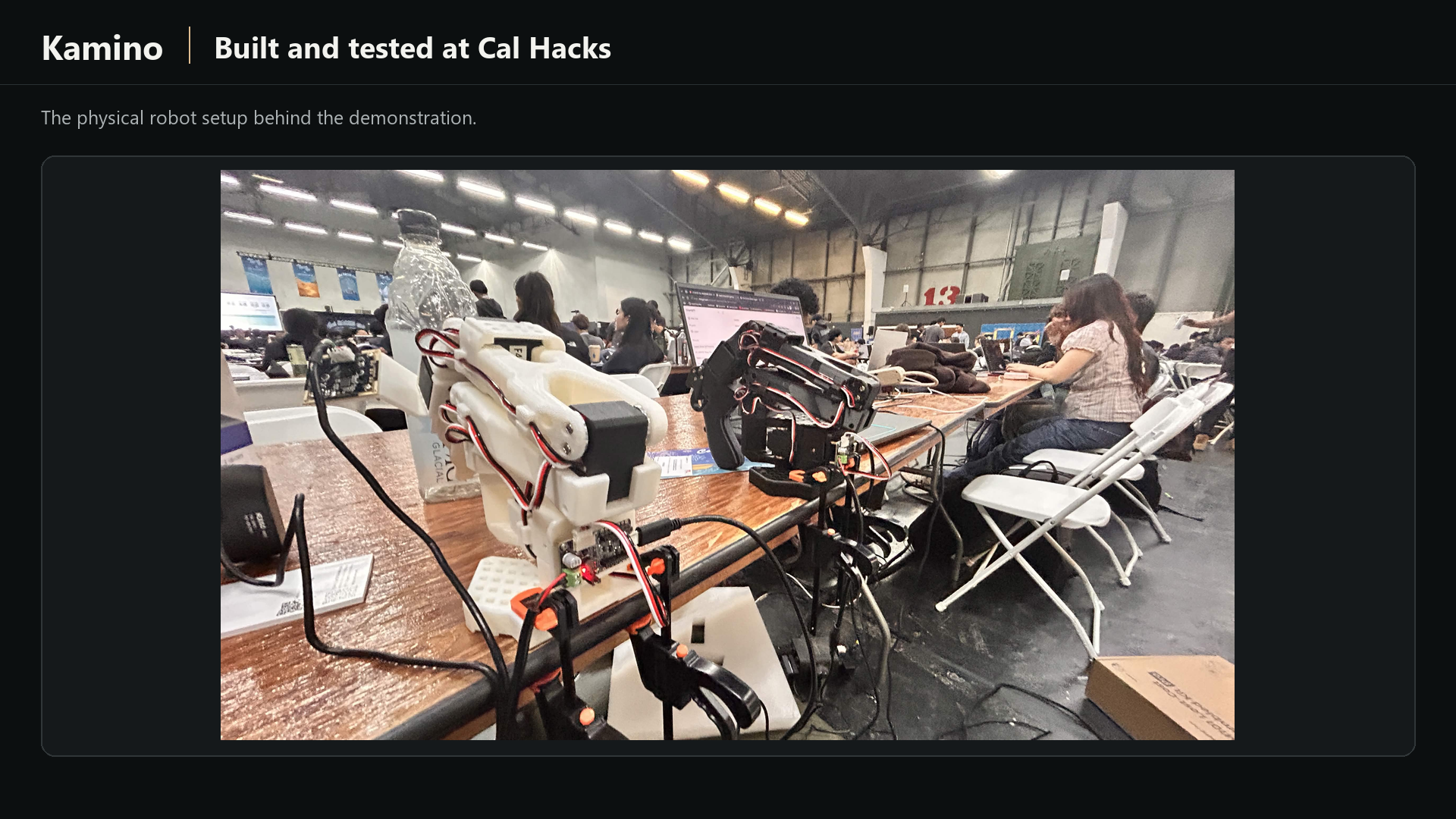
Our physical robot setup at Cal Hacks.
Inspiration
A robot can see a charger on a desk, but experimenting with it in simulation still takes a lot of setup. Someone has to build a model, establish its scale, assign physical properties, define collisions, and package a scene that actually runs. We wanted to make that process accessible from the objects and photos already around us.
We built Kamino to connect photos, human review, and simulation in one workflow.
What it does
Kamino turns photos of real objects into editable, portable MuJoCo simulation assets. Upload one to four photos of the same object (we recommend two to four clear views), optionally crop them, and reconstruct a mesh with Meshy. In the Workspace, compare the source photos with the actual mesh, inspect its orientation, and set one full-extent reference length. Uniform scaling preserves the reconstructed proportions and derives the remaining dimensions. The released photo workspace uses the entire reconstruction for viewing, sizing, and export, including any unwanted surroundings the provider reconstructed.
Gemini suggests physical properties and explains uncertainty. Most suggestions require an explicit Apply action; saving commits the reviewed draft. New-job friction starts as estimated: a valid Gemini estimate can replace the untouched default automatically. Otherwise, Kamino discloses 0.8 as a simulator fallback with unknown contacting materials. Mass remains editable, and manual entry is available when suggestions are unavailable. Estimates are not measurements.
Optional advanced physics controls let users review collision boxes or convex hulls, collision offsets, sliding/twist/rolling friction, automatic or manual inertia, contact response, and initial placement. Saved settings take effect in the regenerated MuJoCo scene. Browser previews show geometry and placement; contact dynamics run in the exported simulator.
Kamino generates a portable ZIP containing the scene, local assets, metadata, assumptions, and a validation report. Users can reopen jobs, correct inputs, and regenerate from cached reconstruction while retaining earlier attempts and downloads.
A separate guided assembly workbench accepts supplied component meshes. Users group and name links, review hinge or slider joints, configure springs and linked motion, and export articulated scenes. Browser joint sliders preview motion kinematically. Automatic photo-based part segmentation and joint inference remain future work.
Our robotics prototype also connects simulation with the physical SO-101 arm. We develop and preview a trajectory in simulation, export the joint motion, and execute it on the follower arm. The demonstration shows corresponding, working motions side by side, with human adjustments and iteration between simulation and hardware. Precise calibration and contact-rich manipulation remain ongoing work. This hardware workflow is separate from the controls available in the hosted photo workspace.
Try kamino.design. Real reconstruction requires a team-issued access code because provider usage is metered. The separate “Use demo photos” experience is synthetic, and its demo download is not a validated MuJoCo bundle.
How we built it
The backend uses Python, FastAPI, Pydantic, SQLite-backed job persistence, and a background worker. Meshy supplies image-to-3D reconstruction; trimesh and NumPy support geometry inspection and preparation; MuJoCo runs the exported scenes and numerical validation. The browser uses TypeScript, Vite, and Three.js. Atul's Figma design and prototype informed the interface. Railway hosts the frontend and backend, and kamino.design was registered through the GoDaddy Registry event offer at Porkbun.
Review state, saved orientation, reference sizing, and property drafts stay tied to the current job. Refresh handling rejects stale responses so an older request cannot overwrite newer work. Corrections create new simulation attempts without overwriting previous exports.
The backend retains provider task identities across restarts and retries transient polling and download failures without automatically submitting another paid reconstruction. Progress distinguishes upload, provider queueing and processing, and local mesh preparation. Missing or stalled percentages display an indeterminate wait and elapsed time; reconstruction reaches 100% only after the local mesh is ready.
For the robotics demonstration, we manually moved the SO-101 leader arm to record an initial joint trajectory. We brought that motion into MuJoCo, previewed it, and adjusted it for the charger. We then exported the joint motion and executed it on the physical follower arm, going back and forth between simulation and hardware to refine the movement. The leader supplied the starting motion; the follower executed the trajectory after simulation adjustments.
Challenges we ran into
Our biggest challenge was making reconstruction useful for simulation. In an early beverage-can experiment, the provider reconstructed several surrounding objects. Applying one can's dimensions to that entire scene distorted the export. We now use a reviewed orientation and one reference length to preserve reconstructed proportions. The released workspace exports the whole mesh, so clean framing matters: uniform scaling cannot remove surroundings or repair an incorrect shape.
Keeping review correct during refreshes was another challenge. Geometry, orientation, properties, and asynchronous job responses can change at different times. We added draft retention and refresh-race checks so users can correct inputs without silently losing newer work.
We also learned that a stable simulation can still contain the wrong shape. Collision proxies and automatic inertia remain approximations, and physical properties may be estimates. Numerical validation reports its actual checks; it does not establish reconstruction accuracy, measured dynamics, or successful transfer to hardware.
Transferring motion to the follower arm introduced another set of differences. Some real-world variables were difficult to predict in simulation, so we refined the trajectory through repeated adjustments and physical trials. Getting corresponding motions working required that back-and-forth process.
Accomplishments that we're proud of
We connected real object photos to reconstruction, interactive review, editable physical properties, and portable MuJoCo export. A cleaned real charger reconstruction passed API, Windows native-viewer, and relocation checks.
We also demonstrated trajectory transfer to the physical SO-101 follower arm. Starting with leader-arm recordings, we previewed and adjusted the movement in simulation, exported it, and executed it on hardware. We can show the corresponding simulation and physical motions side by side, powered by our software.
The advanced-physics release recorded 492 passing backend tests with two optional skips, 143 shared frontend tests, and 160 Workspace tests. Both TypeScript checks, production builds, and Ruff passed. Another 202 local browser checks covered desktop/mobile presentation, camera and draft behavior, downloads, and progress states. Mobile checks used Chromium touch emulation.
Hosted rigid and assembly checks exercised advanced settings, saving, reopening, regeneration, and preservation of earlier exports. A relocated rigid bundle ran for 10,000 MuJoCo steps with finite state and zero warnings. These release checks used cached workflows and made no new Meshy or Gemini calls; they are separate from live reconstruction quality and provider availability.
We built a correction loop that preserves earlier exports, so fixing an input does not erase the previous result. The homepage also adapts its scroll presentation to mobile screens and provides a static presentation for reduced-motion preferences.
What we learned
Simulation assets need more than a convincing mesh. Units, orientation, reconstructed proportions, collision representation, and the evidence behind each physical property all matter. We learned to make those decisions editable, explain assumptions, and test bundles after moving them outside the project directory.
We also learned that transferring a trajectory to hardware is an iterative process. Leader-arm recordings gave us the initial motion, simulation let us preview and adjust it, and follower-arm execution helped us identify what still needed refinement. The prototype demonstrates trajectory transfer, while precise calibration and contact-rich manipulation remain ongoing work.
What's next for Kamino
We want better reconstruction and collision fidelity, stronger support for measured physical properties, and broader validation across everyday objects. For articulated assets, we want to build on the guided component-mesh workflow toward assisted part and joint proposals.
For the robotics prototype, we want more precise calibration and more reliable contact-rich manipulation, building on the trajectory-transfer workflow we demonstrated.
Our goal is a reusable bridge from real-world inputs to simulation assets that robotics developers can inspect, correct, and reuse in their own experiments.
Open-source credits
Our SO-101 hardware work builds on Hugging Face LeRobot, including its SO-101 follower support and recording/replay tooling, and The Robot Studio's SO-ARM100/SO-101 project for the arm design and upstream robot resources.
The SO-101 simulation reference uses the Google DeepMind MuJoCo Menagerie SO-101 model, derived from The Robot Studio's MJCF and distributed with its Apache-2.0 license. We credit these upstream contributors for the arm, control software, and reference robot model. Kamino's contribution is the conversion, review, correction, simulation-export workflow, and the integration used to refine and transfer joint trajectories to the follower arm. The imported SO-101 reference model is identified separately from photo-reconstructed assets.
Built With
- fastapi
- figma
- gemini
- meshy
- mujoco
- python
- three.js
- typescript


Log in or sign up for Devpost to join the conversation.