Inspiration
We both have ADHD. And we both live the same frustrating cycle: someone mentions lunch plans while we're walking to class. We agree. We mean to add it to our calendar. We forget. We miss lunch.
Or we're mid-conversation and realize we need to move a meeting. But stopping to open our laptop and navigate through calendar interfaces feels like too much. So we don't. And we double-book ourselves.
We were tired of living like this. Tired of being the person frantically typing on their phone while walking, head down, just to capture a fleeting thought before it vanishes. To-do list apps demand we sit down, categorize, and organize when our brains don't work that way. Productivity tools require more executive function than we have to give.
We didn't want another to-do list, another complex calendar interface, or have to try harder to remember things. We wanted something that worked the way our brains actually work: spontaneous, conversational, and immediate. Something that meets our standards for design and simplicity, not just another cluttered app that adds to the mental load.
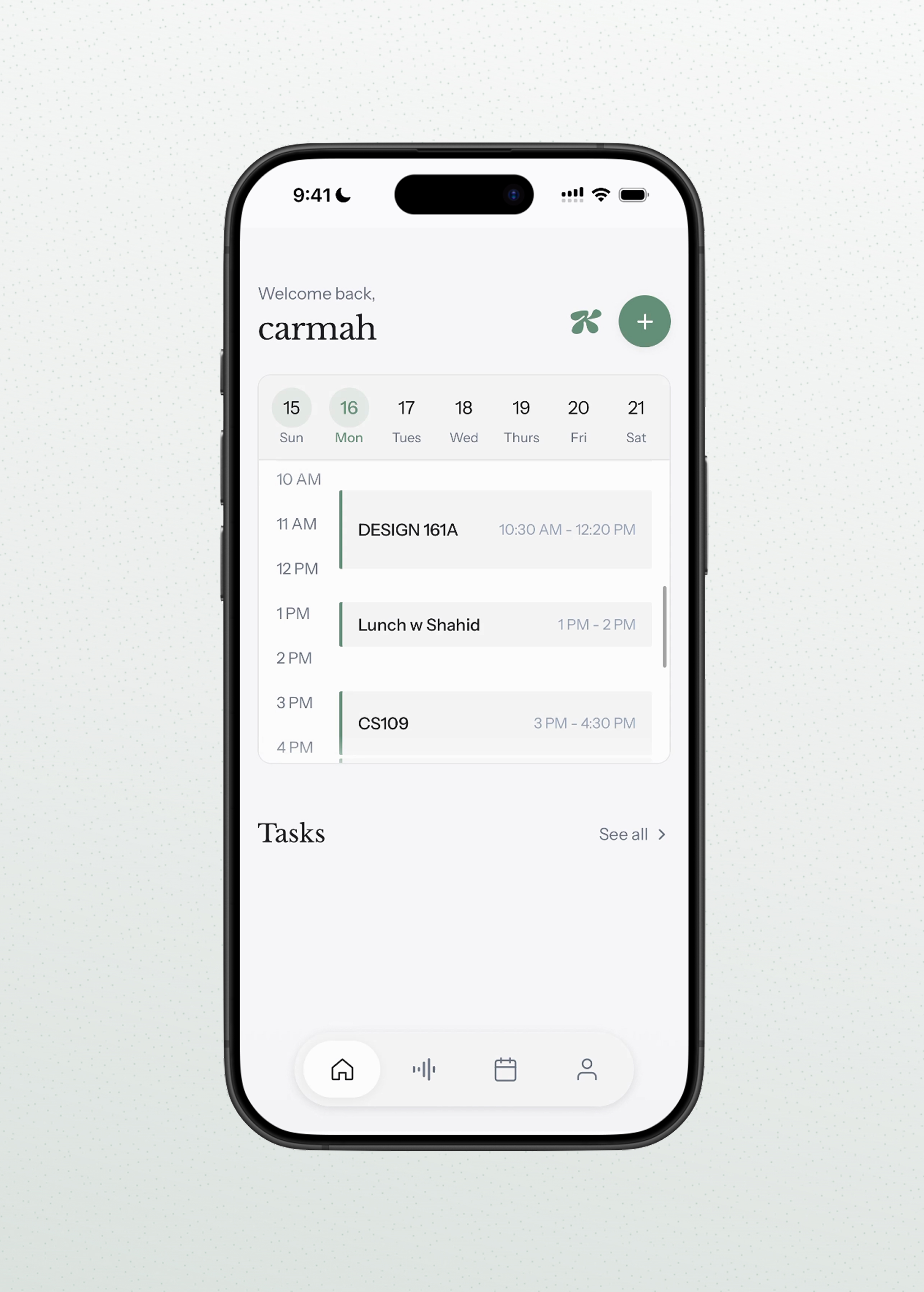
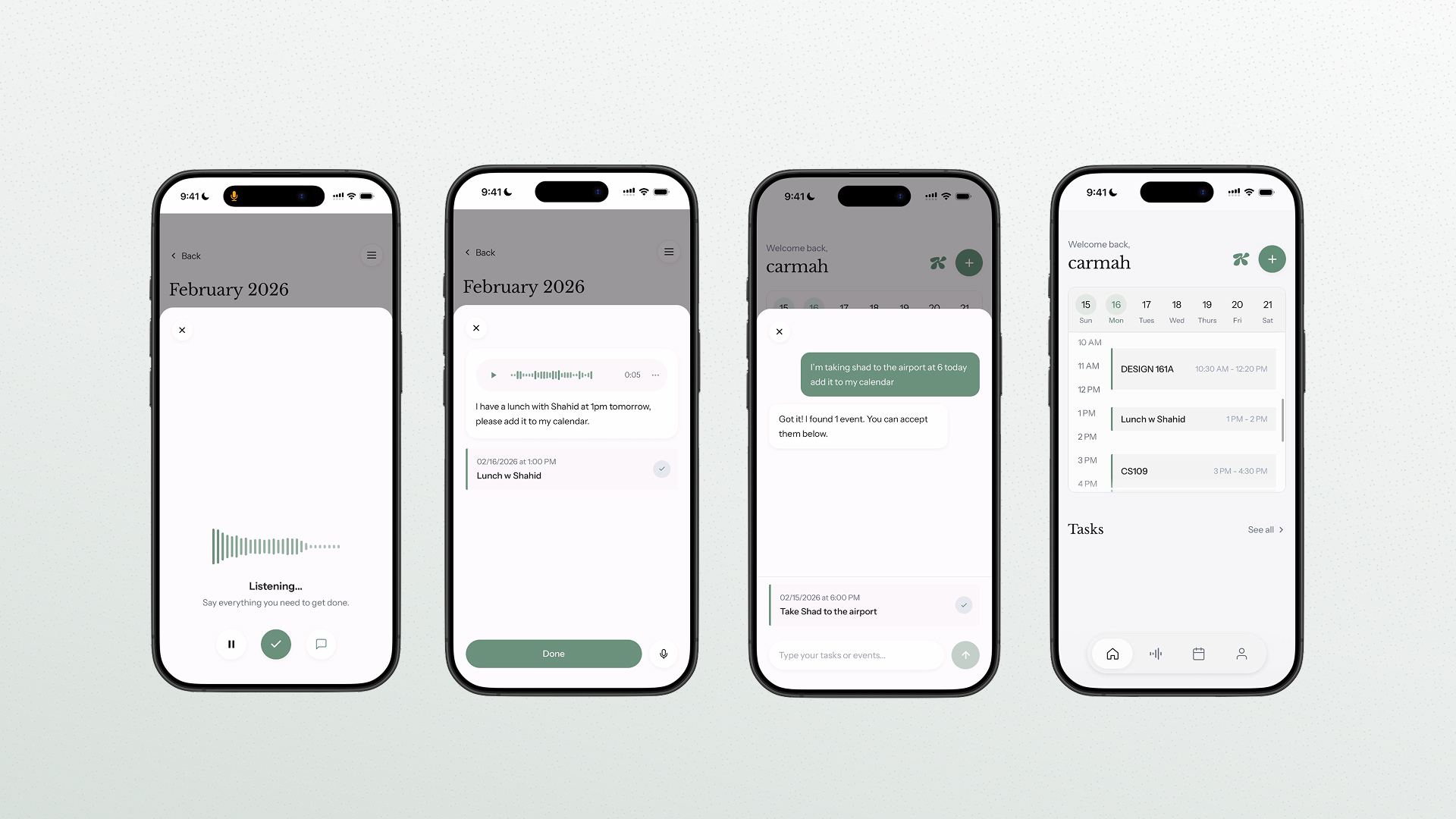
So we built Kali. A calendar that listens when we remember things in passing, captures them instantly without making us stop, and organizes our lives without requiring us to be organized people.
Because the best productivity system for ADHD isn't one that forces us to change, it's one that adapts to how we already think.
What it does
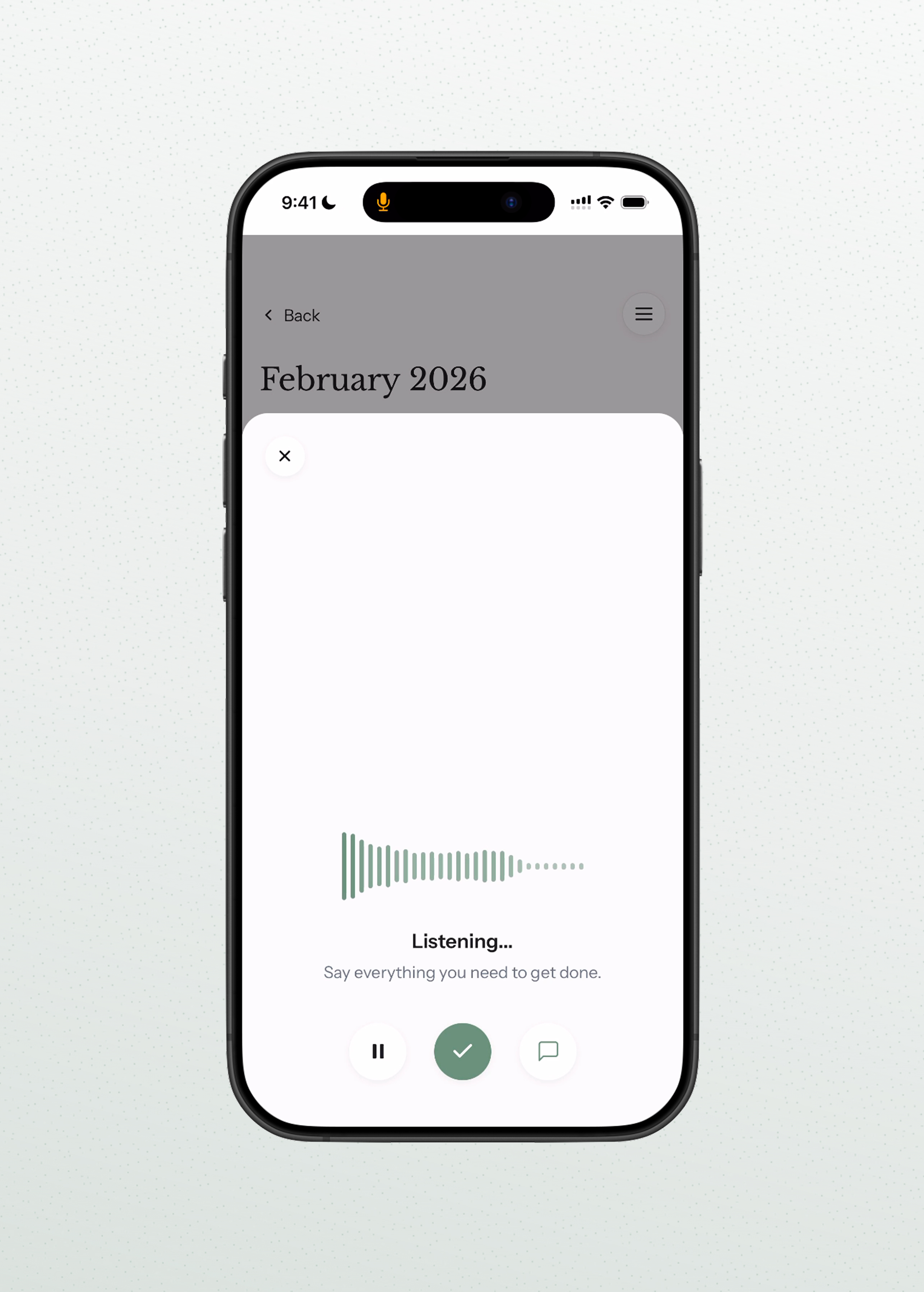
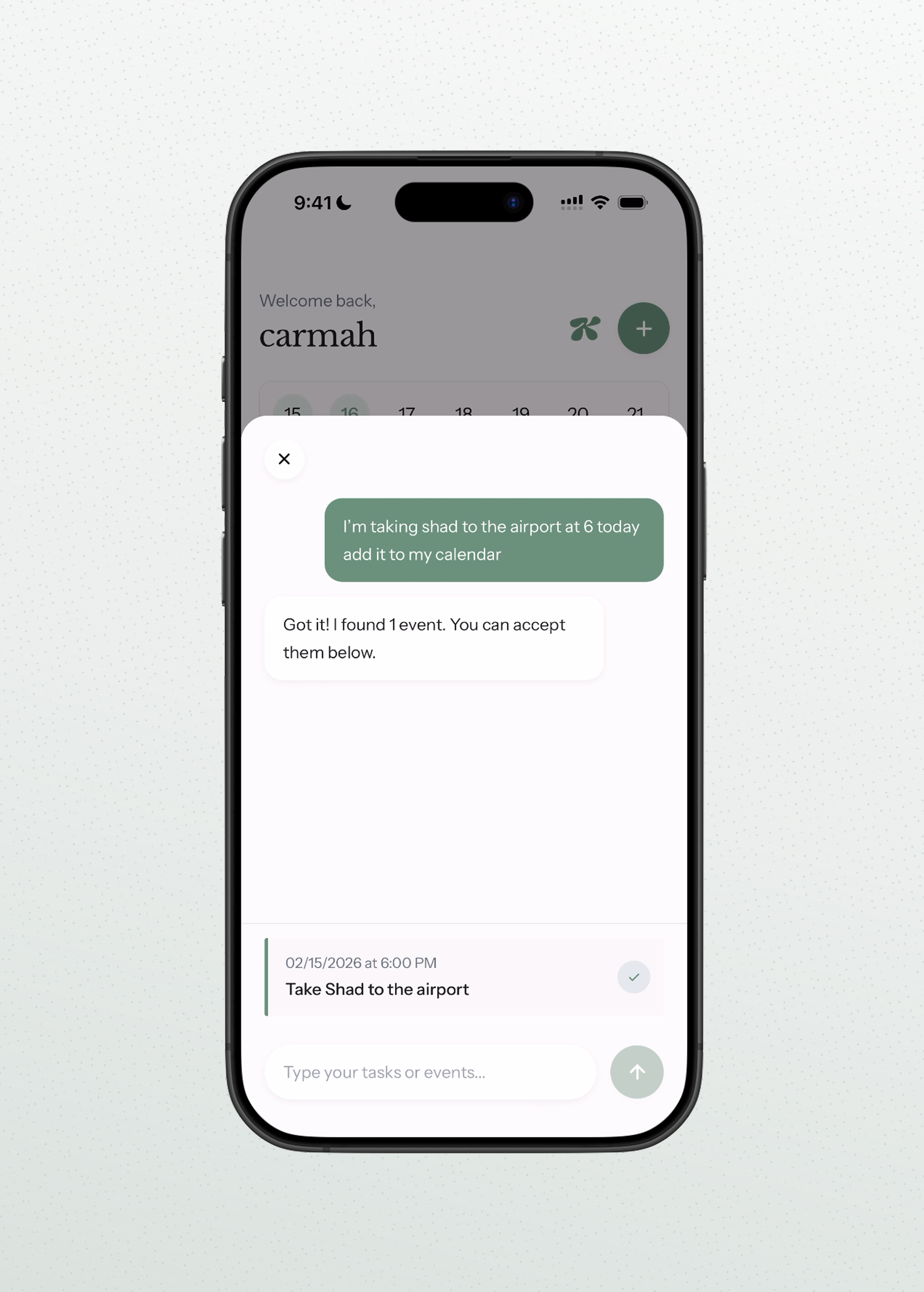
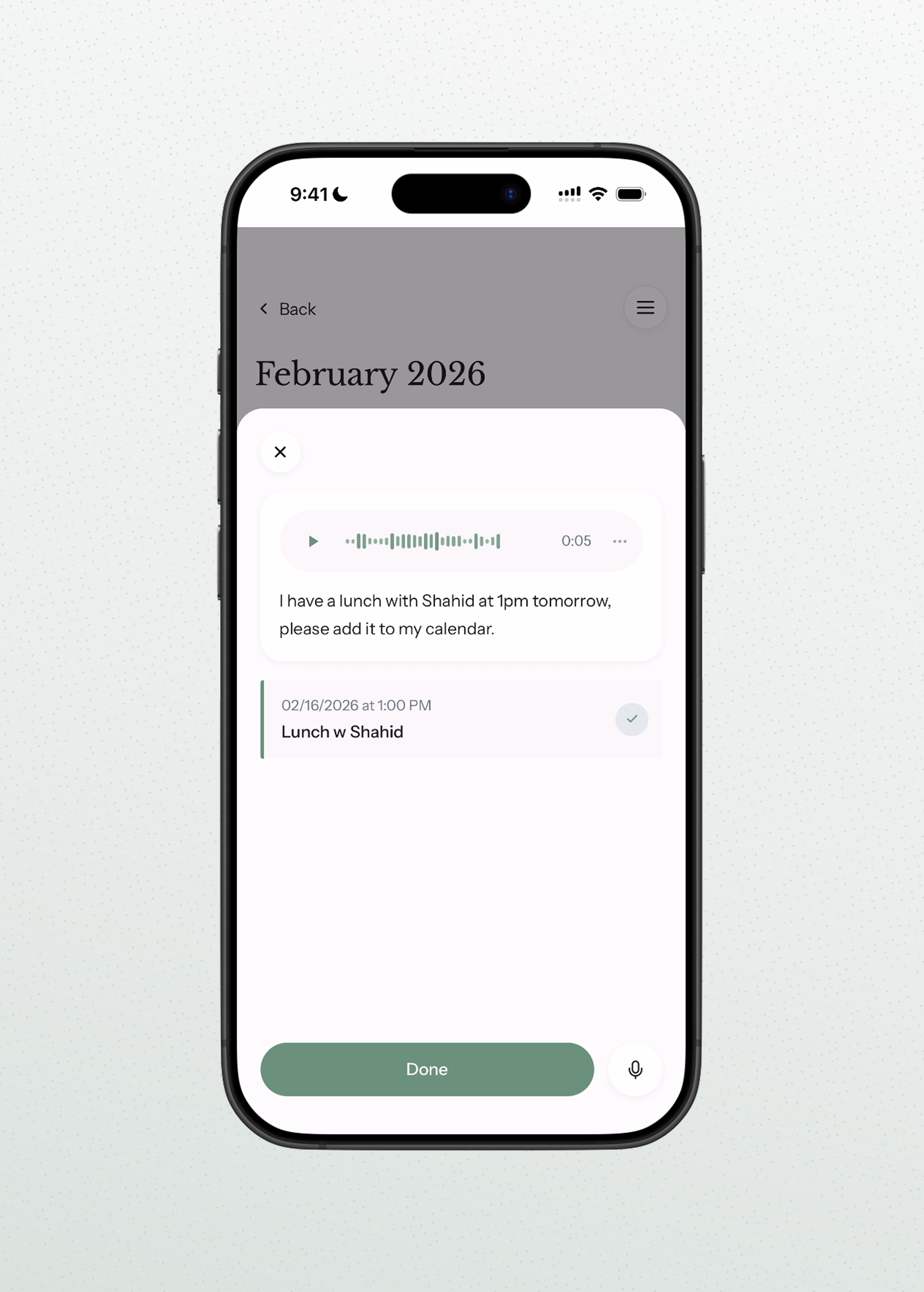
Kali is a voice-first productivity assistant designed for people with ADHD. Instead of navigating complex calendar interfaces, users simply speak their intent. A user can say "Meeting with Sarah tomorrow at 3pm" and Kali automatically creates the event. By converting natural language into structured calendar operations, Kali eliminates the cognitive friction and executive function overload of manual scheduling. Planning becomes conversational, fast, and intuitive.
How we built it
We built Kali using a modern full-stack architecture designed for reliability and real-time interaction:
- Frontend: React, Vite, TypeScript, Tailwind
- Authentication and Database: Firebase Auth and Firestore
- Backend: Express with TypeScript
- Speech-to-text: Open-source Whisper running locally
- AI Parsing: OpenAI API with structured JSON schema enforcement
The system pipeline works as follows:
- Audio is recorded directly in the browser using the MediaRecorder API.
- The audio file is sent to our Express backend and transcribed using Whisper.
- The transcript is sent to the OpenAI API, which extracts structured intent using a strict JSON schema.
- The structured response defines the action type and parameters for creating events, along with title, date, and time.
- The backend uses this deterministic output to safely perform calendar mutations.
We used OpenAI's structured response format with JSON schema validation to ensure machine-readable outputs. This guarantees that natural language is converted into predictable backend operations, making the system reliable enough to automate real calendar actions.
Example structured output:
{
  "intent": "create",
  "title": "Meeting with Sarah",
  "date": "2026-02-15",
  "time": "15:00"
}
Challenges we ran into
One of our biggest challenges was production deployment architecture. Whisper requires Python and ffmpeg, which cannot run inside standard serverless environments. We had to separate frontend and backend deployment concerns while maintaining secure HTTPS communication for microphone access.
We also encountered:
- Strict TypeScript enforcement during production builds
- Environment variable injection issues during Vite build time
- OAuth domain authorization configuration in Firebase
- CORS handling between Vercel and a locally tunneled backend
- Audio format conversion from WebM to WAV for Whisper compatibility
- Ensuring consistent structured JSON output from the OpenAI API
Most of the complexity was not in the model itself, but in integrating multiple systems into a stable, production-ready pipeline.
Accomplishments that we're proud of
We're a two-person team. One of us has never done a hackathon before in their life. The other has done exactly one. Only one of is a coder and the other is a designer.
And yet, in under 24 hours, we built and deployed a fully functional AI-powered voice assistant with real speech recognition, natural language processing, and live calendar integration.
We're incredibly proud that we:
- Went from zero to a working, deployed product that people can actually use
- Integrated new AI technologies that many experienced developers struggle with
- Built something genuinely meaningful for people with ADHD, not just another CRUD app
- Made it work as a tiny team of two
- Solved real production deployment challenges that would normally require a full engineering team
- Created a polished, thoughtful user experience despite massive time constraints
Most teams at hackathons have more experience, more developers, and more resources. We had none of those advantages. But we had a clear vision, relentless execution, and refused to compromise on building something that actually matters with quality.
For a first-time hackathon participant and a designer-developer duo with barely any hackathon experience between us, we didn't just participate, we shipped a complete AI product that works in production. We're proud we proved that ambition and determination can beat experience and resources.
What we learned
We learned that building AI-powered applications is primarily an infrastructure challenge. The model is only one component of a much larger system.
Key lessons included:
- Environment variables in Vite are injected at build time and must exist during production builds.
- Reliable LLM automation requires strict schema validation rather than free-form text generation.
- Audio handling on the web requires careful format conversion and HTTPS enforcement.
- Separating parsing logic from execution logic increases safety and scalability.
- Deployment stability is critical for AI-driven user experiences.
We also learned how deeply user experience design impacts accessibility. Reducing interaction friction can be just as powerful as adding new features.
What's next for Kali
We plan to expand Kali into a fully voice-driven calendar control system.
Next steps include:
- Voice-based event deletion such as "Cancel my 3pm meeting tomorrow"
- Voice-based rescheduling such as "Move my 2pm meeting to Friday at 11am"
- Automatic syncing directly with Google Calendar instead of requiring manual uploads
- Persistent Whisper services to reduce latency
- Conflict detection and intelligent scheduling suggestions
- Context-aware task prioritization and grouping
Our long-term goal is to build a conversational executive function layer that sits on top of existing productivity tools and makes them feel adaptive, supportive, and effortless.
Built With
- express.js
- ffmpeg
- firebase-authentication
- firestore
- ngrok
- node.js
- open-source-whisper
- openai-api
- python
- react
- tailwind-css
- typescript
- vercel
- vite

Log in or sign up for Devpost to join the conversation.