What inspired us
Scams in Singapore don't wait for you to look something up. They arrive as an SMS at 11pm, a "parcel delivery" link, or a "police officer" on the phone telling you not to tell anyone. The people most at risk, like our parents and grandparents, are often alone in that moment. They also usually ask the same people when something feels off: their family.
Existing tools like ScamShield are great at blocking known numbers and checking messages, but they treat you as one person facing the scammer alone. We asked a different question:
What if your family could have your back **while the scam is still happening, before any money moves?
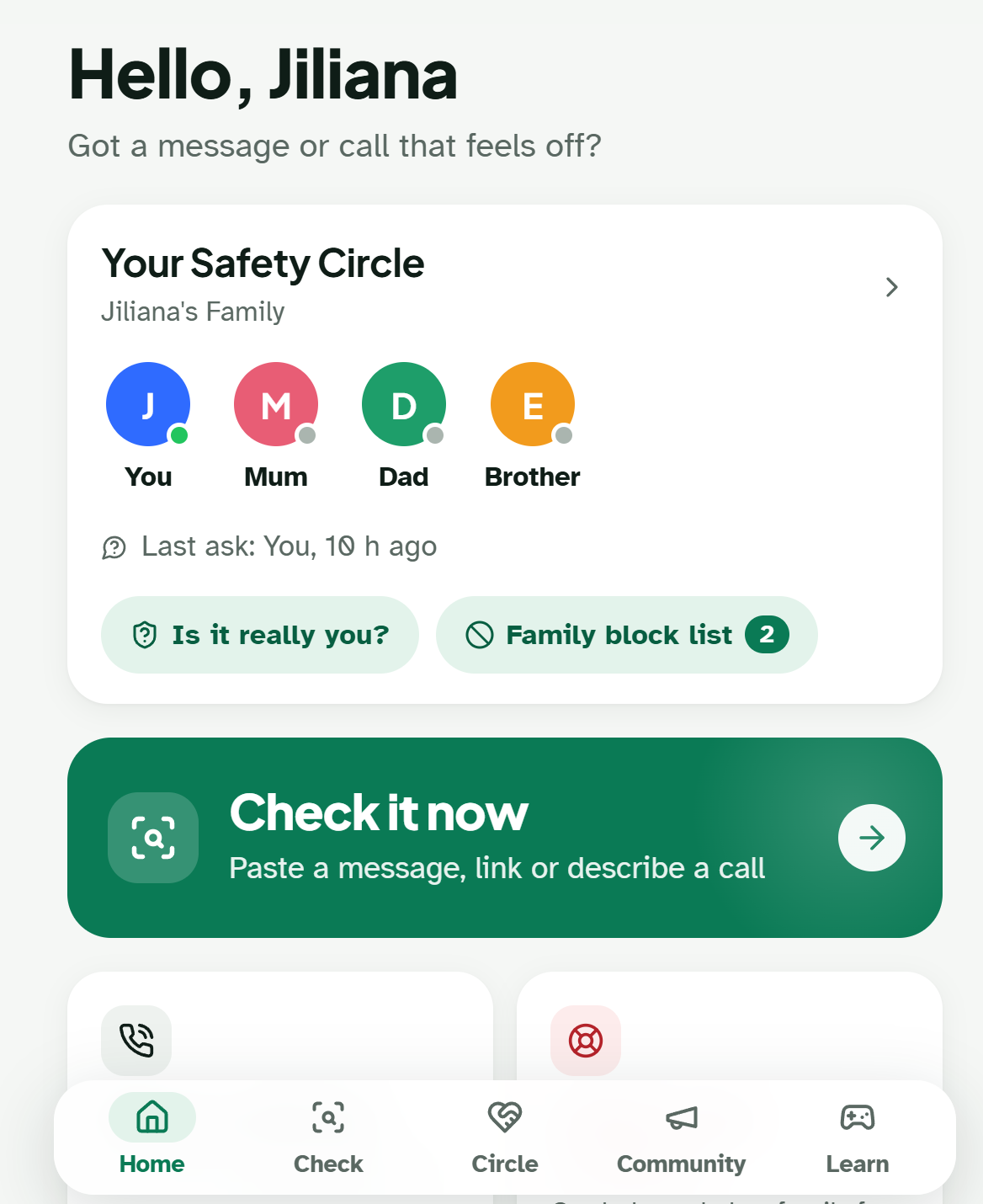
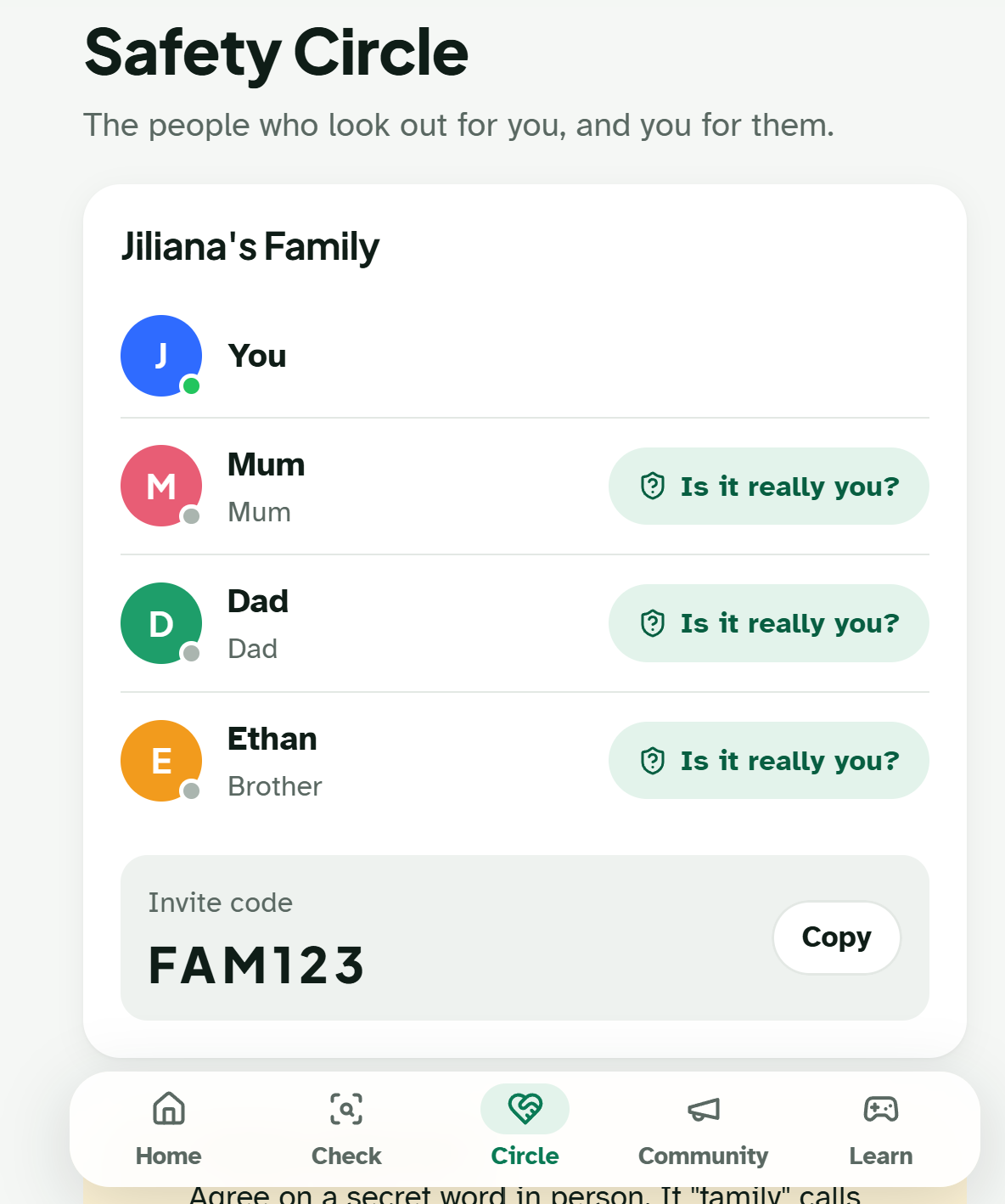
That became KakiGuard. Kaki is Singlish for "buddy". The app is built around a Safety Circle: your family, connected so that no one has to face a scam alone.
What it does
- Is this a scam? Paste or share any message. KakiGuard highlights the warning signs in the user's own language and explains them simply.
- Ask my Kaki. One tap sends the message to your Safety Circle. Your family gets a pop-up and can reply "Scam!" or "It's OK". The main kaki is asked first, and the request goes to the rest of the circle only if they don't answer.
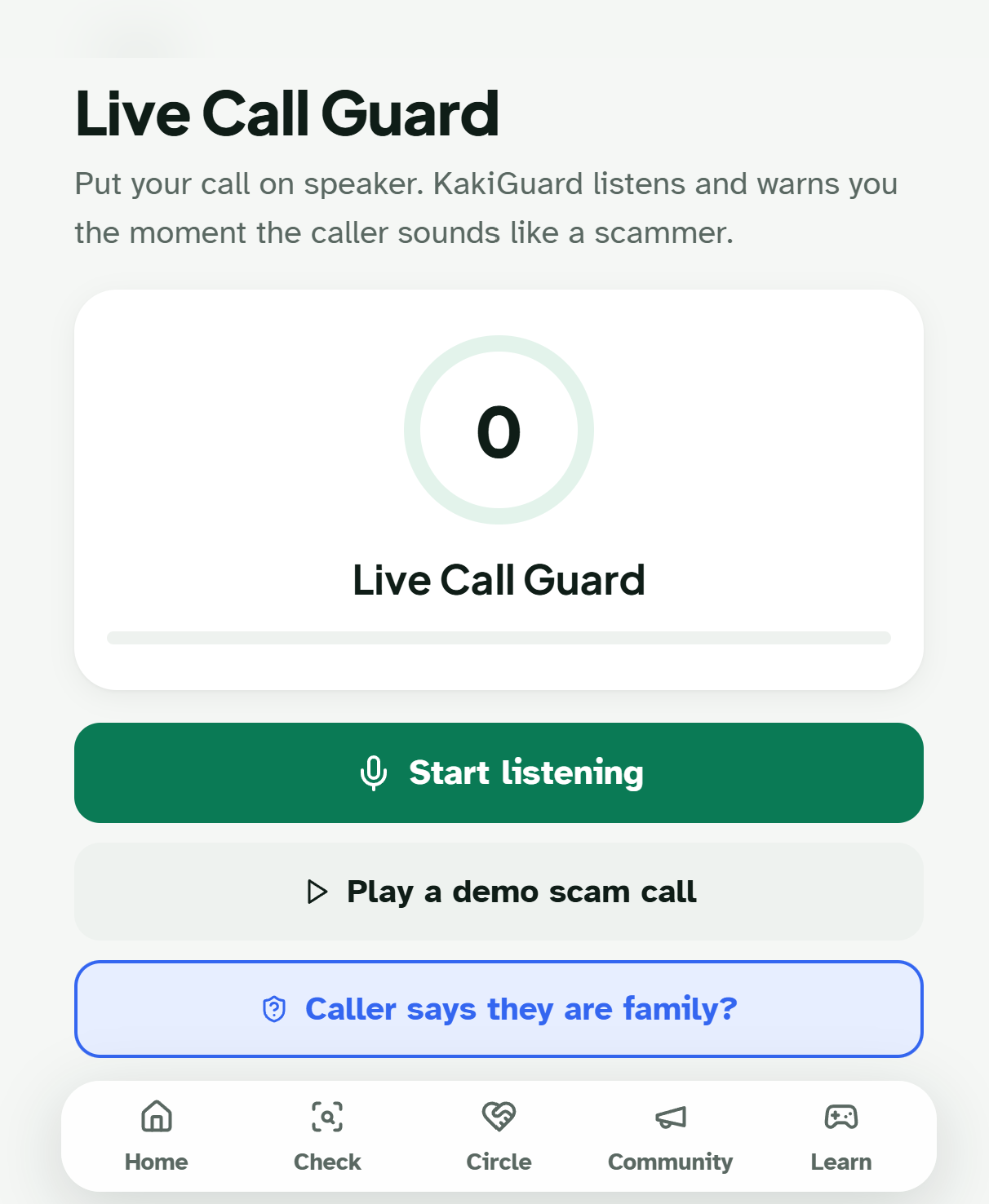
- Live Call Guard. Put a call on speaker and KakiGuard listens. A risk meter climbs as the caller talks. When it turns red, the screen tells you to hang up now. After a 5-second countdown you can cancel, your family is alerted during the call.
- "Is it really you?" AI can now clone a family member's voice. If a caller claims to be your son, KakiGuard sends a check to his real phone. A voice can be faked, but his own phone can't.
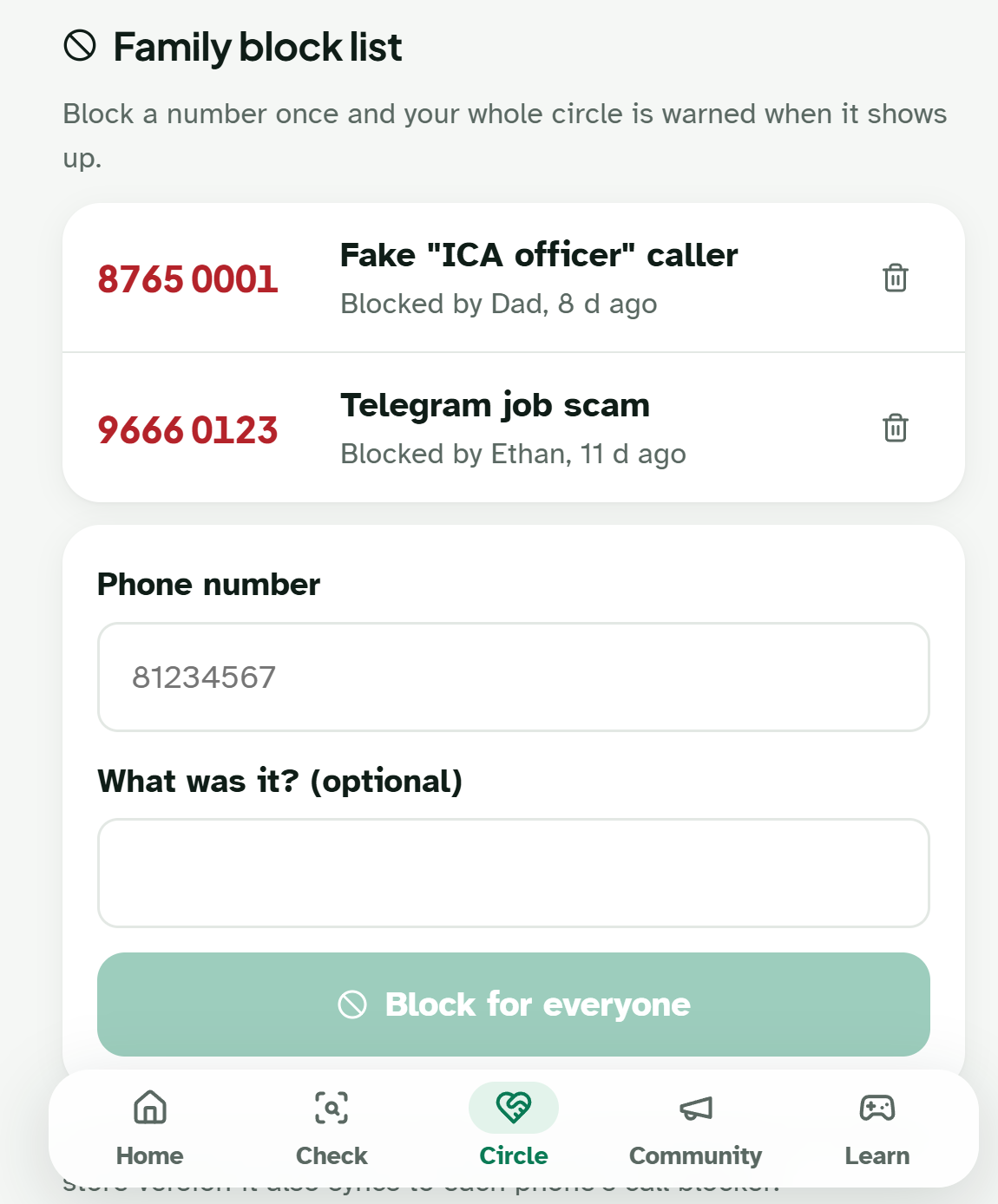
- Family block list. Block a number once and the whole circle is protected.
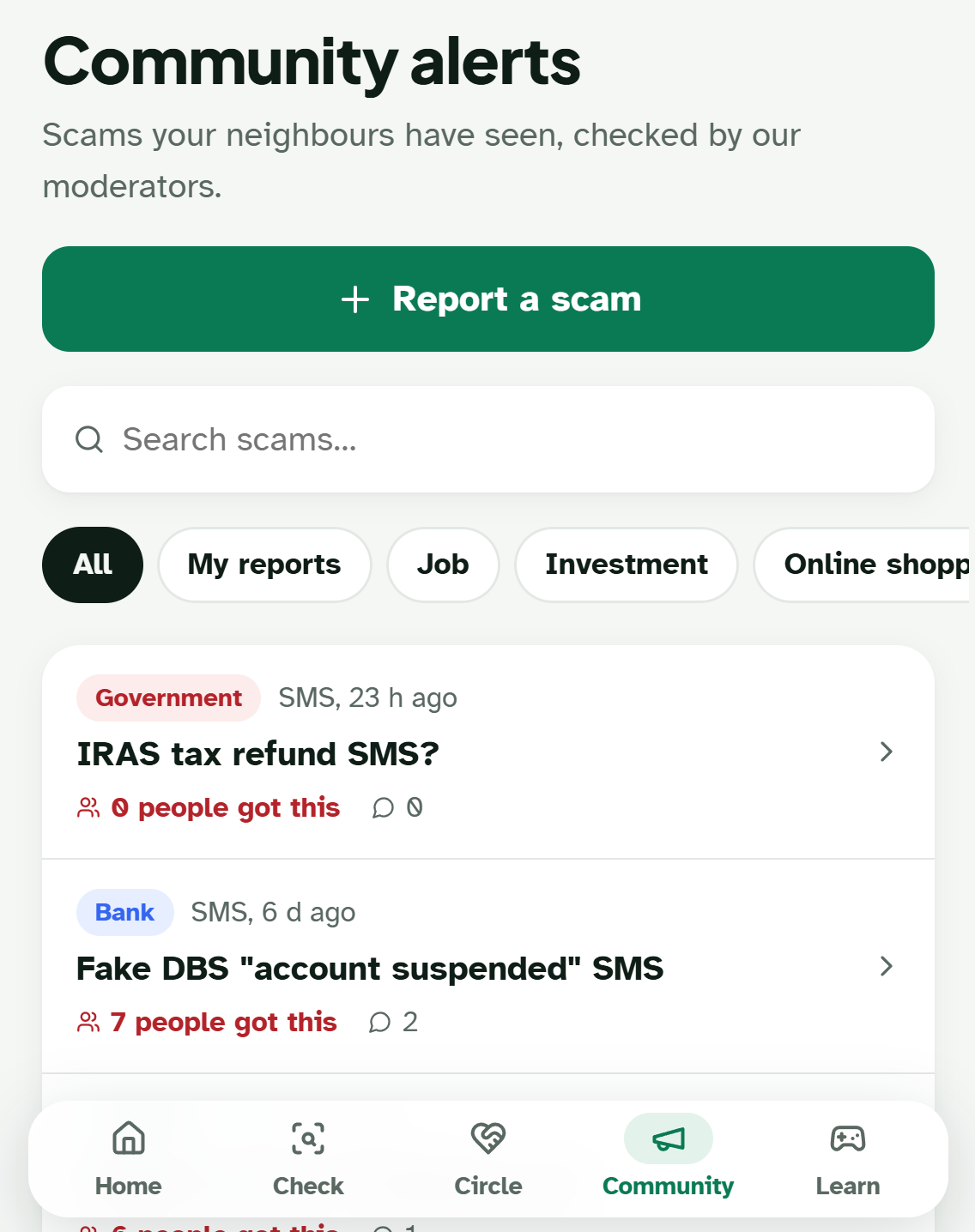
- Community reports + moderators. Users report scams. A human moderator verifies them before an alert goes out to everyone, so the AI never publishes accusations by itself.
- Learn. A swipe-card quiz game that teaches the same warning signs to kids and teens.
- Two modes, chosen at sign-up. Simple mode has three giant buttons for older users. Full mode has everything else.
- 4 languages: English, 中文, Bahasa Melayu and தமிழ்.
How we built it
KakiGuard is an installable web app (it works like a phone app, with no app store needed), built with React + Vite on the front end and Node.js + Express on the back end. Socket.io delivers family alerts in real time.
Scam detection uses two layers:
- A rule-based checker (runs instantly, works offline). Regex patterns for common scam tactics such as fake authorities, urgency, secrecy, OTP requests and "safe accounts". It also checks links and compares messages with community reports.
- An AI judge that reads the intent behind the words, so a scammer who words things differently is still caught. It runs on a local Ollama model, so call transcripts never leave the machine. Gemini or Claude can be used instead.
Live calls use the browser's Web Speech API to turn speech into text on the phone itself.
Privacy by design (PDPA)
- Users give consent at sign-up, and a notice appears before the microphone turns on. Calls are never recorded, and a "Listening, not recorded" badge stays on screen.
- NRIC, card, bank account and OTP numbers are removed before anything is saved or sent to the AI.
- The database is encrypted at rest (SQLCipher, AES-256). Passwords are hashed with bcrypt, and logins use JWT tokens that expire.
- Old data is deleted automatically. Users can export or delete their data at any time.
Challenges we faced
- Not annoying the family. Our first version pinged everyone for everything. We redesigned notifications into levels: urgent alerts always come through, everyday alerts respect quiet hours and mutes, and community news arrives quietly. Family members also get a weekly summary instead of a constant stream of alerts.
- AI false alarms. A small local model flagged "it's your mother" as an 85% scam, because "pretending to be family" is a real tactic. We fixed this by giving the AI scoring rules and making its trust grow as the call goes on, so the meter builds up the way a real scam call does.
- AI voice cloning. No detector can reliably spot a cloned voice on a live call. Instead of trying, we built the "Is it really you?" check, which uses something a scammer can't fake: the family member's own phone.
- Designing for every age. One interface couldn't serve both a 70-year-old and a 20-year-old, so we built Simple and Full modes and let users choose when they sign up.
What we learned
- Trust matters more than technology. An older person is far more likely to listen to their daughter than to an app. AI can find the warning signs, but family gives the trust.
- Privacy has to be designed in from the start, not added at the end. Thinking about the PDPA early shaped our architecture, including redaction before storage and local AI.
- AI is powerful but overconfident. Combining it with simple rules, and only letting it count once there's real evidence, made the system much more reliable than either approach alone.
- Building for real people means testing with real scenarios, such as a scammer who changes their wording, a family member who's asleep, or a grandparent who only reads Chinese.
Built With
- bcrypt
- css
- express.js
- gemini
- helmet
- html5
- i18n
- javascript
- jwt
- llama
- lucide
- node.js
- ollama
- pwa
- react
- socket.io
- sqlcipher
- sqlite
- vite
- vs-code
- web-speech-api


Log in or sign up for Devpost to join the conversation.