-
-
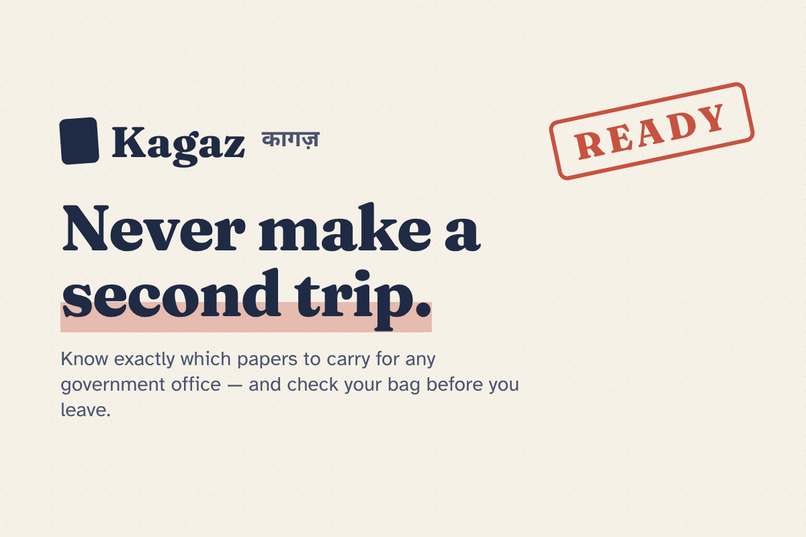
Kagaz — never make a second trip to a government office
-
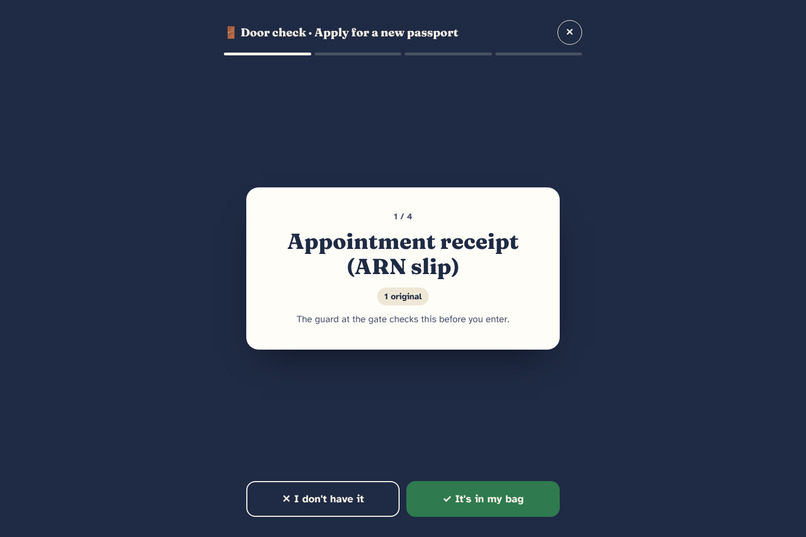
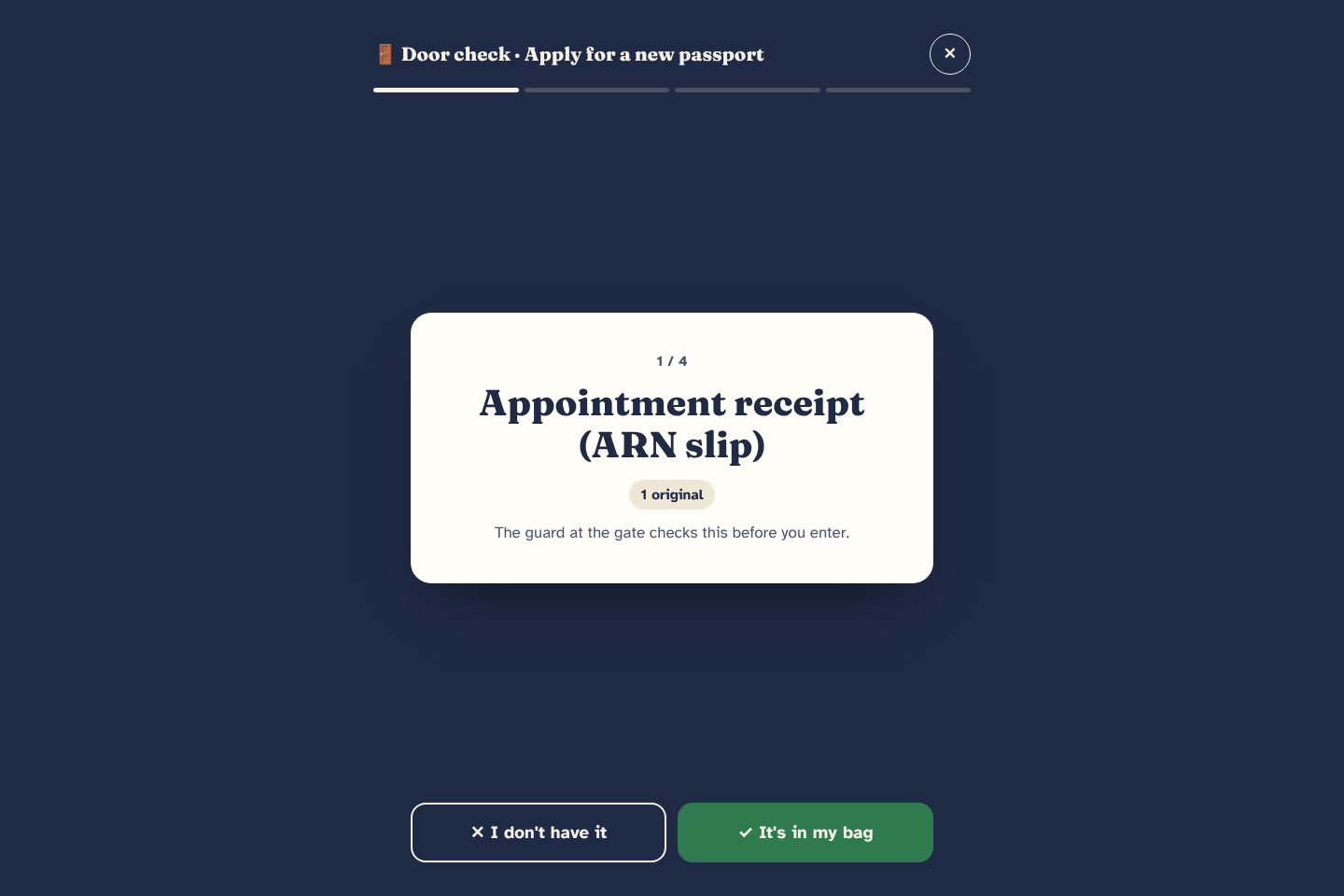
Door Check: one paper at a time, big buttons, right before you leave
-
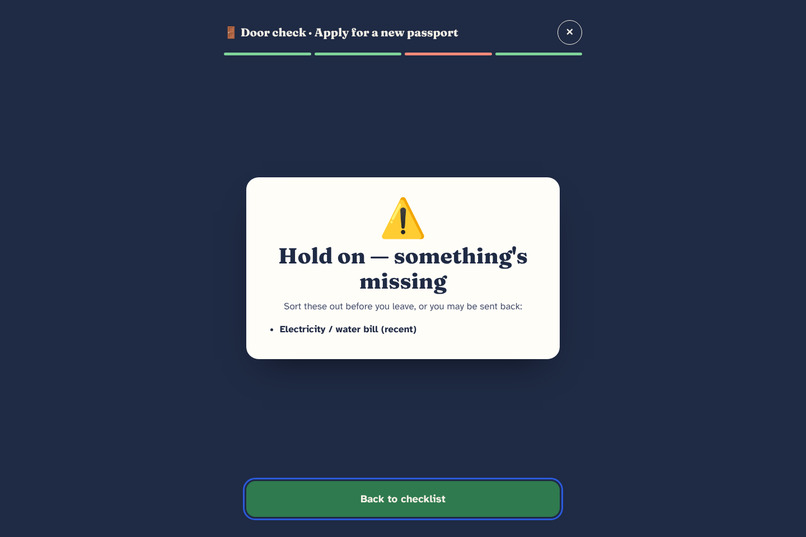
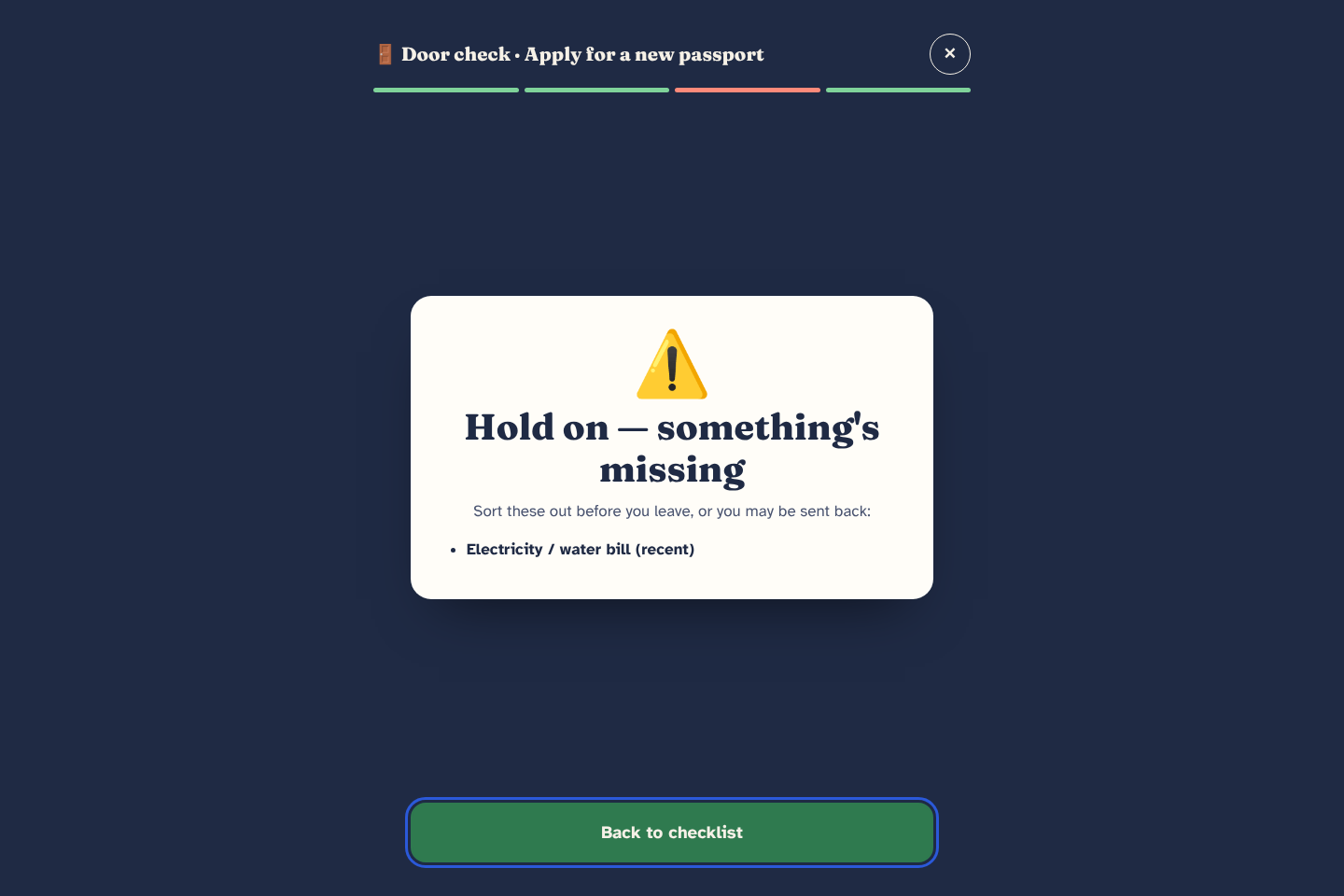
Door Check tells you exactly what's missing before you step out
-
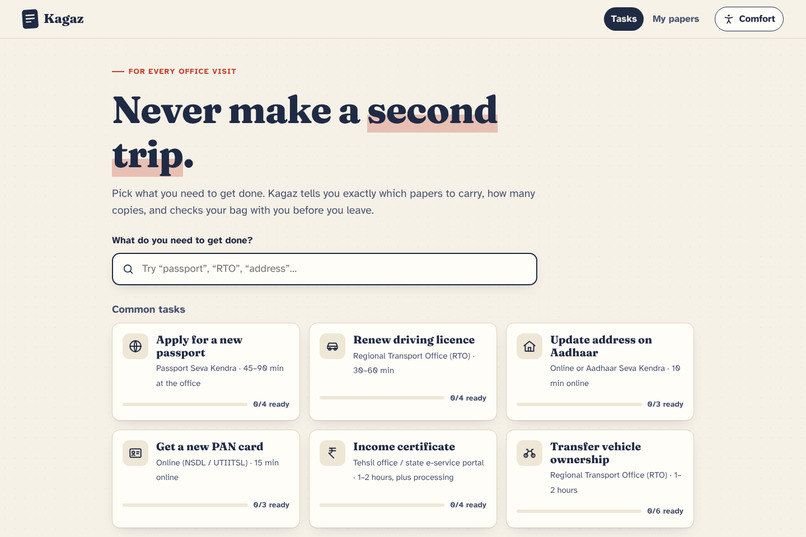
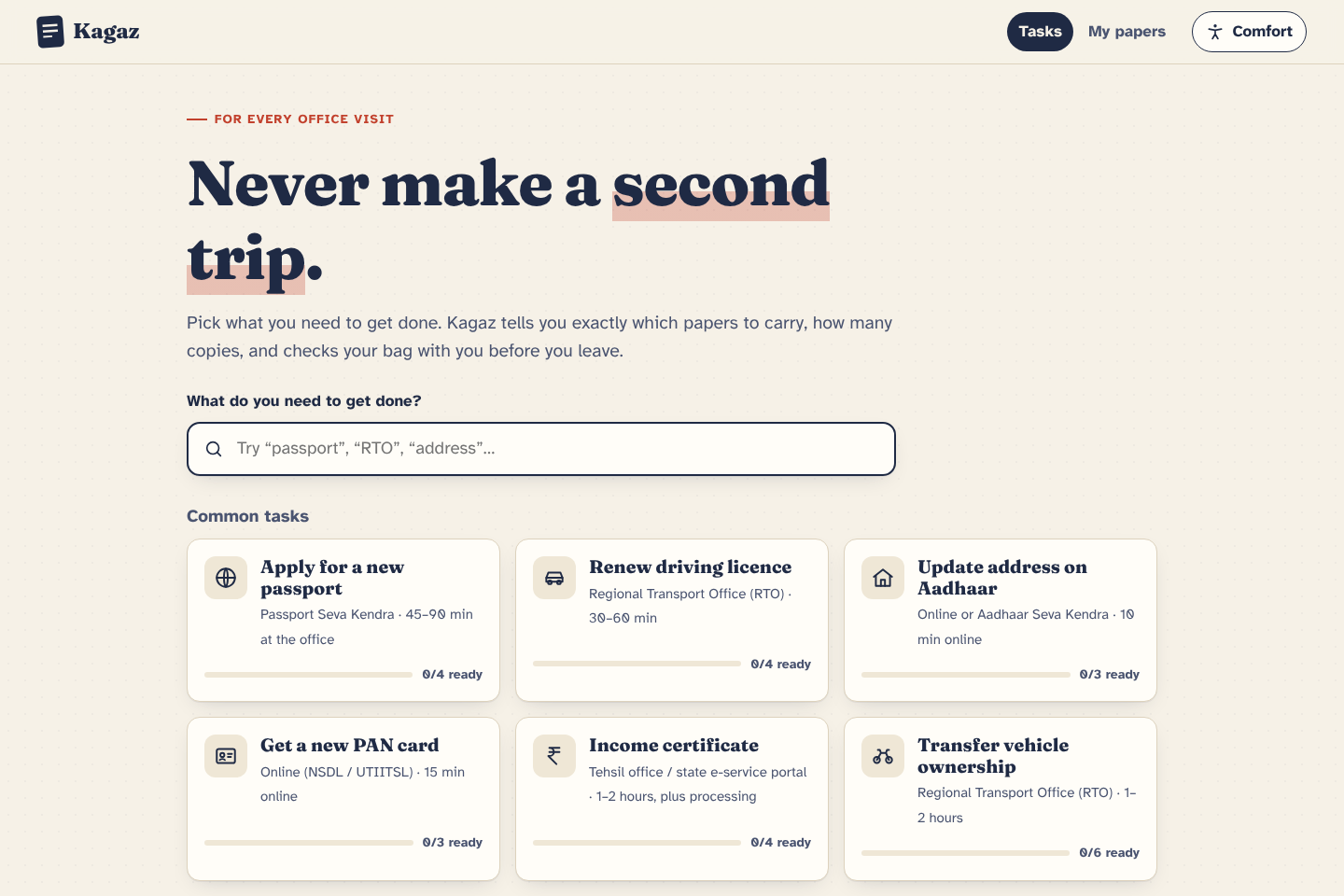
Pick a task: passport, licence, Aadhaar, PAN, income certificate, vehicle transfer
-
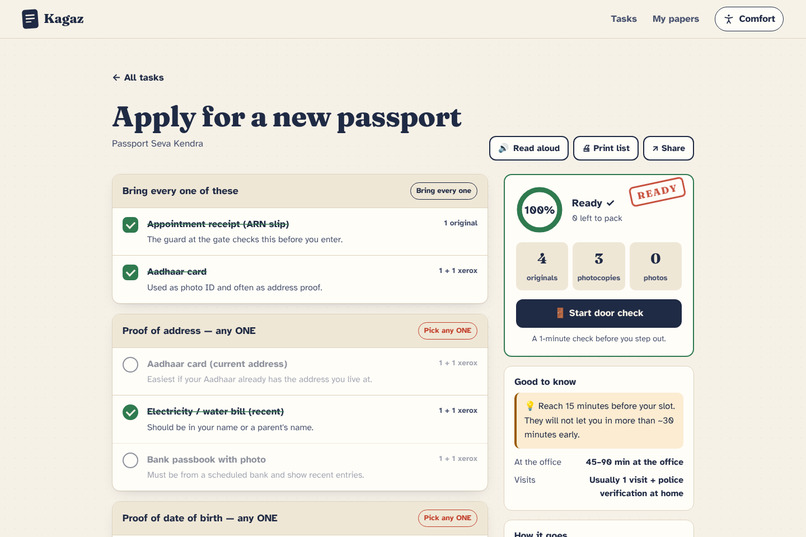
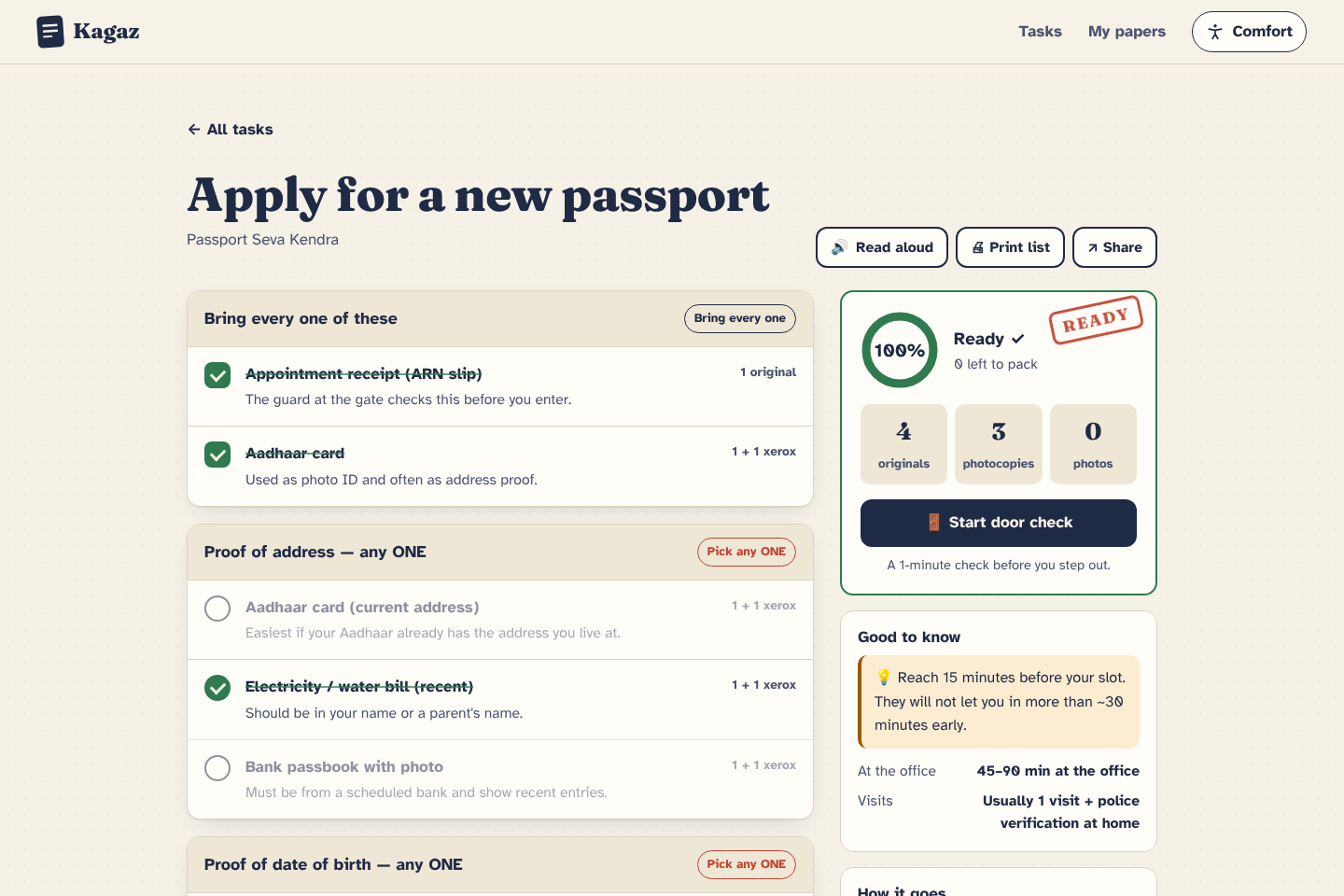
Checklist grouped as all / any ONE / only if — with a live bag count and READY stamp
-
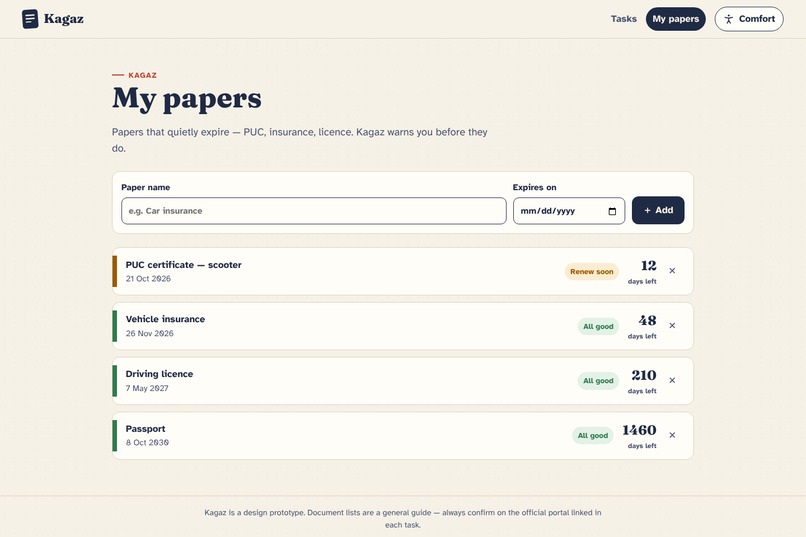
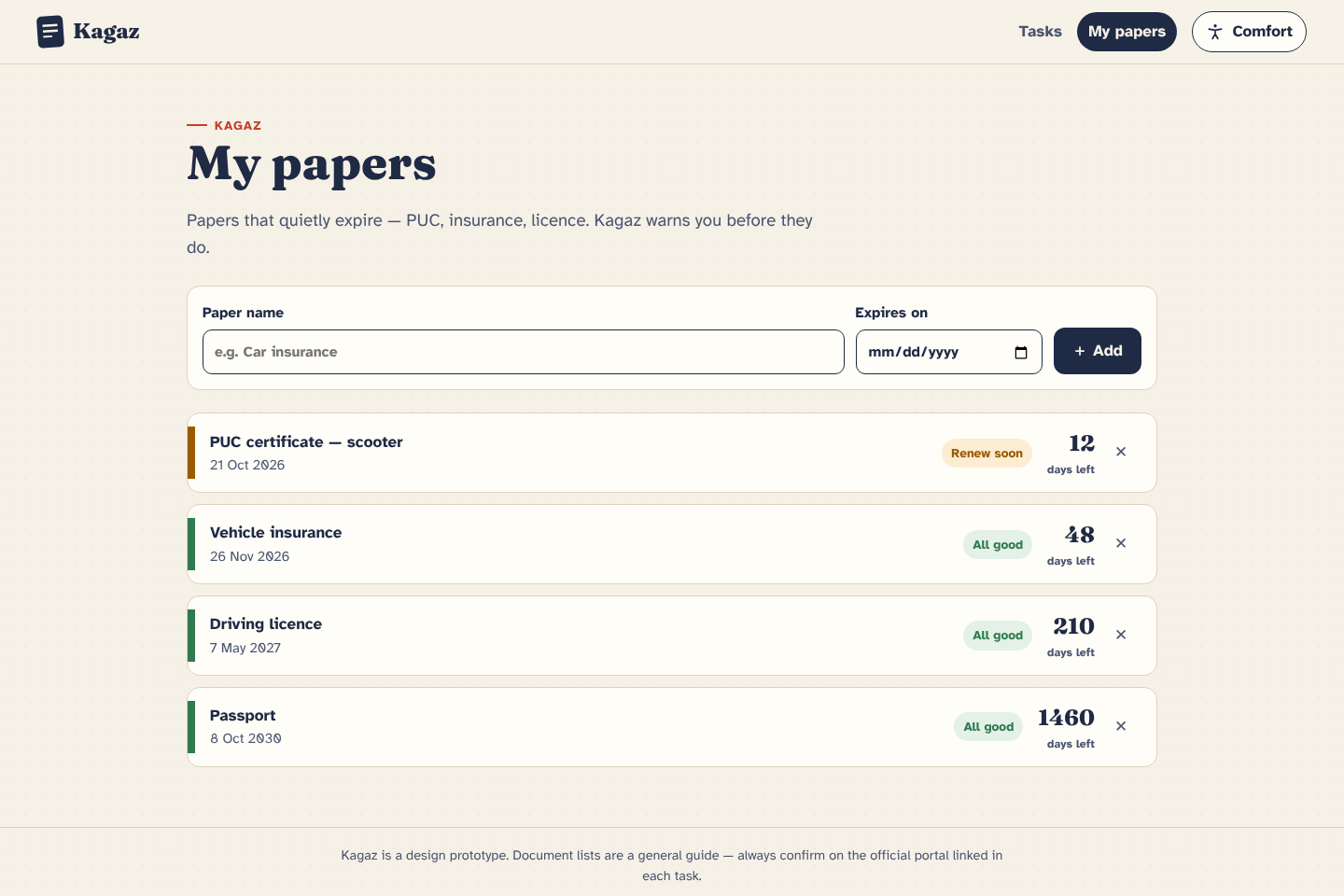
My papers: colour-coded timeline so PUC and insurance never expire on you
-
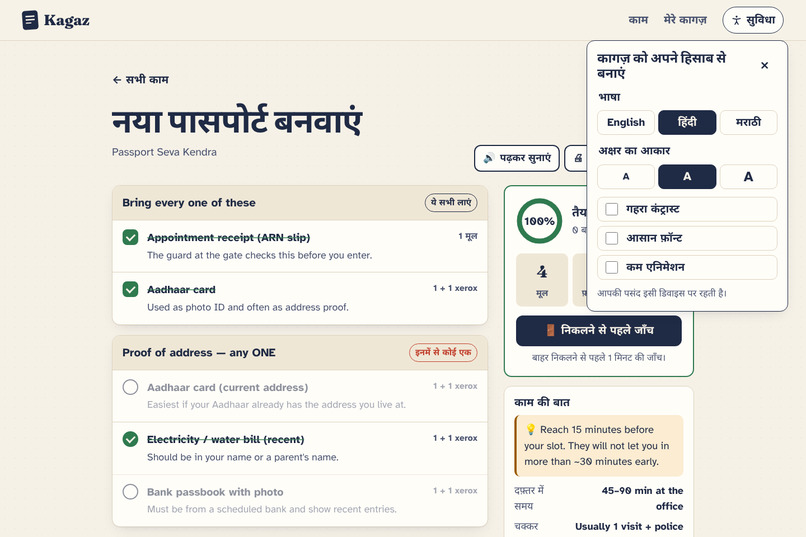
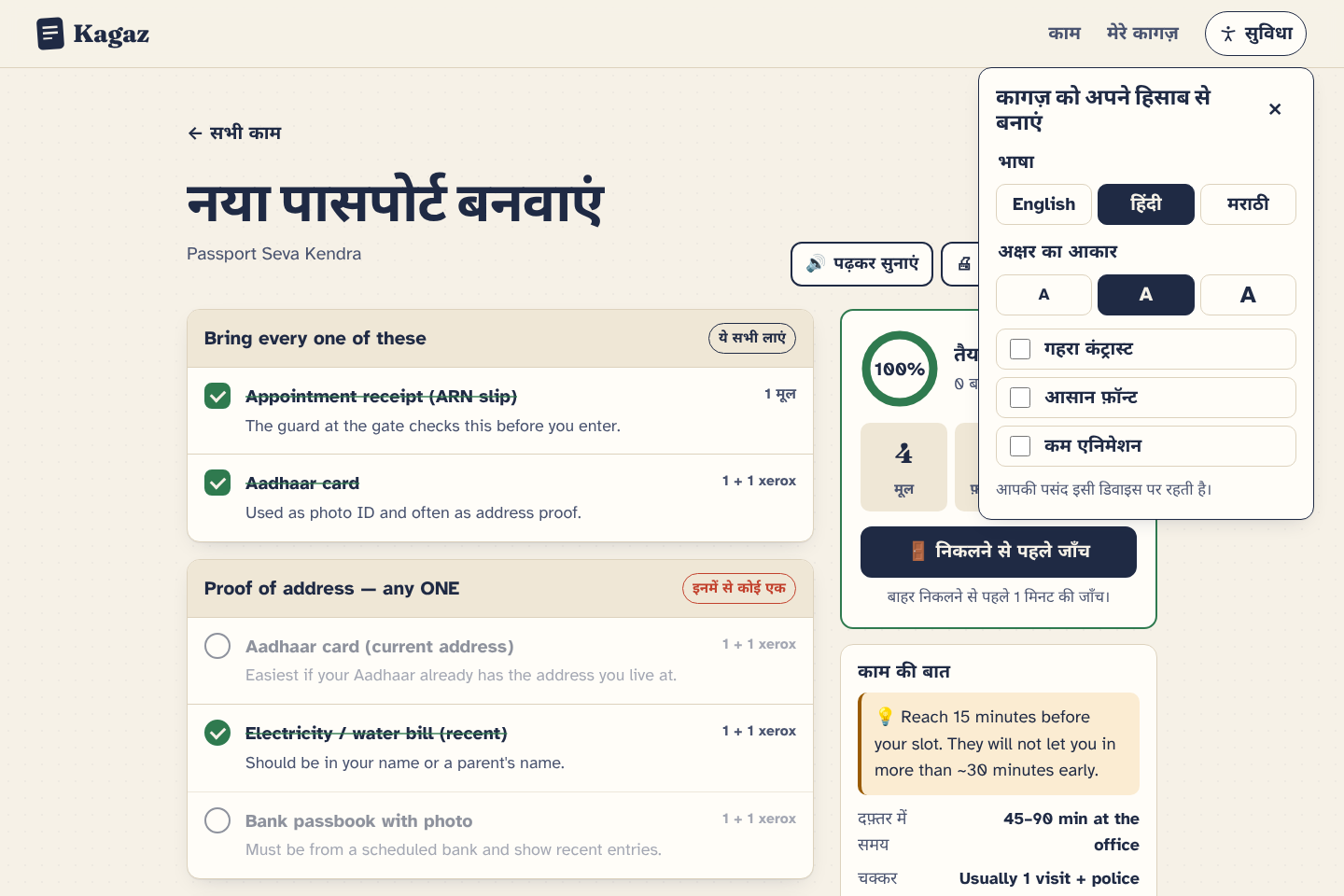
Comfort panel: Hindi / Marathi, bigger text, high contrast, easy-read font
Inspiration
Ask anyone in India about the passport office, the RTO, or the tehsil, and you'll hear the same story. They waited in line for an hour, reached the counter, and got sent back for one paper. Sometimes it was a missing photocopy. Sometimes it was a rule nobody told them about, like "any one of these three" or "only if you're over 40."
The information usually exists. It's just buried in long PDFs and written for the office, not for the person holding the file. I wanted to design the thing you'd actually want in your hand the night before: a clear list, a count of how many xerox copies to make, and someone to double-check your bag before you leave.
What it does
Kagaz has three parts.
1. Task checklists. You pick what you need to do: new passport, licence renewal, Aadhaar address update, PAN, income certificate, vehicle transfer. Documents are grouped the way offices actually think about them: bring all of these, pick any ONE, and only if it applies. Each item says in one line why you need it.
As you tick things off, a readiness ring fills up, and a live "bag count" tells you how many originals, photocopies and photos to carry. When everything's done, the card gets a big red READY stamp.
2. Door Check. This is the part I'm proudest of. When you're about to leave, tap "Start door check." The screen goes full-size and shows one document at a time with two big buttons: "It's in my bag" and "I don't have it." It takes about a minute. At the end you either get "You're good to go" or a short list of exactly what's missing. It's the same thing a parent does at the door, just written down.
3. My papers. Some papers expire without telling you: PUC, insurance, your licence. You add them once with the expiry date, and Kagaz shows a colour-coded timeline so you can renew them before they cause trouble.
Designing for the people who struggle most
The people who find paperwork hardest are often elderly parents, first-time applicants, and people more comfortable in Hindi or Marathi than English. So accessibility was where I started, not something I added at the end.
- A Comfort panel with English / हिंदी / मराठी, three text sizes, high contrast, an easy-read font and a "less motion" switch
- Atkinson Hyperlegible as the default font, which is designed for low-vision readers
- Read aloud for the whole checklist, using the phone's own voice
- Large tap targets everywhere, and 64px buttons in Door Check
- Full keyboard support, visible focus, screen-reader announcements when your progress changes, and a focus trap inside Door Check
- On phones, a bottom bar keeps your progress and the Door Check button within thumb reach
How I built it
I kept it simple on purpose: plain HTML, CSS and JavaScript, no framework, no backend. It's a small, fast page that works on a cheap phone on a slow connection, which is exactly the phone most people will be holding in a queue.
The visual style is borrowed from the thing it's about: warm paper colours, ink-blue text and a rubber-stamp red. The "READY" stamp landing on the card is a small joke about the stamps we're all waiting for at the counter.
Your ticks and papers are saved in the browser with localStorage, read-aloud uses the Web Speech API, and sharing uses the Web Share API so you can send the list on WhatsApp to whoever is going in your place. It's hosted on GitHub Pages.
Challenges
The hardest part was the "any ONE of these" groups. In real life that's where most confusion happens. I tried a few versions and landed on radio-style circles instead of square checkboxes, a red "Pick any ONE" label, and fading out the other options once you choose one. That way your eye goes straight to what's still left.
Counting photocopies was another one. It sounds small, but the bag count has to follow whichever option you picked, and it has to make sense to someone who doesn't care about logic, only about how many copies to ask the xerox shop for.
Translating was humbling too. A word-for-word translation of "Door check" sounds strange in Hindi, so I wrote it as "निकलने से पहले जाँच" (check before leaving), which is how people actually say it.
What I learned
Good UX for public services isn't about making things look fancy. It's about removing the moment of panic at the counter. Every design choice in Kagaz came back to one question: would this stop someone from making a second trip?
What's next
- Notes from people who just visited a specific office ("counter 3 wants two copies, not one")
- WhatsApp or SMS reminders before a paper expires
- More tasks and more Indian languages
- A "send this list to family" mode for when someone else is running the errand
Try it
- Live: https://swapnilchaudhari007.github.io/kagaz/
- Code: https://github.com/swapnilchaudhari007/kagaz
Note: the document lists are a general guide for this prototype. Rules vary by state and change over time, so every task links to its official portal.
Built With
- accessibility
- css3
- github
- html5
- javascript
- localstorage
- ui-ux
- web-speech-api


Log in or sign up for Devpost to join the conversation.