Inspiration
The "blue pill problem" nearly cost my mother her life. When she collapsed and paramedics asked what medications she was taking, she could only say "the white round pill" and "the blue one." This isn't unique to my family. Dr. C at our local government hospital confirmed that 70% of elderly patients cannot accurately list their medications during emergencies, creating genuine safety risks and wasting precious clinical time.
What it does
Kaathu solves the "blue pill problem" when elderly patients can't describe their medications in emergencies through a simple three-step workflow: Step 1: Add Medications (30 seconds per medication)
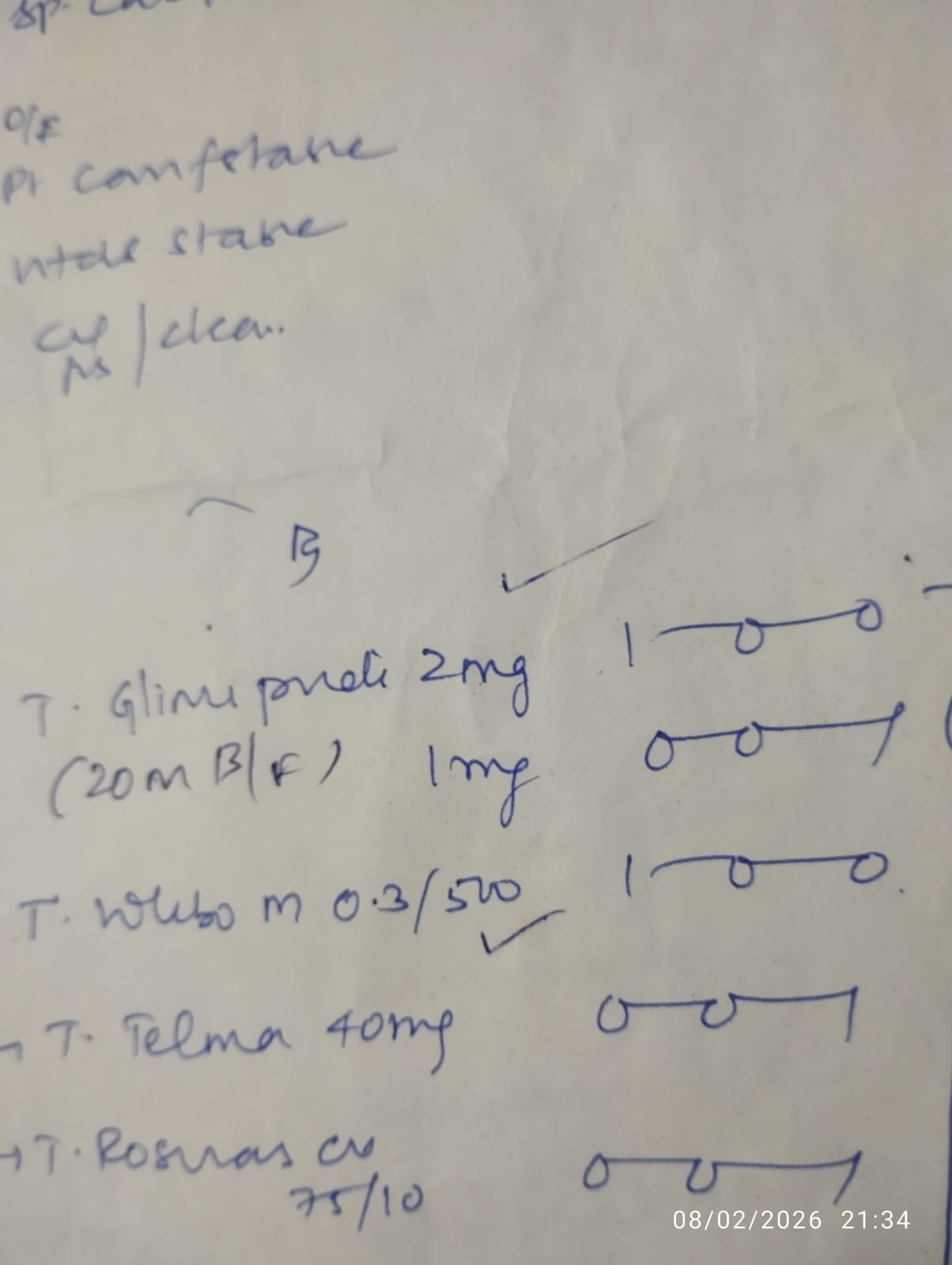
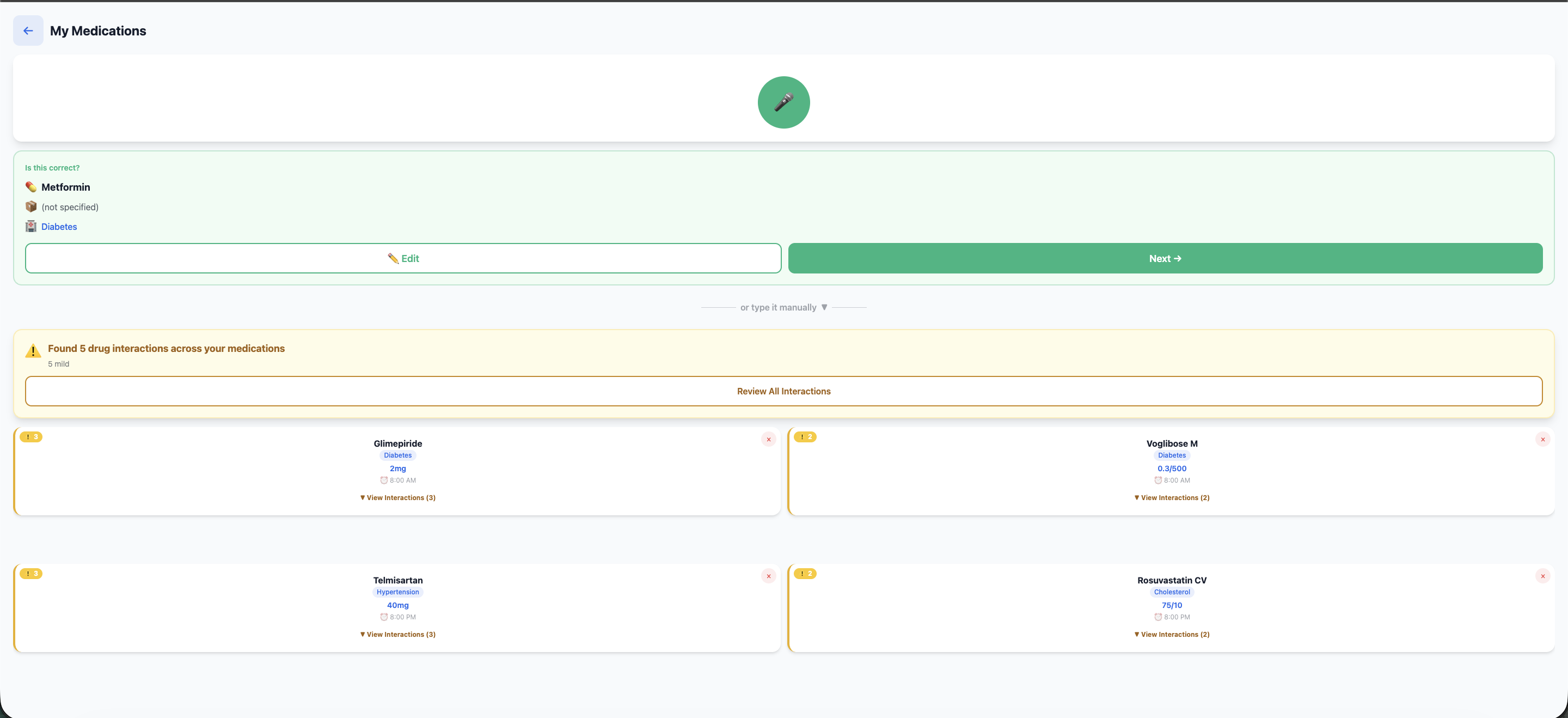
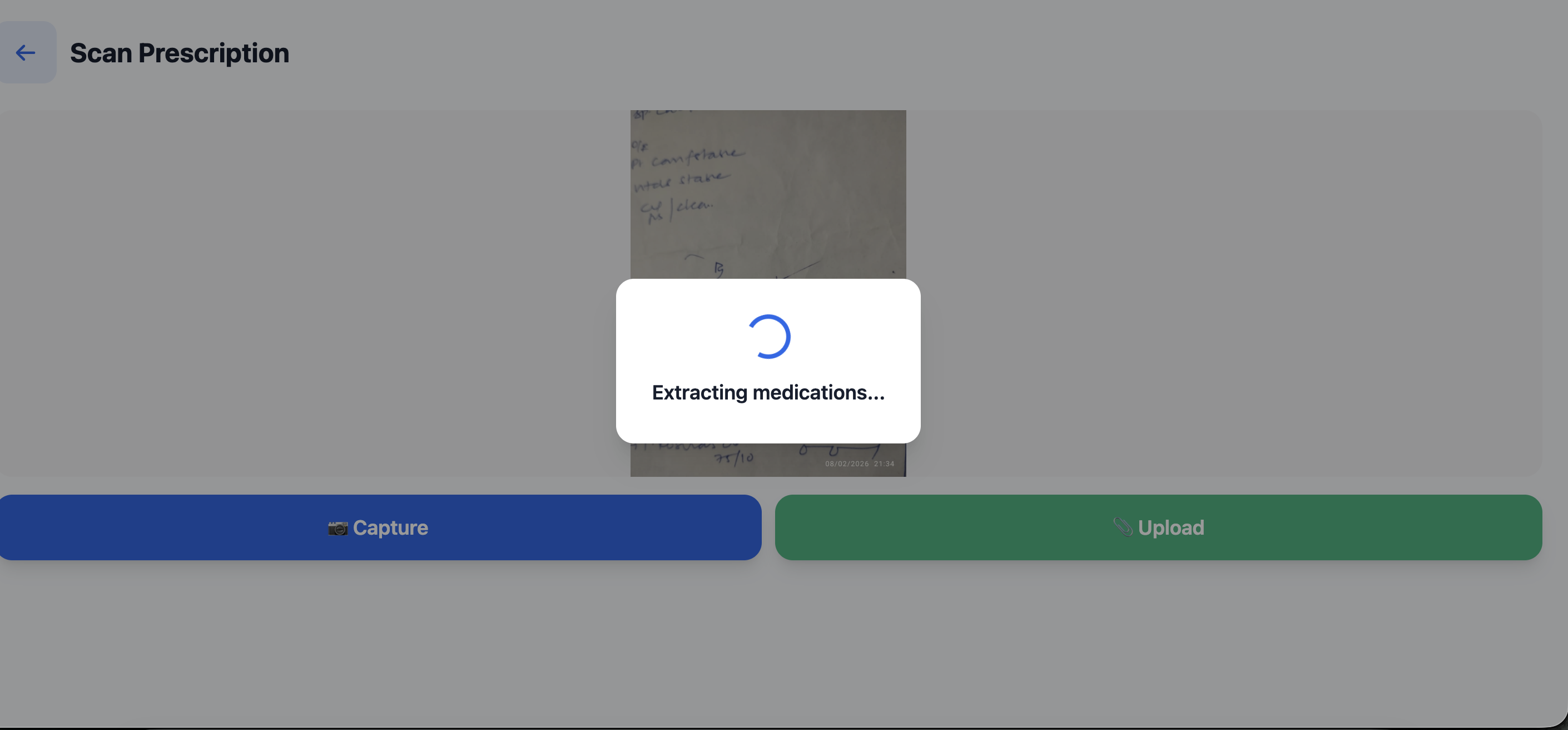
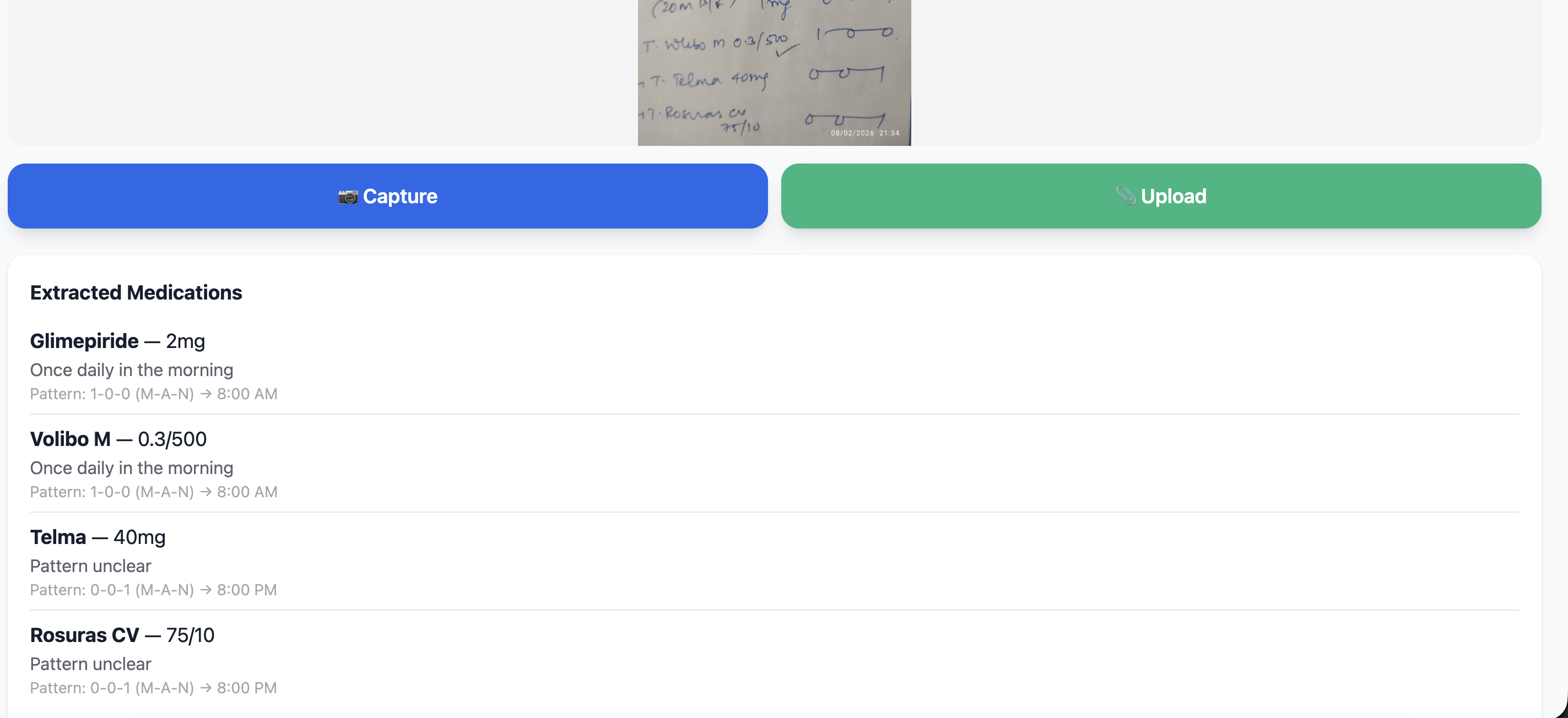
- Photograph a prescription and Claude Vision API instantly extracts medication names, dosages, and instructions with remarkable accuracy
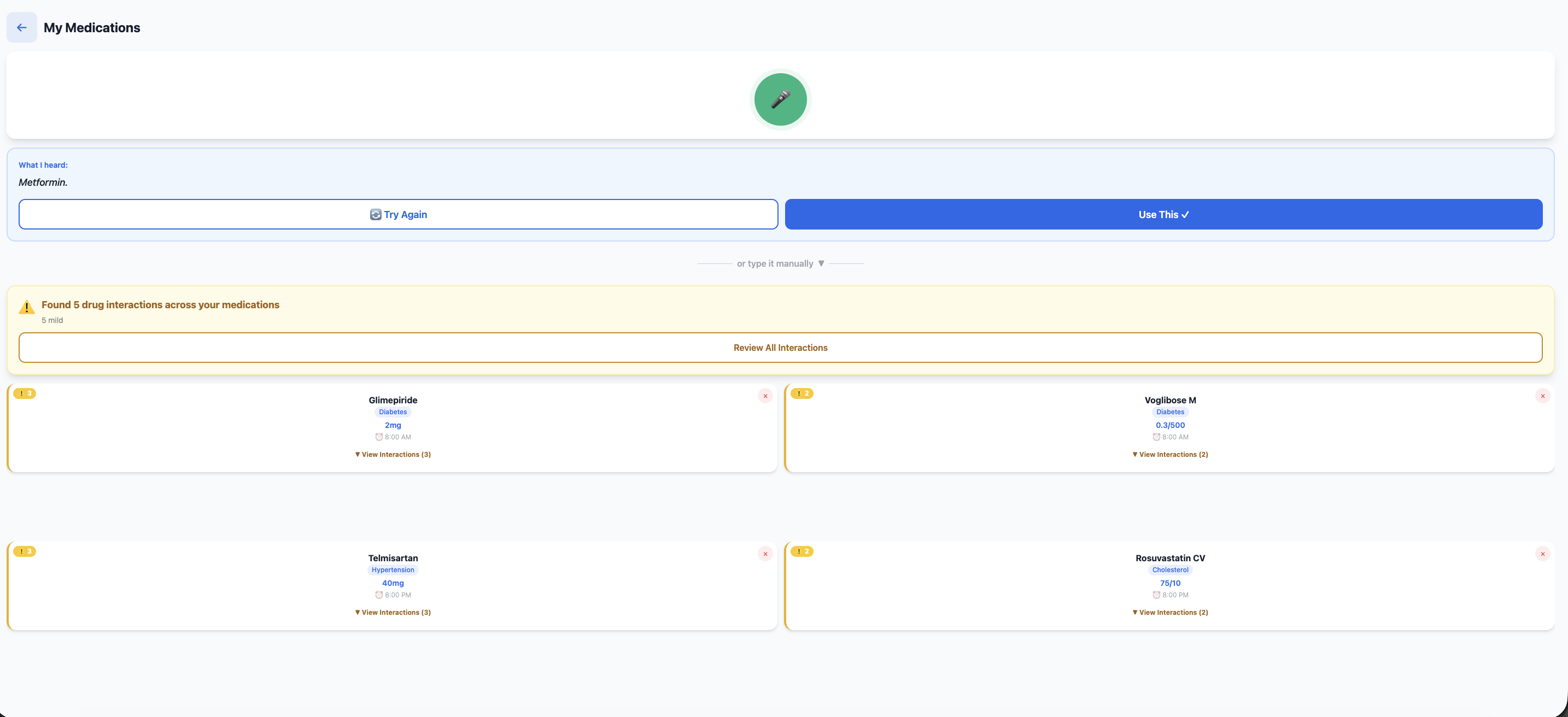
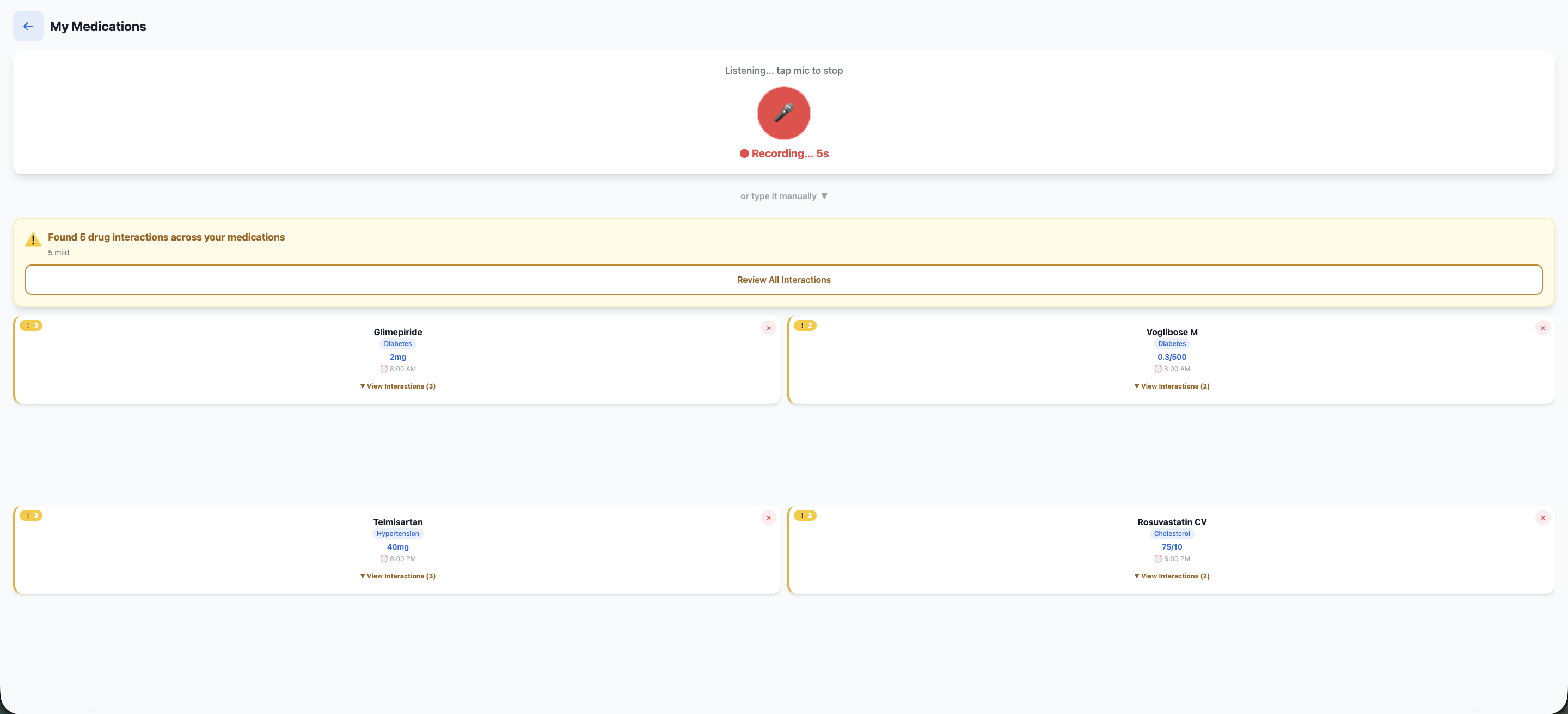
- Or speak naturally: "Metformin 500mg twice daily" and AI parses it into structured data via Deepgram
- No typing. No 30-minute manual entry. Just photo or voice.
Step 2: AI Understanding
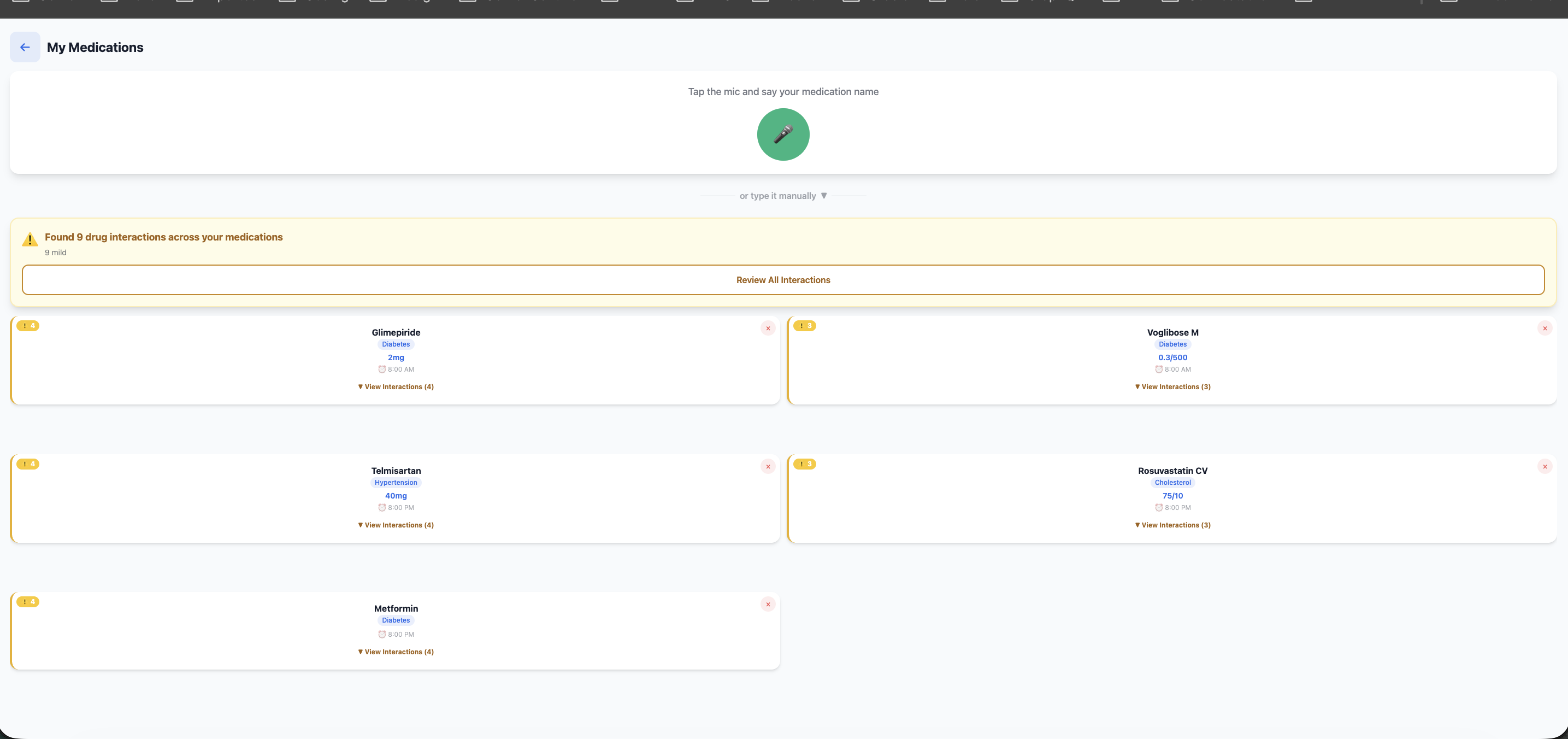
- Automatically identifies the condition each medication treats (Metformin → Diabetes, Amlodipine → Blood Pressure).
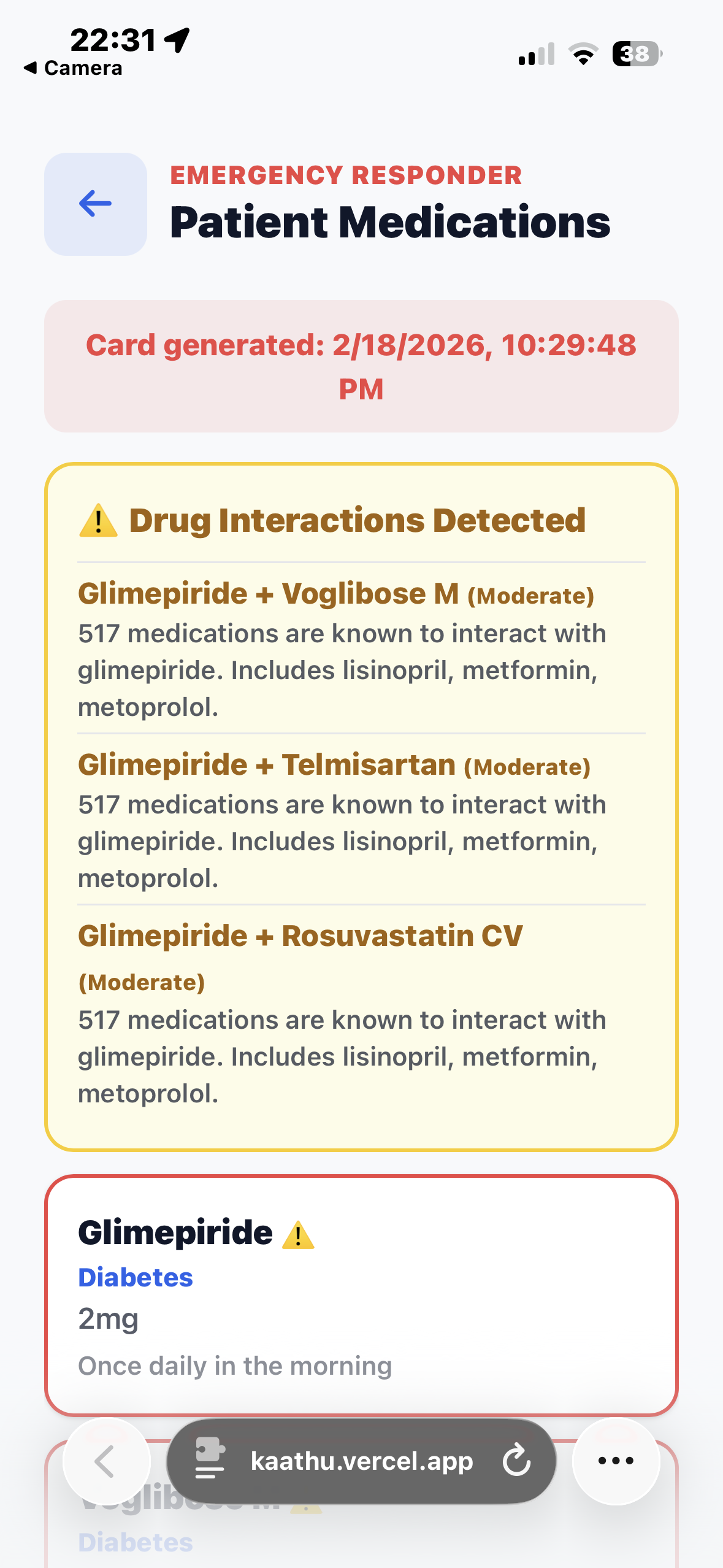
- Flags potential drug interactions with medical citations via You.com API.
- Medication list becomes a complete medical profile in seconds.
Step 3: Emergency QR Code
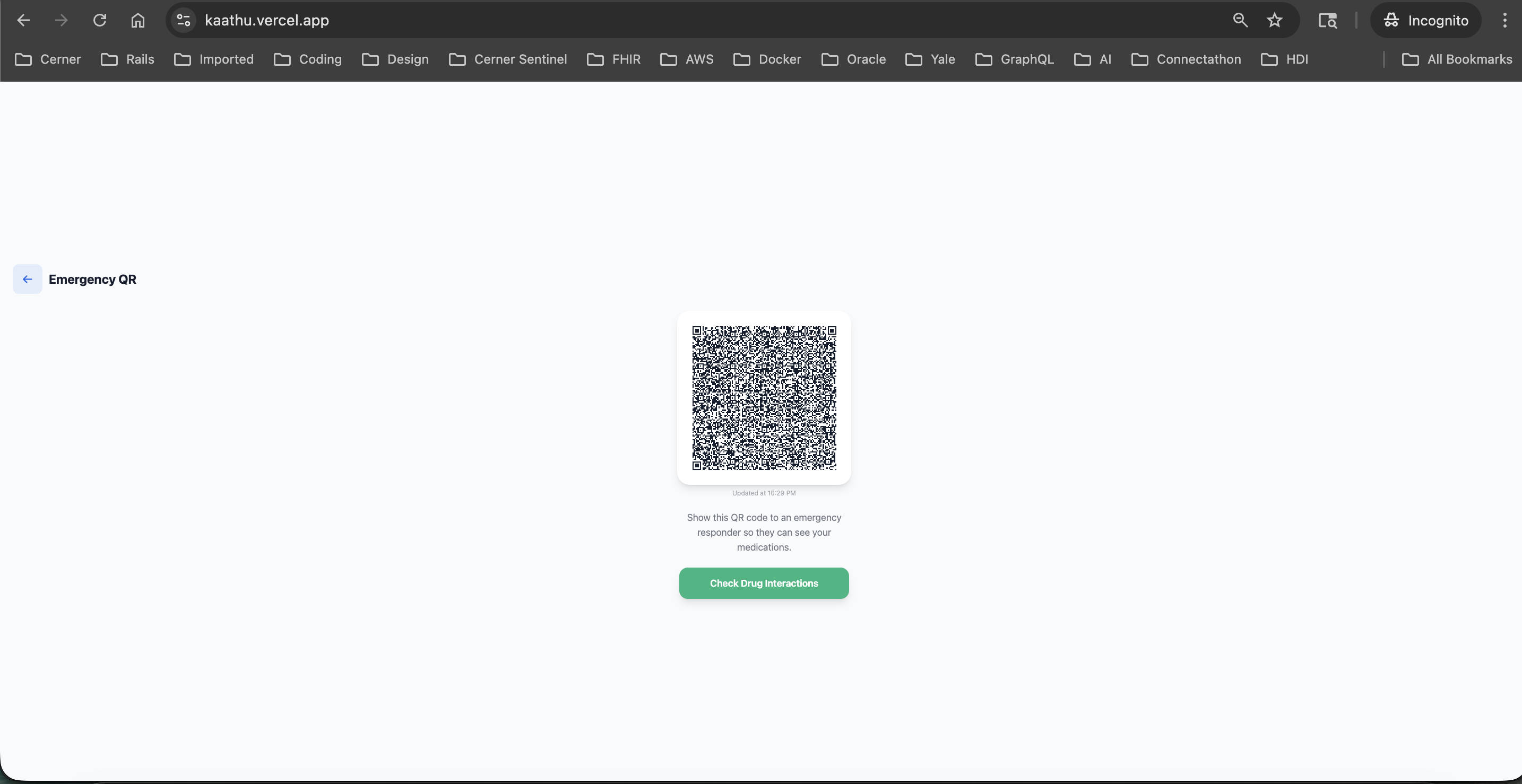
- Generates a scannable QR code containing complete medication list, conditions, and drug interactions.
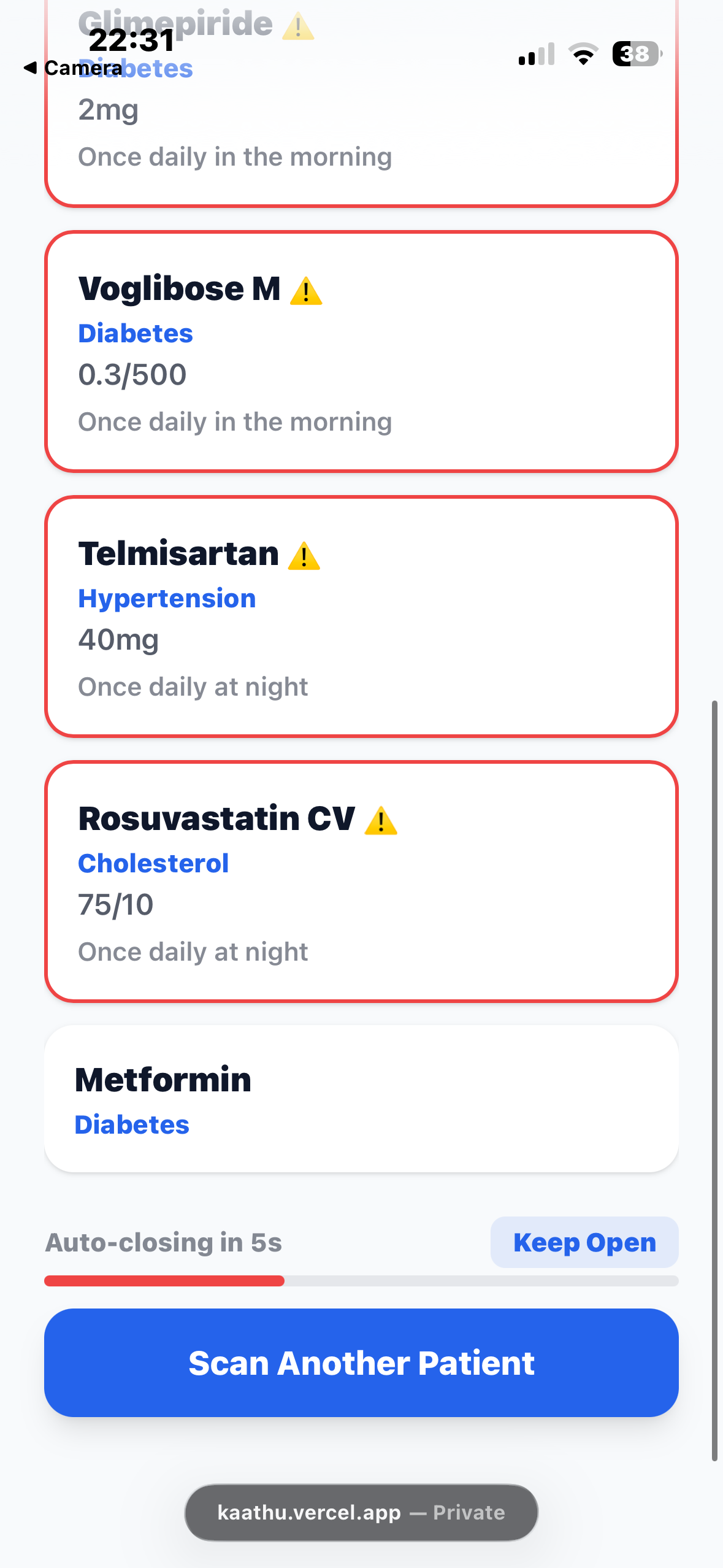
- Emergency responders scan it on any phone, no app installation needed.
- Opens instantly in browser with full patient medication profile.
- Auto-closes after 20 seconds for patient privacy protection.
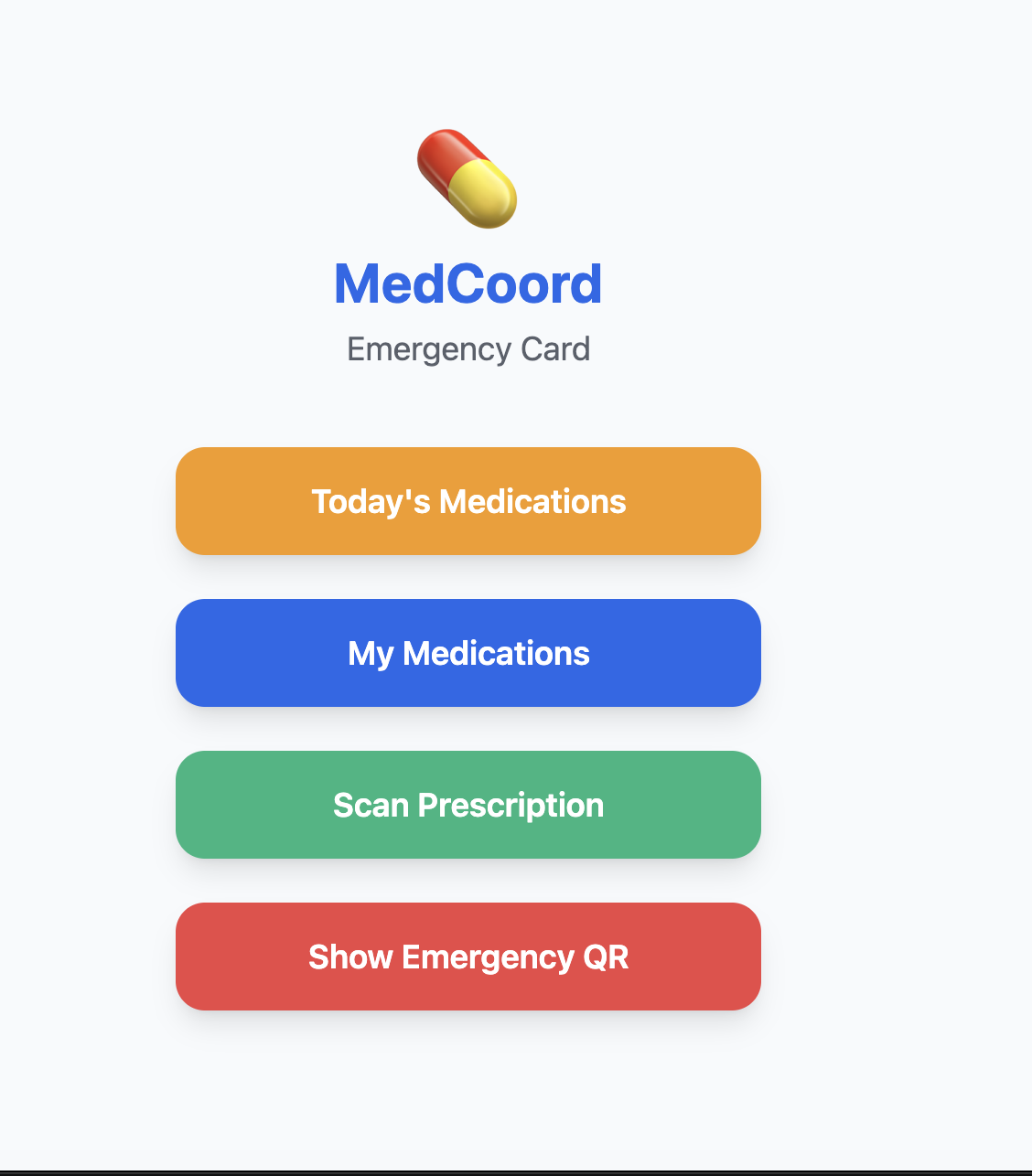
The app is built as a Progressive Web App with radical simplicity: maximum 3 buttons per screen, designed specifically for elderly users who describe medications by appearance ("the white round pill") rather than medical names.
How I built it
Technology Stack:
- Frontend: Progressive Web App using vanilla JavaScript and Tailwind CSS for maximum accessibility and performance on low-end devices common in India.
- Deployment: Vercel with serverless functions for scalability.
- AI Integration:
- Claude Vision API for prescription OCR and medication data extraction.
- Deepgram API for voice-to-text transcription with medical terminology support.
- You.com API for drug interaction checking with medical citations.
- Storage: localStorage for rapid prototyping (planning Firebase migration for multi-device sync).
- QR Code System: Dynamic QR generation with browser-based responder view and automatic session timeout.
Development Approach: Rather than building complex features, I focused on radical simplicity guided by the "maximum 3 buttons per screen" principle. User testing with my mother revealed that elderly users need the app to manage them, not the other way around.
The breakthrough was voice-first input and AI prescription scanning eliminating the 30-60 minute manual data entry that causes massive abandonment in traditional medication apps. Claude's Vision API extracts prescription data in seconds with impressive accuracy across varied formats (handwritten vs. printed, different hospital templates across India).
Key Design Decisions:
- Voice-first for elderly accessibility – Tap mic, speak medication, done
- AI condition detection – Automatically maps medications to conditions so families understand "why" each medication matters
- QR-based emergency access – Responder view loads instantly via QR scan with no app installation required, auto-closes after 20 seconds for privacy
- Progressive Web App – Works immediately on any device without app store friction
Validation Process:
- Surveyed 20+ respondents (NRI families, doctors, and caregivers).
- Conducted paper prototype testing with elderly users.
- Validated the core problem with a government hospital physician.
- Discovered that people normalize serious medication incidents but still express willingness to pay validating market need despite psychological minimization.
Challenges we ran into
Prescription OCR Accuracy: Getting Claude Vision API to reliably extract medication names, dosages, and instructions from varied prescription formats handwritten vs. printed, different hospital formats across India required careful prompt engineering to handle edge cases consistently. The breakthrough came from structuring the prompt to expect variation and provide fallback parsing strategies.
Voice Parsing for Medical Terminology: Deepgram handles conversational English well, but medication names are complex (Levothyroxine, Atorvastatin, Metformin). Tuning the voice pipeline to handle medical terminology accurately while maintaining natural speech patterns was a core technical challenge. I had to balance between medical accuracy and elderly user accessibility.
QR Responder View Architecture: Building a QR code that opens a real-time responder view on any browser with no app installation required while auto-closing after 20 seconds for patient privacy required careful session management and stateless URL design.
Designing for Cognitive Load: Testing with my mother revealed multi-screen flows fail for elderly users they forget where they are and become frustrated. The solution: consolidate everything onto single screens with maximum 3 buttons, letting the app guide the user rather than expecting active navigation. This constraint actually improved the overall UX dramatically.
Validation Psychology: Survey respondents normalized serious incidents ("Oh, medication mix-ups just happen") leading to low severity ratings. Initially this was discouraging, but recognizing that willingness to pay despite low severity was the real validation signal became a key research insight. People minimize the problem consciously while knowing it's serious subconsciously.
Balancing Features vs. Focus: With the hackathon deadline, I had to resist feature creep. The temptation was to build complex adherence tracking with streaks and gamification, but that would dilute the emergency value proposition. Instead, I kept laser-focused on the emergency use case when seconds matter and patient recall fails.
Accomplishments that we're proud of
End-to-End Emergency Workflow: Built a complete workflow from prescription photo to emergency QR code that actually works. You can photograph a prescription, have it extracted by Claude Vision API, generate a QR code, scan it on a second phone, and see the responder view load all in under 60 seconds. This isn't a concept demo; it's a functional prototype.
Prescription Scan Accuracy: Claude Vision API extracts medication data with remarkable precision across varied prescription formats. Tested with real prescriptions from multiple Indian hospitals (Apollo, Fortis, government clinics) with different handwriting styles and formats, the extraction quality exceeded expectations.
Validated Real Problem: Got confirmation from Dr. Chitra at a government hospital that 70% of elderly patients face this exact issue, this isn't a theoretical problem, it's creating actual medical emergencies. Having medical professional validation gives the project credibility beyond typical hackathon concepts.
User-Centered Design: Built something my mother can actually use. The "maximum 3 buttons per screen" principle and single-screen consolidation came from real testing with elderly users, not assumptions. This constraint forced better design decisions throughout.
Privacy-First Emergency Access: The 20-second auto-close on the responder view balances emergency access with patient privacy responders get what they need but the session doesn't stay open indefinitely on someone's phone.
Market Validation: 18 million NRI families represent a massive underserved market with validated willingness to pay. The problem has been validated through surveys, medical professional interviews, and personal experience. This is a real business opportunity, not just a hackathon project.
What I learned
AI as Accessibility Enabler: The real power of Claude Vision API isn't just OCR, it's eliminating barriers that cause user abandonment. Reducing setup time from 30 minutes to 2 minutes fundamentally changes who can use the app. AI isn't about replacing humans; it's about making technology accessible to populations who've been left behind by complex interfaces.
Constraint-Driven Design: The "maximum 3 buttons per screen" constraint initially felt limiting but actually forced better design decisions. Every feature had to justify its presence. Most features couldn't. The result is an app that's dramatically simpler and more usable than my initial vision.
Emergency-First vs. Adherence-First: Most medication apps focus on daily adherence (streaks, reminders, gamification). Kaathu focuses on the emergency scenario where patient recall fails completely. This design inversion making the emergency responder the primary user rather than the patient opens up a different solution space entirely.
Validation Psychology: People normalize serious problems ("medication mix-ups just happen") but their behavior (willingness to pay) reveals the truth. Don't be discouraged by low severity ratings if payment intent exists. They know it's serious even if they downplay it verbally. Look at what people do, not just what they say.
Voice + Vision = Game Changer: The combination of voice input and prescription scanning isn't novel individually, but together they eliminate the onboarding barrier that killed every previous medication app for elderly users. The technology to solve this problem only became accessible in 2025-2026 with Claude Vision API and improved voice recognition.
Personal Stories Matter: The hackathon deadline forced focus, but the personal narrative (my mother nearly dying, managing aging parents across continents) made the problem visceral and relatable. Judges and users respond to authentic stories, not feature lists. Leading with the "blue pill problem" frames everything that follows.
Build for One User First: I built this for my mother specifically. Her feedback shaped every design decision. That specificity made the app better for the broader market. Building for "elderly users in general" would have produced something generic and useless. Building for one specific elderly user produced something genuinely valuable.

Log in or sign up for Devpost to join the conversation.