-
-
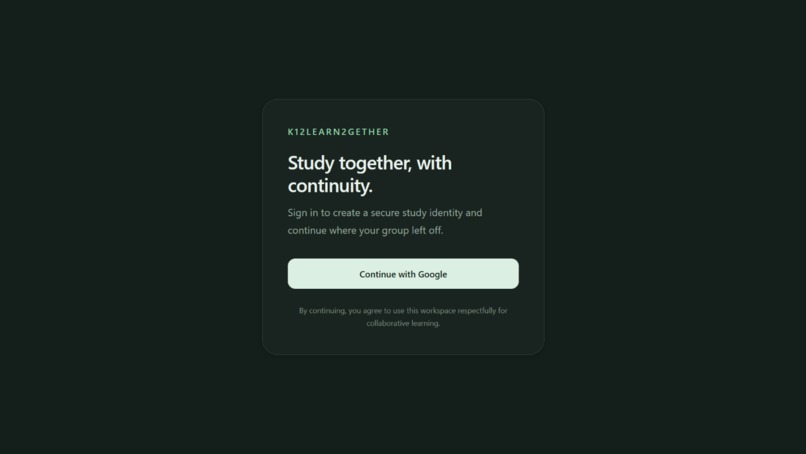
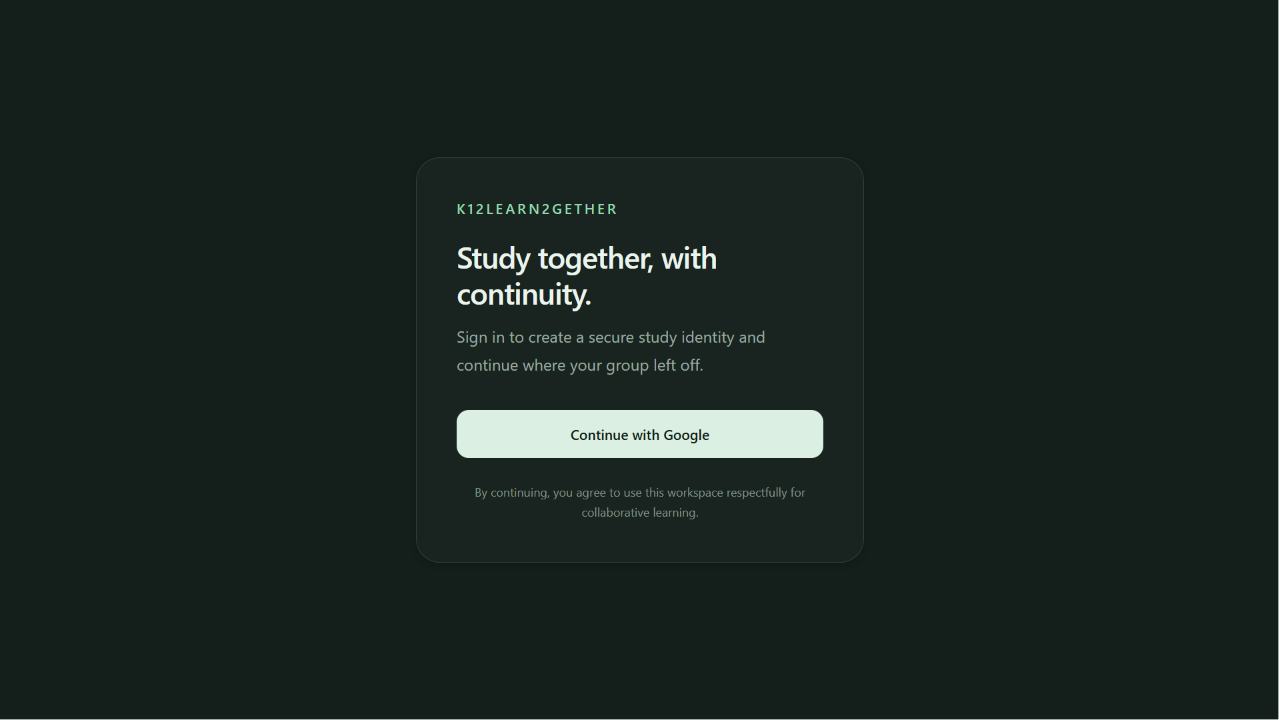
sign up
-
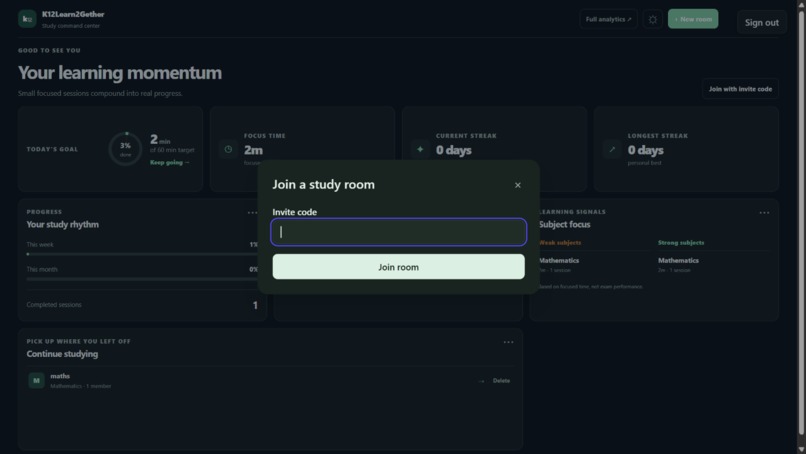
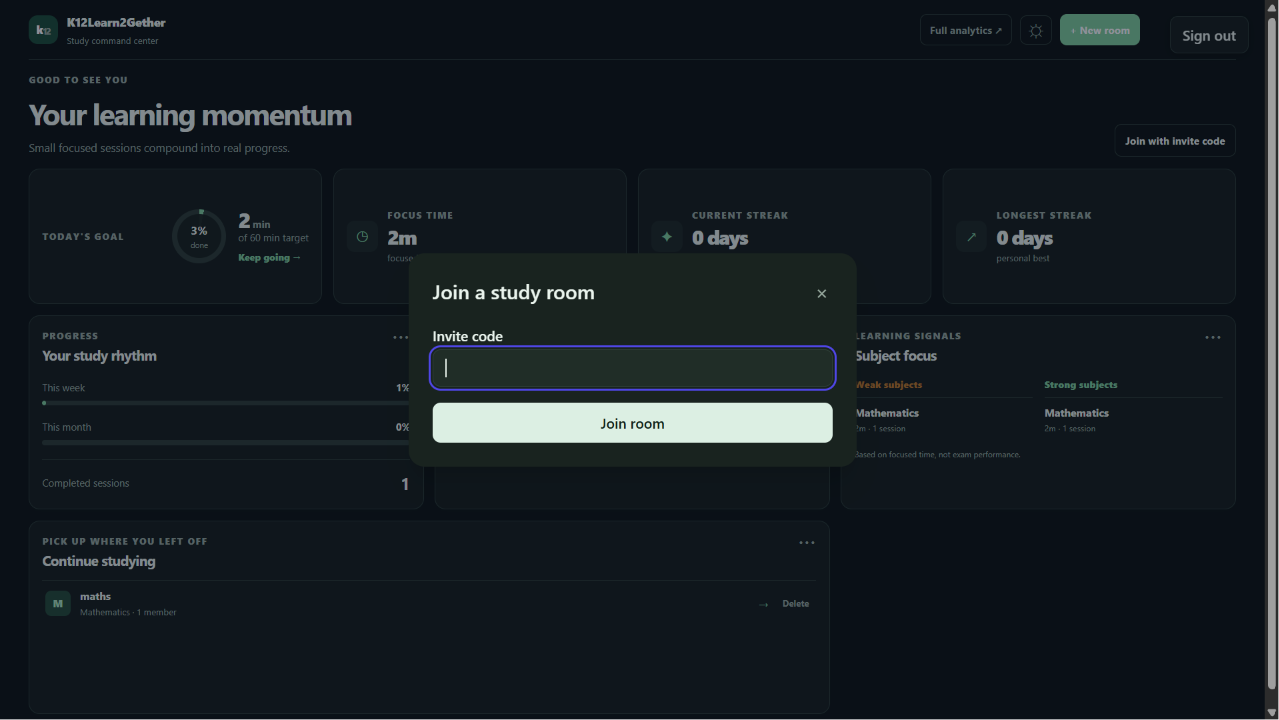
creating new room
-
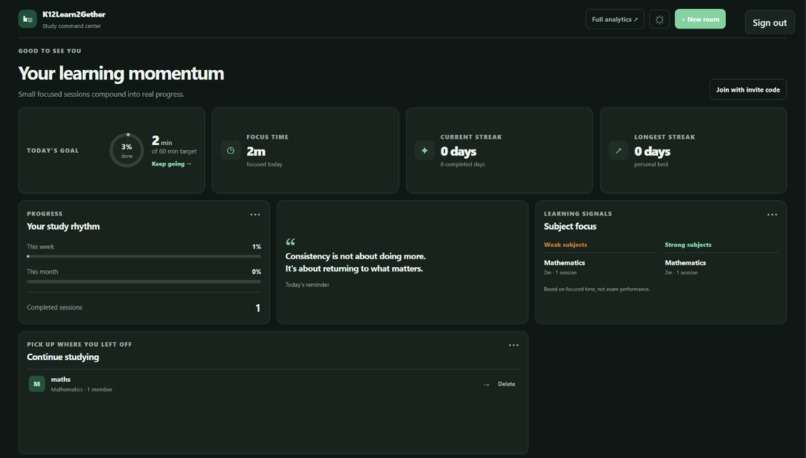
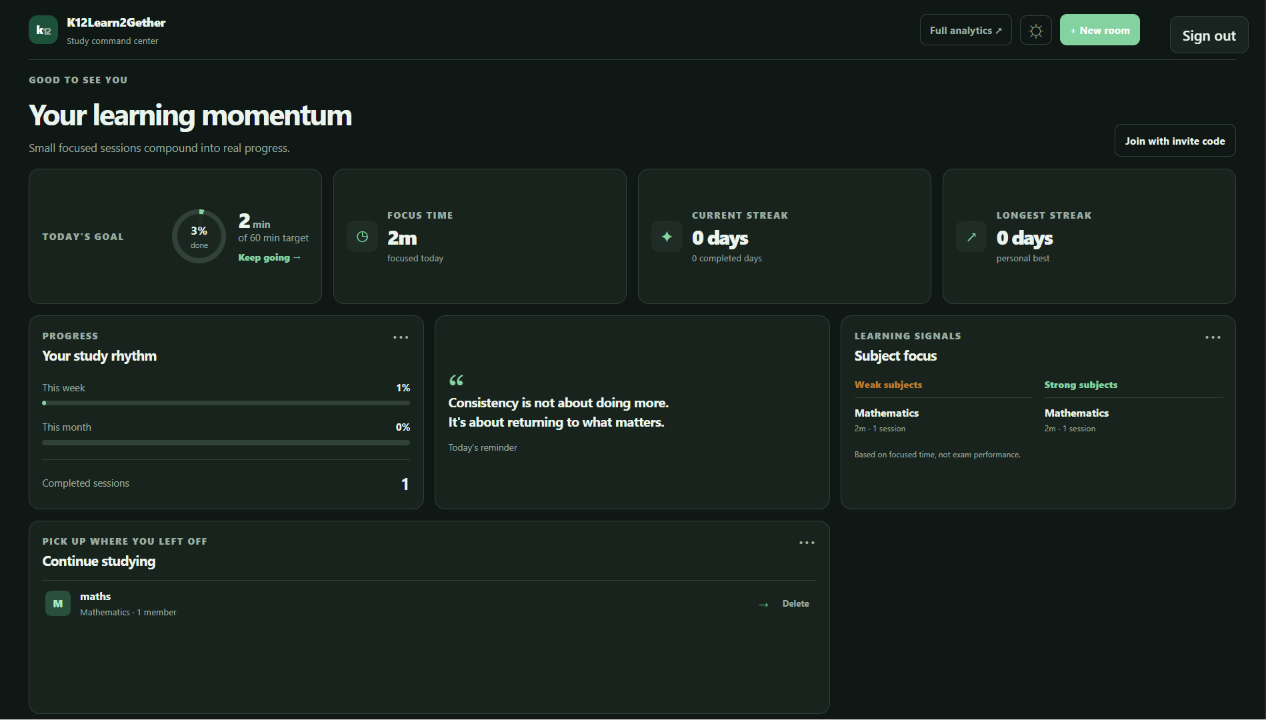
dashboard
-
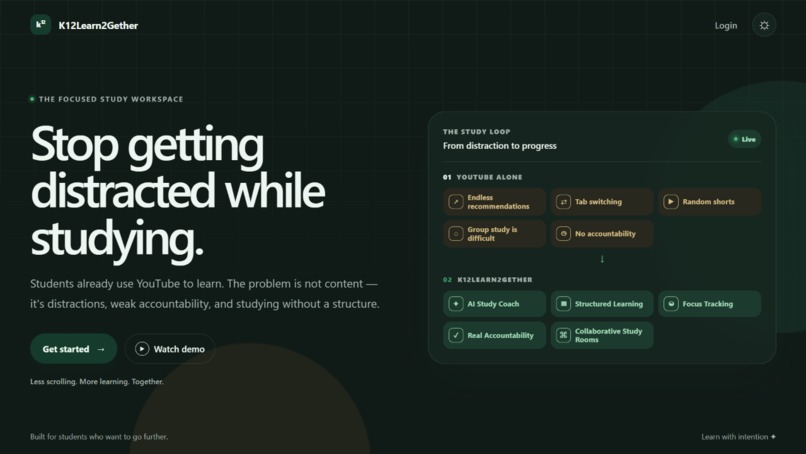
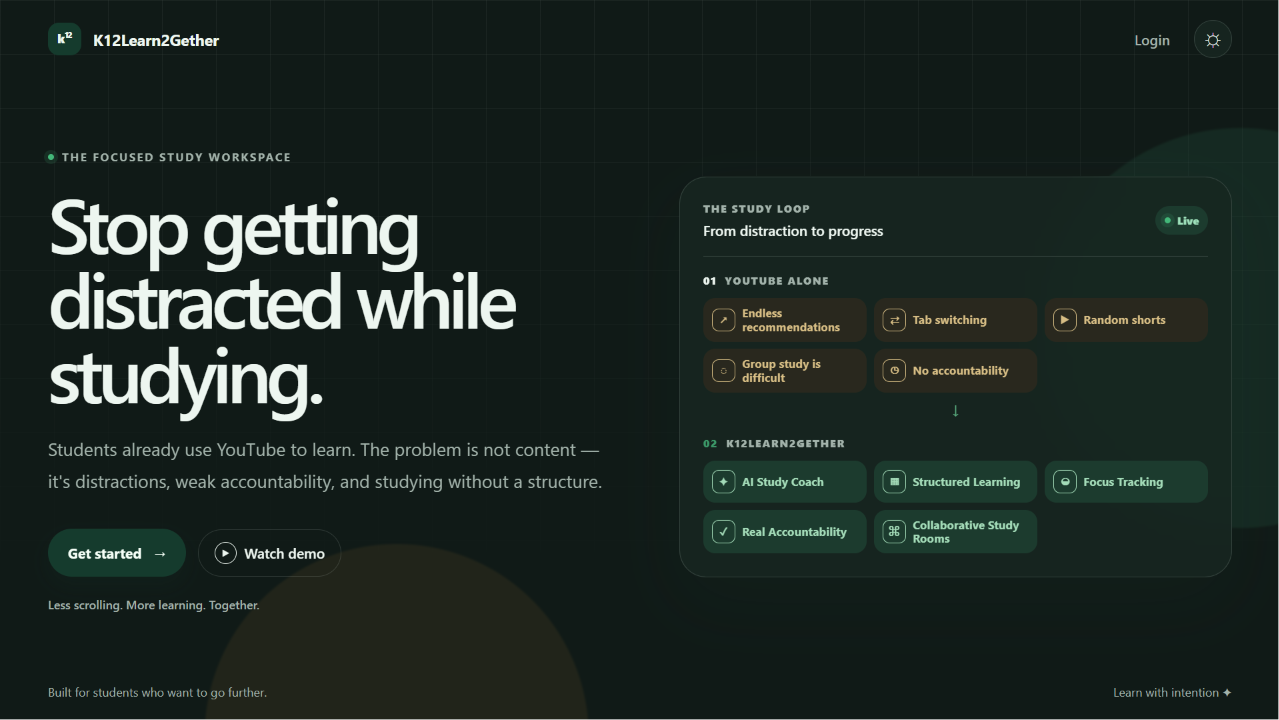
home page
-
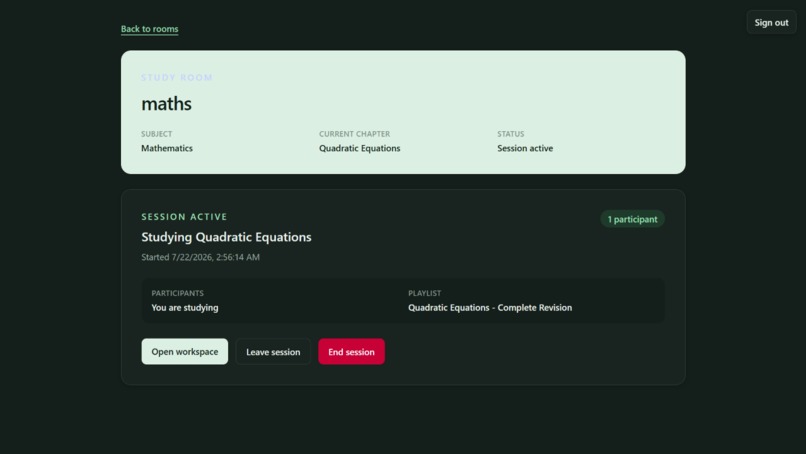
workspace
-
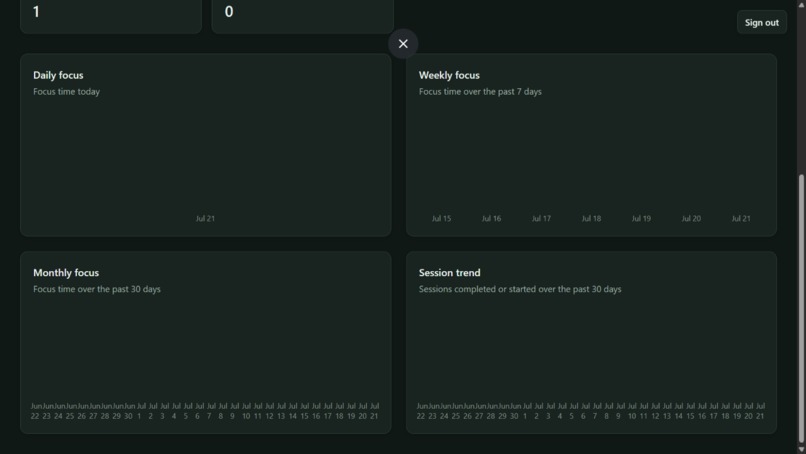
analytics
-
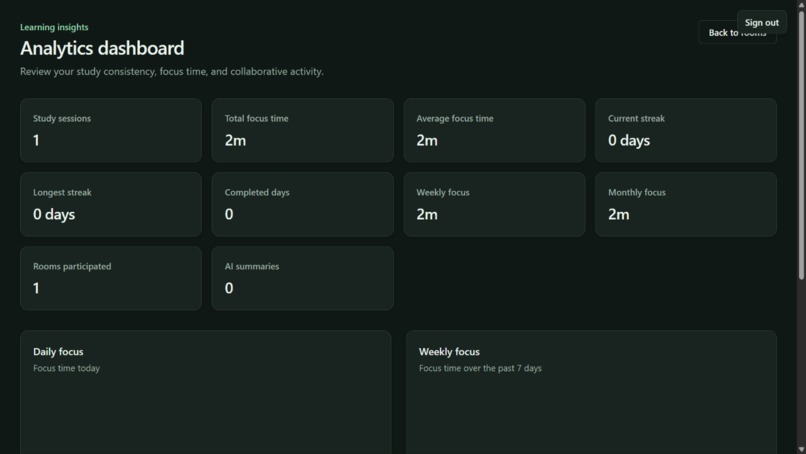
analytics
-
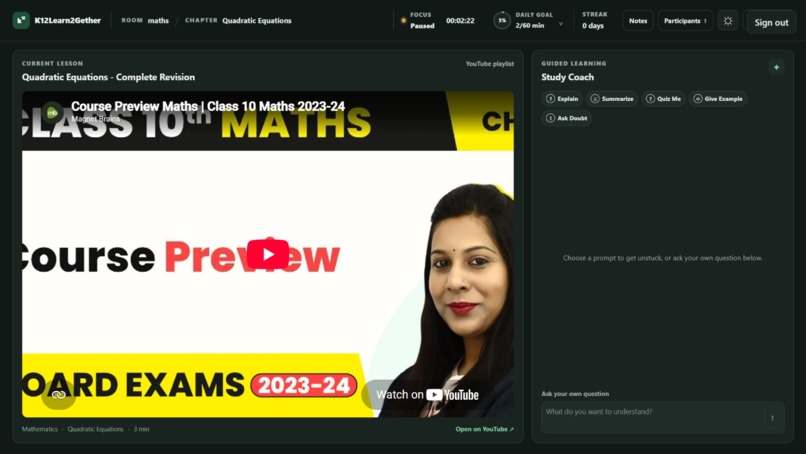
workspace
## Inspiration
What it does Inspiration
When I was in school, I relied heavily on YouTube to prepare for exams because it provides access to some of the best teachers and educational content for free. However, every study session followed the same pattern. I would start watching a lecture, get distracted by recommended videos, switch to messaging apps to discuss doubts with friends, open another application for notes, and eventually lose focus.
As I spoke with other students, I realized this wasn't just my experience. Students don't actually have a content problem—they already have access to excellent educational resources. The real problem is that the platforms we use every day were never designed for focused, collaborative learning.
That inspired me to build K12Learn2Gether a platform that transforms YouTube into a structured, distraction-aware learning environment where students can study together, stay accountable, and build consistent learning habits.
K12Learn2Gether Students don't need more educational content. They need a better environment to learn.
K12Learn2Gether is a collaborative study workspace built around the educational content students already trust.
Instead of replacing YouTube, teachers, or online courses, it helps students learn with greater focus, accountability, and collaboration by bringing study rooms, shared AI assistance, focus tracking, daily goals, and learning analytics into a single workspace.
The goal isn't to create another learning platform.
The goal is to help students stay consistent while learning from the resources they already use every day.
Why I Built K12Learn2Gether This project started with a problem I experienced during my own school years.
Like many students, most of my learning happened on YouTube. The quality of the educational content was excellent, and I could always find multiple teachers explaining the same topic in different ways.
The problem was never finding good content.
The problem was staying focused long enough to actually learn.
A typical study session looked something like this:
Open YouTube to watch a lecture. Notice a recommended video. Reply to a message. Switch to another tab for notes. Open a group chat to ask a question. Lose focus and spend more time switching between apps than actually studying. By the end of the session, I had spent hours at my desk but learned far less than I intended.
As I spoke with classmates and friends, I realized this wasn't just my experience. Many students already had access to excellent educational resources, yet they still struggled to study consistently.
That led me to a simple realization.
Students don't need more educational content.
They need a better environment to learn.
That idea became the foundation of K12Learn2Gether.
Why Existing Solutions Don't Fully Solve the Problem YouTube YouTube has become one of the best learning platforms available today.
Students have access to thousands of high-quality lectures from experienced teachers, often for free. The ability to compare different teaching styles and explanations makes it an incredible educational resource.
However, YouTube was designed for discovering and consuming videos, not for helping students build consistent study habits.
During a typical study session, students often switch between lectures, recommendations, notes, messaging apps, and search results. Over time, these small interruptions make it difficult to stay focused and maintain a structured learning routine.
The challenge isn't the quality of the content.
The challenge is the environment in which students consume it.
Online Courses Online courses provide structured learning paths and are often taught by experienced educators.
They work well for students who want a guided curriculum from a specific instructor.
However, many students still return to YouTube because they prefer learning from multiple teachers. Different educators explain concepts differently, and switching perspectives is often an important part of understanding difficult topics.
Many premium courses also require paid subscriptions, making them less accessible for every student.
Communication Platforms Applications like Discord, WhatsApp, and Telegram make it easy for students to communicate with each other.
But communication is different from collaborative learning.
A study group usually starts with good intentions, but conversations often drift toward unrelated topics. As discussions become less focused, students end up spending more time chatting than studying.
These platforms were built to keep conversations flowing.
K12Learn2Gether was built to keep learning moving forward.
AI Chatbots Modern AI assistants are excellent at answering questions, explaining concepts, and helping students understand difficult topics.
However, opening a separate AI chat creates another context switch during a study session.
Students constantly move between their lecture, their notes, their messaging platform, and their AI assistant.
The result is a fragmented learning experience where every tool works independently.
K12Learn2Gether brings these interactions into a single study workspace, allowing AI to support the learning process without becoming another distraction.
Why a Shared AI Study Coach Instead of a Group Chat? One of the biggest design decisions in K12Learn2Gether was intentionally not adding a traditional group chat.
At first, a normal chat seemed like the obvious choice for collaborative learning. Students could discuss problems, ask questions, and communicate with each other.
However, after thinking about how online study groups usually work, I realized something.
The problem wasn't communication.
The problem was staying focused.
Most online study groups begin with the intention of studying together, but over time the conversation naturally shifts away from the lesson. A discussion about mathematics quickly becomes a discussion about exams, then sports, then memes, and eventually the study session loses its purpose.
Instead of building another messaging platform, I wanted every discussion to remain connected to learning.
That's why each study room uses a Shared AI Study Coach instead of a traditional chat.
Students ask questions to a single shared AI assistant that everyone in the room can see and learn from. Rather than having multiple private conversations, the entire group collaborates around one shared learning context.
This approach provides several advantages:
Discussions remain focused on the current lesson. Every participant benefits from the same explanations. Students can continue building on previous questions instead of repeating them. The AI becomes part of the collaborative learning experience instead of replacing it. This design also improves efficiency.
Since every participant shares the same AI conversation, duplicate requests are reduced compared to every student maintaining their own separate AI chat. This helps lower API usage while creating a more consistent learning experience for the entire group.
The goal wasn't to replace discussion.
The goal was to create a learning environment where discussion naturally stays centered around learning.
Building Better Study Habits One question guided the design of K12Learn2Gether from the beginning:
How do we encourage students to study consistently instead of simply spending more time online?
Many productivity applications reward activity.
Open the app.
Start a timer.
Keep it running.
Earn another streak.
The problem is that time spent inside an application doesn't always represent time spent learning.
A student can leave a timer running while checking social media, watching unrelated videos, or walking away from their desk. The application records a productive study session, even though very little learning actually happened.
I wanted the metrics inside K12Learn2Gether to represent genuine study behaviour rather than passive screen time.
Focus Tracking When a student starts a study session, the focus timer begins tracking active learning time.
If the student leaves the study workspace or switches to another browser tab, the focus session pauses automatically. When they return, they can continue from where they left off.
This creates a more realistic picture of how much focused learning actually took place during the session.
The goal isn't to monitor students.
The goal is to make progress tracking meaningful.
Daily Goals Long study sessions often feel productive, but they are difficult to maintain every day.
Instead of encouraging students to study for unrealistic amounts of time, K12Learn2Gether encourages them to define achievable daily goals.
Completing a realistic goal every day builds a stronger learning habit than studying for several hours once and skipping the rest of the week.
Streaks That Mean Something Many applications increase a streak simply because the user opened the app.
K12Learn2Gether takes a different approach.
A streak grows only after the student completes their daily study goal.
This rewards consistency rather than attendance and encourages students to build sustainable study habits over time.
By combining focus tracking, daily goals, and meaningful streaks, the platform measures learning habits instead of application usage.
How K12Learn2Gether Works K12Learn2Gether wasn't designed as a collection of independent features.
Every part of the platform supports a single learning workflow—from joining a study session to reviewing progress after it ends.
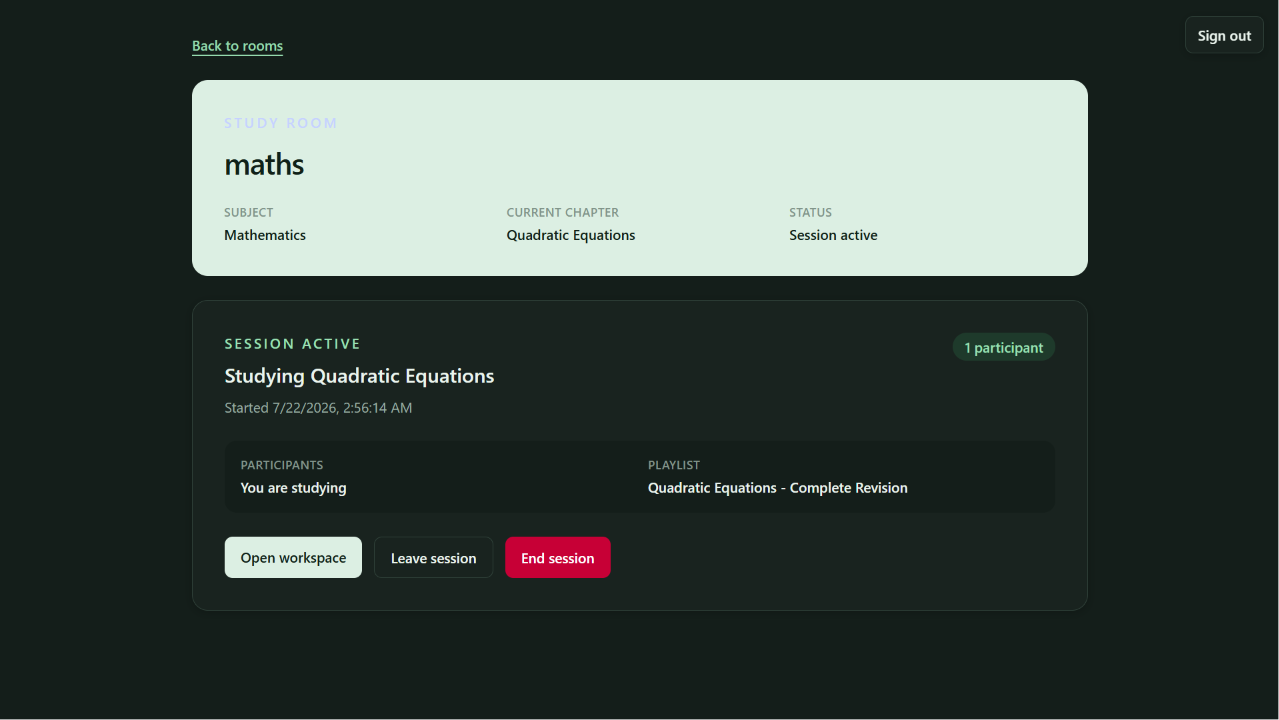
- Join the Workspace Students sign in using their Google account and either create a new study room or join an existing one using an invite code or invite link.
Each room becomes a dedicated space where a group can continue learning together over multiple study sessions.
- Choose What to Study Instead of searching for content during every session, the room follows a structured learning path.
Students select their board, class, subject, chapter, and an optional curated learning resource before the session begins.
Everyone studies the same topic together, reducing confusion and keeping the group aligned.
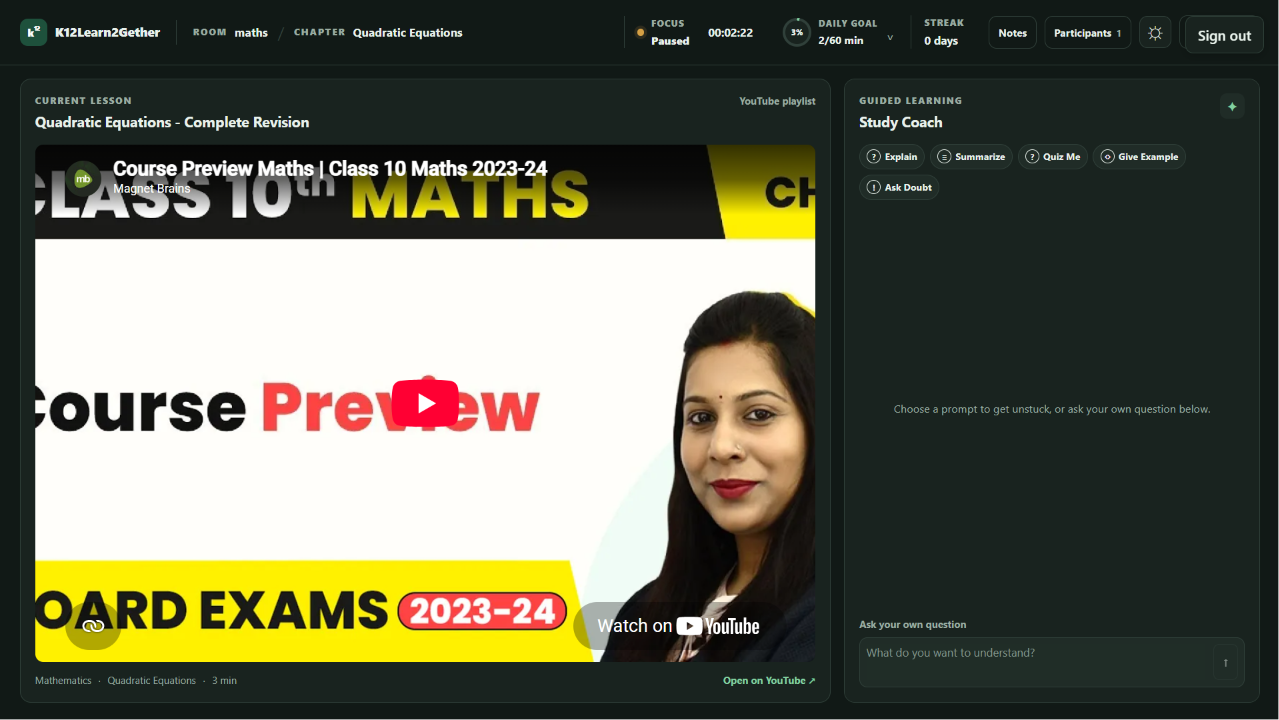
- Learn Together Once the session starts, the study workspace brings everything into one place.
Students can:
collaborate inside the same study room, write shared notes, ask questions to the Shared AI Study Coach, stay synchronized around the same lesson, and continue learning without constantly switching between different applications. Rather than opening separate tools for communication, notes, AI assistance, and study resources, everything happens inside a single workspace.
- Stay Focused While the study session is active, each student can track their personal focus time.
If they leave the study workspace or switch to another browser tab, the focus timer pauses automatically until they return.
This helps ensure that recorded focus time represents actual learning rather than simply keeping the application open.
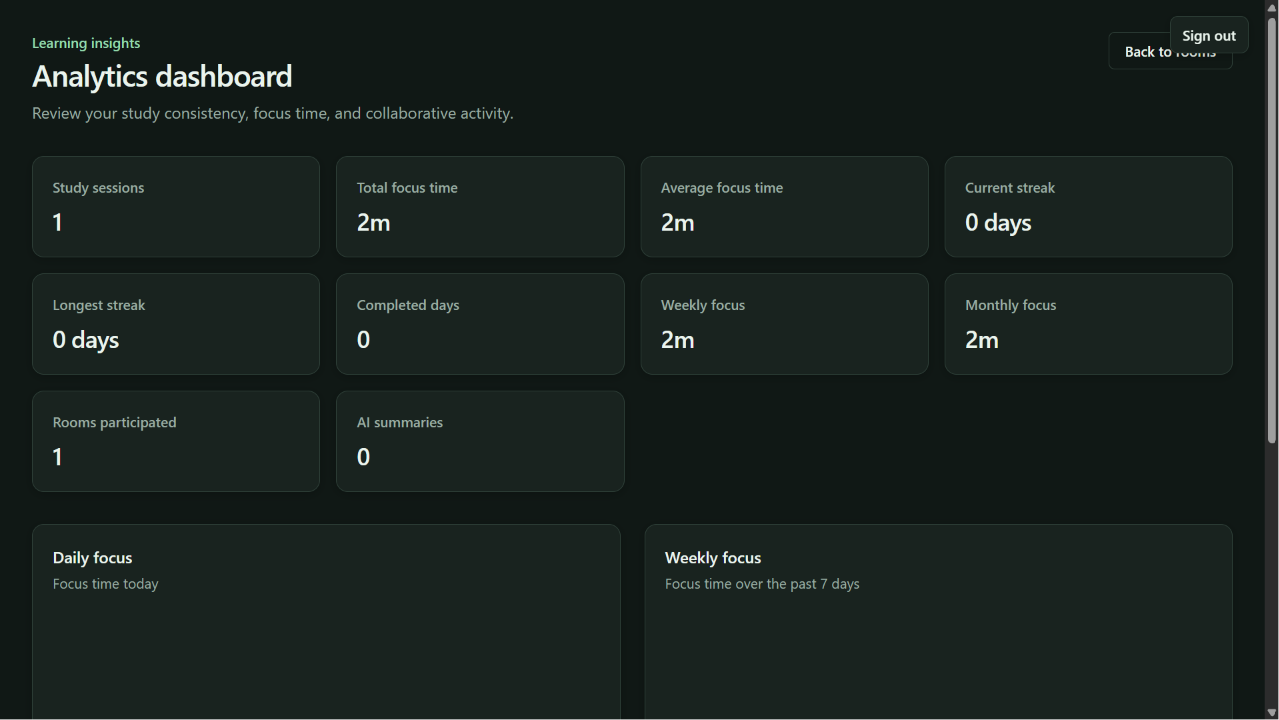
- Review Progress When the study session ends, students can review their learning progress through analytics.
The dashboard provides insights such as:
focus time, completed study sessions, current streak, learning consistency, and AI-generated session summaries. Instead of simply showing how long a student used the application, these insights help students understand how they are developing their study habits over time.
Project Overview K12Learn2Gether is a collaborative study workspace for small-group learning. Students can create or join study rooms, start a shared session around a curriculum chapter, work together in shared notes, track personal focus, and use session-aware AI assistance. Completed sessions can be summarized and retained as room memory.
Problem Statement Collaborative study often loses context between sessions. Notes, resources, participation, focus time, and follow-up topics are spread across separate tools, making it difficult for a group to resume productive work or understand what needs attention next.
Our Solution K12Learn2Gether keeps the study flow in one authenticated workspace. A room is associated with board, class, and subject metadata. Members select a chapter and optional curated resource, start a session, collaborate in notes, track focus, ask contextual questions, and generate a summary when the session ends.
Key Features Firebase Authentication with protected application routes. Study rooms with invite codes and invite links. Board → class → subject → chapter → resource selection. One active study session per room. Participant join, leave, and session completion flows. Shared, auto-saving workspace notes. Personal focus timer with manual and hidden-tab interruption tracking. Session-aware AI chat and completed-session summaries. Analytics dashboard for focus, sessions, participation, streaks, and AI summaries. Server-side validation and authorization for protected operations. AI Features The AI layer is server-only and uses the generic AiProvider interface with Groq as the production provider. OpenAI is not required at runtime.
Implemented AI capabilities:
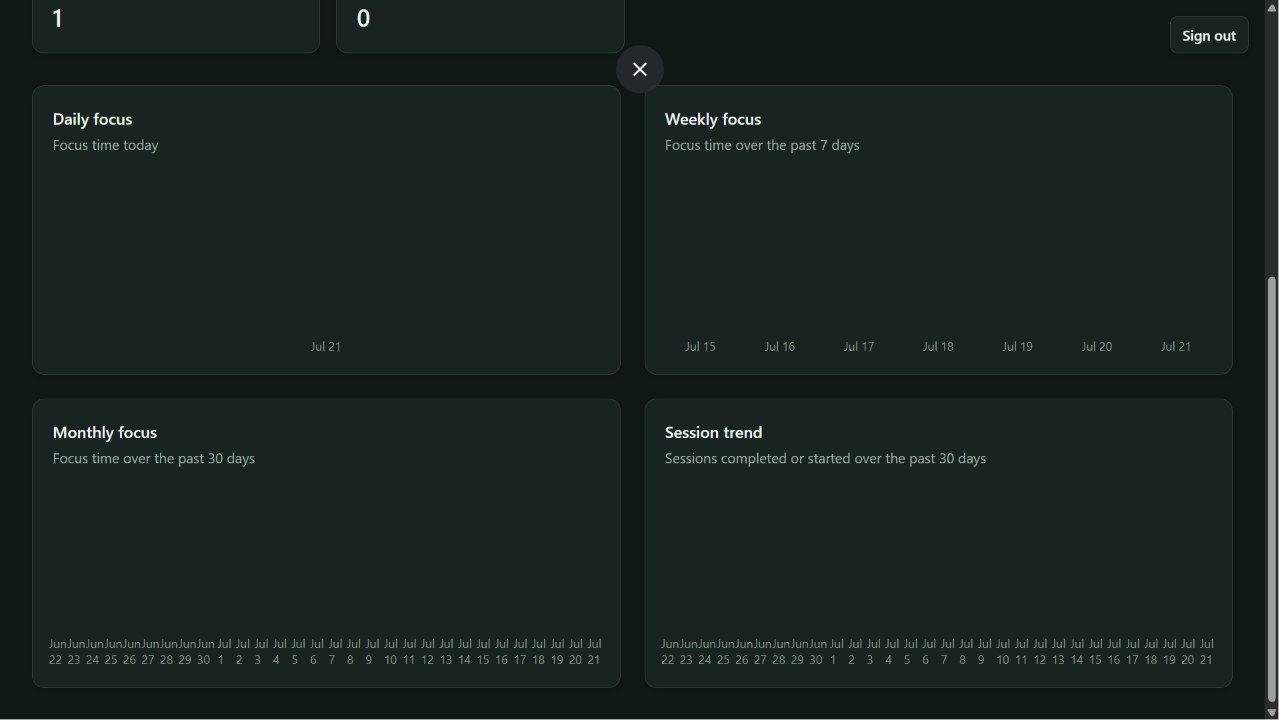
Ask questions about an active study session as a participant. Generate one summary for a completed session. Use chapter, selected resource, shared notes, room memory, and focus information as prompt context. Return structured JSON responses validated by application schemas. Persist completed-session summaries as room memory for future context. Analytics The protected /analytics dashboard computes analytics in one server-side analyticsService execution from existing repositories. It returns separate typed metrics and charts sections.
Displayed metrics include:
Total and average focus time. Total study sessions. Current and longest focus streak. Weekly and monthly focus. Distinct room participation. Generated AI summaries. Charts cover daily focus, weekly focus, monthly focus, and session trend. Historical sessions are recovered where existing session participation or focus-record links make them available; records that no longer contain historical participation cannot be reconstructed without changing the schema.
Study Workspace The workspace combines:
Room and chapter context. The selected curated resource. Collaborative notes with automatic saving and save status. Current participants. Personal focus controls. The session-aware study assistant. Room Collaboration Authenticated users can create rooms, join by invite code or link, see member counts, and open a room session. Room owners can delete rooms; deletion cascades associated sessions, focus records, AI messages, memory, notes, snapshots, and related records through the server service layer.
Focus Engine Focus tracking is implemented as a reusable service rather than component-only timer logic. It supports start, pause, resume, and end transitions; records focused and paused duration; stores bounded interruption history; records transition reasons; pauses when a tab is hidden; resumes when visible where appropriate; and safely finalizes active records when a participant leaves or a session ends.
Built With
- ai
- api
- authentication
- codex
- collaborative
- css
- education
- firebase
- firestore
- gpt-5.6
- learning
- next.js
- openai
- react
- tailwind
- typescript


Log in or sign up for Devpost to join the conversation.