-
-
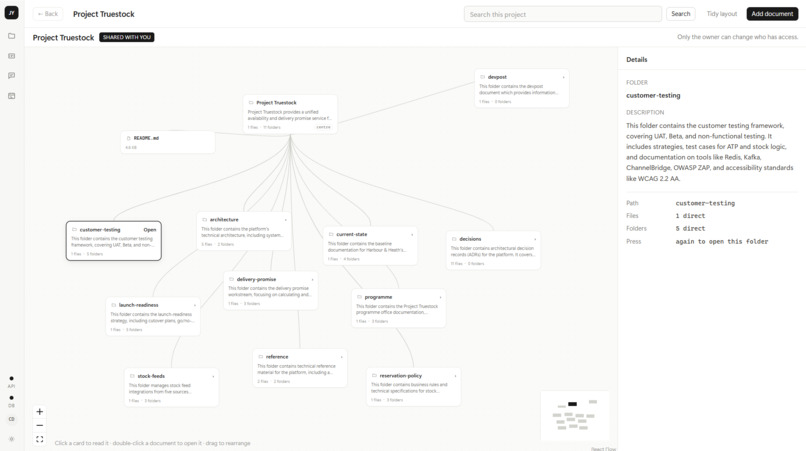
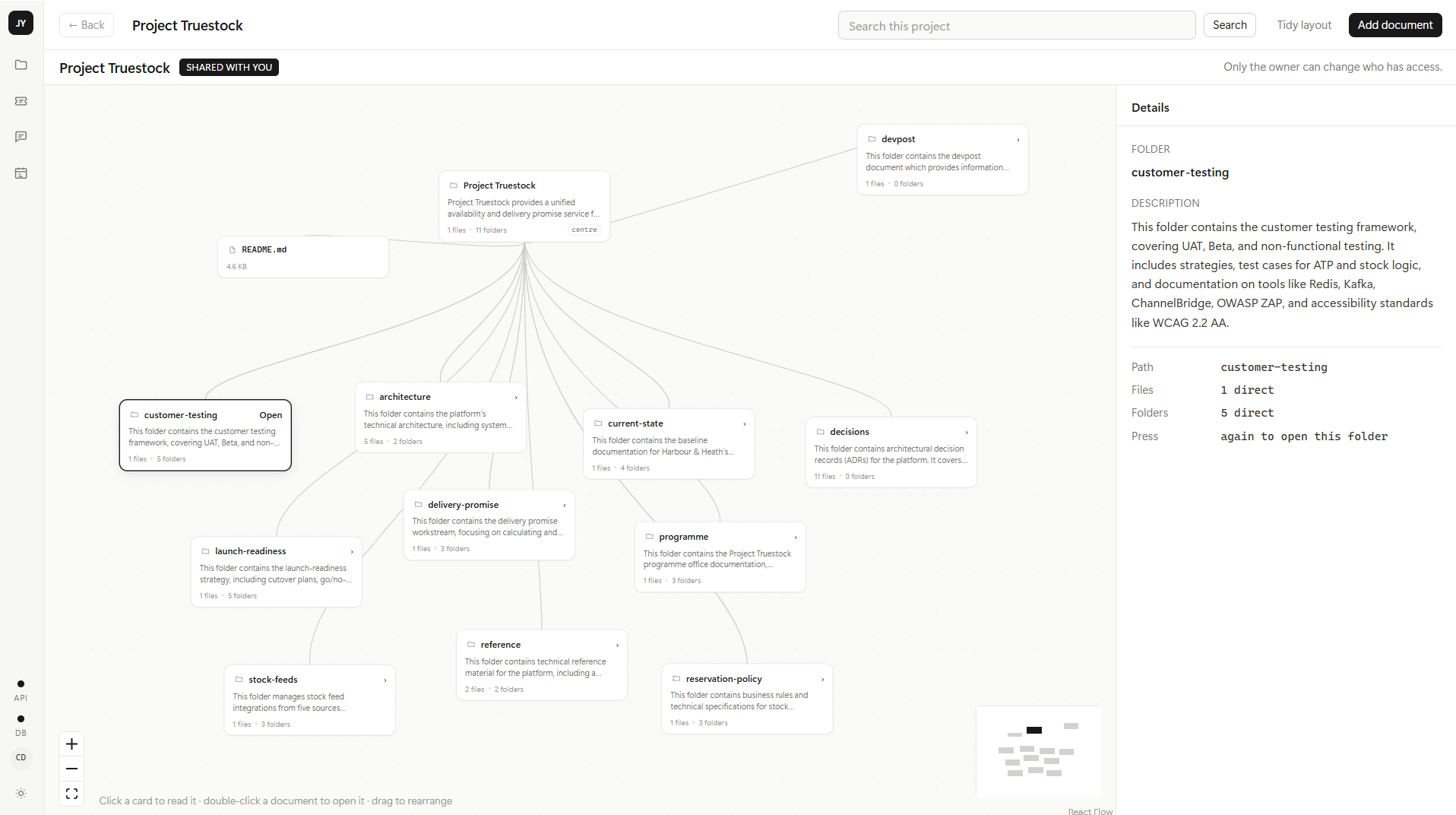
File Graph Structure
-
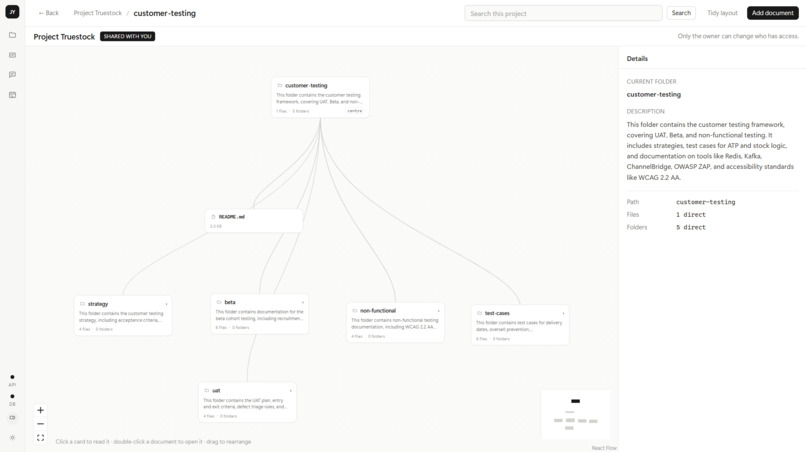
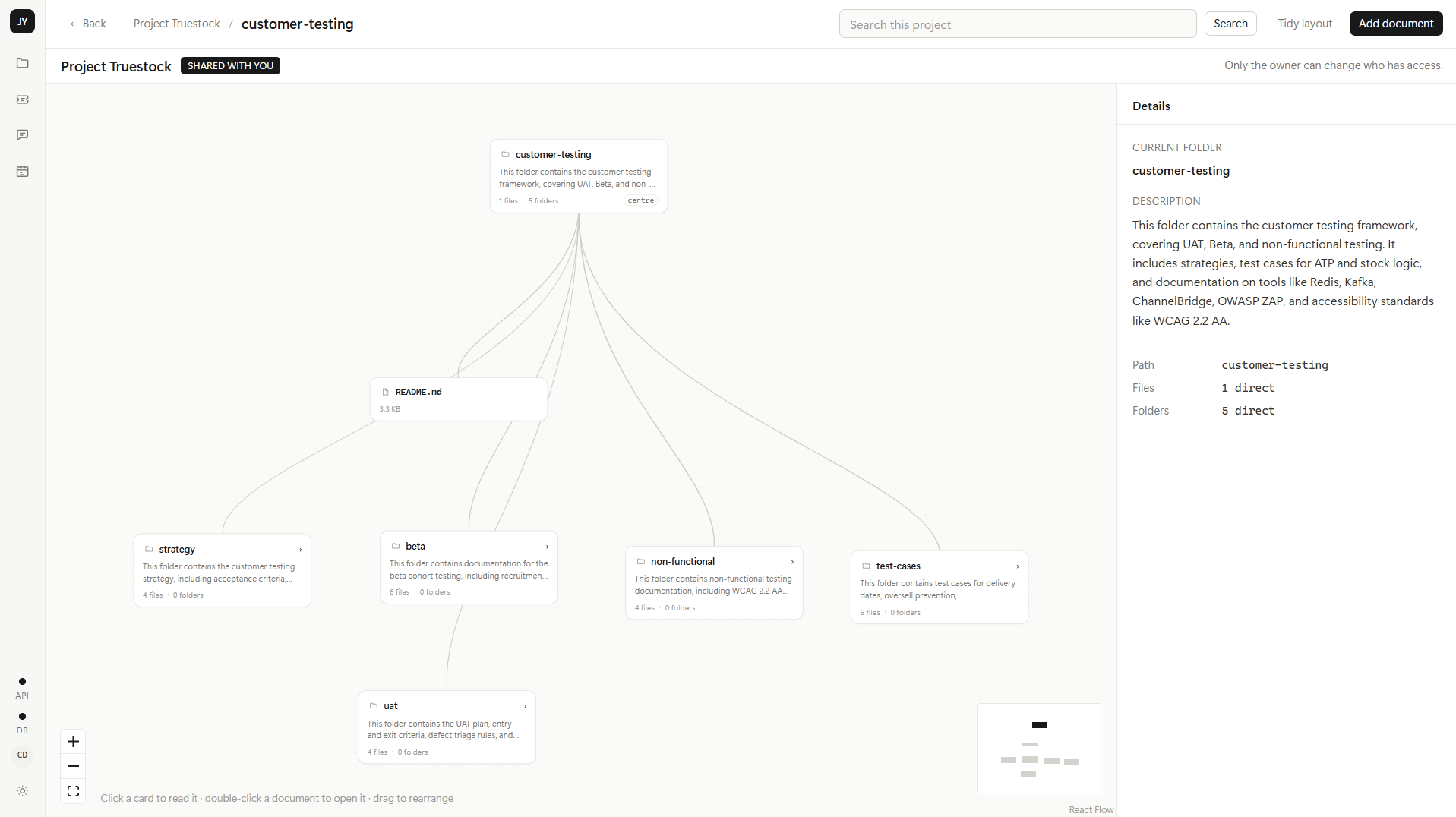
File Graph Structure Traversed
-
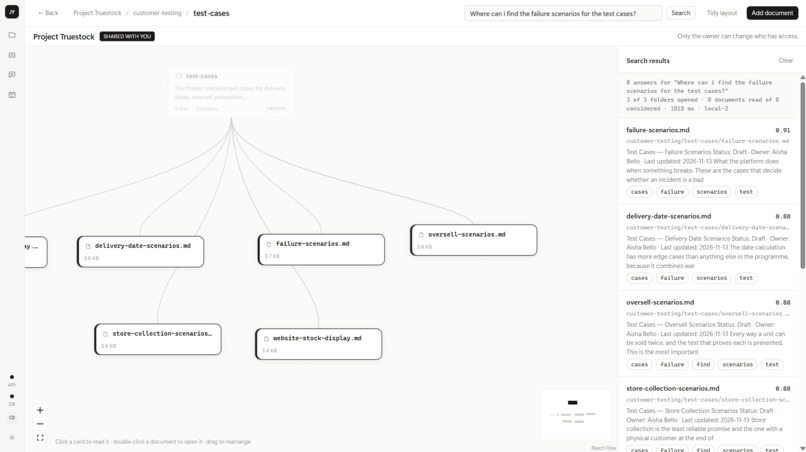
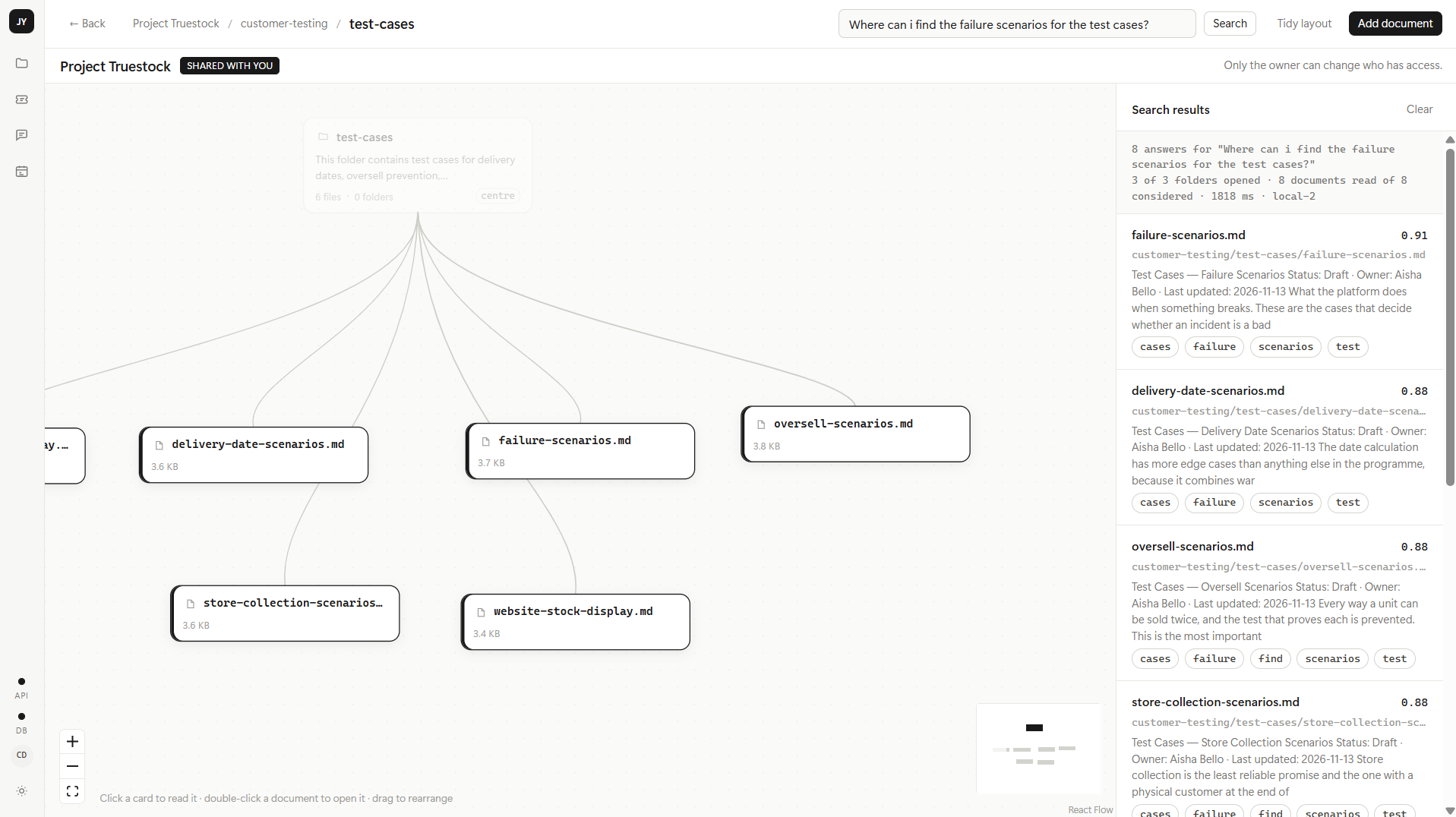
Fast, Ranked File Search
-
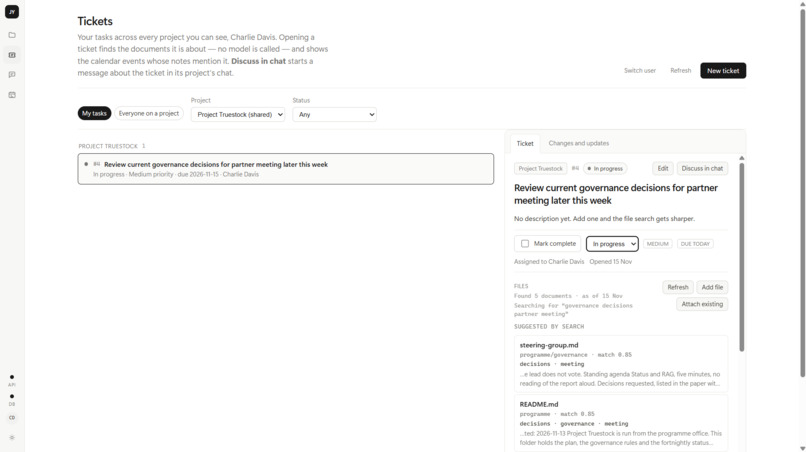
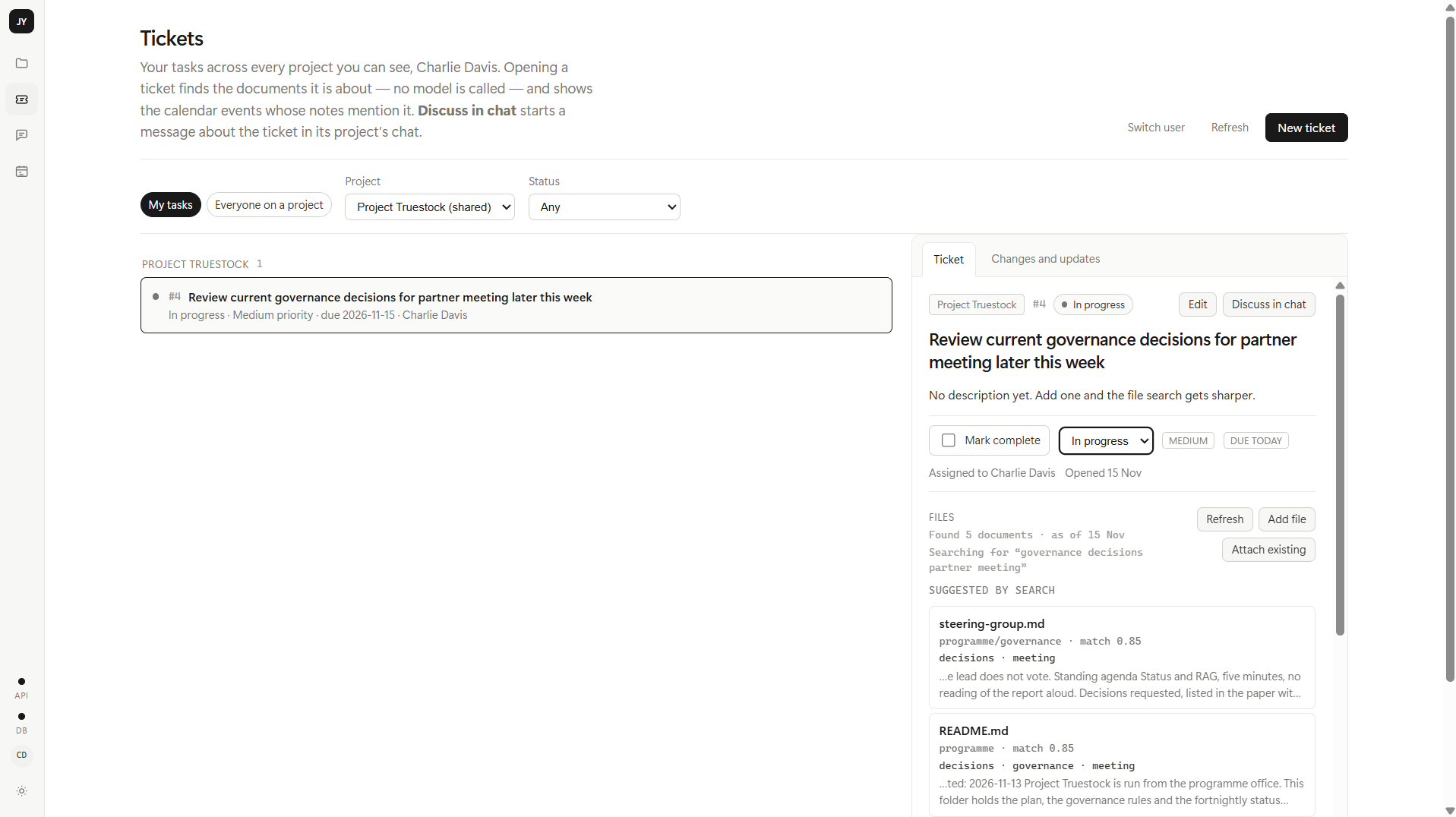
Integrated Ticket Management
-
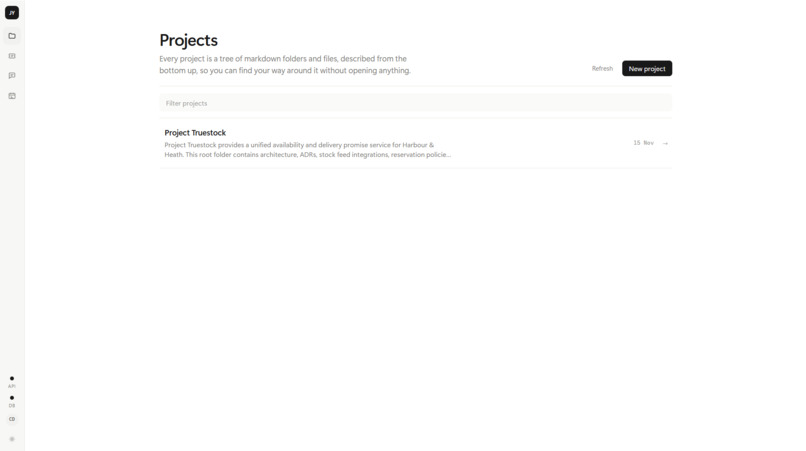
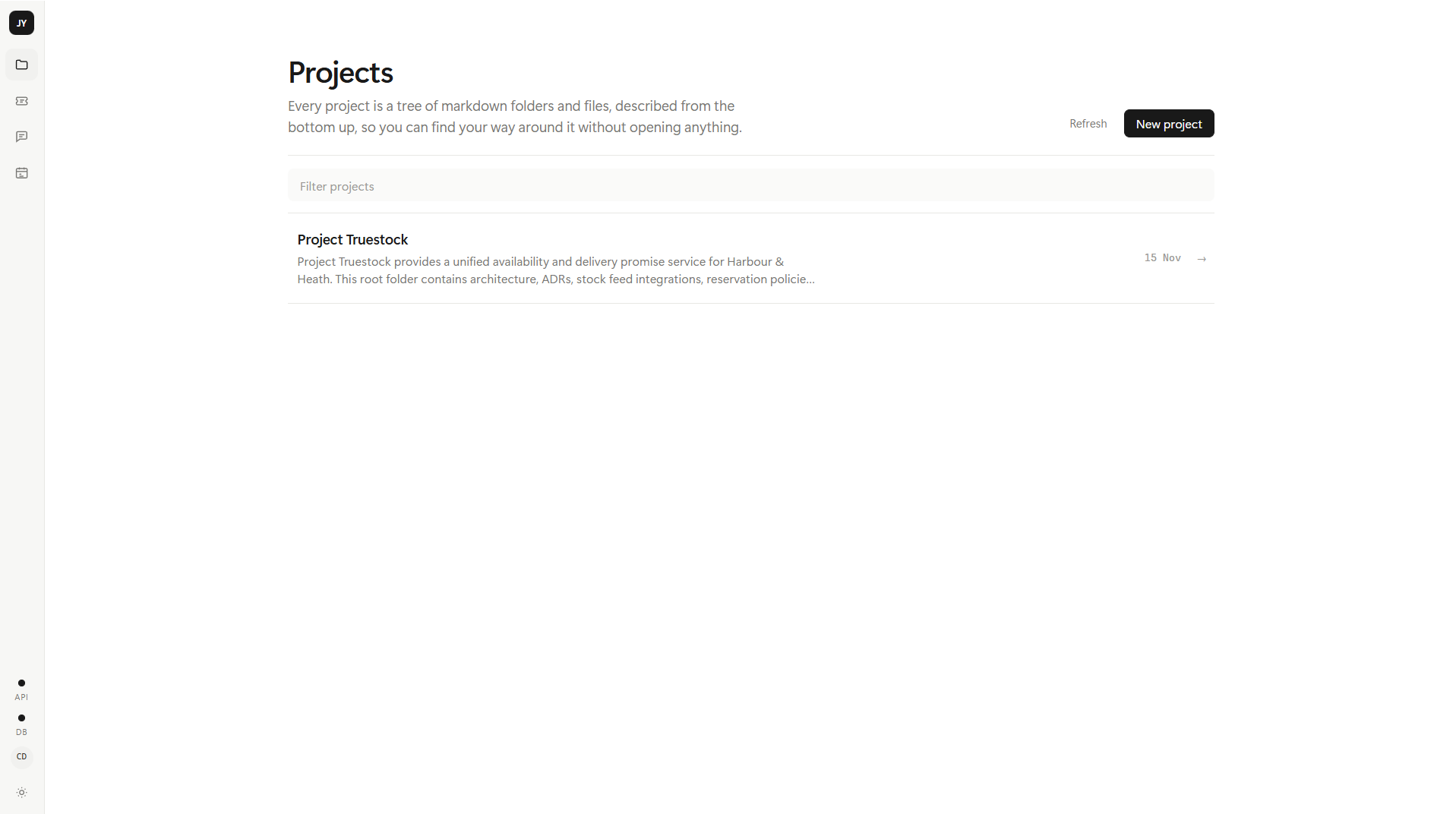
Projects
-
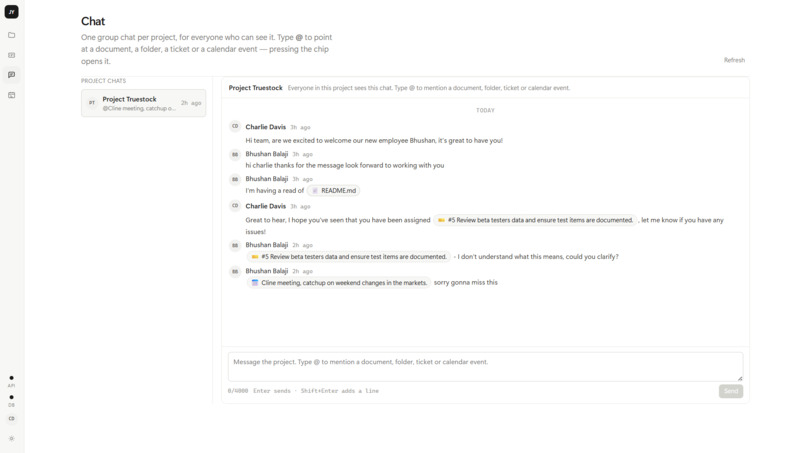
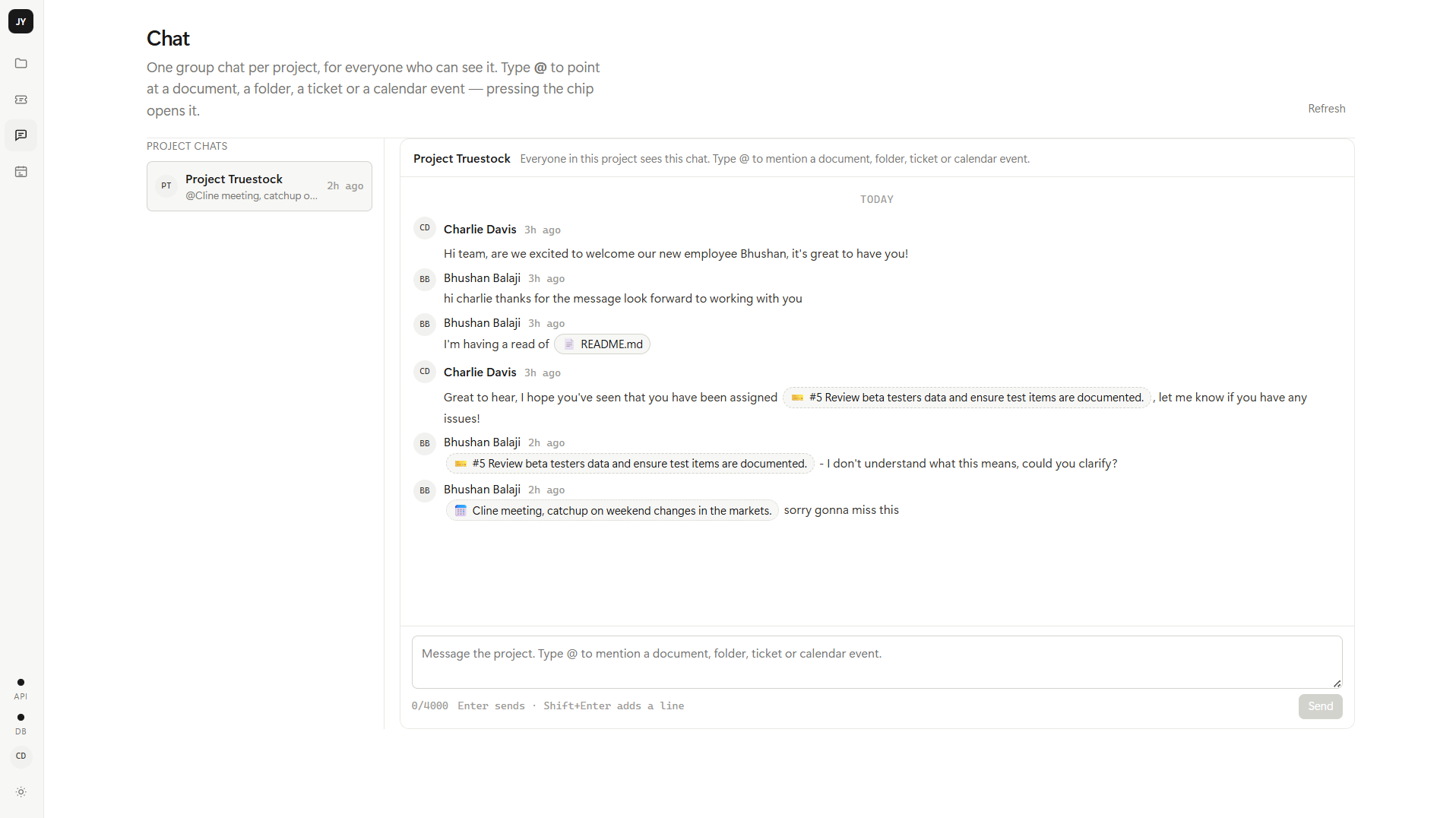
Messaging
-
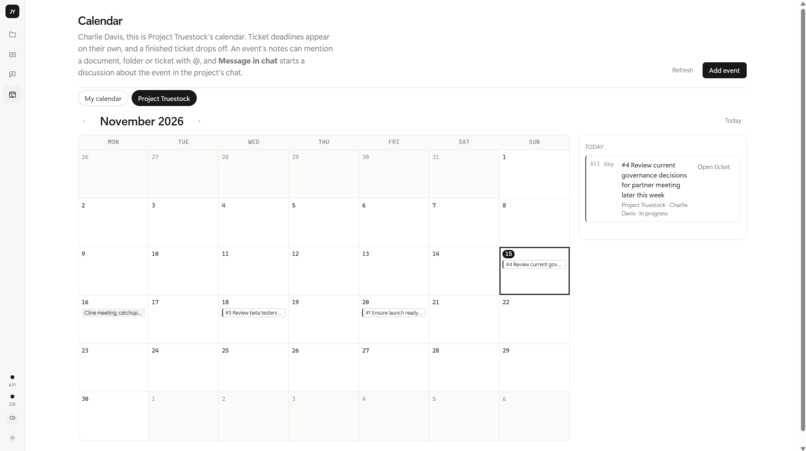
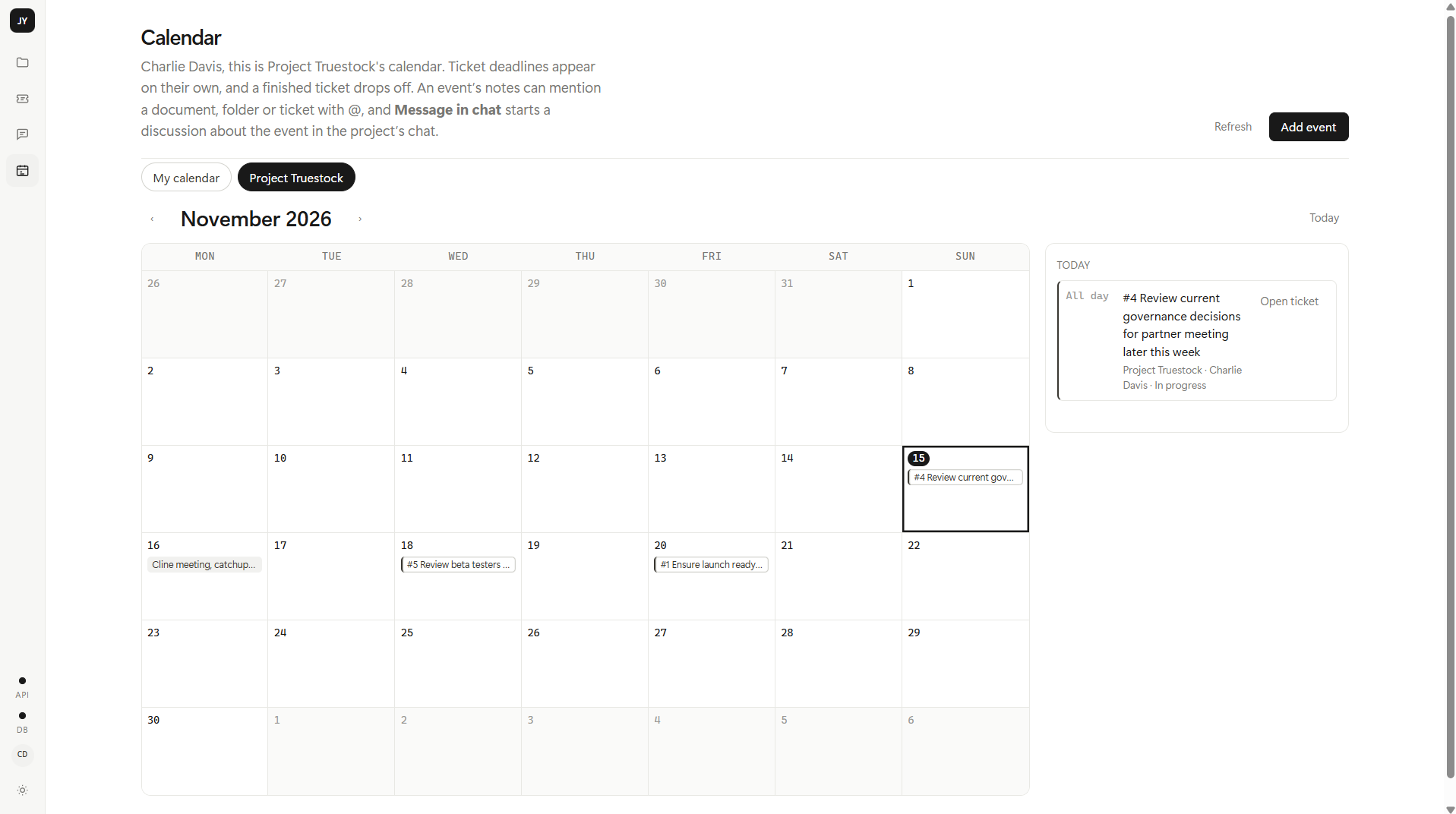
Calendar
-
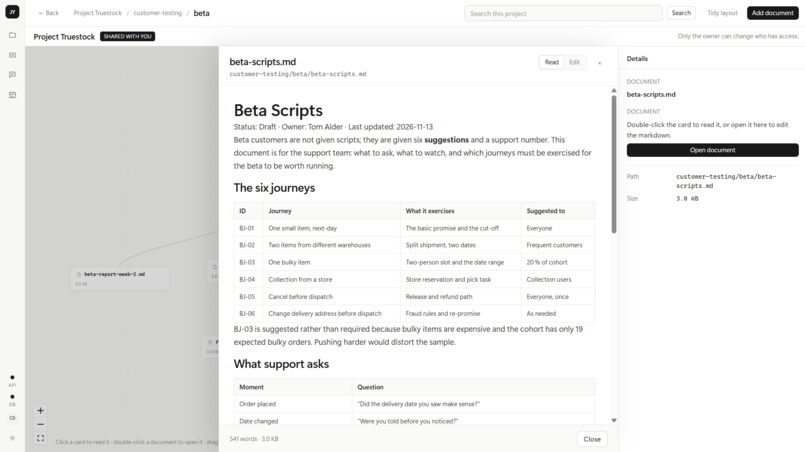
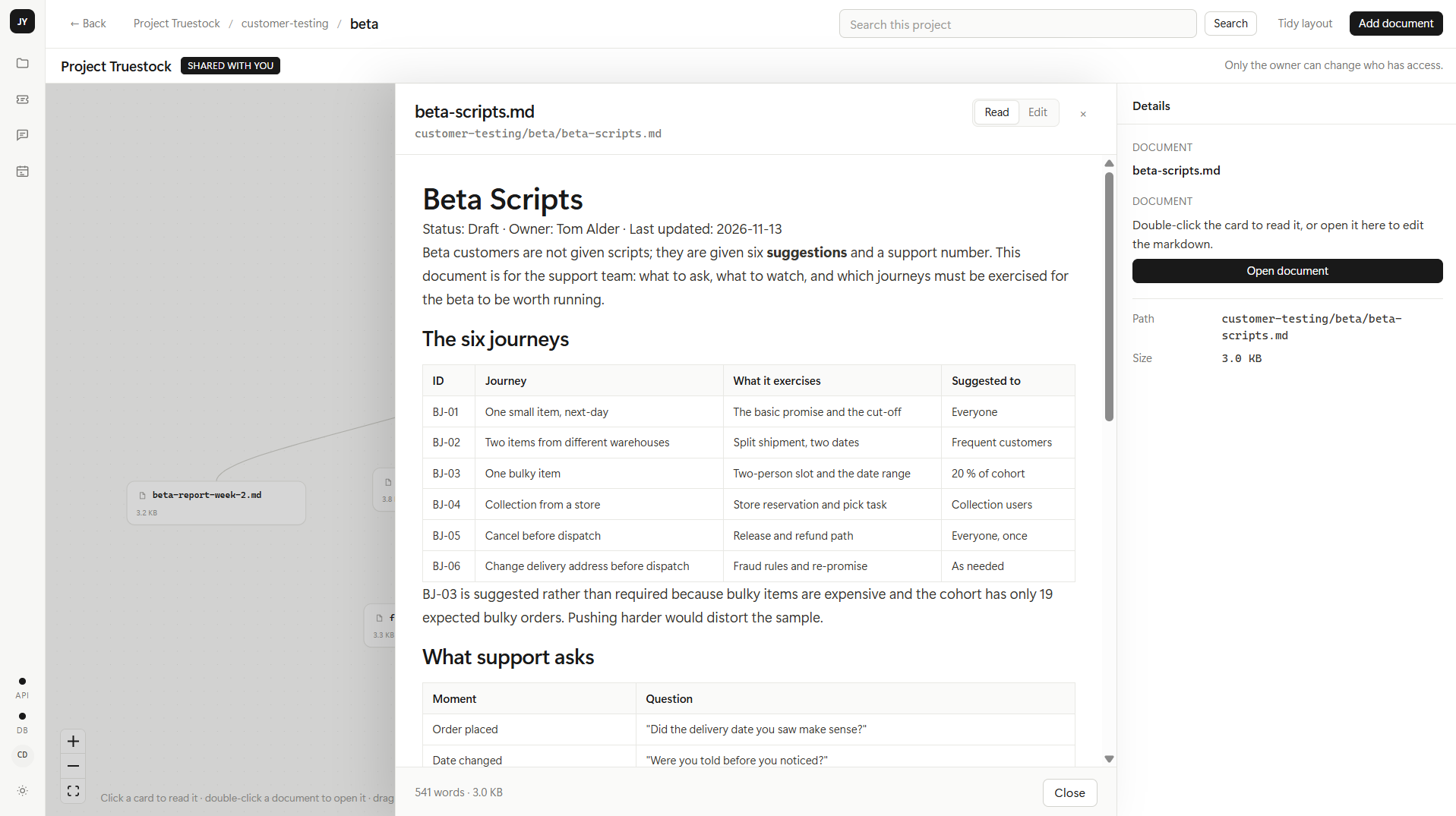
Markdown Viewer + Editor
Who Did We Make This For?
Professionals in project based work, that are frustrated with the lack of cohesion in their current team collaboration tools. We wanted to make finding information in a project easy, understanding a project structure quick, and communicating with your co-workers intuitive. Developed after extensive conversation with Accenture engineers to understand key pain points in existing software.
Key Features:
Project Directory to Graph Structure
Takes an input directory and converts the structure into a navigable graph, with AI generated section summaries to enable faster query response times and clearer breakdowns for employees.
Fast, Ranked File Search
Takes an input user query, such as asking about information on a ticket, and utilises the optimised search tree for more efficient and accurate look up, returning a ranking of files relevant to the user query, all scoped to the current project.
Suggested File Insertion Location
Upon uploading or creating a new file, get suggested storage location recommendations based on title and contents within search tree.
Integrated Ticket Management
Priority ticket management with automated related file suggestions from the project graph structure based on context in the ticket, used give a running start to completing a ticket.
Seamless Integration Across Tickets, Calendar, Files, Chat
Intuitive one click references between sections to reduce friction.
Key Implementation Details
Folder Upload to Graph
In a bottom up, post-order traversal, we create summaries of each directory from its child files and child directory summaries, storing the files on supabase using ltree to denote the file structure of the project, later visualising this through the frontend.
Document Insertion/ Directory Recommendation
Greedy search of the graph starting from the root, considering whether the child directories are suitable for insertion of the new document by comparing the cached description of each directory against the new file's contents - choosing the best directory at each step or suggesting placement when no such directory exists.
File Search / File Suggestion for tickets
Starting at the root, consider the child files, and child directories with closest match to the search terms, using lexical comparison against file content or directory description. Strongly matching files are returned (in a ranked order) and directories with strong matching are investigated next.
Stack
Python, Electron, FastAPI, Gemini, Tailwind, Typescript, React
What is Next?
- Full integration with Jira and Confluence
- AI chatbot based on file searching principles
- Meeting + AI Notetaking tool
Built With
- electron
- fastapi
- postgresql
- python
- react
- tailwind
- typescript
