Inspiration
My grandmother hasn't been well lately, and the machines in her house have started to confuse her: the washing machine, the TV remote, her phone. Each has far more buttons than she needs.
Families already fix this by hand. On the Alzheimer's Society forum, people caring for someone with memory problems describe taping paper over the buttons that aren't needed, dabbing correction fluid on them and drawing a red dot on Start (1, 2, 3). The same threads warn that buying a "simpler" machine rarely helps, because learning something new is exactly what gets hard. The machine they already have needs to become simple.
Where I live there's one more layer. Lots of homes in Vietnam run second-hand appliances from Japan, with every label in Japanese. There's even a photo on Wikimedia Commons of a Japanese remote that someone relabelled in English by hand.
What it does
Just These Buttons is a one-page web app for the family member, not the grandparent.
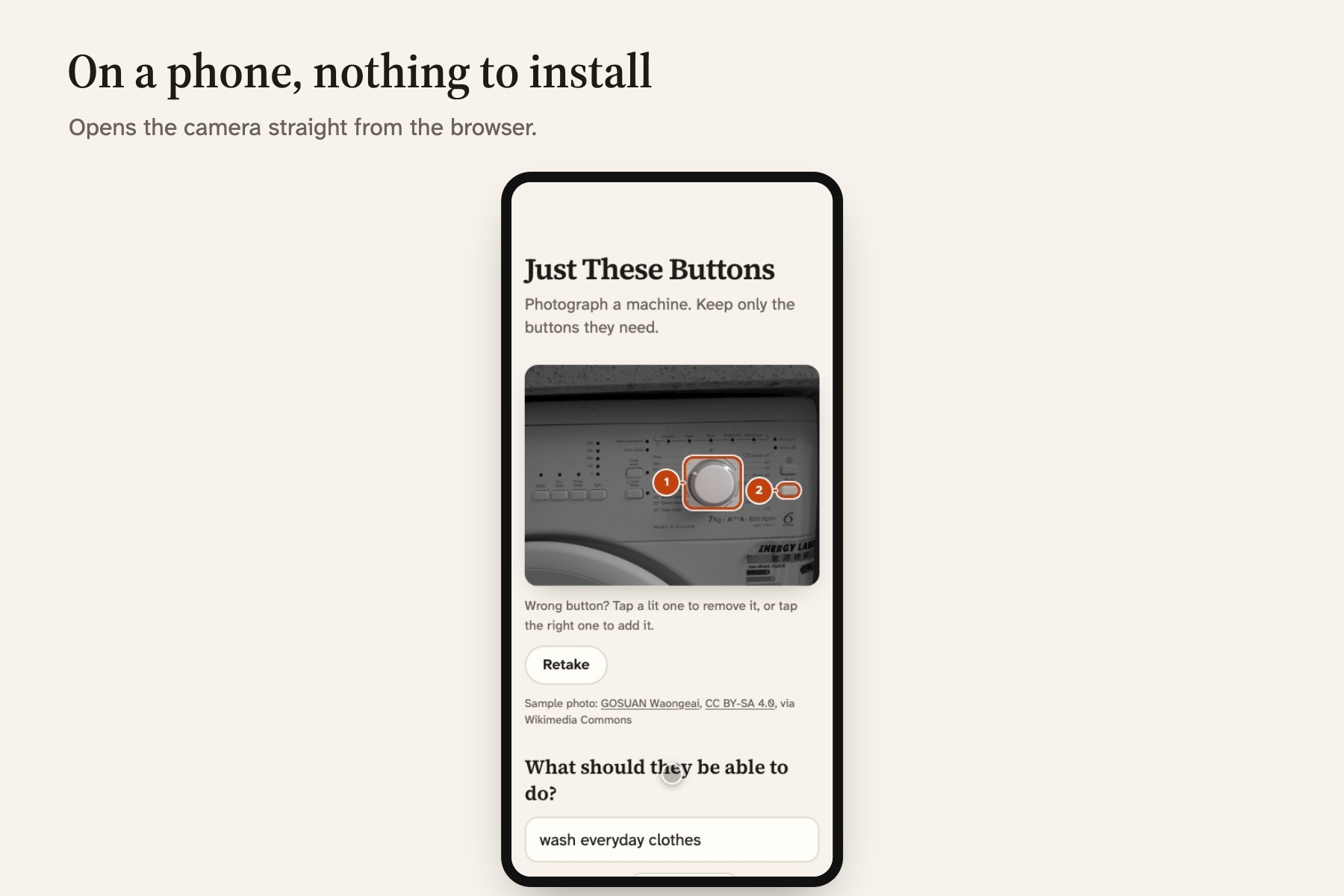
- Photograph the machine, or tap one of four real sample photos, and type what they need to do: wash everyday clothes.
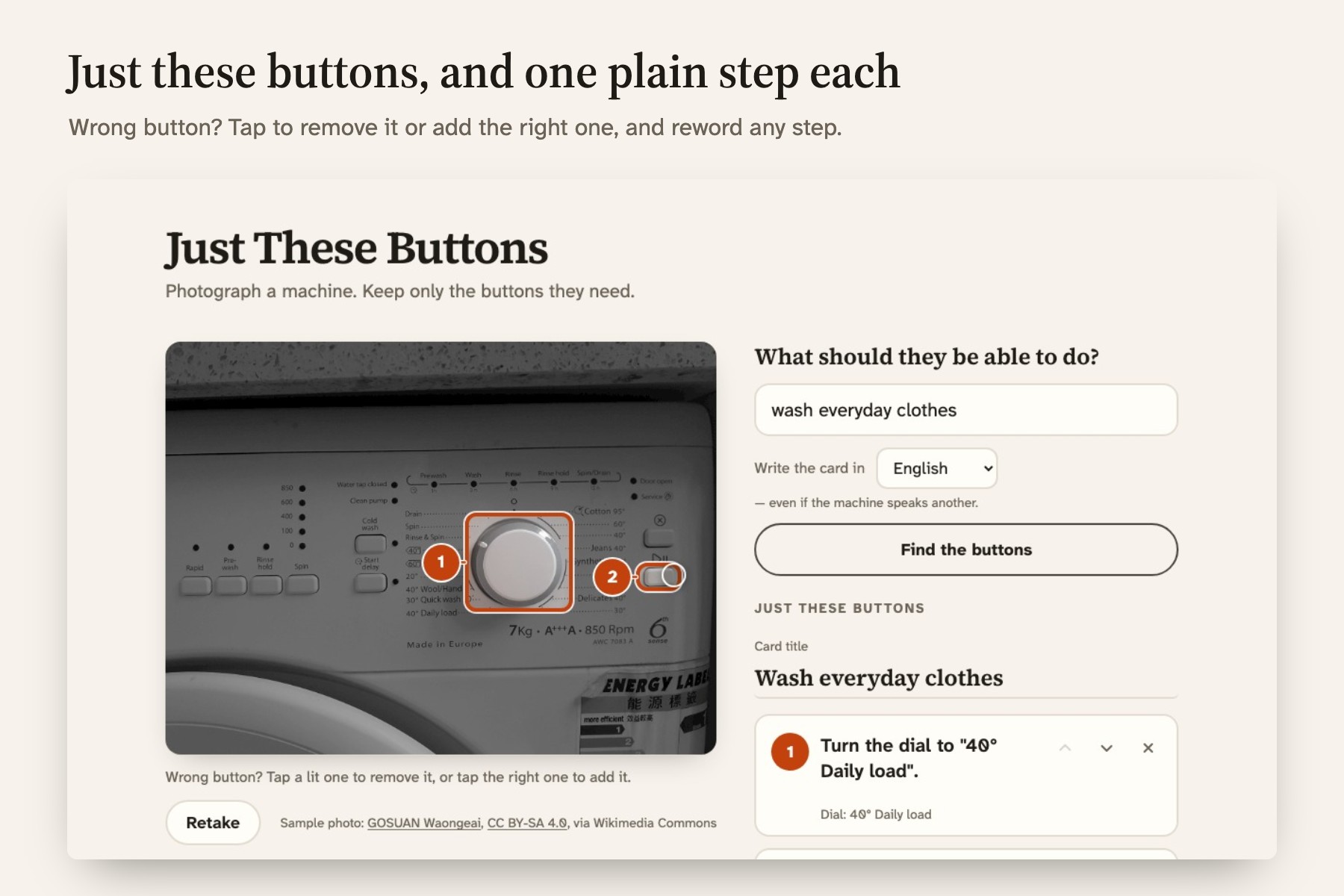
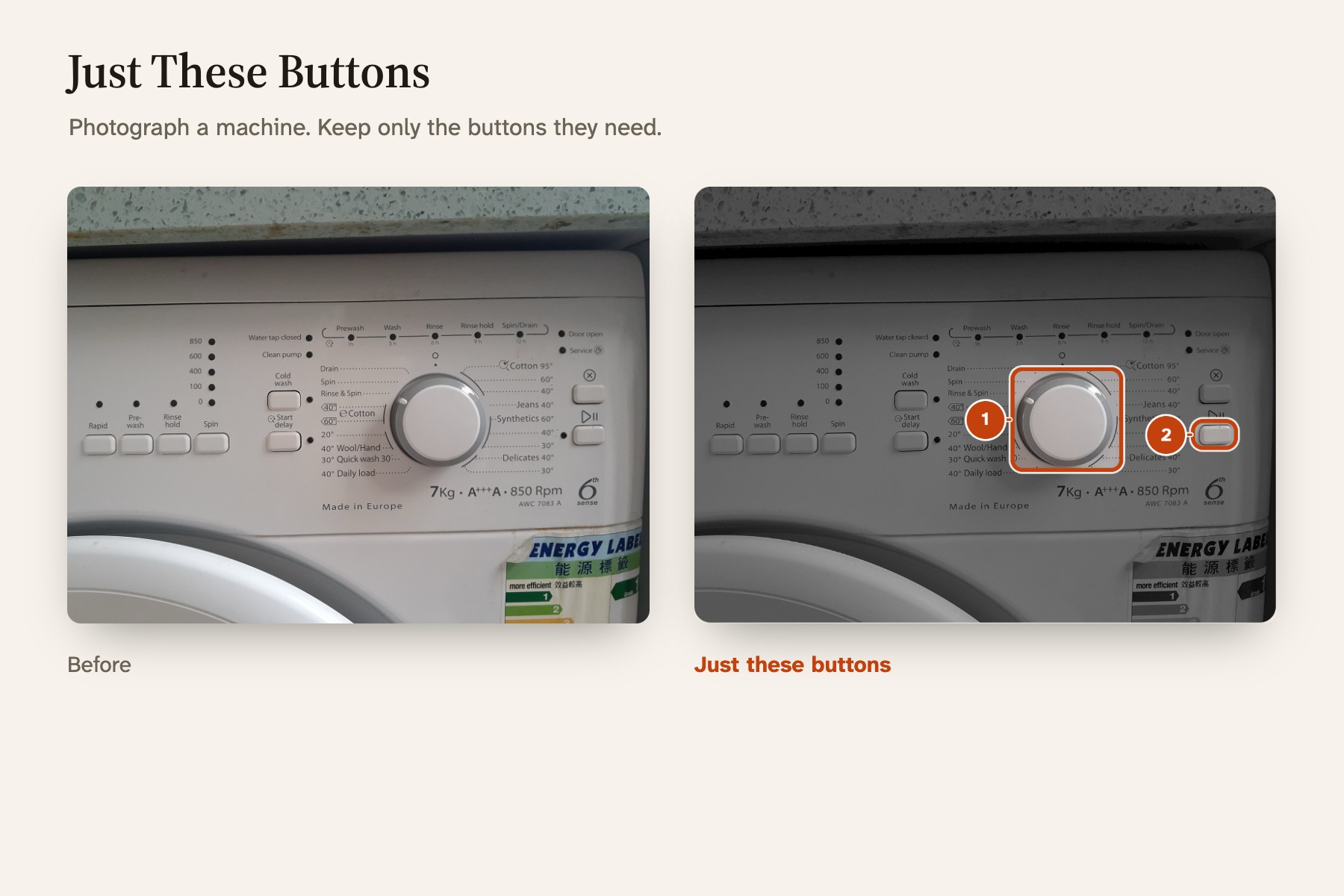
- Just these buttons. The same photo comes back with everything faded except the two or three controls the task needs. They're numbered in order, each with one short instruction. Steps the AI isn't sure about are marked Check this one.
- Check and fix. Tap a lit button to remove it, tap the right one to add it, and reword or reorder any step. A preview of the card updates as you go.
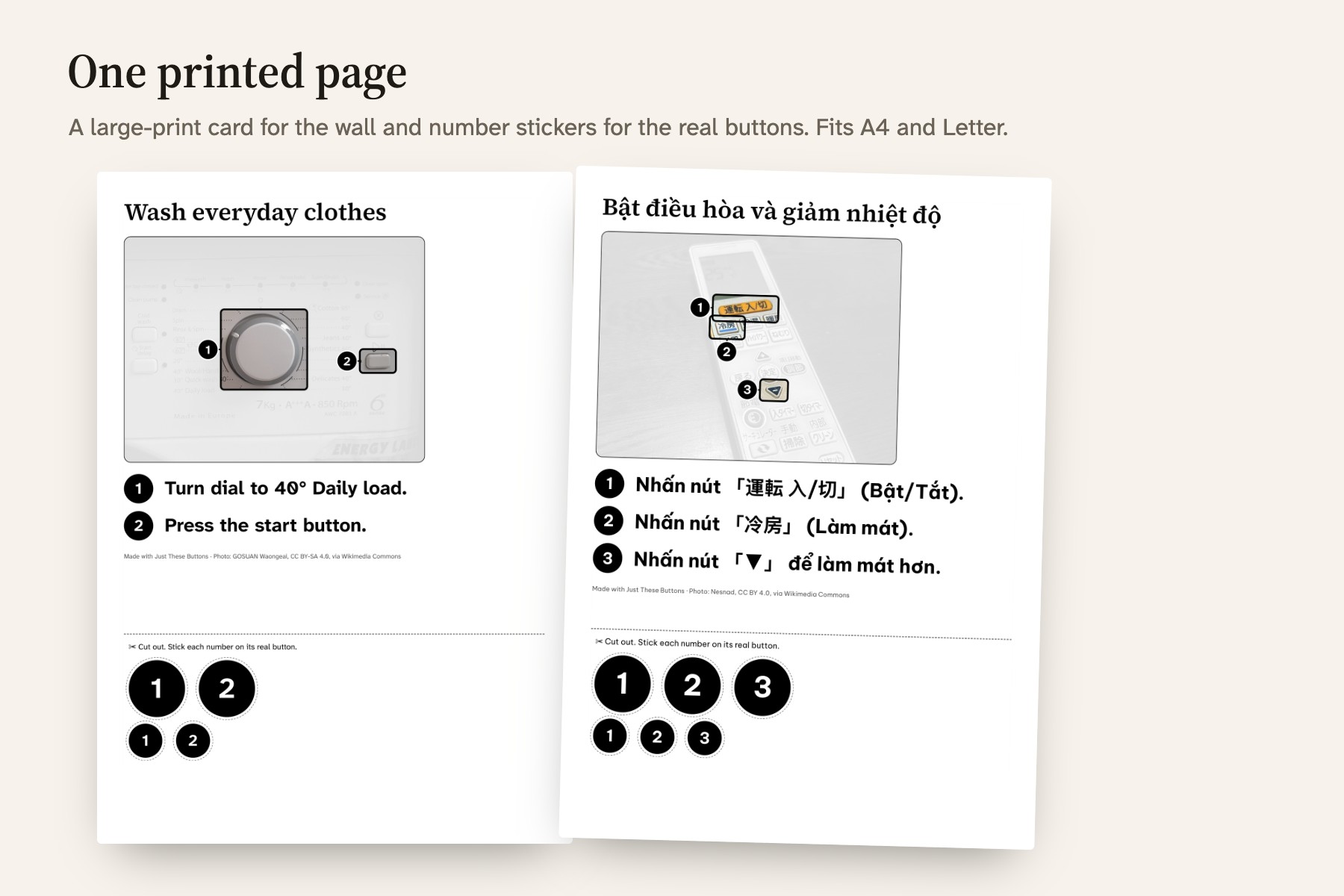
- Print one page: a large-print card for next to the machine, and number stickers for the real buttons. It fits A4 and US Letter and still reads on a black-and-white printer.
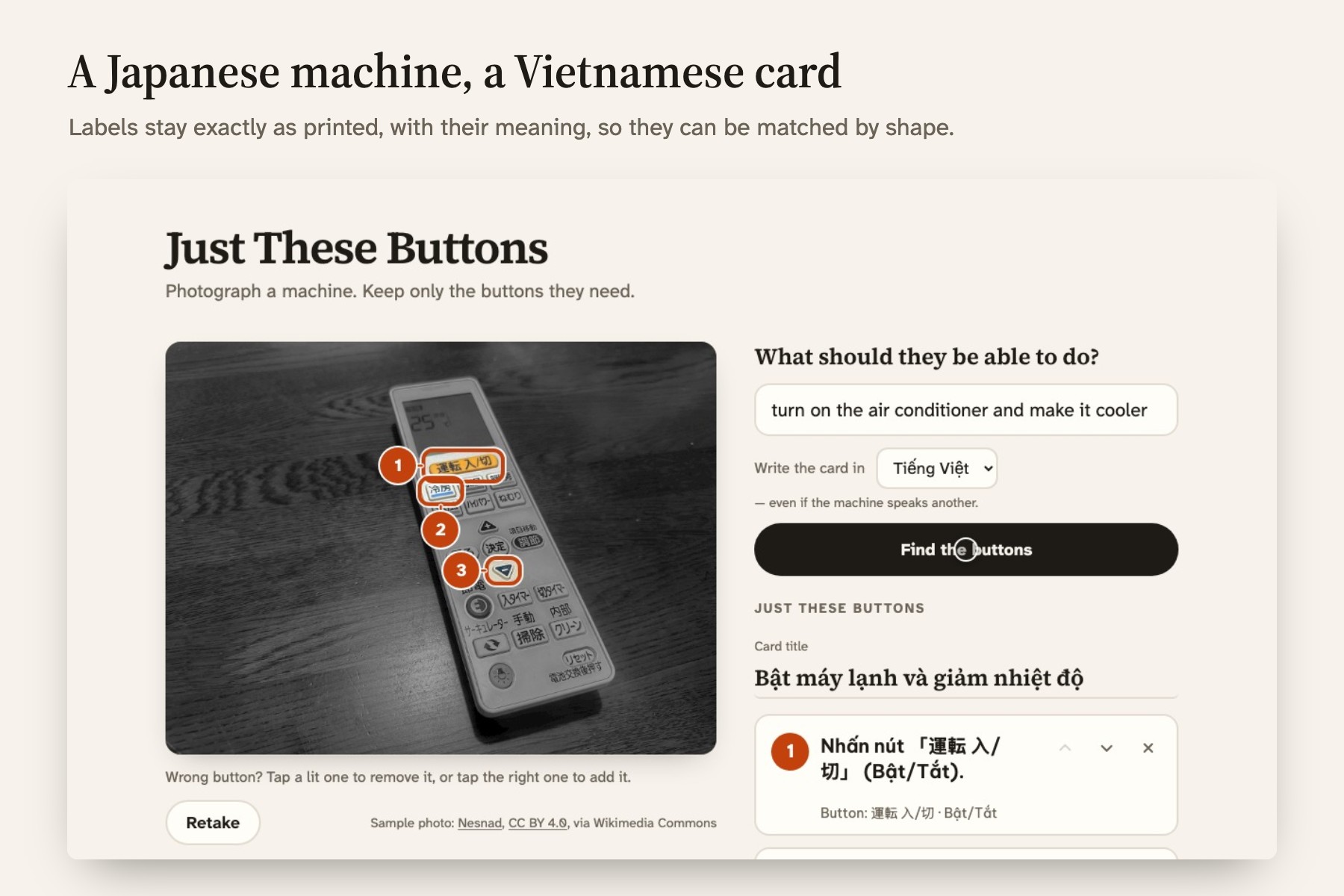
The card can be written in a different language from the machine. A Japanese air-con remote can get a Vietnamese card that quotes every label exactly as printed, so it can be matched by shape: Nhấn nút 「冷房」 (Làm mát).
There are no accounts and no database. The photo goes to Gemini to find the buttons, and the app doesn't keep it.
How I built it
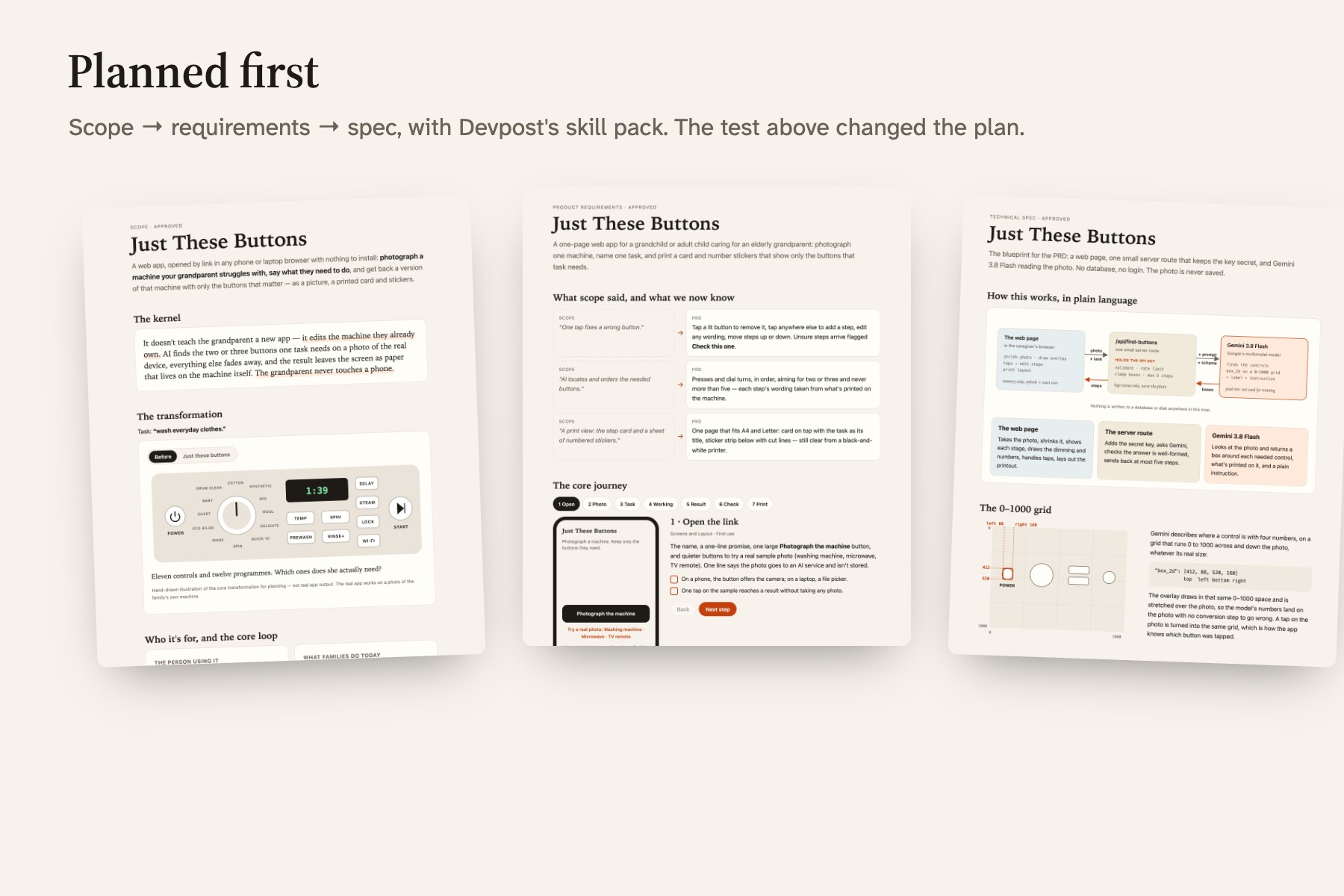
I built it in Claude Code with the Devpost Learn skill pack, and planned before writing any code: scope, then PRD, then spec. After that came small build slices, each verified and committed. The planning docs, including every place the build changed the plan, are in devpost/.
- Next.js 16, React 19, TypeScript and Tailwind 4, deployed on Vercel.
- One server route keeps the API key and calls Gemini 3.8 Flash with the photo and a JSON schema. The reply is validated with zod.
- Gemini returns each control as a box on a 0–1000 grid over the photo. The overlay is an SVG drawn on that same grid, so the model's numbers are used exactly as returned. A dimmed copy of the photo sits underneath, and the original shows through a mask at each box.
- Every edit goes through small pure functions, so the photo, the step list and the card preview can't disagree. There are 38 unit tests.
- The print layout is sized in millimetres, so one page fits both A4 and Letter.
Challenges I ran into
- The AI kept leaving out the power button. Before building any screens, I wrote a probe script. It runs the app's own Gemini call over test photos and draws every box.
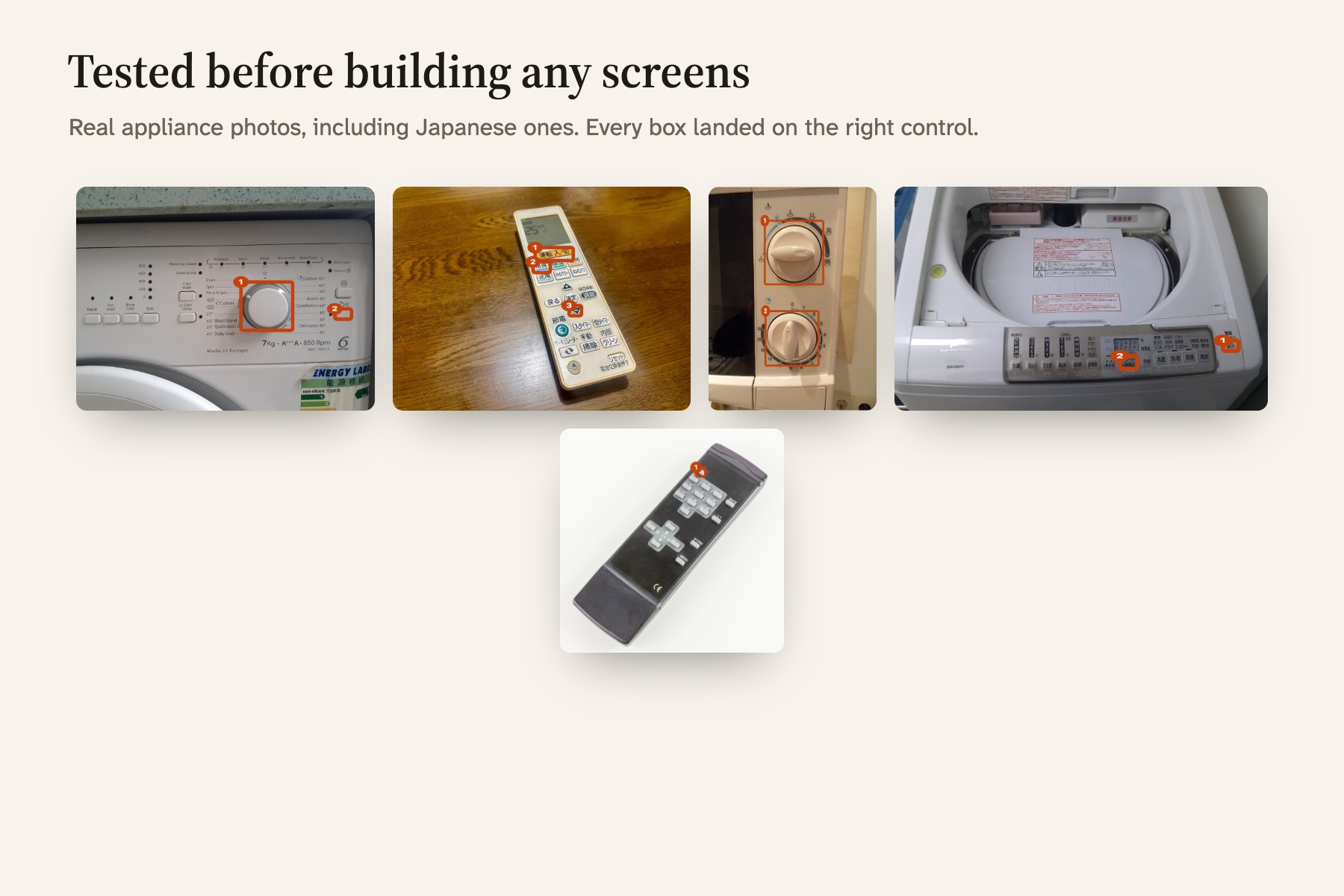
- The boxes landed on the right controls from the start. But on washing machines the model skipped the power button, and only 7 of 9 tasks came back complete.
- Telling it more about power buttons didn't help. Neither did more thinking, which was slower and not better.
- One sentence worked: assume the machine starts switched off. After that it got 22 of 22 on generated test photos, and 18 of 18 on real appliance photos from Wikimedia Commons.
- Small buttons on remotes. Numbers placed at the corner of each box covered the neighbouring keys. Now each number sits beside its button, never over a kept button or another number.
- Paper. On tall photos the printed numbers came out a few millimetres wide. Sizes are now set in real millimetres, and the printed photo zooms in on the kept buttons.
- Vietnamese text. My body font has no Vietnamese glyphs, so Vietnamese cards switch to Be Vietnam Pro.
- A setting that didn't exist. My plan assumed "minimal" thinking, but Gemini 3.8 Flash rejects it, so the app uses "low".
Accomplishments that I'm proud of
- It works on real, messy photos, including symbol-only washers, a two-dial microwave and Japanese remotes.
- A Japanese machine can get a Vietnamese card that still matches the machine by eye.
- The whole plan is in the repo, along with the places where the build proved it wrong.
What I learned
My learning goal was to find out how far I can trust coordinates from a vision model. The answer surprised me: the coordinates were never the problem. The mistakes came from an assumption nobody had written down, that the machine was already on. Stating that one fact fixed more than any extra instruction or extra thinking did.
I also learned to run each test more than once, because single runs varied. And I learned that planning first pays off even on a small project: the probe changed the plan before there was any interface to rework.
What's next
- Cover patches cut to the real size of each unused button.
- Save a family's machines, and share the cards as a PDF with other relatives or a home helper.
For judges
Open just-these-buttons.vercel.app, tap Japanese AC remote, choose Tiếng Việt and press Find the buttons. The first request can take about 10 seconds while the server wakes up.
Sample photos are from Wikimedia Commons under CC licences (credits).
Built With
- gemini
- google-gemini-api
- next.js
- node.js
- react
- tailwindcss
- typescript
- vercel
- vitest
- zod


Log in or sign up for Devpost to join the conversation.