
Inspiration
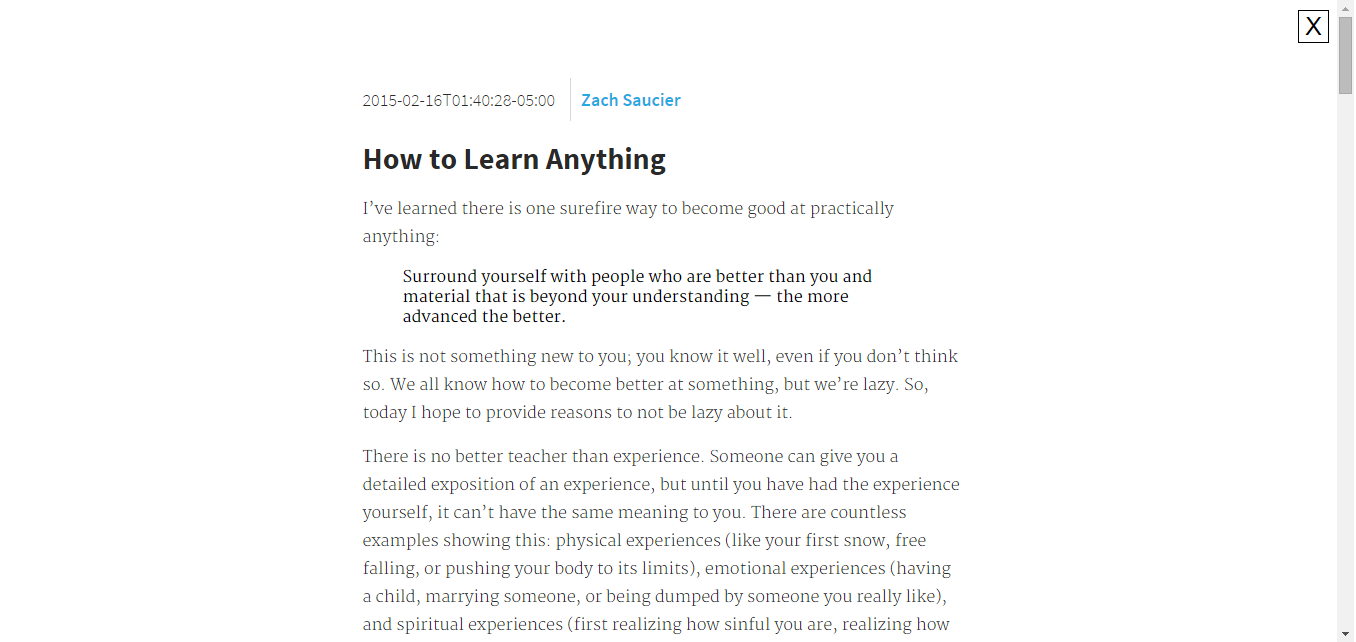
Many websites are ugly, especially news websites. We wanted to make a browser extension to make articles readable and attractive!
What it does
Once the extension is installed, a simple click of a button makes the article on a given page more readable and takes away all of the distractions. You can even add your own styles by using the options page, gotten to by right clicking the extension button and choosing "Options"!
How I built it
Starting Saturday morning and ending late Saturday night, I build it using HTML, CSS, and JavaScript. This was the first browser extension I've made in addition to the first time I've used the Chrome Storage API.
Challenges I ran into
Allowing custom styles to be added was the hardest thing due to keeping persistence across all devices and pages. I had to learn to use the Chrome Storage API and it took hours of debugging to get it working (I nearly gave up). Splitting up the appearance and function so my partner and I could both be working was also somewhat difficult.
Accomplishments that I'm proud of
Getting the custom style sheets working and ending up with a really attractive and pretty well working result! It is also a pretty massive code base for just one person working on it.
What I learned
I learned a lot about browser extensions, localStorage, Chrome Storage, and countless other little things that I had to fix as I ran into them.
What's next for Just Read
Lot's of things! A better editor and user interaction, more built in themes, a previewer for user styles, and many more features. Unfortunately I don't have every day to work on it!
Built With
- chrome
- chrome-storage-api
- css
- javascript

Log in or sign up for Devpost to join the conversation.