

Inspiration
I got my inspiration from none other than the Awesome Sample Puzzle by the the Very Good Ventures. The Dashatar puzzle to solve picture puzzle intrigued me to think in the lines of pattern matching and lead me to put together this row matching puzzle in my head. While I started off by creating just the row matching puzzle at first, it was only recently that I came with the idea of dedicating it to the fellow developers.
What it does
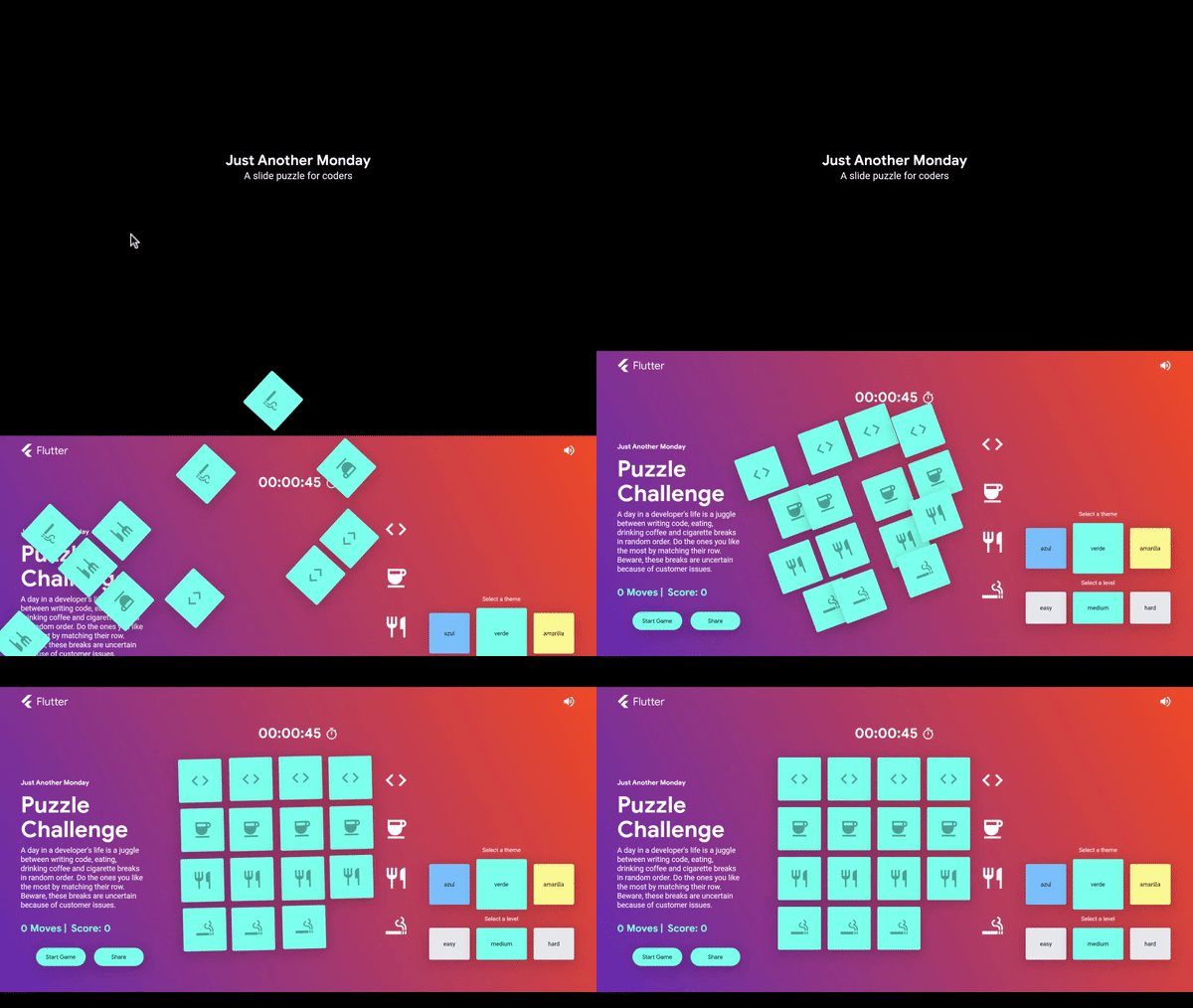
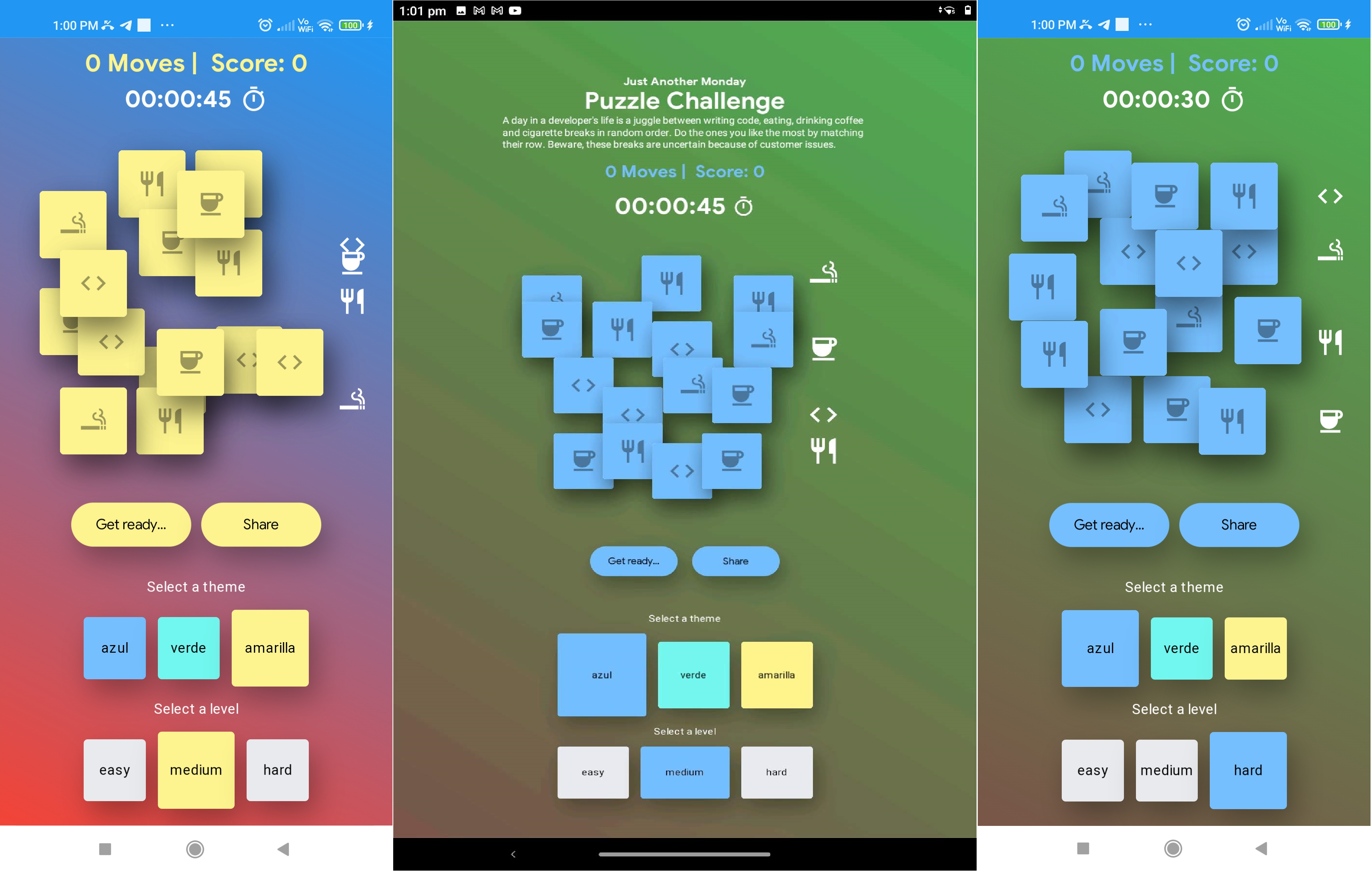
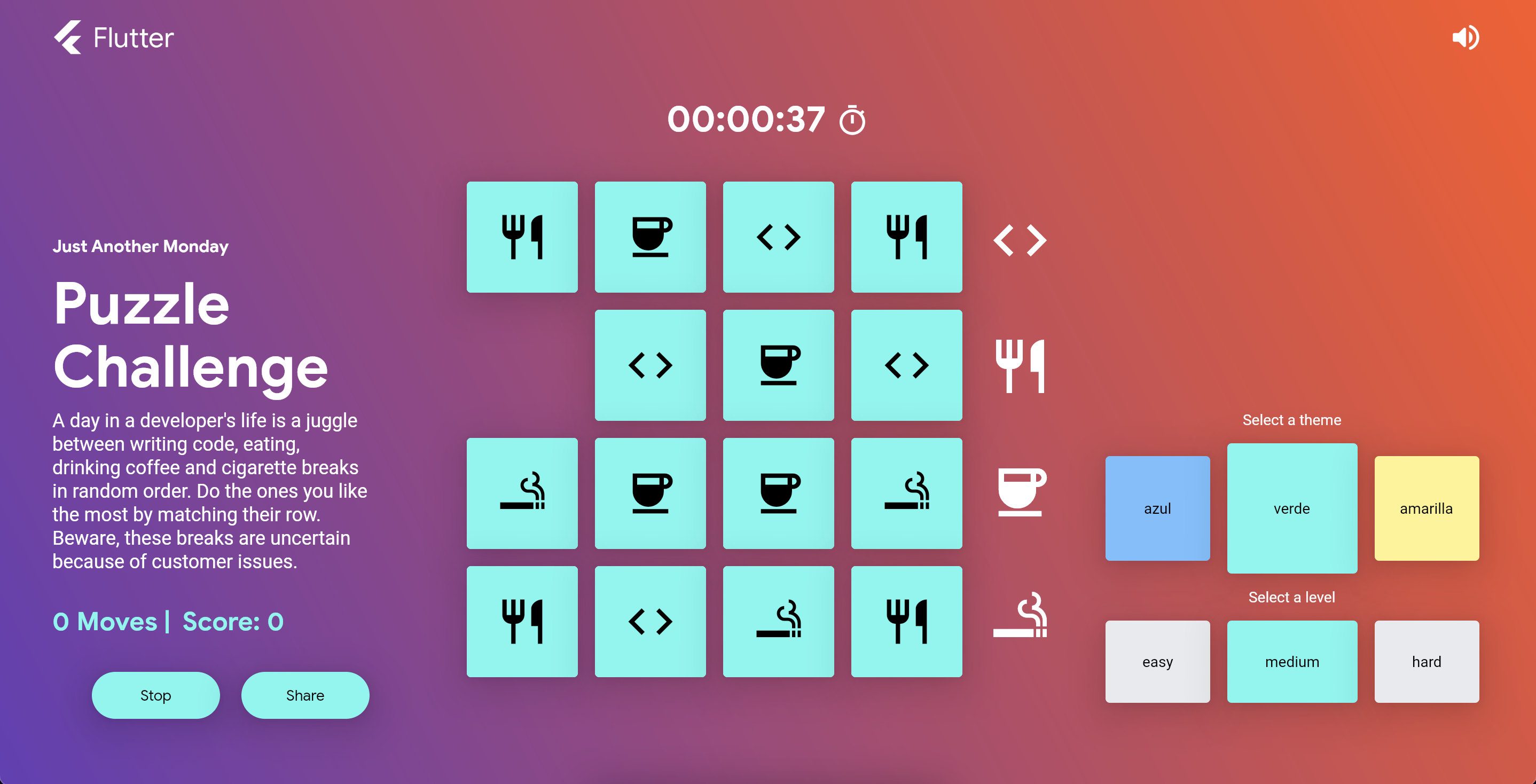 This is a 4x4 (each tile is an icon) row matching puzzle where you need to match a row with its parent icon to gain score. When a row is matched, its tiles are replaced with random icons. Catch? the puzzle keeps shuffling at regular intervals. This interval can be changed based on the 3 levels that a player can select:
- easy (60 seconds)
- medium(45 seconds)
- hard(30 seconds)
Note: This project can be built for Web, Android, iOs and Windows.
How I built it
Steps I went through
- Where should I start? Let's refactor the sample.
- Removed the simple theme and kept Dashatar as the default and only theme.
- Refactored the tiles widget to display icons instead of puzzle part images.
- Changed the sub theme images to just colors.
- Row matching seems pretty simple. Countdown and reshuffle, I shall.
- Altered the Dashatar timer (count up) to a game countdown timer (45 seconds) by updating the Dashatar Puzzle Bloc.
- Also, set the puzzle bloc to reset the game on countdown completion.
- Where are the master icons I need to match to?
- Added a list of random icons in the state.
- Displayed the icons in a column beside the game board.
- I matched my row but nothing's happening.
- Added logic to validate if the row matches the icon, it should increment the score and replace with random icons from the list.
- Could not tell when the row matched.
- Added flip animation to the tiles of matched row when their icons got replaced.
- Why not shuffle the master icons too after countdown? Sure.
- On game reset, added a step to shuffle the master icons as well.
- Dude! add levels. You got it!
- Added 3 levels with different countdown periods: easy(60 seconds); medium(45 seconds); hard(30 seconds)
- Need a name. Hmm..
- The name is Just Another Monday: dedicated to all the developers. The 4 icons represents the tasks that the coders do on daily basis during work hours. Just match the rows to do what you like.
- Should I add desktop support as well, I wondered!
- I added desktop support and added its clips in the demo video at the last moment.
- Let's work on those themes.
- I played around a bit and changed the themes with gradient backgrounds.
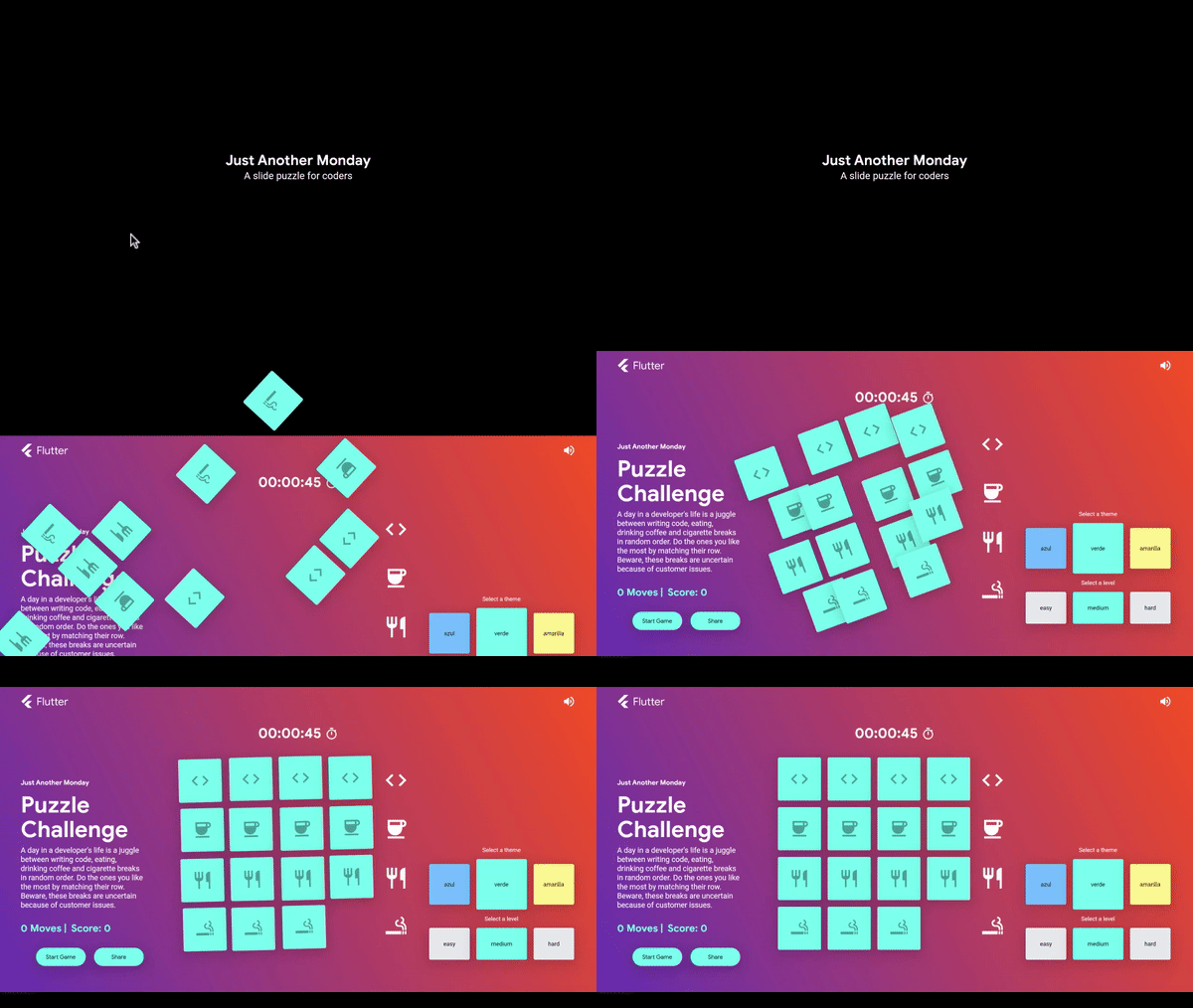
- Added an on_load animation.
Challenges I ran into
- To flip the tiles on icons change. Needed to add another state variable to flip only when the icon change and not always when the entire state changes (which was every second).
- Slide animation of the master icons on shuffle. I missed to add key to my icons and was looking everywhere to find a solution. Silly me!
- To give the puzzle a name/theme. After some rigorous thoughts did I come up with this idea.
Accomplishments that I'm proud of
- Flip animation of the tiles.
- Playing my game for a few days now, I should probably get bored by it. But I love playing it every now and then. It's catchy. Oh! so proud.
What I learned
- I learned about state management through blocs.
- I learned about desktop support in flutter.
- I learned to work with animations in flutter.
What's next for Just Another Monday | A Slide Puzzle
- I am about to add some test cases for the puzzle.
- I want to add an animation in which when a row is matched, the matched tiles should appear to fly and drop on the score widget. (Tried a bit but didn't work; parked it for later.)
- I want to extend this to a 4 letter word guessing puzzle based on the icon/picture.


Log in or sign up for Devpost to join the conversation.