Inspiration
We have a friend who comes to us with new ideas every week. The problem isn’t the ideas they’re solid. The problem is building them.
Most founders jump straight to code without validating the idea, understanding the market, choosing the right tech stack, planning the UI/UX, or creating an implementation roadmap. The result is wasted time and “why didn’t we think of that?” moments after launch. We built Julia to sit between idea and code: an AI copilot that guides founders through structured validation and planning so they build the right thing, not just something.
What it does
Julia walks founders through a single, coherent flow:
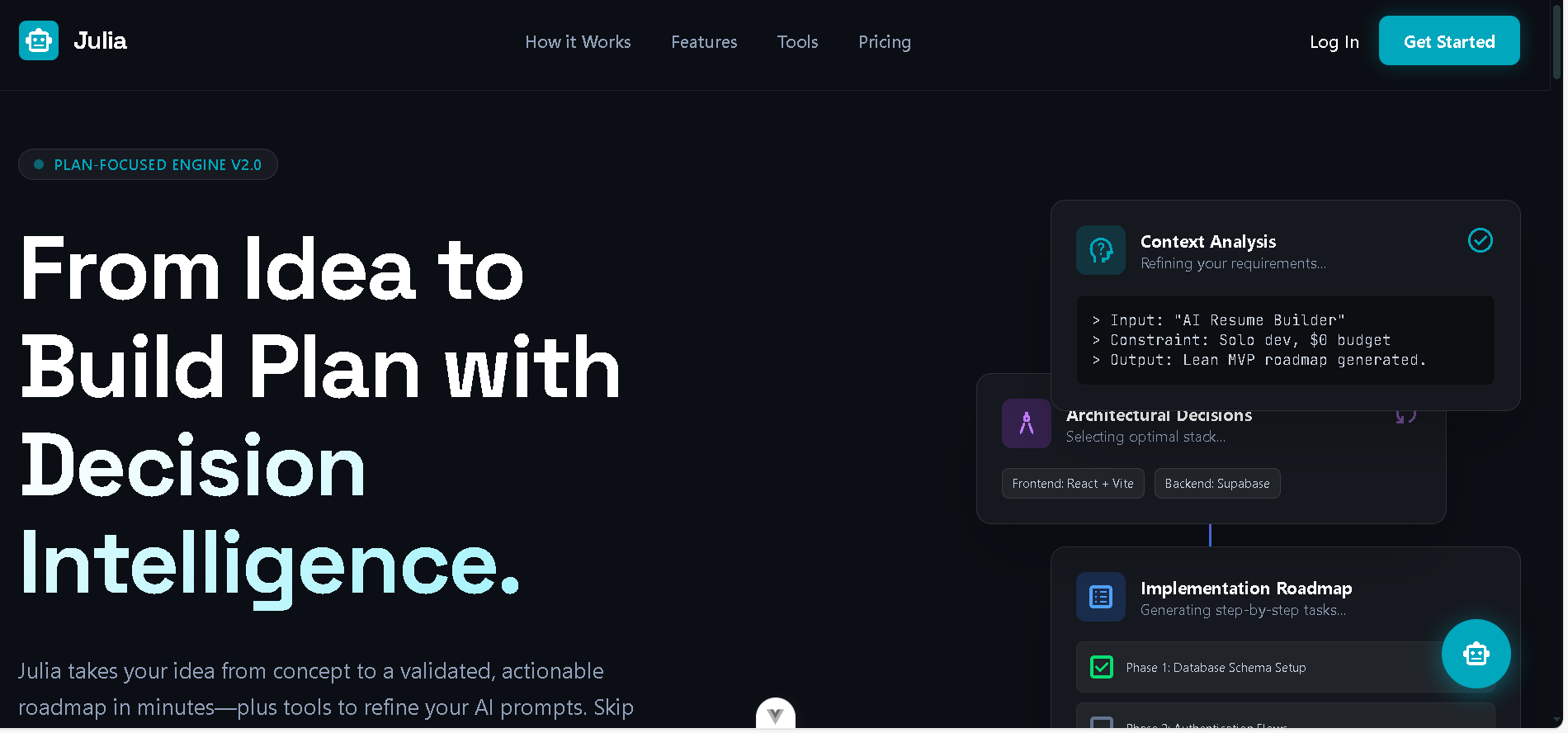
Idea → 2–3 questions → Summary. You describe your idea; Julia asks 2–3 clarifying questions only when there are real gaps (or skips them if the idea is clear). Your answers become a structured summary: Problem, Solution, Target Audience, Value Proposition, Core Features, plus a confidence level.
Market Analysis. Julia pulls in live web research (via Tavily) to produce market overview, competitors, positioning, and risks so validation is grounded in real data, not generic fluff.
Tech Stack & UI Plan. You get a recommended tech stack (or lock in your own), then a UI Design Plan that’s aligned with your idea and stack, copy-paste-ready for implementation. This feature for non-technical founders or those looking to "vibe code" their app. It ensures you aren't flying blind, automatically mapping out the appropriate folder structure, fundamental security considerations, and a UI Design Plan that aligns with your specific idea.
Implementation Plan. Julia generates a copy-paste-ready technical implementation plan in Markdown: idea summary, chosen stack, user flows, and when Tavily is configured research-grounded best practices and common mistakes. You paste that into Cursor, Claude, or Antigravity so “vibe coding” actually actually builds a robust, secure product instead of a messy prototype.
Validation. Problem and market validation scores with issues and recommendations, so founders see gaps before they build.
Editable sections and chat agent. In the project view, sections (idea summary, market analysis, tech stack, UI plan, implementation plan) are editable. Julia also appears as a chatbot that acts as an agent: you can ask her to change the problem statement, update the tech stack, rewrite the UI plan or implementation plan, add core features, etc. She applies updates directly to the project state (e.g. via structured
UPDATE_PROJECT-style actions), so the “edit → re-reason” loop is real you refine in conversation or by editing, and the project stays in sync.
Everything lives in one Project State per project (idea summary, market analysis, tech stack, UI plan, implementation plan, validation). No scattered tools one place to think, then build.
How we built it
- Frontend: Vue 3, Vite, Vue Router, Tailwind, project dashboard, and section-based project view.
- Backend: Node.js, Express, auth, and all AI/research orchestration.
- Database: MongoDB
- AI: Google AI (Gemini) for question generation, summary, market analysis, validation, tech stack, UI plan, and implementation plan. Structured JSON outputs where needed; Markdown for plans.
- Research: Tavily for web search market/competitor data for analysis and validation, and tech-stack best practices for the implementation plan so the model can cite sources and reduce hallucinations. Optional; the app still works without it.
The Implementation Plan and UI Plan are explicitly designed to be copy-paste-ready for AI coding assistants (Cursor, etc.) so the vibe-coding era gets a proper brief instead of “build me an app.”
Accomplishments that we're proud of
Full wizard, one state. A single flow from “here’s my idea” to a copy-paste-ready implementation plan and validation scores, with 2–3 questions only when needed no question overload.
Tavily-powered research. Market analysis, validation, and implementation best practices all pull in live web data when configured, with instructions for the model to cite sources and prefer research over training data.
Copy-paste prompt for vibe coding. The Implementation Plan (and UI Plan) are designed so founders can paste them straight into Cursor or other AI coding tools stack-specific, idea-grounded, and research-aware instead of starting from “build me an app. This empowers non-technical founders to confidently vibe code, knowing that critical elements like scalable folder structures, security best practices, and stack-specific guidelines are already baked into the prompt.”
Restraint in AI UX. Julia asks 2–3 questions max and can ask zero when the idea is clear. We’re proud of treating decision intelligence as “help users choose” rather than “dump more content.”
Market and validation as first-class sections. Market Analysis and Validation (problem + market scores, issues, recommendations) are core to the product, not afterthoughts.
Editable sections + Julia as agent. Users can edit idea summary, market analysis, tech stack, UI plan, and implementation plan in the project view. The in-project Julia chatbot serves as an agent: you tell her what to change (e.g. “switch backend to Supabase,” “add auth to core features,” “update the UI plan for dark mode”), and she updates the project state so the “edit → re-reason”
What we learned
Validation before code. Making problem, audience, and value prop explicit before building saves time. Julia’s market and problem validation scores help founders see gaps early.
Restraint in AI UX. Fewer, focused questions and structured output beat long questionnaires and walls of text. Decision intelligence is about helping users choose, not overwhelming them.
One evolving state. Keeping a single Project State per project (idea summary, market analysis, tech stack, UI plan, implementation plan, validation) makes the product coherent and the backend simple to reason about.
Marketing and market analysis matter. What’s in the product today is real Market Analysis and Validation structured, research-grounded when Tavily is on and that’s the copilot value.
What's next for Julia
MCP (Model Context Protocol) integration. We want Julia to plug into the tools and context that developers already use. Integration with MCP would let Julia consume and produce context that Cursor and other AI-native IDEs can use e.g. project state, implementation plan, and validation results as MCP resources or tools so that “think with Julia, build in Cursor” is a first-class workflow. We’re exploring MCP servers that expose project state and plans, and tools that trigger validation or plan updates from inside the editor.
Export and share. Export the implementation plan (and full project state) as a shareable link or file so founders can hand off to co-founders, contractors, or AI assistants without giving app access.


Log in or sign up for Devpost to join the conversation.