-
-
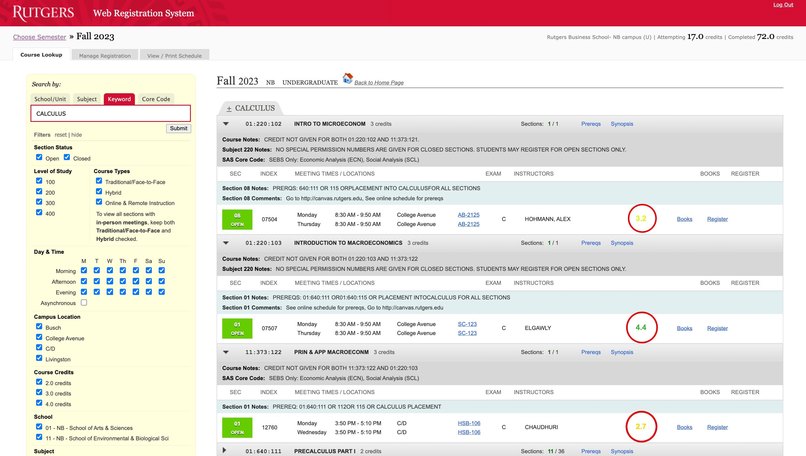
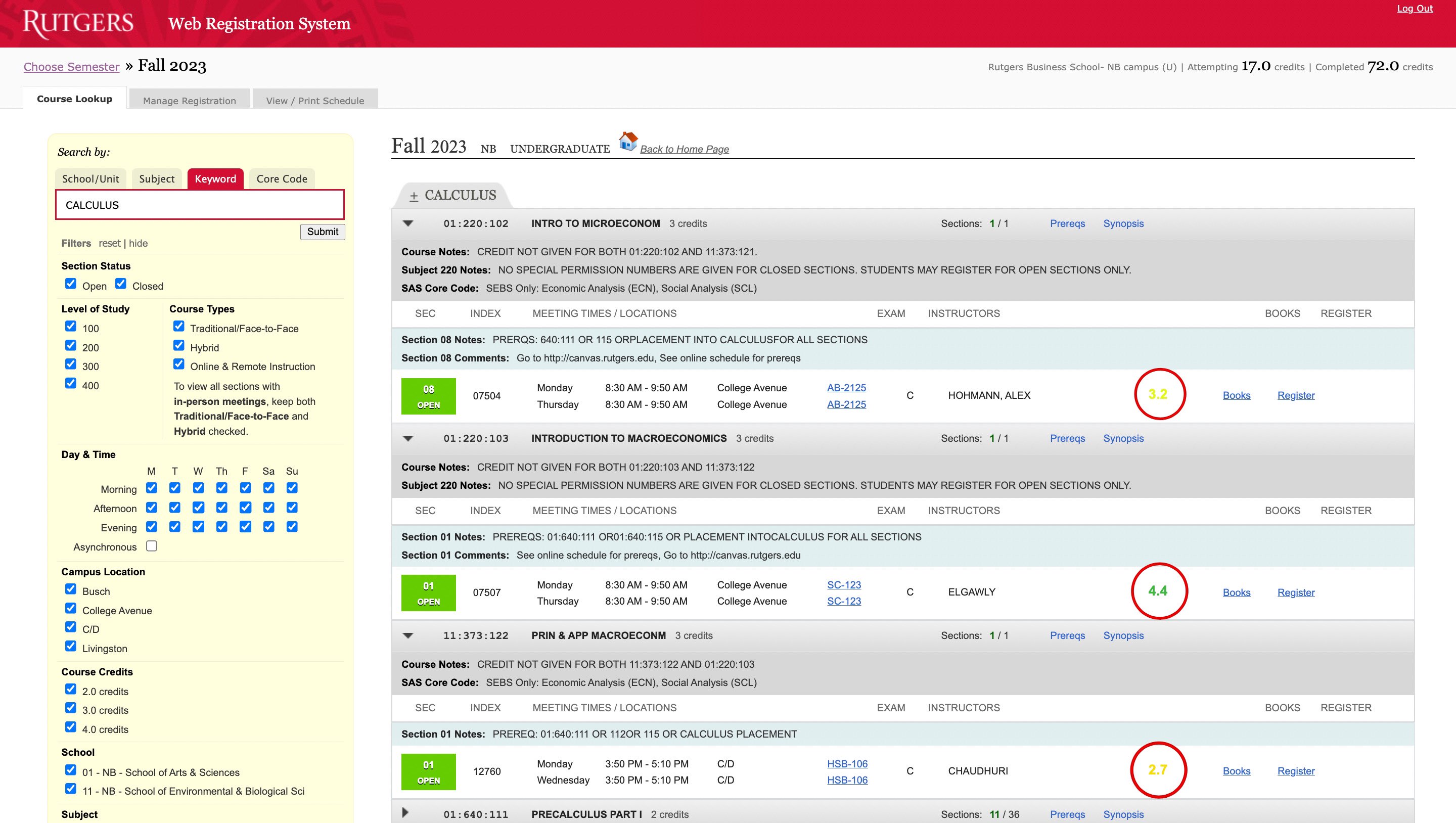
Example of propagated professor ratings
Inspiration
- The inspiration for "Judge My Professor" came from the frustration of the tedious process of researching professors at Rutgers University before enrolling in classes. We wanted to make it easier for students to access and share professor ratings and reviews.
What it does
- Judge My Professor is a browser extension that integrates with the Rutgers registration portal. It displays professor ratings and reviews next to each professor's name and course listing, providing students with valuable insights when selecting their classes.
How we built it
- We built the Chrome extension using web development technologies such as HTML, CSS, and JavaScript. We created a server to scrape professor ratings from Rate My Professor and process our API requests for professor ratings. The extension then injects this data into the Rutgers registration portal.
Challenges we ran into
- Cleaning data for consistent professor search results
- Reading and injecting HTML content into an iframe with a remote origin
- Server load capacity
- Handling web scraping through the server
Accomplishments that we're proud of
- Successfully developing and deploying a useful browser extension that simplifies the process of researching professors.
What we learned
- We gained valuable experience in web development, including working with browser extensions, web scraping, Node.js, servers, asynchronous programming, etc.
- Learned to collaborate on projects using version control tools such as Git
What's next for Judge My Professor
- Cache professor ratings to speed up the loading of each rating field
- Improve accuracy of scraped professor data using additional information such as department name
- Scrape additional metrics about each professor
- Scrape Rutgers SIRS data
- OnHover popup for each professor rating displaying additional information


Log in or sign up for Devpost to join the conversation.