-
-
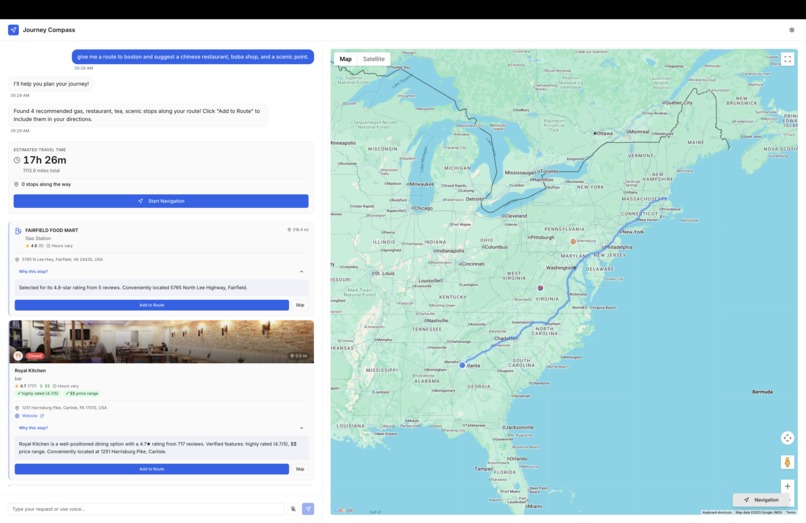
Example conversation with route and stops
-
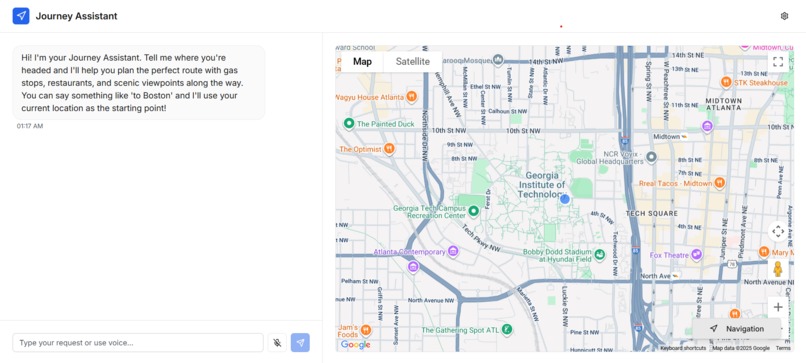
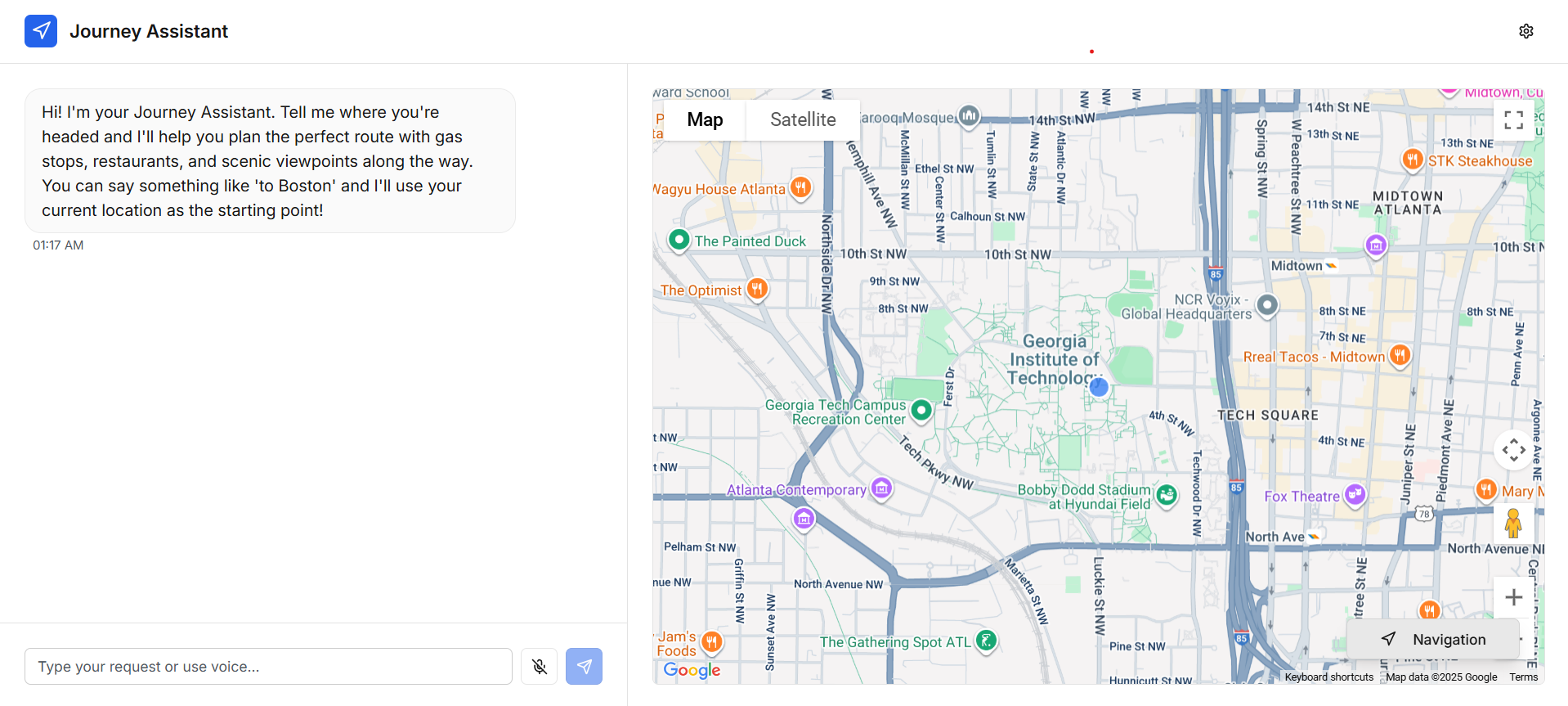
Default main page
-
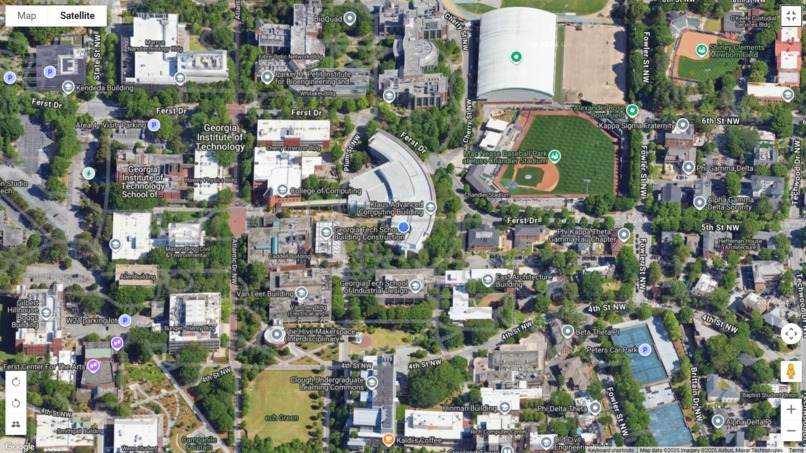
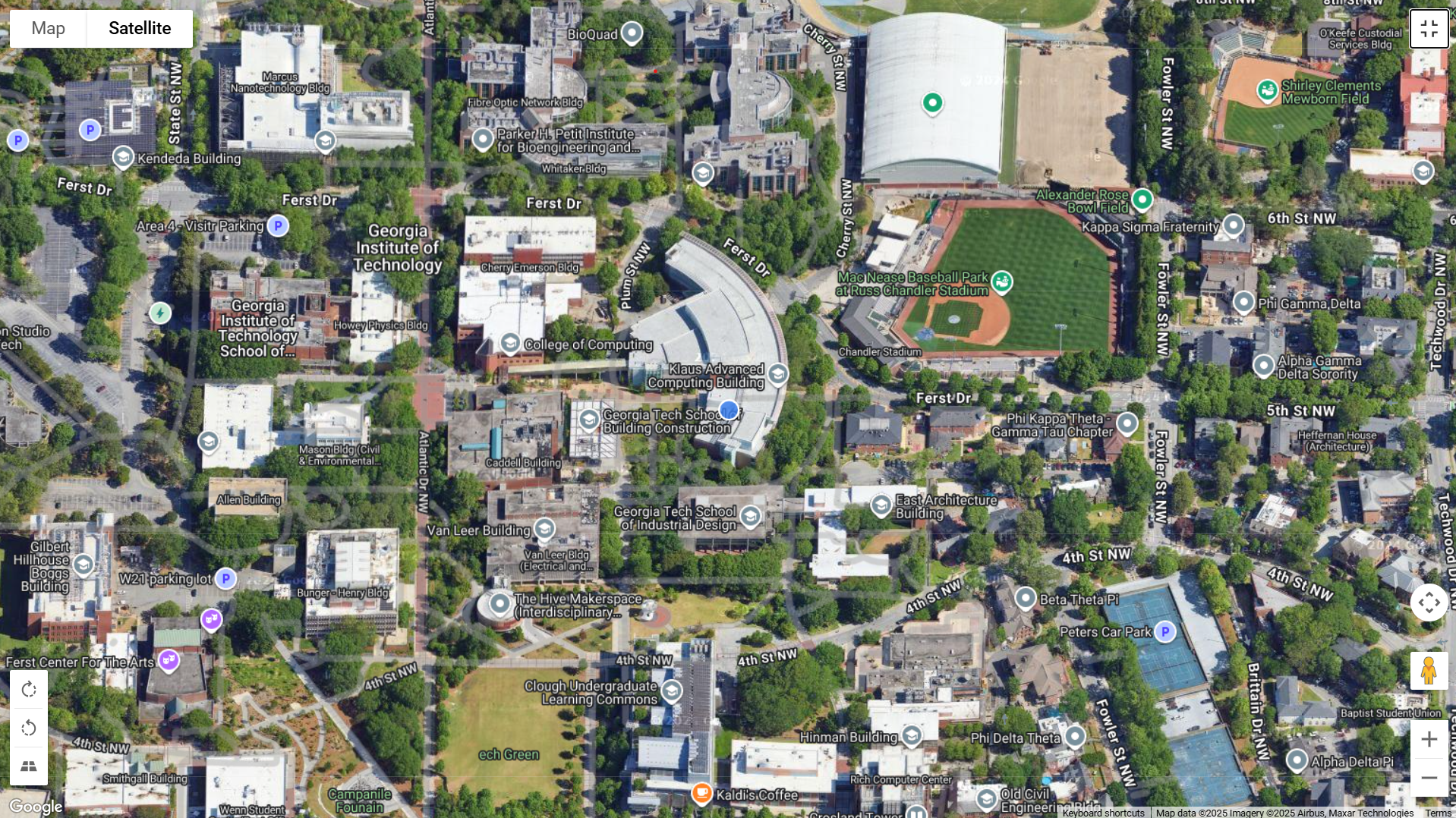
Satellite full screen
Inspiration
Google Maps is great. You can search for your destination, get the quickest route, and follow it as you drive. But as we get busier—juggling errands and deadlines—it falls short for multi-stop trips: it doesn’t automatically optimize stop order, makes you drag-and-drop to rearrange, caps how many stops you can add, and often won’t show a total route distance. This is the motivation for creating Journey Compass, a smart GPS copilot that understands natural conversation and plans routes around your real constraints, all while being completely hands-free.
What it does
Journey Compass has all of the functions of a typical GPS app. You type in your destination, get a route, and follow its directions as you drive. On top of these features, there is also a voice assistant that is always listening. When it hears its wake command, "Hey Journey," it starts listening.
Then, the user can talk to the assistant and receive a route tailored to the user’s needs. For instance, the user may ask "Hey Journey, make a route to Miami with a sushi place and gas station along the way. Make the sushi nearby and the gas station 2 hours away on the way to Miami.” Once the user is done talking, Journey Compass uses these instructions to create a custom route with the stops in the GPS. Then, it would respond back, saying something like "Got it! I’ve added a nearby sushi place, Yuji Modern Japanese, and a gas station 2 hours away on the path to Miami. You will still arrive in Miami on schedule."
Journey Compass also plans around hard arrival times. For example: “I need to be at Georgia Tech by 5 pm, but I need to pick up some groceries, and plan how many minutes I can spend at each stop to arrive on time.” The assistant optimizes stop order, allocates recommended dwell time at each stop, and continuously recalculates ETAs with traffic so you finish your errands and still reach home by 5 pm.
How we built it
We initialized our front-end by reviewing how other navigation platforms work. In particular, our design was most influenced by Google Map’s sidebar and how Apple Carplay displays the directions to the side bar. We also wanted to make sure the map had a navigate view and an overview view, allowing the user to toggle between seeing the map with the entire route and also the user’s current location.
To get the voice assistant feature working, we first used the Google Web Speech API to record the microphone’s audio through the browser. Then, once it detects the wake word “Hey Journey,” that’s when OpenAI’s Whisper comes in. Whisper accurately transcribes the verbal conversation in real time until either the mute button is pressed or it hears silence for 3.5 seconds.
Using that transcription, our model produces an optimized route for the user, suggesting possible stops along the way and redesigning the route based on if the user adds those stops in. Once done, the text is integrated with ElevenLabs’ text-to-speech generation to dictate the output to the user.
Challenges we ran into
Automatic Listening Feature Getting the automatic listening feature working proved to be very challenging. Because Browser SpeechRecognition and MediaRecorder both need exclusive microphone access, when the wake word is detected, we had to stop speech recognition and create a new stream for recording. Additionally, since there is no automatic way of detecting silence (to indicate when the message is over), we had to analyze the audio manually in real time. The code does an FFT analysis on the audio frequency data, converts it to decibels, and runs a stopwatch that resets whenever it hears a sound greater than -20 decibels. After the stopwatch reaches 3.5 seconds, it saves the recording for the next step. Additionally, managing the different states for wake word listening, recording state, and silence timers without memory leaks or infinite loops proved to be difficult as well in practice and required careful micromanagement.
Intelligent Stop Placement Determining optimal stop locations required complex logic analyzing route distance (>200 miles triggers gas stops), duration (>3 hours suggests restaurants), and user preferences. We decode Google Maps polyline geometry to calculate each stop's exact position along the route, ensuring proper ordering and verified attributes from real Google Maps data.
Real-Time Route Recalculation When users add stops, we recalculate the entire route through all waypoints using Google Maps Directions API, maintaining proper turn-by-turn navigation flow rather than just displaying markers.
Natural Language Parsing We implemented dual-mode parsing: OpenAI for complex contextual requests and regex fallbacks for simple "from X to Y" patterns, handling variations like "to Boston" (using current location) versus explicit origin/destination pairs.
Hosting the website For the majority of our team, it was the first time actually setting up a website with a proper domain name and figuring out the DNS. We learned from some tutorials and it ended up working out with some trial and error.
Accomplishments that we're proud of
Intelligent Voice-Activated Navigation Built a conversational AI assistant that understands natural language requests like "take me to Emory University” and "add a restaurant stop"
Context-Aware Multi-Stop Planning Successfully implemented deep preference merging so users can add multiple stops (restaurant + gas station) without losing previous requests
Grounded AI Recommendations: Every stop suggestion is backed by verified Google Maps data with transparent reasoning - no hallucinations, just facts.
Time-Constrained Routing: Developed a sophisticated time parser that handles complex constraints like "arrive by 3pm" or "I have 2 hours" and automatically allocates time for each stop.
Rich Place Details: Enhanced stop cards with photos, ratings, contact info, and real-time open/closed status pulled directly from Google Places API.
Seamless User Experience: Fixed duplicate messages, implemented smart client-side filtering, and made AI responses ultra-concise (3-5 words) for quick interactions.
What we learned
While we had experience with web development and prompting LLMs, we’ve never worked with AI that can transcribe text nor working with GPS maps. As a result, we had to familiarize ourselves with new tools like Whisper and the Google Maps API. To create a project using these new tools, we each learned a specific one and got it working on its own in its most basic form. Then, we bridged each tool with the LLM and web development technology that we were familiar with so that we could create complete features in the pipeline. Then, once each feature was working on its own, we combined them all into one website. In addition to learning the new tools, we also learned how to understand other people’s code, organize the codebase infrastructure effectively, and safely combine the features to make a complete working product. Then, we also needed to learn how to set up the website with a proper domain name using DNS, something neither of us had done before. To learn this, we used online tutorials for guidance.
Future features for Journey Compass
Currently, Journey Compass doesn’t ask the user questions and simply makes the route. If we add this feature, the user would be able to have back and forth conversations with it. As of right now, Journey Compass only works when driving. In the future, we could add walking, biking, and public transport as well. Additionally, we can also give Journey Compass the ability to search the web for relevant information on live events. For instance, the user could say "Hey Journey, give me directions to the Coldplay concert tonight", and Journey Compass would be able to find the location online and set the route on the way. Another step we could take is giving Journey Compass the ability to act as an agent. For instance, we could ask it "Hey Journey, reserve a hotel room in Atlanta for tonight" and Journey would be able to do so. Another step we could take for real life implementation is implementing it into existing car software systems such as Apple CarPlay. That way, it would be able to read information such as the fuel range and make decisions based off of that as well.
One thing that we weren't able to fully integrate were 3d visualizations of the buildings. We found a package that could do this, but by that point we had already built around the Google Maps API. In the future, we would try and integrate this as it would allow for cool visuals as you drive.
Future Business Model
The Problem Modern GPS systems like Google Maps and Waze are powerful at finding the fastest route, but they still lack true intelligence and convenience. Drivers must manually search for restaurants, gas stations, or scenic spots and add each stop themselves. This in itself can produce dangerous environments, as it potentially causes distracted driving. These systems cannot understand natural, conversational instructions or adapt plans based on context. While existing apps are efficient, they remain transactional — they tell you where to go, but not how to plan your journey thoughtfully. There is a clear gap for a navigation system that can reason, personalize, and communicate naturally with the user while keeping their hands on the wheel and attention on the road.
The Solution Journey Compass is an AI-powered conversational navigation assistant that acts as a true driving copilot. It allows users to simply speak naturally and receive intelligent, customized routes in response. For example, a driver can say, “Hey Journey, make a route to Miami with a sushi place and gas station along the way,” and Journey Compass will automatically plan the route, add the requested stops, and explain its reasoning out loud. It integrates real-time transcription, translation, and route generation, combining voice understanding and Google Maps APIs with an AI reasoning layer. Instead of manually adjusting routes, users can now talk to their navigation system as if they were speaking to a human assistant who plans, explains, and adjusts their trip dynamically. It's Jarvis for Drivers.
Product Architecture Journey Compass operates through several connected layers. First, a voice interface powered by Whisper continuously listens for the wake word “Hey Journey” and then transcribes spoken input into text. That text is processed by a large language model, which interprets the user’s intent and translates it into structured routing instructions. These instructions are passed to the Google Directions and Places APIs, which return candidate routes and relevant stop recommendations. The system then generates an enriched itinerary, including reasoning for route changes and stop choices. Finally, ElevenLabs produces the spoken response, and the user receives both an audio summary and a visual map interface. This architecture makes Journey Compass fully conversational, context-aware, and visually interactive.
Target Market Journey Compass targets anyone who drives regularly and values hands-free convenience. This includes everyday commuters, long-distance travelers, and road trip enthusiasts who want smarter, more flexible navigation. It also appeals to rideshare and delivery drivers who benefit from efficient and dynamic route management. Beyond individual users, Journey Compass has strong potential for partnerships with car manufacturers, rideshare companies, and travel platforms that want to embed conversational AI into their systems. As vehicles increasingly integrate AI assistants, Journey Compass fits naturally into the growing market for connected car technology and smart mobility solutions.
Business Model Journey Compass will use a freemium model that combines both consumer and enterprise revenue streams. The basic version of the app will be free and supported by contextual ads or affiliate recommendations. A premium subscription tier, priced around five dollars per month, will unlock advanced features such as scenic route optimization, live weather rerouting, offline mode, and multi-stop planning. Additional revenue will come from affiliate partnerships with restaurants, gas stations, and travel destinations that appear as suggested stops in user routes. Journey Compass can also license its conversational routing engine as an SDK for car manufacturers and mobility platforms. Over time, data insights from anonymous trip data can provide another optional revenue stream for analytics and travel trend analysis.
Market Strategy The initial launch phase will focus on building awareness through demo videos, hackathon showcases, and product launch platforms such as Product Hunt and social media. The first goal is to attract early adopters—tech-savvy drivers, travel influencers, and road trip enthusiasts—who can showcase the conversational capabilities of Journey Compass. Once a solid user base is established, the second phase will expand through strategic partnerships with navigation and automotive companies. Integration into systems like Android Auto or CarPlay will strengthen the product’s presence in vehicles and increase its adoption rate. The long-term strategy is to evolve from a standalone app into an embedded technology partner for the broader automotive and travel industries.
Competitive Landscape The navigation market is dominated by Google Maps, Apple Maps, and Waze, which are excellent at route optimization but lack conversational intelligence. Voice assistants like Siri or Alexa can process commands but cannot understand complex travel preferences or dynamically reason about multi-stop routes. Journey Compass combines the best of both worlds by offering high-accuracy routing and natural, context-aware interaction. It differentiates itself through explainable route planning, AI reasoning, and a human-like conversational experience. This gives it a competitive advantage as the first navigation assistant that truly understands intent rather than just executing commands.
Built With
- autoprefixer
- axios
- azure
- drizzle-kit
- drizzle-orm
- elevenlabs
- express.js
- framer-notion
- google-maps
- javascript
- leaflet.js
- mapbox
- neon-database
- node-fetch
- node.js
- openai
- passport.js
- postcss
- postgresql
- radix
- react
- replit
- tailwind
- tanstack
- tsx
- typescript
- vite
- websockets
- wouter
- zod


Log in or sign up for Devpost to join the conversation.