-
Dark Logo
-
Light Logo
-
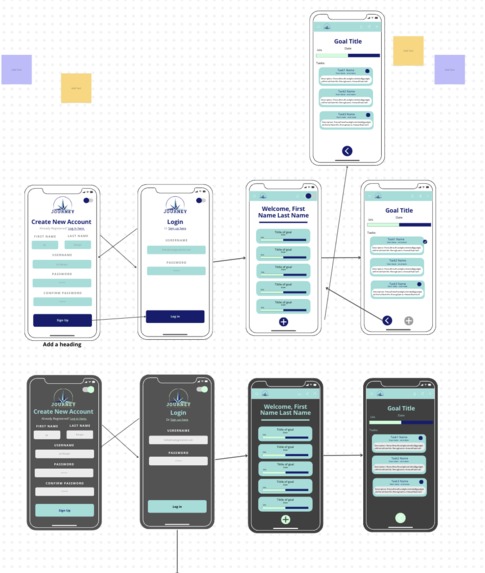
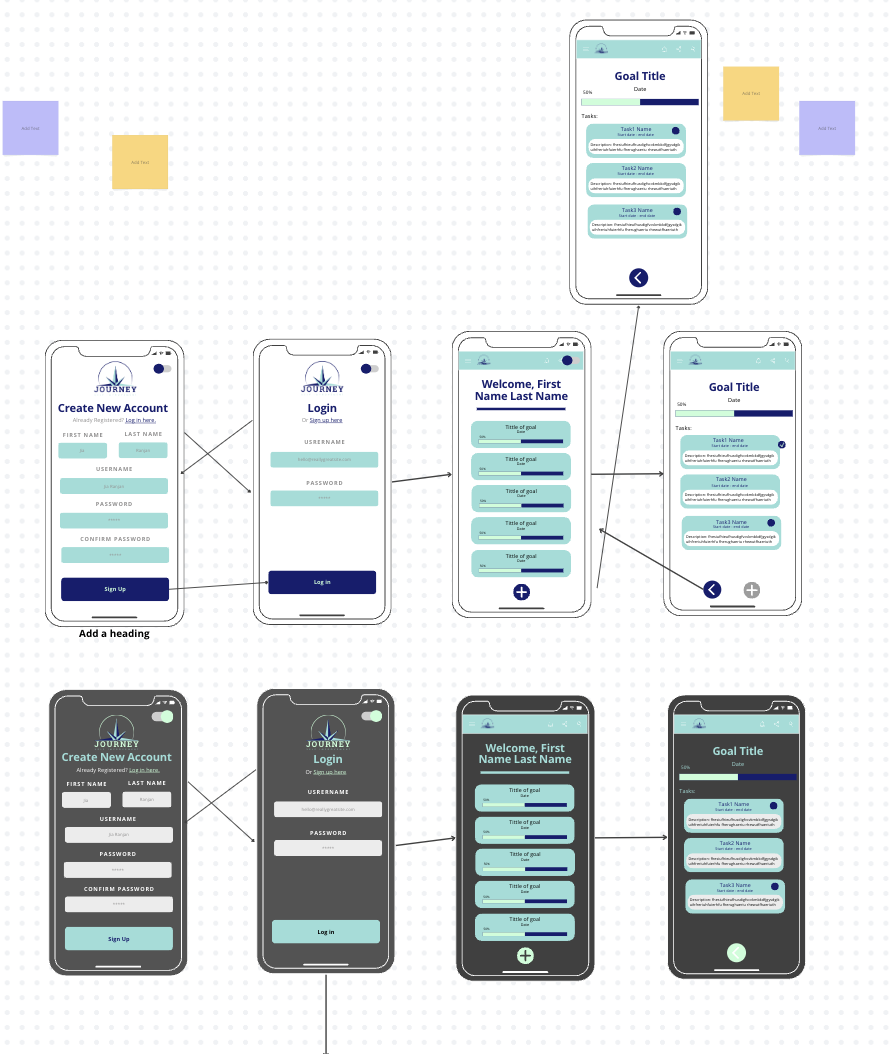
Mobile design Canva
-
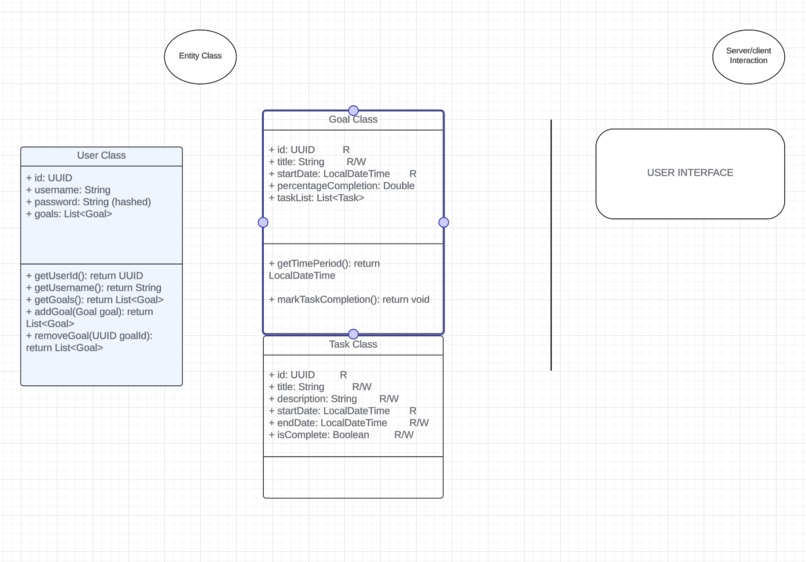
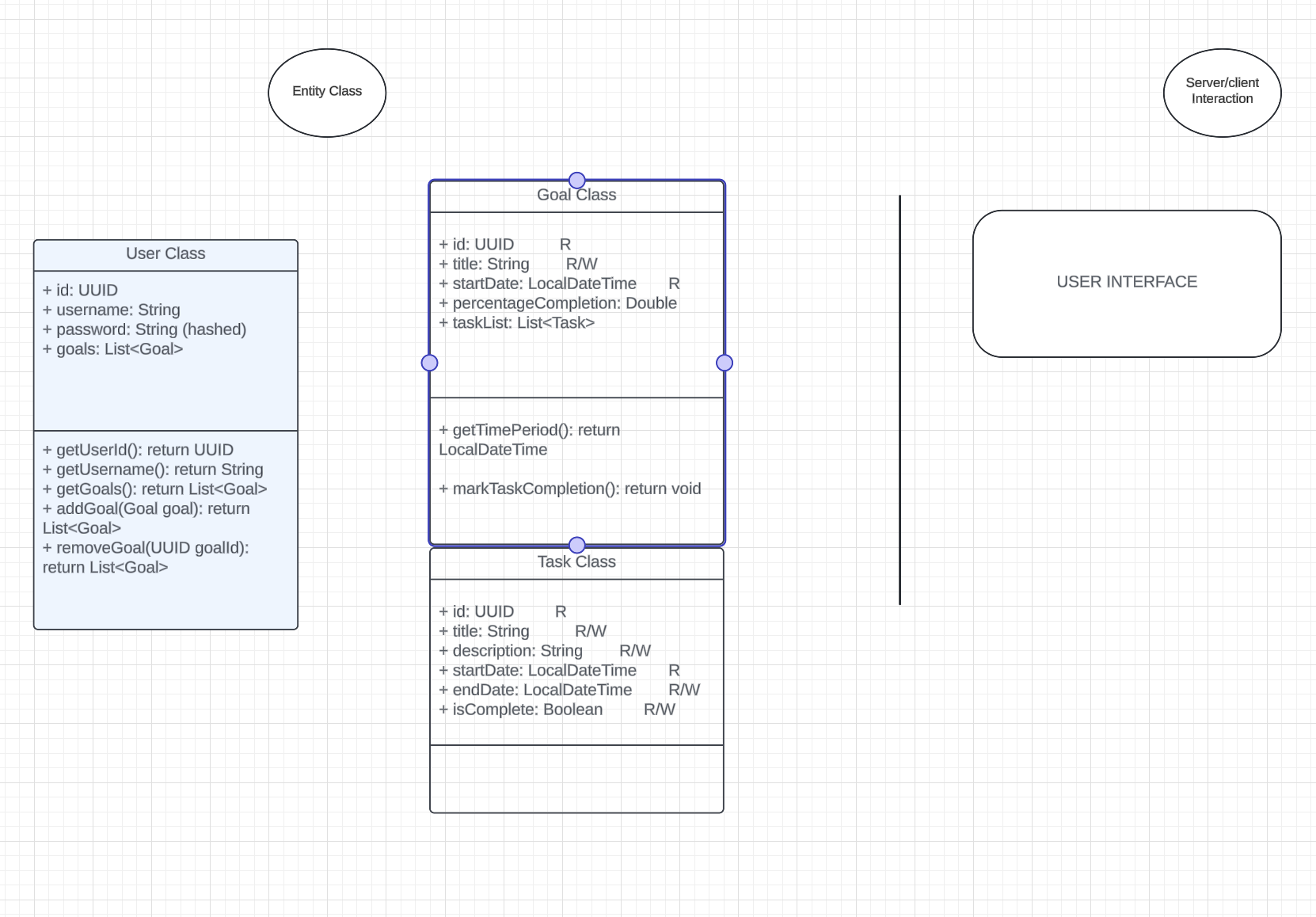
UML
-
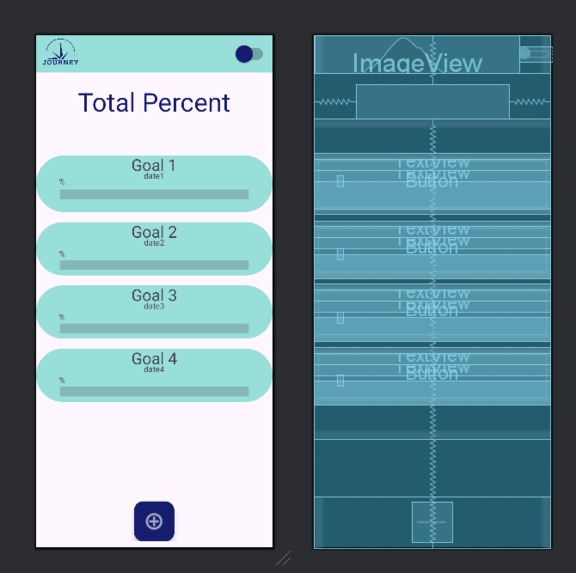
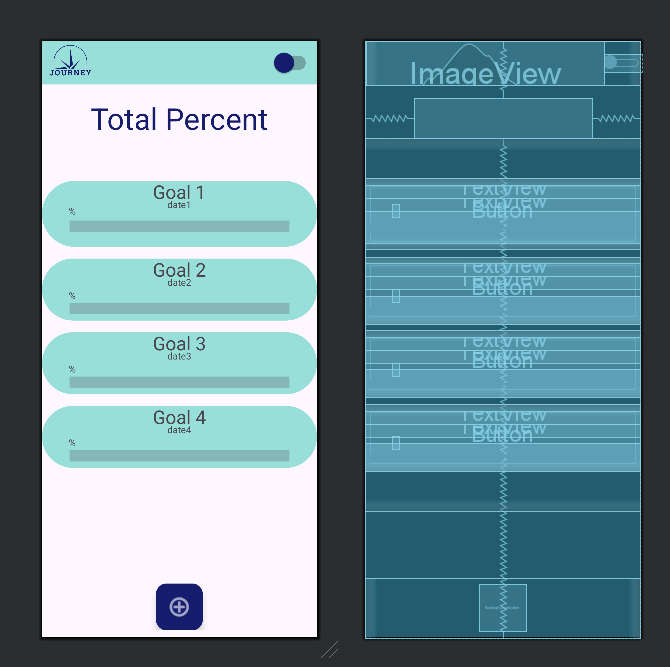
Goals Screen (Left is user view, right shows how we formatted it)
-
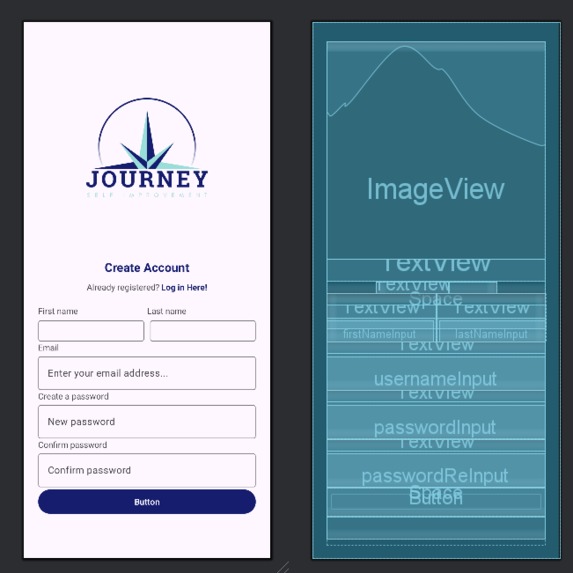
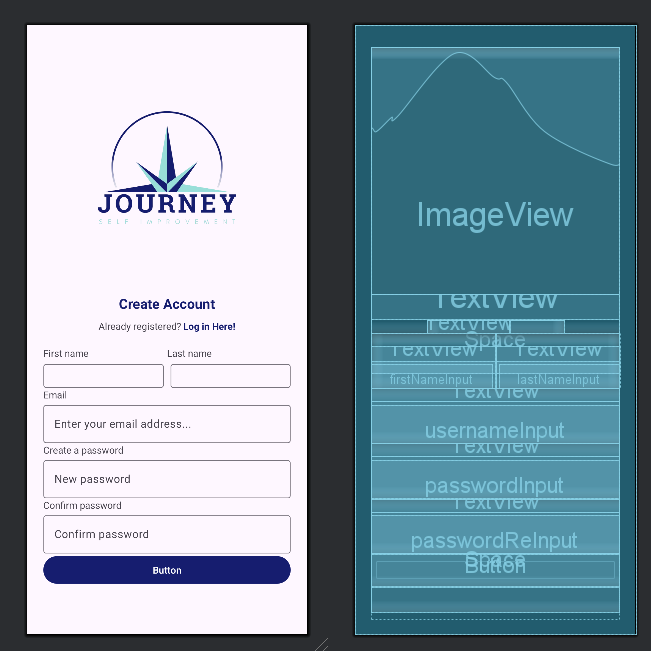
Log In Screen (Left is user view, right shows how we formatted it)
-
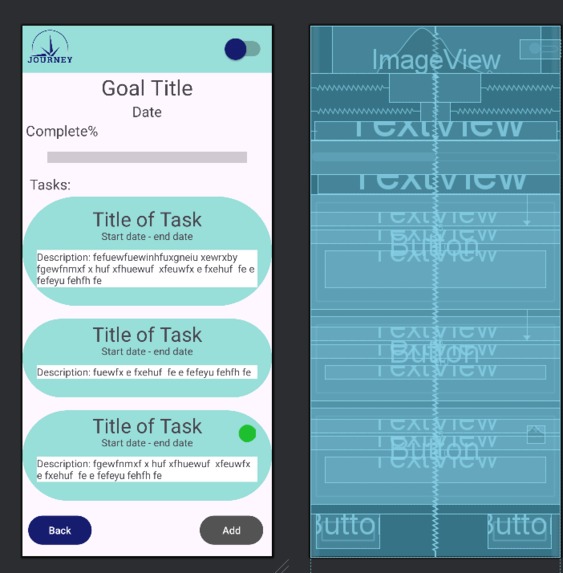
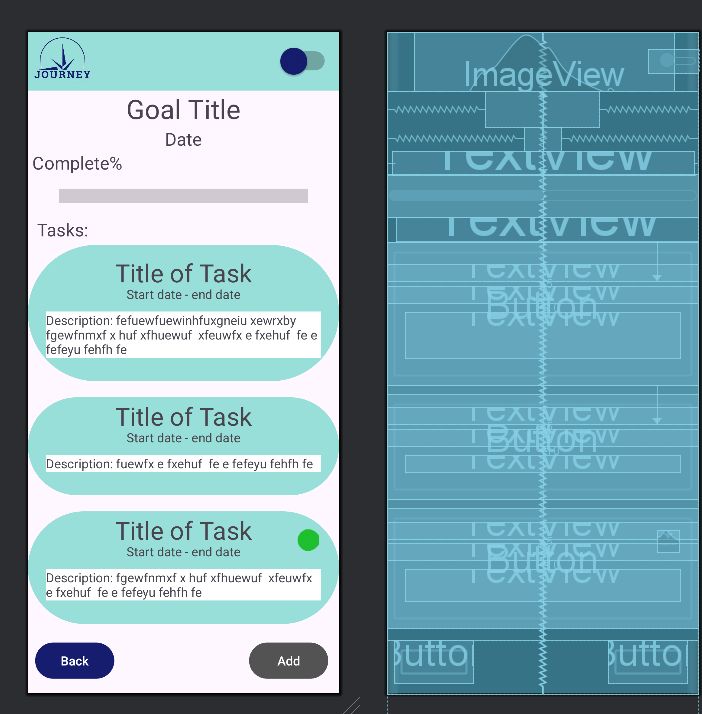
Tasks Screen (Left is user view, right shows how we formatted it)
Inspiration
The team tried brainstorming an idea by talking about their personal development goals. We noticed a trend that all of us had many goals - big and small - but most of us had not started on them. We realized that the biggest hurdle was deciding on a action plan.
What it does
Our Journey Android App allows users to create goals and receive AI generated steps (tasks) in order to complete the goal. The user can sign in and the verification tool (Firebase authentication) checks your email. Additionally, the user can log in and the database will check if it matches existing accounts.
How we built it
Frontend - Android Studio - Java SDK API Level 28 + XML, (we also tried using various java http libraries such as OkHttp) Backend - Node/ExpressJS, Firebase firestore, Gemini API
Challenges we ran into
Using various technologies that we are not comfortable working with and trying to connect them together. For the backend, we decided to go with Node/ExpressJS and connect to a Firebase firestore. For the frontend, we decided that an app would fit the problem much better than a web application, thus we utilized Android studio to develop our mobile application using Java. Despite having no experience developing a production level Java application, we were very persistent and manages to
Accomplishments that we're proud of
Successfully implemented and hosted our API server that communicates with the Client UI, and Google Gemini AI API.
Planning and brainstorming process - managing the work among team members.
Taking advantage of Git & Github for version control and team collaboration!
UI/UX design and team effort!
What we learned
It is really important to thoroughly research libraries and compatibilities before starting a project.
What's next for Journey
Finish the project by making the server-client work and adding the object to JSON mapping.
Built With
- ai
- android
- express.js
- firebase
- firebaseauth
- firestore
- gemini
- java
- javascript
- node.js
- okhttp
- prompt-engineering
- volley
- xml

Log in or sign up for Devpost to join the conversation.