Inspiration
Journaling usually happens in a notebook, like a diary. The problem is that old entries are hard to look back on, so I kept running into the same worries again and again without noticing the pattern.
I wanted a journal where entries live as notes on a calendar timeline, so that the problems I'm facing right now, and the thought loops I keep falling into, become visible. Once you can see those patterns, you can discover for yourself what you can do to live a better life.
My goal is simple: help anyone treat each day as a fresh start toward living better, and make journaling effortless enough to actually stick.
What it does
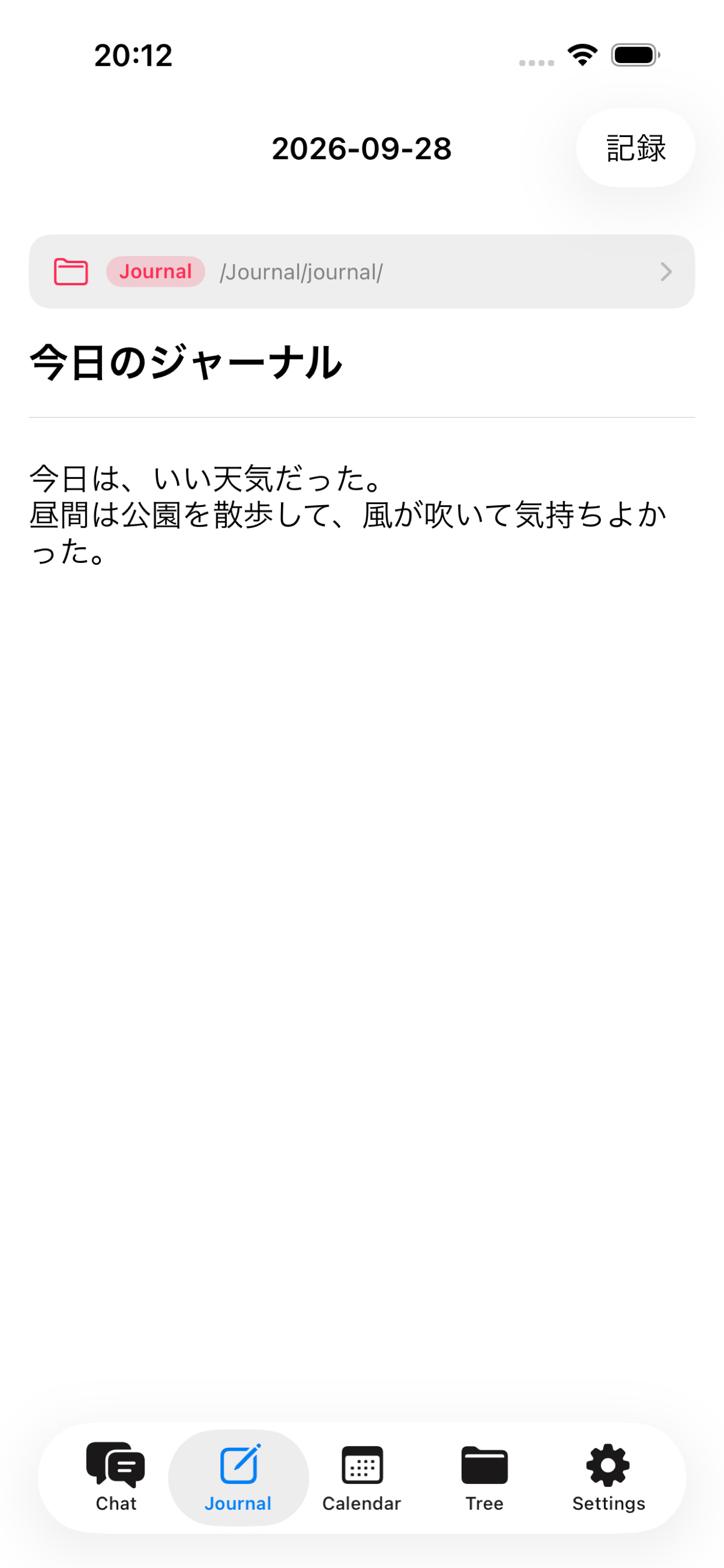
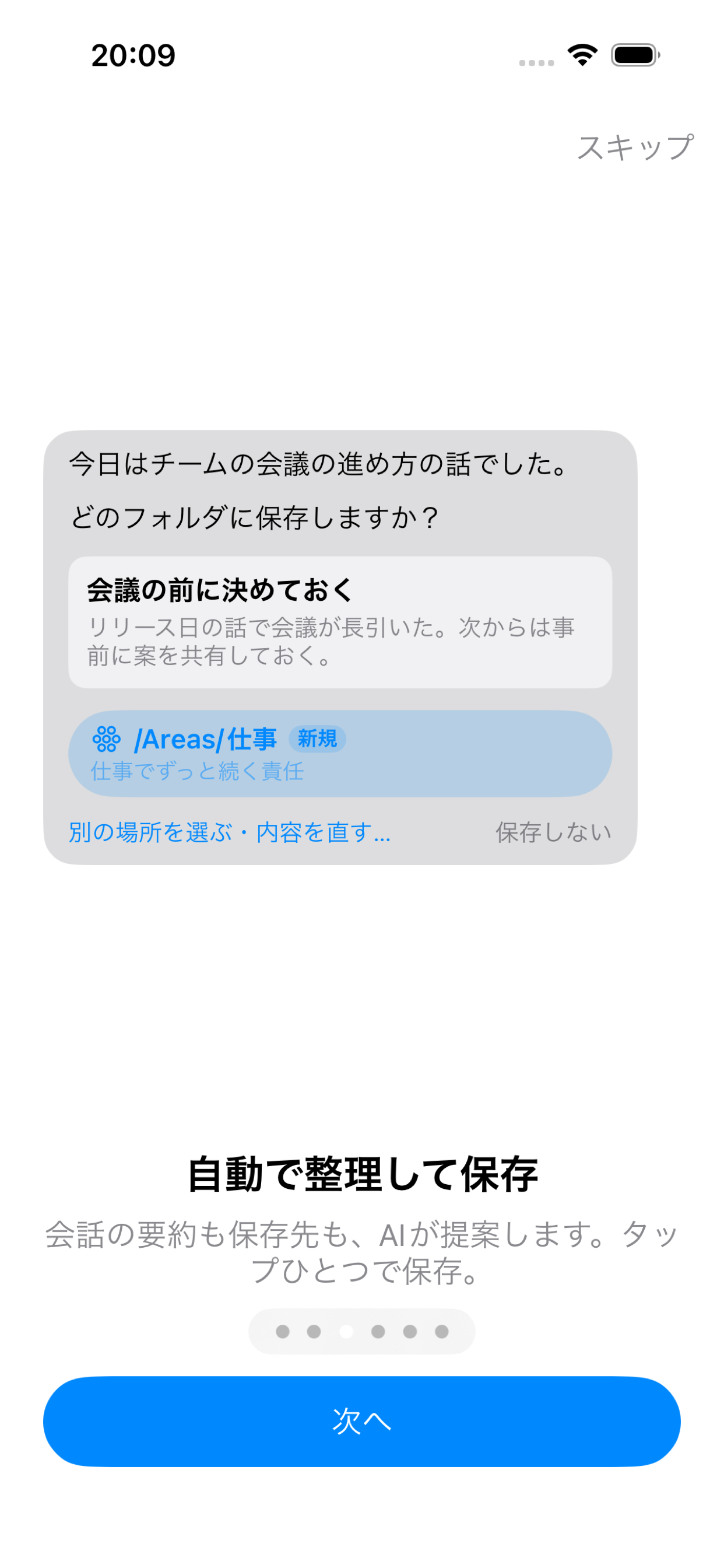
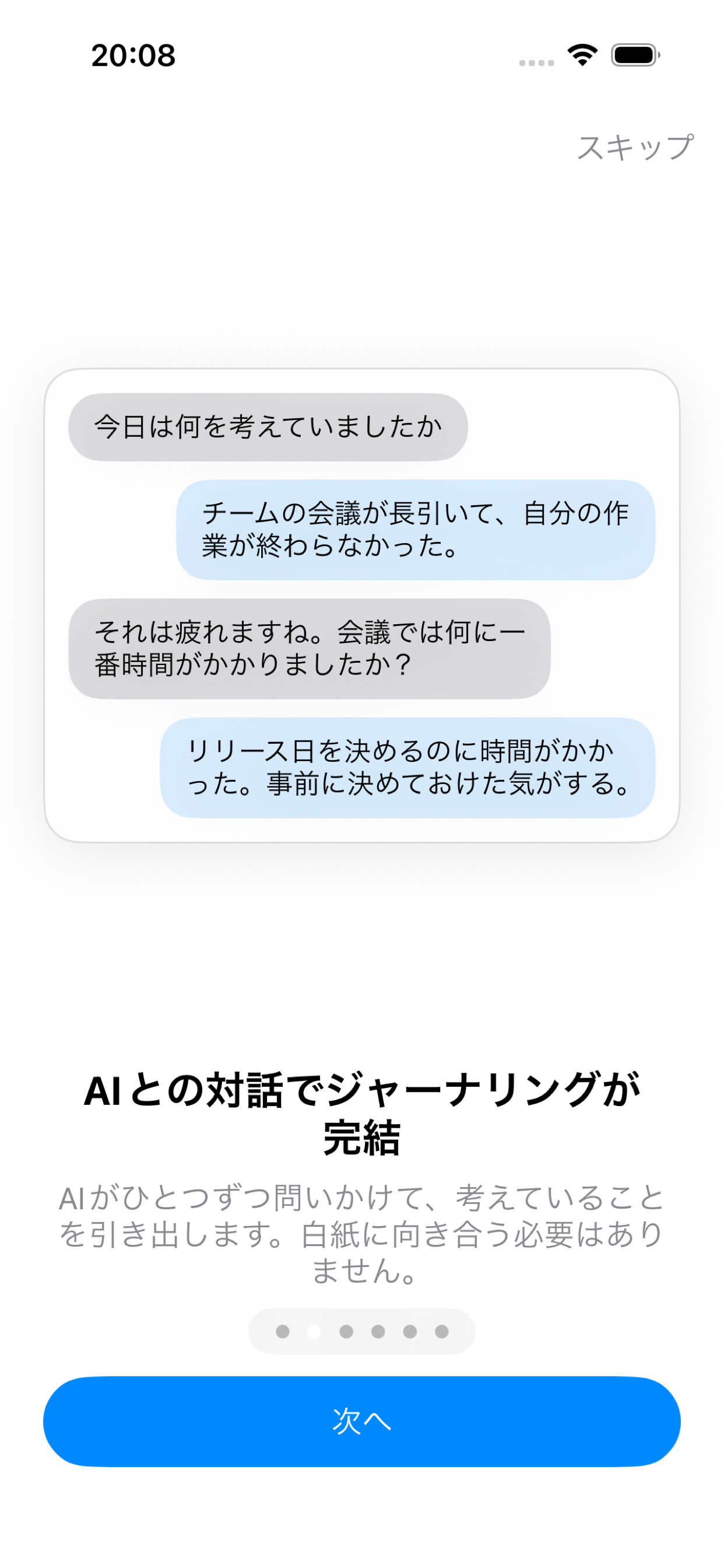
journal-mate is a conversational journaling app: just talk to the AI, and your journal entry is done.
- AI-guided journaling: Chat with Claude about your day, and it turns the conversation into a structured journal entry.
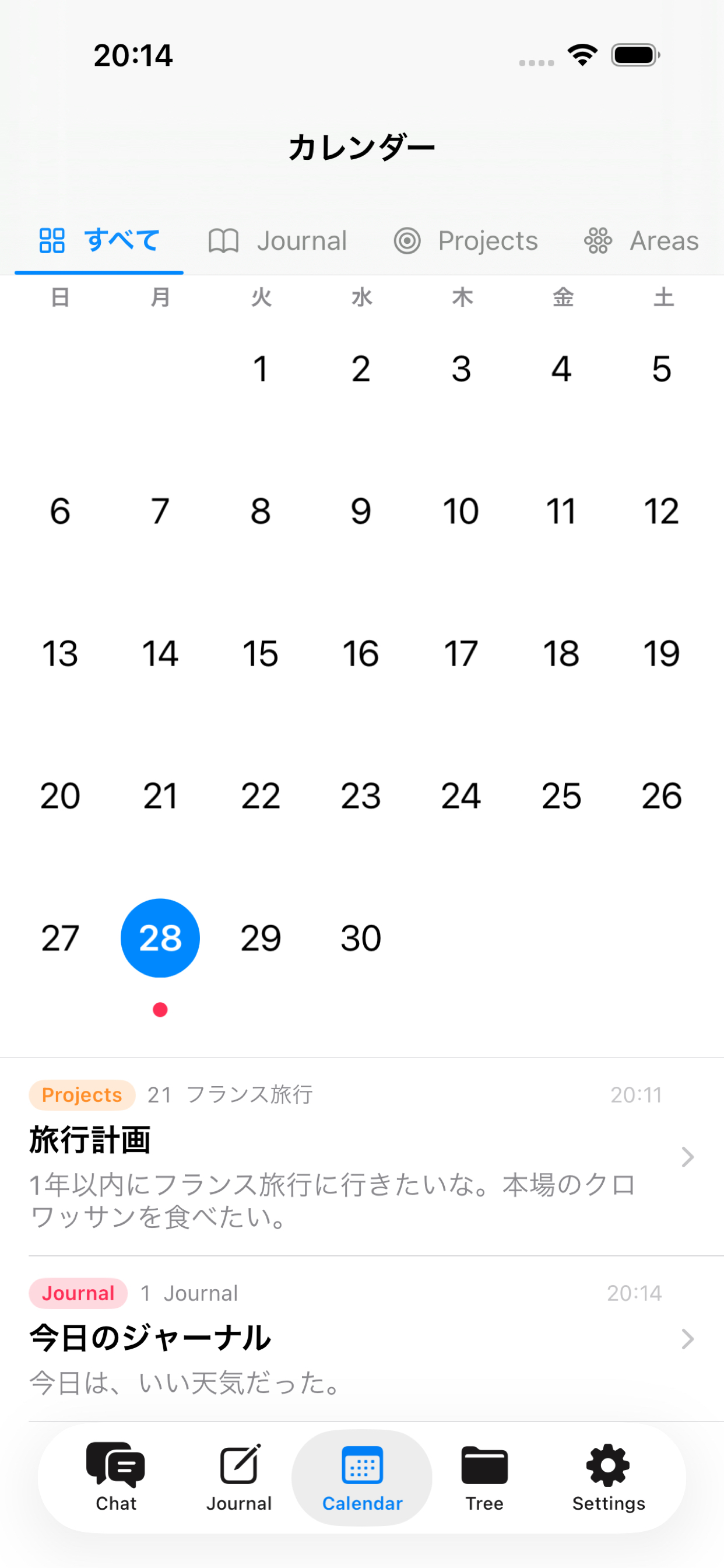
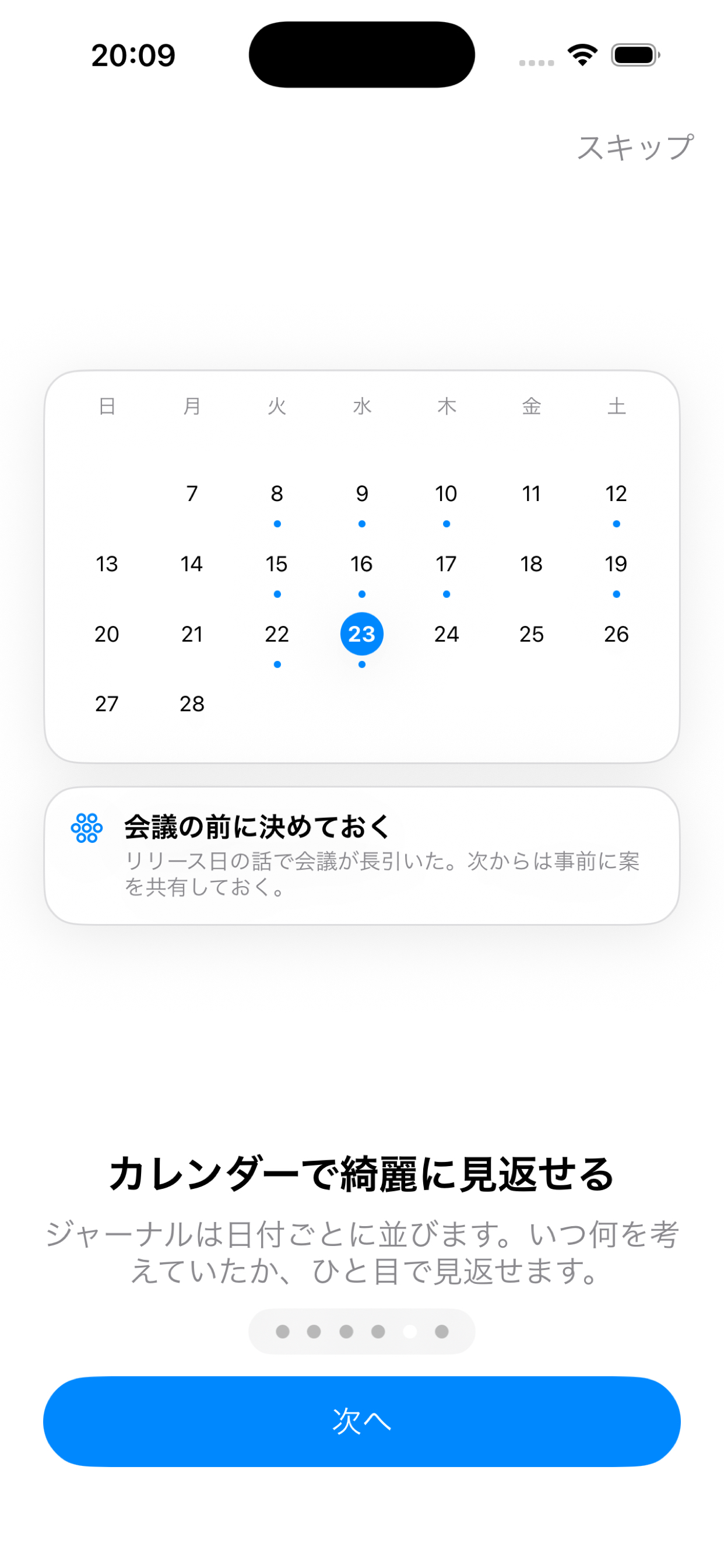
- Calendar overview: Browse your journals on a calendar and look back: "What was I worried about back then? Have I grown since?"
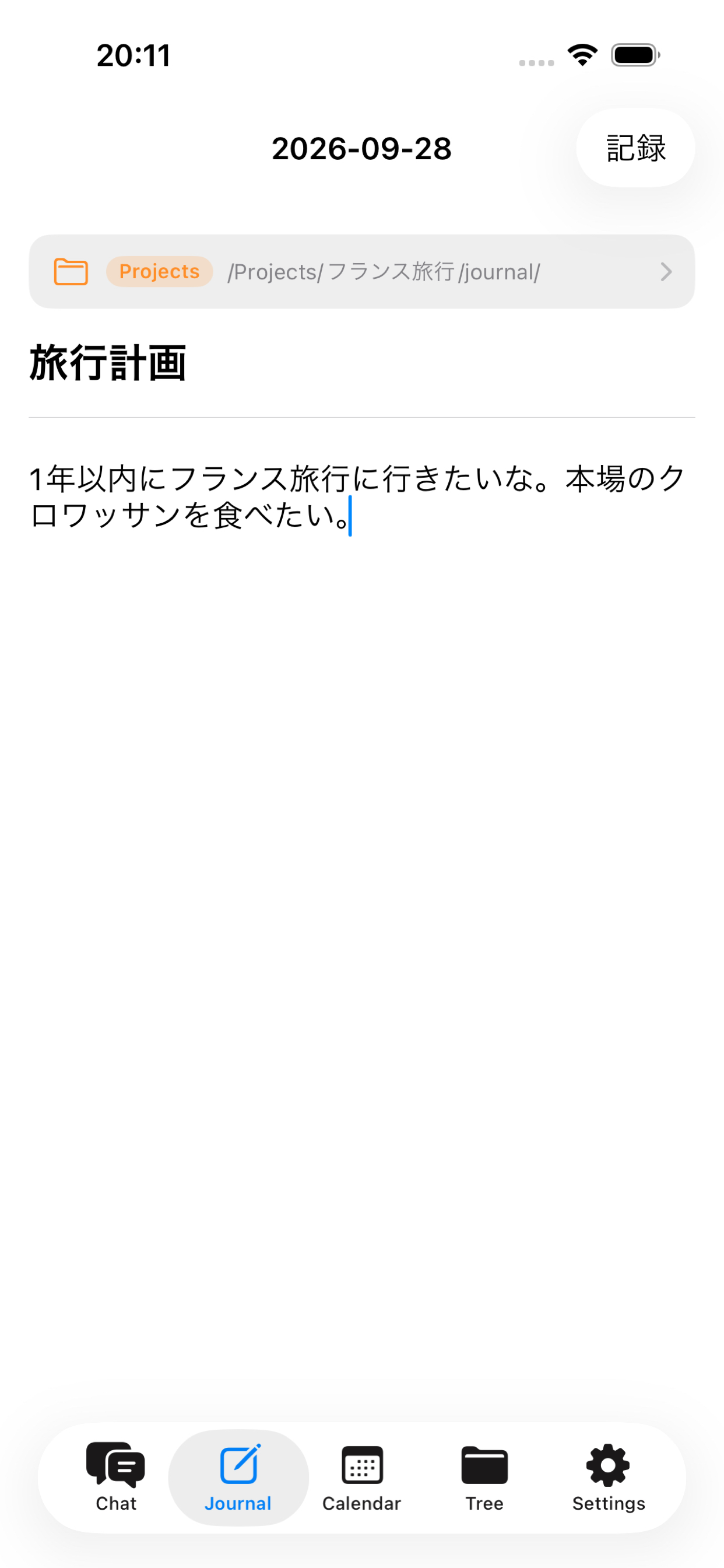
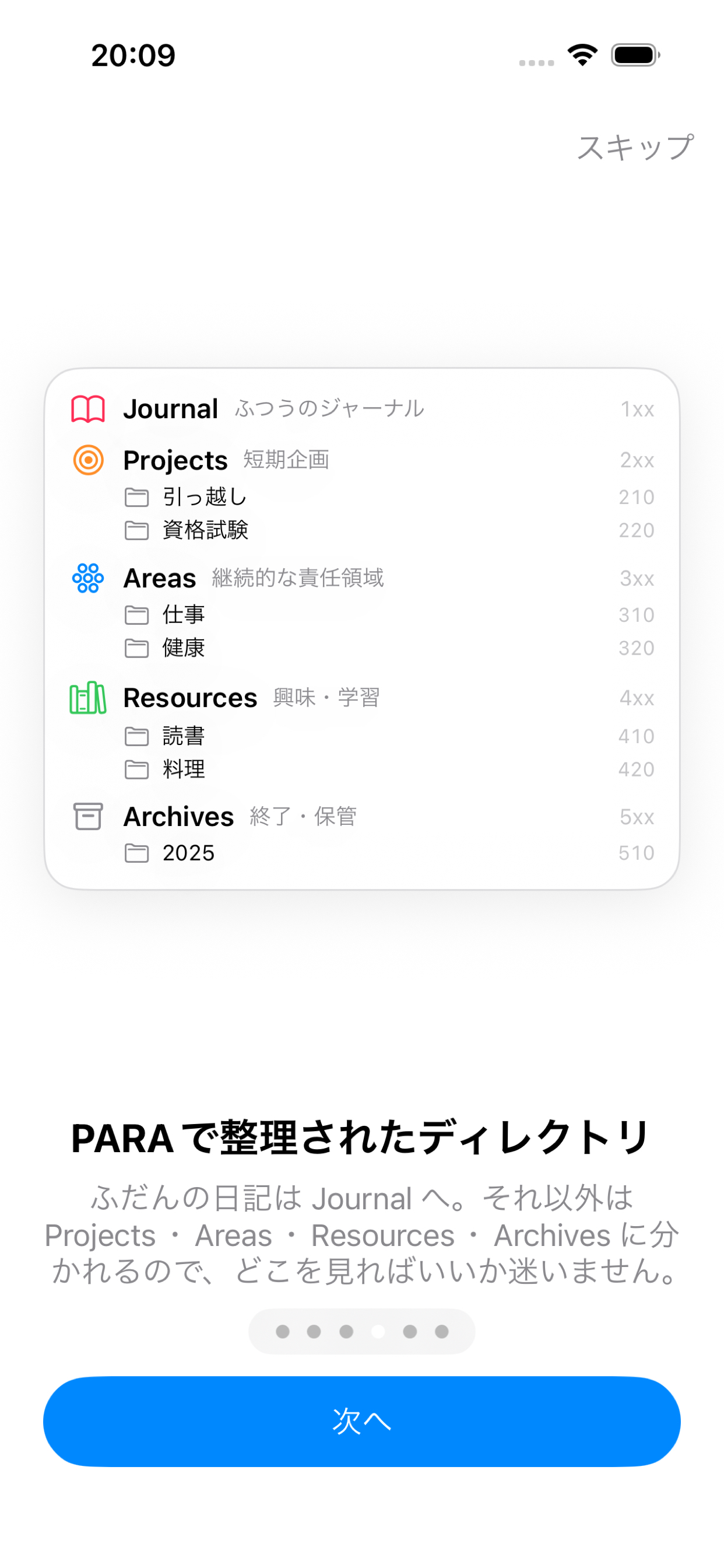
- PARA-structured folders: Entries are organized with the PARA method (Projects / Areas / Resources / Archives), so the things you care about most rise to the surface.
- Notes app, too: It doubles as a general-purpose Markdown notes app.
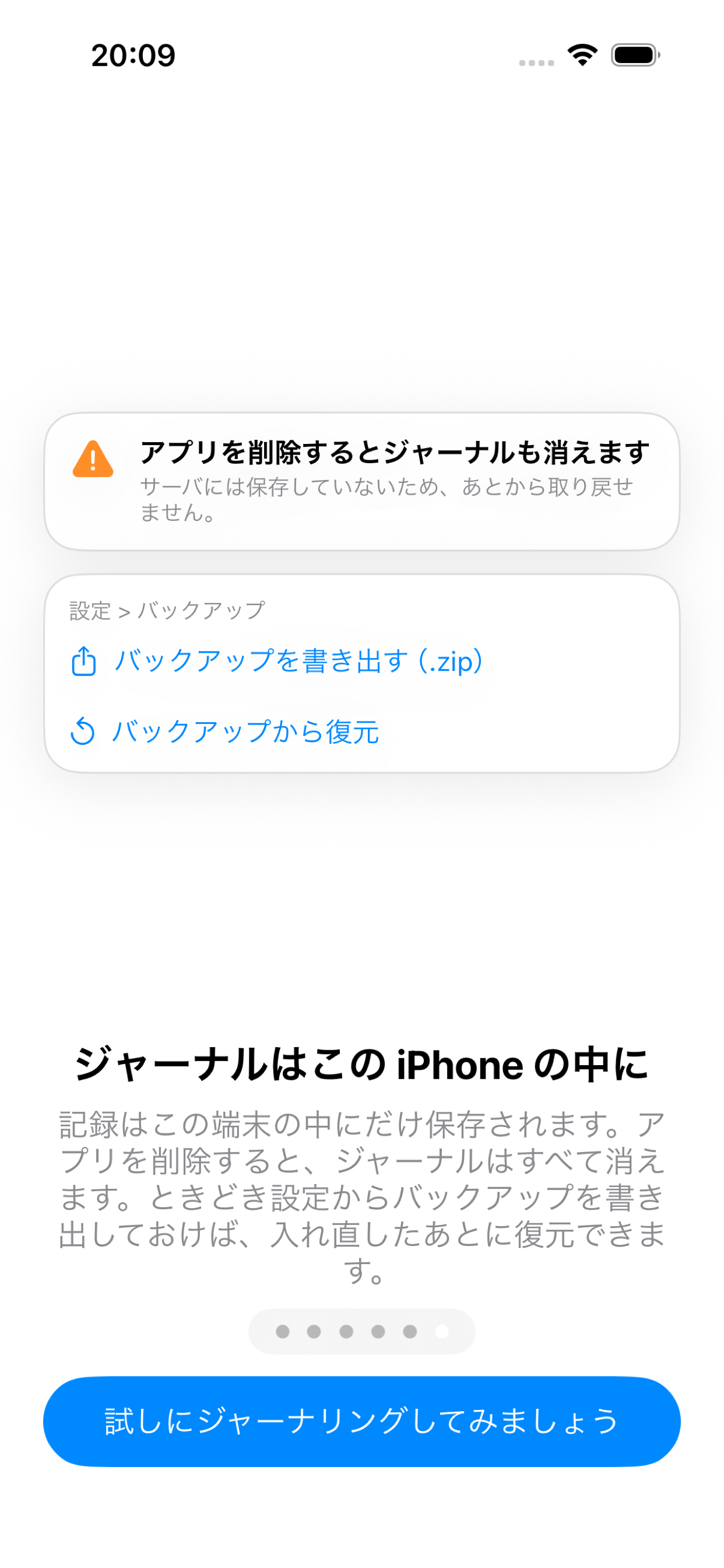
- No lock-in: Export everything as an Obsidian-compatible vault at any time.
How we built it
Tech stack
- UI: SwiftUI (iOS 18)
- The calendar embeds UIKit's
UICalendarViewfor fine-grained, per-day decorations
- The calendar embeds UIKit's
- Language: Swift 6
- Strict concurrency checking enabled to catch data races at compile time
- Persistence: SQLite, called directly through libsqlite3 with a ~200-line custom wrapper
- Skipped SwiftData because it doesn't support full-text search (FTS5)
- Skipped GRDB and similar libraries to keep zero external dependencies
- Full-text search: SQLite FTS5 with the
trigramtokenizer- The default
unicode61tokenizer can't do substring matching on Japanese text
- The default
- Relay server: Cloudflare Workers (TypeScript) + Durable Objects + KV
- Streams Claude's SSE responses straight to the device without buffering
- Durable Objects process each user's usage ledger serially
- Device authentication: App Attest + DeviceCheck
- App Attest verifies requests come from the genuine app
- DeviceCheck ties the free tier to the physical device
1. Data model: Markdown as a value
Note bodies are stored as plain Markdown in the database.
- The single source of truth is one SQLite file
- Bodies are kept as raw Markdown strings, not a proprietary format
- The folder structure is virtual and exists only in the database
- Reclassifying a note never moves a file, so links never break
- Generating a journal, creating nodes, and updating the index all happen in one transaction
No lock-in.
- The app can export an Obsidian-compatible vault (
.mdfiles with YAML frontmatter in a real folder hierarchy) as a zip at any time - Exported vaults can be imported back
Making search fast.
- FTS5 full-text search: Unlike opening and reading
.mdfiles every time, it searches 10,000 notes in a few milliseconds. Since the design relies on search to feed context to the AI, this speed matters. - An index that doesn't duplicate content: FTS5 runs with
content='notes'(external content), so the index holds no copy of the body. Triggers keep the index in sync on every insert, update, and delete. - Fallback for short queries:
trigramcan't match queries under 3 characters, so queries of 2 characters or fewer fall back toLIKE. - Composite indexes per screen:
- Calendar:
notes(day_key, occurred_at) - Folder tree:
notes(node_id, layer, occurred_at) - Chat history:
messages(session_id, created_at)
- Calendar:
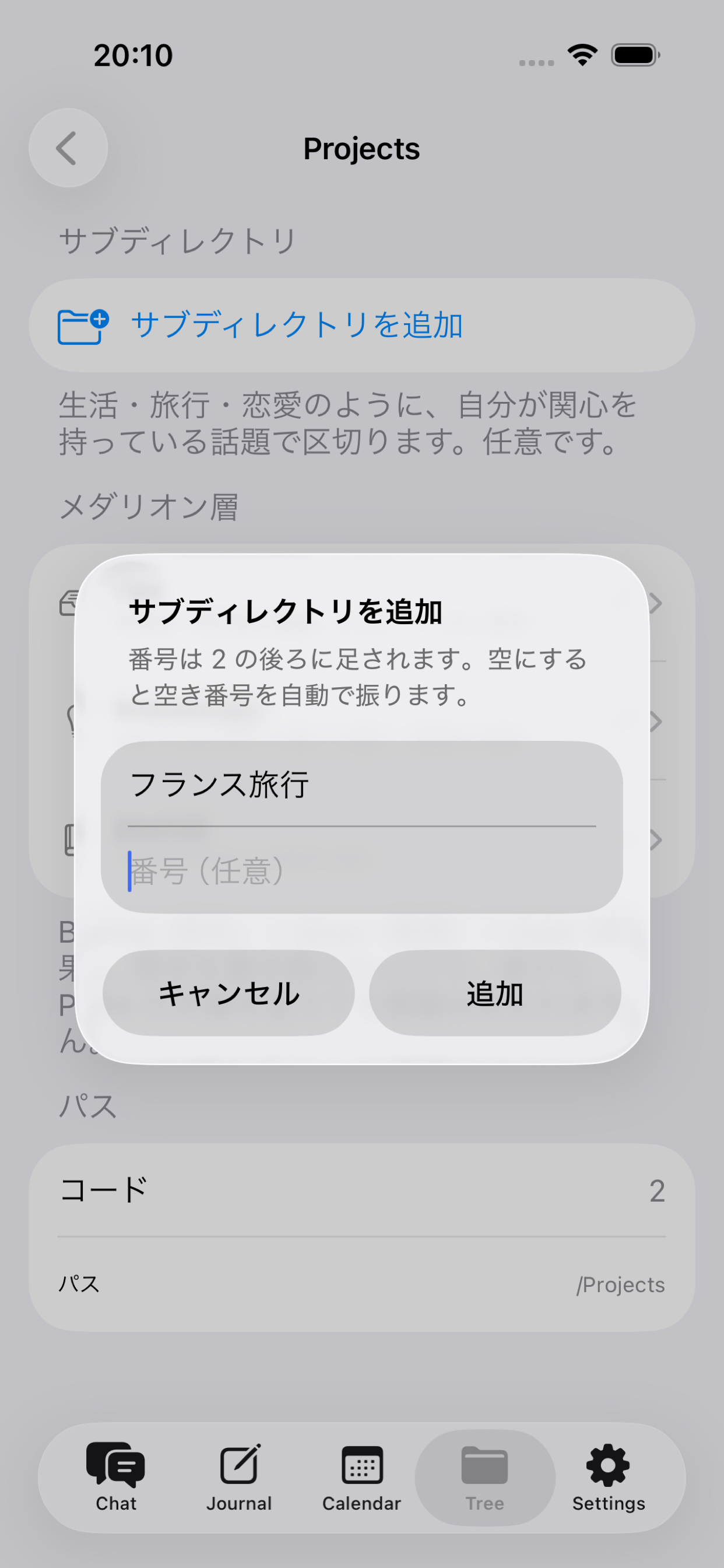
2. PARA × Medallion structure with numbered hierarchy
Deriving codes from hierarchy paths.
- A path like
Areas / Life / Travel / Insurancegets a code such as1152- The first digit is the PARA category (0 = Projects, 1 = Areas, 2 = Resources, 3 = Archives)
- Each following digit is the node's position within its level
- The code is also prefixed to file names (e.g.
1152_202609191330.md)
Fetching an entire subtree in one query.
- Codes are precomputed and stored in the database
- A single
code LIKE '115%'fetches everything under "Travel," so context for the AI can be assembled instantly
Moving folders and non-destructive reclassification.
- When a folder moves, a recursive CTE renumbers the codes and paths of all descendants in one pass
- Inspired by the Medallion architecture, every folder has three layers:
- raw: original sources, never rewritten
- knowledge: lessons derived from raw and journal
- journal: daily records, append-only
- Because originals are never rewritten, no information is lost no matter how many times you reorganize
3. A gateway that keeps the API key out of the app
Why a relay server? An API key embedded in the app binary can be extracted, and I'd be billed for whoever uses it. So a relay on Workers runs four checks before anything reaches Claude.
- App Attest (401): Validates Apple's certificate chain to confirm the request comes from the genuine app.
- RevenueCat (402): Checks subscription status via the REST API and webhooks. If RevenueCat is down, it falls back to the last cached state instead of locking everyone out.
- Durable Object ledger (429): One ledger per user. KV is only eventually consistent, so two simultaneous requests could read the same remaining balance, both pass, and exceed the limit.
- Allowlist validation (400): Only approved models, keys, and
max_tokensvalues pass. Otherwise anyone who found the URL could use it as a free Claude proxy.
Enforcing limits even while streaming.
- Before a request starts,
max_tokensworth of quota is reserved; after it finishes, the actualusageis settled - Reservations from dropped connections expire after 5 minutes
- Day boundaries are fixed to UTC, so changing the device's time zone doesn't reset the quota
4. A free tier that survives reinstalls (DeviceCheck)
Problem. App Attest key IDs, anonymous IDs, and identifierForVendor are all regenerated when the app is deleted. Reinstalling the app would reset the free tier.
Solution.
- Record "this device has started using this month's free tier" in DeviceCheck's two bits, which Apple keeps even after the app is deleted
- Whether a new month has begun is determined from the bits'
last_update_time, so no cron jobs or scheduled tasks are needed - If DeviceCheck is down, requests are allowed through so free users aren't locked out
Keeping costs down. Free-tier calls are pinned to Haiku on the server side, with a tighter output limit.
Challenges we ran into
Time. I built this in roughly one week, right after moving to a new place.
Working solo. This was a one-person project, so whenever I got stuck, there was no one to ask. I had to attack every unknown myself, with Claude Code as my coding partner.
Learning Swift from zero. I didn't know Swift, so my process looked like this: learn the basics from YouTube and books → focus on the overall structure rather than every detail → decide a calendar-based UI felt right → search for UI references I liked → hand that context to Claude Code → iterate.
Designing the structure. The hardest design question was how to bring the ideas behind the PARA method and the Medallion architecture into journaling. I kept imagining what kind of structure would actually help a user live a better life. Separating sources and information from personal journals made everything much easier to organize.
Making AI search fast. I was particular about the architecture here. Plain SwiftData couldn't do full-text search, so I dropped it for raw SQLite + FTS5. I also assigned numeric codes to the PARA folder hierarchy so that a whole directory's contents can be pulled with a single indexed query, which keeps context retrieval for the AI fast.
Accomplishments that we're proud of
- A working demo, built in about a week
- A native Swift app built from scratch, without knowing Swift beforehand
- Turning inspiration into a product: In the middle of moving, I took the essence of a YouTube video about "personal AI agents" and turned it into an actual app
- Caring about the user experience: the calendar view, a visible folder structure, and a fair free-usage limit were all designed with ease of use in mind
What we learned
- Xcode is a great development experience. Being able to run the app right on my MacBook was a pleasure.
- Mobile is a whole new world. This was my first mobile app. SwiftUI's calendar UI looks and feels wonderful, and apps like Apple's built-in Weather app are genuinely impressive. I realized that mobile development is full of people obsessed with making experiences feel good.
- Short, intense sprints are tough. Pressure builds up fast, and building alone can be stressful and lonely.
- Scope matters. Building with no team, on a whim, with no clear deadline or scope, taught me that app development without a plan is a reckless bet. Next time I'll define the scope first.
What's next for journal-mate
- Smarter folder structure: Trim the hierarchy when it grows too large and make it easier to use from the user's point of view
- Capture from anywhere: Share a link from any app → save it as a note → land it in journal-mate. I want it to become an app that gathers information and organizes what the user cares about
- Faster AI search, plus year-over-year comparison with past journals
- Discovery mode: When you have a spare moment, rediscover old entries: "Wow, I was journaling about this back then?"
- Supporting self-actualization: If you want to travel to Paris, journal-mate pulls up your Paris folder and helps you plan the trip


Log in or sign up for Devpost to join the conversation.