-
-
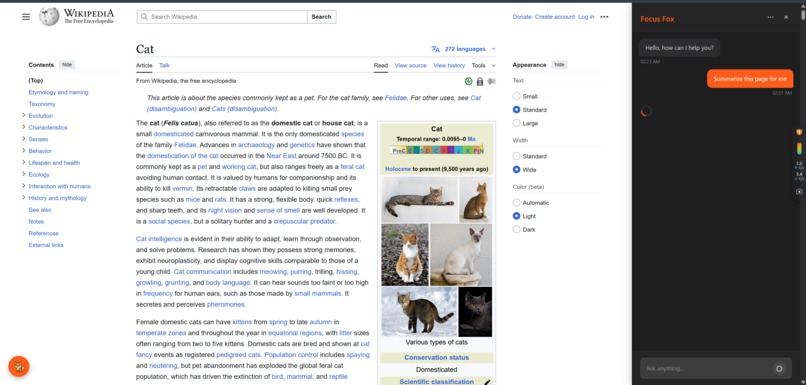
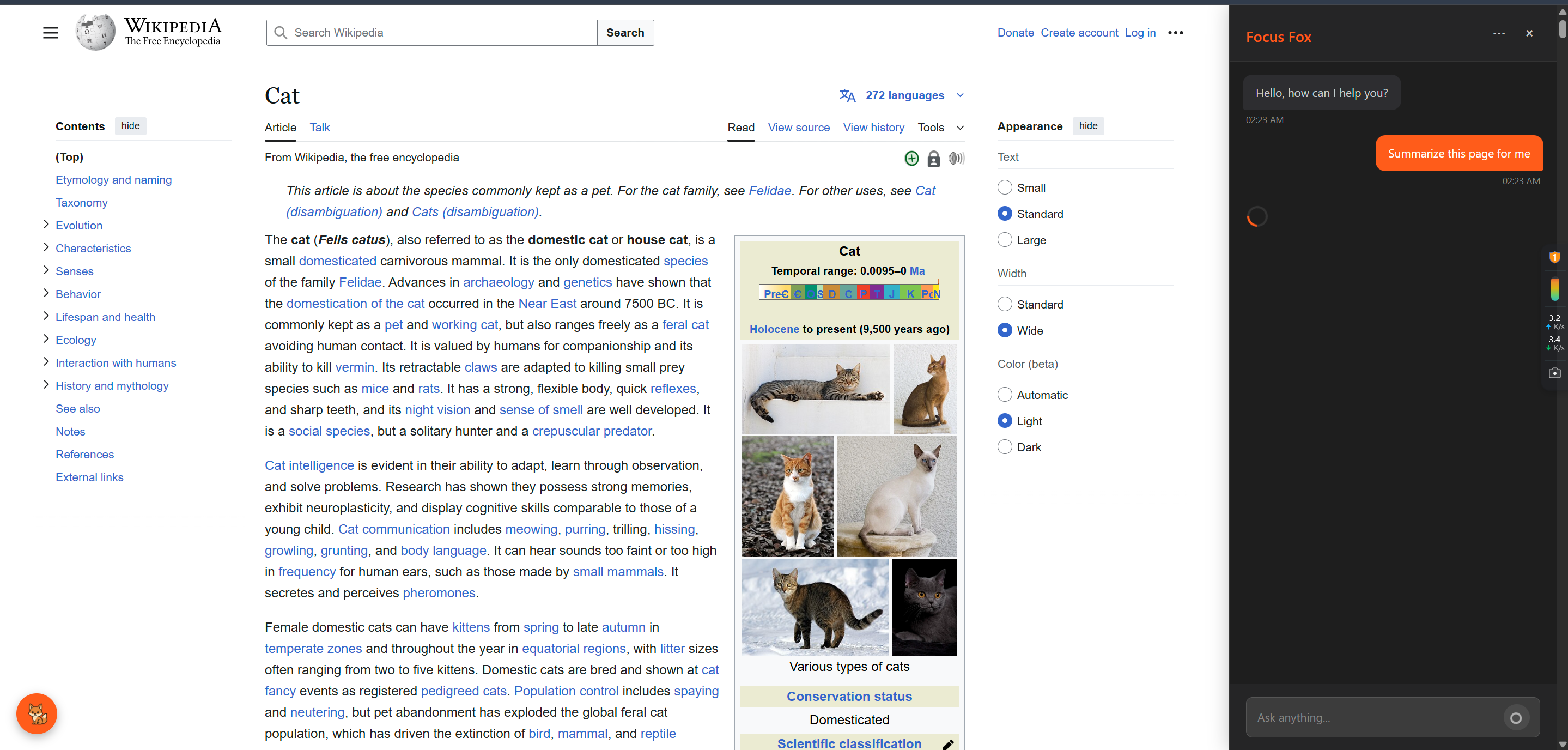
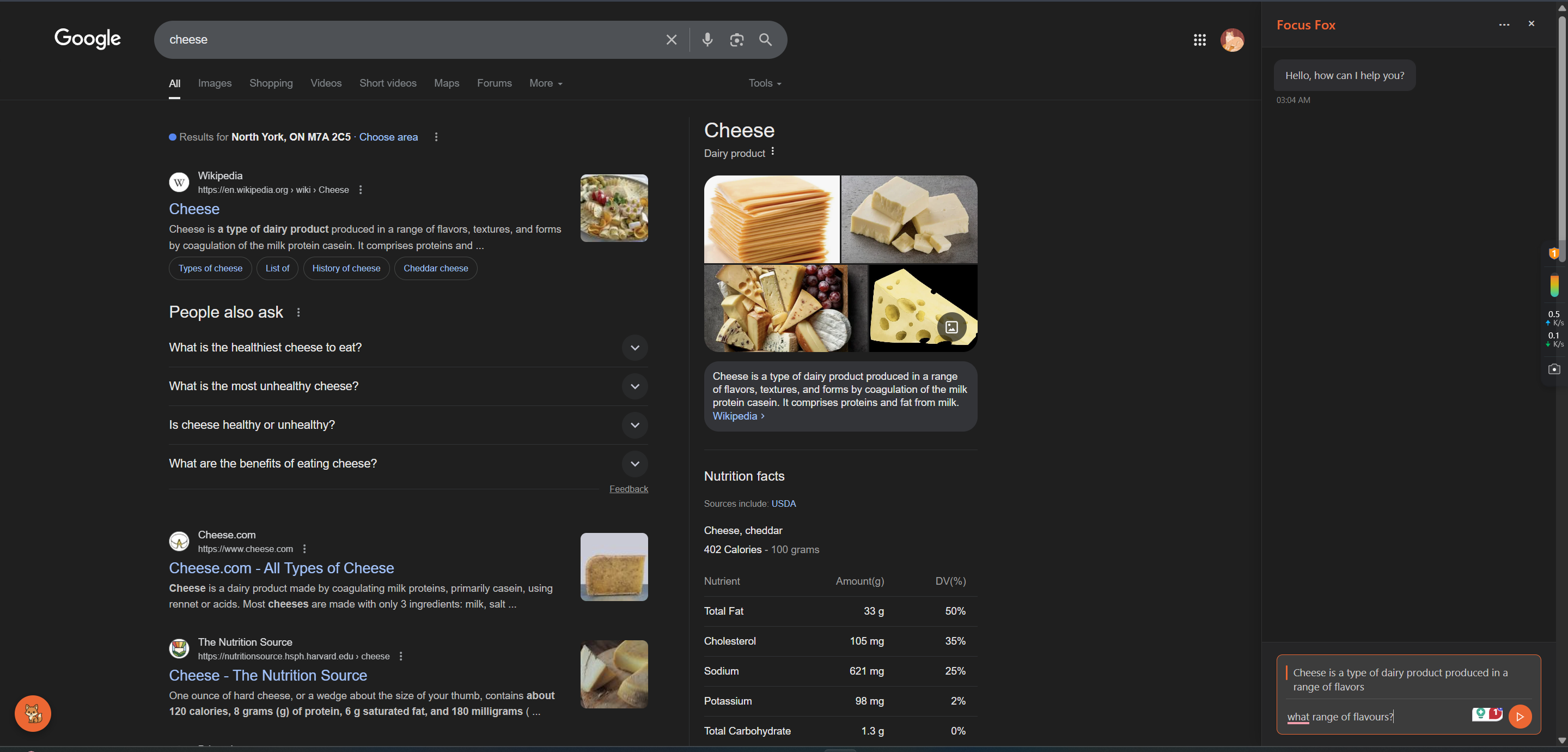
Focus Fox reads all the information on the page to ensure top notch experience! (sites can be restricted if preferred)
-

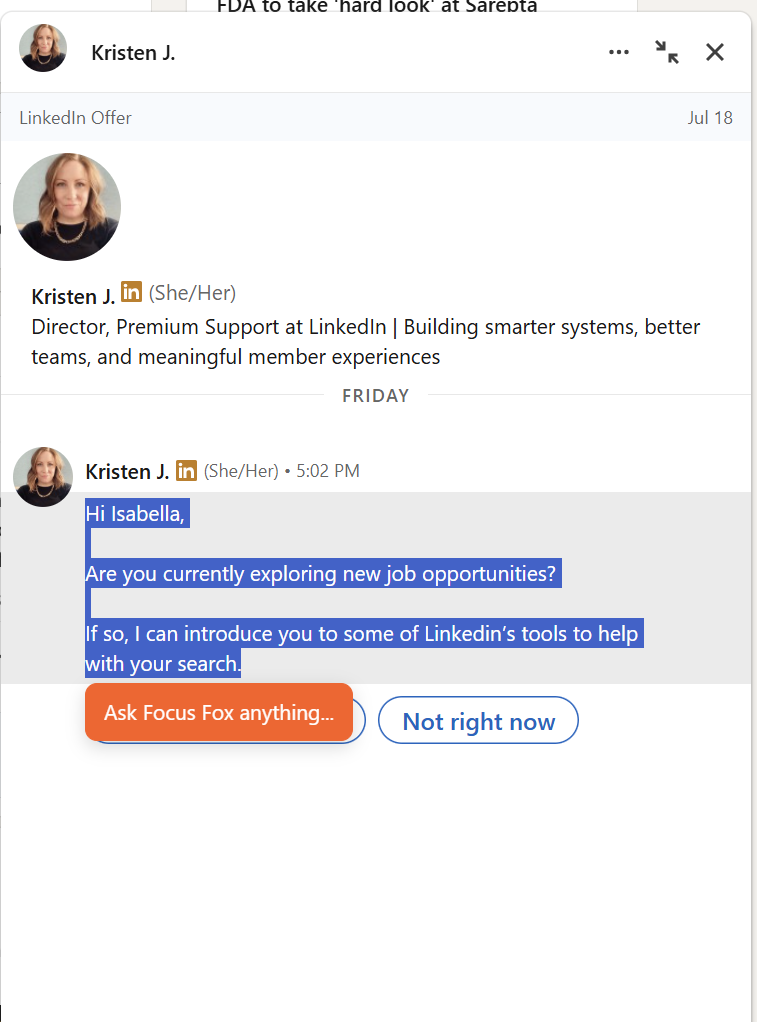
Select text on your screen to ask questions about it.
-
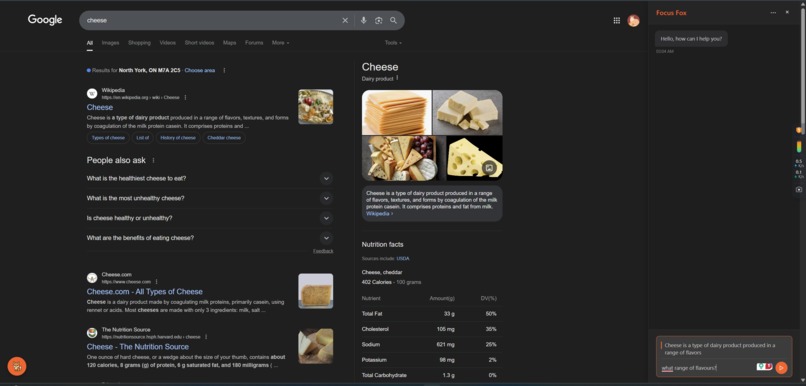
Selected text will appear in your chatbox, where you can ask all the questions you want!
-
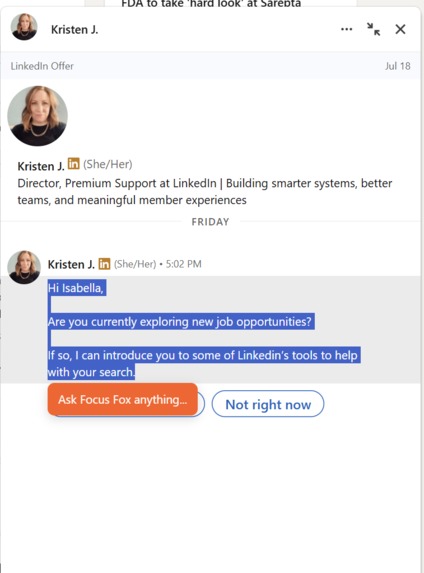
Become a TRUE linked-in warrior!

🌱 Inspiration
We wanted to build something that helps people focus, reflect, or ask questions about what they’re reading online. A lot of AI tools feel disconnected—so we thought, what if we made one that feels like a smart, helpful friend right inside your browser?
🤖 What it does
Our Chrome extension, Focus Fox, lets you highlight any piece of content on a webpage, then ask Gemini AI questions about it. It gives real-time, thoughtful answers based on what you selected—kind of like an intelligent co-pilot for your thoughts.
🛠 How we built it
We used:
- TypeScript + React for the sidebar interface
- Cloudflare Workers for the backend
- Gemini 2.0 Flash for streaming AI responses
- Chrome Extension APIs to interact with webpages
- Cloudflare KV for storing temporary chat history
The system connects content scripts, popup UI, and a Gemini-powered server using clean APIs and streaming.
😵 Challenges we ran into
- Getting Gemini's streaming API to work smoothly with server-sent events
- Managing the timing and flow of messages between content scripts, the popup, and backend
- Dealing with Chrome extension permissions and manifest issues
🏆 Accomplishments that we're proud of
- Full Gemini backend with context-aware streaming AI responses
- Clean, intuitive UI with support for quoted text and history
- The experience actually feels useful and personal
📚 What we learned
- How to integrate Gemini AI with streaming support
- Chrome extension architecture (background, content, popup communication)
- Building real-time apps with Cloudflare Workers and KV
- Designing experiences that feel smooth and helpful under pressure
🚀 What's next for Focus Fox
- Replace simulated frontend with full Gemini streaming
- Add persistent memory/history across sessions
- Support for images, code, and multi-modal content
- Let users share and export AI insights
Built With
- react
- tsx

Log in or sign up for Devpost to join the conversation.