-
-
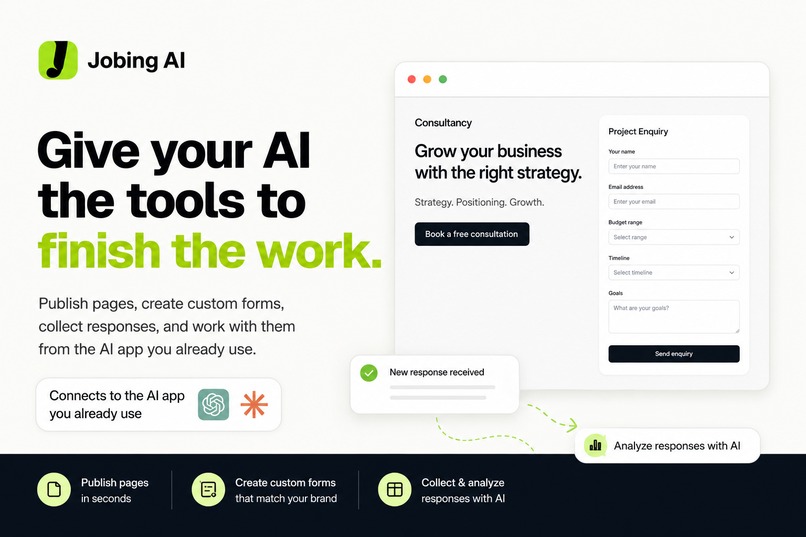
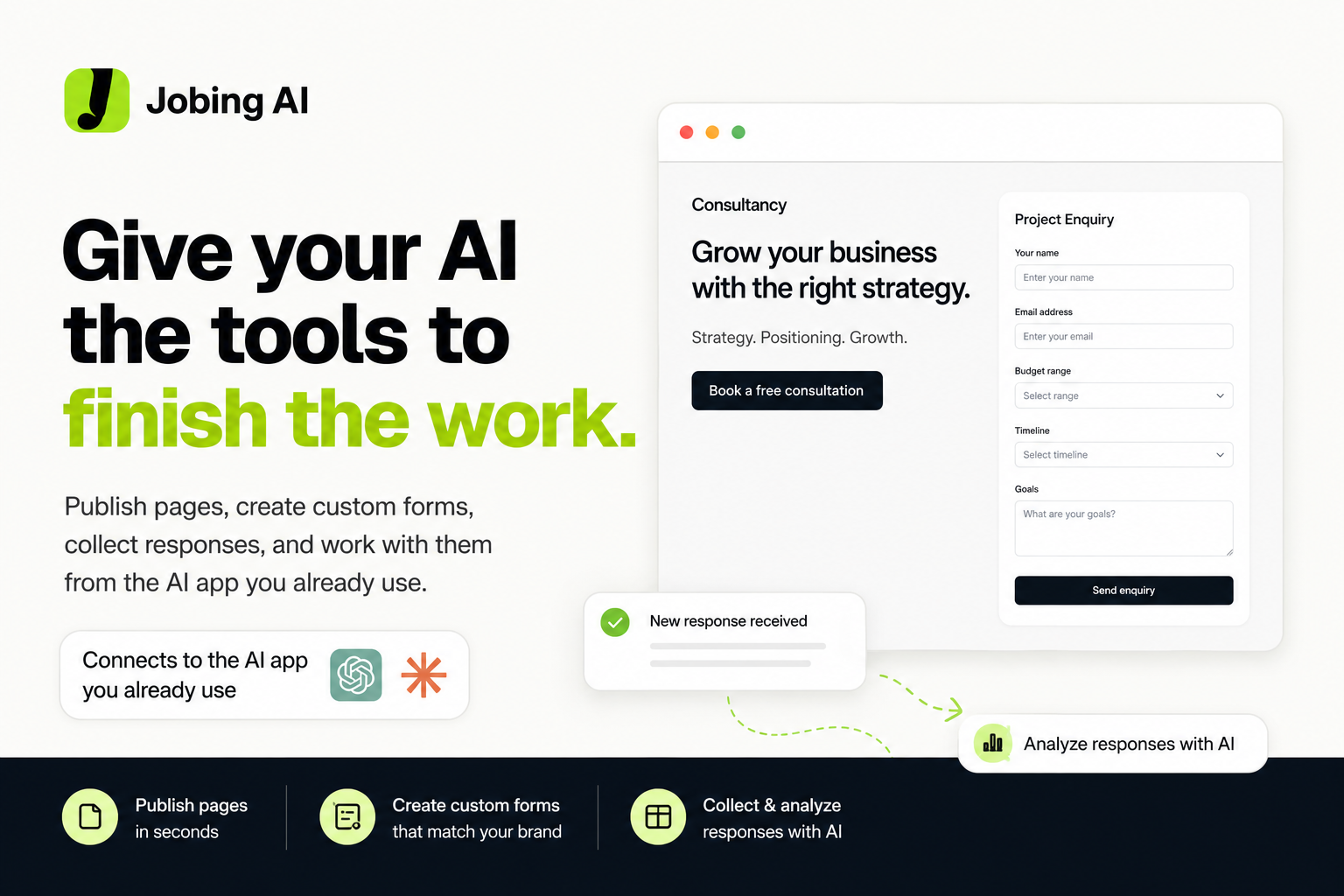
Jobing AI gives ChatGPT the tools to publish pages, create forms, collect responses, and finish the work.
-
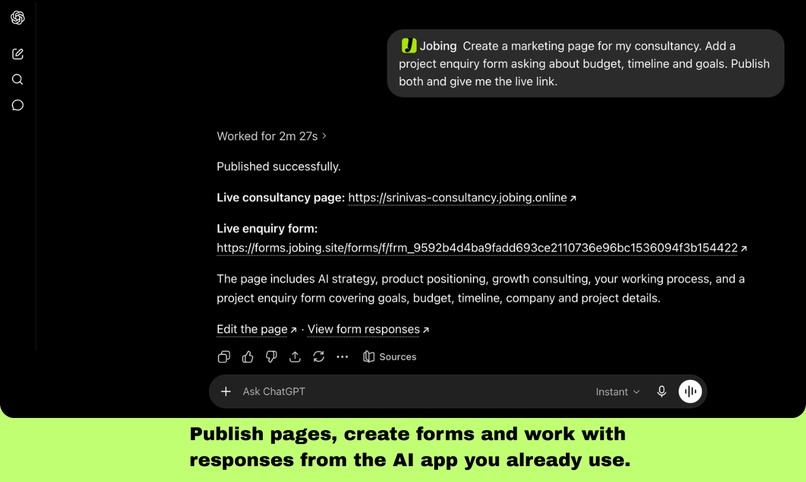
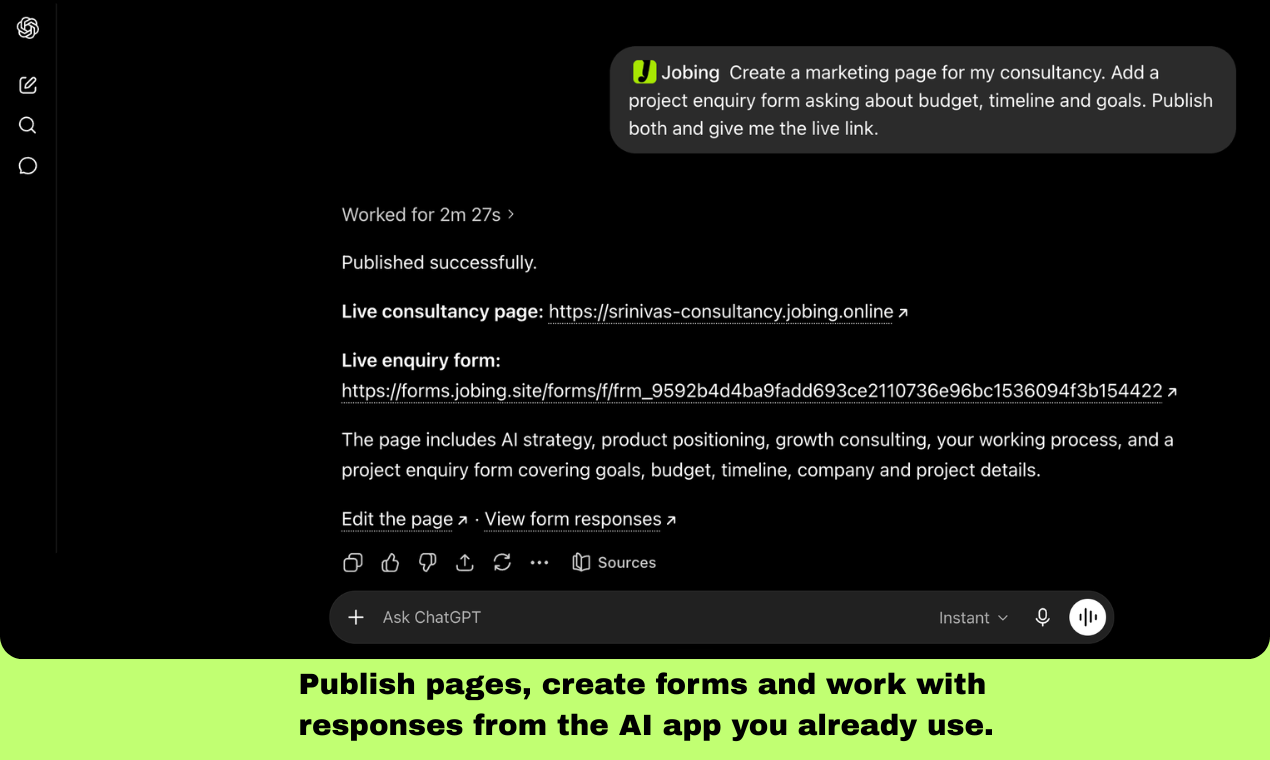
One prompt creates a consultancy page, adds a custom enquiry form, publishes both, and returns the live links.
-
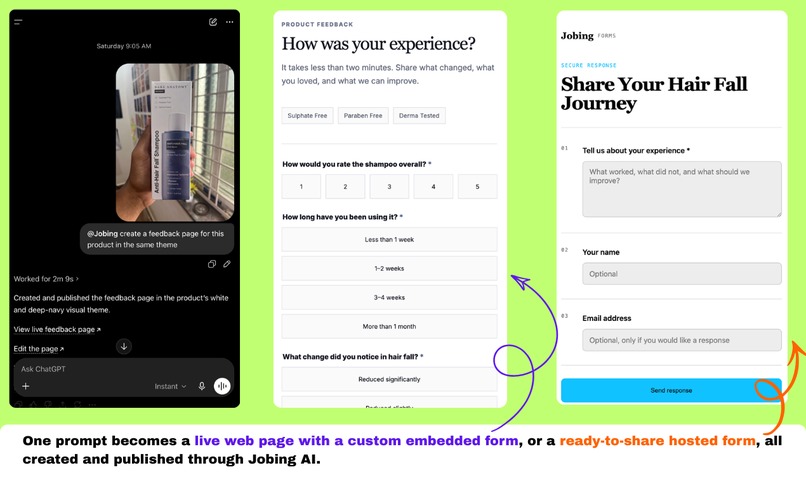
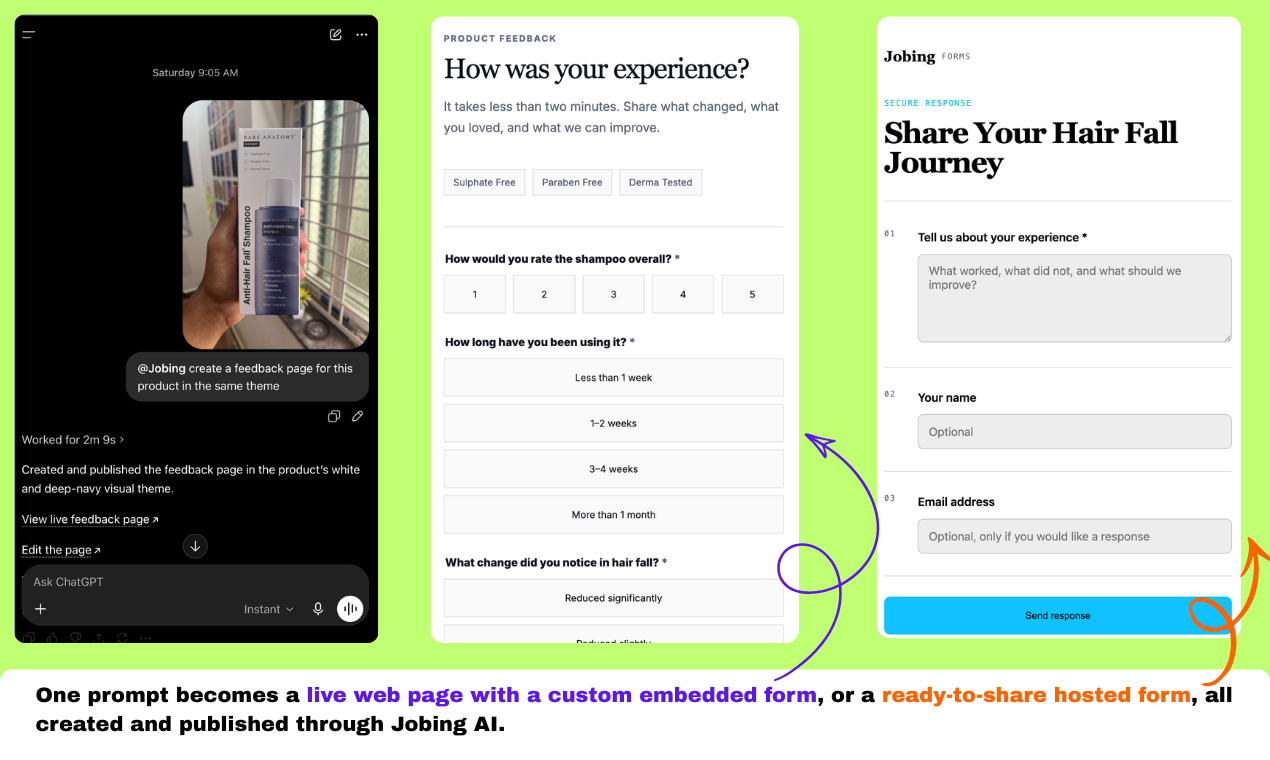
Create branded hosted forms or embed custom forms directly into any page, all from the AI app you already use.
-
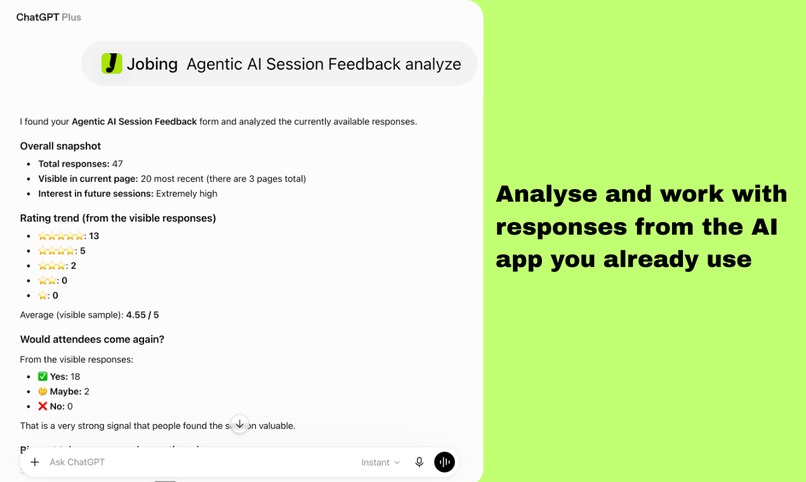
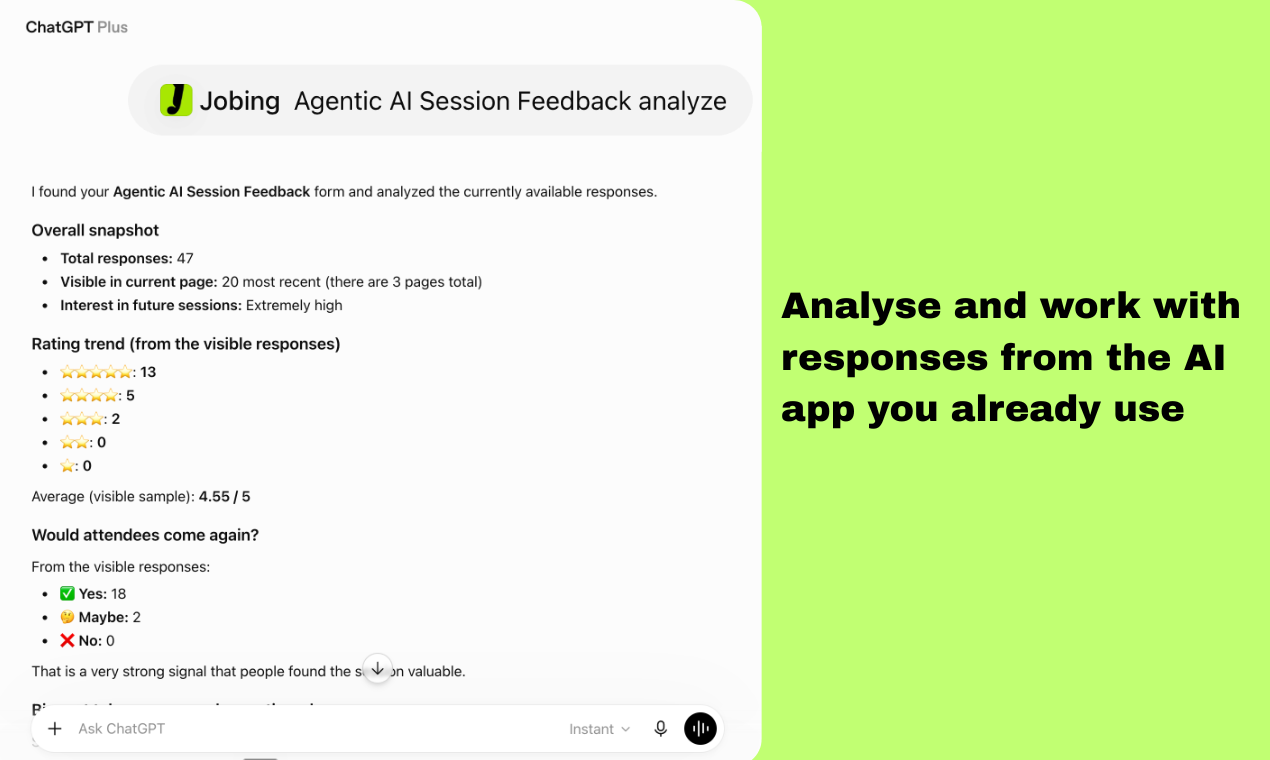
Ask your AI to analyze form responses, summarize feedback, identify patterns, and surface useful insights.
-
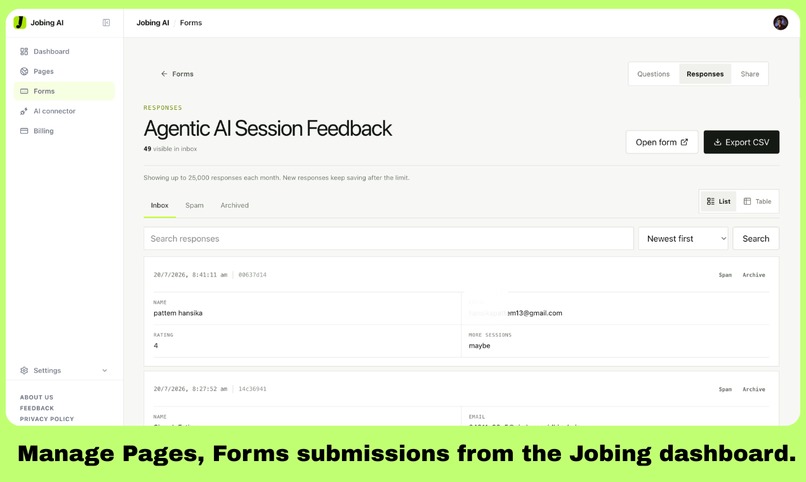
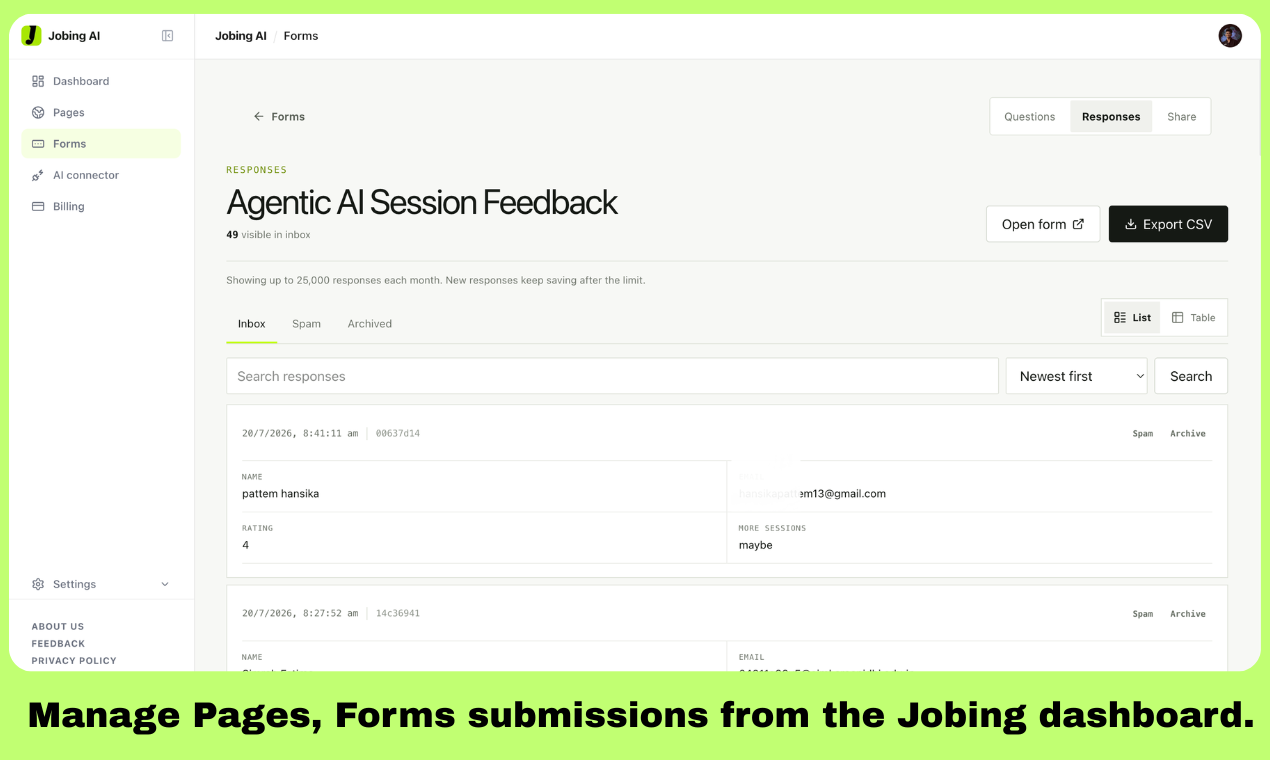
Manage pages, forms, submissions, spam, archives, and exports from the Jobing dashboard whenever needed.
Jobing AI: Give ChatGPT the tools to finish the work
💡 Why I built it
ChatGPT can write great copy, generate a page, and design a form. Then it usually gives you code and says, “Here’s what to do next.”
That “next” part is the real problem.
You still need hosting, a form backend, a database, submission handling, and several dashboards. I built Jobing AI so the conversation does not end with instructions. It ends with something that actually works.
✨ What can you ask it to do?
Connect https://jobing.site/mcp to ChatGPT, sign in once, and ask normally:
Create a marketing page for my consultancy, add a project enquiry form, publish it, and give me the link.
Jobing can create the form, connect its submission backend, publish the page, and return both the live link and dashboard links.
Later, you can ask:
Show my latest enquiries and summarize what each customer needs.
With the right permissions, ChatGPT can retrieve the responses, find patterns, and help decide what needs attention.
Jobing currently lets ChatGPT:
- publish and update web pages;
- create and publish custom forms;
- add native, branded forms to websites;
- collect and organize submissions;
- search and summarize responses;
- manage inbox, spam, and archived responses.
Everything is also available in a normal dashboard, so users are never trapped inside an AI conversation.
🤔 Why not just use a page builder or form tool?
Lovable and Bolt are great when you want to build a larger application or manage a generated codebase. But a simple campaign page or enquiry form can still become a complete development project.
With Jobing, there is no new project to configure for every request. The user stays inside ChatGPT and uses one existing connection.
Google Forms makes collecting answers easy, but it looks like Google Forms. Generic form embeds can also feel disconnected from the website around them.
Jobing lets the website control the form’s fonts, colors, spacing, fields, and buttons. The form looks native to the page, while Jobing quietly handles validation, submissions, and response storage.
This is especially useful for the new generation of ChatGPT apps and sites. Instead of building separate page hosting, form infrastructure, and response-management systems, they can use Jobing as the action layer behind the conversation.
🛠️ How I built it
Jobing is powered by the Model Context Protocol and exposes permission-controlled tools for pages, forms, publishing, responses, and feedback.
I built it using Next.js, TypeScript, React, Vercel, Supabase, Neon Postgres, Clerk, and MCP.
Forms begin as private drafts. Permission to create a form does not automatically give the AI access to its responses. Generated pages run separately on jobing.online subdomains so they cannot access the authenticated Jobing application.
Users get the convenience of AI without giving up drafts, permissions, dashboards, or control.
🤖 Building with Codex and GPT-5.6
Codex with GPT-5.6 became my engineering partner throughout the project.
I used it to design the architecture, implement MCP tools, write database migrations, build OAuth permissions, create the Forms service, and test workflows across four separate deployments.
It was especially useful when debugging problems that crossed several systems. A single failed form submission could involve generated HTML, CORS, a public page, the Forms deployment, Neon, authentication, and the dashboard.
Instead of only looking at one error, Codex helped trace the complete journey, find the actual cause, implement the fix, and test the related edge cases.
Codex also helped me make important product decisions, such as keeping forms private until publication, separating response access from form creation, isolating generated pages, and returning useful dashboard links after every AI action.
😅 The hardest part
The biggest challenge was making the connector powerful without making it confusing or unsafe.
Users want the AI to take action, but they also need to know what it can access, review drafts before publishing, confirm destructive changes, and disconnect it whenever they want.
I also learned that more security is not always better. My first form security flow created too much friction for real respondents. I redesigned it so normal submissions remain quick while suspicious activity receives additional checks.
The biggest lesson was simple:
The best AI products do not only give better answers. They safely complete the last step.
🚀 What’s next?
Next, I want to add permission-controlled email follow-up, richer response analytics, reusable templates, and collaboration features.
My goal is for a user to ask ChatGPT for useful work and receive a finished result they can publish, manage, and improve.
Try it: jobing.site
Connector: https://jobing.site/mcp
Built With
- clerk
- cloudflare
- codex
- dodo-payments
- gpt-5.6
- model-context-protocol-(mcp)
- neon-db
- next.js
- openai
- posthog
- resend
- sentry
- supabase
- vercel
